Intervals.icu News 2025-08-01

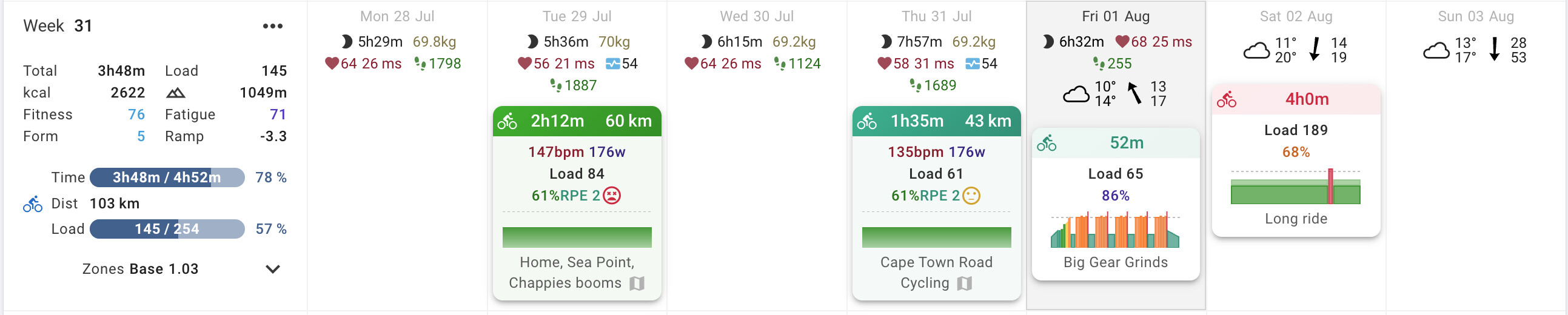
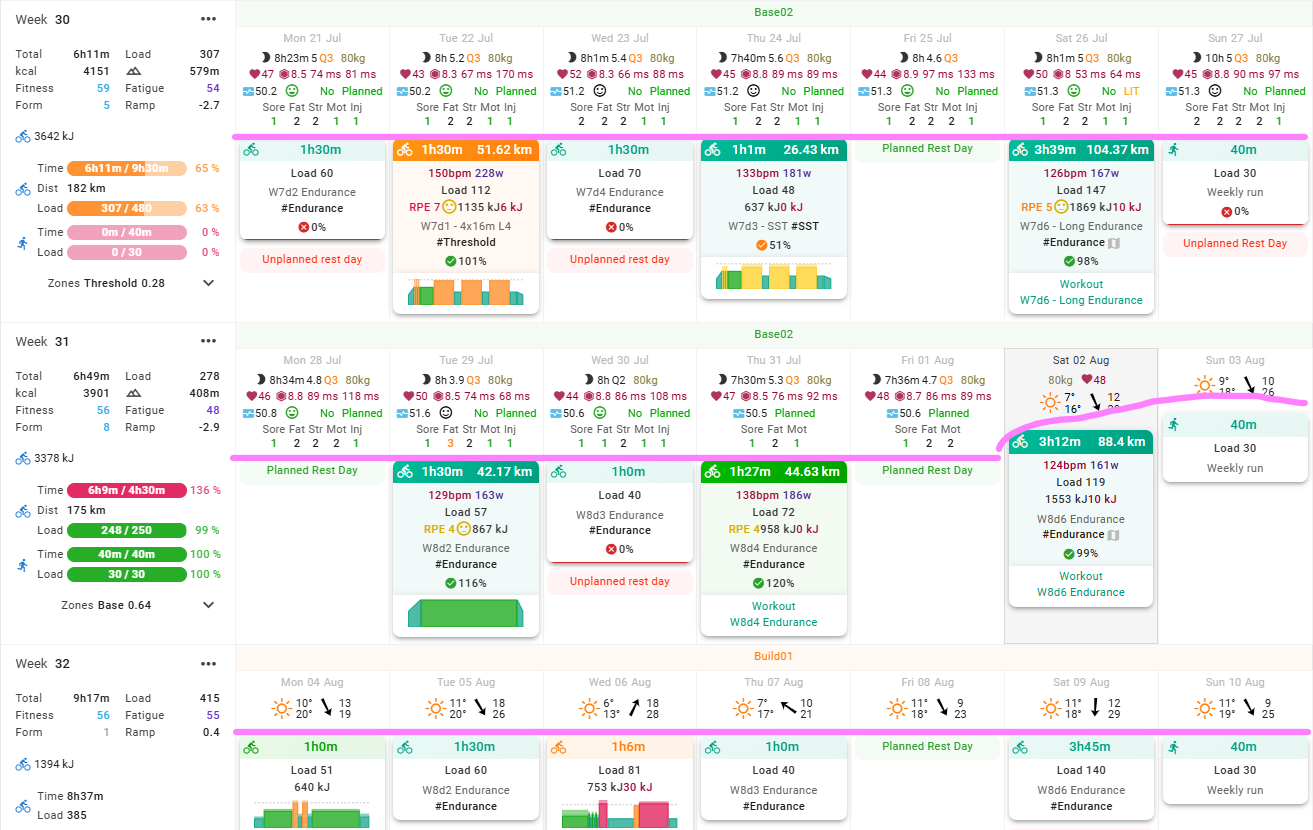
I am sure many people have noticed that Intervals.icu has a new look calendar (thanks @Eva !).It looks great and works well on phones!

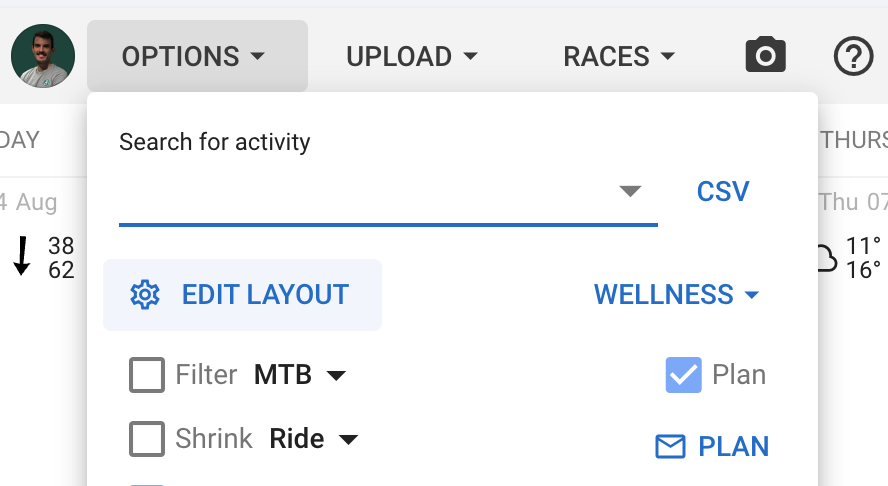
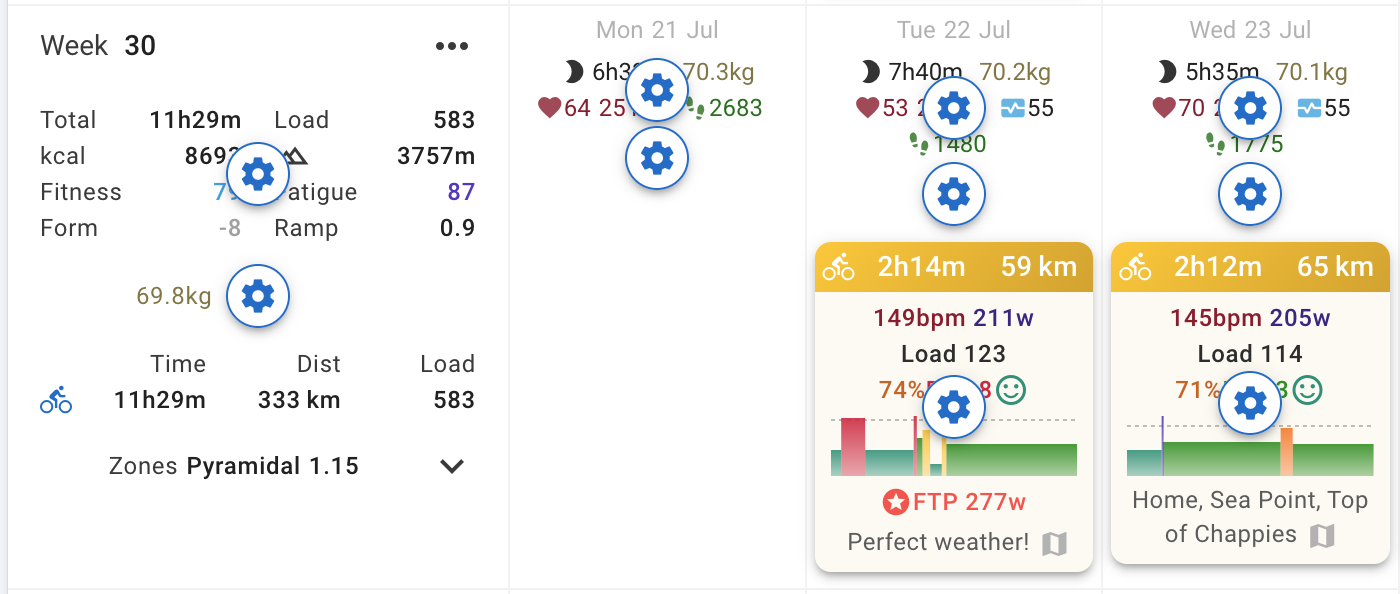
We have also cleaned up the configuration options. In short you just need to click “Edit Layout” and then click what you would like to configure (weather, totals, sports etc.):

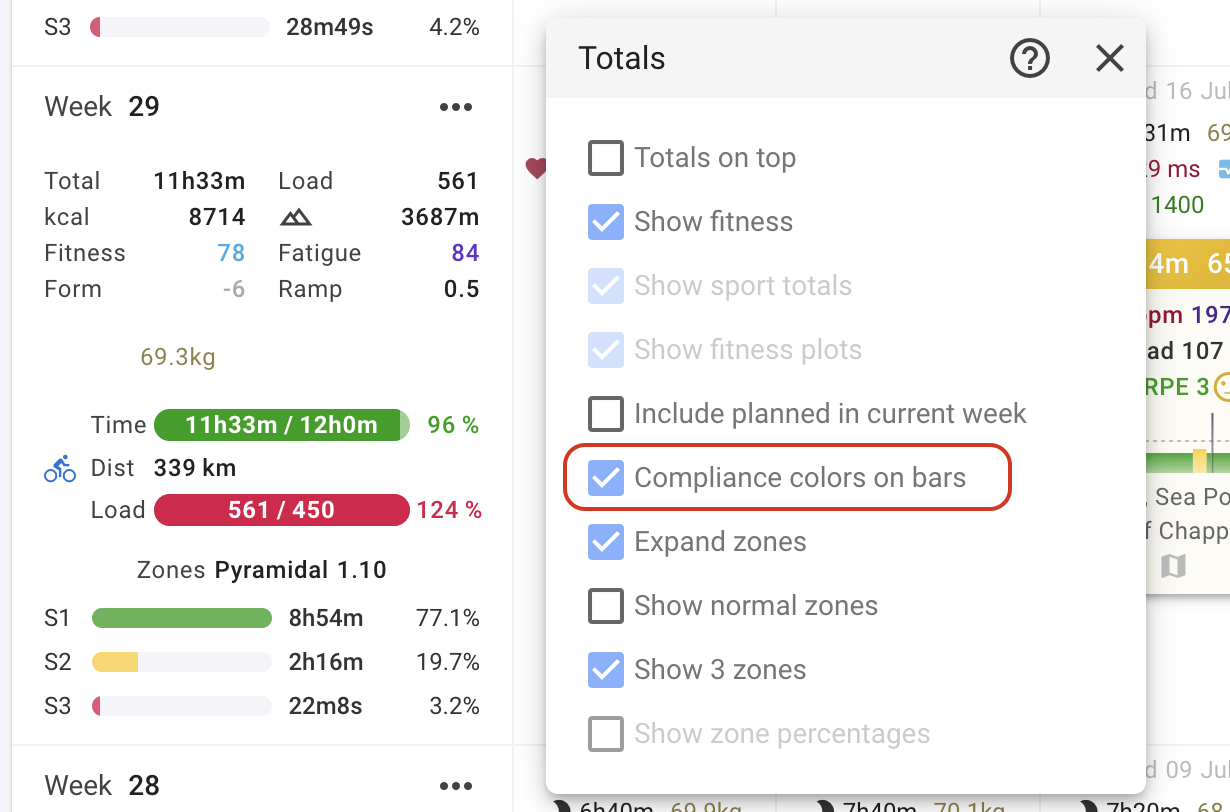
Activities completed vs planned is now displayed on a progress bar:

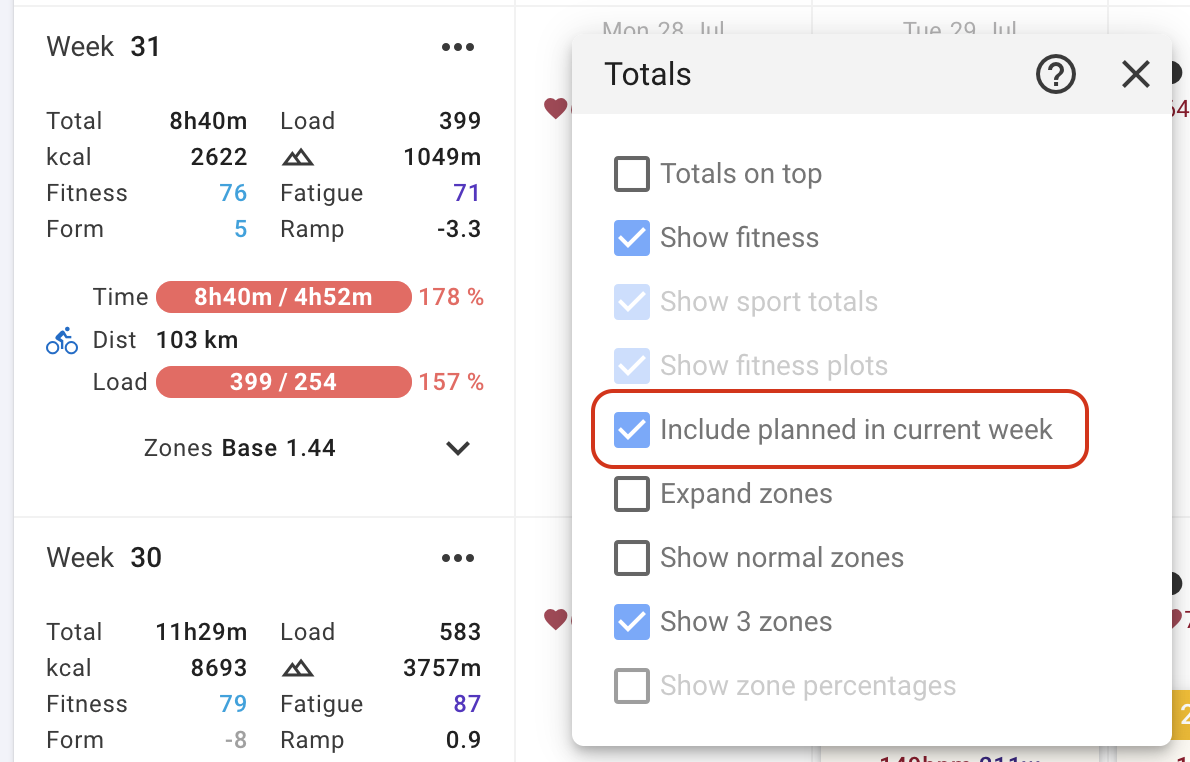
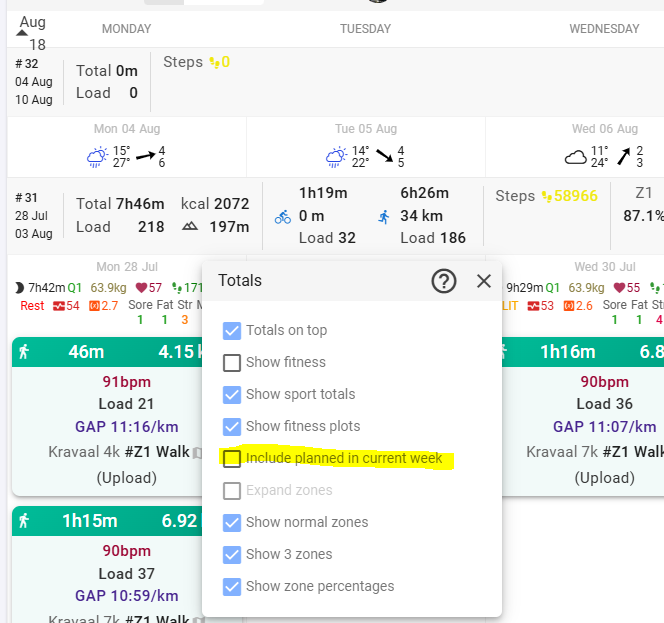
Future planned workouts for the week are no longer included as actuals by default. However you can enable the old behaviour:

Other changes since the last news update:

  • Added coaching groups for easier athlete onboarding for teams and coaching businesses
  • Added integration with Amazfit watches and fitness bands
  • Finished the huge library update and the app is faster as a result
  • Improved many things for phones
  • The menstrual cycle wellness indicator is now with the other wellness stuff, first in the list. It can be enabled and disabled like the others
  • Added interval fields for tidal volume VT and VE (for Tymewear breathing sensor)
  • Added body fat to Garmin wellness updates
  • Changed how HRV is normalised to better match HRV4Training
57 Likes

Good luck with those big gear grinds today! :grinning_face:

4 Likes

:slight_smile: My usual screenshot workout

Great steps forward. Thank you!

I like the new layout, but the site kind of freezes often in my android firefox. Scrolling up and down is possible maybe 50% of the time, sometimes it freezes also while scrolling. Anybody else experiencing such an issue?

1 Like

please, bring “target load” back to week summary.

Tks,

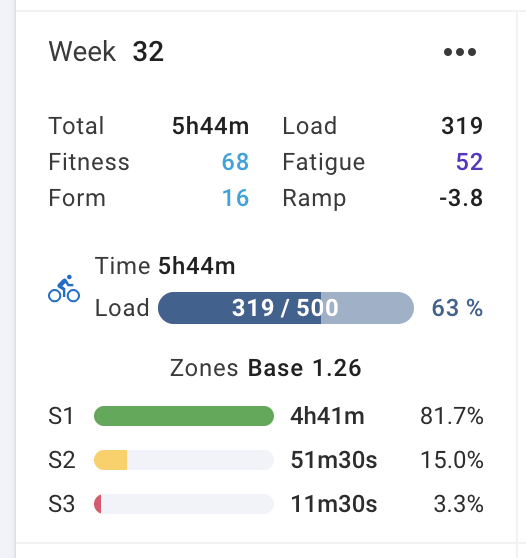
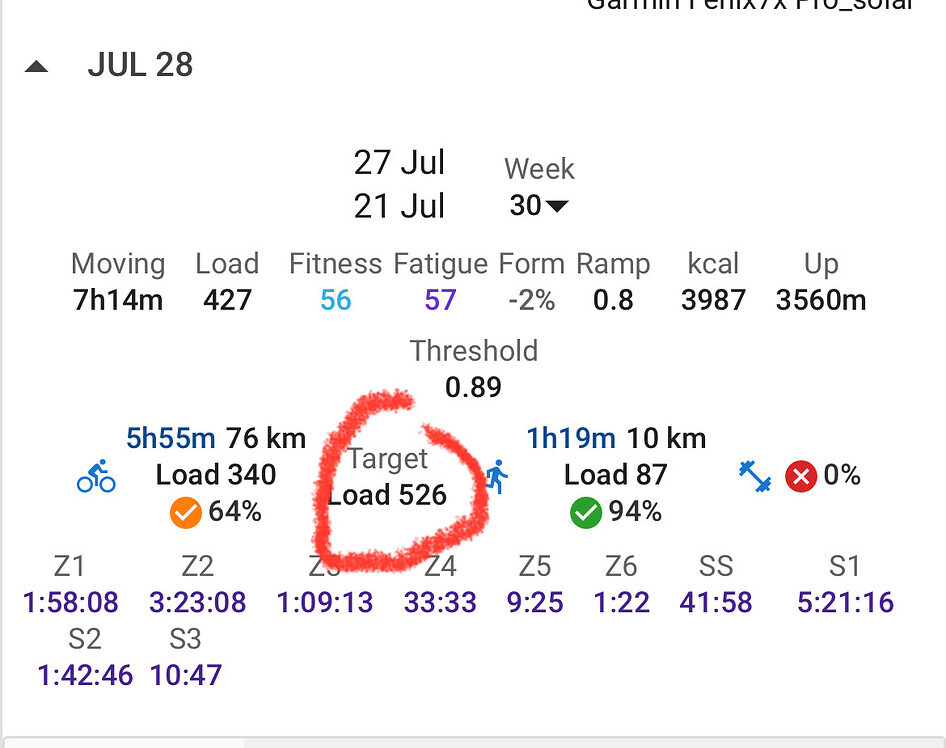
Target load is there unless I have mistaken what you are asking for? The 500 in these screenshots is target load for the week:

1 Like

@david is it possible to have colours for the progress charts that are coloured similar to the compliance? You and Eva have done so much and received a lot of individual requests. It just seems more compliant to have the robot colour scheme.

Example:
Red is +/- 50% compliance
Orange is 50-80% and 120-150% compliance
Green is 80-120% compliance.

It depends on actual vs target or planned.
I would say actual vs planned

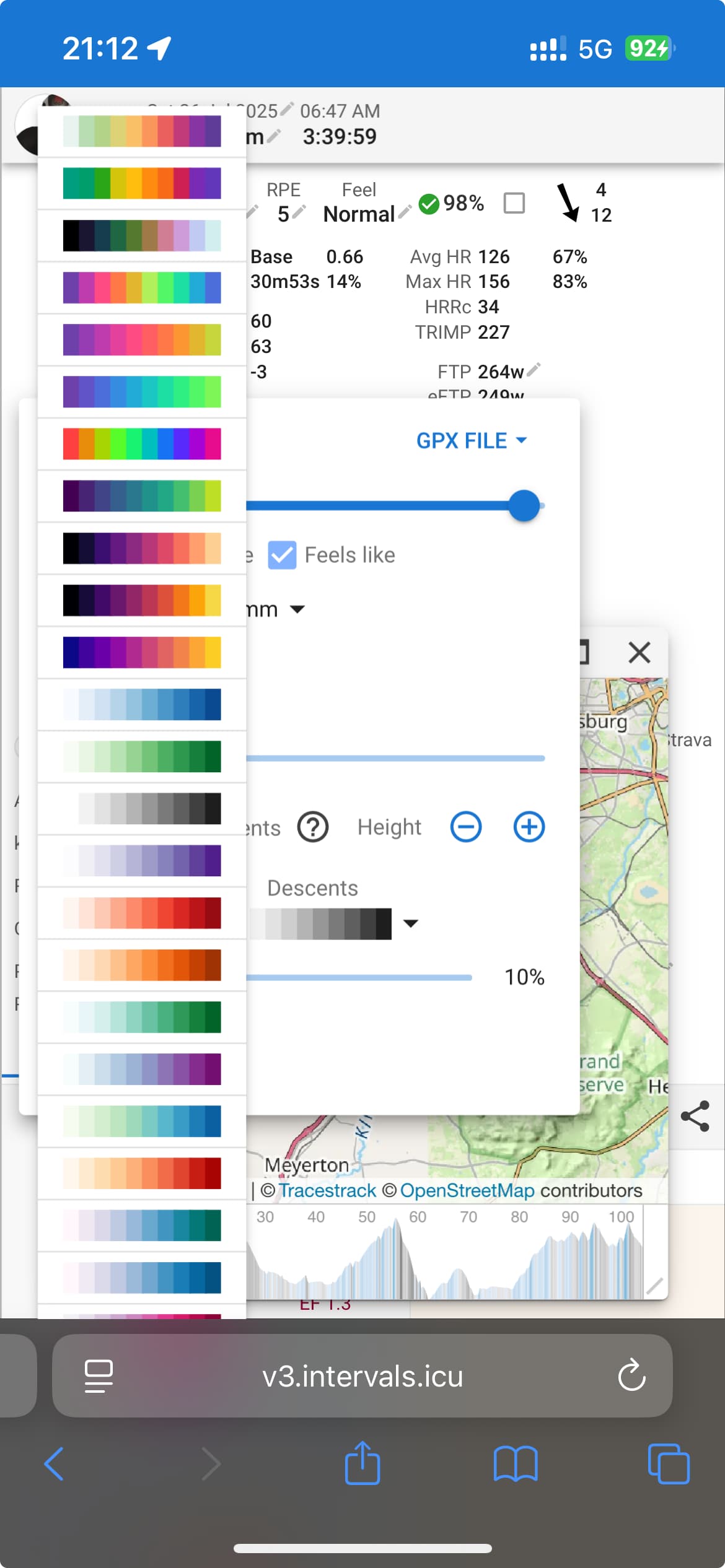
Maybe offer the choice of colour pallets like on the map elevation chart.

1 Like

I dont know if this is new ( its new for me) but the colours in Sport Settings , Intensity/RPE and Load are a bit weird.
I mean , for MTB tracks and Ski slopes the colors are green , blue , red and black (easy >> difficult)

You’re the :goat: !

1 Like

Same thing with Opera on Android phone. But no issues if I switch to desktop page.

1 Like

Hi David,

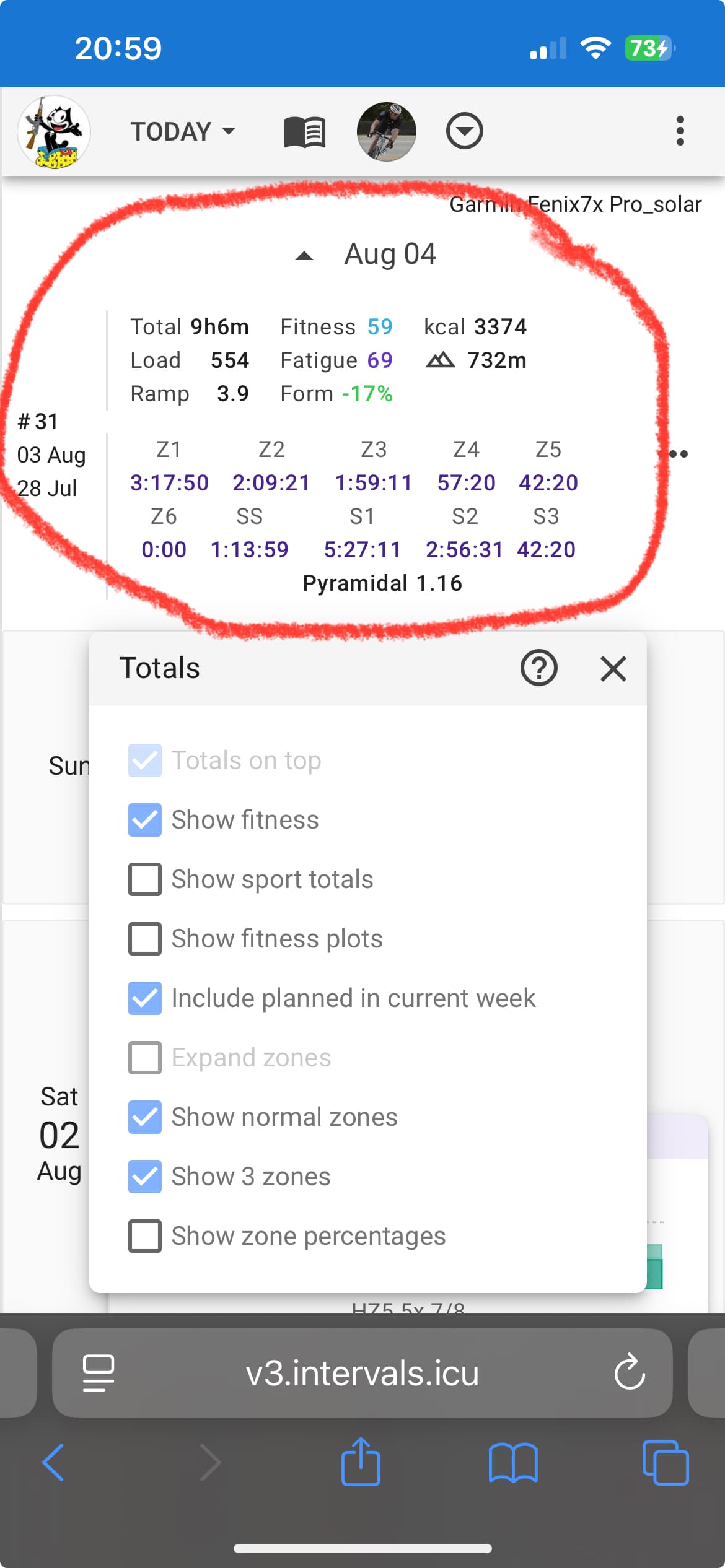
I have showed it before. See the info on the red circle.

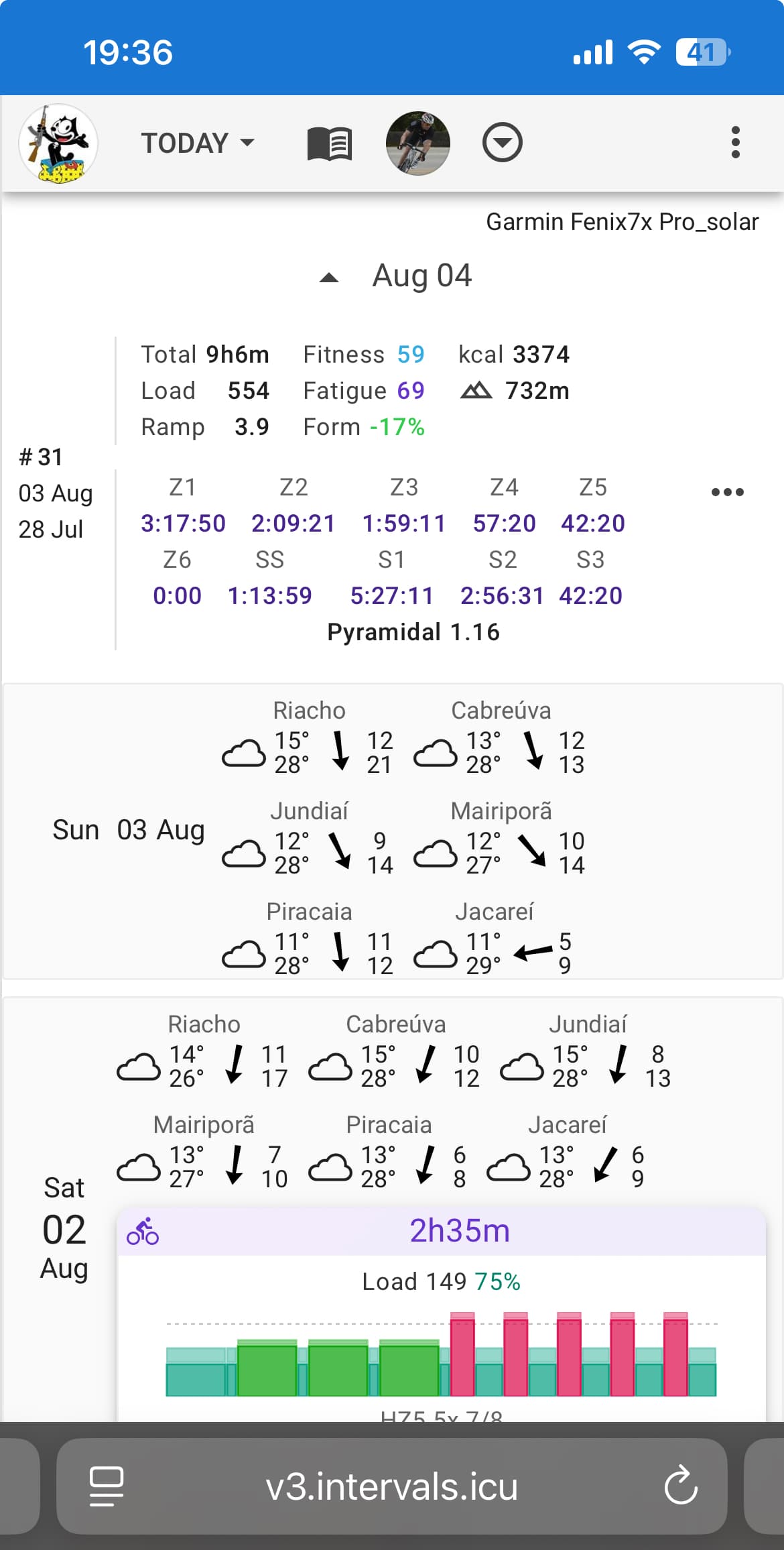
Take week #31 on current view bellow. “Target load” is no longer present.

It’s the sum of all individual loads, including planned.

If go to my Fitness Main Tab you will see a chart of Load vs Target Load.
On week #31 if I accomplish tomorrow’s planned workout I will end up wit 575 of 561 planned. See chart bellow:

Tks,

Edit the Totals summary to include the planned or not.

I can’t find an option to show it in the page bellow

In order to see that info I have to go two more pages.

First in here:

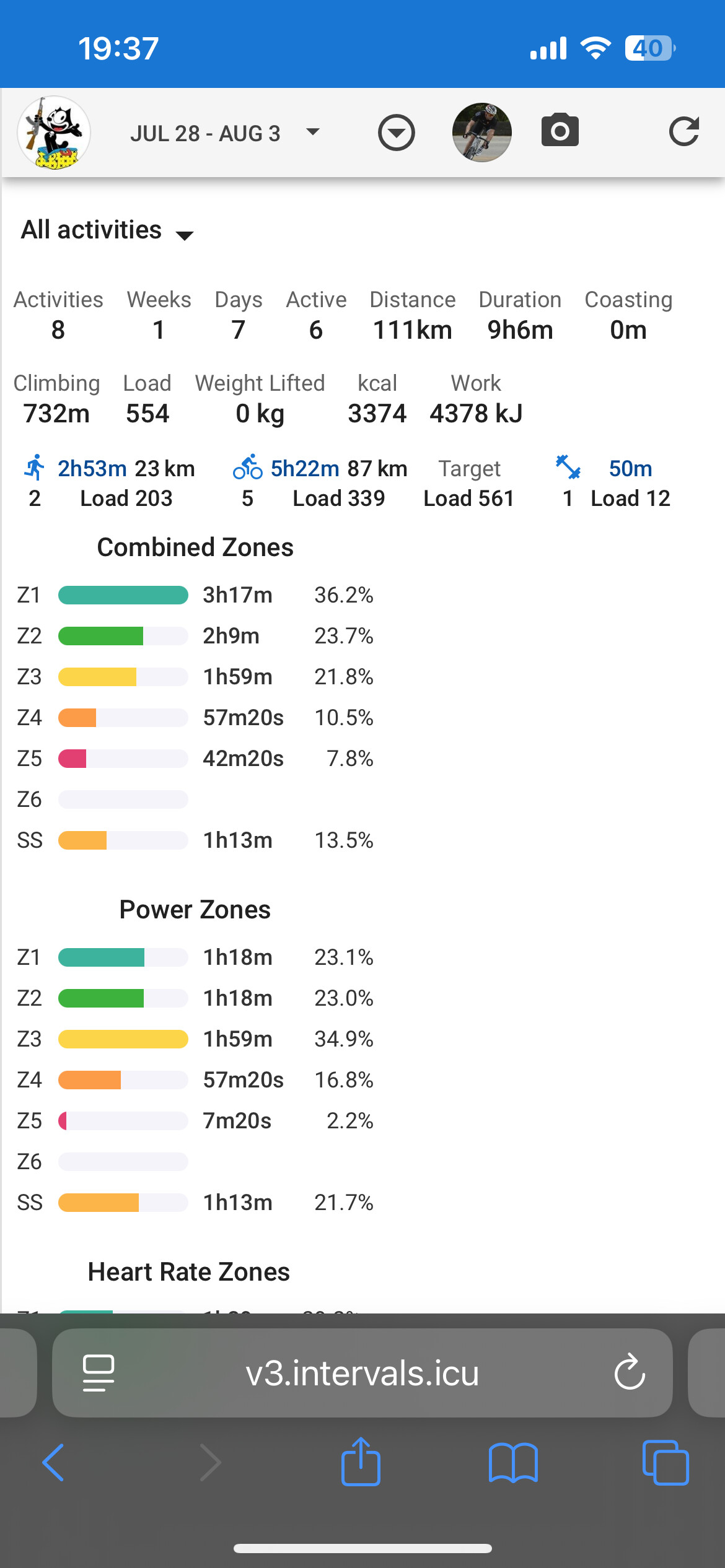
And than in here:

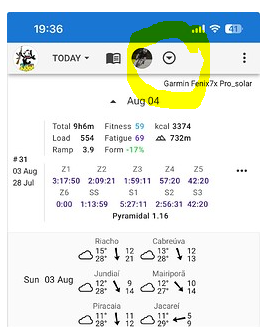
Tap here to open the Options dialog. Then tap Edit Layout. Then tap the cog on the totals section and you will have the options listed above.

It was already marked but as you can see there is no “Target Load” in the red circle.

New calendar was a nice surprise. Looks and functions great.

1 Like

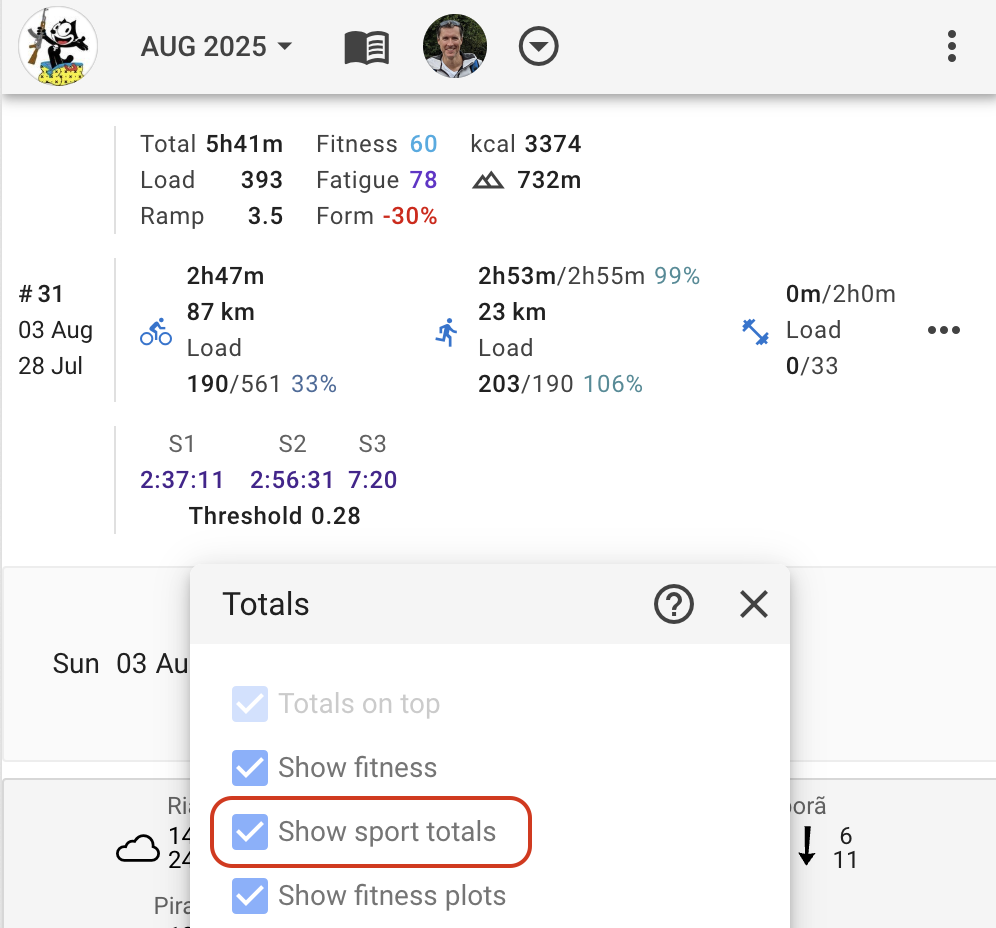
You need to tick the “Show sport totals” box, then the 561 shows up:

We have added an option to the “Totals” toolbar for that:

1 Like

Thanks, as always.

With these changes, even my OCT has been satisfied.
I can live with the current week’s activities/planned workouts not being perfectly aligned. It’s one week.
4 Likes

Got a little smile on my face when I opened up intervals.icu today, it’s a thing of beauty!

2 Likes