Can you share what this looks like on your intervals.icu integrations page? I have the Wahoo Roam v2 and using the Element app as well for syncing, working perfectly.
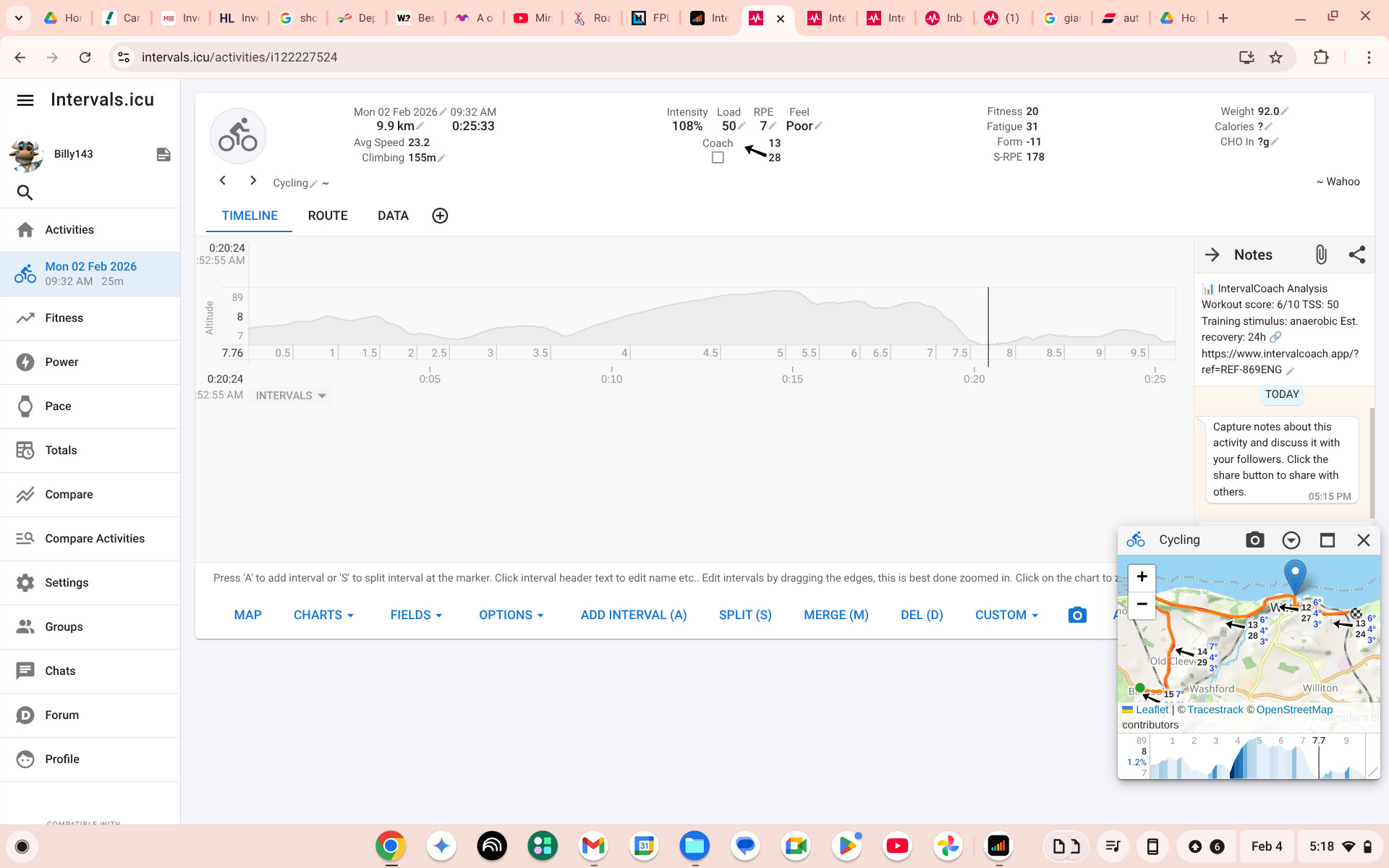
Is this the image?
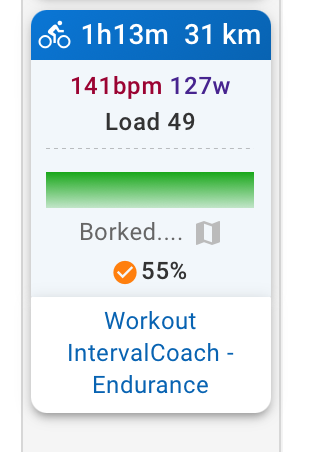
I have manually entered rpe so that this activity does a basic and very limited upload to InervalCoach.
Wahoo have confirmed that as a bolt v1 user i can only us the Elemnt app and not the Wahoo app.
Is it possible to connect the elemnt app to I.ICU? If so, how?
Hi Martijn,
a question regarding the recently added “sessions per week slider” - the AI schedules max 3 consecutive sessions. That is great, because I also limit myself to 3 consecutive cycling sessions. However, I like to add a gym session to the 4th day. I know that you do not yet support gym sessions, therefore my question is how to implement this pattern of adding a gym session and a rest day after cycling? (example: 3x cycling, 1x gym, 1x rest day, then cycling again)
Should I plan in advance when the gym session should be and add a gym session in intervals, and then regenerate the weekly plan? Or will this negatively interfere with the AI’s planning? What might also happen is that it schedules 2 sessions and then adds a rest day before the gym session. Of course I might as well just shift around the sessions in the week inside intervals but I am not sure if it is a better idea to leave them as-is to not break the plan haha
Thanks for the updates btw
EDIT: played around with the slider, set max 7 sessions/week with all days set to 2hrs.

You can see that two sessions are way below the 2hr target. Possible bug?
It’s all uploading to the Wahoo Cloud. I sync with Elemnt app to the Wahoo Fitness Cloud, and this is being uploaded to intervals (using the Wahoo Connection …)
Ahh i see. Thank you.
So i need to find out how to sync my Elemnt app with the Wahoo fitness cloud then it should work?
I noted a bug in a swimming workout push to intervals.
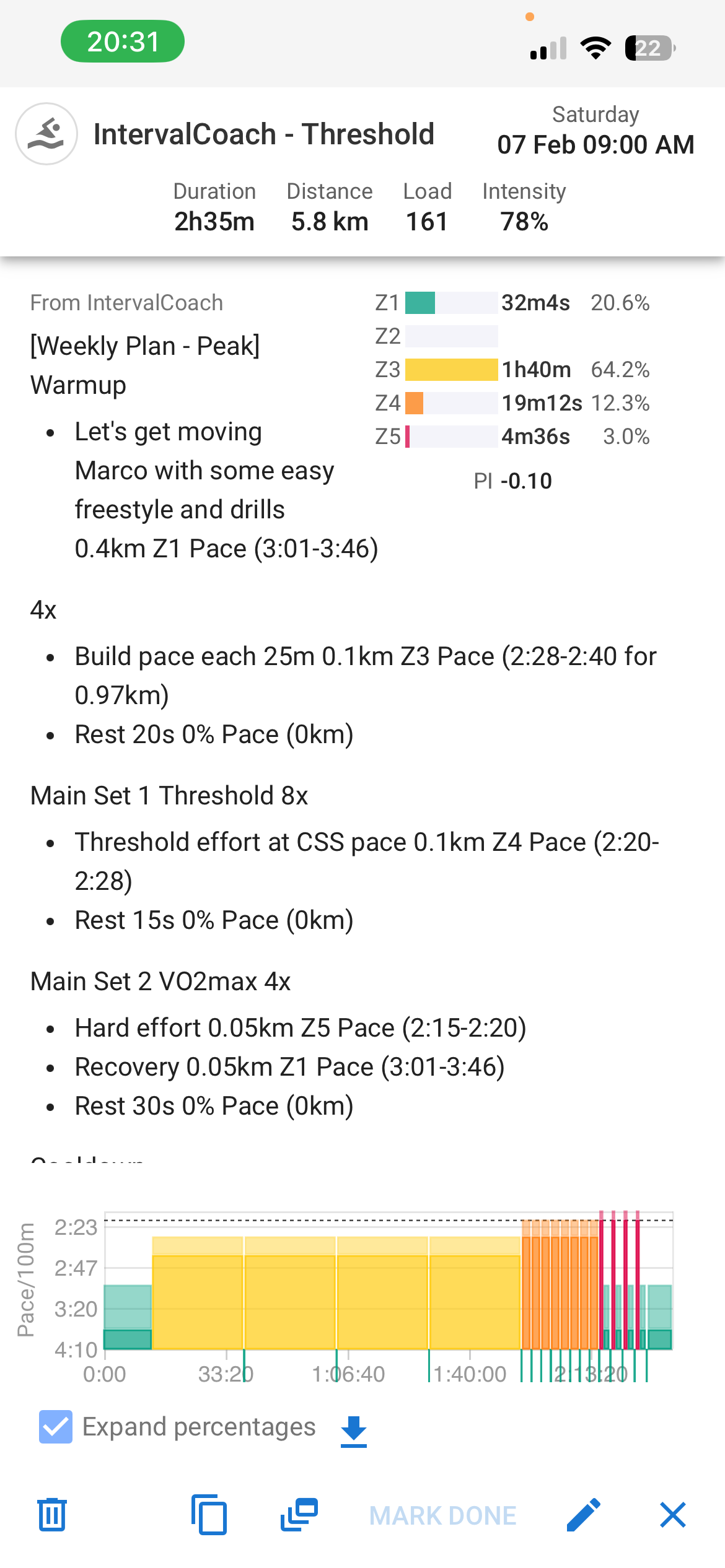
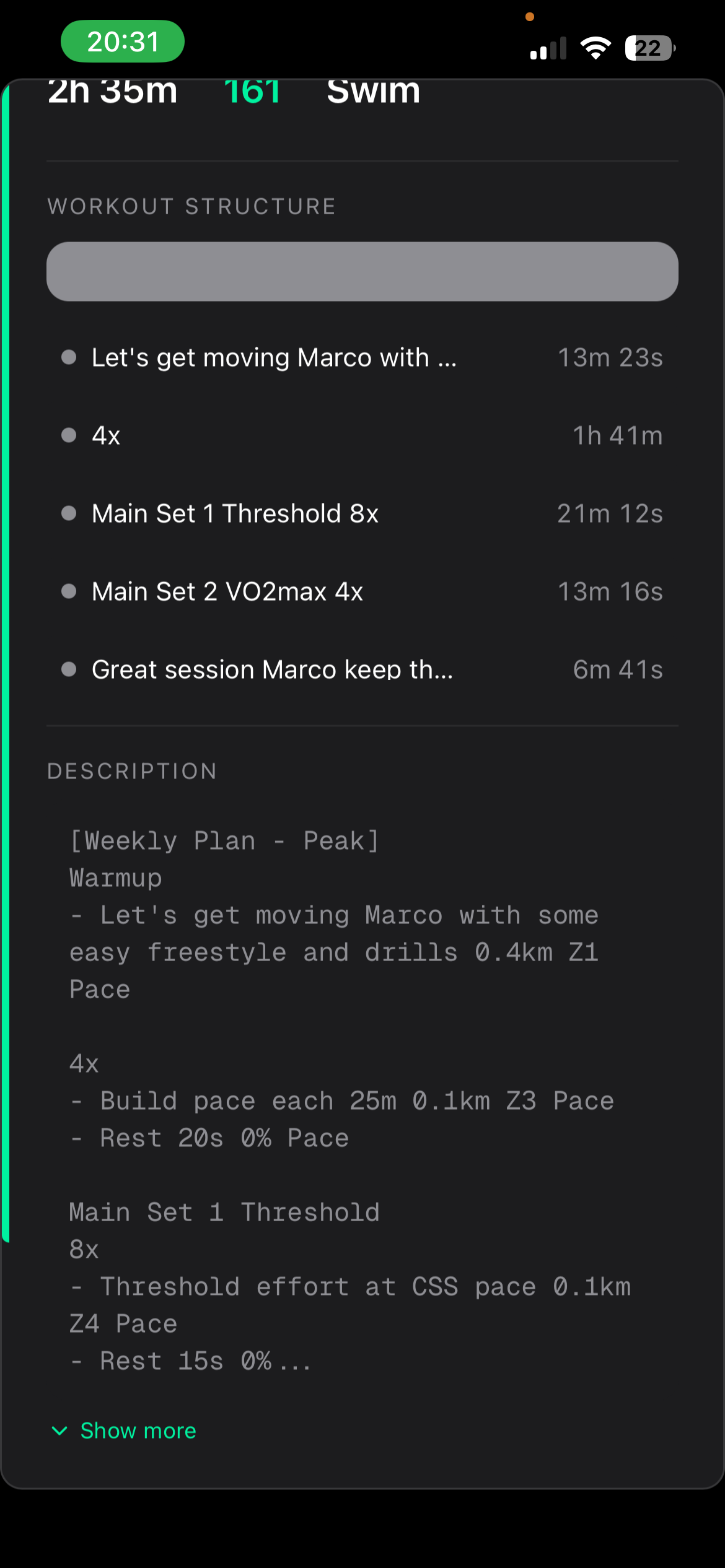
If you look at the screenshot, on the first 4x intervals IC added the length of the pool (25m). This resulted that the parser interpreted the 4x 25 minutes interval, instead of 4x 100 meters in Z3.
In addition, the Rest step should not report “0% pace”
Hi
How does it compare to intervals.pro which is already providing what you are offering ?
J
I would sign up and find out for yourself. 14 day free PRO trial, so it gives you time to kick the tires.
I know theres about half a dozen apps in various stages of development. I tried a few (AIEndurance, coach Watts, Interval coach, Roadietips, others)
I happen to like this one, because of its focused use case (I use it for long-term plan and generating weekly plans, in addition to tracking recovery and adjusting as needed) and low price (compared to others)
3 Likes
Hi,
I don’t want to bother you too much but another thing that I noticed is that percentages for certain workout types are not matching what is generally considered the range for these types of sessions.
Here is a threshold session which should be around 95-105% as per definition but the workout created is way to low:

I can provide more examples if needed. This is from JustTrain.
Thanks and best regards,
Marc
I noted what @MarcZw mentioned as well. No big deal, I just modified the workout by myself.in intervals, though it could be fixed 
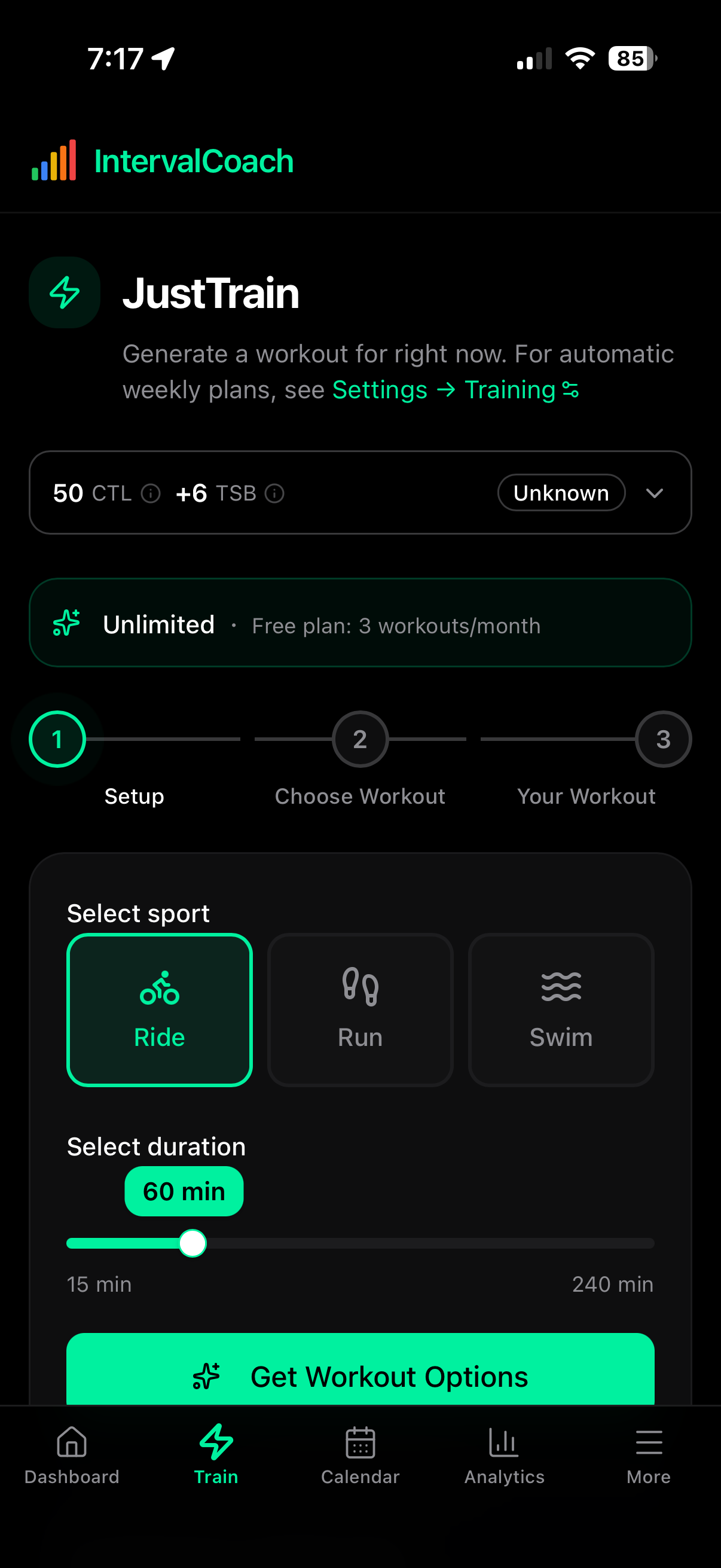
Still seeing how this goes for me, but noticed an inconsistancy. In the teh above screen shot, it says to go to settings->training to adjust plans, but there is no training option under settings
Maybe I cannot see it, but trying to work out how to adjust generated plans for each day, so for example, its recommended today 2hr+ endurance ride but I dont have 2hrs today.. maybe 90mins max?
Within the settings page there’s a little menu in the top starting with “account” you can click on it to navigate to other settings pages, that said, I’ll fix the link as well so it redirects to the right page.
EDIT: fixed the link in the app.
Thanks.. I see the issue on a mobile phone screen.. The “dropdown” under settings for further options isnt very visible
How does one get the Wellness and Recovery section for HRV to populate? I use an Apple Watch, and using an app, “Health Sync” get this data into intervals.icu as shown here
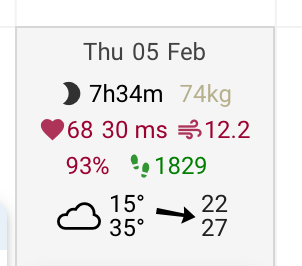
But the wellness and recovery section just shows no data?

Having this available would help the AI side adjust workouts for readiness state? After 4 weeks off training due to holidays, even in the training plans, I’ve said I had 2hrs a day available, and its taken that as it’ll make each workout 2hrs long, which in my current fitness state would be incorrect
I do see a similar issue in the training plan: Ultimately I need to get to 80+ CTL, but my current CTL is about 20, having just restarted after a 4 month hiatus.
Instead the plan loads me up with the equivalent of 60+ CTL from week one onward. For now I adjust the training plan after it generates on Sunday evening, but hope that @mrusschen can improve that logic.
Gym sessions:
This is on my list to properly support. The plan is:
- Add strength as a sport option in your training schedule to generate basic strength training sessions to support your other sports
- AI places strength sessions on days without ride/run/swim
- If you want both on the same day, that’ll work too (combo days)
Duration bug:
You’re right, that looks off. Wed gets 2hr for Endurance, Sat gets 43min for the same workout type. Same availability, wildly different durations. I’ll look into it.
Could you let me know what phase you’re in (Base, Build, etc.)?
Thanks for reporting this with the screenshot – that clearly shows the bug!
When the AI generates swimming workouts, it’s including pool length context like “Build pace each 25m 0.1km Z3 Pace”. The problem is Intervals.icu interprets “25m” as 25 minutes (the “m” is parsed as minutes), not 25 meters. So instead of 4x100m intervals, you get 4x 25-minute intervals.
I’ve logged this and will get it fixed. Thanks for catching this!
Hi Marc,
Not a bother at all, this is a valid bug. You’re right that threshold workouts should be at 95-105% FTP, not 75%. I’ve logged this and will get it fixed.
Thanks,
Martijn
Thanks for flagging that! Good catch on the mobile visibility issue.
Issue 1: Wellness data not showing
I’ve logged this to investigate. A few things to try while I look into it:
Issue 2: Workout duration after time off
You’re right that 2hr workouts aren’t appropriate after 4 weeks off. The “available time” setting is meant as a target, but I can see how the system might be too aggressive.
Currently, the system does use your fitness data (CTL/ATL) to scale workout intensity, but it may not be scaling duration down enough for returning athletes. This is good feedback - the system should recognize a significant fitness drop and prescribe shorter workouts regardless of available time.
You’re right - that’s not ideal. With CTL 20 and target 80+, the system should plan a gradual 12-16 week ramp (3-7 CTL points/week), not jump to 60+ CTL load from week one.
I’ve logged this as a high priority.
Just to add to my point. I noticed this not only for threshold sessions but rather for all workout types. All of them seem to be a lower percentage than what is typically considered normal for these workout types.
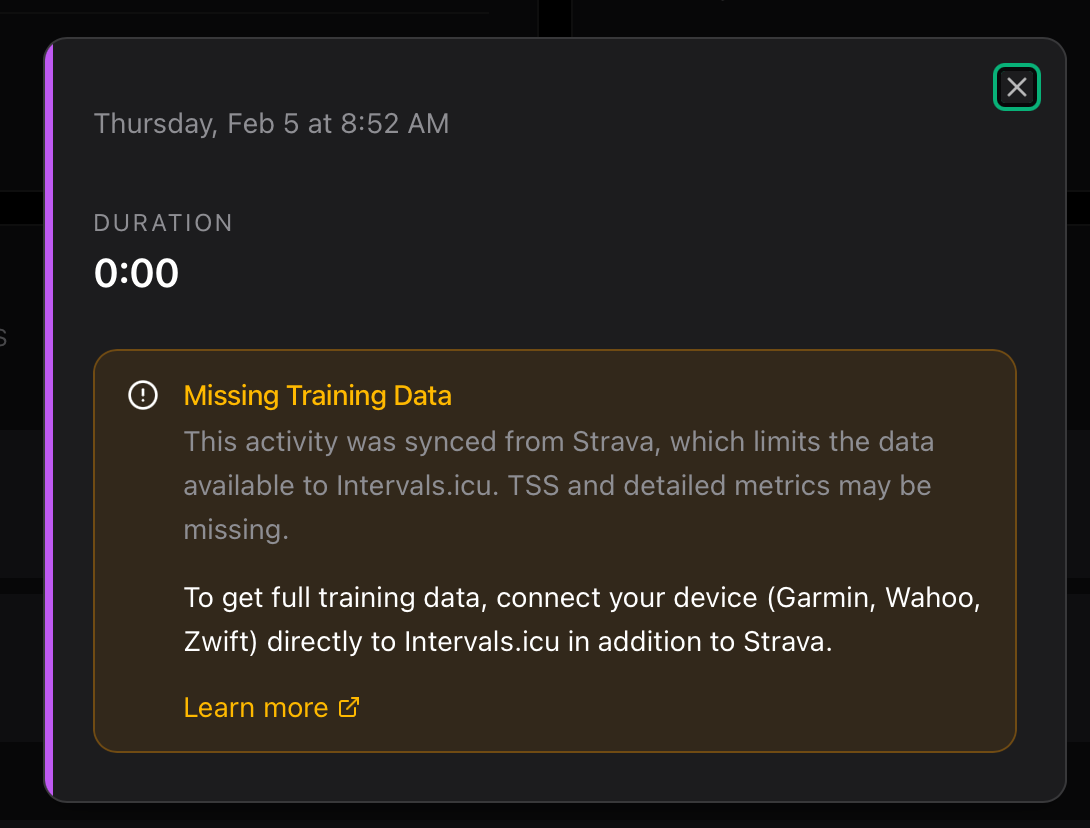
Next thing I dont understand is the text about missing data from Strava sync. All my activities are synced to Garmin connect (including zwift), which then syncs to strava.. Intern, I get intervals.icu to pull from strava. Seems all data is present, but by that warning?? not so?
I’ve just pushed a fix with instructions for the workout generation to follow these guidelines:
- Recovery: 45-55%
- Endurance: 56-75%
- Tempo: 76-87%
- Sweet Spot: 88-94%
- Threshold: 95-105%
- VO2max: 106-120%
2 Likes
i have the same problem