I’ve been a cyclist for years and work as a product manager in cybersecurity by day. Like many of you, I’ve tried various structured training tools - they’re great at building fitness, but I kept running into the same problem: life doesn’t follow a training plan.
Bad sleep, stressful week at work, legs that just feel dead - the plan says “threshold intervals” but my body says “please no.” I wanted something that would actually listen to how I’m doing and adjust accordingly - but still keep me on track toward my goals.
So I built IntervalCoach - an AI coach that connects to your Intervals.icu data and adapts daily based on your fitness, recovery, and goals.
How it works:
Connect your Intervals.icu account (OAuth - your password stays with Intervals.icu)
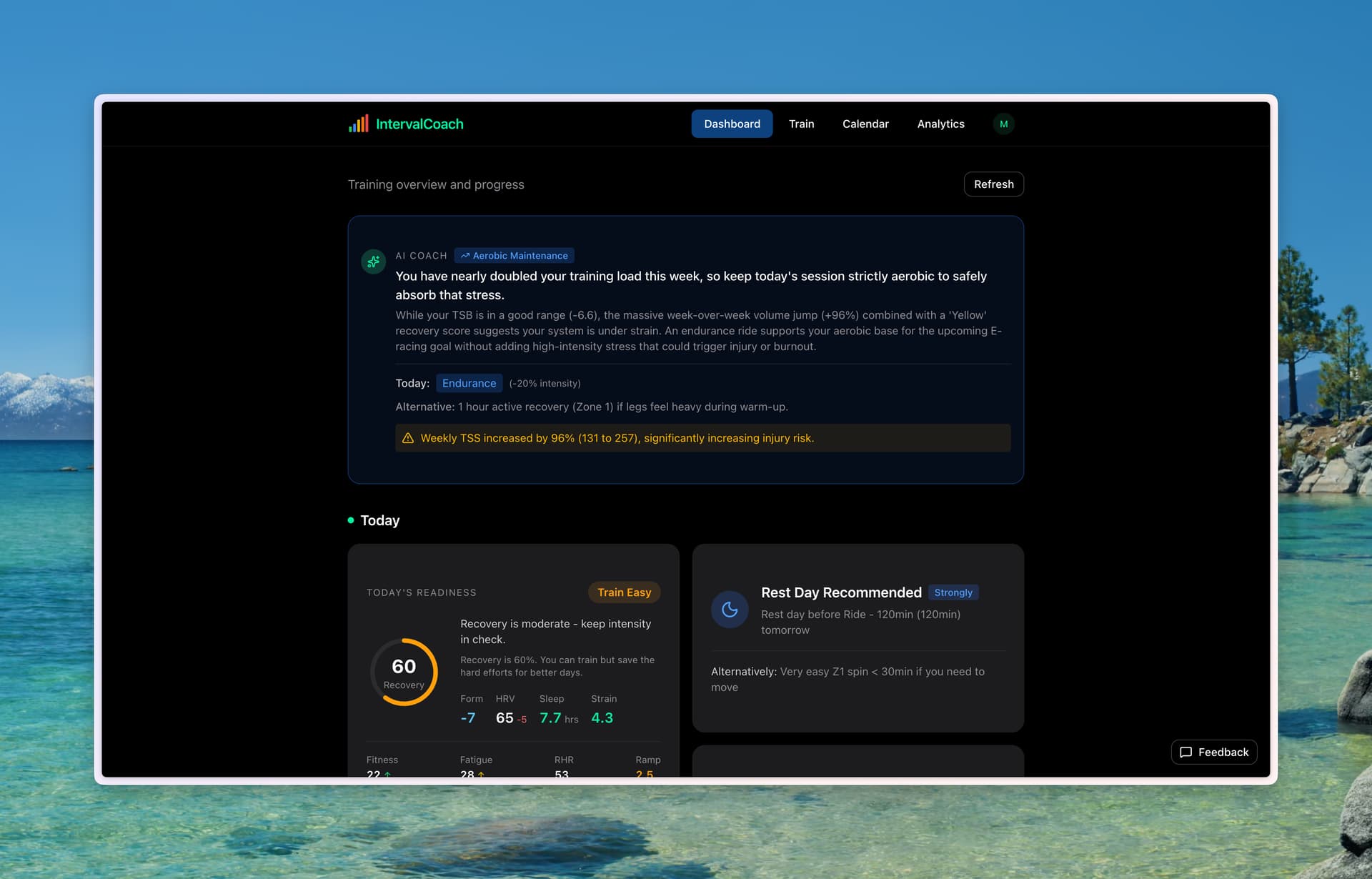
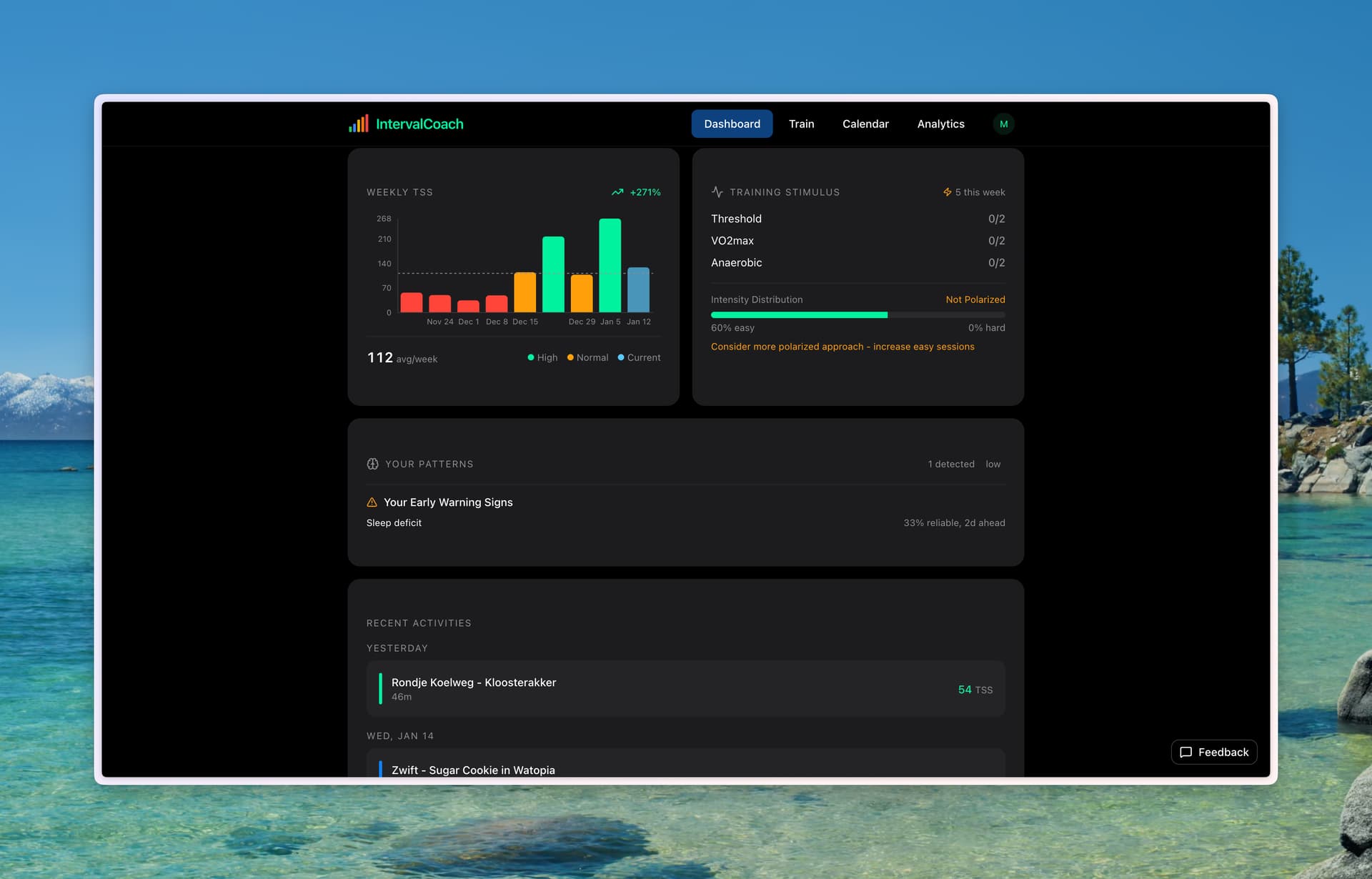
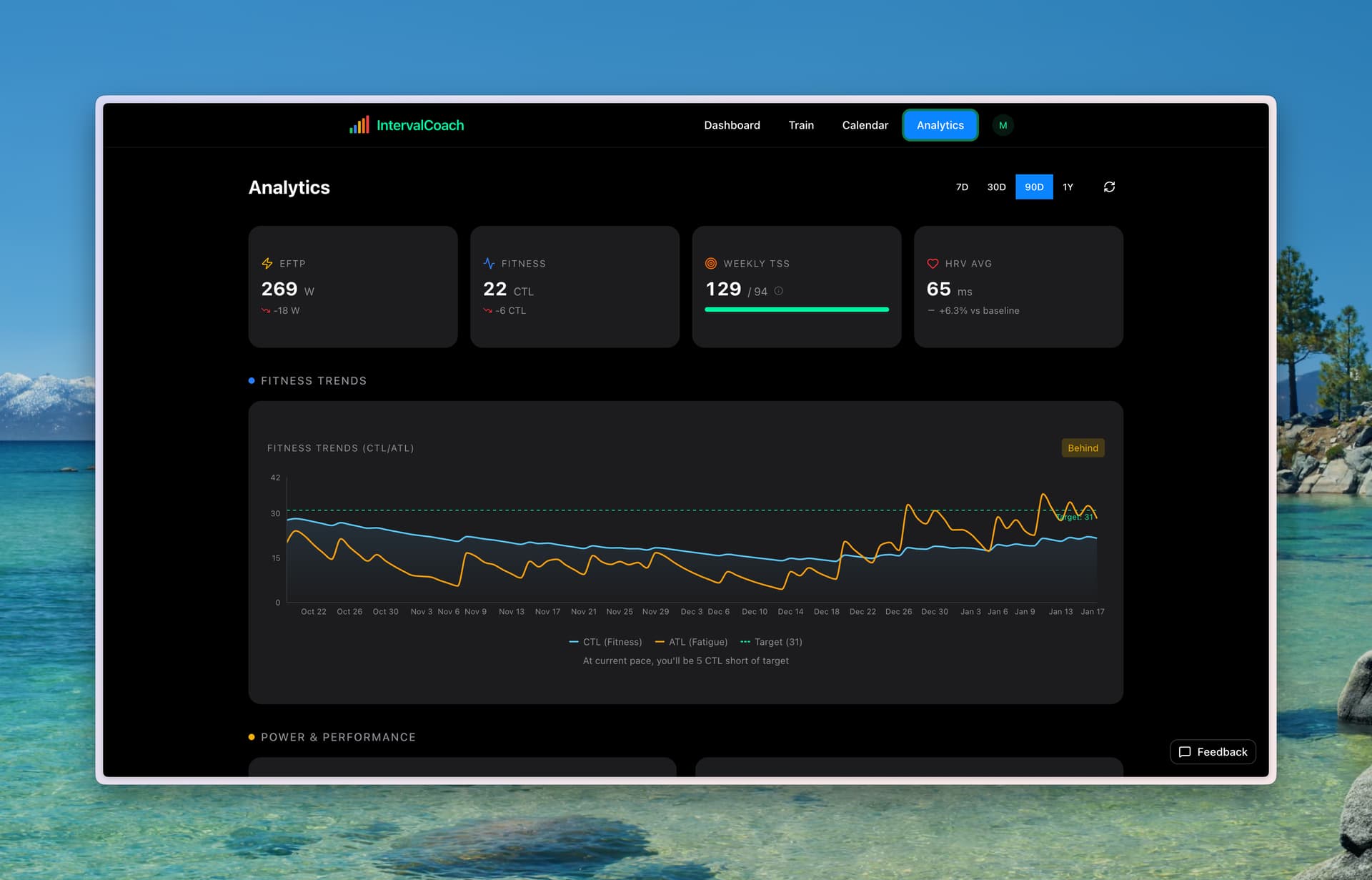
The AI looks at your CTL, ATL, TSB, power curves, HRV, sleep, and recent training
You get a workout that fits today - not just where you are in a plan
Your workout this morning already knows how you slept last night. If your HRV is tanked and TSB is deep in the red, you’ll get an endurance spin or a rest day - not the VO2max session that was “scheduled.” And when you’re fresh and recovered, it’ll push you. All while keeping your goal event in sight.
Features:
Weekly Plans - AI builds your week every Sunday based on goals, availability, and fitness
Daily Adaptation - Each workout adjusts to your actual readiness
TrainNow - On-demand workout options ranked by what makes sense right now
Direct Upload - Workouts sync to your Intervals.icu calendar → Zwift/Wahoo
Post-Workout Analysis - AI feedback after each ride: what worked, recovery impact, what’s next
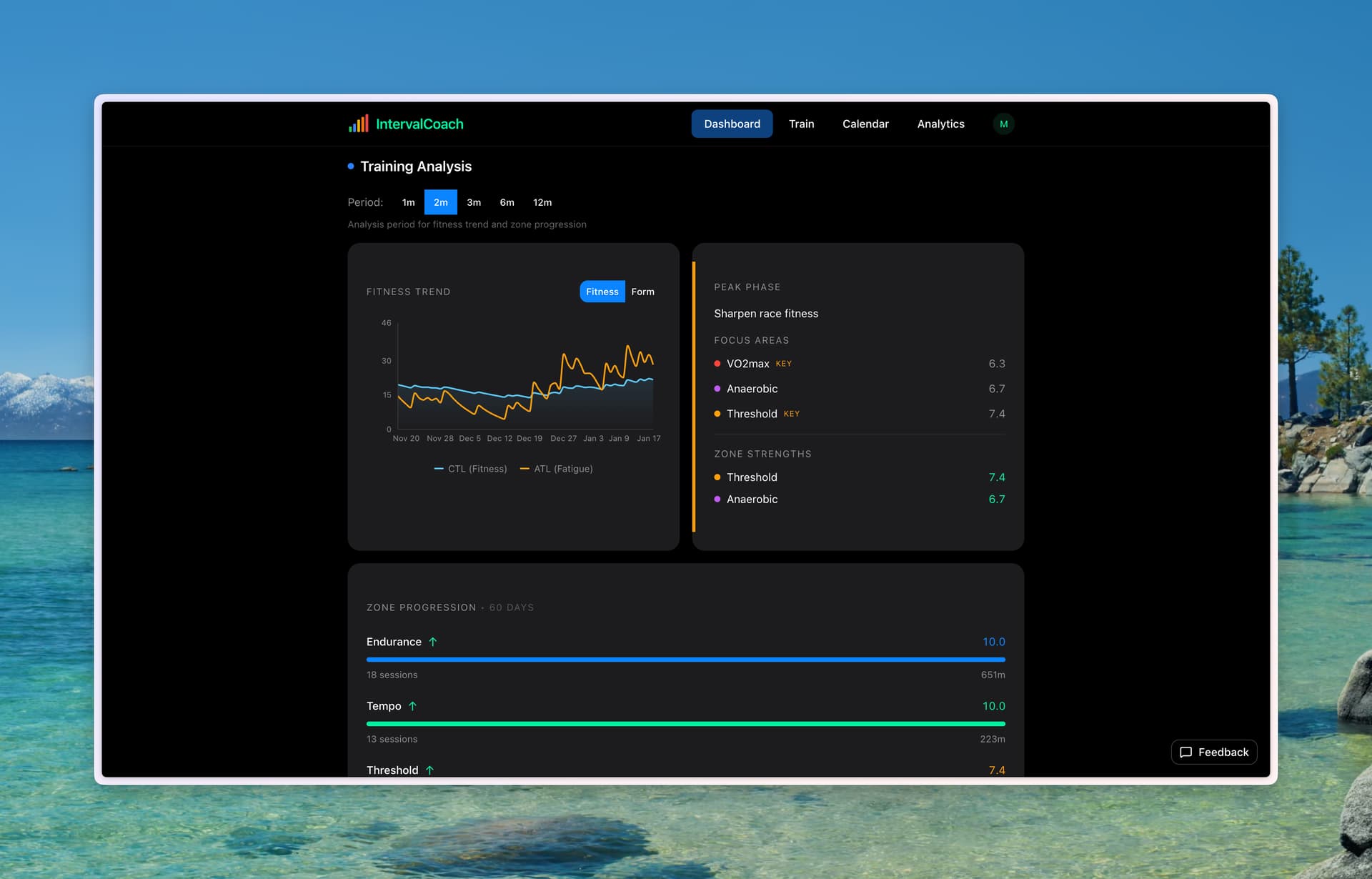
Goal Periodization - Set an A-race and Base/Build/Peak/Taper phases happen automatically
Multi-Sport - Cycling, running, and swimming with sport-specific zones
Whoop Integration - Real-time recovery data if you use Whoop
Pricing:
Free tier: 3 TrainNow workouts/month, weekly plan + full dashboard
I’m actively building this and would love input from the community. What recovery signals do you wish a coach would pay attention to? What’s the gap in your current workflow?
My workout player is TP virtual and occasionally auuki.com. Both sync directly from intervals.icu.
So would interval coach > intervals.icu > TPV/Auuki work?
Yes, that works. IntervalCoach uploads structured workouts directly to your Intervals.icu calendar. If TPV and Auuki already sync from Intervals.icu, the workouts will flow through automatically.
The flow is:
IntervalCoach (generates workout) → Intervals.icu calendar (stores it) → TPV / Auuki (pulls and plays it)
No extra setup needed on the IntervalCoach side - it just uploads to your calendar like any other workout.
I joined. Quick look around showed that it is a good looking, complete app, similar to other apps I’ve recently tried. Will have to do a deep dive over the next few days/weeks.
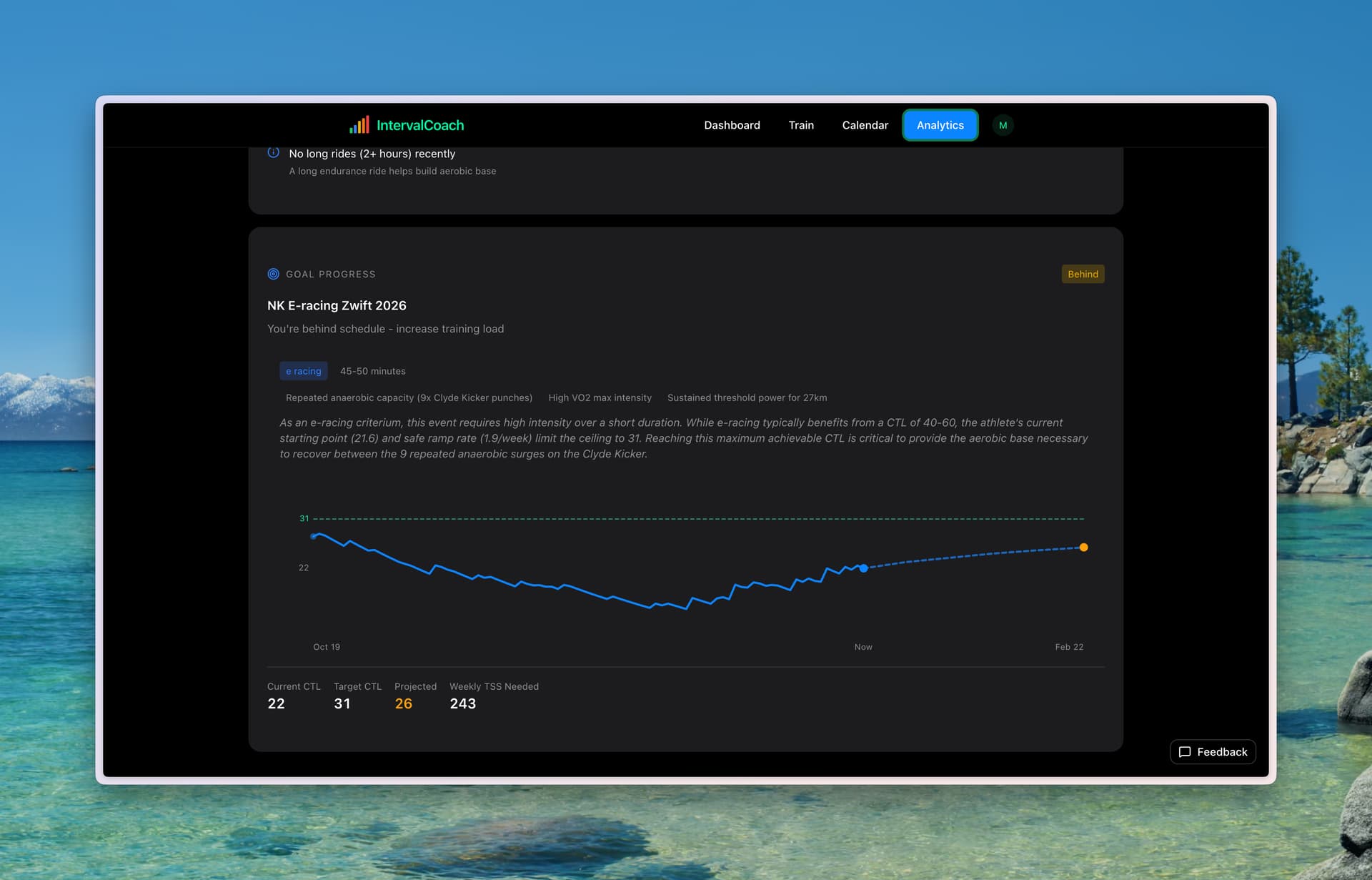
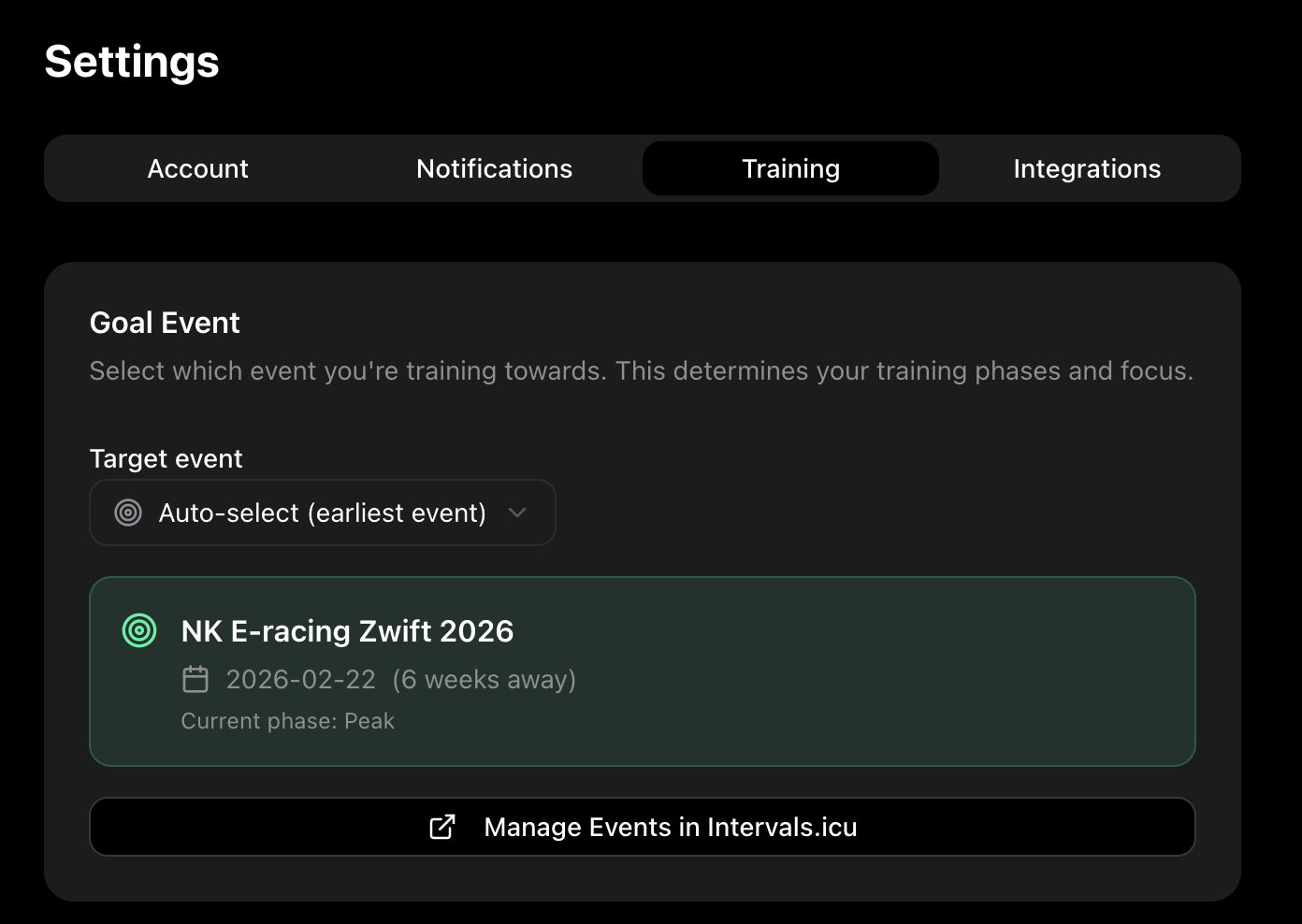
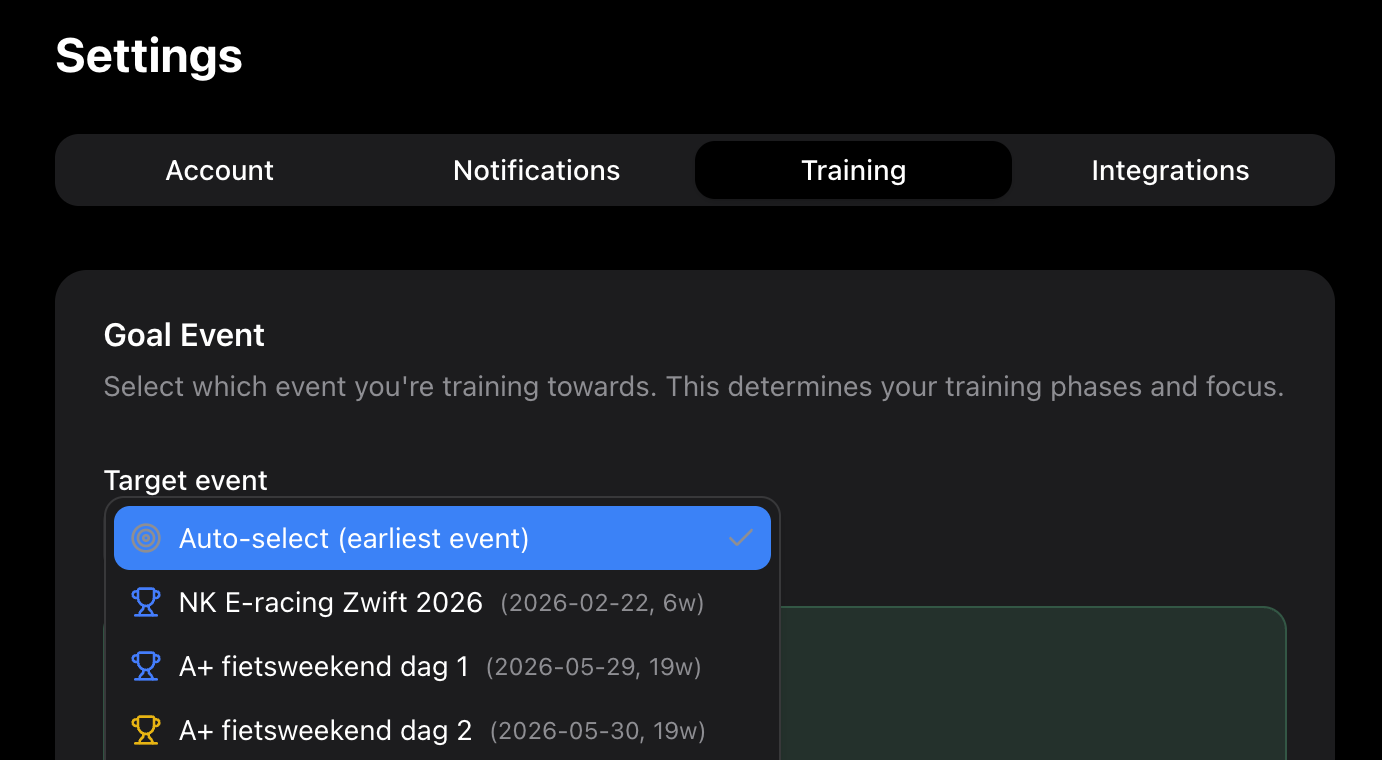
One immediate thing I noticed: when building a plan, it auto selected the first B event as my goal. Is there a way for the user to select the target?
Thanks and good point, I could make a list of upcoming events and let the user select based on that. Let me explore some options and work on a solution here.
I’ve added support for overriding the automatic goal selection. During onboarding, and in your settings (IntervalCoach) you can now select the preferred next goal. Once the goal has been completed, you will be prompted with a new goal to build your plan around.
Well, this is what I was looking for. Immediately signed up for pro.
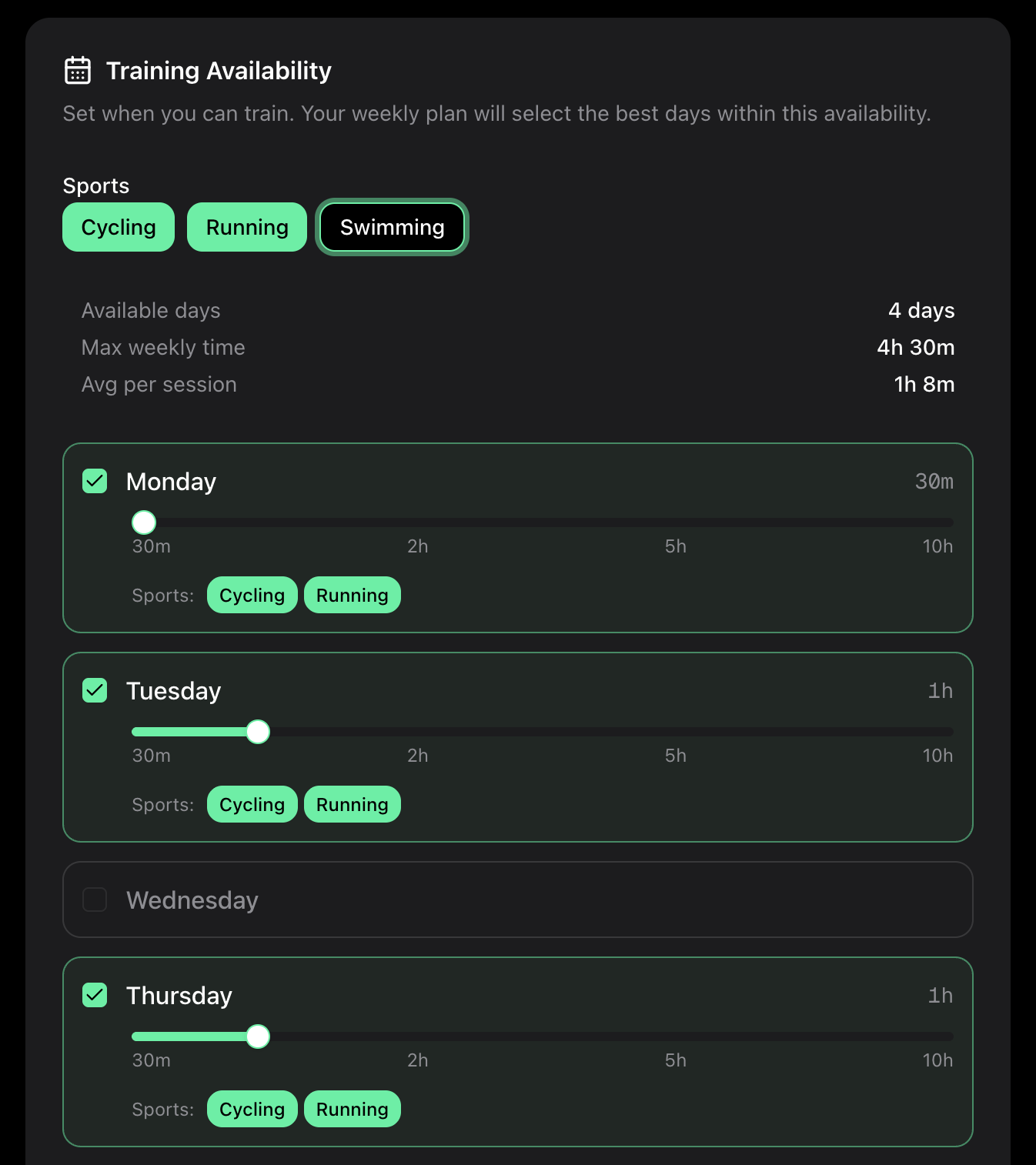
I wonder if it’s possible to set available days (settings > training > training availability) sports-wise. For example I can swim only on Wednesdays, and I want Wednesdays as swim day.
Thanks for your support. That’s a great suggestion, I’ve been thinking about it the same, since I have preference for swimming but only on a specific day. I’ve built the following solution:
Hi all, thanks for the signups and feedback so far! This has been really valuable and improves the quality of the app. Here’s a roundup of improvements from the last 2 days:
Sunday, January 18, 2026
TrainNow redesigned as a clear 3-step wizard with progress indicator and auto-scroll
Touch-friendly workout options with “Top Pick” highlighting and one-tap selection
Fixed date display bug that showed workouts one day off for users in certain timezones (EST, CST, PST)
Smarter sport selection matches workouts to your typical training patterns from the last 2 weeks
Weekly plans now include gradual 10% duration progression when your schedule allows
Sport variety balancing prefers underutilized sports to keep your training diverse
Saturday, January 17, 2026
Sport-specific training days: restrict which sports can be scheduled on each day (e.g., swim only on Wednesdays)
Quick pick workout type in TrainNow – select Recovery, Endurance, Tempo, Sweet Spot, Threshold, VO2max, or Sprints to generate a workout instantly
Choose your target goal event from your Intervals.icu calendar (A and B races)
Option to regenerate your training plan when changing your goal
Post-event congratulations email sent the day after your goal event with prompt for next goal
AI-powered power profile analysis with goal-specific strengths, weaknesses, and training recommendations
AI recovery assessment provides personalized intensity guidance based on HRV, sleep, and baseline deviations
Added resting heart rate trend chart to wellness section
Hi Cooper, please send me an email so I can confirm your email address, this will help me ensuring I won’t remove the wrong user. I’ll take this into account for improvements to make this self service.
Looks like a nice application, sadly not really what I was looking for I am looking for more direct control/chat interface.
However I see no way of removing my account, understandable to handle that manually initially but if the application grows a lack of delete account functionality is a major red flag for me at least.
I’l send you a email separately for removal of my account and all data surrounding it.
Your coach now learns your preferences over time - workouts that feel harder, recovery patterns, and training habits are remembered and used to personalize future recommendations
AI coach can now access your learned preferences during daily workout decisions for smarter training suggestions
Added self-service account deletion in Settings - securely delete your account and all data with confirmation
Looks good and pricetag seems reasonable, did try a couple of workout so far so good.
Question is how do I reset my training calendar, after I updated my preference running only instead of cycling and to 80/20 instead of indulating I did not see any update in the calendar/schedule.
Bug: cadence in cycling workouts is not passed to intervals.icu, I believe it is a simple syntax error.
Steady recovery block. 8m 50% @90rpm and instead it should be 8m 50% 90rpm
Thanks for trying it out and for the helpful feedback!
Calendar Reset: Good catch - there wasn’t an obvious way to regenerate your plan after changing preferences. I’ve just added a “Reset Calendar” option in Settings > Training tab. After you update your sport selection or training philosophy, scroll down and you’ll see the reset button. This will regenerate your weekly plan with your new preferences.
Cadence Bug: You’re right, that was a syntax error. The cadence was being formatted as @90rpm but Intervals.icu expects 90rpm without the @ symbol. Fixed now - new workouts will sync cadence correctly.
Both fixes are live. Let me know if you run into anything else!
This looks interesting, keen to give it a try for a few months and see how it is. I’ve run into this error on the dashboard page alone - can use the train, calendar etc tabs fine.
Personally I would like if it prompted me to change my availability each week before generating the plan. I work shift work, so my days off and hours available each day change every week. Otherwise looks good so far!