Thank you very much. You’re very helpful. I’ve already set the FTP to manual for some time, but it doesn’t seem to have any effect.
Hi, thanks for your project, it’s very interesting. Did you also include elevation gain in your workouts? For example, I train for trail running and need training sessions with elevation gain. Does your AI do this kind of calculation? Many thanks!
1 Like
My weekly plan has just generated but it has put Sunday the 8th’s workout on my calendar for today, Sunday the 1st.
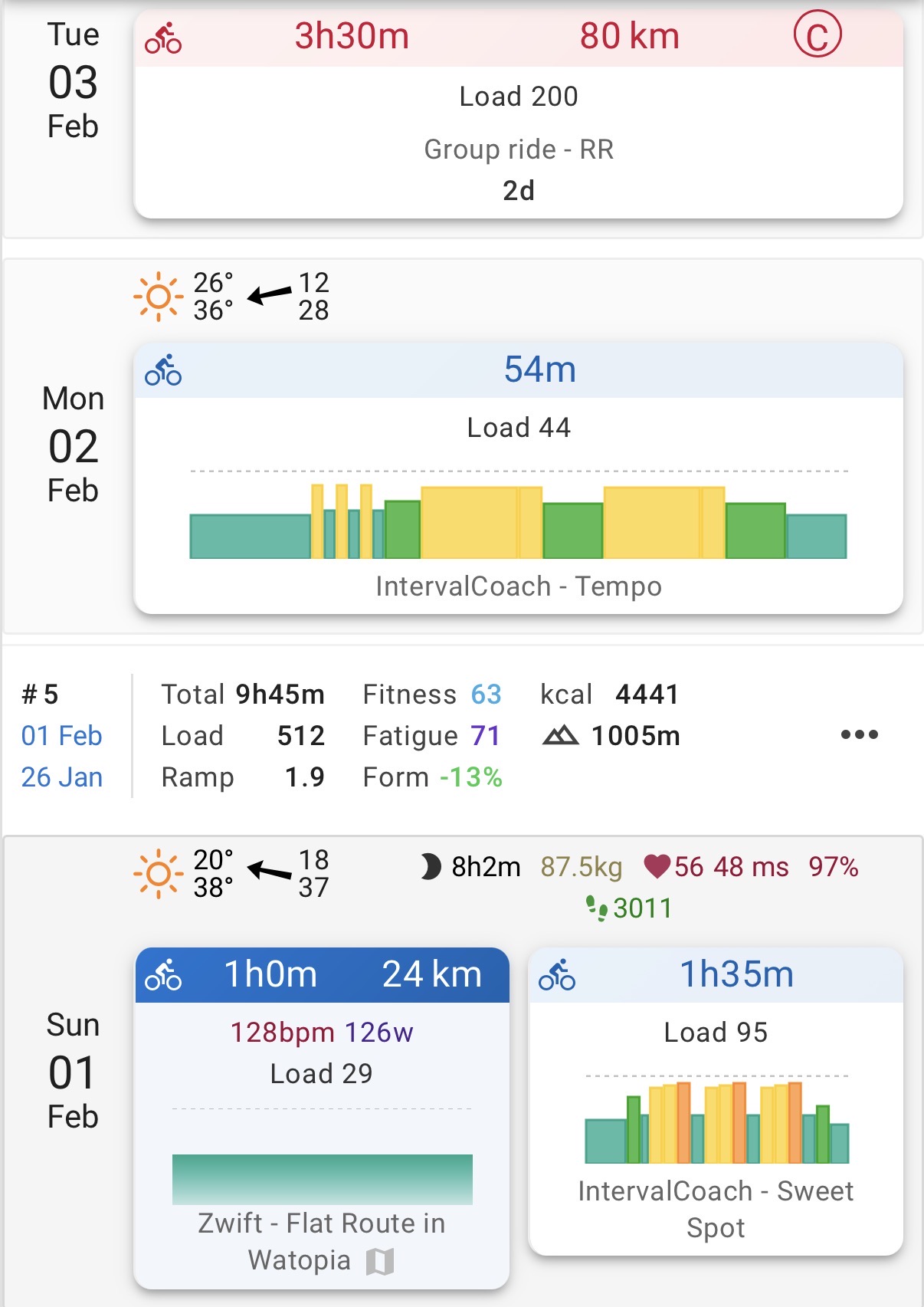
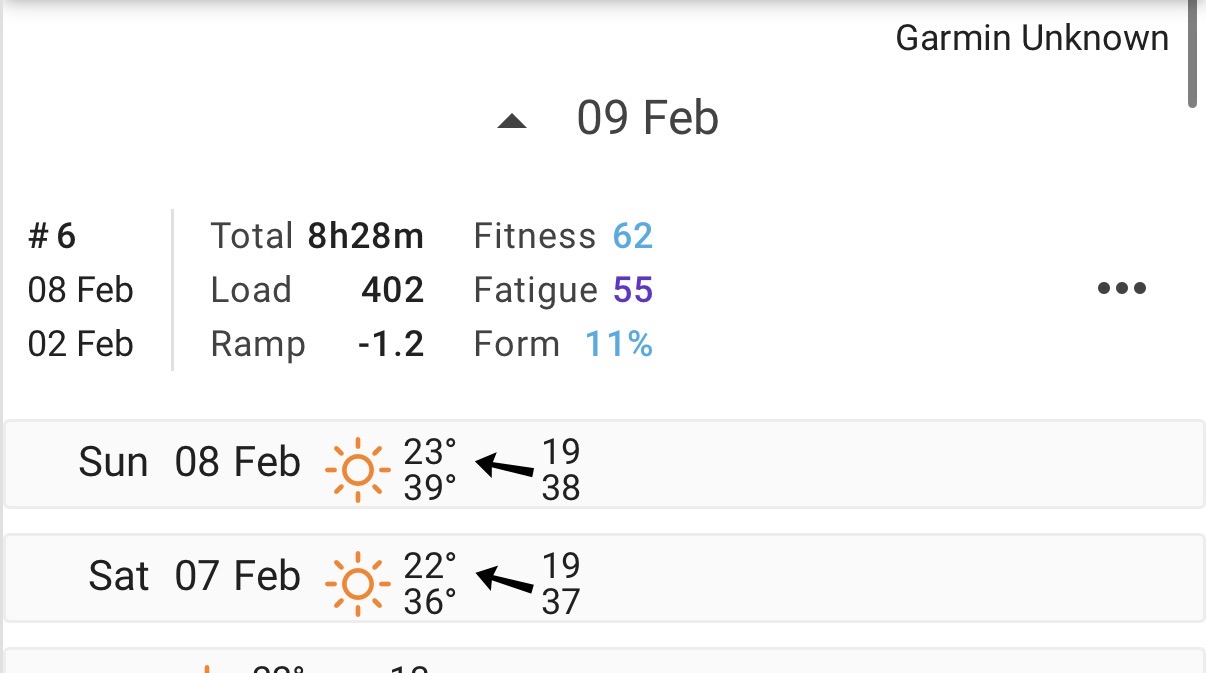
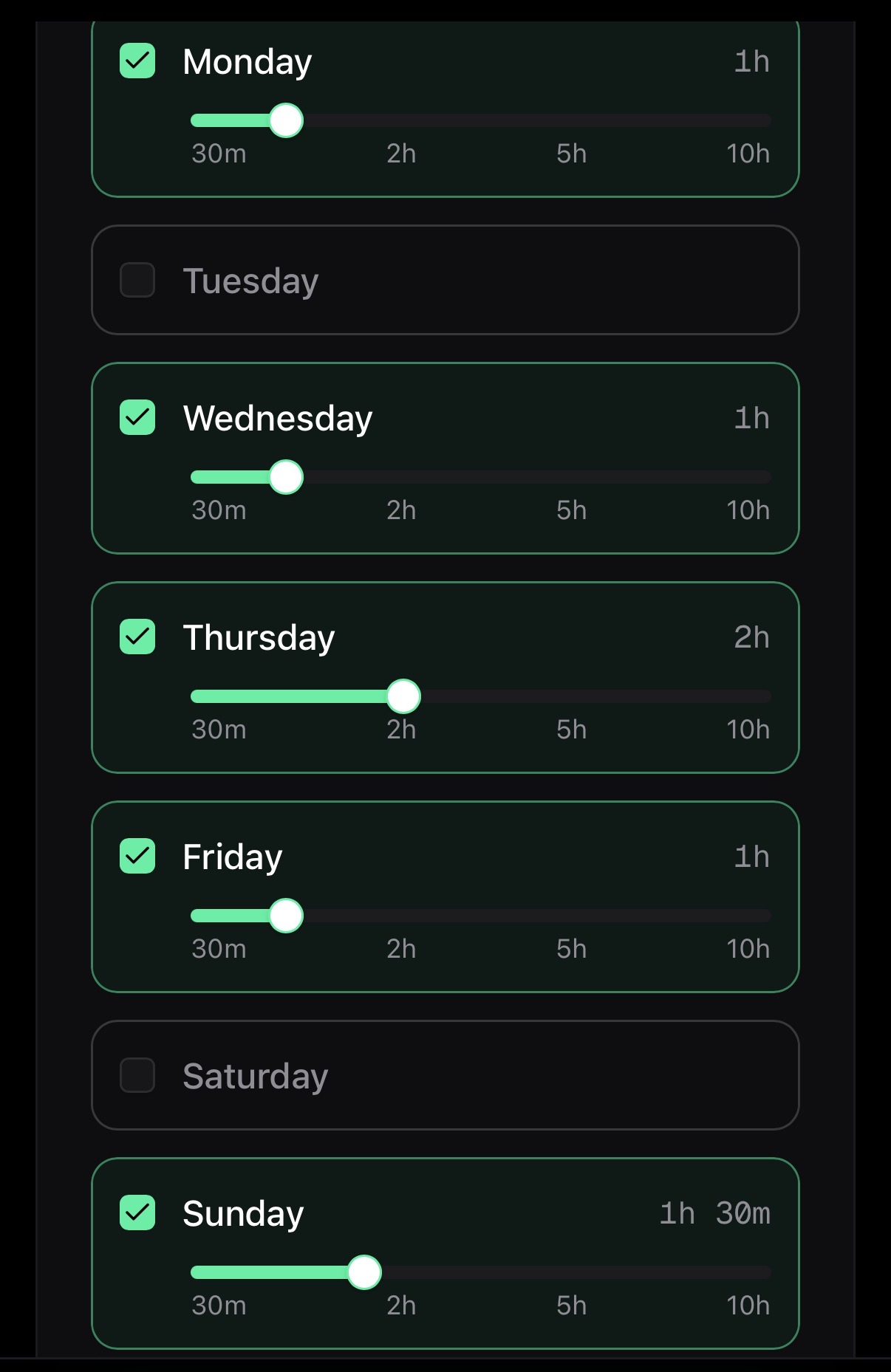
This is my availability for the upcoming week for context. Everything else seems fine.
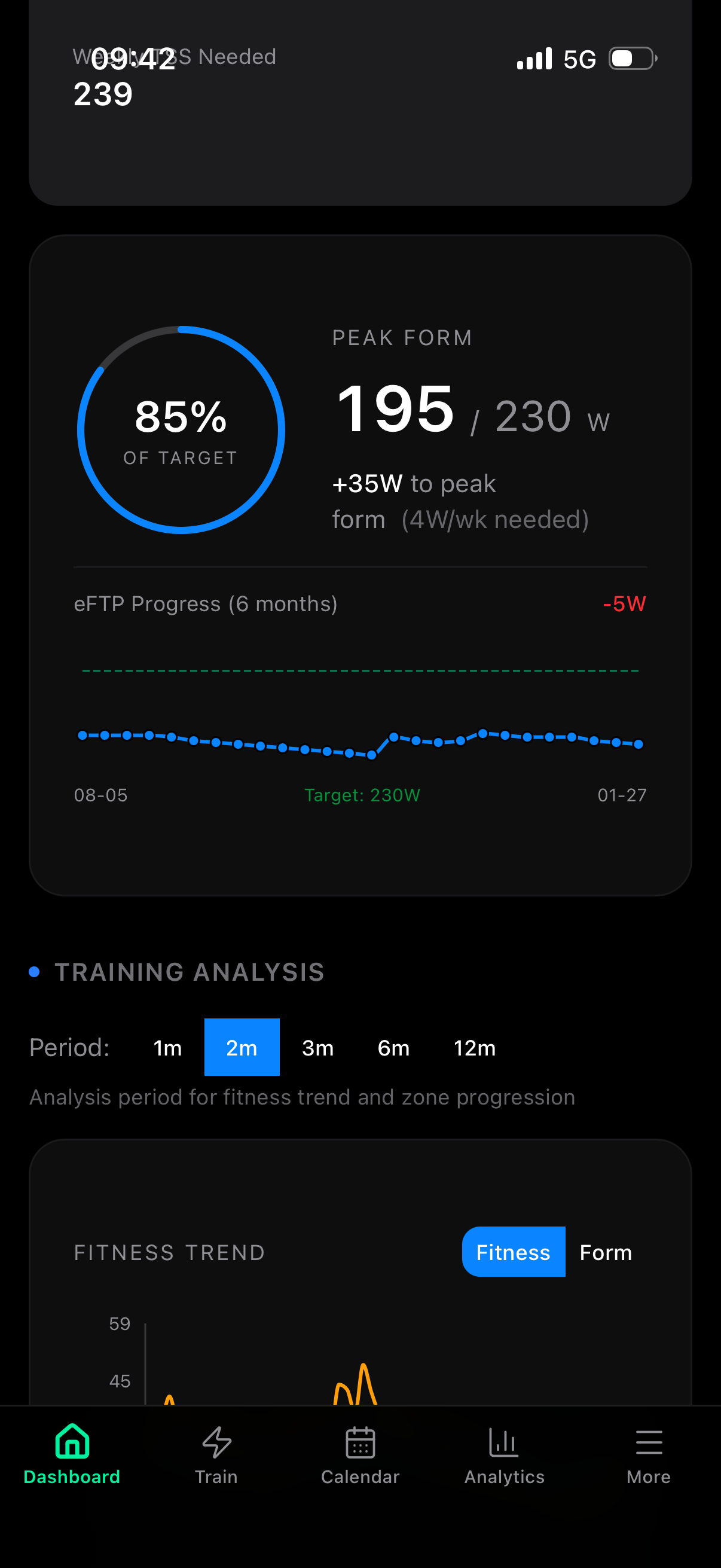
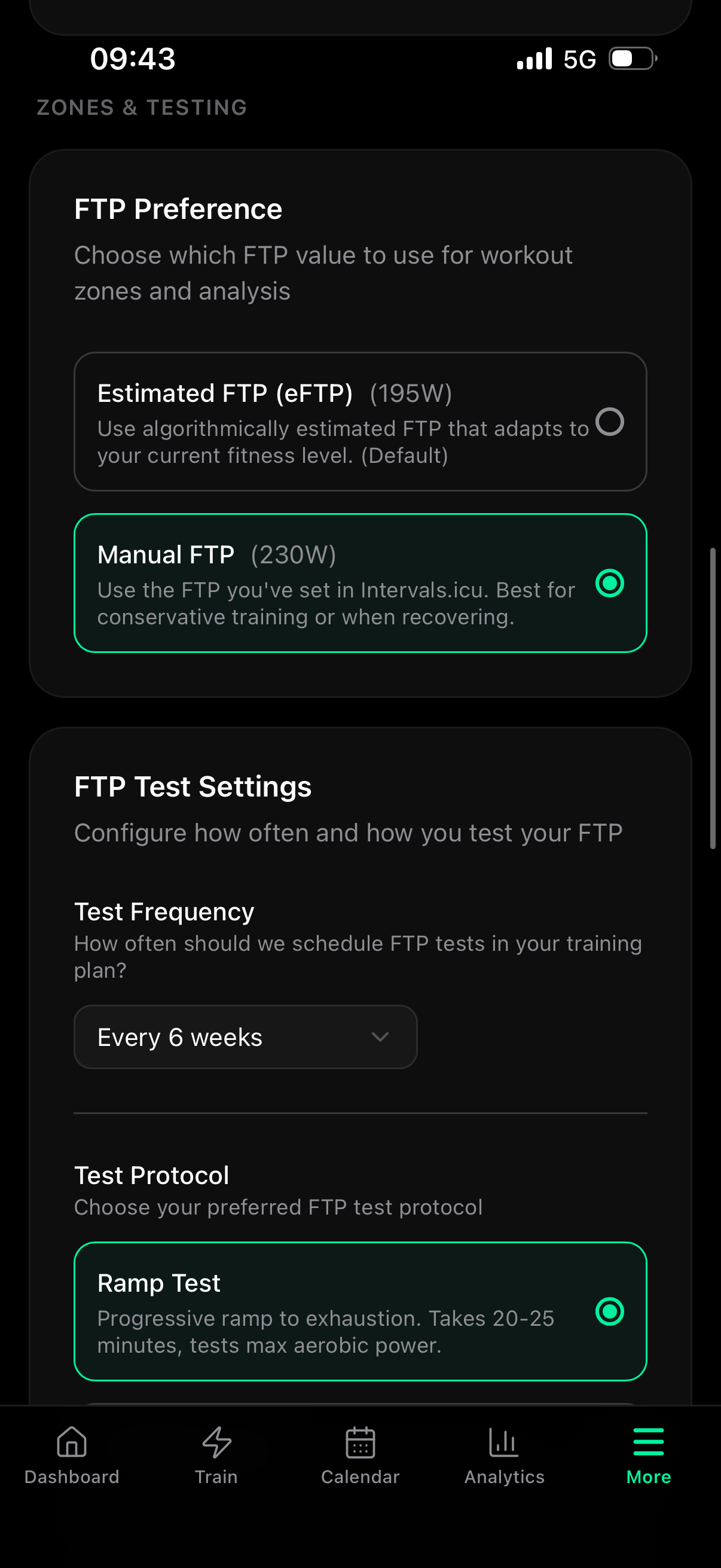
Thanks for flagging this, and sorry it’s been off. You’re right: I found a bug where the FTP preference setting works on the dashboard and for TrainNow workouts, but the daily email workouts weren’t picking it up. They’ve been using your eFTP (195W) for zone calculations instead of your manual FTP (230W) the whole time.
I’ve identified the fix and will push it shortly. Once it’s live, your daily workouts will use 230W as the basis for zones and targets.
Thanks for the kind words! Good question.
Trail running isn’t a separate sport type yet, but if you set up running as your sport, the AI does a few things that help: it uses heart rate-based zones (which work better on variable terrain where pace fluctuates), and it adjusts training load targets when you have a trail race set as a goal event.
That said, the workouts don’t currently prescribe specific elevation gain targets (e.g., “1000m of climbing”). The focus is on duration, intensity, and zone targets rather than terrain profile. That’s a fair gap for trail runners, and I’ve added it to my list as a feature request.
3 Likes
Thanks for the screenshots, that made it easy to track down. The weekly plan starts counting from today and goes 7 days forward. Since it generates on Sunday evening, the range covers Sunday through Saturday (Feb 1-7). That means the Sunday workout lands on today (Feb 1) instead of next Sunday (Feb 8), which is where it should be.
I’ve added this to my list and will get it fixed.
3 Likes
Good morning,
One thing I feel is inconsistent or strange:
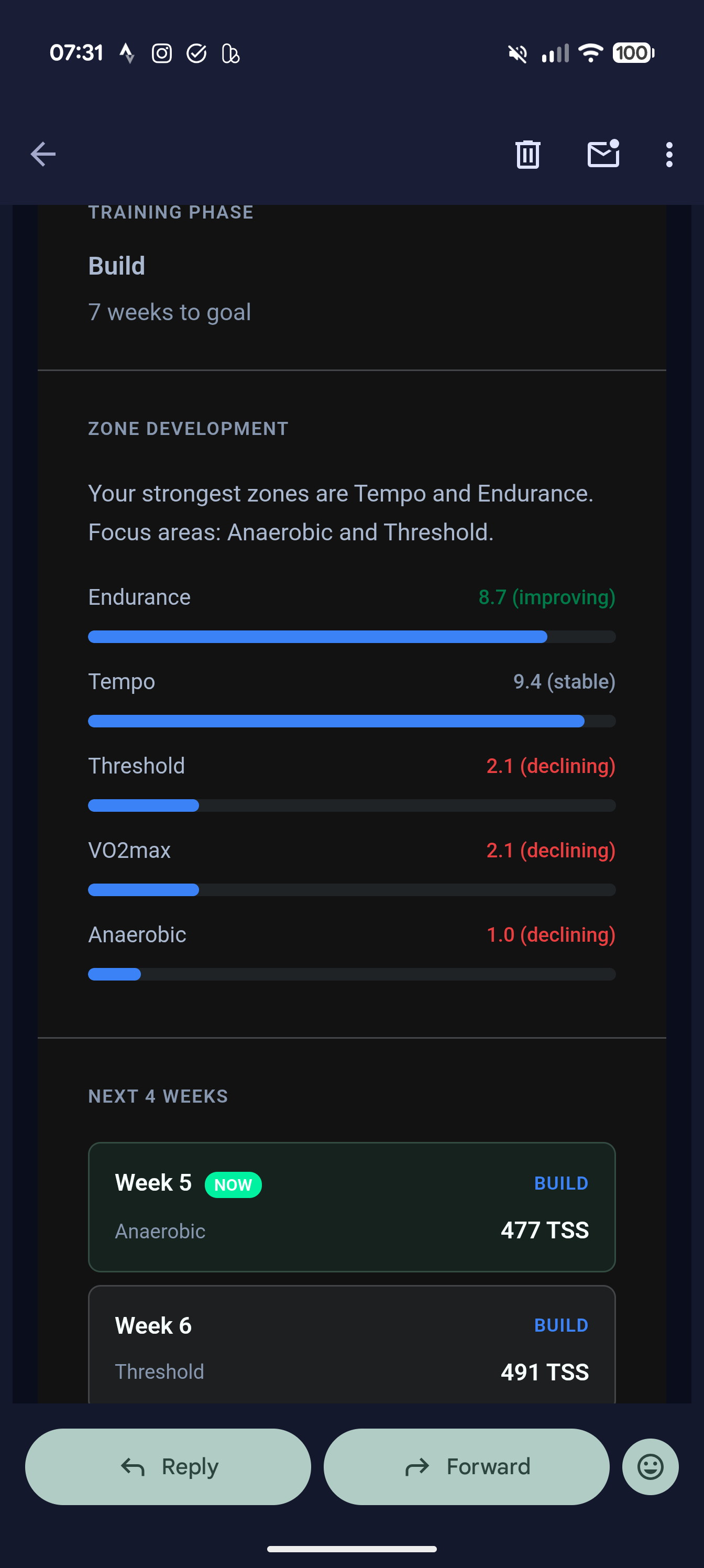
In the weekly workout recap it recommends I do some VO2max/threshold sessions in the next 2-3 sessions.
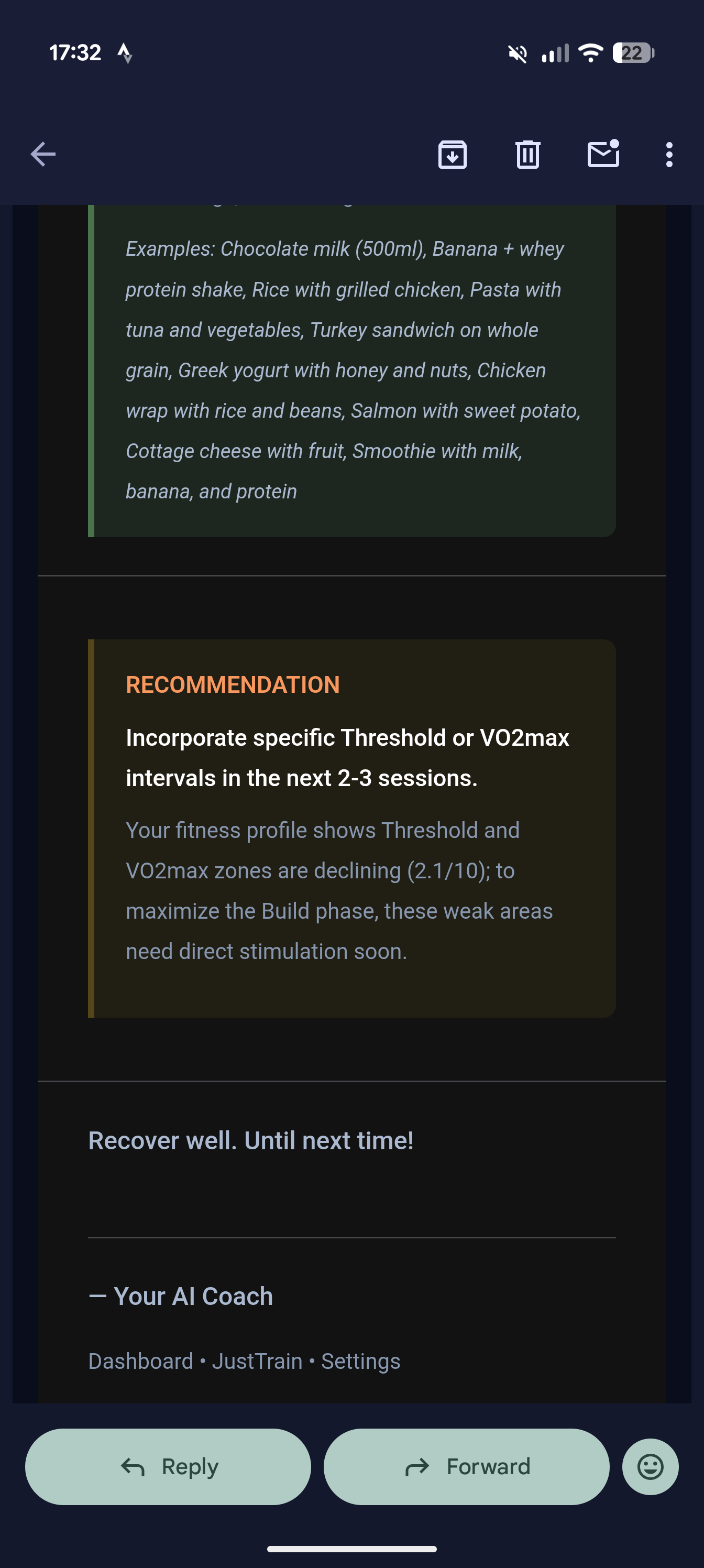
Now the new workouts have been created for this week and guess what, no vo2max or threshold sessions are scheduled 
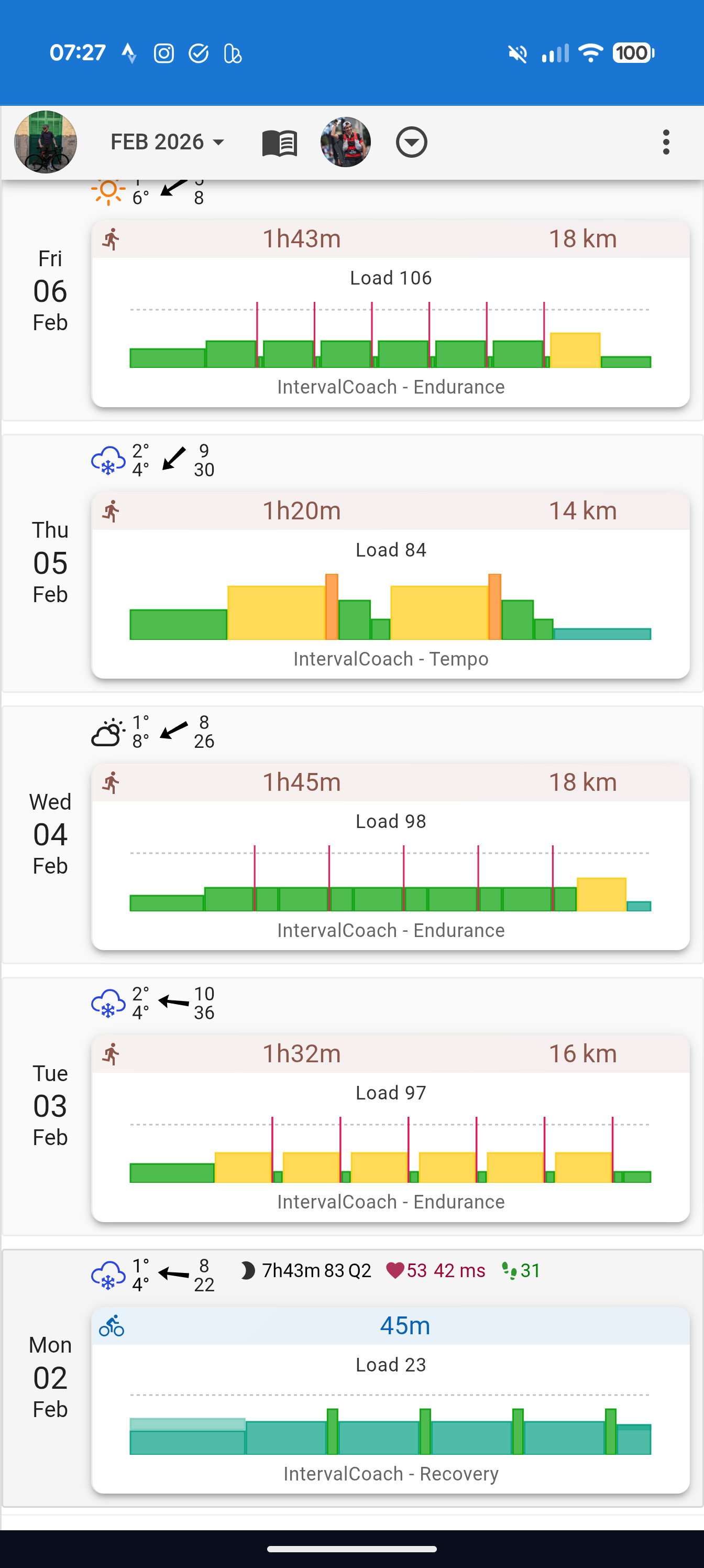
Only tempo sessions, which I don’t need as this is one of my strongest zones.
Thanks and BR,
Marc
Good morning Martijn,
Below some screenshots of daily e-mail, Dashboard and Train-generator. All taken yesterday morning within minutes of eachother. There is misalignment between the 2.
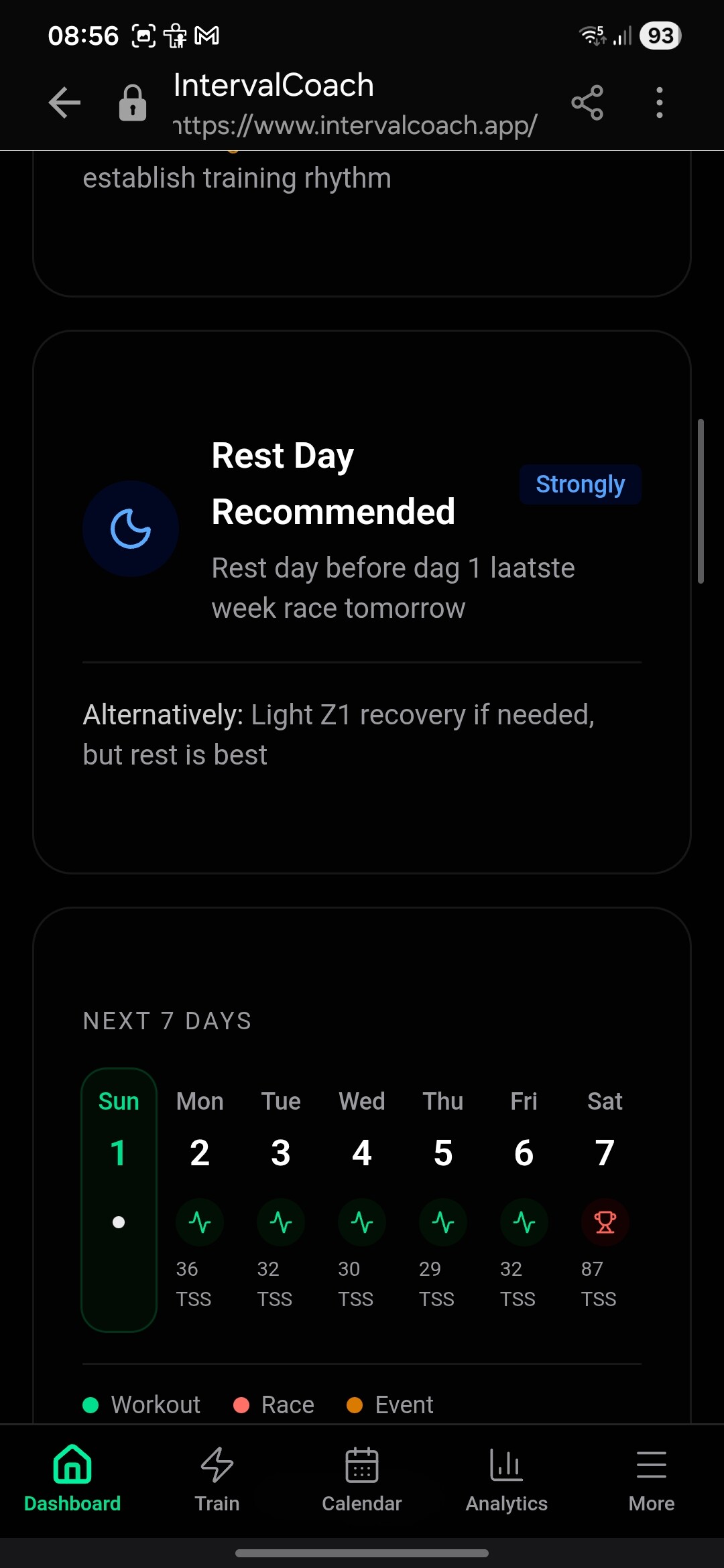

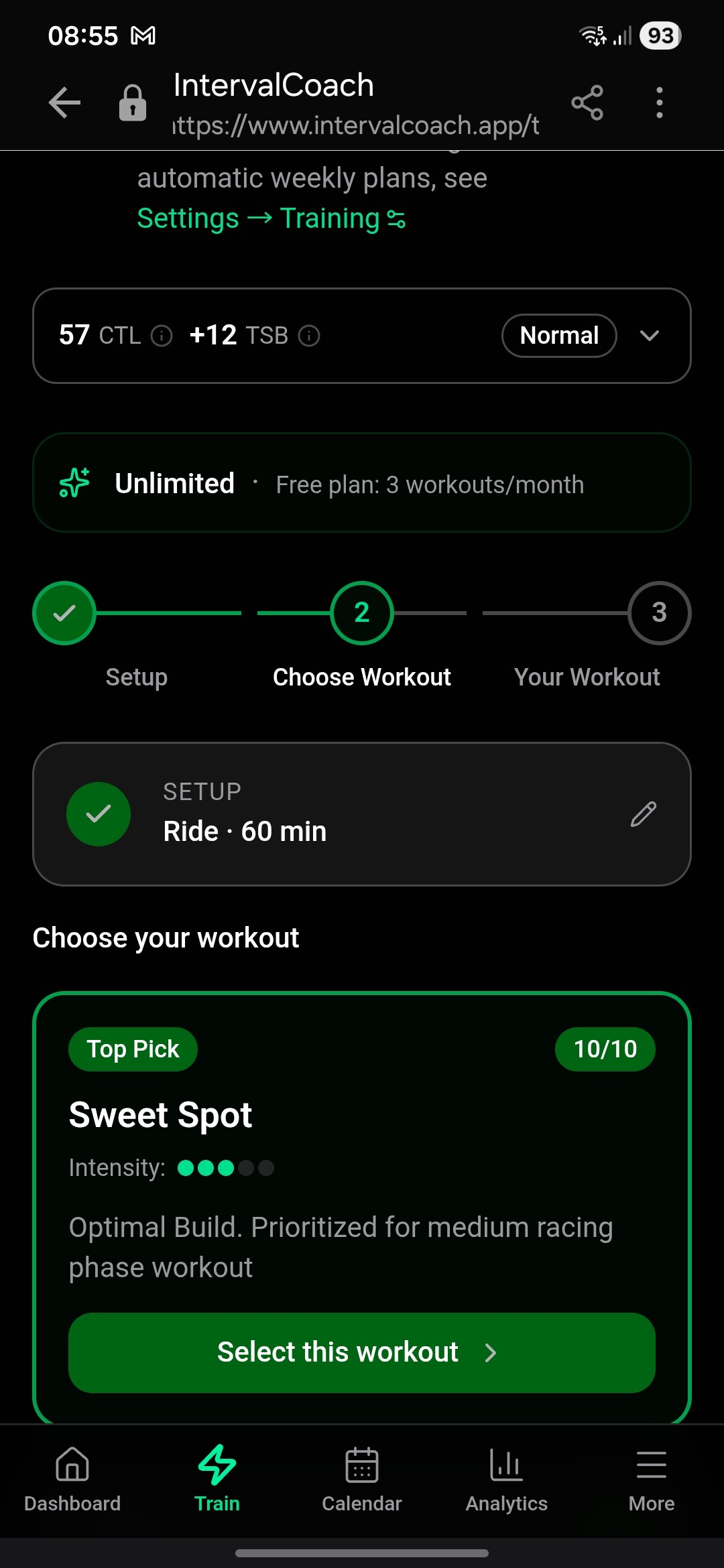
I had a tough race last saturday. Just within a taper week and get another priority race this weekend.
So current plan is not to do so much training. Just to keep the muscles activated.
But I get mixes advice between daily e-mail, training plans and dashboard. They seem to work on different methodologies or so. Or independent of eachother. Is that correct?
The day after a tough race, one would expect (for non-pro riders) a z1-training or a rest day.
But Coach gave me a Sweet Spot training when I pressed “Generate a workout” on the e-mail. And a SS-training is more a “build” training. Not suited for a “after a race-day” + in a peak week.
The dashboard on the other hand did advice me to take a day of “as scheduled” or z1-max as a training.
Furthermore, and I believe someone else spotted this too, Coach thinks I’m in a build phase for the 4 week plan. → The picture below comes from the “week6 summary” e-mail with an outlook for the next 4 weeks.
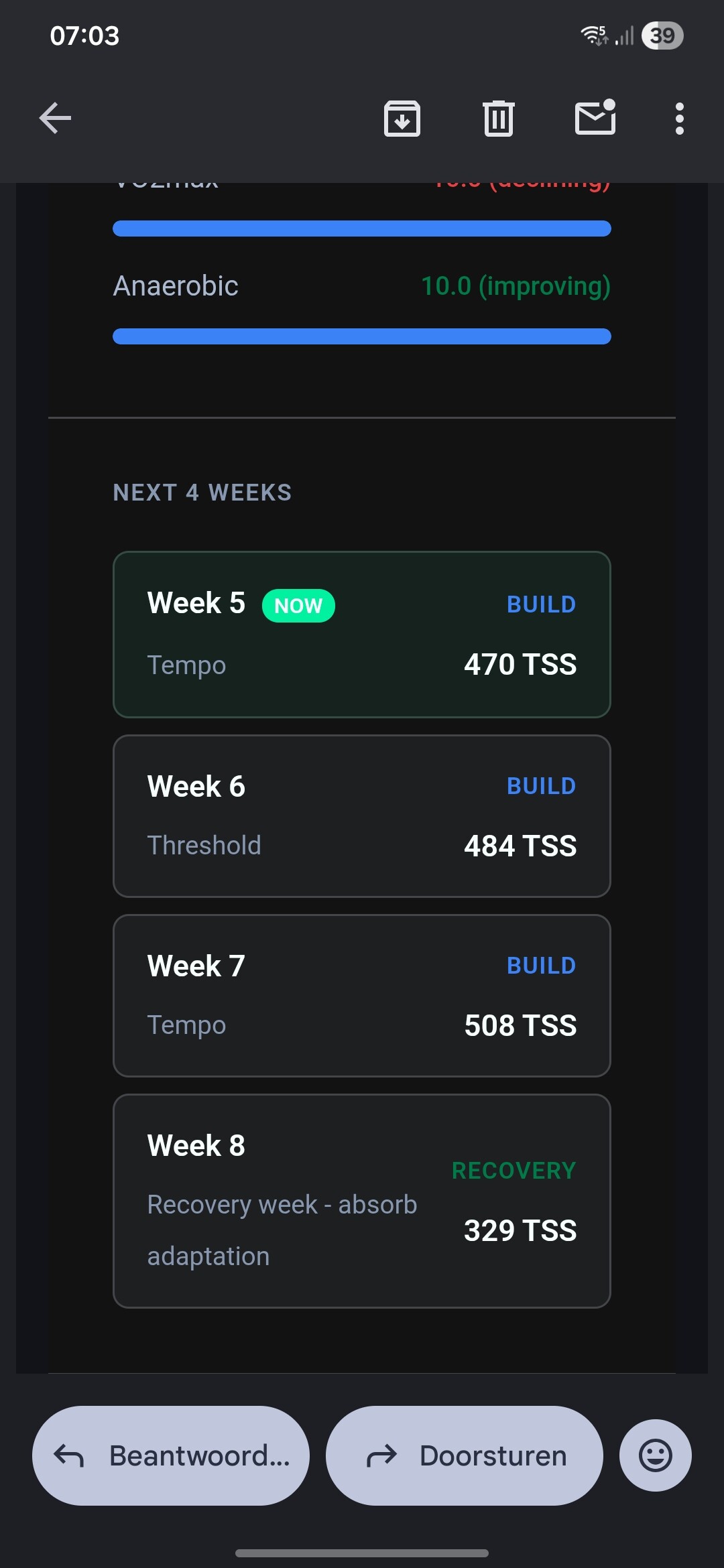
The dashboard realizes within “goal progress” that I’m in race-phase. The “final week sharpness”
Yet, in the e-mail it gives me an outlook of building with 470TSS in a A-categorie race week. And a build phase.
Throughout there are more of these inconsistencies between the different e-mails and Dashboard and training generator.
And lastly, you mentioned earlier that the ‘post-training’ analysis that also look at e.g. hart-rate patterns within the training itself. Is that already developed, or just added on the list? As I can’t seem to find it yet. Perhaps I misread or wrongly remembered.
If you miss a workout should you then delete it in Intervals so the workouts metrics are not counted?
Hi Martijn,
thank you for this excellent project and all the work/time, you put into the development and in the “customer care” (in this forum). I’m still in the trial-period, and have one fundamental question: I was under the assumption, that AI-recommendations end up in an update/change of the upcoming training. This I was not the case for my trainings recently.
Background: I did two high-TSS sessions back-to-back on the weekend and AI Coach prioritized recovery and told to swap the planned training for a very light recovery spin or a full rest day for today.
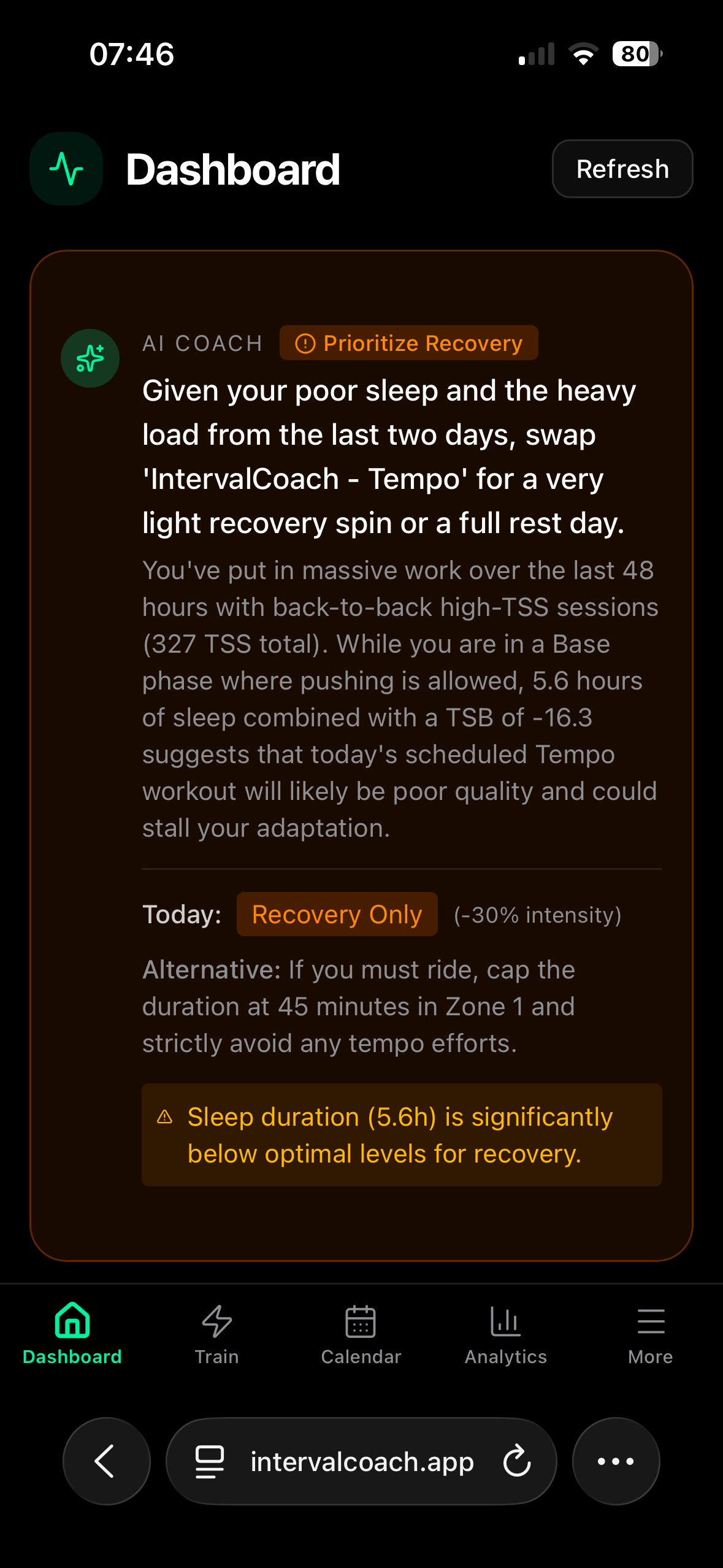
That was what I expected, but the calender (both in IntervalCoach and in Intervals.icu) remain unchanged and kept the original planned workout:
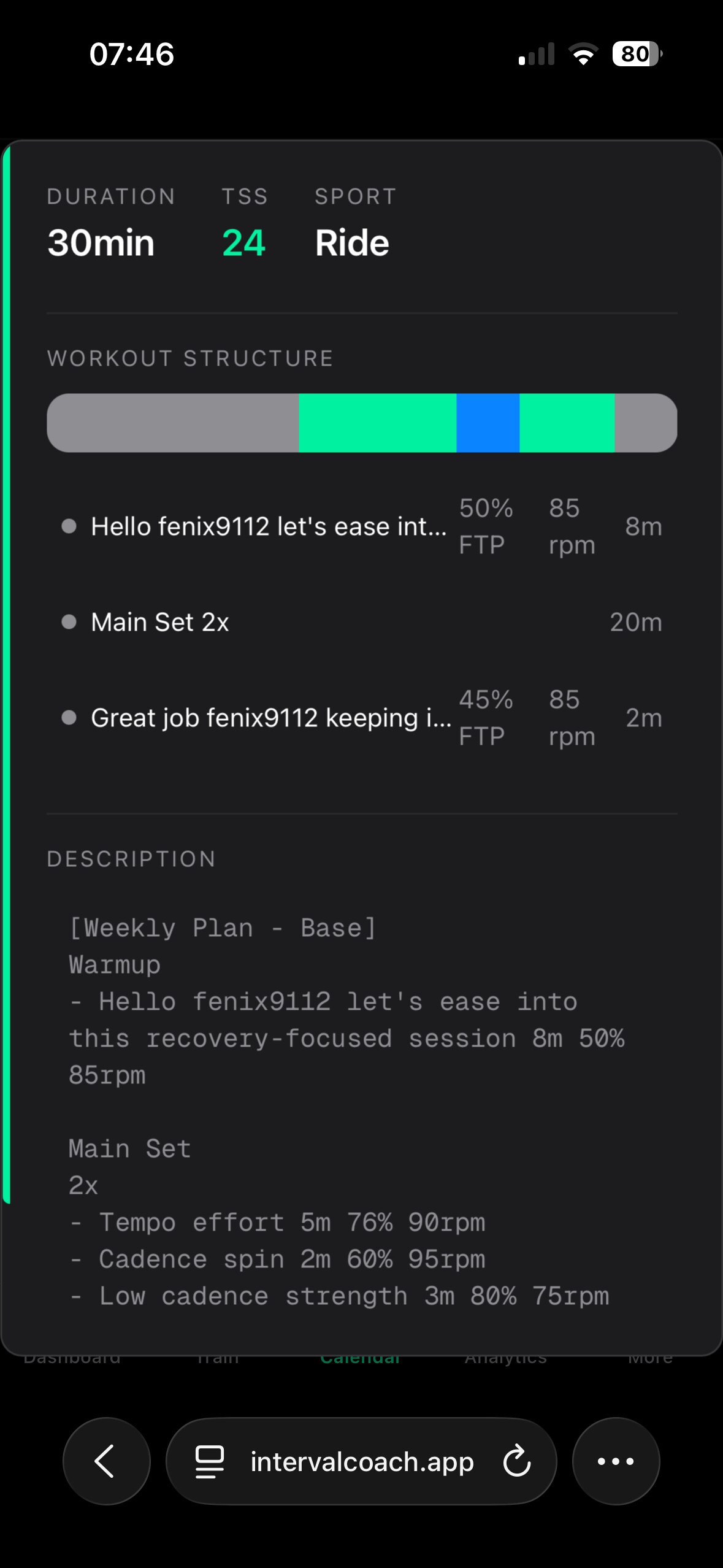
Do I somehow need to manually reset the calender in order to refect the AI Coach guidance? Or using “Just train” in this case?
Thank you,
Regards, Volker
2 Likes
You’re absolutely right, that’s inconsistent. The recommendation correctly identifies that your Threshold and VO2max zones need attention (both at 2.1 and declining), but then the plan schedules Tempo and Endurance work instead.
This is a bug. The AI insight and the workout generation aren’t talking to each other properly. The insight sees your weak zones and makes the right call, but the workout planner isn’t using that information when picking workout types.
I’ve logged this as a high priority fix. The logic needs to actually incorporate declining zones into the workout selection, not just mention them in the summary.
Thanks for the detailed report with screenshots.
JustTrain showing Sweet Spot on a rest day: This is a known issue. The dashboard correctly recommends rest, but JustTrain still shows intensity workouts as top options. The workout selection doesn’t filter based on whether it’s a scheduled rest day. This is already on my list to fix, and upping priority to fix it properly.
4-week outlook showing “Build” for race week: This is a bug. You have an A-race this weekend, and the outlook should show “Race Week” with reduced volume, not “Build” with 470 TSS. The dashboard gets it right (hence the rest day recommendation), but the weekly email outlook isn’t picking up your race event. I’ve logged this as high priority.
Post-workout HR analysis (interval-level): The interval-level HR analysis (rise time, recovery between intervals, per-interval coupling) is planned but not implemented yet. The current post-workout analysis looks at overall trends, but the deeper interval-by-interval stuff is still on the roadmap.
You can remove these safely, helps to keep the calendar clean.
What you’re seeing is actually two different systems at play:
- The AI Coach insight on your dashboard looks at your current state (TSB, recovery) and gives recommendations
- The automatic workout swap only happens when things have changed significantly since your weekly plan was created - specifically when TSB drops 10+ points or recovery goes to red
In your case, your recovery was yellow and TSB was low, so the AI Coach recommended rest. But the automatic swap didn’t trigger because your state hadn’t changed dramatically enough from when the plan was generated.
You’re right that this is confusing. If the dashboard recommends swapping a workout, you’d expect the system to do it automatically. I’ve logged this as a bug to fix - the AI coaching note should be consistent with what the system will actually do.
2 Likes
Hey all, I noticed we have a bit of a pattern of inconsistenties here and there. The goal is to make things work together rather than against each other. I’ll dedicate time this week to focus on improving consistency in the app to ensure we’re providing a unified experience between the weekly plan, dashboard, coaching notes, and TrainNow suggestions. Please keep the feedback coming as it helps me digging into the areas that need attention.
6 Likes
Hi Martijn, I’ll add one more. Not a high priority
Wherw does the expected TSS for the week come from? It doesn’t match the total of all the workouts planned for this week
Duppie

The weekly TSS target (484) isn’t the sum of the individual planned workouts. It’s calculated separately based on your CTL and periodization model to determine what your total training stress should be for the week. The workouts are then generated to fit that target, but they don’t always add up exactly.
That said, I did fix a few bugs today regarding the consistency and predictability: the cycle week tracking was off, and the target was sometimes calculated for the wrong week. Both are fixed now, so when your new plan generates on Sunday, the target should be more in line with what’s actually planned.
1 Like
I have just started using I.ICU so apologies if this issue doesn’t belong here.
Successfully using ICU with zwift and also linking it to IntervalCoach an AI coaching app.
However, I have tested my outdoor bike with Wahoo bolt V1 and the upload of info has been limited, both through Strava and wahoo app ( which doesn’t support v1 bolt so have had to add data via Dropbox and Elemnt app.
The lack of full data is then causing issues with the AI coach which shows the outdoor ride but doesn’t have enough data to include it within my training diary/calender.
Any help please… unless I can use both outdoor and indoor workouts then ICU and Interval Coach won’t meet my needs.
Thanks, DB
Good morning Martijn,
Another strange example from my girlfriend. She should be in a build week:
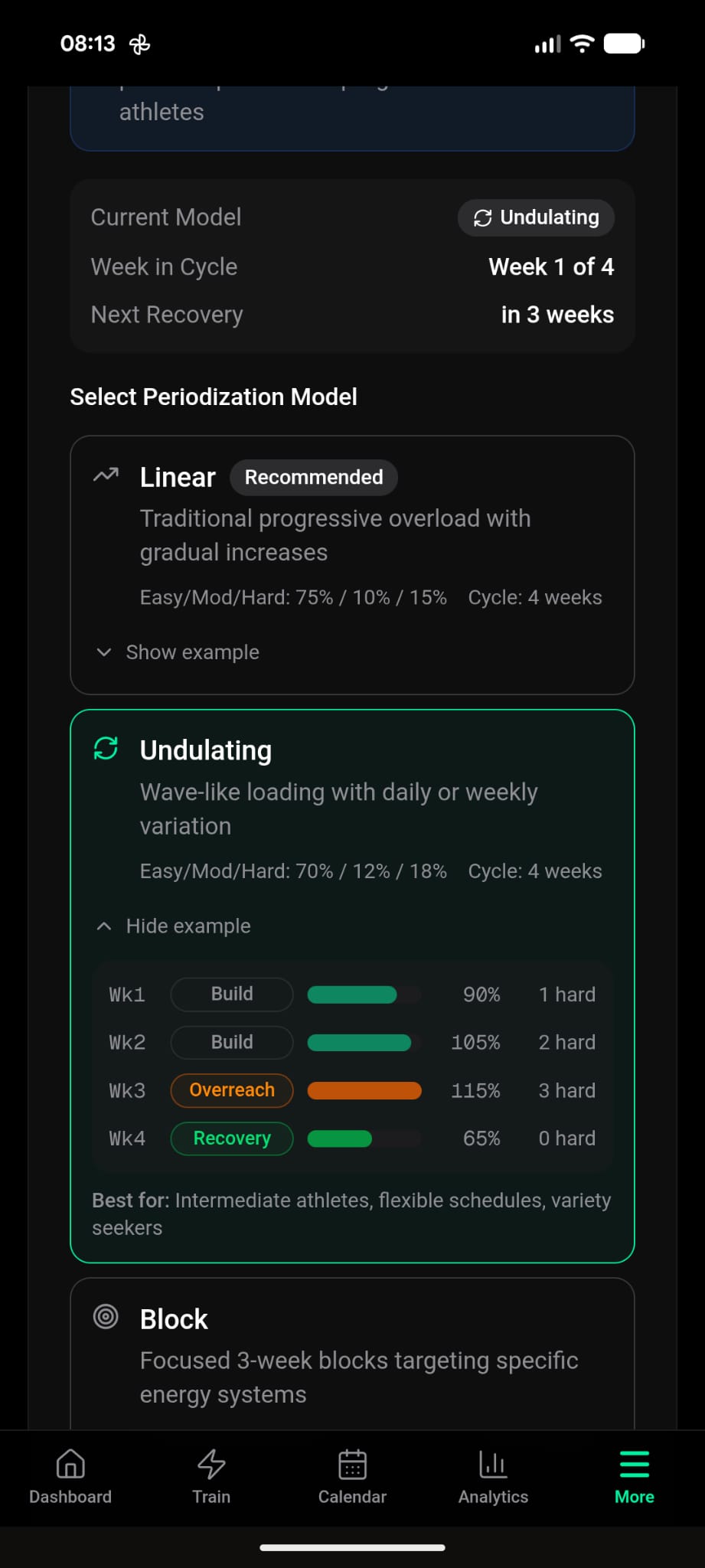
But these are the sessions that have been created on Sunday:
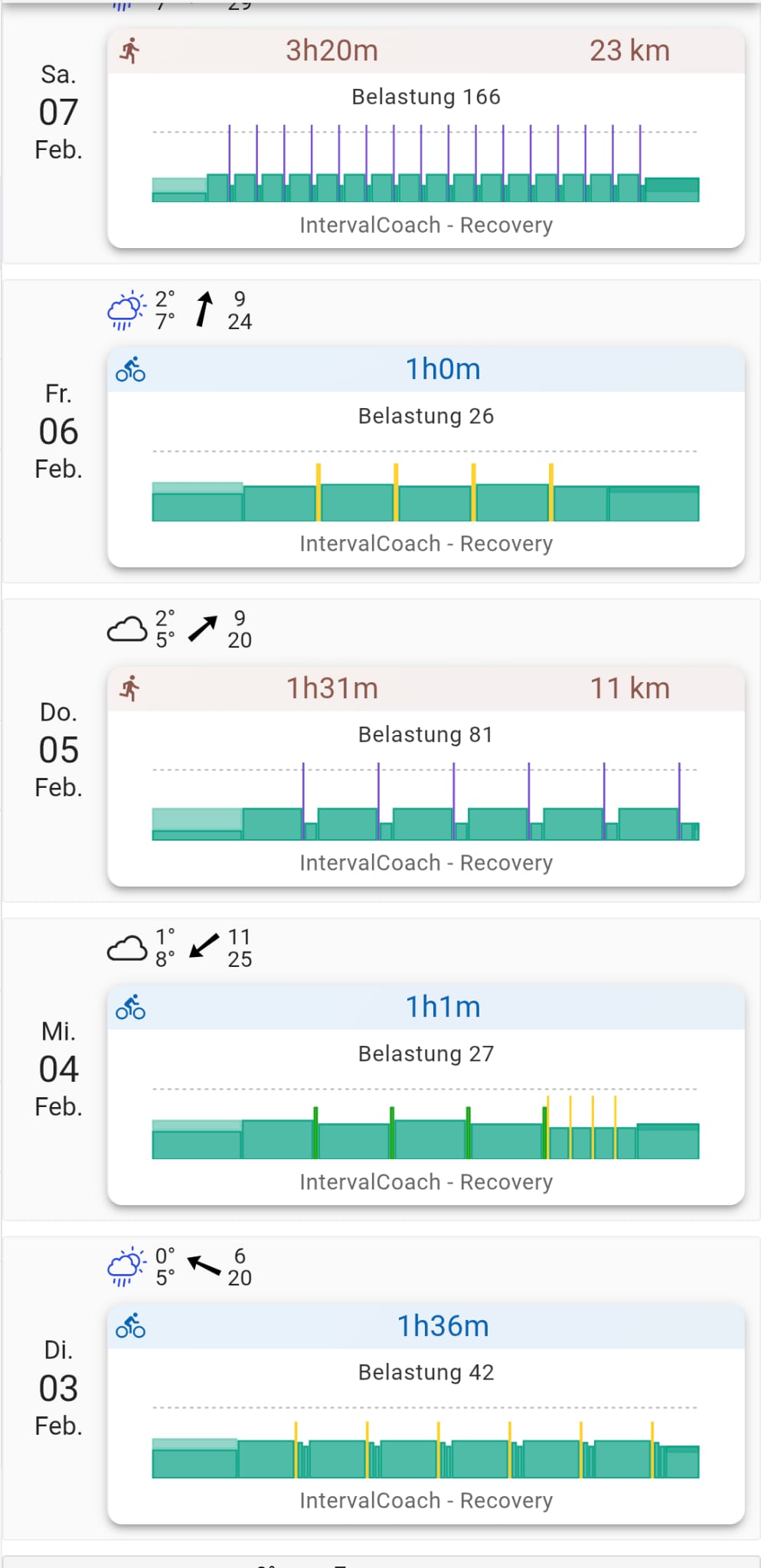
A whole week of recovery. Also, I wouldn’t call a 3h20min run a recovery on Saturday but I guess something’s wrong here.
Thanks for all the hard work and bug fixes over the last few days!
BR
Marc
1 Like
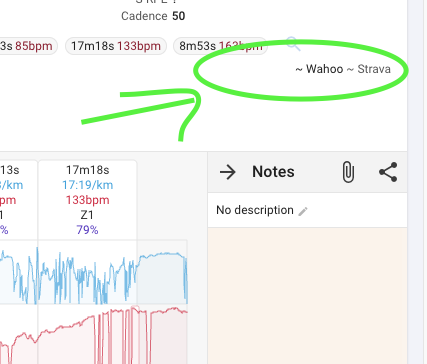
do you have in intervals.icu settings added wahoo integration?
so intervals import your files directly from wahoo with all the data. I don’t use intervalcoach to test this but in theory it should work
Good catch, and thanks for the screenshots. The problem is in how the weekly plan generates workouts. When the plan is created on Sunday, it uses the athlete’s current wellness/fatigue snapshot to pick workout types for each day. If recovery status is poor (or TSB is very negative) at that moment, there’s a hard override that forces Recovery type for every day in the batch. So even though the plan correctly says BUILD week at 477 TSS, the workout type selection ignores the phase and defaults to Recovery for all 5 days.
That’s obviously wrong: the weekly plan should follow the planned phase, and real-time fatigue adjustments should happen day-by-day when the daily email runs. I’ve logged this as an urgent fix. Once it’s fixed, she can regenerate her plan and should get proper BUILD workouts.
2 Likes
The issue you’re seeing is most likely on the data import side in Intervals.icu, not something IntervalCoach is filtering out. IntervalCoach works with whatever activity data Intervals.icu has available, even if it’s limited (no power meter, no HR zones, etc.). It won’t skip or hide outdoor rides.
How is the data getting from the Bolt V1 to Intervals.icu? Important: if you’re relying on Strava as the middleman, Strava’s API restrictions limit what data gets passed through to other apps. The better route is uploading .fit files directly to Intervals.icu, either through their Garmin/Wahoo integration or manually. That way Intervals.icu gets the full data.
The Bolt V1’s lack of support in the current Wahoo app makes this trickier, but if you can get the .fit files off the device (via Dropbox as you mentioned), you should be able to upload them directly to Intervals.icu and bypass Strava entirely. Like @Filippo is saying you should see both Strava and Wahoo indicators to ensure it’s properly synced.
Once the ride is in Intervals.icu with reasonable data (even just duration and HR), IntervalCoach will pick it up and include it in your training load.
That‘s not true. There is still the Wahoo Elemnt App to sync the V1 to the Wahoo Fitness Cloud, and it‘s working fine. No need to do something manually or use Dropbox. And it‘s syncing all data available to intervals.
This is interesting but is not my experience so far.
Bolt v1 does sync with element app but then there is no sync to the new wahoo app.
Intervals.icu only seems to use the wahoo app to collect data.