Custom zones for sports

You can now define very flexible custom zones, a new premium feature. These are in addition to the normal power, heart rate and pace zones.

  • Zones for any activity stream (not just power, HR and pace) including custom streams
  • Overlapping and non-contiguous zones
  • Zones based on any standard anchor (FTP, LTHR etc.) as well as custom activity fields and absolute values
  • Custom colours
  • User defined zone ID (not just Z1, Z2 etc.)
  • Time in zones (per activity and on the totals page)
  • Workout prescription (only for power, HR and pace streams) e.g. “- 4m CZ2”

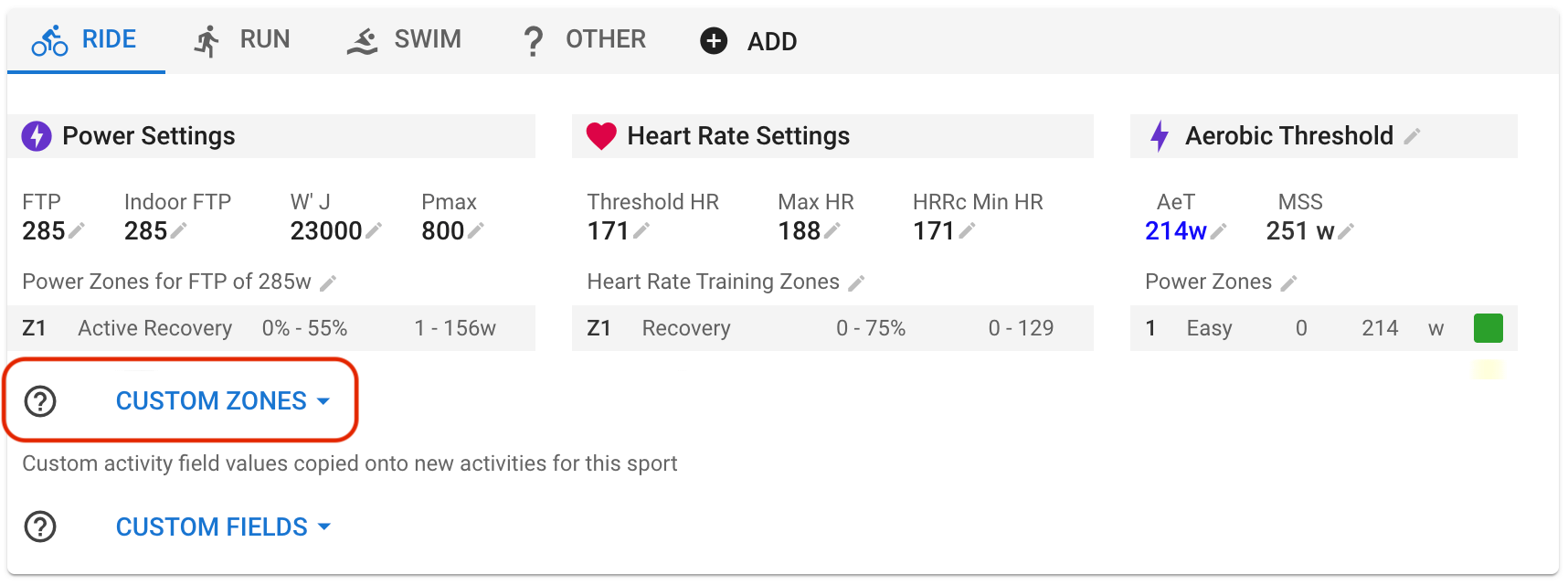
These are configurable per sport in /settings and shareable like custom fields etc.:
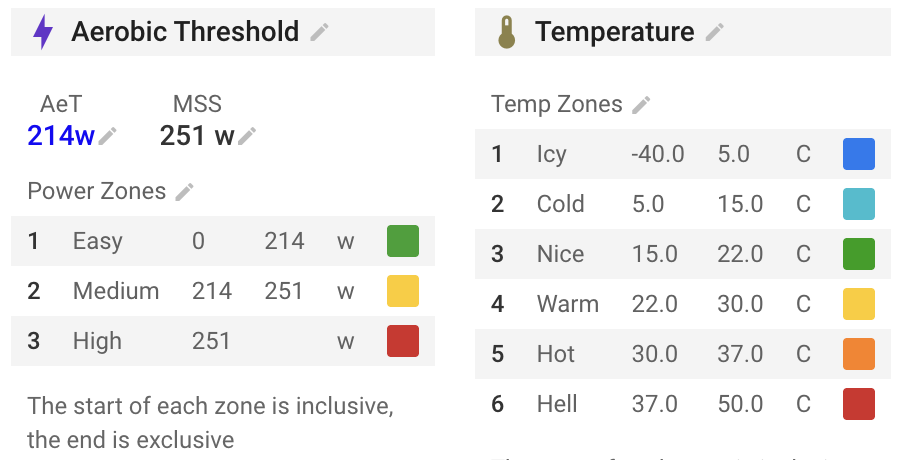
You can search for zones others have created and shared or create your own:
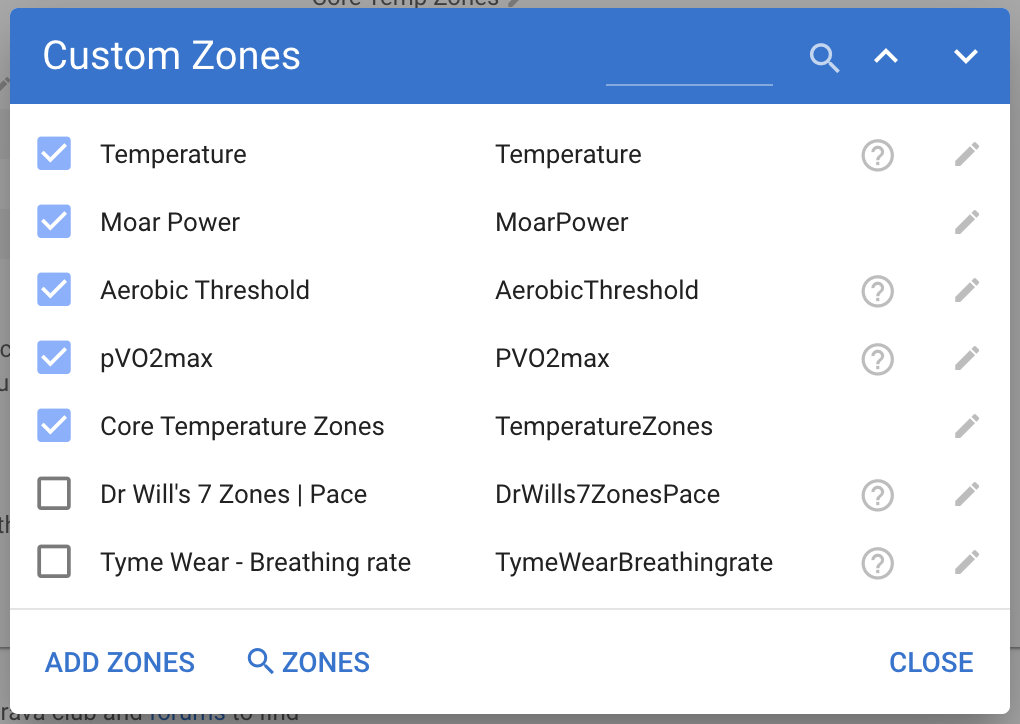
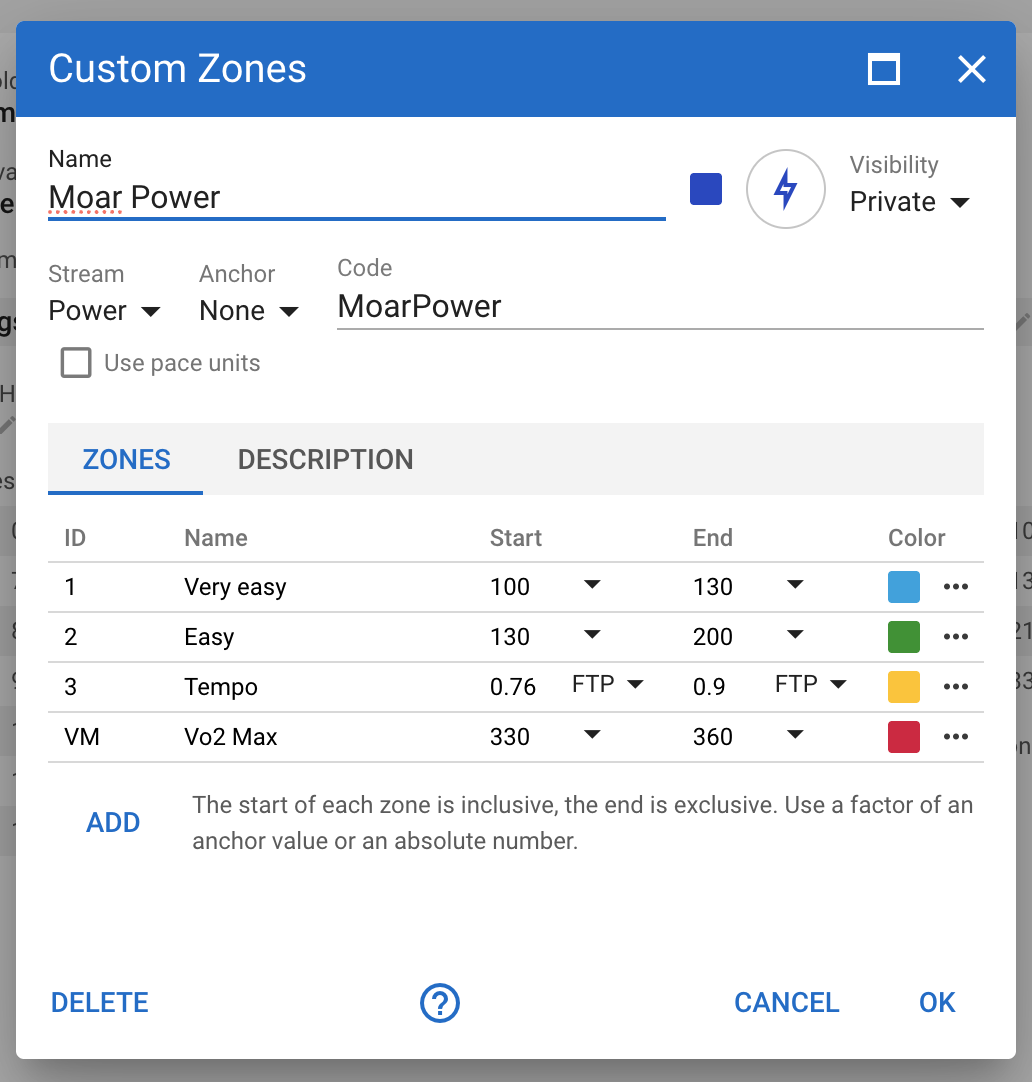
Each set of zones has a name, a stream (power, heart rate, speed, gradient etc.), optional default anchor for zones and a code. The code should not be changed once the zones are in use. Zone information on activities is stored by code.

Each zone has an id (used to reference the zone when prescribing workouts and for storing time in zones), name, start and end value. The start/end values can be fractions of an anchor value (e.g. Zone “3 Tempo” above) or absolute values. The end value is exclusive. Note that for speed you need to capture absolute values in meters per second.

The id does not have to be numeric. It is important that it does not change once the zones are in use.

Zones can overlap. A zone with no start value covers everything less than the end value. A zone with no end value covers everything >= the start value.

Use the dot dot dot menu to move zones up/down and to delete zones.

If you add zones (shared by someone or your own to another athlete) to a sport, then any custom anchor values needed are also added.

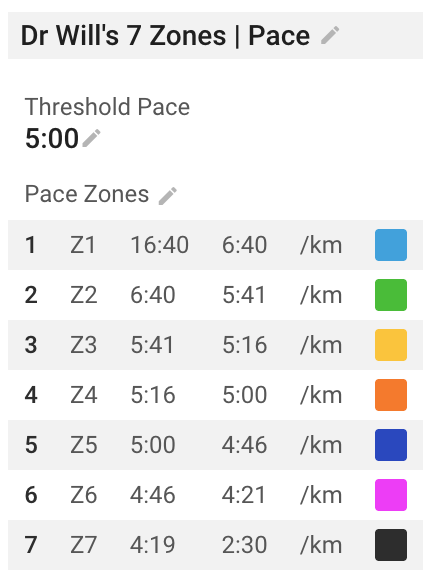
If you select the “Speed” stream then you might want to tick the “Use pace units” box. This will display speed using the pace units configured for the sport (mins/km etc.):
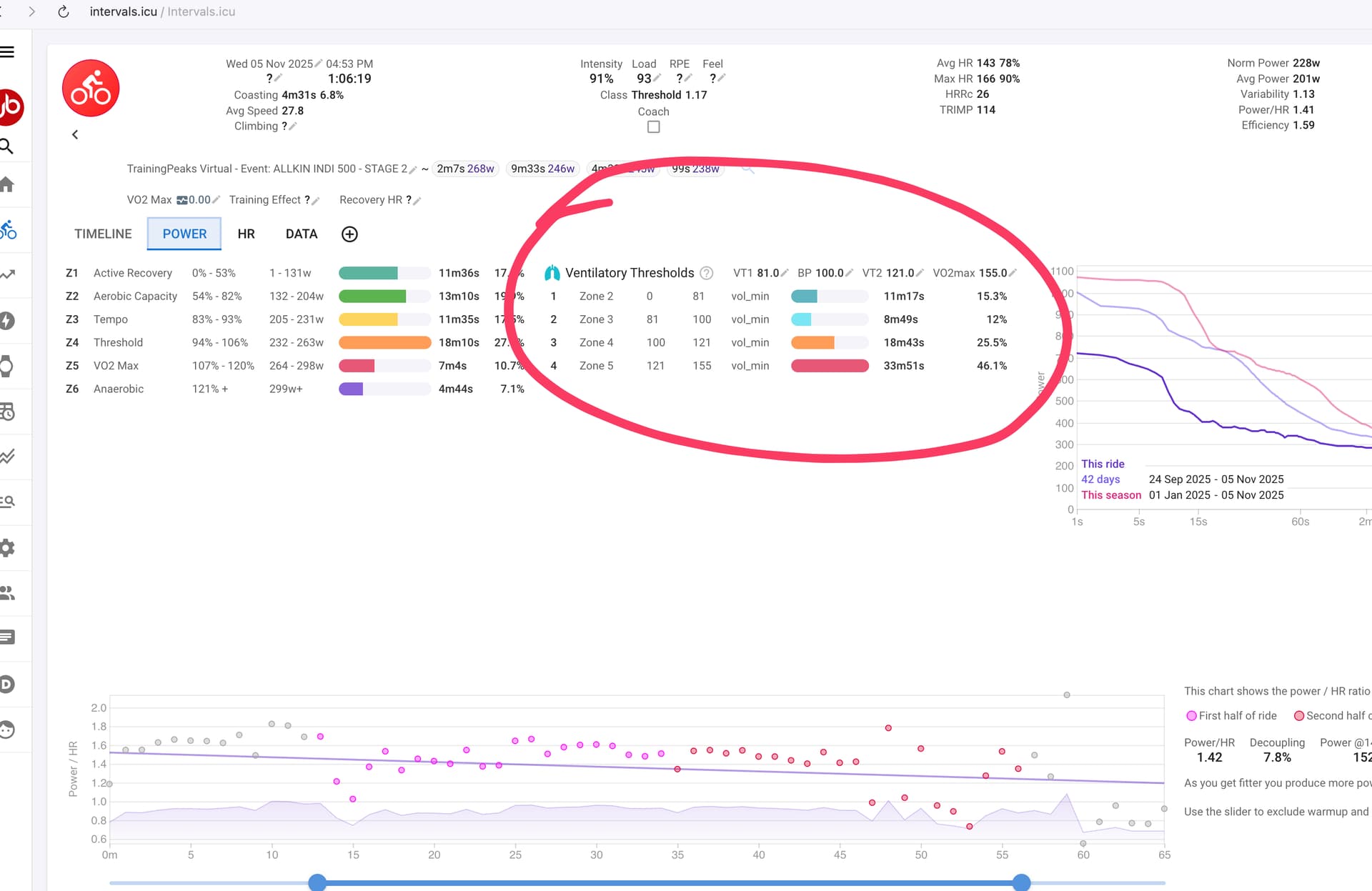
Intervals.icu will compute “time in zones” for custom zones and display this information on the activity detail pages.
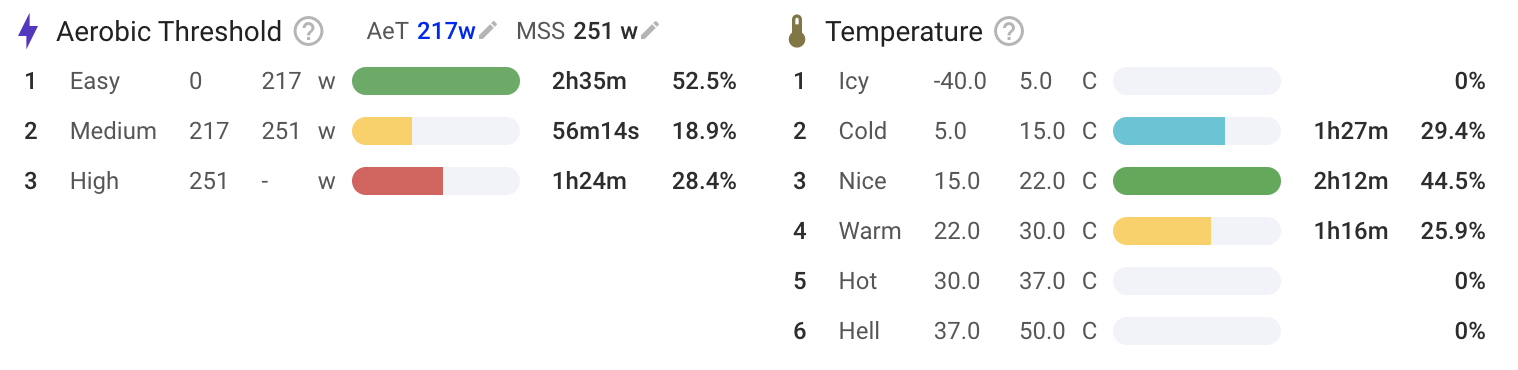
New zones for power, heart rate and speed are added to the power, heart rate and pace tabs respectively. Other zones are added to each of those tabs. You can click the “Activity Charts” button at the bottom of each page to choose which zones are displayed, move them around and so on.

Custom “time in zones” for an activity is calculated when the activity is analysed. The first time this is done, the start and end values for each zone and the anchor values (if any) are copied onto the activity, preserving history should they change in future.

If a zones is defined relative to an anchor value and the anchor value on the activity is changed, then the zone is updated.

Plotting zones over time

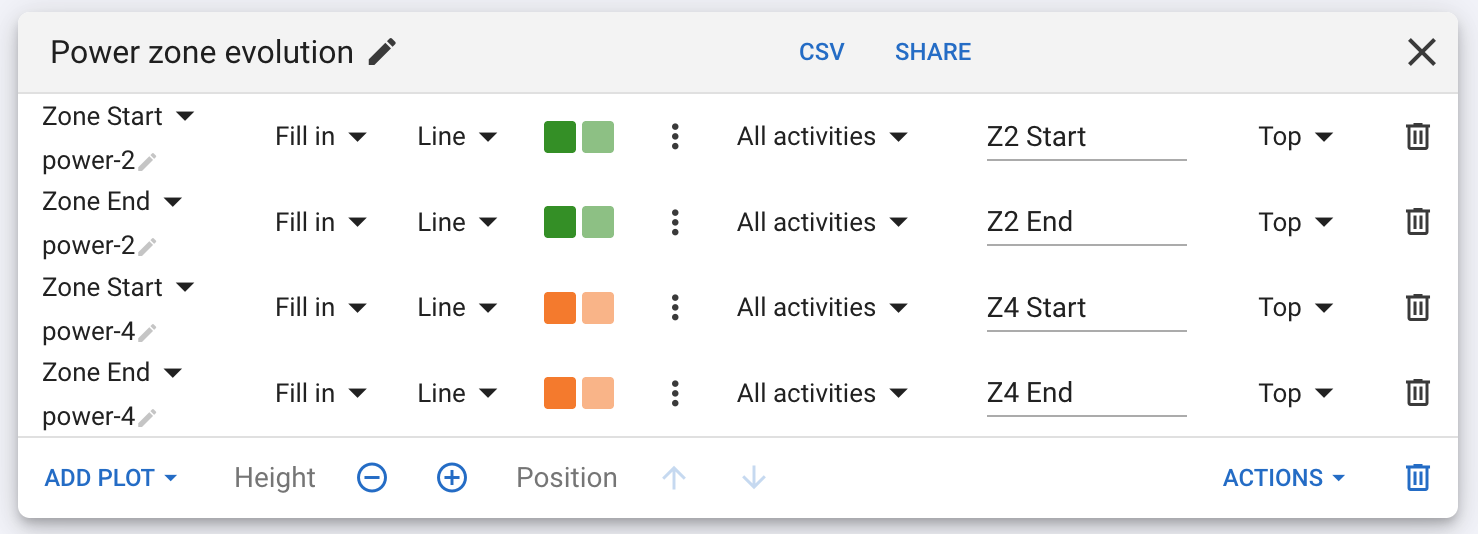
You can plot the start or end of a zone (built in or custom) on the /fitness and /compare pages:
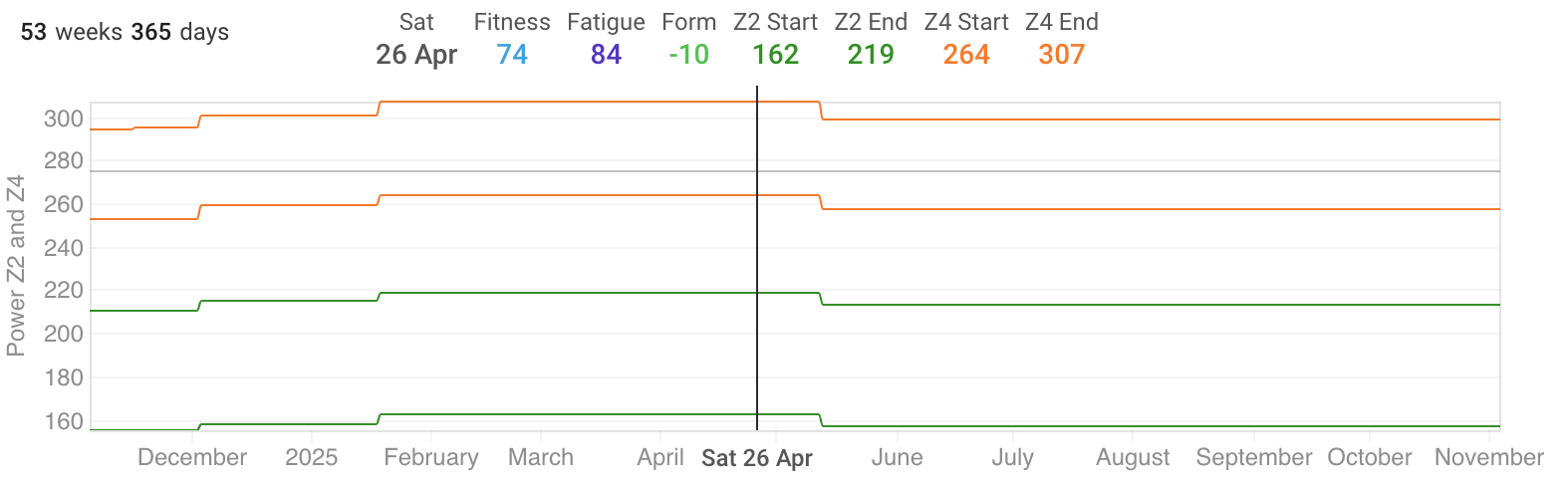

If you plot a zone start/end that uses pace then you need to choose the units (mins/km etc.).

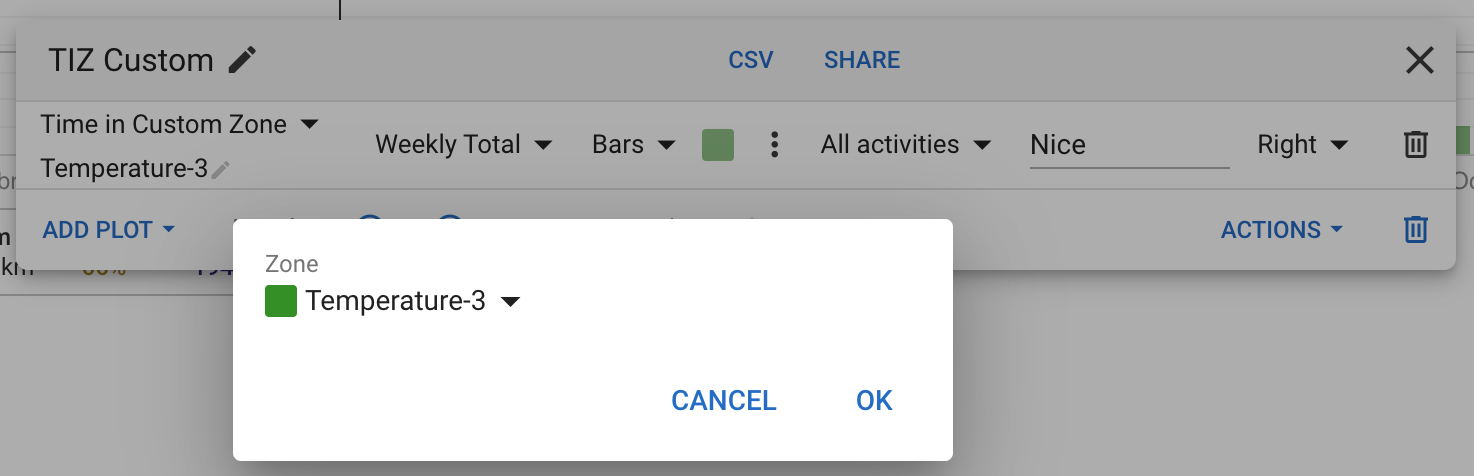
You can also plot time in custom zones:
Workout prescription

Prescribing workouts using custom zones only works for power, heart rate and speed (pace) zones. The “Add Step” form includes custom zones configured for the sport in its zones drop downs:
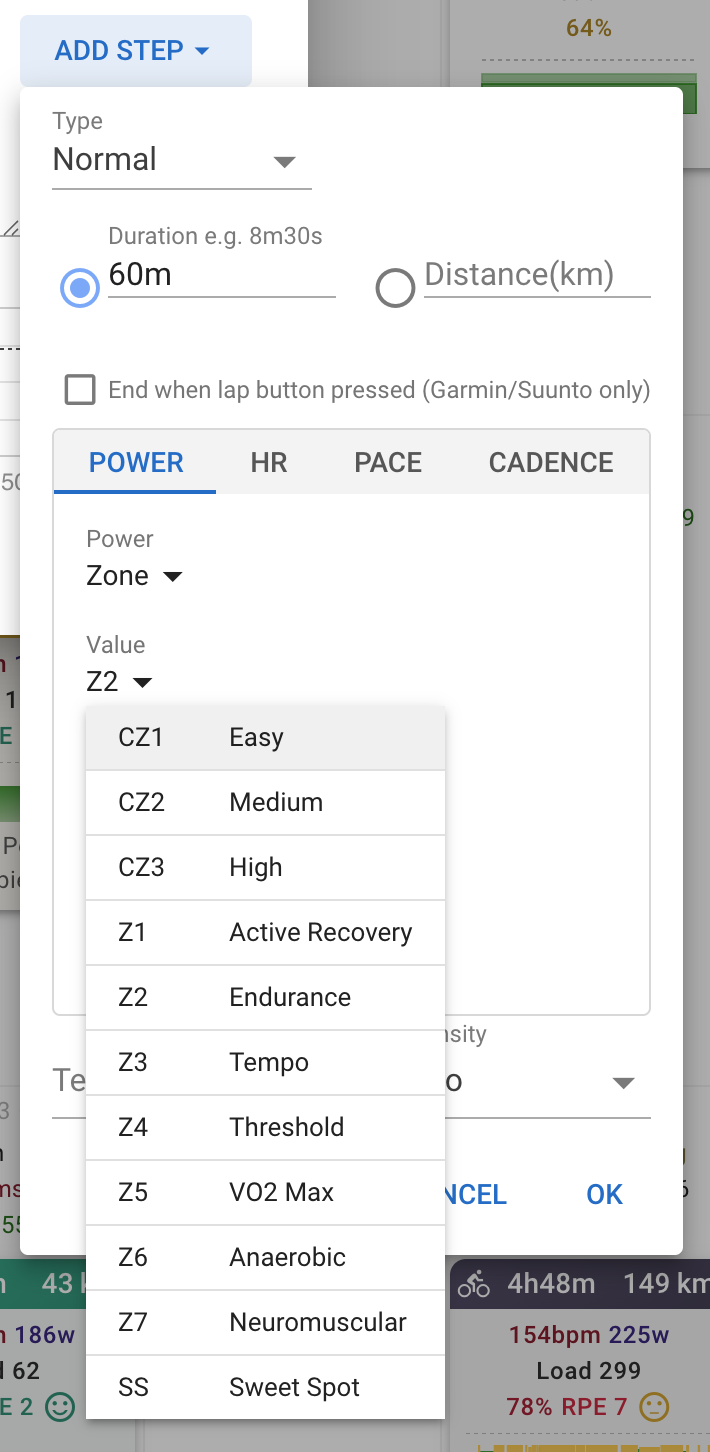
The syntax is just “CZ” and the id of the zone matching the stream type (power, heart rate or pace):

- 60m CZ1

If you prescribe a workout using only custom zones then only “time in custom zones” is displayed:
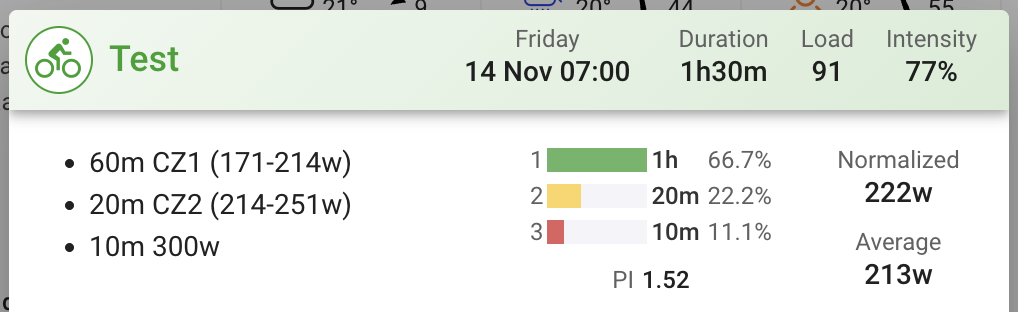
Zones used for workout prescription should be closed (i.e. both start and end of the zone specified).

If you have several zones with the same id (possible if you enable multiple sets of custom zones) for the same stream (power, hr or speed) then the first one listed for the sport has precedence.

Zone bars on charts

Custom zones can be used as background bars on custom charts on the activity timeline page (click Charts → Add Chart to create one):
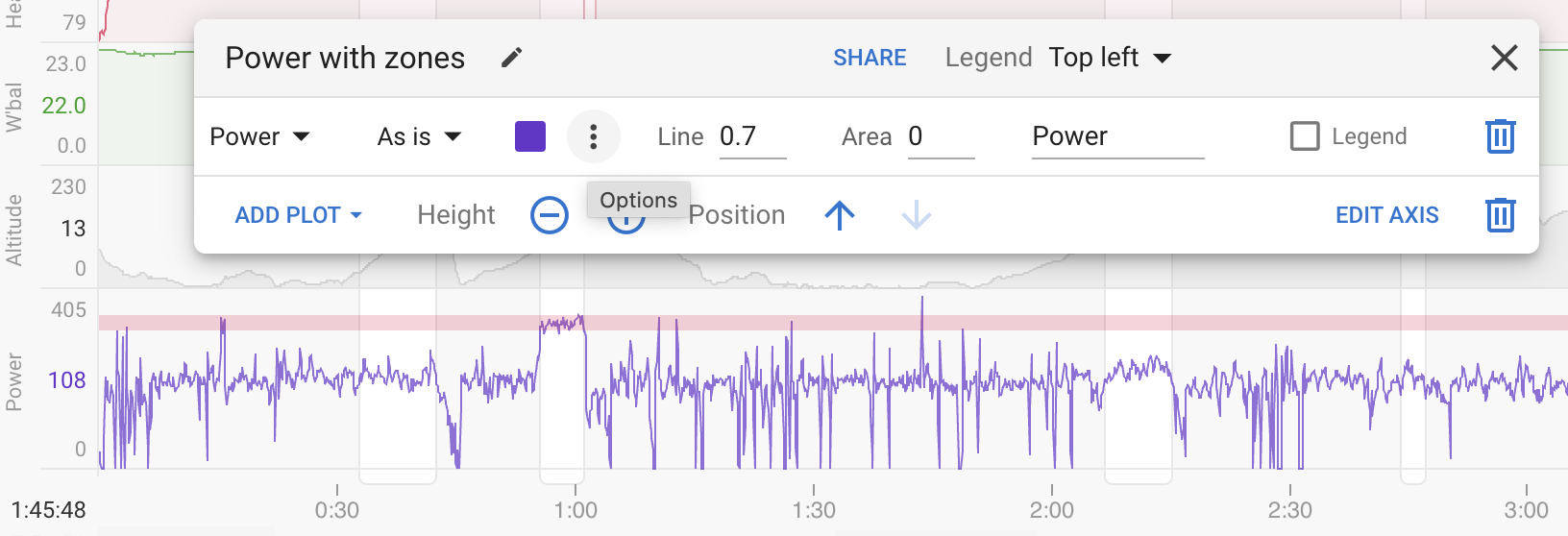
Click the dot dot dot menu for the plot and add a zone:
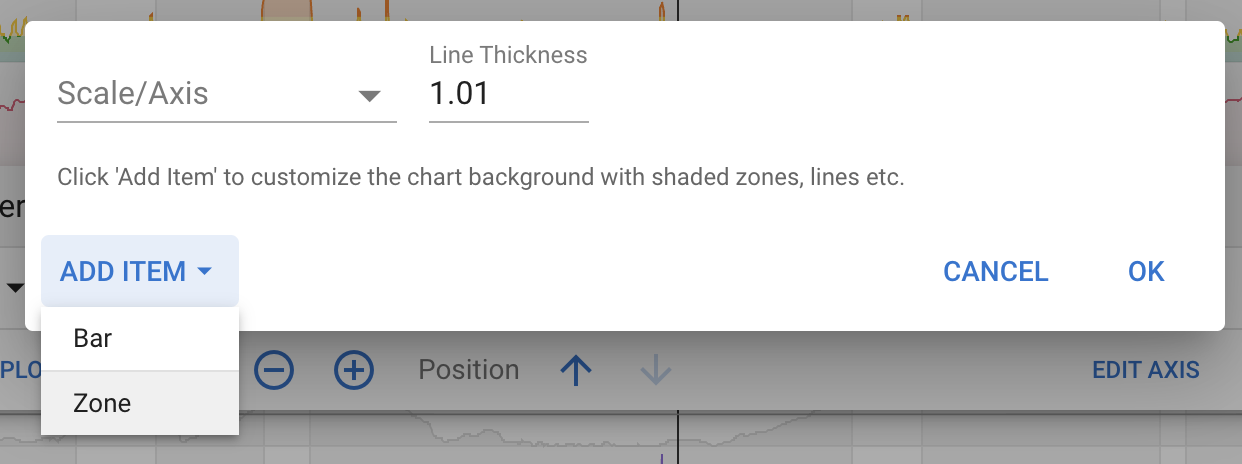
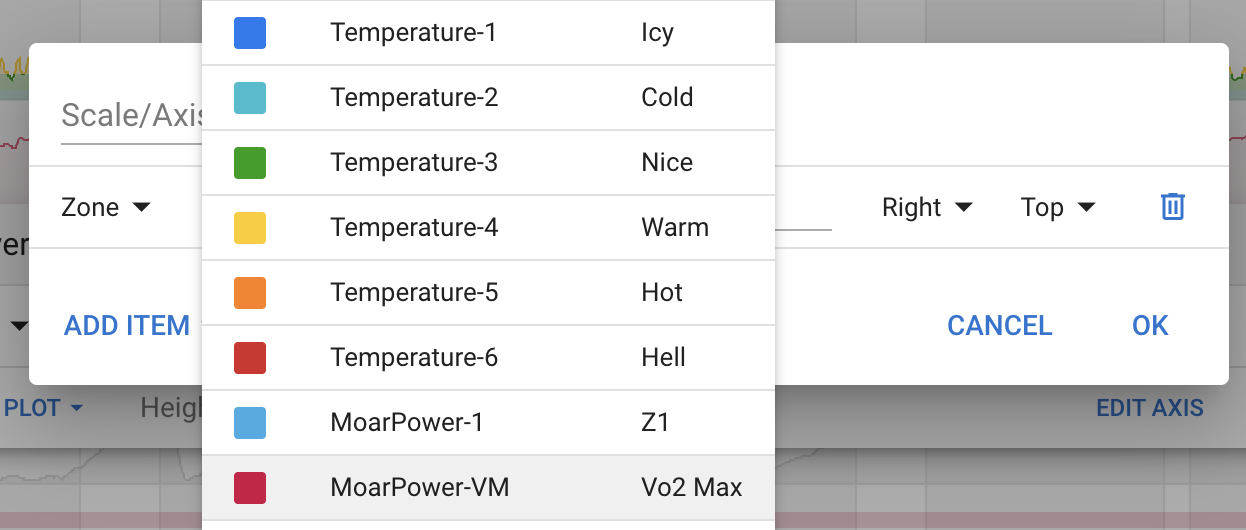
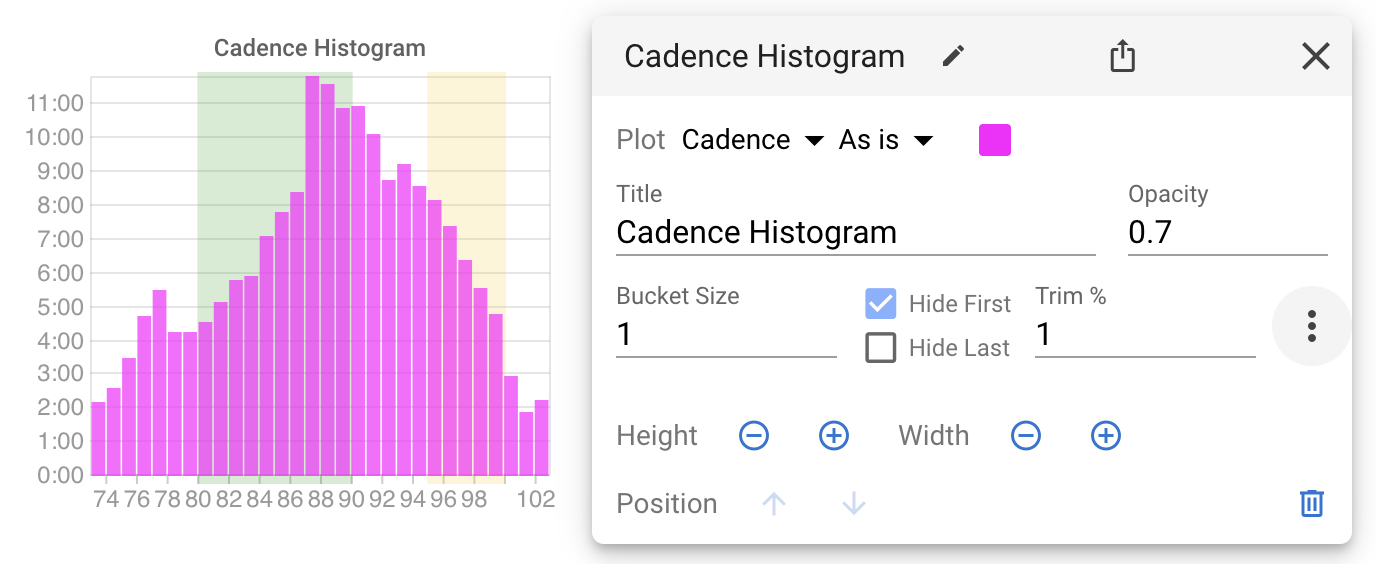
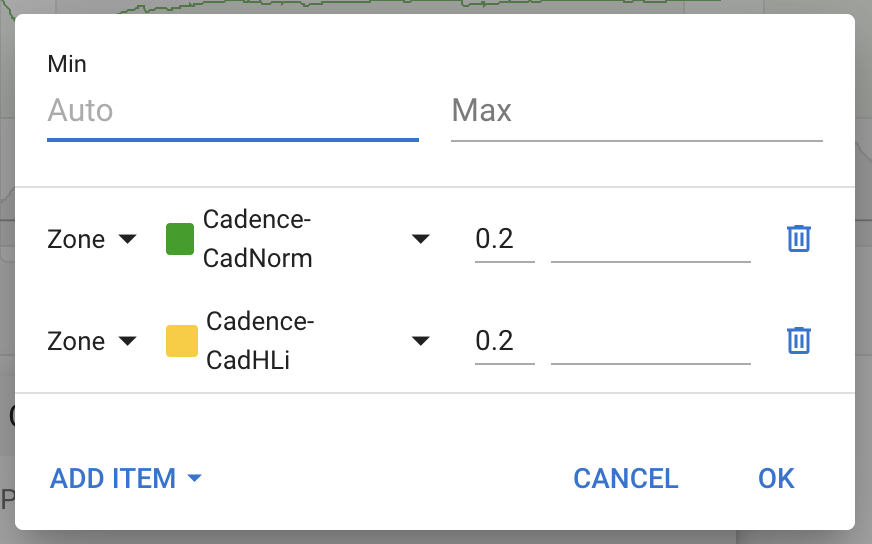
You can also add them to histograms (click Activity Charts → Add → Histogram to create one) and they work on any stream, not just power etc..
38 Likes

Phenomenal.

1 Like

TX David, Great Job

1 Like

@david this is an extremely powerful feature, thanks! One thing that would make this infinitely more useful though: would it be possible to define custom anchor points as well?

Like for instance, rather than anchoring zones to just FTP (cycling) or threshold pace (running), you may want to set an athlete’s LT1 power or pace, and then anchor zones to that?

Ideally you’d want to be able to have both LT1 and LT2 as anchor points - so you can have certain zones anchored to LT1, others to LT2, maybe even some zones anchored to VO2max as another anchor point. So whenever an athlete’s thresholds move, you can just adjust the anchor points and the zones move accordingly.

Would this be feasible? Maybe it already is possible, and I just missed it? Thanks!

3 Likes

Yes, you missed it. Re-read the first post in this topic.

2 Likes

Thanks, but maybe I’m not explaining myself correctly. I was asking about defining custom anchors.

As far as I can see, at this point you can set zones based on standard anchors from a preset list (which contains FTP/threshold but not LT1), or by absolute values (which isn’t what I’m looking for either), or by “custom activity fields” which might be the thing I’m missing? Is this how one would define an athlete’s LT1 pace for their running activities, for example, in order to then anchor zones to this value?

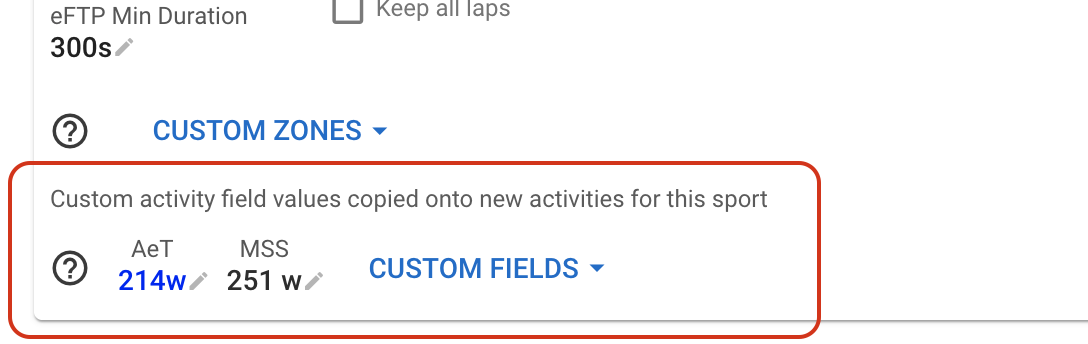
You can add custom activity fields to the sport and use them as anchors.

These can be computed from stuff on the activity or just captured on the sport and updated every now and then.

2 Likes

Very Nice and it’s all exposed via the API for easy integration

// http -a API_KEY:$API_TOKEN https://intervals.icu/api/v1/athlete/0/ |jq .custom_items[1].content.zones
[
  {
    "id": "1",
    "end": 6.0,
    "name": "EasyPeasy",
    "color": "#4b4d4a",
    "start": 5.0,
    "end_anchor": "",
    "start_anchor": "threshold_pace"
  },
  {
    "id": "2",
    "end": 5.0,
    "name": "TooEasy",
    "color": "#2ca02c",
    "start": 5.0,
    "end_anchor": "",
    "start_anchor": ""
  },
  {
    "id": "3",
    "end": 4.0,
    "name": "FakeItUntilYouMakeIt",
    "color": "#334ccc",
    "start": 5.0,
    "end_anchor": "",
    "start_anchor": ""
  },
  {
    "id": "4",
    "end": 4.0,
    "name": "WhatTheHell",
    "color": "#dd0447",
    "start": 4.0,
    "end_anchor": "",
    "start_anchor": ""
  },
  {
    "id": "5",
    "end": 3.0,
    "name": "BringThePain",
    "color": "#6633cc",
    "start": 4.0,
    "end_anchor": "",
    "start_anchor": ""
  }
]
2 Likes

What an amazing feature! Thank you for adding it!

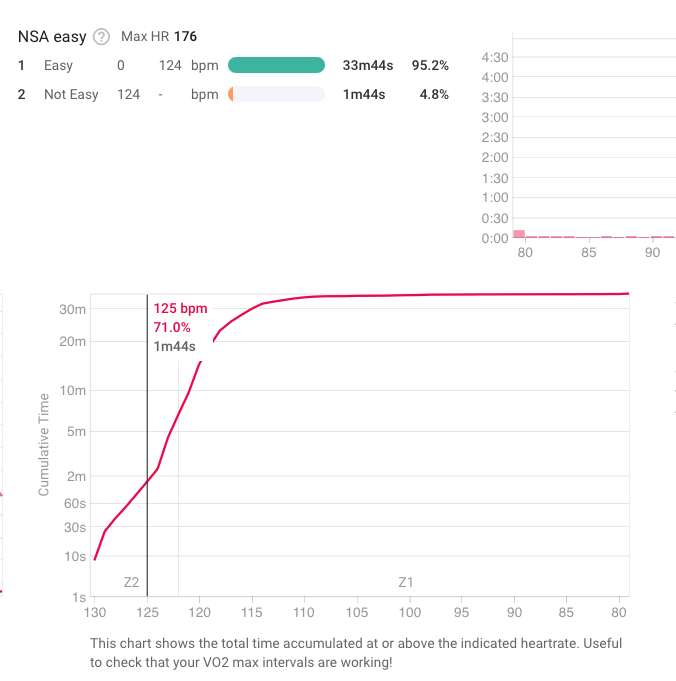
I think there might be a bug with it though. I’ve set two HR zones, where the first zone ends with 124 bpm (exclusive) and the next one starts at 124 bpm. The time in zones doesn’t match the Cumulative time chart or the Histogram chart. Since the top zone starts at 124 bpm, the in this zone should be time at 124 bmp or higher. However it shows time from 125 bpm or higher, as if the start of the zone was exclusive, not inclusive. See screenshot for what I mean.

Very excited about this feature as I train and coach with custom zones! Thank you!

1 Like

Stunning work. Thank you!
Once again, I fail to understand why anyone uses anything other than Intervals.icu.

3 Likes

I wonder the same thing as well when I look at my iPhone. :rofl:

1 Like

When creating a heart rate based workout with a custom hr zone, all is well, except the color bar shown for the workout is not the color I selected when I set the custom zone.

Can’t find the other post regarding that, but @david said that it will be very difficult to adapt the colours for the workout skyline to those for the custom zones…

1 Like

Ah. Thanks!

Just found it

1 Like

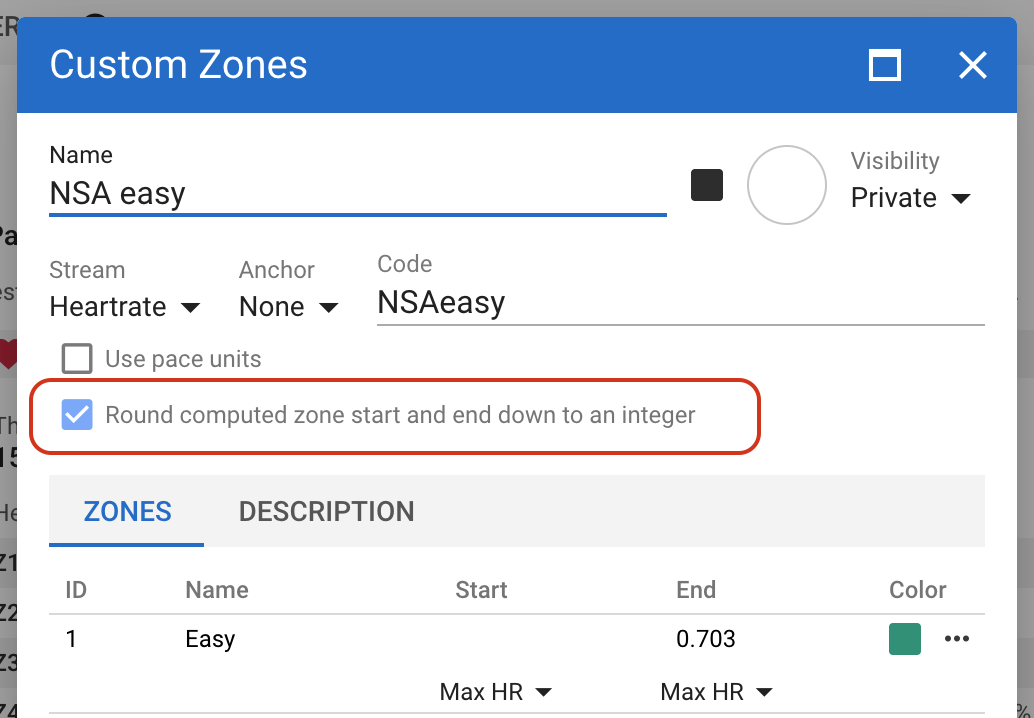
This is a rounding issue. Zone 1’s end and zone 2’s start are at 124.079994 (your max HR * 0.705). So thats why only 125 bpm ends up in Z2.

I probably need to round the zone boundary values down for “integer” streams like heart rate and power. Will look at doing that.

1 Like

Great, thank you! In my opinion whatever you do should match what we users see. In the Custom zones the value was rounded to 124, so that is the value I expect the algorithm to use. If it uses some hidden decimals, then it will behave in an unexpected way for me. You can use more decimals, but then imo you need to show it to the user, so they know what is going on.

1 Like

We have added an option to round the computed (from anchor and factor) zone start and end boundaries down to an integer. This defaults to on for integer streams like heart rate, power, cadence etc.. This will be deployed on Friday AM (GMT+2) and enabled for existing custom zones using power or heart rate.

5 Likes

This is perfect timing as I’ve just got my Tymewear strap.

Question, I’ve got custom zone to appear on my activity but can it be tracked on the totals page?


1 Like