Awesome, David! Thank you so much 
I’m having trouble getting custom pace zones to work. Here’s an example of an easy run. The standard time-in-zones is fine, but the custom zones are empty. I have re-analyzed the workout.
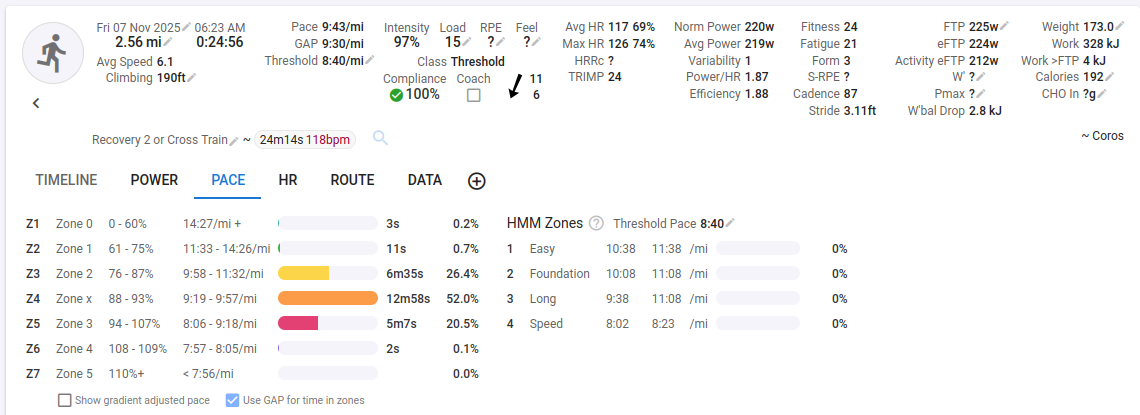
I suspect my problem has something to do with “start point is inclusive, the end point exclusive.” I don’t know what that means in practice.
You have the start of each zone higher than the end. You need to swap those around. We will add some validation to the form to trap this error.
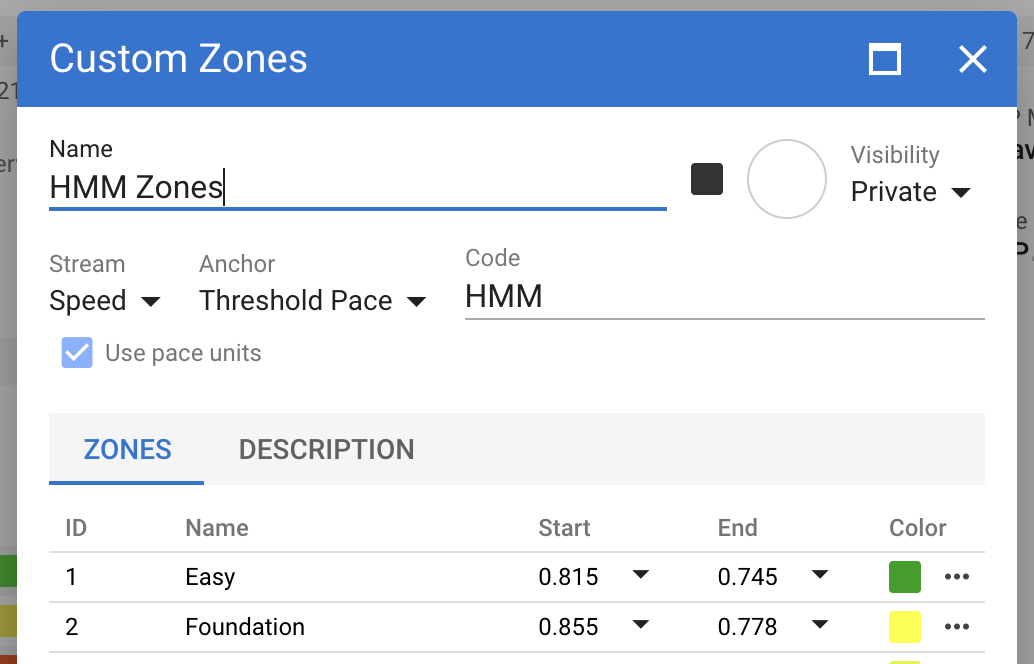
Also for zones like these you should make the start of each zone after the first equal to the end of the previous zone, otherwise there will be gaps between them.
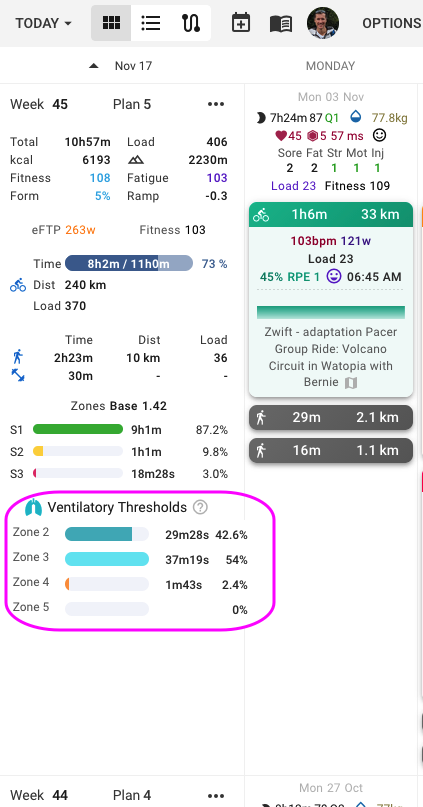
Hi David:
Thanks for the quick response. I noticed that you added validation. Thanks.
Yet, I think the boxes are reversed from the way the default pace zones, i.e. a default range has the lower number on the left; the custom zones, since validation, have lowest value on the right.
Also, I’ll post a screenshot later, but I’m still not seeing values for time in custom pace zones.
You have to „update Zones“ for old activities, so that you get the correct values. Each zone is copied from the settings, to be able to change the zone ranges later, without changing these for old activities.
You can update from the activity list view.
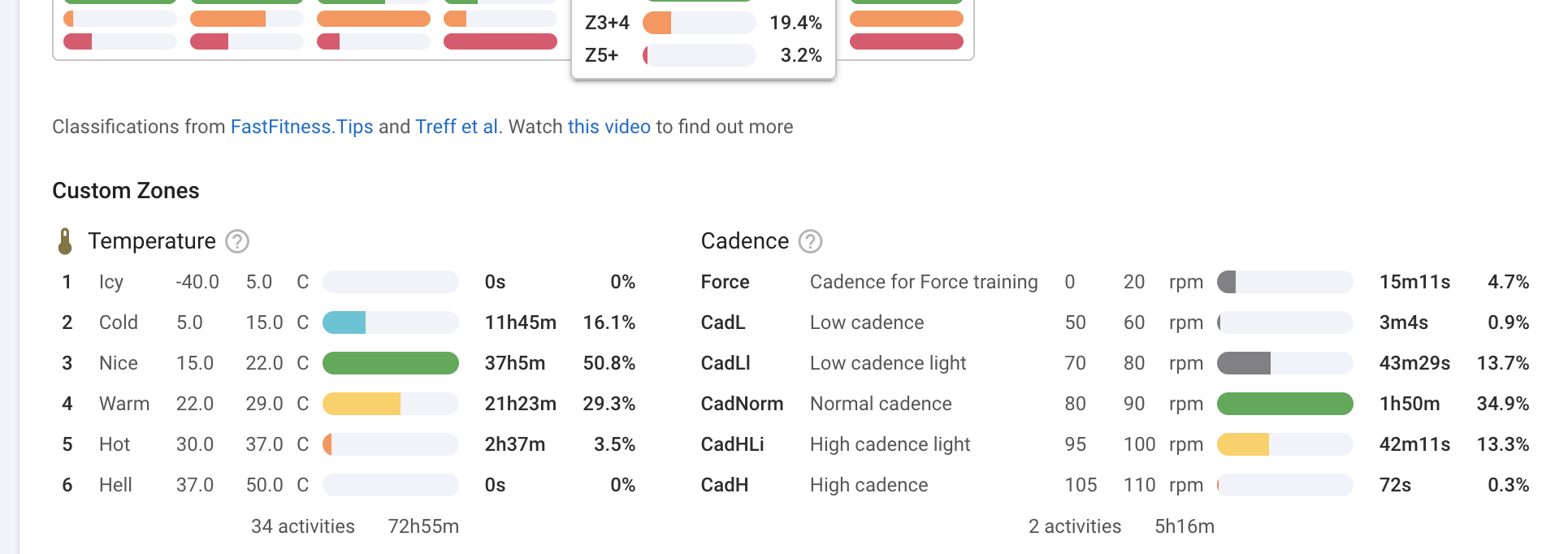
Custom zones can now be used as background bars on custom charts on the activity timeline page (click Charts → Add Chart to create one):
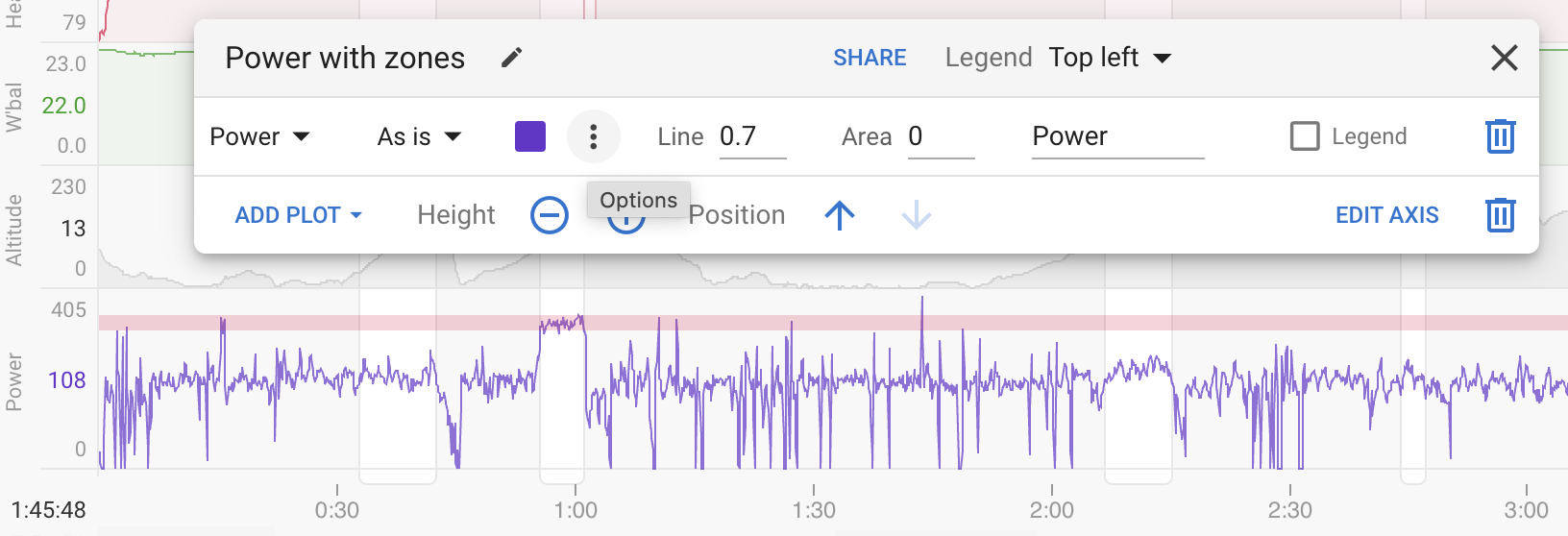
Click the dot dot dot menu for the plot and add a zone:
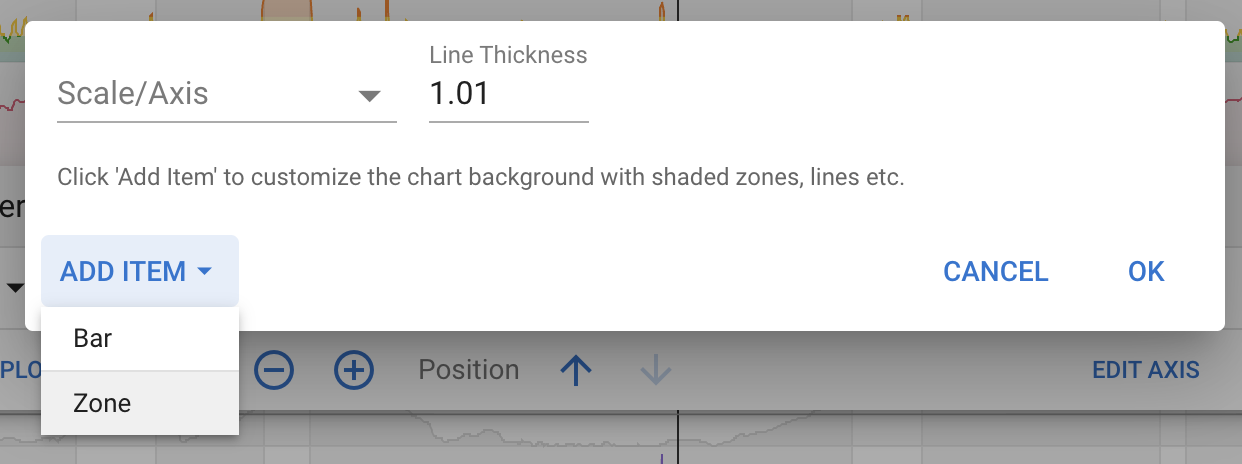
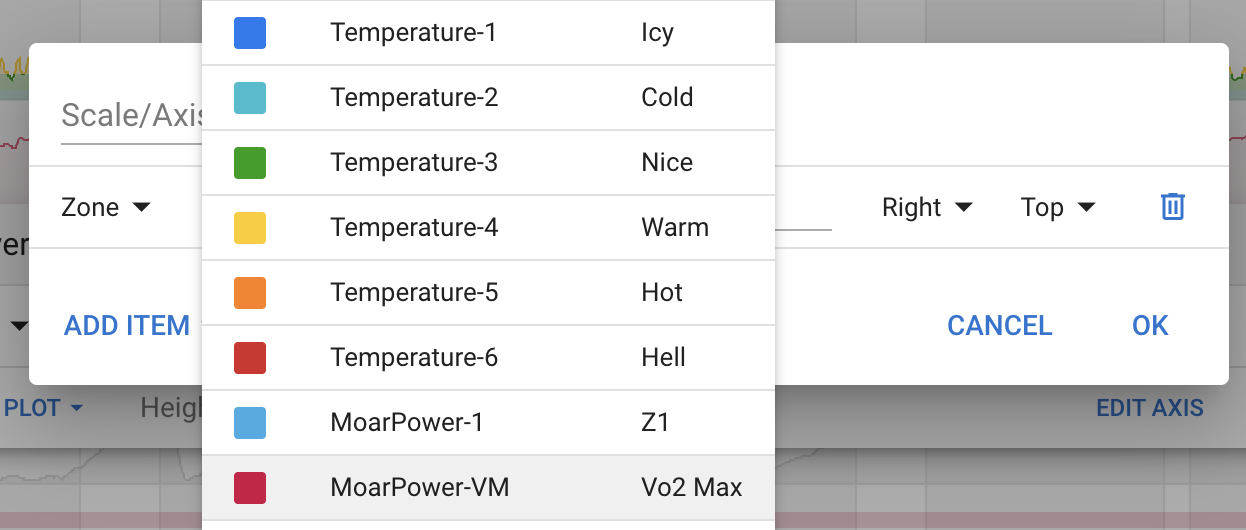
You can also add them to histograms (click Activity Charts → Add → Histogram to create one) and they work on any stream, not just power etc..
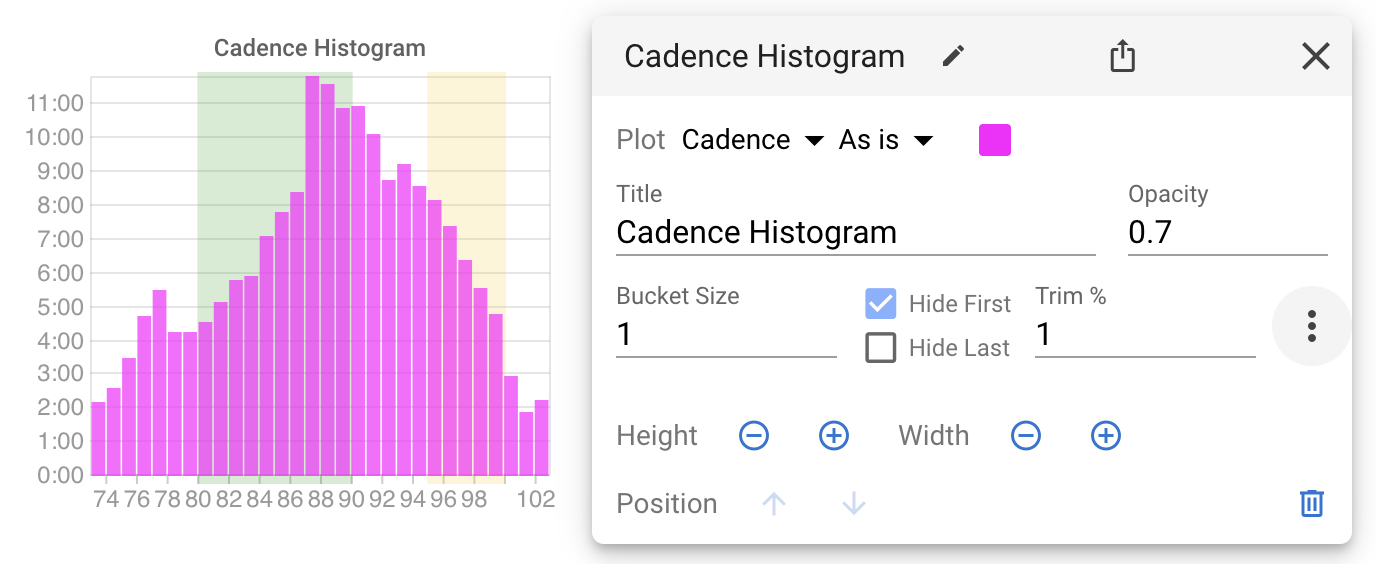
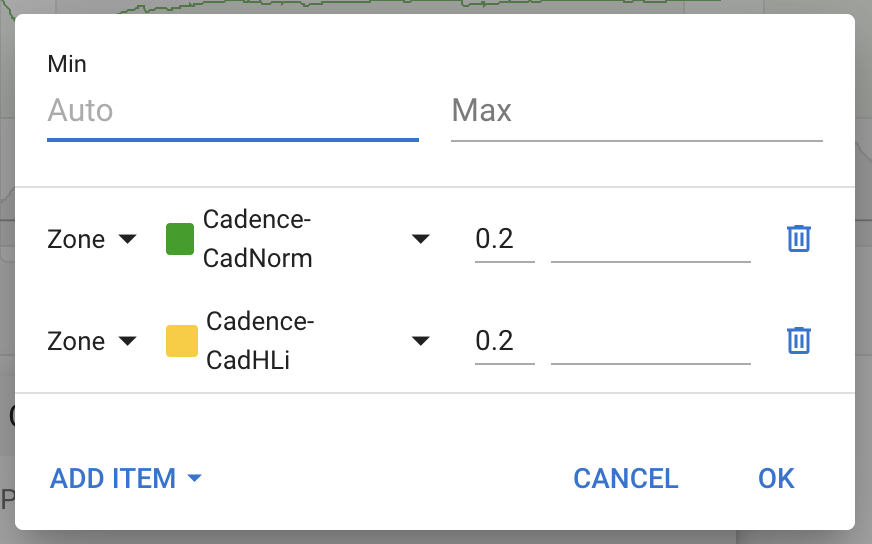
2 Likes
Fantastic!!
Okay. I see that time in custom zones is working! Thanks.
I still think the validation and hence display of the pace zones doesn’t match the default zone ranges.
Hi,
As you can see at the picture bellow, I do have some calculated custom fields (Estimación AeT by controlmetrics.es) on my activities.
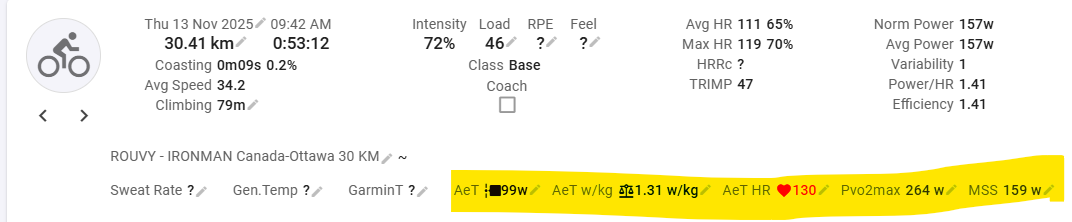
But I can not find a way to create a customs zones based on them.
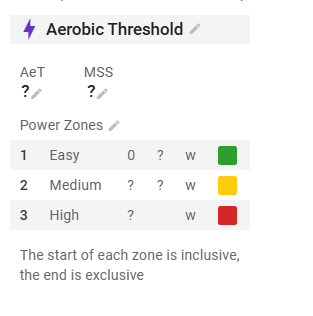

I’d appreciate any help.
tks,
You have it right. All you need to do is fill in some placeholder values on the sport settings (use the most recent from an activity). Those will be copied into activities but then overwritten by the script. Then you will be able to see what the zones look like.
Hi guys, is it possible for me to pay for my athletes’ Supporter subscriptions? I need to be able to edit their training zones, so I’d prefer to cover the cost myself rather than asking them to do it. Gracias!
Almost, you need to get everyone to join the same coaching group: Onboarding athletes and coaching groups
Soon you will be able to buy coins to grant the group members supporter status.
1 Like
Hi David,
I understand this validation is logical when it has the same anchor, but in the example below I also can’t set the first value higher when using two different anchors.

Is there a way around this or a way to make an exeption in the validation when using two anchors?
We have relaxed this validation so it does not apply if the anchors are different. Tx for the report.
Great! Thanks for the quick reaction
@david Is there a way to use eFTP in custom zones? I used it as anchor. But if I remember correctly it is calculated after the “normal” processing of the activity, so it’s not present when the TiZ for this custom zones are calculated (because I assume the anchor eFTP is “0” at that time). I always have to reanalyze the activity to get TiZ values.
1 Like
Yes unfortunately that won’t work currently as the time in zones is computed before eFTP. It might be possible to fix that in future.
@david , Is it possible to display one’s Custom Power zones in the Workout Builder in lieu of the Settings default Power zones?