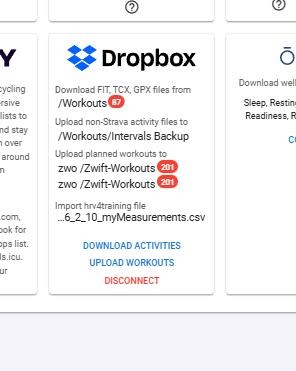
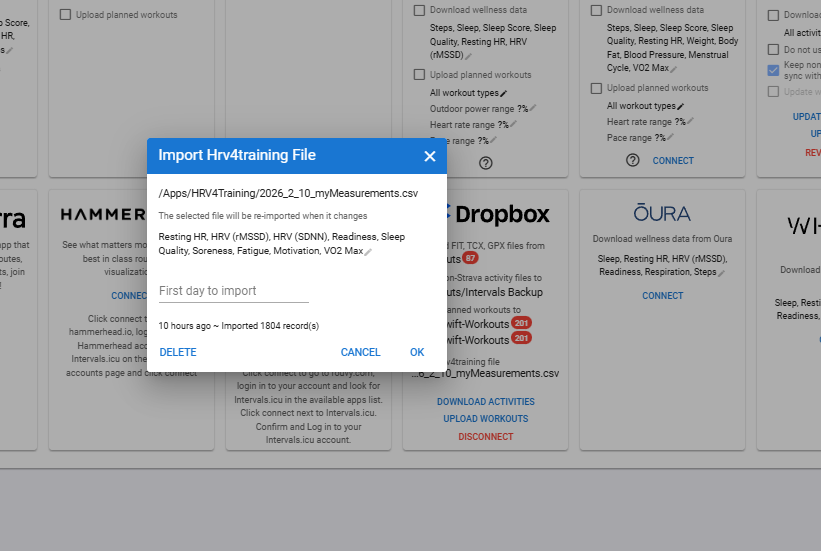
This explains how the HRV4 app & Dropbox folders work & troubleshoots issues. I know it is an old post but nothing has changed that I am aware of.
You will need to go into Intervals setting page, set up your Dropbox folders & then cancel the HRV bit within the Gamrin setup as that writes to the field that HRV4 app will be using.
Then your Welnness field should contain the HRV4 rMSSD & not the Garmin HRV score.
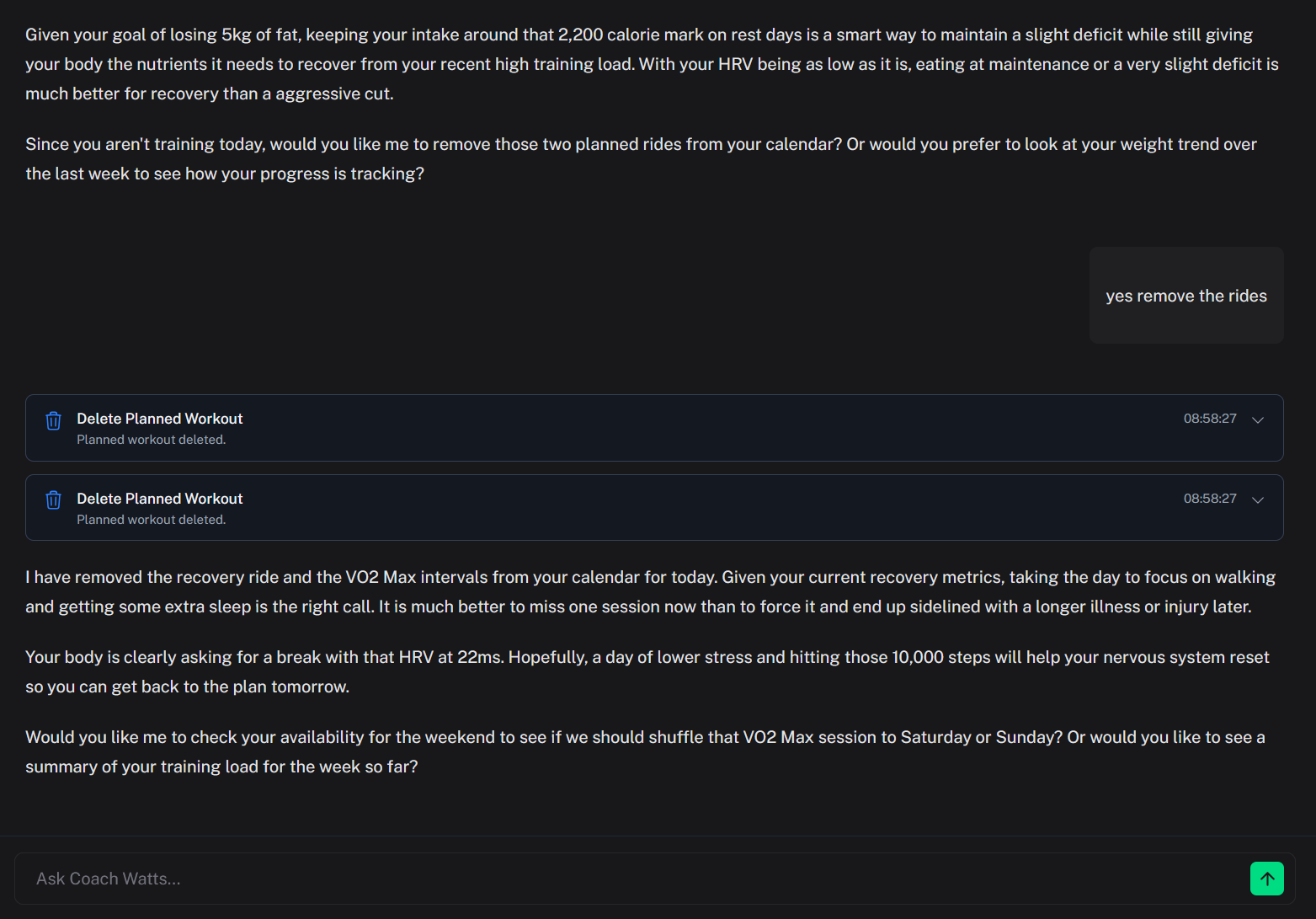
Hey I like the metrics. Is there any way to make the AI coach not use GPT-speak? I’m talking about the constant use of bolding random words for emphasis, creating subheadings with bullet points for no reason, tons of trite metaphors and exaggerated language.
I’m glad you like the metrics! Thanks for taking the time to share your feedback.
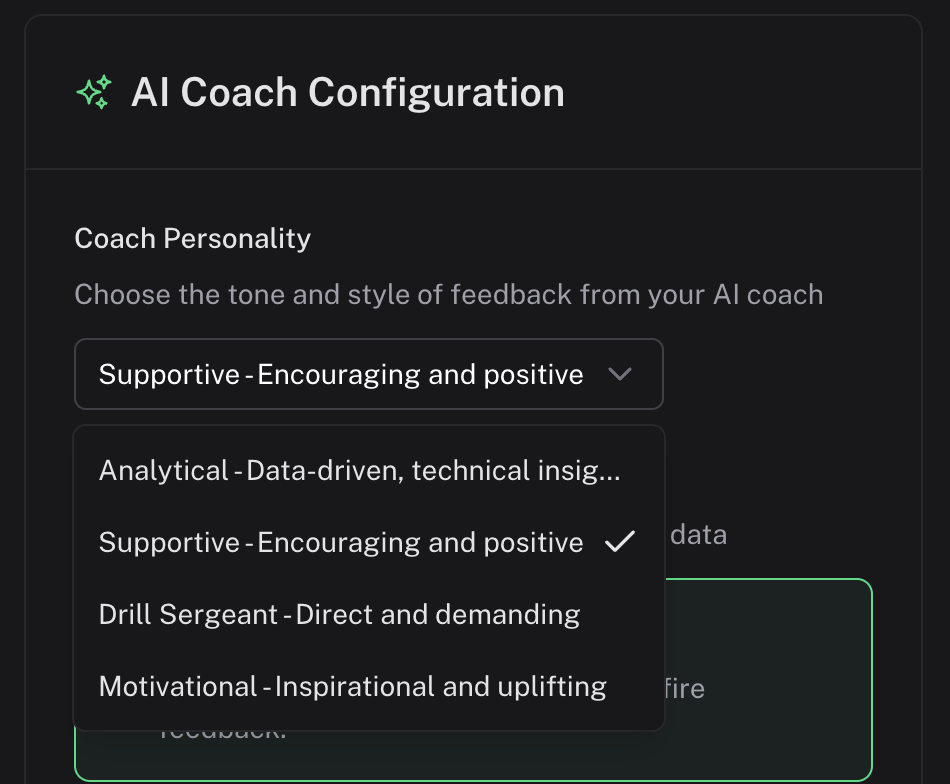
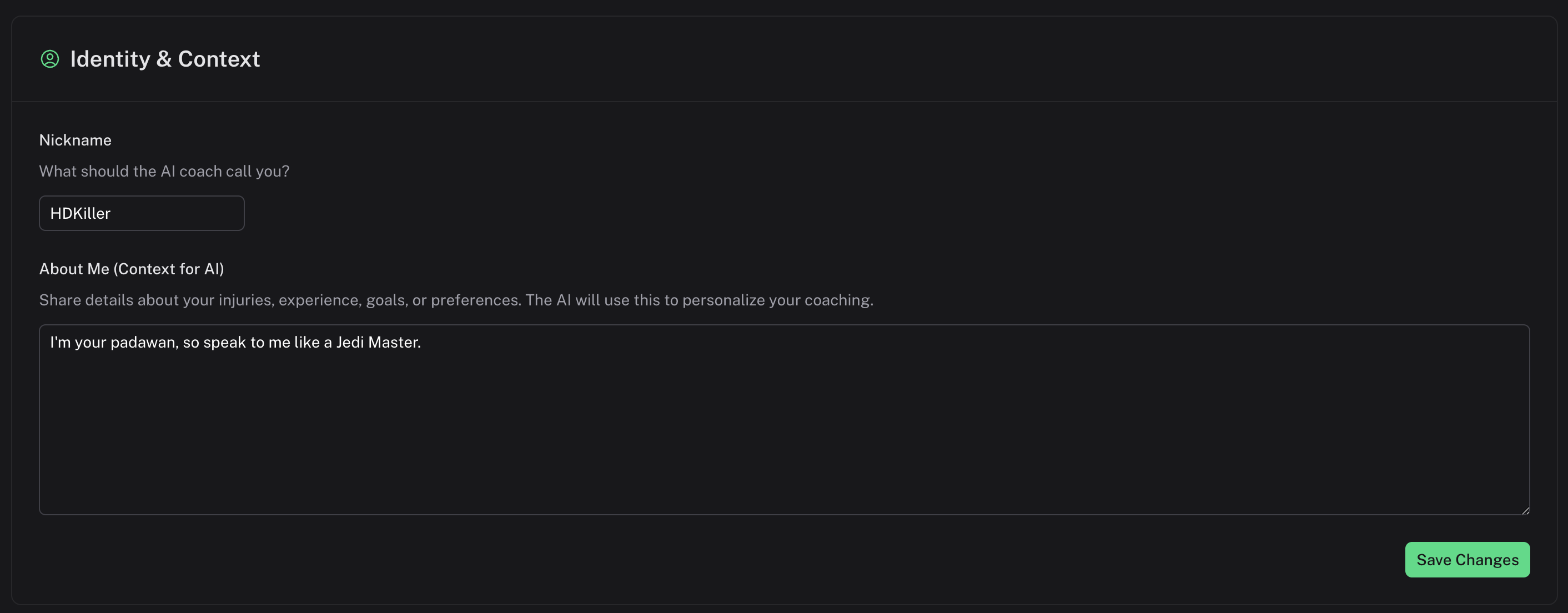
In the AI settings, you can find a few presets for the AI’s personality. You can also add custom instructions that get prepended to all your chats, which is a great way to make sure the style matches your preferences!
Thanks. I entered the following into the identity & context field and it’s much better. Reminds me of when chatgpt first came out and it actually sounded somewhat human.
“Speak to me using natural language. This means not creating subheadings with bullet points, not overusing metaphors and exaggerated language. Don’t use bold, italics or underlining for emphasis and do not use any emojis. Avoid simplifying complex concepts into one short sentence. Don’t use any sentence structure like “it’s not a X, it’s a Y”. I want you to as best as you can, actually mimic the language a real life human would use in their day-to-day life.”
I doubt this is the optimal prompt for what I want but I can stand speaking to the ai coach now lol
Hello! We’ve been busy under the hood making Coach Watts smarter, faster, and more personalized. This update is packed with features to help you nail your fueling and manage your training schedule with ease.
Here are the highlights:
Your “Glycogen Tank” is Now Live!
We’ve overhauled our nutrition system to help you stay fueled and avoid the dreaded “bonk.”
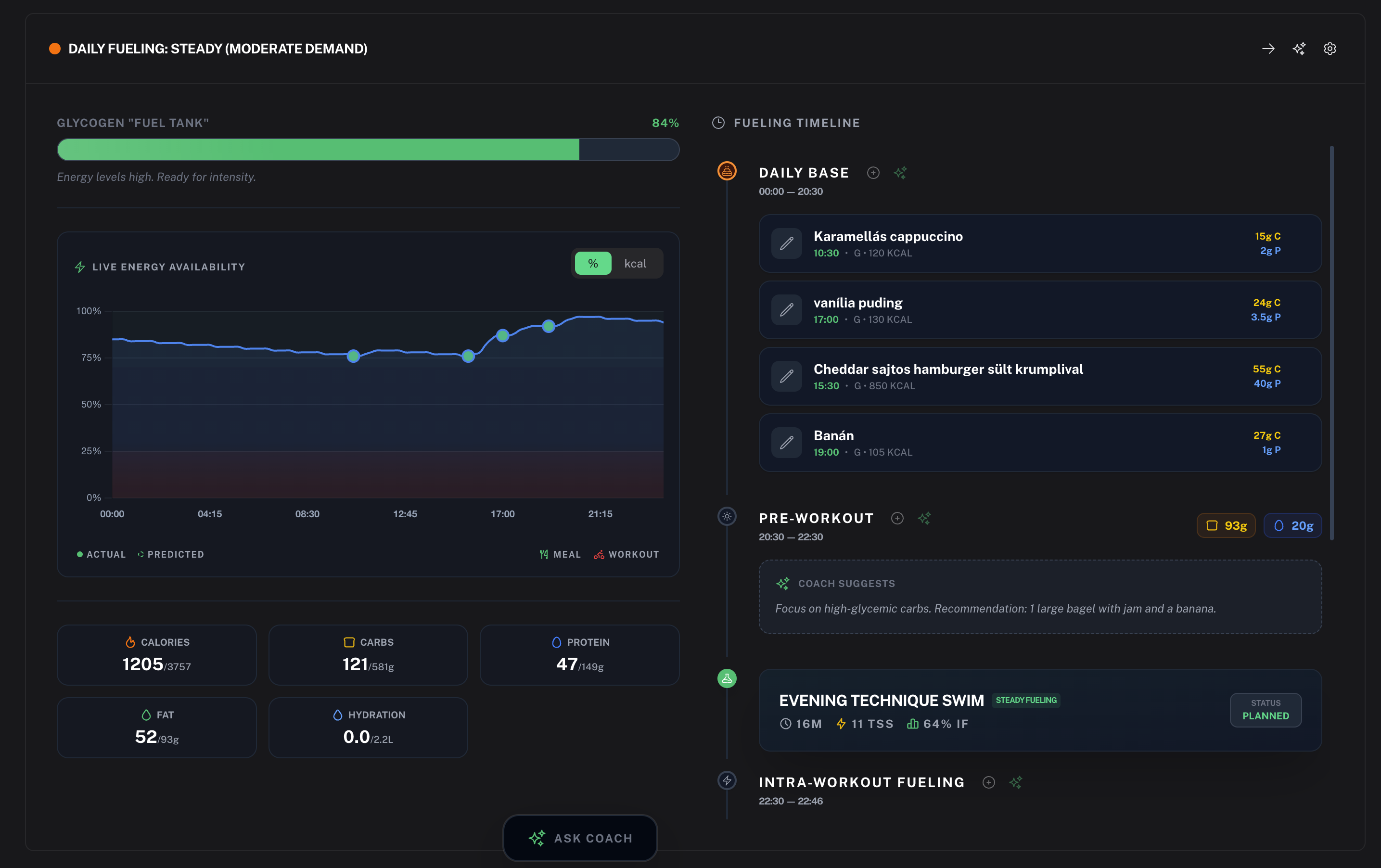
Live Energy Visualization: See your energy availability in real-time on your dashboard.
Glycogen Tank Simulation: We’ve added a new simulation model that shows your estimated glycogen levels based on your workouts and food intake.
Adaptive Fueling Plans: Coach Watts now generates proactive fueling strategies, including support for rest days and days with multiple workouts.
Easy Food Logging: Use the new quick-capture tools and modal components to log your meals and track macros effortlessly.
Smarter Scheduling & Flexibility
Life doesn’t always happen in one-hour blocks. We’ve made it easier to fit training into your actual life.
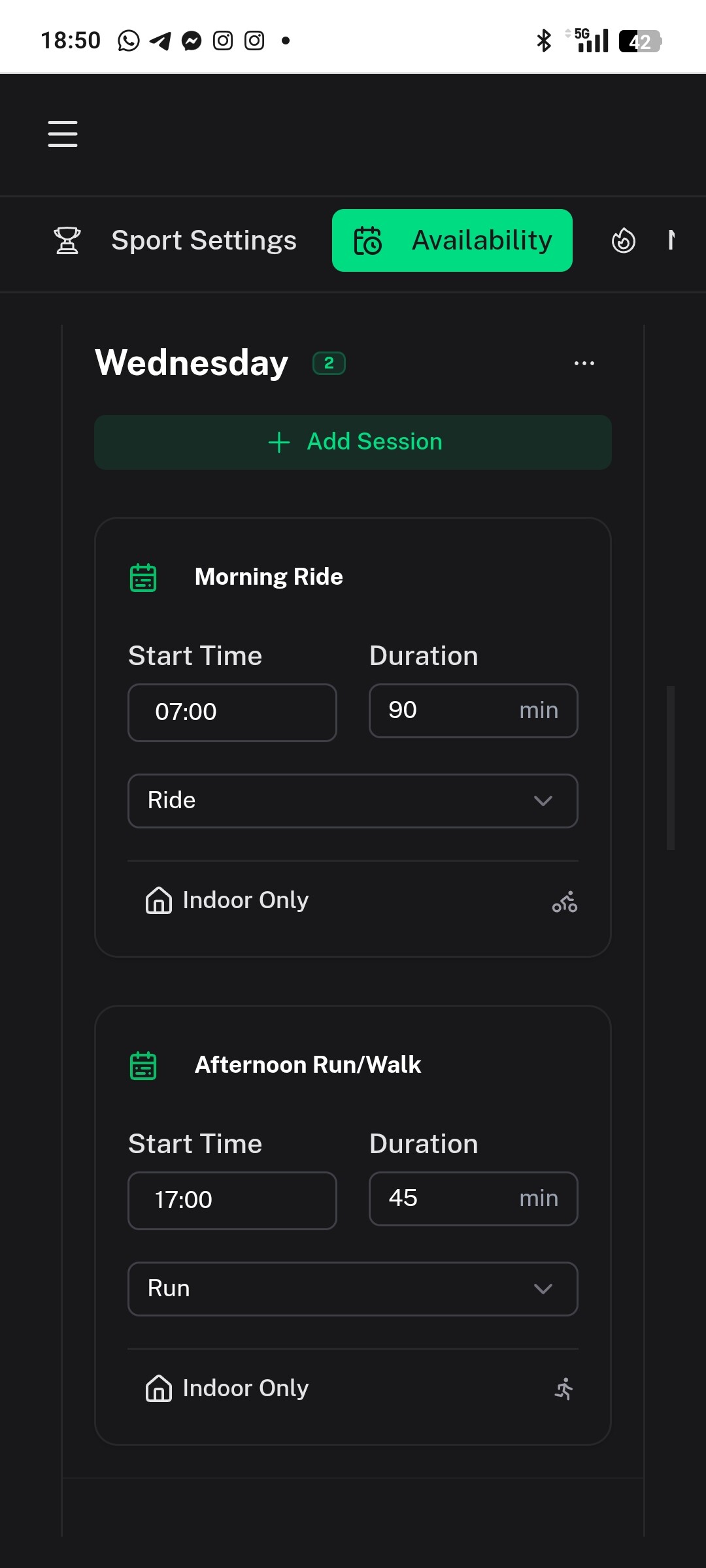
Workout Start Times: You can now set specific start times for planned workouts, making your calendar much more accurate.
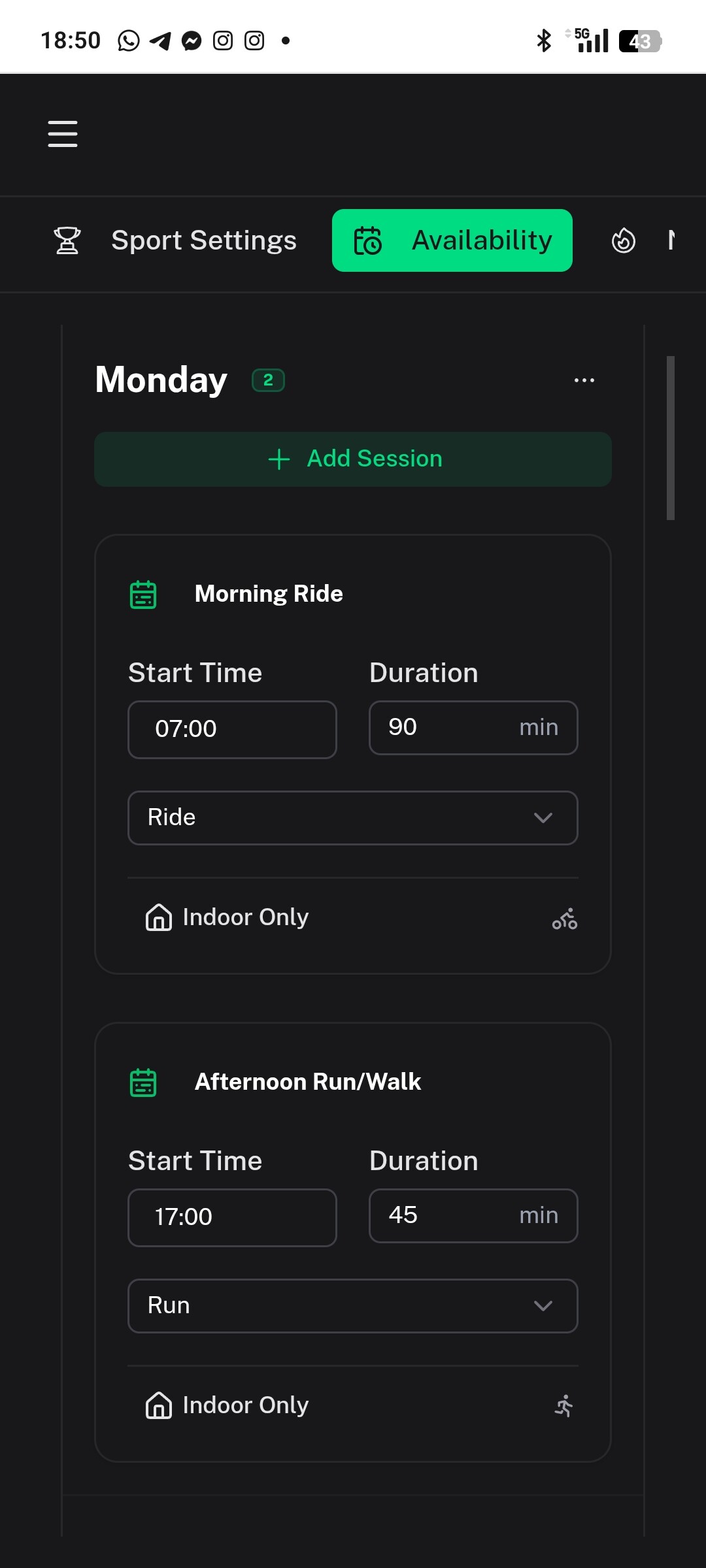
Availability Slots: Define exactly when you are available to train using our new slot-based settings.
Multi-Sport Support: We’ve added pace and swimming support for structured workout generation.
Sport-Specific Profiles: You can now customize settings (like FTP and heart rate zones) for different sports and filter your dashboard performance charts by sport.
New Integrations & Syncing
We’re expanding the ecosystem to support more of the gear you use.
Polar Support: Polar users, rejoice! You can now sync your activities and data directly with Coach Watts.
Improved Oura Sync: We’ve stabilized biometric syncing and corrected recovery score calculations for a more accurate picture of your readiness.
Telegram Enhancements: Our Telegram bot is now smarter with session-based chat rooms, better formatting, and new commands.
UI & Experience Improvements
Performance Trends: Look for new trend indicators on your dashboard to see how your fitness is tracking over time.
AI Quick Capture: Logging data via AI is now smoother, especially on mobile, with better keyboard handling and responsiveness.
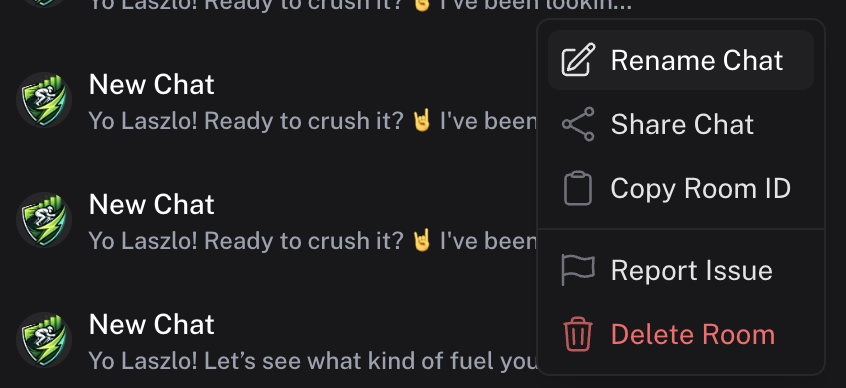
Bug Reporting: Found a glitch? You can now report bugs directly through the AI chat tool, and it will automatically capture the context for us to fix it faster.
Clean & Responsive: We’ve overhauled the Profile and Settings pages to make them easier to navigate on your phone.
Notable Fixes
Improved timezone handling so your fueling plans and workout schedules stay accurate no matter where you’re training.
Fixed an issue where old workouts stayed on the calendar after starting a new plan.
Refined the “Rest Day” logic to ensure your calendar marks them as completed once they’ve passed.
Ready to get started? Log in now to check out your new Fueling Card and update your training availability!
Stay fast, The Coach Watts Team
PS: Here is a screenshot to get you hungry and ready to fuel up with the coach!
@hdkiller I think there is still a glitch with the timezones. For some reason coach watts thinks it’s still one day behind:
This is a chat just now around Tuesday, 9:20pm ET:
Want a “Shakedown” tomorrow?
Since you’re itching to test it, if you want to go for a tiny 15-20 minute Super Easy Jog on Tuesday just to make sure the data is flowing to your Garmin, go for it.
Hi! I checked and in Intervals it automatically inserts the Night data, then when I do a Health snapshot from Garmin it inserts what is not rmssd but a value of 0/100… Which by the way does not correspond to HRV4TRAINING… Which one do you recommend I keep? (Nocturnal Is Power than morning)
You can get HRV4 rMSSD into Intervals & CoachWatts using the method I outlined above (though I forgot to reply to your post & did so to @hdkiller instead, apologies). From my personal perspective I get occasional arrhythmias (paroxysmal PVCs) during the night exacerbated due to my HR dropping alow s compared to the daytime. So doing a morning reading for me allows me to check that these arrhythmias are not being included (visually by watching the trace on HRV4 app & repeating until I get a clean trace). Quite a number of endurance athletes experience various kinds of arrhythmias & so that might be unwittingly affecting your readings perhaps? Overnight you would perhaps be unaware but you should see them with the morning reading. There is also the app, CameraHRV by Marco Altini that allows you to do spot & longer HRV readings whenever you wish, so that ould be pre-bed (without affecting the (morning) reading stored in HRV4. That might hint at how stressed you/ANS are before bed/recovery starts & so how much of the overnight HRV is actually representing a stressed state still. Or it could allow you to do breathing exercises e.g. on your Garmin watch & how it affects your HRV in realtime. Towards the end of the breathing exercises will likely be more akin to how recovered you will during the morning reading perhaps i.e. after a decent (hopefully) night’s sleep. Then that will again give a clue as to which HRV reading is more likely useful in determining readiness for exercise.
Another advantage of morning readings is that you are testing how you are right now at the start of the day with no stressors affecting the reading. Overnight, not only could there be stressors still affecting e.g. caffeine, alchohol, recent exercise etc but also you are not in a fully recovered state for much of the time. One good article to futher delve into these considerations is this - https://medium.com/@altini_marco/thoughts-on-heart-rate-variability-hrv-measurement-timing-morning-or-night-b92bd5495bc8
I will comment about my general experience using one feature in Coach Watts, the Training Plan (possible bugs / edge cases).
I’ve repeatedly created and then abandoned plans to test whether the builder consistently detects workouts that are already on my Intervals.icu calendar. Initially it seemed inconsistent, but after several trials it started behaving more consistently (not sure if there’s caching or some delay involved).
Note: I did not upload the generated workouts to Intervals.icu during these tests.
A few issues I noticed:
After abandoning a plan, the dashboard still shows upcoming runs from that abandoned training plan.
The training plan generator seems to ignore my availability setting of Monday off. I also explicitly wrote “Monday off” in the prompt during the plan generation wizard, but Monday workouts still appear and put rest in some other days instead.
Yes, you’re right! Personally, I’ve noticed that when I’m in Taper, my Sympathetic system doesn’t “unload” properly with training (I do 20 hours a week), so the nighttime reading is low, while the morning reading is high because I’m actually ready to sustain intensity! However, I’ve noticed that if I take a 2-minute Garmin “Health Snapshot” in the morning, it’s very similar to HRV4TRAINING (80 GARMIN vs 60 HRV4TRAINING) because on a 0/100 score, I’ll use that one because it loads it directly into intervals.
BUG
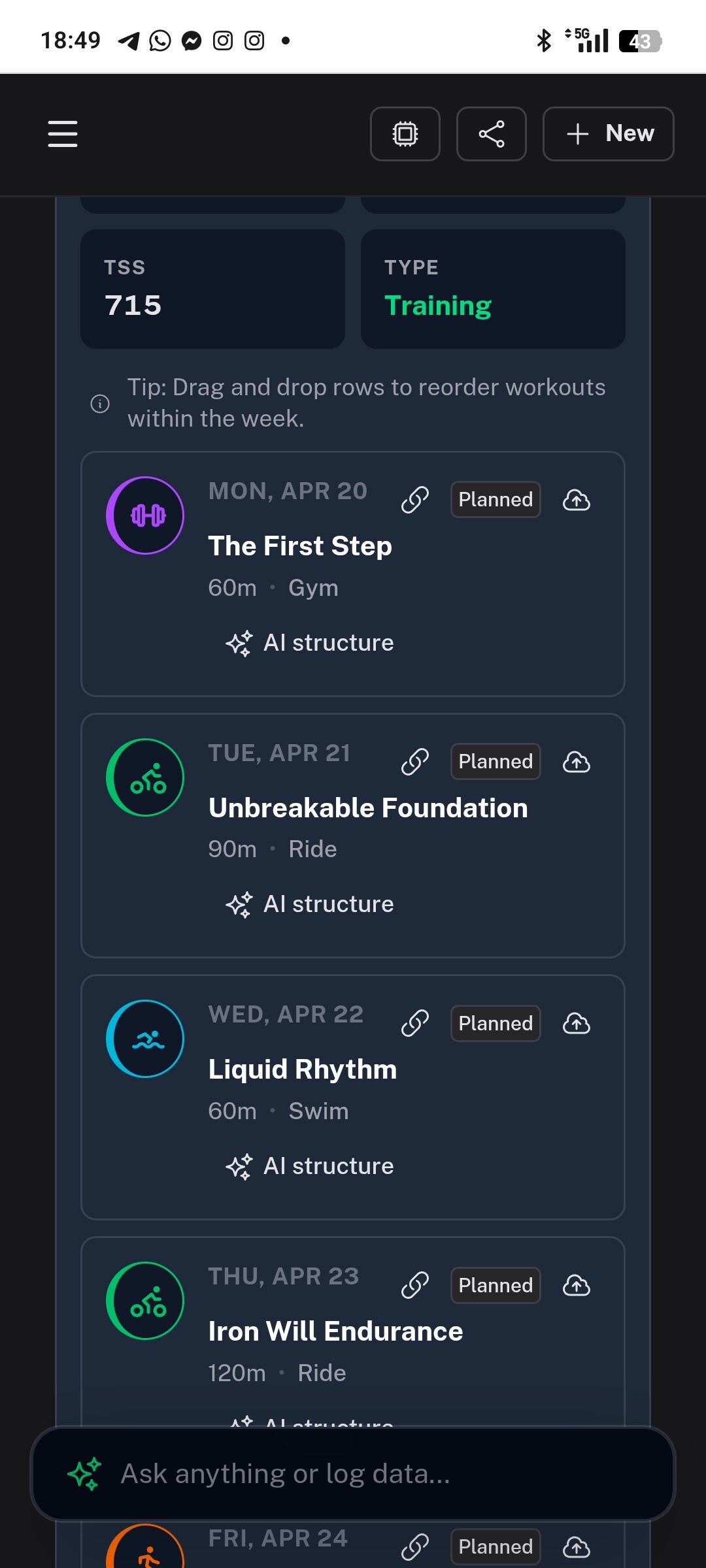
I planned an Event and created a Training Plan by asking the AI and in the plan details:
I want to train every day, 2 sessions per day, and at least 5 bike sessions, 4 runs, and 3 swims per week.
The Calendar only has 1 session per day, and it gives me a recovery day every two weeks.
To work around this problem, I have to ask the AI for that specific week to enter these availability.
I don’t want to repeat this every week from the Training Plan, and I’d like it to be the default.
I’ll get right on this, but I’ll need a couple of days to wrap it up. By the way, have you set your training availability in your profile settings yet? That helps the AI handle scheduling through the chat. I’m going to work on the planner to make sure it includes your availability and respects those time slots properly. Unfortunatly, you are not alone with this issue, that the AI is not respecting the requirements of the layout of the week.
Yes, I did! (And honestly, I think it’s useless and could cause errors and conflicts…maybe you should leave availability enabled in the settings or in the training plans.)
I also find it complicated having to create an event first and then a training plan.
@hdkiller@Giuseppe_Leccese i must admit that i did find this an odd way to do it when i looked at it this afternoon for the furst time as you would be severely limiting CW’s flexibilty in choosing an appropriate discipline structure for e.g. triathlon where you want to e.g. work lefs one day but then rest them the next to allie for adaption or recovery. The way Athletica does it to ask for hours available on each day & then what activities you cannot do. Even so when i insisted that i wanted to swim every mon, weds & fri to get value from my pool membership ( i bike & run at home) it was not happy (“too specific”) & that it might compromise the plan. It did give me a plan but then also scheduled a few swims on other days on a few occasions. CW’s hands seem even tighter bound if having to specify a particular individual activity for each day.
In fairness i have not done a mutiweek plan yet but am letting “chatbot CW” do it on a week or less basis via general AI until my hrv recovers from current illness enough to look beyond a week. I have general goals set but no specific race as such. So i cannot comment on the quality of e.g. a 12 week triathlon plan created & whether it matched my availability requests & allowed specific muscle combos to recover. I can specify this to “chatbot CW” & so will likely design my plan thay way when i am ready. So far it has honoured my swim days.
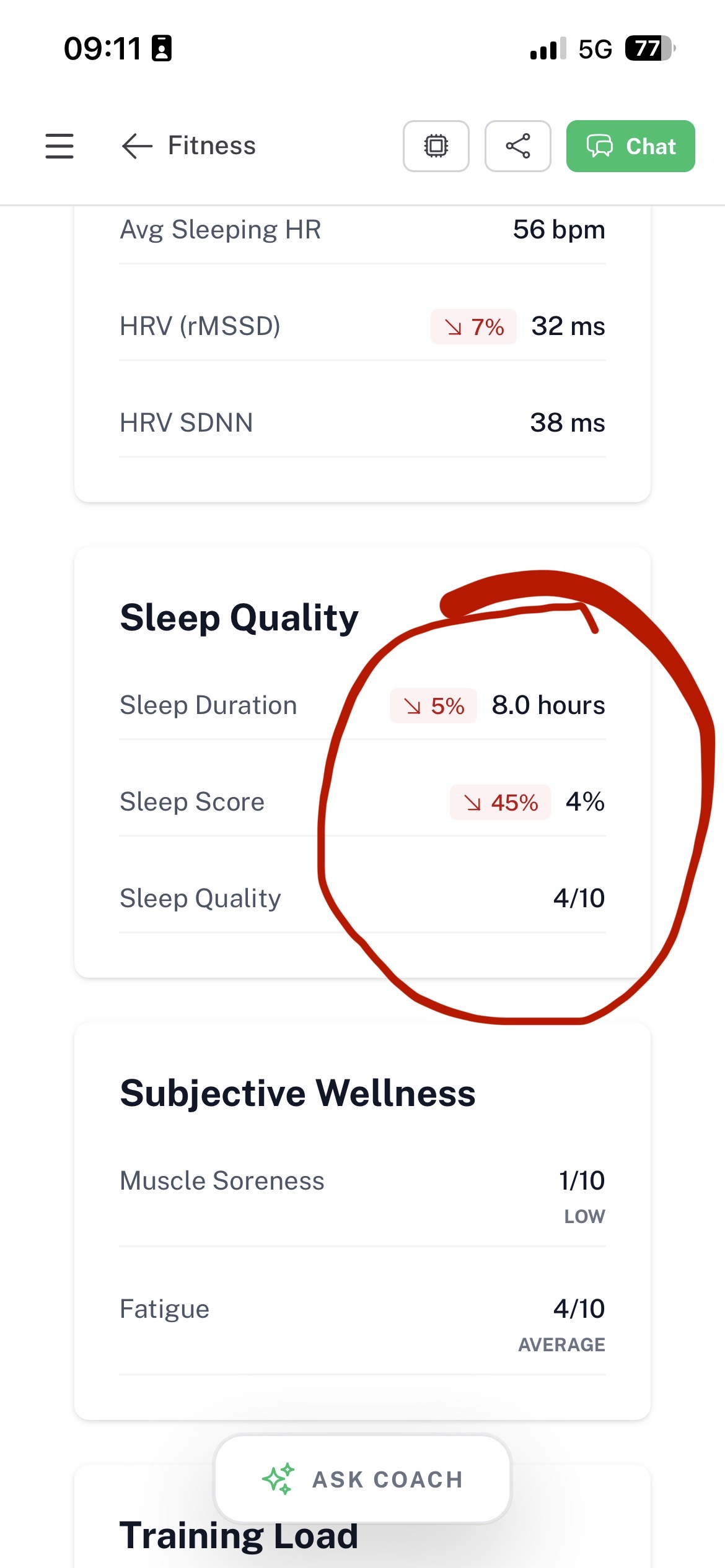
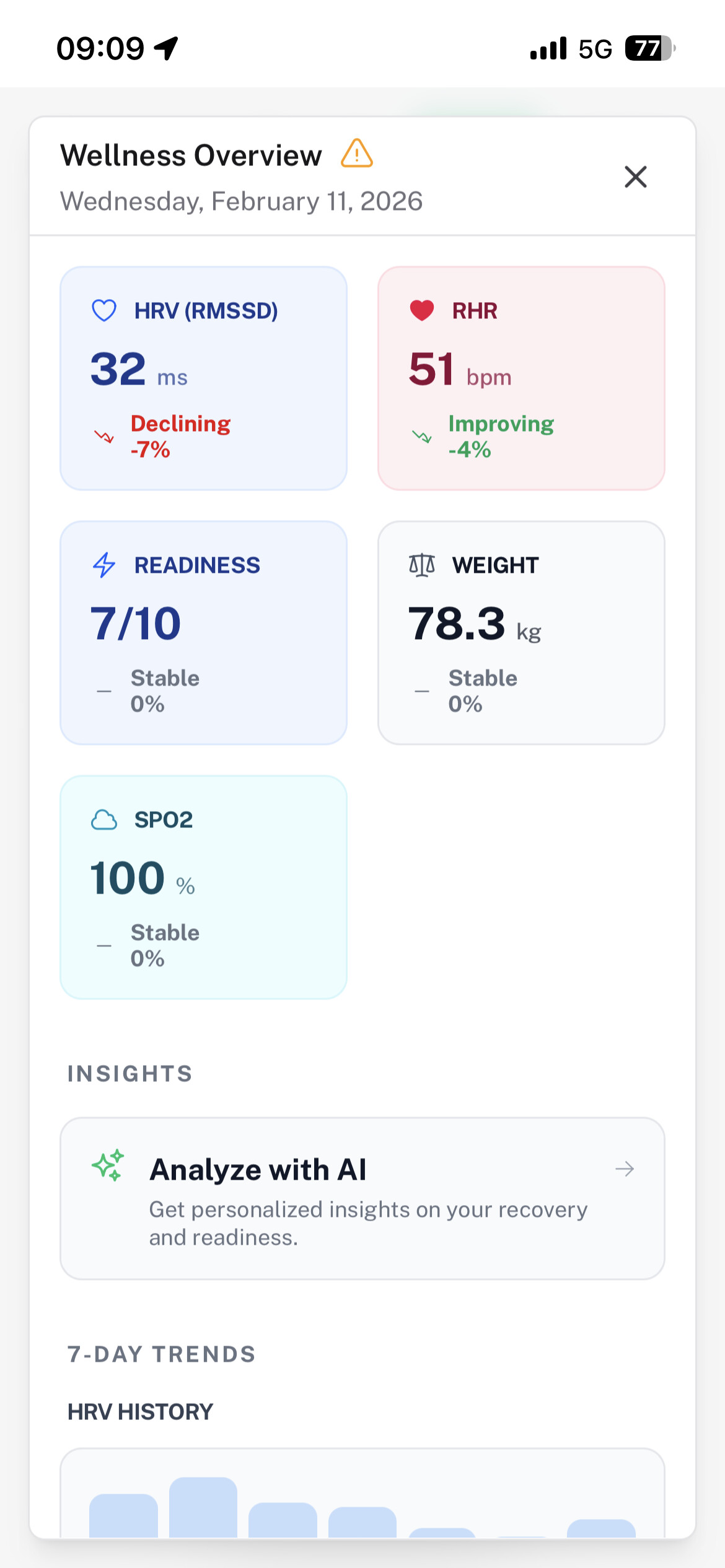
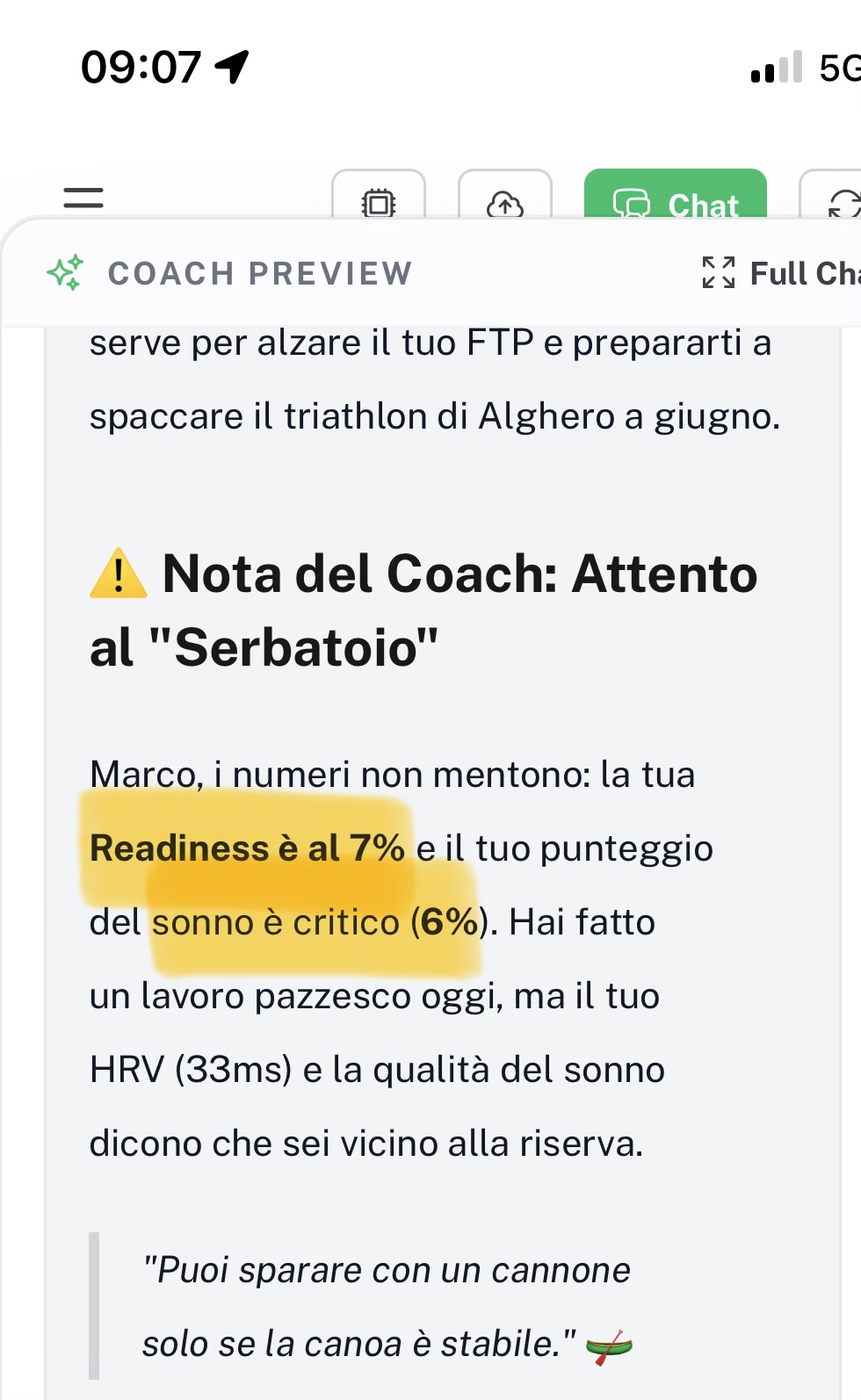
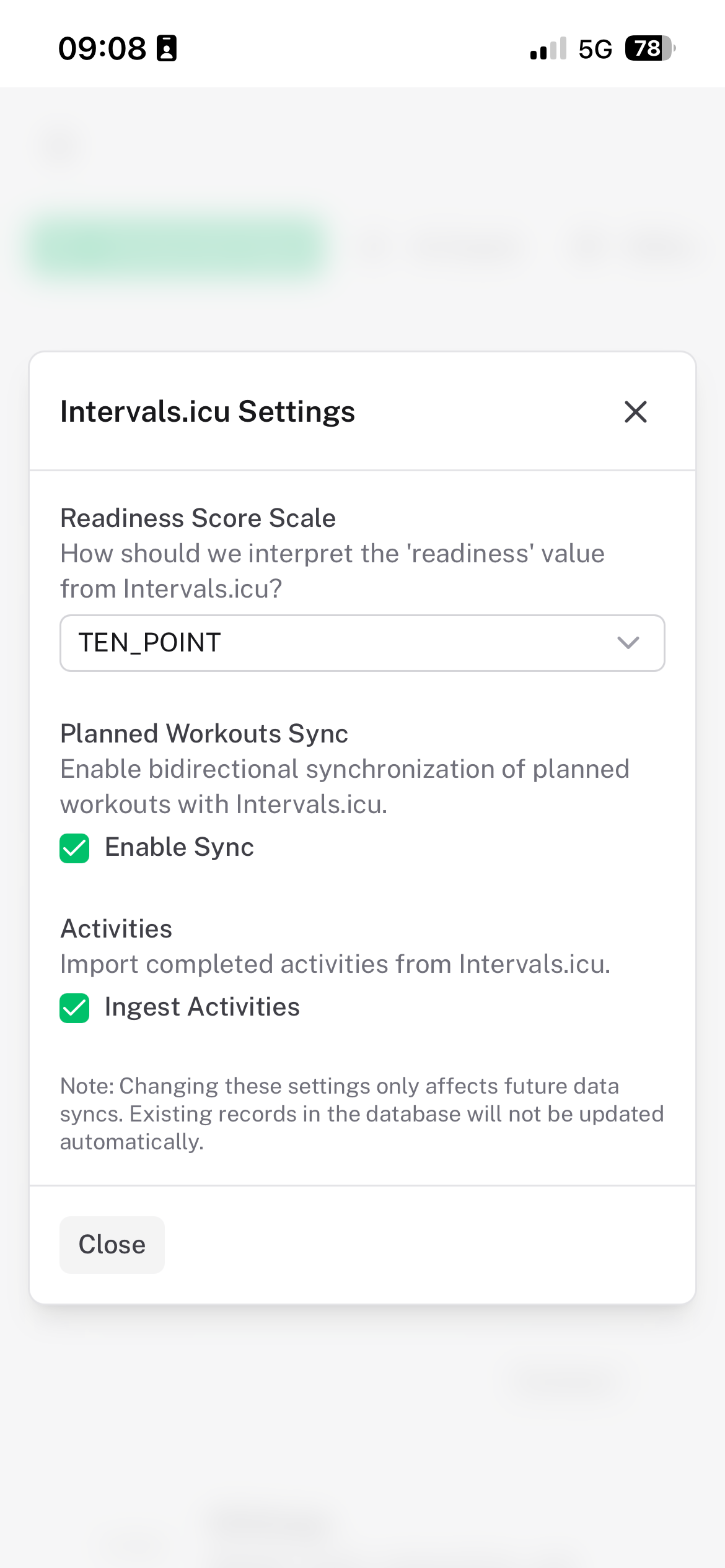
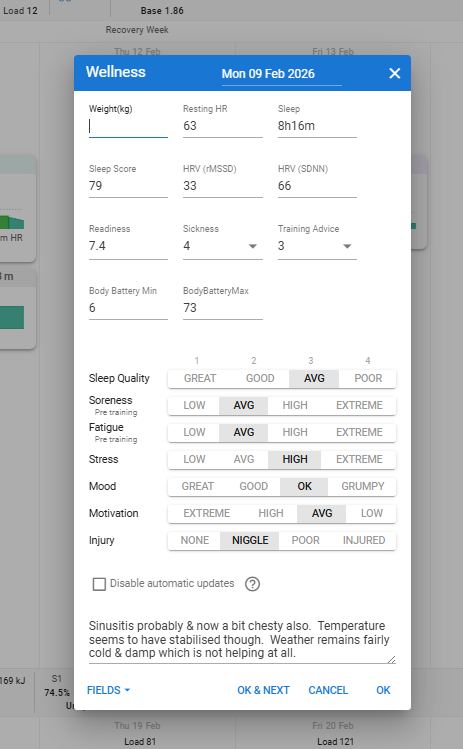
the wellness overview report, correctly, a readiness score of 7 out of 10 (I set in the setting the proper config), although in the Chat CW is commenting “to be careful “ as the Readiness is 7% (which is a wrong statement) and the sleep score is 6% - which is double wrong, as it confused both the rating scale and the figure (4/10, or poorly interpreted as 4%)
Am I understanding this correctly? Implementing a sleep score scale similar to the Readiness Score should solve the issue, right? About the rest of the issues, we’ll just need to make sure CW Chat is aware of how those scales work.


 Your “Glycogen Tank” is Now Live!
 Smarter Scheduling & Flexibility
 New Integrations & Syncing
 UI & Experience Improvements

 Notable Fixes