@david,
Hoping you might take a look at my post.
Cheers
Steve
Thanks for the reply.
Would it be fair to say this is more of a ‘I’ve found this works’ kind of a solution, rather than that ‘it is meant to work this way’?
I don’t know how the parser works; whether it is using regular expressions or some form of state machine to establish where it is in the text / token parts of each line.
But in some cases, it is losing text before the tokens, which suggest bugs to me, since it correctly identifies the time period, target power / hr etc later on the same line, but loses what went before, which it should know to be text.
But I also managed to get the builder to create a workout step with both power and hr targets.
I appreciate your reply, but want to clarify that this doesn’t resolve the issues I am seeing.
For your “special” case yes.
But in general, you can’t write 70% or 1m as a textual description. It’s always interpreted as intensity or duration, regardless on which position. duration will sum up (you can write 1m 2m and that will sum up to 3 minutes), intensity will be overwritten by the latter one. If you really want to “repeat” the intensity and duration as description it’s best to keep an space between number and unit, and keep the order <description> <duration> <intensity>, like:
- 70 % MMP 1 min 1m 70% MMP (Description: 70 % MMP 1 min) or
- 70 % MMP 1 m 1m 70% MMP (Description: 70 % MMP 1 m)
is it normal for the graph to be empty if you make a time-based workout? Or the graph is purely for power?
Yes on the first question.
The graph will populate with Power/HR/Pace targets.
1 Like
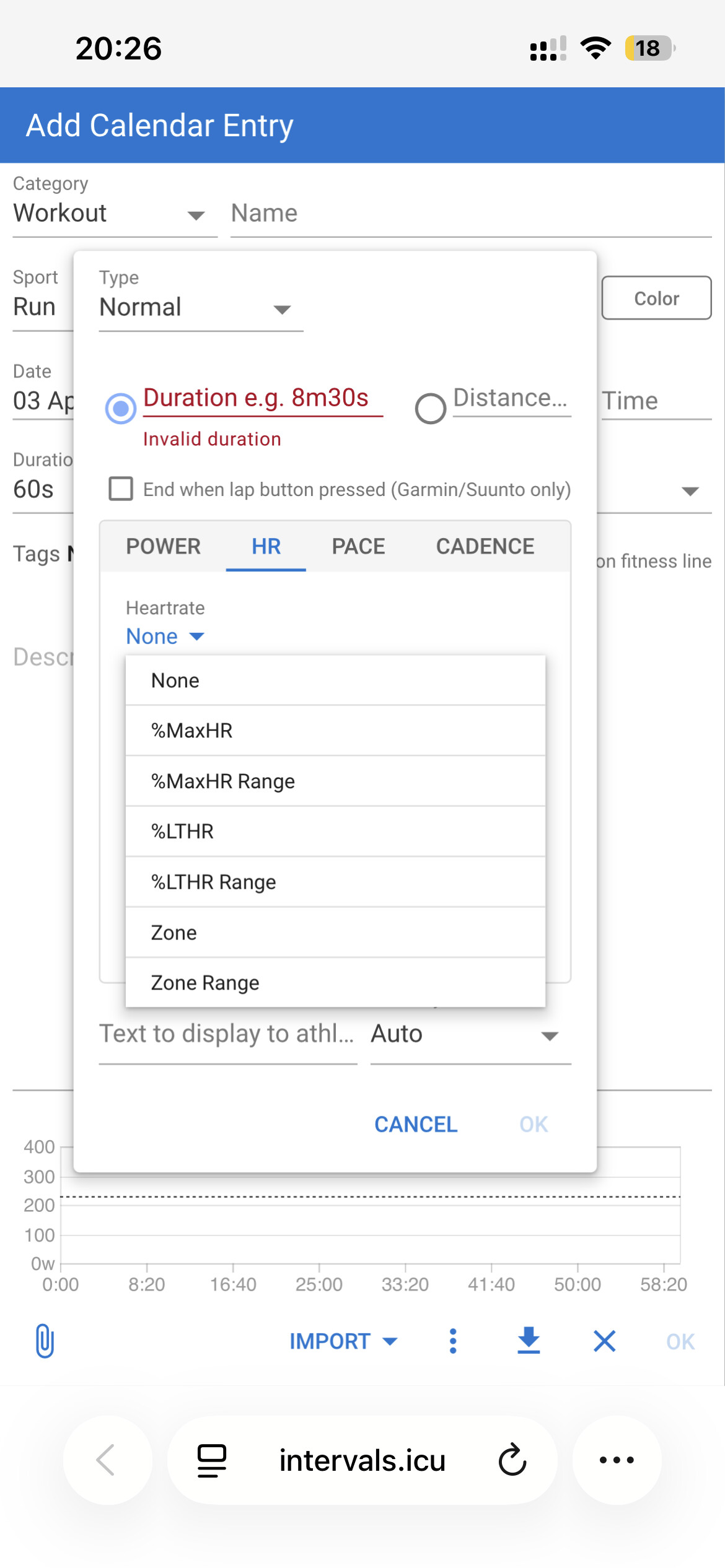
How can I set absolute BPM values?
For example, 10 minutes between 127 BPM and 135 BPM. These don’t exactly match the established zones.
I can’t find how to fix this issue. Is it possible in Garmin to tag recovery intervals as “Recovery”? At the moment, they are shown as “Running” and counted in the “Training Intervals” section on the stats page.
1 Like
I’m sorry if this is a stupid question. But im trying to make the workout builder work with jogging. In order to make a 5KM time trial for example : so that it shows a graph of a pace should the 5KM period be something like
- 5km maxeffort 05:00/km Pace
Also does it accept pace ranges? i.e 5:15 - 5:45
PS: For some reason my intervals icu workout did not trigger a garmin PR though it did in Strava and Intervals, did this happen to anyone else? i doubt its workout related
Yes and yes.
You can use the add step function if you are unsure.
There is also this comprehensive guide
1 Like
Is it possible to use it for Weght lifting? To add weight and reps. Would be nice!
1 Like
Suggestion - Allow cloning of workouts, sometimes you need to do the same workout but modify just 1 value. It would be more convenient than copy pasting.
I understand what you’re asking for.
The process to clone a workout and modify the single/multiple steps would be the same as dragging and dropping a workout and then modifying the step(s).
The step to modify is the same, it’s only the process to copy/duplicate that is different.
1 Like
On the Calendar or within the Library?
On the Calendar, you can ALT drag to clone.
Within the Library, the ALT drag also works if you drag to another folder. But you can’t clone within the same folder.
1 Like
You can clone within a folder, on a computer, using alt+dragging.
Oh, depends on where you release the drag. Had to try a couple times, but indeed it does work.
Thanks!
I had to make sure before posting.
I used it a while back when creating progressive workouts. It places it at the top of the folder, so sometimes isn’t that obvious.
It it just me or do you need to create the workout with zones/pace ranges 100% for it to match with the workout?
I can see in mobile view sometimes that the Compliance is at 0% altourgh i did the workout correctly more than 80% (according to garmin)
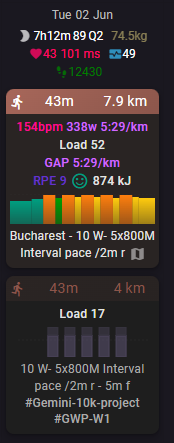
Alas, if i make a workout that’s plain/fills the whole graph. It gets merged
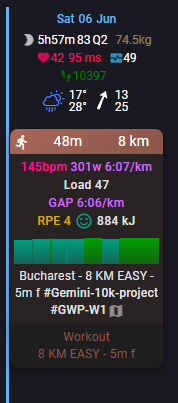
If so, i should make all workouts use pace ranges/zones/etc as much as possible?
This was the workout in the first image:
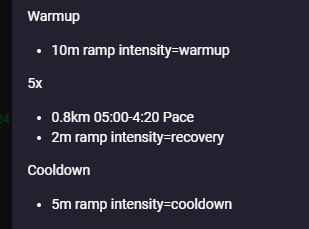
The side bar is also underestimated
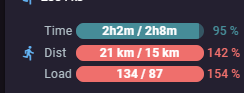
How should i do this? Put zones in warmup/cooldown periods too?
The load is too different (17 vs 52). Compliance just compares load. Drag and drop the workout to the activity to match then manually.
1 Like