I run with Stryd (duo). I would be happy to contribute. The data is interesting but their own data platform doesn’t really allow you to use the data besides individual workouts. I do some analysis through Intervals and with Claude but better support would be welcoming.
I have trouble selecting the following fields (on the activity page under Intervals->Columns) on mobile:
Avg Stance Time
Avg Stance Time %
Avg Stance Balance
Avg Vertical Oscillation
Avg Vertical Ratio
Avg Vertical Speed
Avg Step Length
Avg LSS kN/m
Avg ILR
These are available and can be selected and deselected on my desktop, but they’re missing on mobile (the list of available fields goes from ‘End Distance’ directly to ‘Min Cadence’ there. Exactly the same for graphs, the running dynamics are also missing there. What am I overlooking? Thanks in advance!
On the bottom of the settings page you can see the version and date of what is running on your phone.
Is that a recent date? Can you click ‘Check for updates’?
Thanks for the quick reply @MedTechCD . The mobile has version 2026-07-16 11:53:24 while desktop has 2026-09-22 11:06:09. So that is likely the cause for the missing fields and graphs. If I click ‘Check for updates’ the ‘wheel’ keeps spinning for about a minute and then stops. Strangely enough this is also the case on desktop. I’m using Brave on both devices with shields/internal ad blocking off for intervals.icu. There’s no anti-virus interfering either. I already tried logging in and out, a forced hard reload, clearing the cache and unregister service workers but the problem remains. Same goes for Firefox. I also tried connecting using another network. All to no avail. The problem is likely on my side so I’ll dive into this when I have more time.
On mobile you have an old version that did not have the advanced running metrics.
I use Brave on Android (and desktop) without any problem.
Did you ‘install’ as PWA ‘Progressive web app’?
PWA or normal web page doesn’t make a difference unfortunately. Desktop has managed to update to todays version though. Connection type: Websocket and Connected: Yes on both devices. No warnings or errors in console. Mysterious times. I haven’t tried Brave’s ‘shred site data’ option, but I’m afraid I will lose all device specific settings regarding columns (and their specific order), graphs, fitness charts etc. on the mobile device then. These layout settings are not synced between devices so they may have to be stored in cookies/local storage I assume.
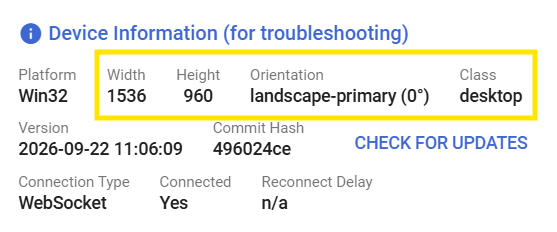
These are on the Intervals platform, but stored per device ‘Type’. Class can be desktop/phone/tablet/… That’s because the differences in layout and available space do not allow a single page layout.
You should not loose them.
You will certainly not loose any graphs/charts. Worst case, you would need to setup the page layout again by defining which charts have to be on it.
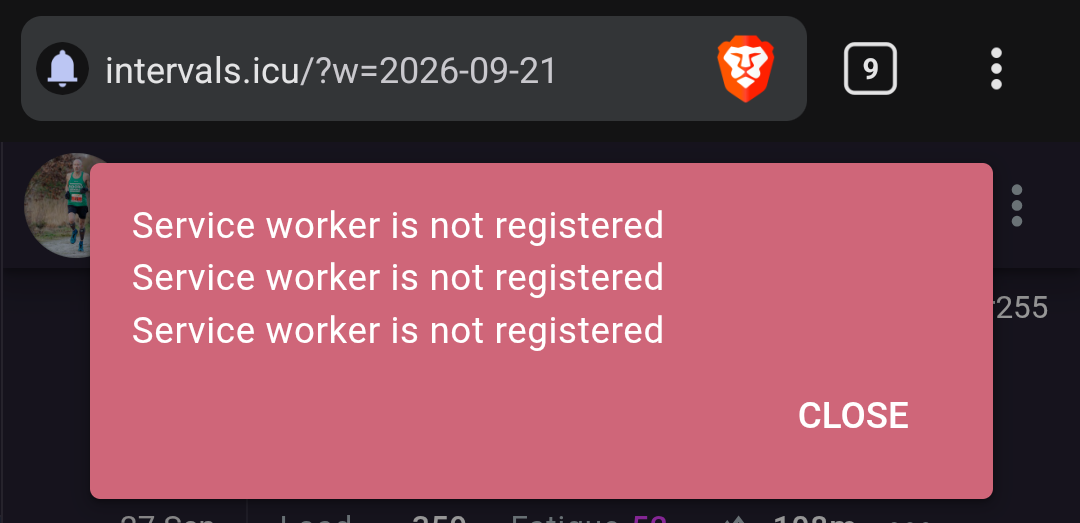
I finally managed to get the version updated after shedding site data, some corrupted data I suppose. The new fields and charts show up now. However if I try to click ok on the notification window after logging in I get this error.