Exactly. so we both agree that neither metric alone is sufficient 
1 Like
On the metrics themselves now that they are streams: only two of them have ever changed a training decision for me, and both because of how they drift rather than what they read.
Stance time percent, duty factor, is the one I trust. At the same pace it rises with fatigue, and it does that before the legs say anything. Readable inside a single easy run.
Vertical ratio is the second, but only against yourself and only at a fixed pace. Compared between two runners it mostly tells you how tall they are.
The rest I read as descriptive. Absolute GCT and vertical oscillation move with speed, shoes and surface, so a target value copied off an article means very little.
@Antoinette_Tinker on your earlier question about display: spm and step length in metres are how runners actually talk. And what made these usable here was less the platform than the per-interval averages that landed on 3 August. Holding pace still and watching one number move beats any dashboar
2 Likes
Just notice icu.streams.vertical_speed calculated present , that’s great news, thank you.
@Antoinette_Tinker @ryandev Just notice icu.streams.vertical_speed calculated and icu.streams.stance_time_percent calculated present for Apple and new Coros watches that’s huge, that’s great news, thank you for your good work.
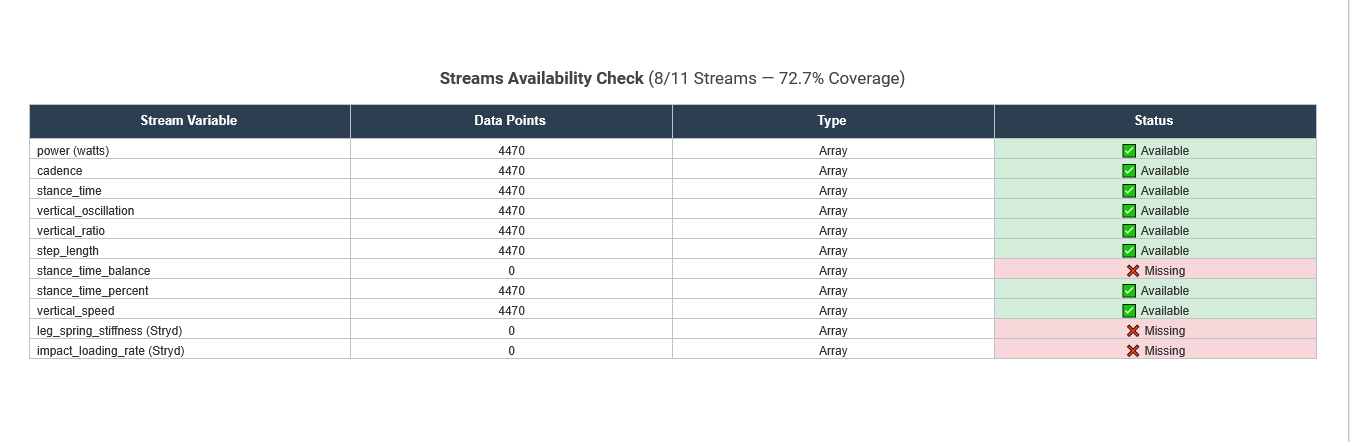
That’s the full deck set. Now most of my Custom Streams and Fields are redundant so obsolete, and that’s great. Thank you Intervals.icu dev team.
I know it´s different sports, but as you´re working on it, can you also include swim details for workout steps?
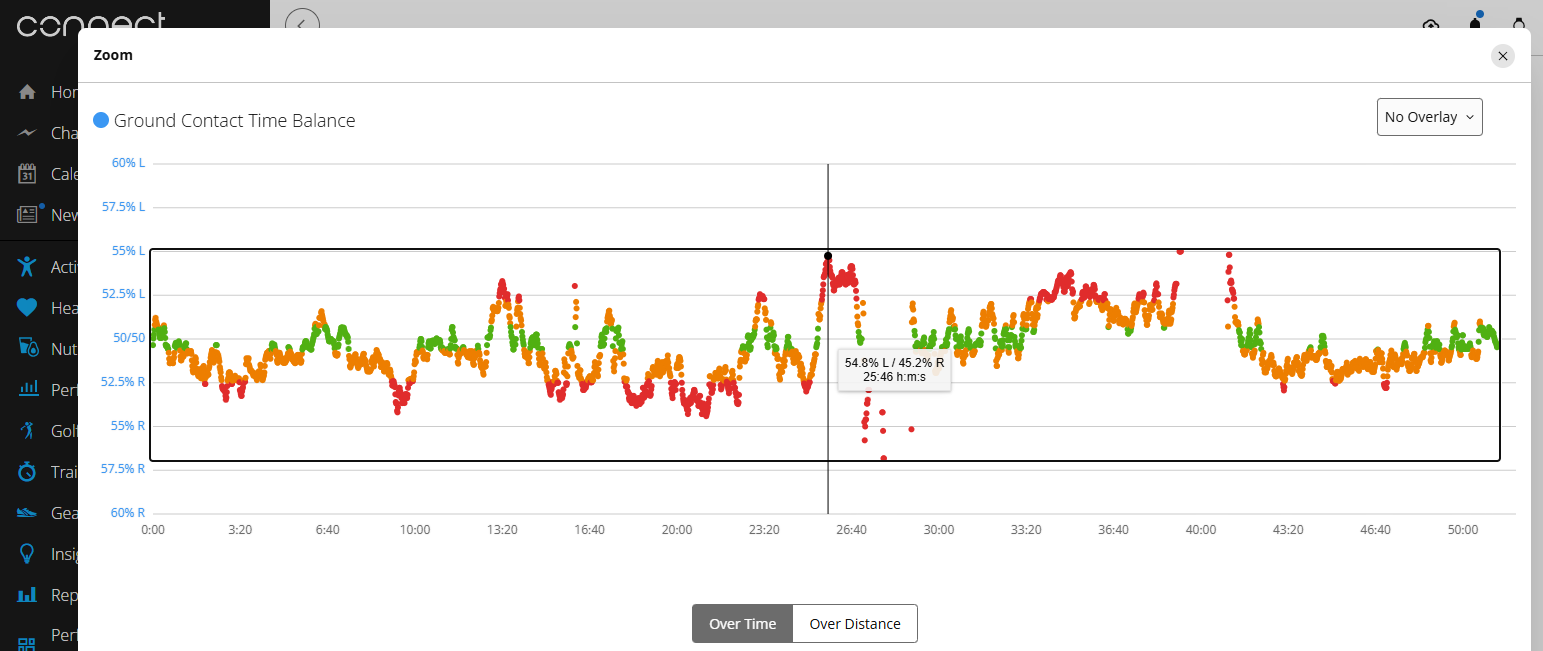
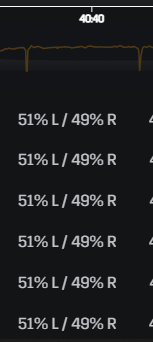
The new stance_time_balance chart appears to have Left/Right reversed compared with Garmin Connect.
For the same activity, the time-series shape matches Garmin exactly, but the side attribution is inverted. At approximately 25:46, Garmin Connect reports 54.8% L / 45.2% R, whereas the corresponding point in Intervals.icu is plotted at approximately 55% R / 45% L.
Garmin therefore shows this section as Left-dominant GCT, while Intervals.icu shows the same section as Right-dominant. It looks like the L/R interpretation of stance_time_balance is reversed.
To be clear I am referring to the Y Axis labels. The time-series matches Garmin, however if you look at the Y Axis labels R is at the top and L at the bottom. I think Y Axis should have the L label at the top and R label at the bottom similar to the Garmin chart.


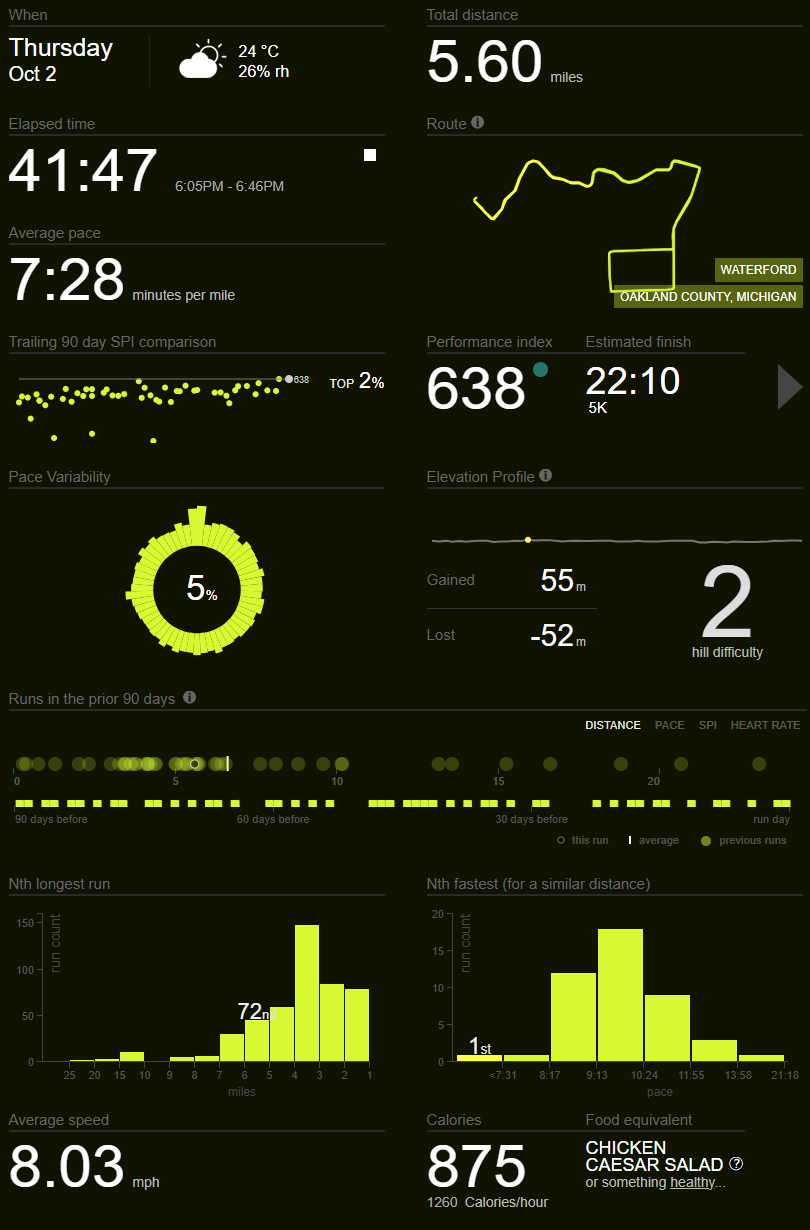
I like smashrun.com and am a premium user there as well.
I also need to get back to using my Striv, it would be cool if their added data was available too. I have a original KickStarter version and they are soon launching the next-gen pod.
Yes the time-series matches Garmin values, however if you look at the Y Axis labels R is at the top and L at the bottom. I think Y Axis should have the L label at the top and R label at the bottom similar to the Garmin chart.
Apologies for not being clear on my previous post.
1 Like
@etabeta888 Good catch, also with Stance B
Impact Loading Rate seems to be missing even though I’m using Stryd5 and I can see it in Fitfileviewer. See this activity as an example:
that’s amazing! waiting for an update for running for a long time!
please, please, don’t forget the option to set the skyline on the calendar to be visualized by pace. atm it works just with power (even if you set pace as the main reference in the settings)… which for huge majority of runners, isn’t useful.
there’s a whole topic requesting it:
@miguell @povedano @MedTechCD @pepe
I need some clarity regarding Duty Factor / stance_time_percent and Flight Ratio.
From the Garmin FIT files is seems like stance_time_percent is calculates as :
stance_time_percent = stance_time × cadence(rpm) ÷ 600
Note - it seems like Garmin is using cadence as rpm not spm.
Example:
stance_time = 287ms
cadence(rpm) = 84
flight_time = 71ms
Garmin stance_time_percent = 287 * 84 / 600 = 40.18%
Would that then mean Flight Ratio = 100 - 40.18% = 59.82% ?
Or should Flight Ratio be calculated as:
flight_ratio = flight_time / (flight_time + stance_time) *100
Flight Ratio = 71 /(71 + 287) * 100 = 19.8% ?
I have also seen Flight Ratio calcualted as:
Flight Ratio = flight_time / stance time
Flight Ratio = 71/287 * 100 = 24.7%
What would be the correct way of calculating Flight Ratio?
1 Like
Correct
For the others:
Flight Ratio = ((step_time - stance_time) / step_time) * 100;
Flight Time = (30000/cadence(rpm)) - stance_time
Ratio expressed as percentage
1 Like
Stride Time = Total single-foot cycle duration = 60000 / cadence(rpm) = 60000 / 84 = 714.29 ms // duration between two consecutive same-foot strikes
Step Time = Total single-foot cycle duration = 30000 / cadence(rpm) = 30000 / 84 = 357.1 ms // duration between two consecutive-foot strikes both foot
Flight Time = Step Time - stance_time = (30000/cadence(rpm)) - stance_time = 357.1 − 287 = 70.1
Flight Ratio = (flight time / step time) x 100 = (flight time / (flight time + stance time)) x 100 ** = 71 /(71 + 287) * 100 = 19.8%**
flight_time / stance_time is Flight-to-Stance Ratio not Flight Ratio
1 Like
Perfect. Edited my formulas in post above, adding reduced formula versions.
@pepe @Antoinette_Tinker, I disagree on the flight time and flight ratio. It should use SPM, not RPM for calculation.
RPM = 84 (one leg only)
SPM = 84 RPM × 2 = 168 (steps per minute, both feet)
Stance time = 287 ms (Garmin Ground Contact Time, GCT)
Stride Time (ms) = 60000 / RPM = 60000 / 84 = 714.3 ms (how long it takes one specific foot to hit the ground again)
Step Time (ms) = 60000 / SPM = 60000 / (RPM × 2) = 60000 / 168 = 357.1 ms (one foot strike to the opposite foot’s strike)
Flight Time (ms) = Step Time − Stance Time = 357.1 − 287 = 70.1 ms (time in the air between one foot leaving the ground and the other foot landing) - using stride time here is wrong.
Duty Factor (%) = (Stance time / Stride Time) × 100 = (Stance time × RPM) / 600 = (287 × 84) / 600 = 40.2% (what fraction of a full stride, both legs, one foot spends on the ground. Garmin calls it stance_time_percent)
Flight Ratio (%) = Flight Time / (Flight Time + Stance time) × 100 = Flight Time / Step Time × 100 = 71 / (71 + 287) × 100 = 19.8% (of one step, not a full stride, what % is spent airborne. How fast you’re moving and how efficiently you move at a current speed)
Flight-to-Stance Ratio (%) = Flight Time / Stance time × 100 = 71 / 287 × 100 = 24.7% (compares air time directly to ground time) - It’s not the standard “Flight Ratio” metric.
Garmin running dynamics also provides Vertical Oscillation in cm (how many cm you bounces up/down per stride), so you can get Vertical Ratio:
Vertical Ratio (%) = Vertical Oscillation (cm) / Stride Length (cm) × 100 (up-and-down movement efficiency)
You are correct regarding flight time and flight ratio. I will update the formulas in my previous post. These metrics are specific to the step gait model, whereas Garmin utilizes the stride gait model, which explains the confusion.