Oh, that’s odd. It should unlock the calendar when you have premium. I will check it out.
It looks like it unlocks the calendar from TP to Intervals but not the other way around.
Fixed in 0.12.2
Does someone have issue with TR plan migration to intervals through tp2? I always get the same error: there must be at least one step in workout structure.
I’m new to Intervals.icu. Enjoying it so far and I appreciate all the great info on the forum! Please forgive me if this info exists, but I didn’t find it yet.
Is there a way to copy Ride Data from TrainingPeaks to Intervals? I already have the workout in Intervals.The ride data is from Zwift, but the fit file doesn’t work when I import it after downloading from TP. Thank you all!
You mean copy recorded activity?
Are you using the Upload button at the top of the calendar?
The Add Calendar Entry dialog is only for workouts. You need the first one to upload activity FIT files.
PS: You can direct connect Zwift!
Thank you. I want to add previously done workouts. I used Tp2intervals to copy workouts from TP, but the ride data wasn’t copied. When I upload the FIT file, it replaced the workout data from TP (example: Hard 1m 105-110%) with a doc file.
As in ‘Planned Workouts’ or ‘executed activities’ = ride data?
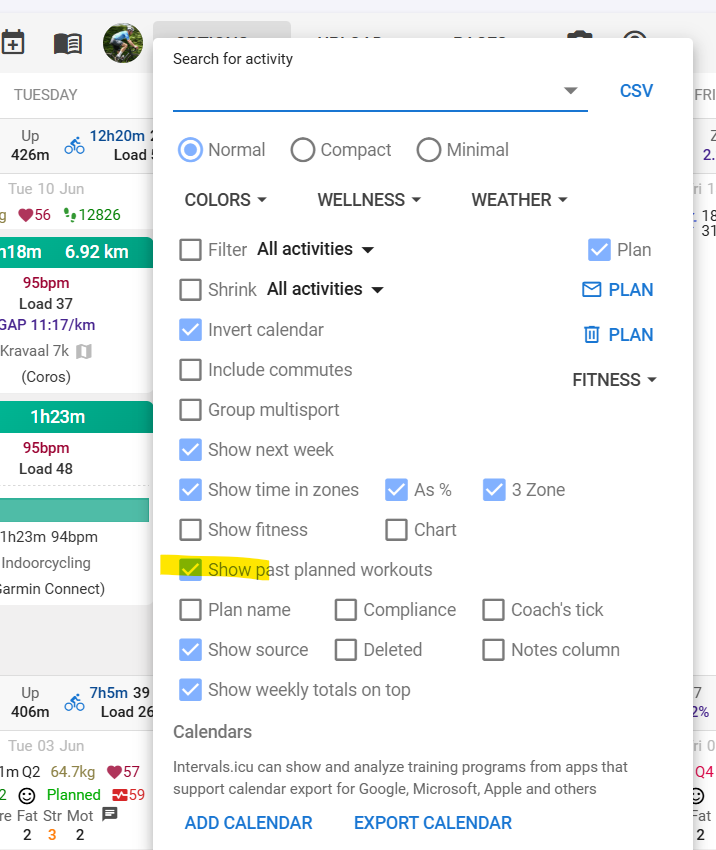
If you want to see past Planned workouts, you have to select that in the Options dialog.
There’s probably something I’m not fully understanding regarding your question, screenshots usually make that obvious in a bink…
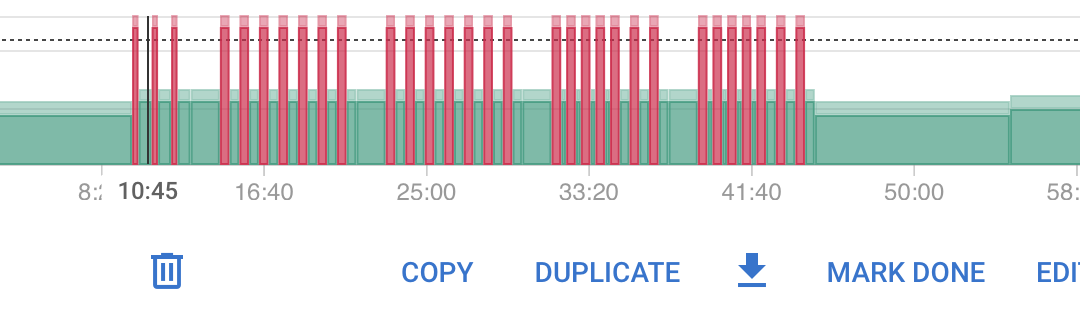
“Show past planned workouts” is already checked. I can see the previous TP workouts in Intervals, but none of the “executed activities” (ride data with HR, power, cadence, etc from the ride I did. I only see the plan: warmup, main sets, etc, not the analytics that shows in TP after the ride. These are workouts done before I joined Intervals.
TP:
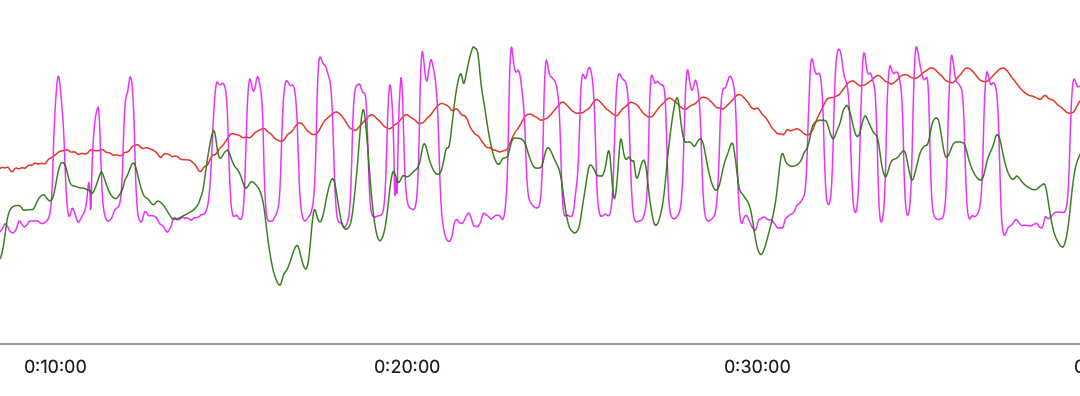
Intervals:
You could just connect Zwift in intervals settings page.
For old activities you have to upload them (manual via Button or Dropbox for example)
TP2Intervals can’t copy ride data, it was not intended to do that. It can get Plans/Workouts but not activities.
So you need to find another way of getting your ride data in Intervals.
Best solution is direct connection for each device. Intervals has connection possibilities for Garmin, Polar, Wahoo, Suunto, Coros, Zwift, Strava…
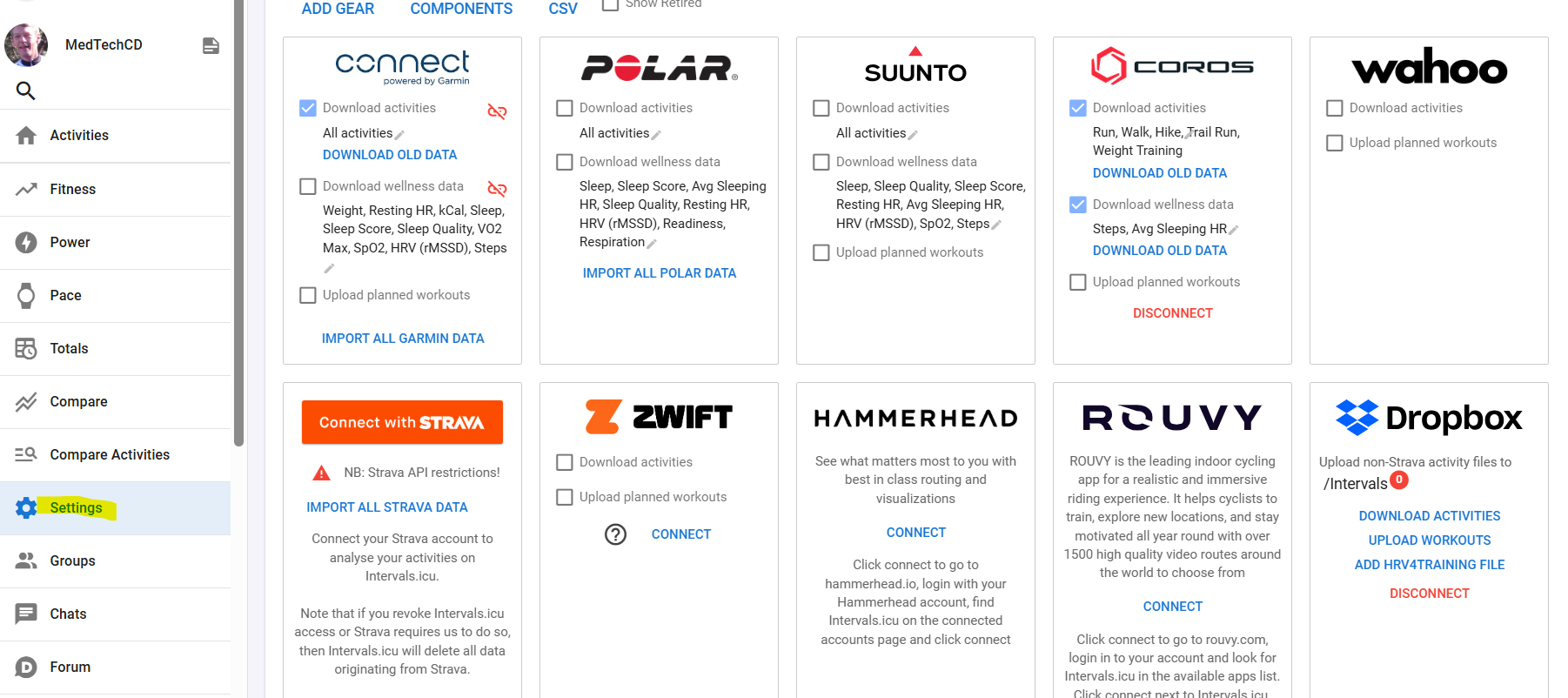
Only use Strava if you have no other possibility. Strava limits the use of data downloaded from them. You can find all connections on the Settings page.
If you only have your ride data in TP and nowhere else, you will need to export it from TP and import in Intervals. That could be quite a bit of work, so you probably want to explore other options.
To avoid any misunderstandings, the button to download FIT ride data is this one:
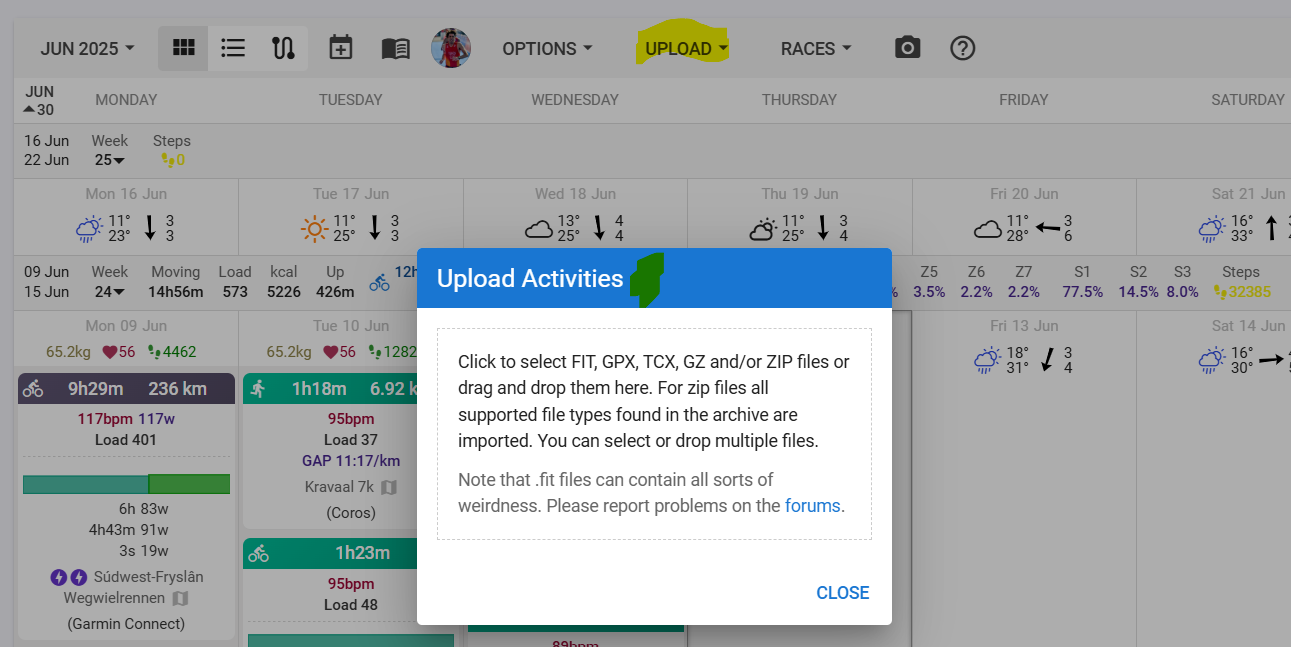
You can’t upload FIT ride data here:
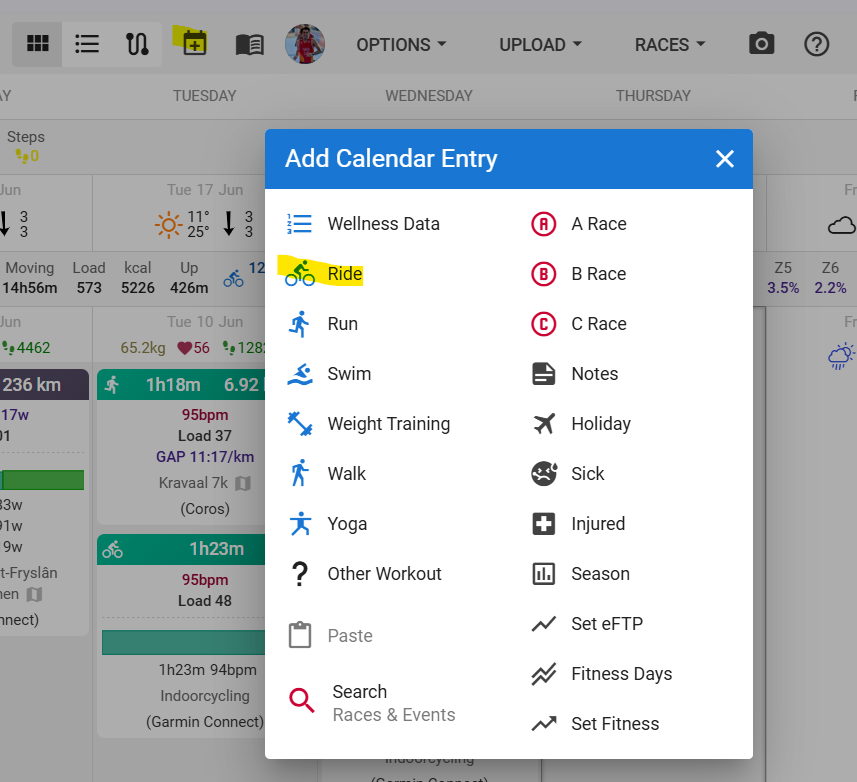
That’s for Planned workouts and calendar notes.
Thank you! I realized that I was attempting to upload the FIT file for the workout from TP that I saved earlier, rather than the FIT file for the activity (ride data). I got it figured out. Thank you again!
Hi,
Great tool! I can now sync from intervals to TP and use that to sync my trainings to the Apple Watch…
Somehow the interval type is not synced successfully (maybe I am configuring it wrongly in intervals.icu. All Intervals arrive as “Warm Up” Intervals.
And do I understand correctly that the “Skip already synced workouts” only work from TP to Intervals? I recently woke up and saw that I got ~50 Trainings planned overnight…
Many Thanks!
Best,
Arndt
Yeah, interval type not syncing at all.
Hm…I’m gonna check it. At some point it worked only from TP to Intervals, but I thought I updated it to work with both directions.
Great tool, thanks!
Apologies if already asked but is there a command line only way to sync today’s WO from Intervals to TP?
Command line no, closest what you can do is to simulate REST API request.
1 Like
I wish this was compiled as a service. I just remembered that I didn’t restart this app since my last reboot. No wonder my icu workouts have been less pretty. I wish my coach would use icu instead of TP. Do you have any tips to get this started cleanly after a reboot with a daily schedule running [perhaps silently]?
Hello, good afternoon.
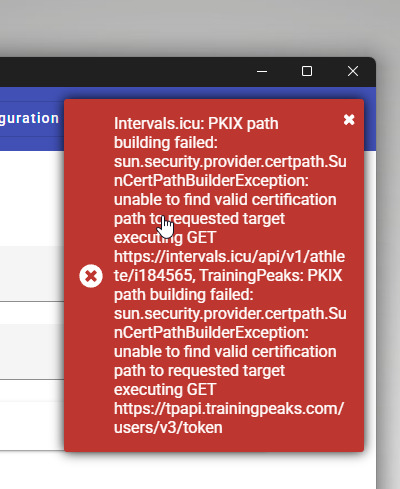
My TP2Intervals, stopped working and missed the configuration.
The message I’m getting is the one attched. Does anyone get the same issue? Any help will be welcome, thank you in advance, kind regards.
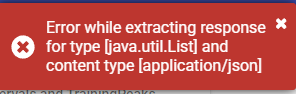
Hello, since today TP2intervals stopped working. The only known change is updated to 25H2. Are there any known issues about it?