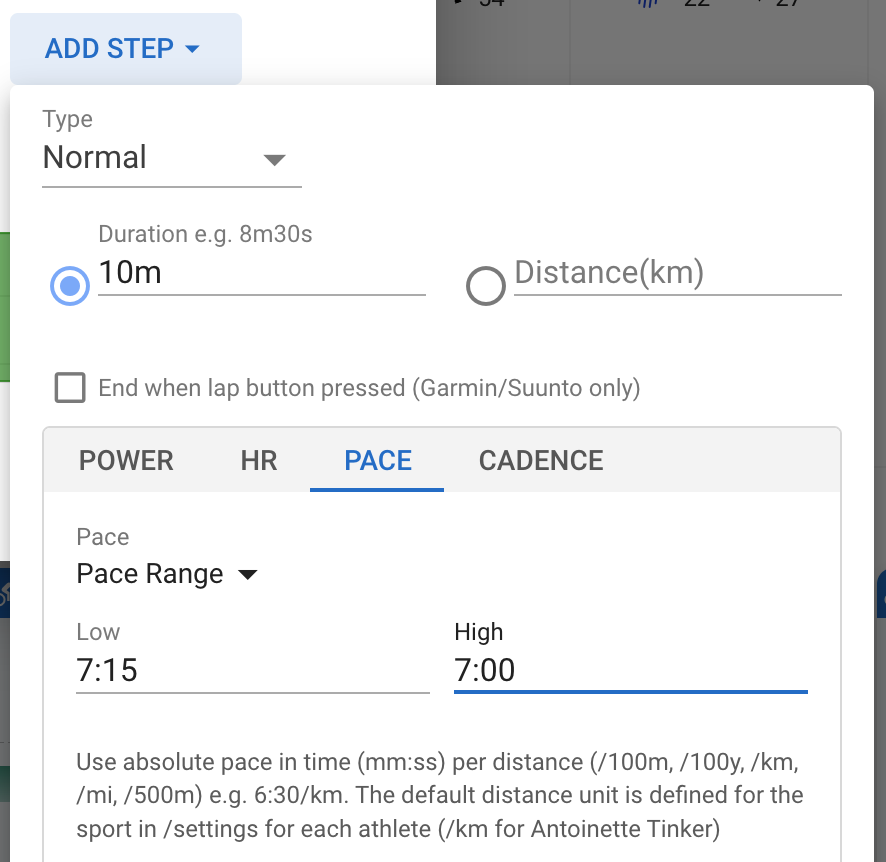
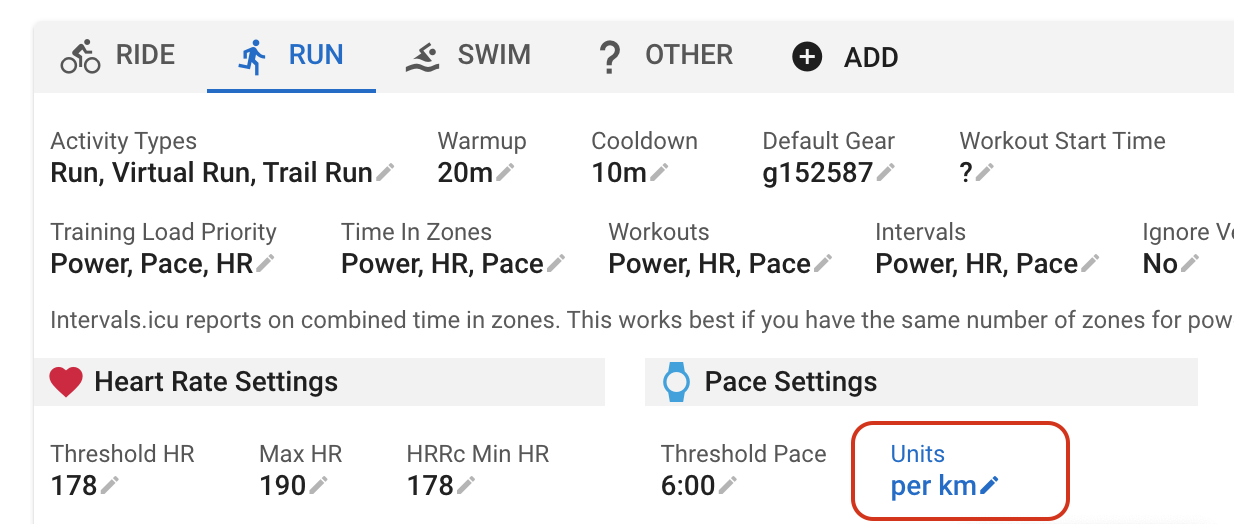
We have added support for specifying workouts using absolute values for pace (e.h. 6:30/km) instead of % of threshold pace or a pace zone. Workouts using absolute pace are not portable between athletes but are a good option for athlete specific workouts generated outside of Intervals.icu. No need to synchronise threshold pace between systems.
“Pace” and “Pace Range” have been added to the “Add Step” form:
I’d like to suggest adding also a pace unit per 400m as an option. This would be incredibly useful for coaches timing athletes on the track, as it provides a precise and relevant metric for track training and performance analysis.
The 400m distance is the standard distance for a lap in track and field, and using a pace unit per 400m allows a accurate and intuitive tracking of performance during training and competition. For example, a runner’s pace can be expressed as “X seconds per 400m,” which is particularly helpful in analyzing
This feature would be especially valuable for runners, and coaches to pace track workouts.
Are you using the automatic upload to Zwift feature for this or manually uploading a zwo file? Unfortunately there are differences. If you are using the automatic sync, please try downloading a zwo file for the workout, uploading it, and see if that works and report back.
Unfortunately I can’t try the manual download+upload technique: I run Zwift on an Apple TV and haven’t access to a platform where Zwift supports importing custom workouts, i.e. Windows and macOS
I found some (new) stuff in the Zwift API docs for runs.
When running, thresholdOverride is 1km pace measured in seconds: s/Km
Is that your best time to run 1km? Thats a pain because Intervals.icu only has a “threshold pace” field at the moment. What would be a reasonable factor of “threshold pace” to convert to 1km pace?
Actually I just realised that since Intervals.icu specifies the pace steps as a percentage of this value (converting from meters/second), it doesn’t matter what it is, so long as it is specified. Hopefully we can get an update out on Thursday AM.
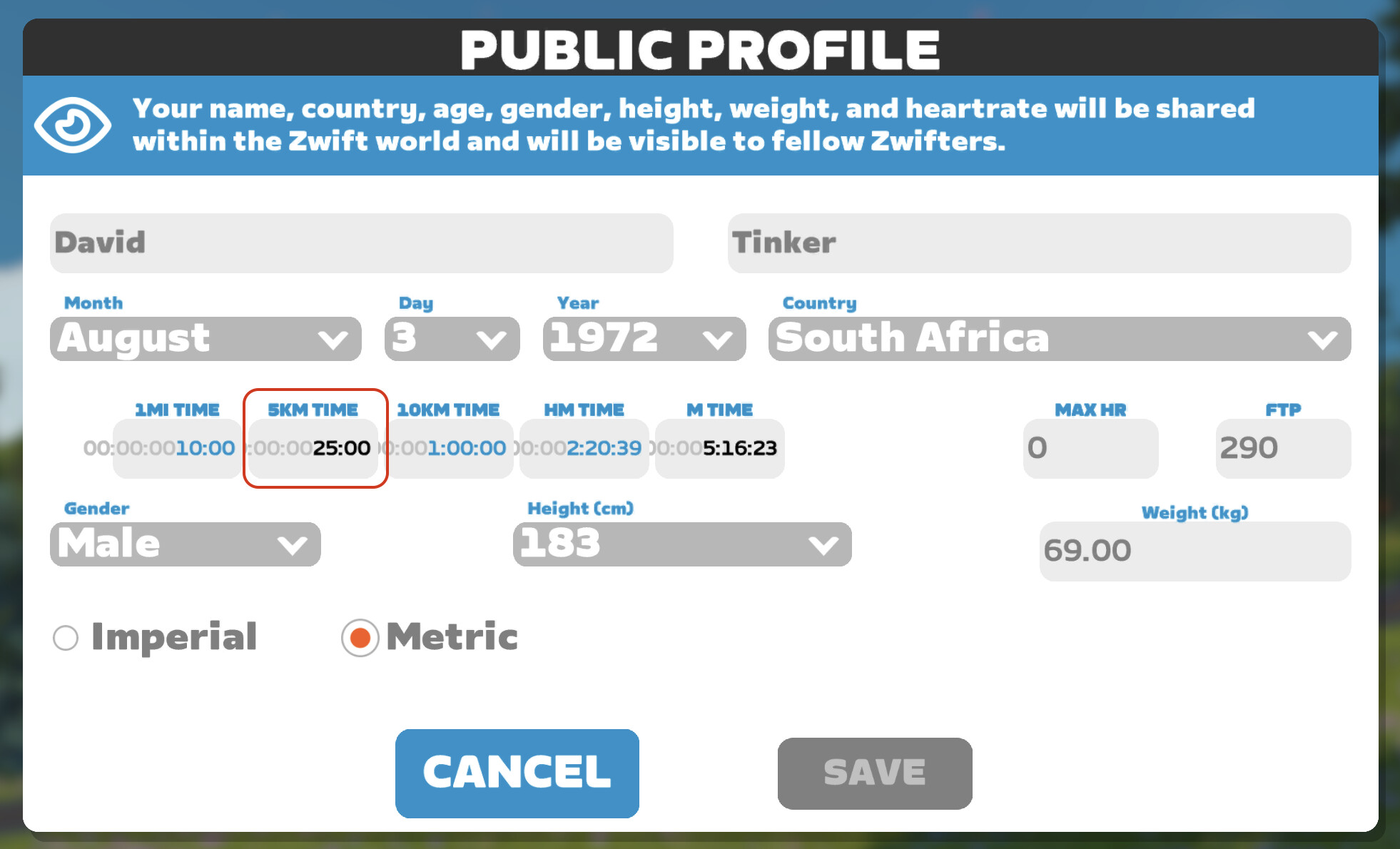
From various online sources I understand I should set my running PBs in my Zwift profile, so that Zwift can compute its own model of what’s my threshold, best 5k, best 1k, or whatever it is that workouts are expressed as a percentage of (I’ve read best 5k in some places).
Once I’ve done that, presumably on the intervals.icu side what matters is that the percentage used in the ZWO is calculated based on the same value as Zwift.
Would it be possible to specify worjouts using a % of a given speed? In france a lot of coach use the VMA as reference (more or less the Speed at VO2Max) and I usually need to recalculate those % as % of threshold to be used by the workout builder…
I tried using the pace range to sync with Garmin, but the interval does not get transferred to the workout on the watch. I only have the interval description. Do you have any suggestions?