Could you help me please why my running cadence in my charts is just 50% from running cadence on strava? Thank you
It’s been mentioned a few times. The original design of this application was for cycling, which is single-sided, whereas running is “double-sided”.
3 Likes
If you can’t wait for the fix and want to get the expected correct values, the posts @Gerald mentioned are worth going through as they mention solutions. You can also find the relevant corrected fields/streams by searching for them in an activity view.
If you’re looking to learn how to extend the platform to meet your needs/wants, I think “fixing it yourself” provides an easy entrypoint challenge.
To fully “fix it”, you want to add the following:
- Custom activity stream
- Custom interval field
- Custom activity field
3 Likes
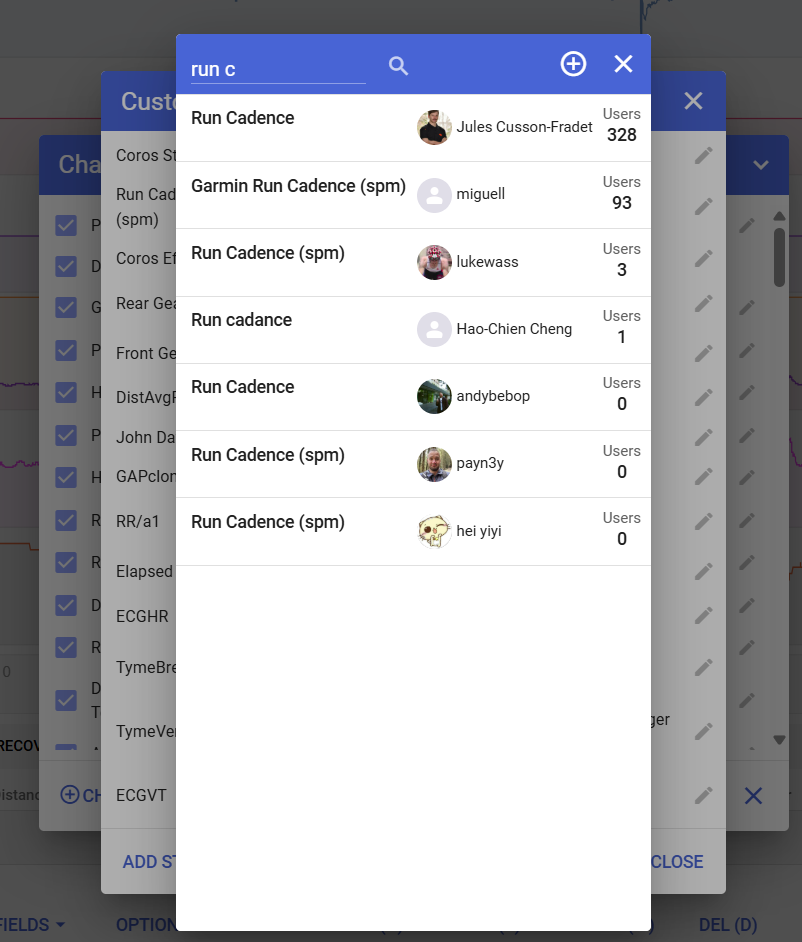
No need to even code it yourself. There are already shared Run Cadence fields ready to use.
1 Like
Is there a way to add this to the charts too? I found the custom field but that only shows one number for an entire workout.
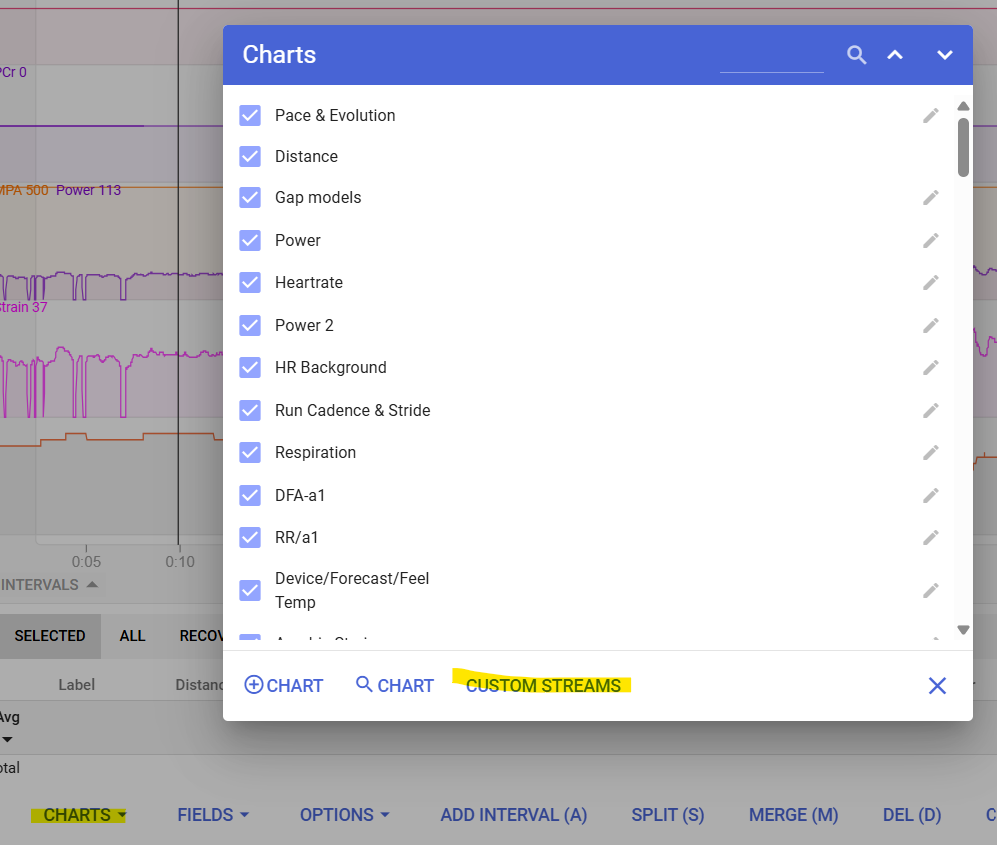
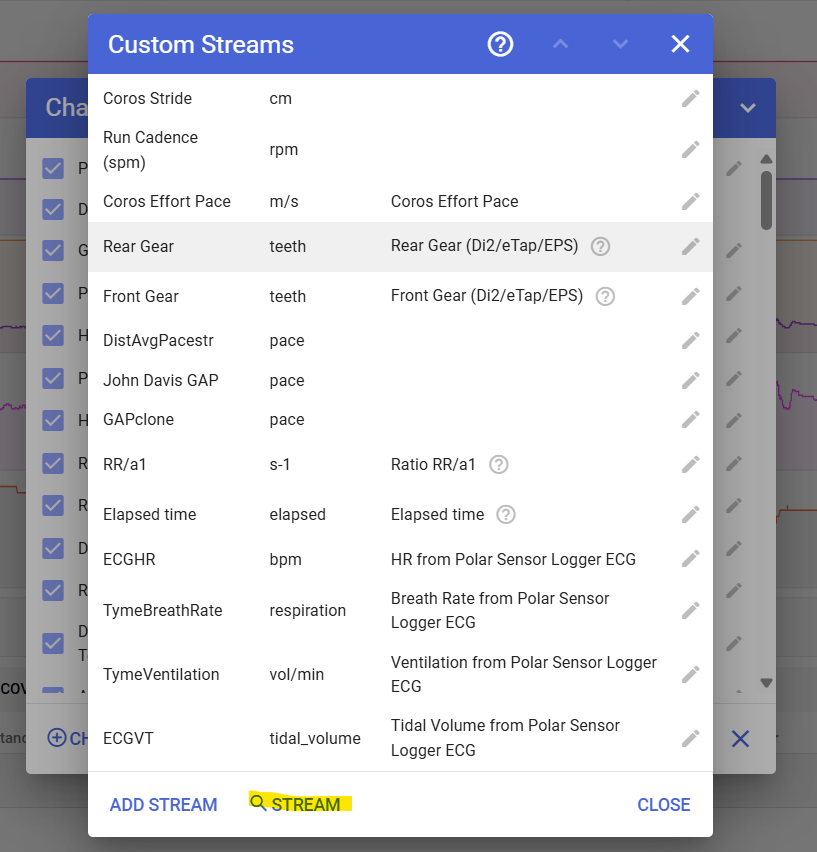
Charts - Custom Streams -  Stream - <Find Run Cadence (spm)>
1 Like
I don’t seem to have this option to choose, in Garmin connect the cadence for running is correctly displayed. I wouldn’t mind if I could just change the display mode to be x*2 since there seem to be some set options to choose from that include /x10.
Any way of getting the right number on the chart?
This running cadence issue is typical for runners starting to use the platform. Somehow if this chould be solved permanently through profile settings or another way this would be great 