Unfortunately not.Again created with AI
No matter how I create a workout, cadence and zones remain incorrect.

During today’s indoor session, no cadence targets were set (I deleted them), and the high, undesired cadence is being flagged >>The cadence was clearly below the targets (Ø 74 rpm vs. 88–90 rpm), which suggests frequent rolling/stopping or measurement/trainer setup problems.
Regarding the problem of deleting calendar entries: I currently cannot delete yesterday’s indoor session from the calendar. The error message is “Schedule not found.” However, it is possible to view and analyze the session in detail.
The name of today’s session isn’t being applied to the calendar. When I select the session in the calendar, the correct name appears. I also can’t delete the session from the calendar, even though it displays a “deleted” message. Sorry for the Easter eggs.
Hi Cooper, Happy Easter! 
Both issues had the same root cause: when a completed activity was linked to a calendar event, the calendar was incorrectly treating it as a schedule instead of an activity. This caused two symptoms:
- Delete failed — it tried to delete the wrong record, so the item either reappeared or gave “Schedule not found”
- Wrong name — it showed the device/Garmin name instead of the Intervals event name
Both fixed and already deployed on v17.0.1
Let me know if you still see any issues
A perfect calendar, I’m thrilled. I was able to delete everything – except for one entry on March 3, 2026. The deletion process generates the following error message.
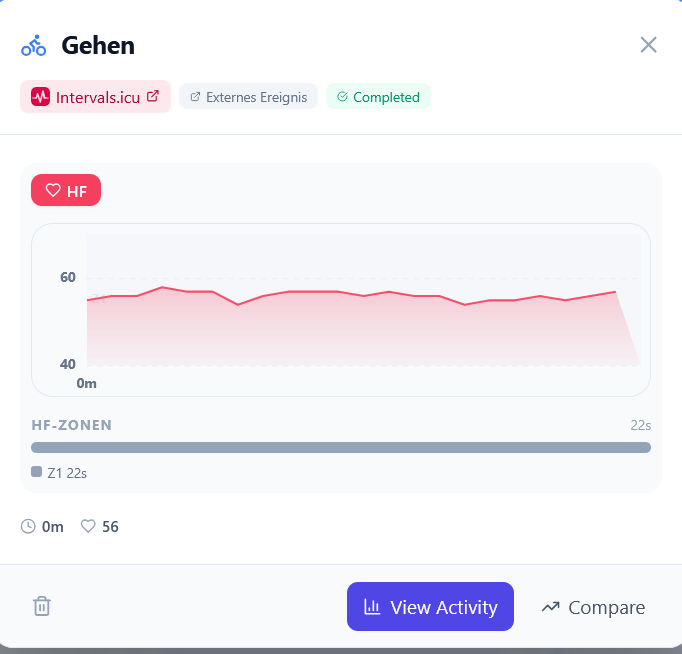
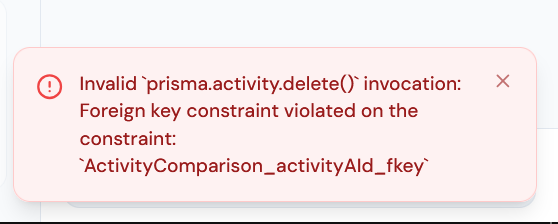
As always, I have no idea what it means, but I’m sure you do.

1 Like
One more fix just deployed (v0.17.2).
That entry couldn’t be deleted because it had an activity comparison linked to it — the database didn’t allow deleting activities that are referenced by comparisons. Now it does (the comparison gets cleaned up automatically). You’ll also see a confirmation dialog warning you when a deletion will remove associated comparisons.
Should work now, give that another try!
What can I say - perfect!
Full-width layouts &strong text calendar improvements - also very well done
1 Like
v0.18.0 — Coach Dashboard & Athlete Deep View
April 6, 2026
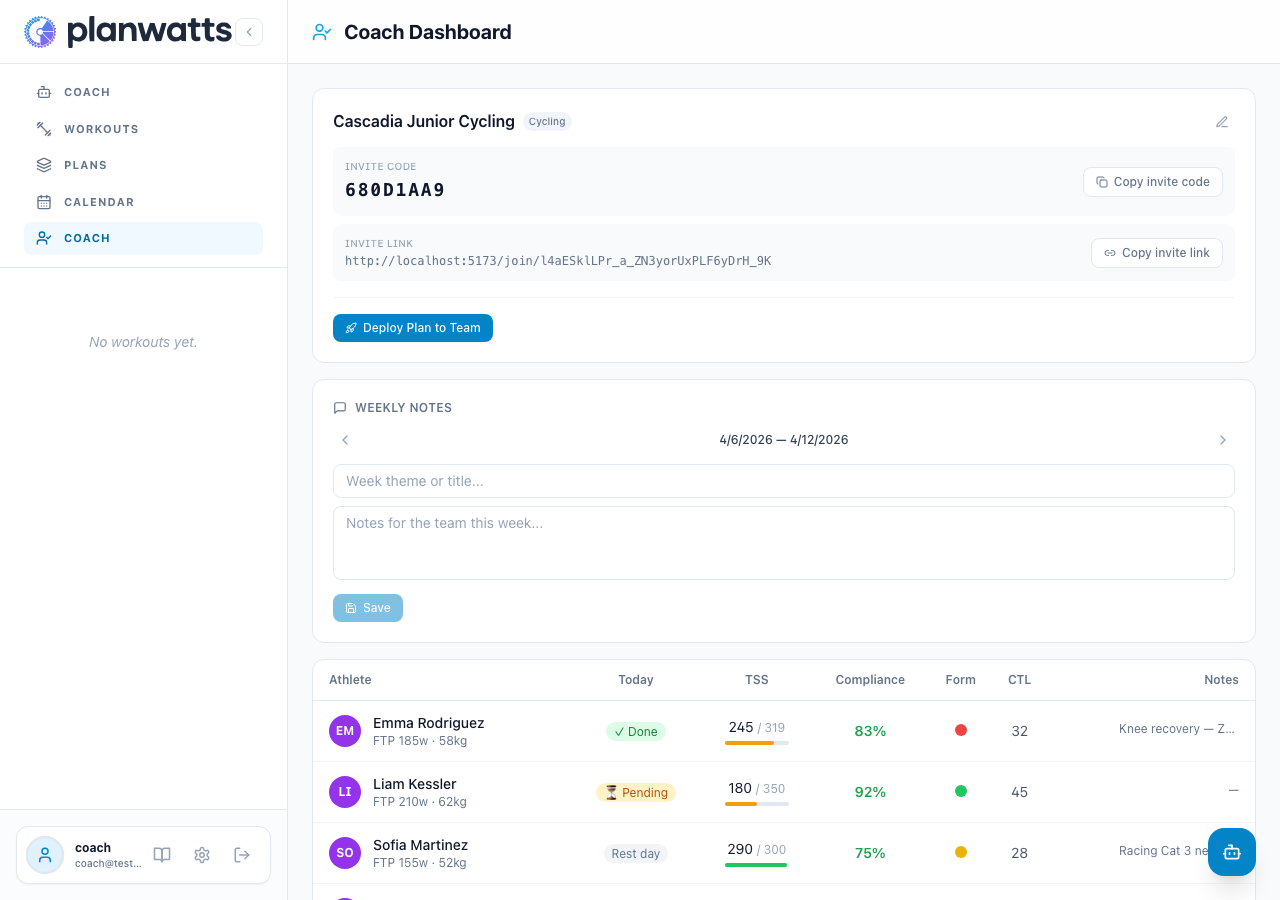
Your athletes, at a glance. Coaches can now see their entire team’s health in a single roster table — today’s workout status, weekly load, 4-week compliance, and fitness/fatigue semaphore. Click any athlete to dive into their full profile.
Athlete Deep View
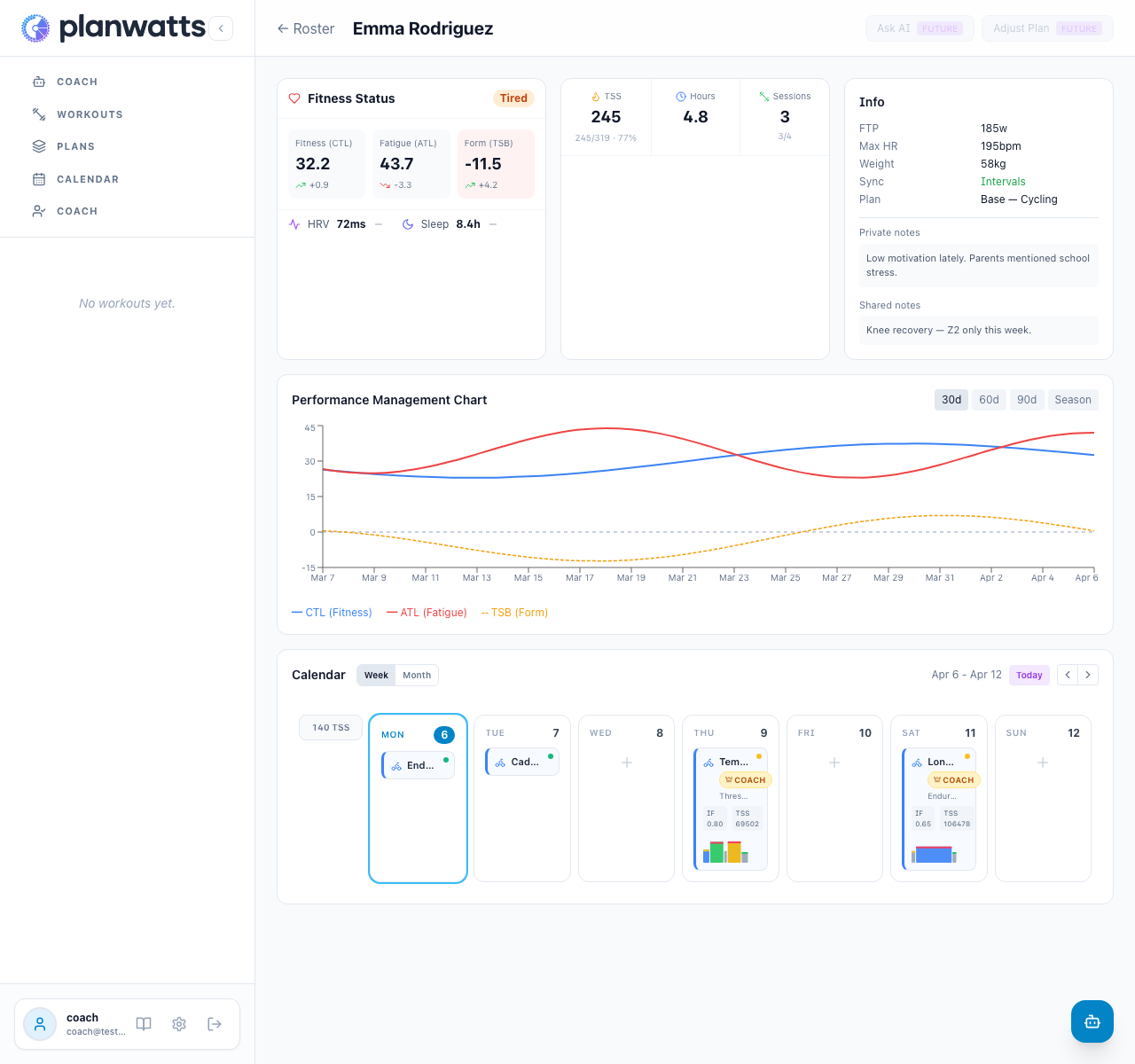
Click an athlete’s row to open their dedicated page. You’ll see their fitness status (CTL/ATL/TSB with trends), weekly training summary, a 30/60/90-day PMC chart, private and shared notes, and their full calendar — the same calendar they see, with week and month view.
Calendar management
From the deep view, coaches can browse the athlete’s calendar, see which workouts were completed, pending, or missed, and manage their schedule directly. The coach badge distinguishes coach-assigned workouts from the athlete’s own sessions.
Under the hood
- Wellness snapshots — CTL, ATL, TSB, HRV, and sleep data from Intervals.icu now persist daily via webhooks, powering the fitness charts and roster metrics
- Calendar refactored — The calendar rendering was extracted into a reusable
CalendarBodycomponent, shared between the athlete’s own calendar and the coach’s athlete view - Shared fitness components — The fitness card and week summary from the AI chat are now reusable components used across both views
Hey Cooper, I’ve made this feature configurable from the athlete’s profile. Making it available to everyone this way had some undesirable side effects for some users. To continue generating workouts with the entire zone in each step, simply activate it here:


Perfect solution for me - thank you!
With my current settings, the entire zone is being used, correct?
1 Like
However, the calculations are still being done with the wrong values.
Outdoor-Powerzonen:
|Z1|Regeneration 0% - 52%| 1 - 78w
|Z2|Ausdauer 53% - 71%| 79 - 106w|
When the coach is asked to give me the wattage values, he always uses the percentage values instead of the actual wattage.
1 Like
Hey Cooper, this is now fixed in the latest release (v0.18.7).
I had the zones logic duplicated in several sites on the application.
I’ve completely reworked how zones are handled internally. There’s now a single centralized function that resolves your custom Intervals.icu zones into proper watt values everywhere: in the coach responses, in the settings panel, and in the workout editor.
What you should see now:
- Ask the coach → correct watt values with your custom zone names (Regeneration, Ausdauer, etc.)
- Settings → Athlete Profile → Power Zones → correct watts next to each zone
- Workout editor zone presets → your custom zones, not generic Coggan defaults
Could you give it a try and let me know if the values look correct now?
Thanks for the detailed bug report, the screenshots with your actual zone boundaries made it much easier to track down
1 Like
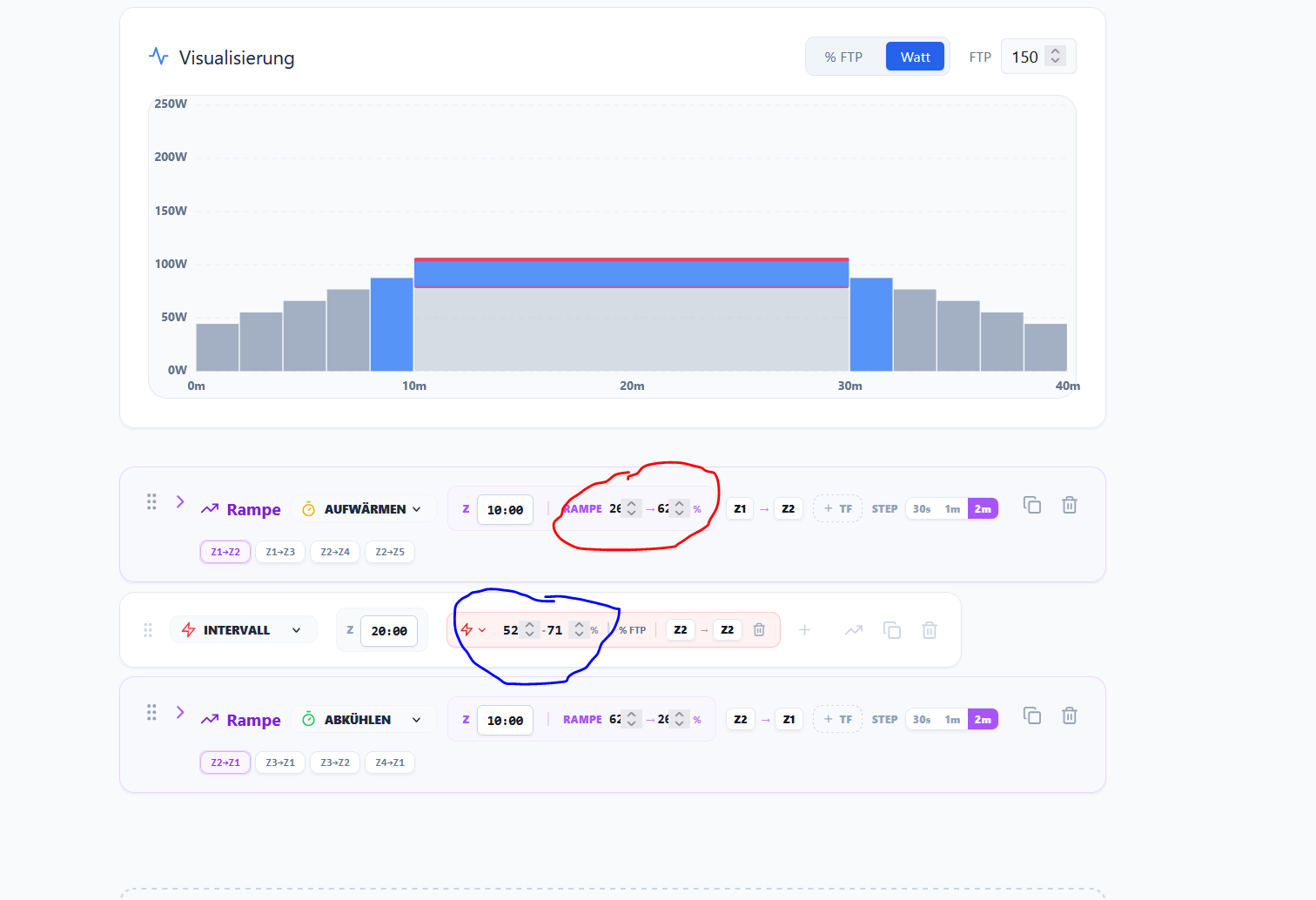
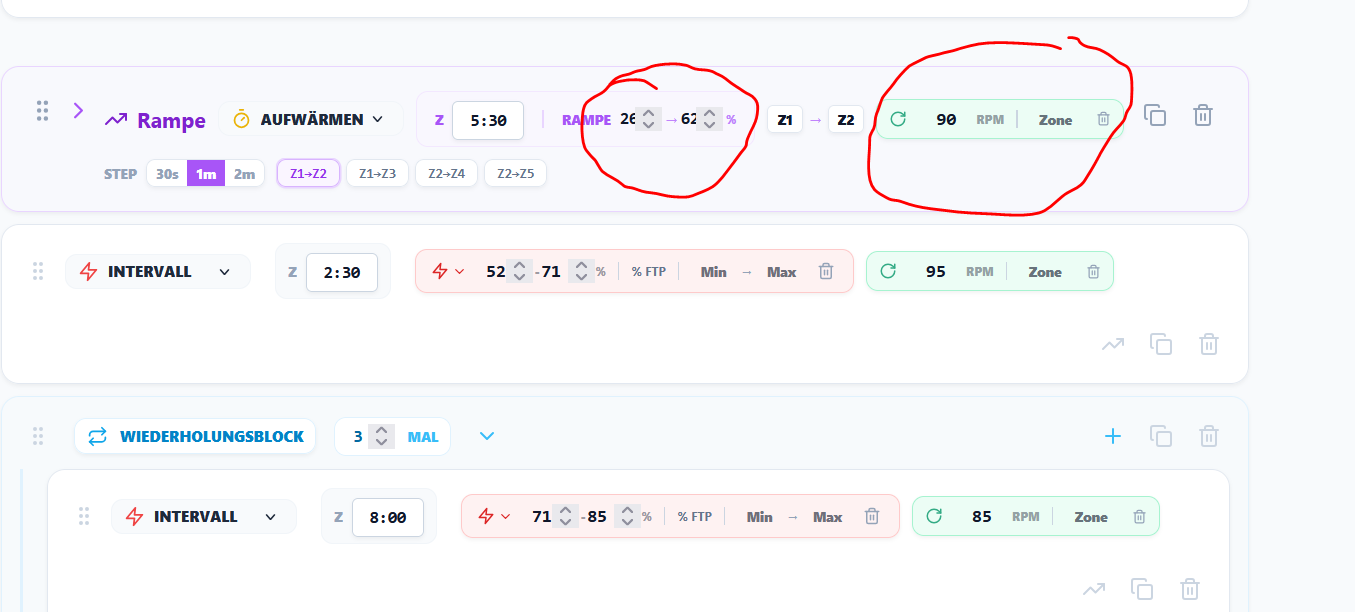
Hi txuselo, unfortunately the ramps are still not working, see red marker. The intervals are all OK, see blue marker.
I also noticed something else - how do I delete a ramp if I’ve changed my mind?
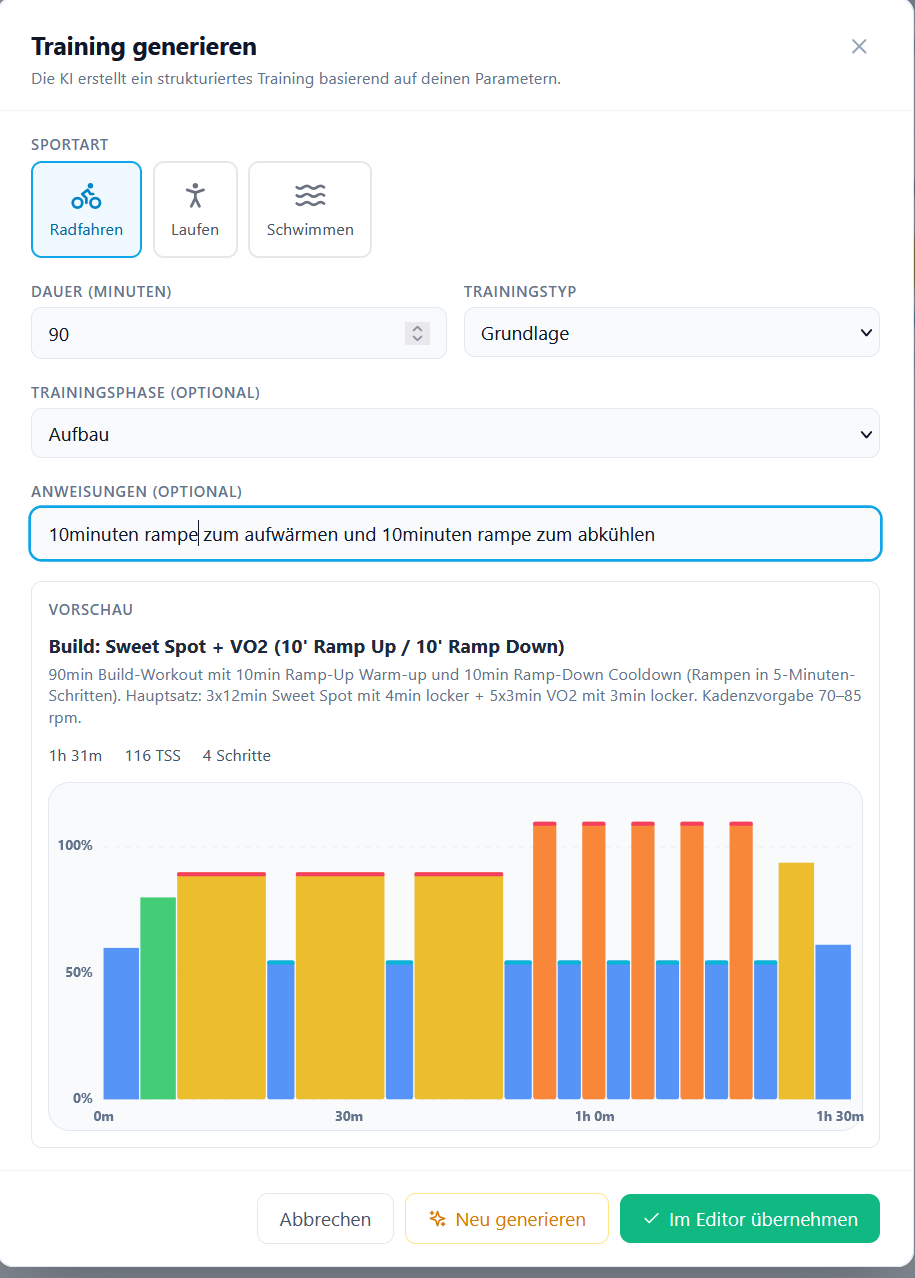
Perhaps a bit too intense for the structure and foundation.

And again, cadence presets (this time correctly) even though I don’t want any cadence presets (instruction saved).
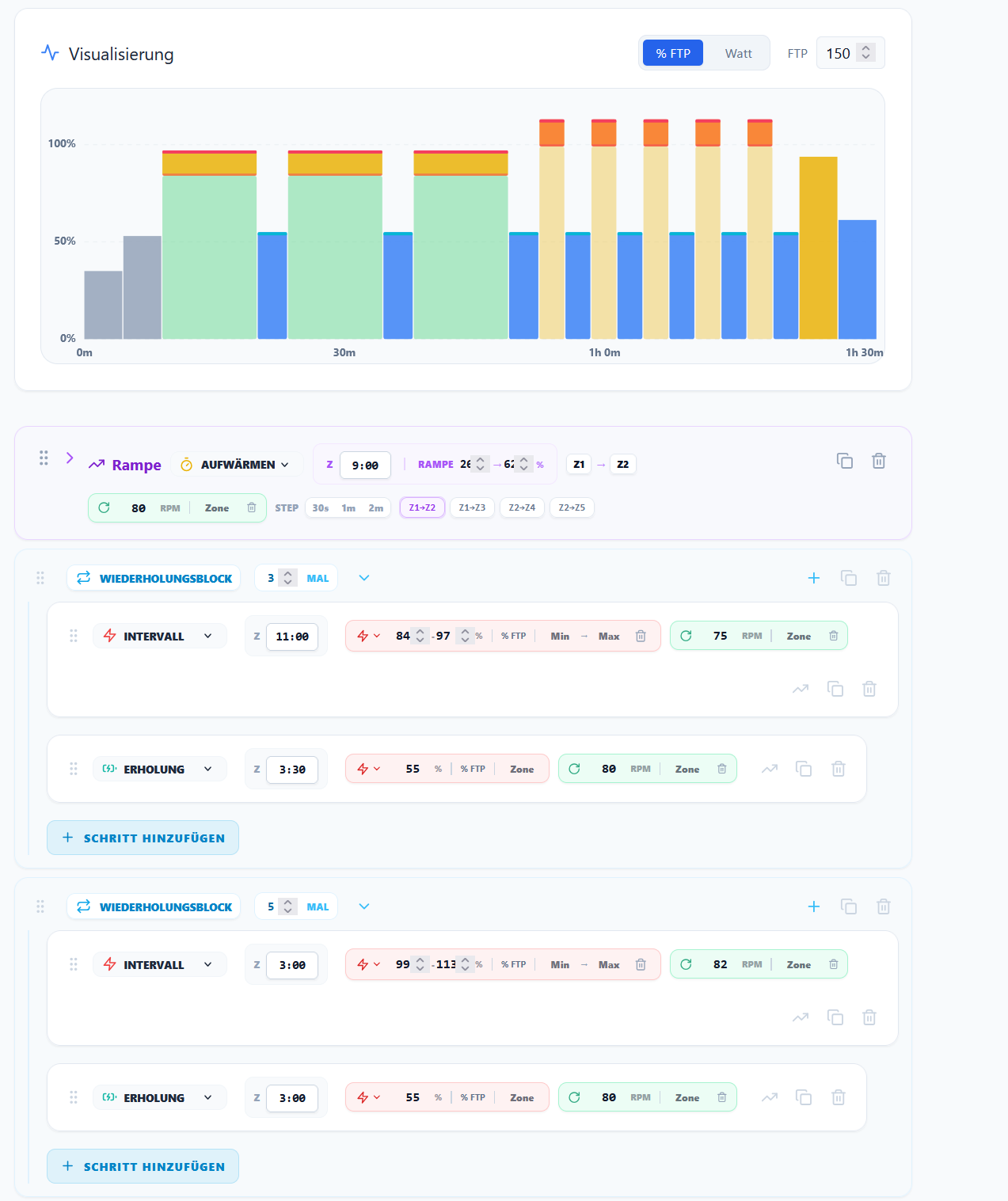
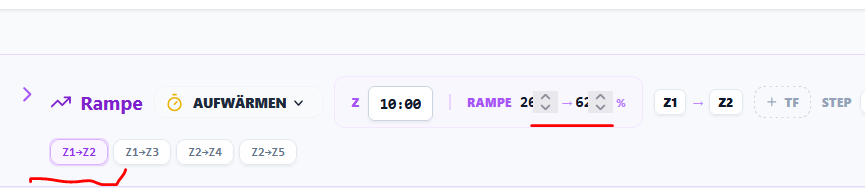
1. Ramp values (Z1→Z2 showing 26→62%)
Found it. When you click the zone preset buttons on a ramp step (Z1→Z2, Z1→Z3, etc.), the editor was using the midpoint of each zone instead of the full zone range. With your zones, Z1 midpoint = 26% and Z2 midpoint = 62% — that’s where those values came from.
I’ve changed this to match how Intervals.icu handles zone-referenced ramps: low boundary of the start zone → high boundary of the end zone. So Z1→Z2 with your zones will now be 0→71% (covering the full range of both zones). This will be in the next release.
Note: this only affects the preset buttons in the editor. Workouts generated by the AI coach were not affected — the AI coach was already using reasonable ramp values.
2. Cadence presets appearing despite your instruction
I checked your stored preferences and found the root cause: you have ~15 older memories saying your preferred cadence is 70–85 rpm, and only 1 newer memory saying you don’t want any cadence targets at all. When the coach retrieves your preferences, the older memories outnumber and override the newer one.
You could clean up the contradictory cadence memories so that your current preference (“no cadence targets”) comes through clearly
3. Deleting a ramp step
You can delete any step (including ramps) using the trash icon  on the right side of the step row
4. Workout too intense for “Grundlage” (Base) type
You’re right — this shouldn’t have happened. I found the cause: when you fill in both the workout type dropdown (“Grundlage”) AND the free-text instructions (“10min ramp…”), the system currently uses only the free text and drops the workout type entirely. So the coach only saw your phase (Build) and instructions (ramps), but never received “Grundlage” as the workout type. That’s why it generated Sweet Spot + VO2 instead of a proper base/endurance workout.
I’ll fix this so both the workout type and your free-text instructions are sent to the coach together. That way selecting “Grundlage” + adding ramp instructions will generate a Z2-focused endurance ride with the ramp structure you asked for.
1 Like
This was an AI-generated workout where the ramps were also incorrect, so it wasn’t just a problem with manually creating a unit.
My mistake in thinking:
When I use the trash can, the entire step is gone; I thought I could delete the ramp separately to return to the warm-up stage.
Cooper, I need your help to narrow down the ramp issue.
I checked the generation trace for your “Build: Sweet Spot + VO2 (10’ Ramp Up / 10’ Ramp Down)” workout from today (~19:30). What the AI coach actually generated was:
| Step | Values |
|---|---|
| Warmup ramp | 50→90% FTP |
| 3×12min Sweet Spot | 90% FTP (zone SS) |
| 5×3min VO2max | 110% FTP (zone 5) |
| Cooldown ramp | 110→45% FTP |
So the coach generated reasonable ramp values (50→90%), not 26→62%. However, I can see in your screenshot that the Z1→Z2 preset button is highlighted/active on the ramp step.
A few questions to help me track this down:
- Did you save this workout, or did you only preview it in the editor without saving?
- Did you click the Z1→Z2 preset button on the ramp after the workout loaded in the editor? Or were the 26→62% values already there when it first appeared?
- How did you generate this workout — via the “Training generieren” modal (with the dropdowns for sport/duration/type), or by asking the AI coach in the chat?
I’m asking because I found a bug in those preset buttons (Z1→Z2, Z1→Z3, etc.) — they were using the midpoint of each zone instead of the full range. With your zones, Z1 midpoint = 26% and Z2 midpoint = 62%, which matches exactly what you see. I’ve already fixed this to use the full zone boundaries (matching Intervals.icu behavior), but I want to make sure there isn’t a second bug hiding somewhere
Thanks for your patience
Regarding 1: Unfortunately, it wasn’t saved.
Regarding 2: I pressed the preset button.
Regarding 3: Training created by AI.
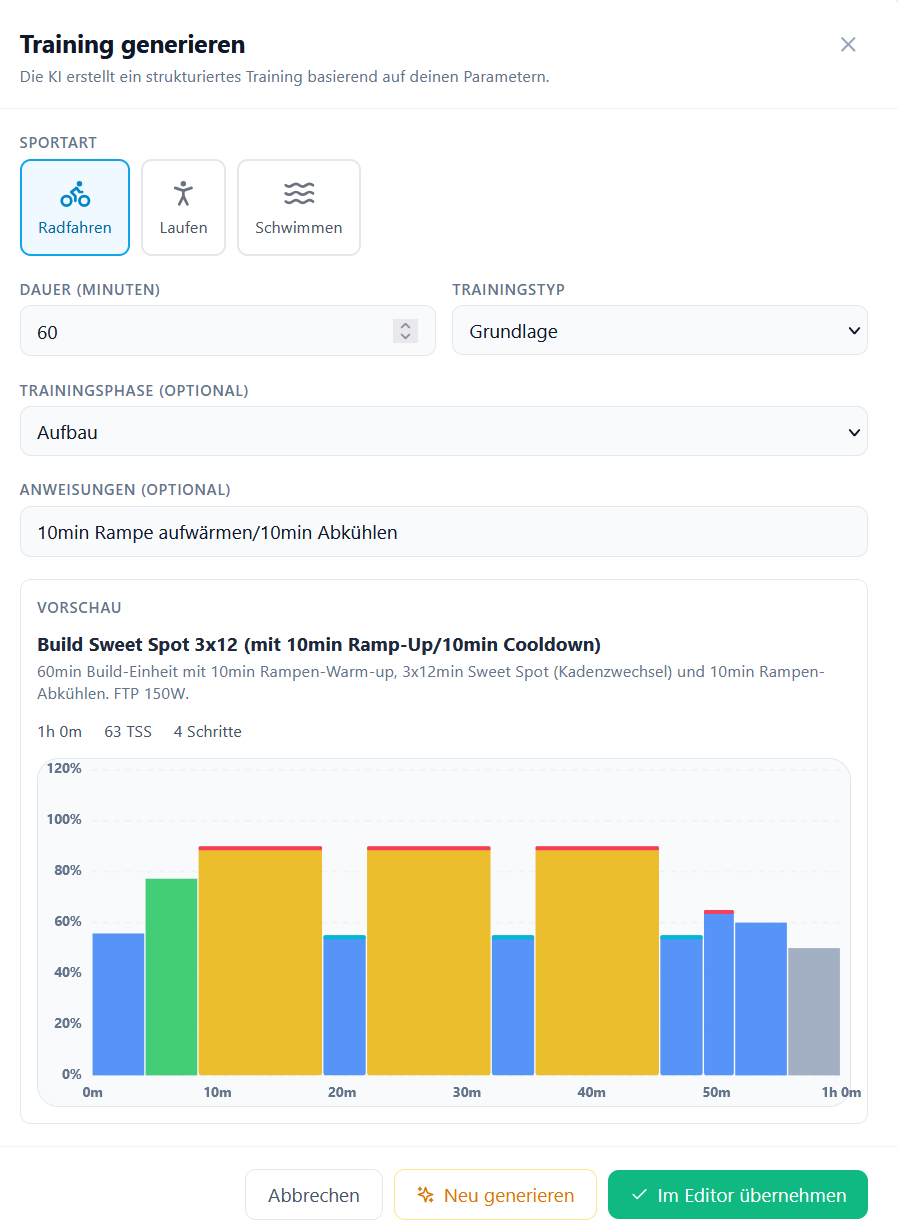
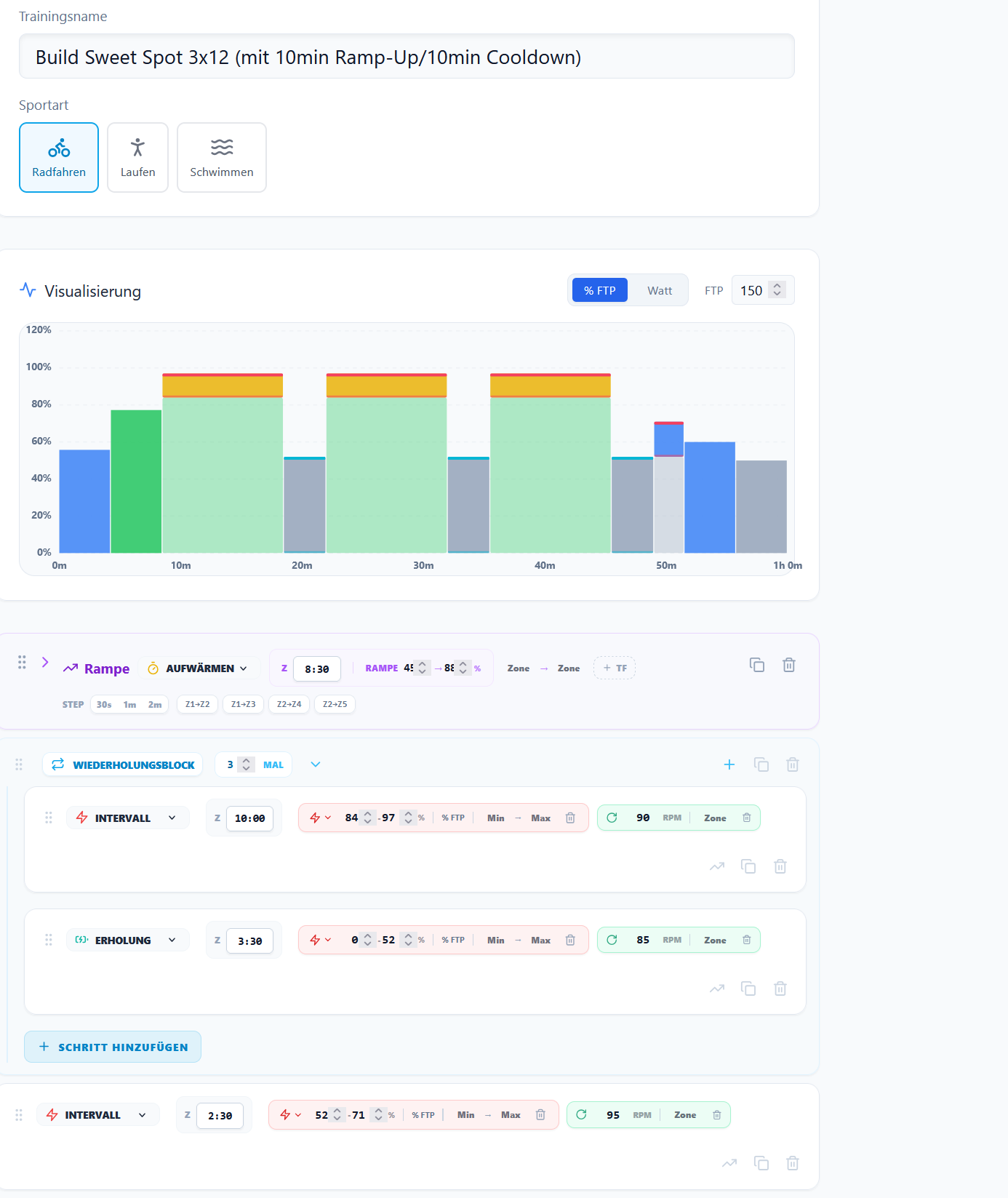
This is a new training session. Ramp without zone settings: 45-88%. With zone settings, it’s 26-62%. Although only “No cadence target saved” is displayed, a target with incorrect values is now being applied, but then again, I no longer have any saved values.
The new unit is saved,It’s more of a threshold training than a basic training.