Here is how credit expiration and rollover work, depending on your plan and the type of credits you have:
Free Plan: Unused credits do not roll over. Your balance automatically resets to 50 credits at the beginning of each new month.
Supporter Plan: Unused monthly credits do roll over to the next month, but there is a limit. You can accumulate a maximum of 2x your monthly credit allowance. This essentially means your unused monthly credits can carry over for a maximum of one extra month before expiring.
Purchased Credit Packs: If you buy extra credit packs, those specific credits never expire.
How they are spent: To ensure you get the most out of your credits, the system is designed to automatically spend your monthly plan credits (the ones that expire) first, before it touches any of your permanent purchased credits.
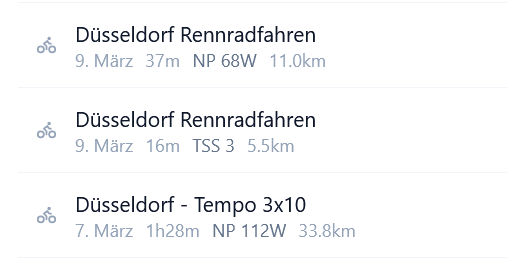
Thanks for the report! It seems like it’s grabbing the external name there (Garmin rather than Intervals). I’ll try to get this fixed over the weekend, but if I run out of time, I’ll review it on Monday
It should be fixed now! The problem was that I wasn’t storing those names. Intervals passes the activity names to PlanWatts (which come from Garmin). I fixed the activity page earlier, but I forgot to fix the mapping on the coach side. All set now.
Thanks!
Important: This feature is in pre-release. If anyone is interested in testing it, they can contact me, and I’ll activate coach mode for them in exchange for some feedback.
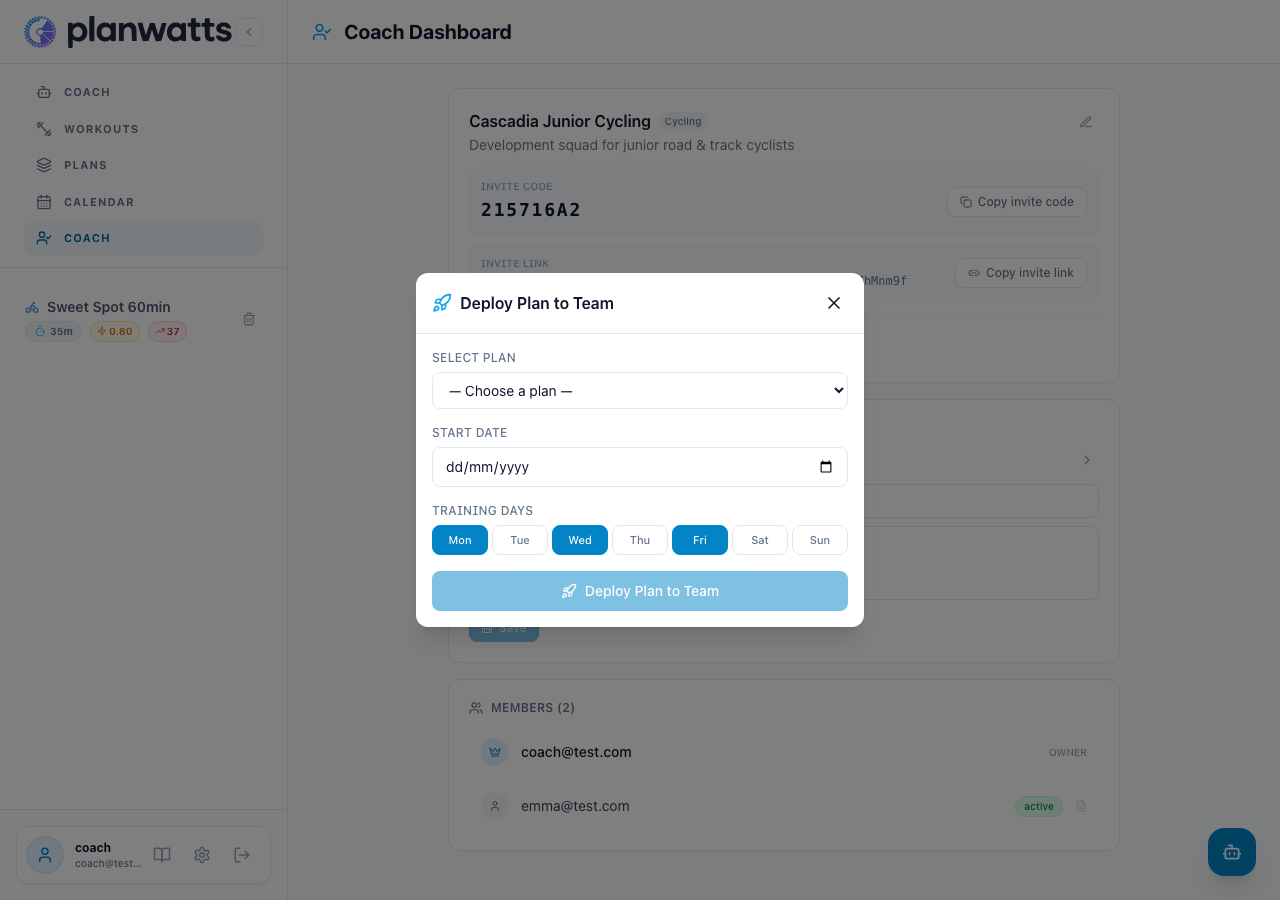
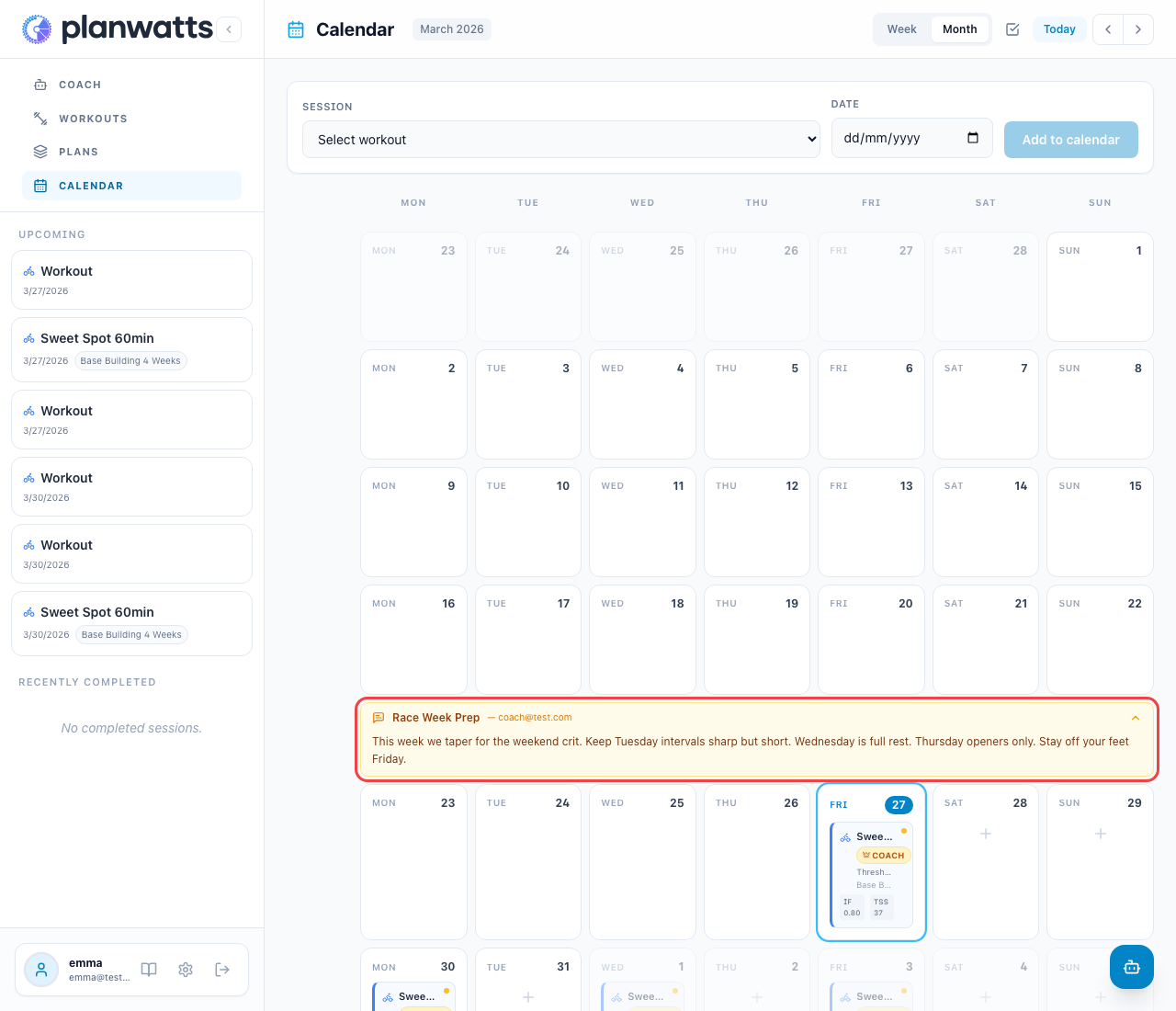
PlanWatts now supports coaches. Create a team, invite your athletes, deploy training plans to everyone at once, and communicate through notes — all from a dedicated Coach Dashboard.
Teams & Invites
Create a team with a name and sport, then share your invite code or link. Athletes join from Settings and you approve each request. No cost to athletes — the coach handles billing.
Build a plan using any PlanWatts tool (AI Coach, plan builder, duplicate), then deploy it to your entire team in one click. Each athlete gets their own copy with workouts on their calendar, marked with a Coach badge.
After deploying, propagate changes to all copies when you update the master plan. Individual overrides are preserved. New athletes who join mid-season get only the remaining weeks.
Weekly notes appear as collapsible amber banners at the top of each week in the athlete’s calendar. Use them for training focus, race reminders, or team-wide instructions.
Personal notes appear as a blue info bar above the calendar grid — private between you and each athlete.
Hi @Cooper, thanks for the detailed report. I’ve looked into your account and I can see the issue clearly.
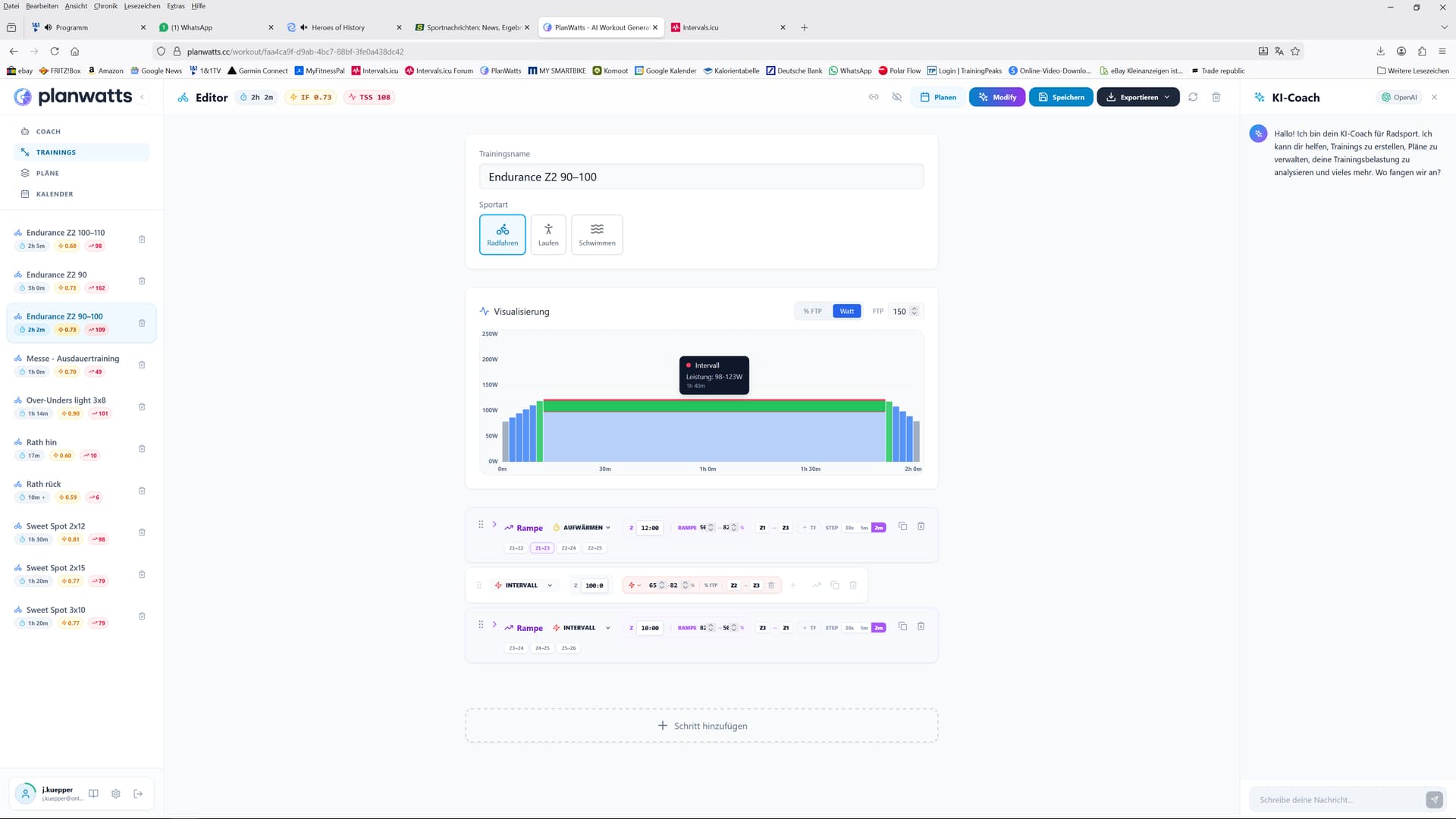
The coach AI has your custom zones correctly saved in memory, but there’s a system limitation: when creating workout steps, the editor uses its own built-in zone definitions (Coggan zones) instead of your personal Intervals zones. So when the coach sets “Z2”, the editor interprets it as 65-75% FTP (98-113W) rather than your 53-71% (79-106W).
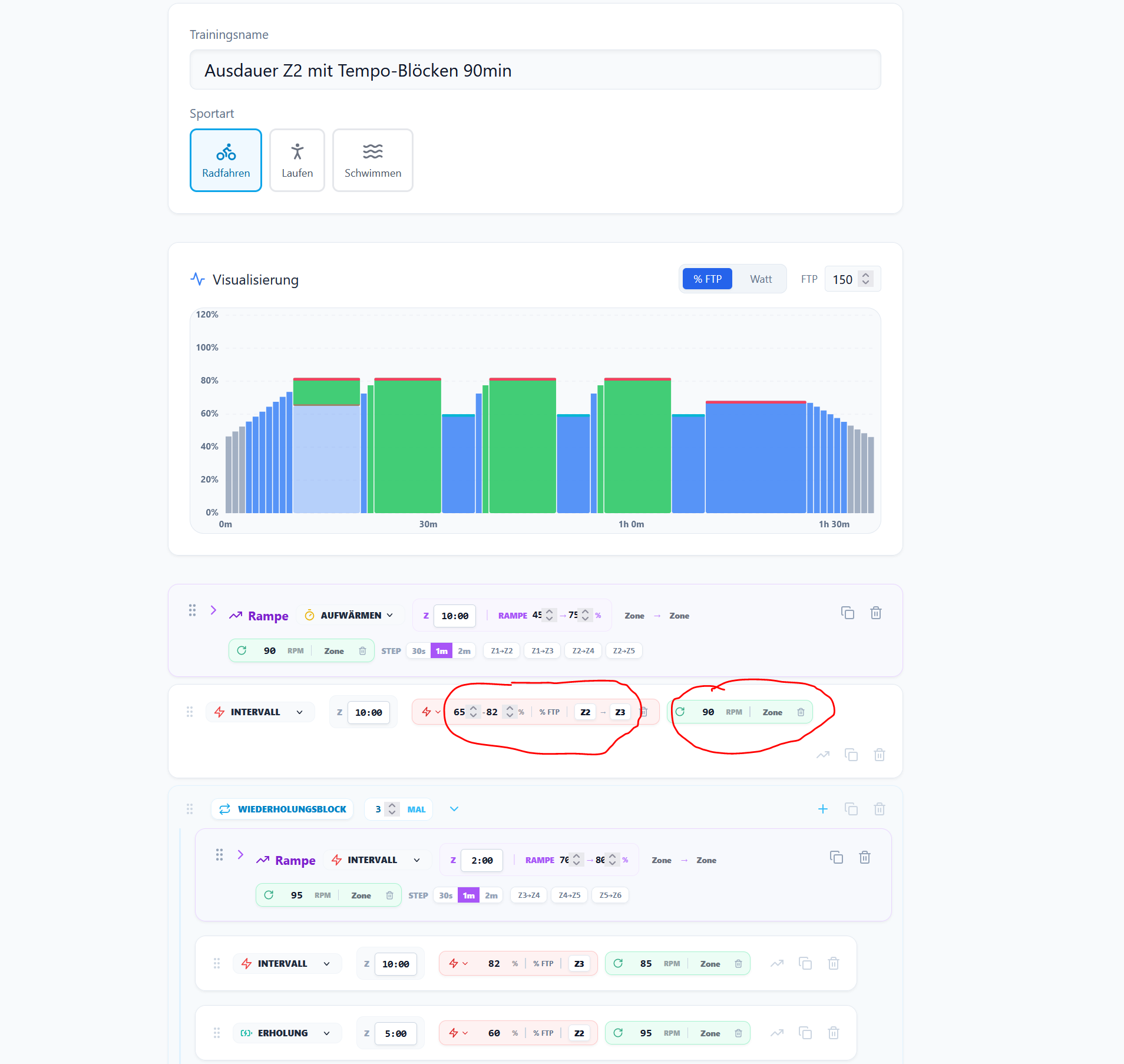
Regarding the cadence — the coach has your preference saved (“no cadence targets”), but it’s not consistently following it. I apologize for that.
I’ve restored the credits you spent on those conversations. You shouldn’t have to pay for a system limitation.
I’m working on a fix to support custom zone boundaries from Intervals.icu so the editor respects your personal zones and I will add a guardtrail to guide the coach to respect these preferences.
Sorry for the frustration, and thanks for the detailed feedback
I’ve shipped two changes that address exactly what you reported:
1. Custom power zones in the workout editor
The coach now reads your personal zone boundaries from your Intervals.icu profile and passes them directly to the workout generator. So when it writes “Z2”, it now means your Z2 (79-106W), not the default Coggan zones. The zone picker and ramp presets in the editor also reflect your actual zones now.
2. Cadence preferences via RAG injection
Your coaching memory notes (like “no cadence targets”) are now injected into the workout generation prompt with override semantics — meaning they take priority over the default rules. So the coach should now respect your “no cadence” preference consistently.
Both changes are already live. Could you try creating a new workout and let me know if the zones and cadence behave correctly now? I’d love to confirm it’s working well on your end.
You don’t need to apologize for anything. You’re developing a new program, and nobody should expect it to work perfectly right away! What’s much more important is that you always have quick solutions and provide feedback. I don’t think your program will ever be truly finished because you’ll constantly find improvements and respond to your customers’ requests—just look at David and his amazing team. So don’t despair, just keep going!!
But the thing with the cadence seems to work.
Since you can see my calendar entries – all the deleted entries have reappeared, again with incorrect titles. Unfortunately, I can’t delete them either – it says “Schedule not found”.
Sorry, I was on vacation for a few days and am now catching up on everything.
Hi @Cooper, I found and fixed the bug. The system was injecting your zone percentages as if they were watt values — so your Z2 (53-71% FTP) was showing as 52-71W instead of the correct 79-106W.
The fix is ready and will be deployed shortly. Your custom zones from Intervals.icu will now display correctly in both the workout generator and the editor. The cadence fix from before is also still in place.
Hope you had a great vacation! Let me know how the next workout looks and thanks for the encouragement, it really means a lot.
PlanWatts now has a new way to support the project — and it costs less than an energy gel.
Supporter — 3€/month
If PlanWatts has helped you train smarter, you can now support its development for just 3€/month. That’s it — less than a coffee, less than a gel, less than a single ride to the cafe and back. Every subscription helps keep PlanWatts independent, ad-free, and constantly improving.
What you get:
150 monthly credits (3x the free plan)
AI training plan creation — design periodized plans with the AI Coach and ATP filler feature
Credit rollover — unused credits carry over to next month up to 300 credits
This isn’t about locking features behind a paywall. Everything you love about PlanWatts — the AI Coach, workout generation, activity analysis, calendar sync — stays free. Supporter is for people who want to help the project grow and get plan creation as a thank-you.
Pro — 9€/month (previously “Supporter”)
The old Supporter tier has been renamed to Pro. If you were already a Supporter, nothing changes — you’re now Pro with all the same benefits:
500 monthly credits
Claude Opus — Anthropic’s most capable AI model
Model selection — switch between OpenAI and Claude per conversation
Credit rollover up to 1,000 credits
Billing improvements
Stripe sync — the billing page now syncs directly with Stripe when you open it, so your subscription status is always accurate
Cancellation status — if you cancel, the badge shows “Cancels at period end” instead of misleading “Active”
Instant refresh — tier and credits update immediately after checkout, no page reload needed
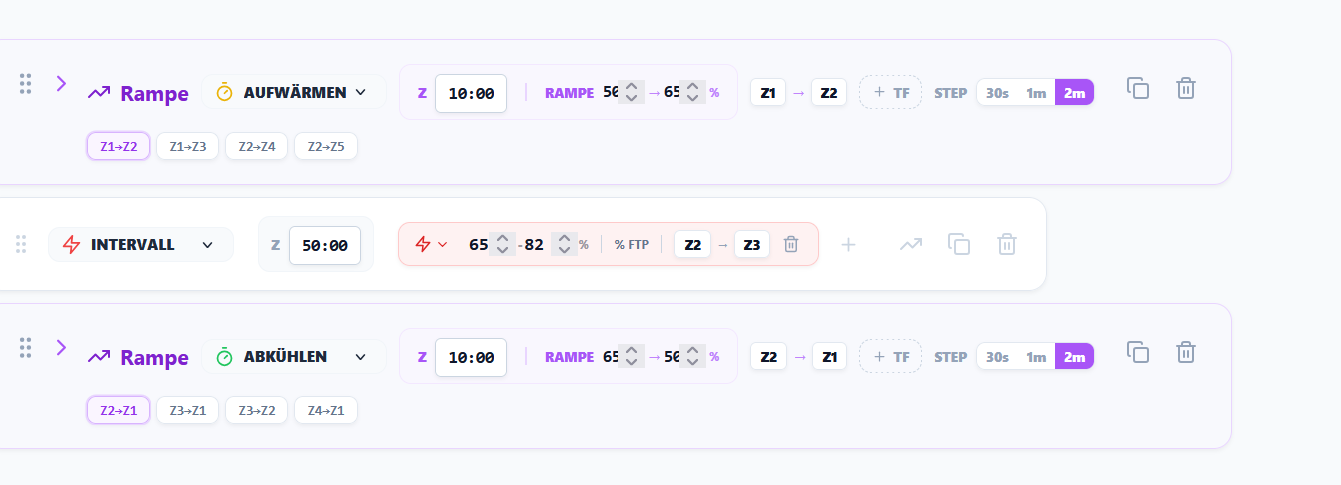
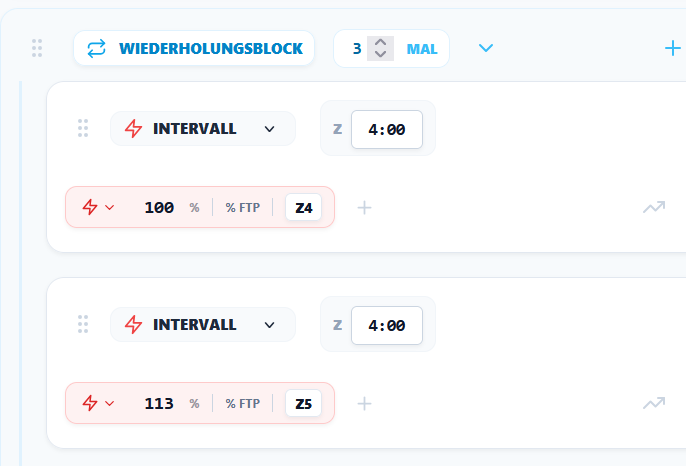
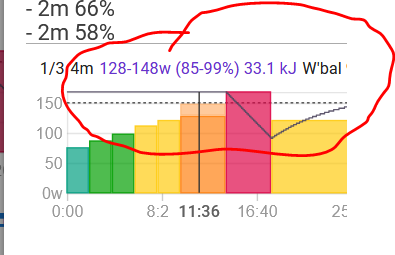
Why are you setting the zones to a percentage? I ride zone 4 between 86 and 100%, so I have some leeway. Your interval requires a fixed 100%. It’s not easy to ride at a fixed wattage target outdoors, and zone 4 is a range, not a fixed wattage – see intervals.
Thanks for the feedback on power zones — you were right. When you selected Z4, PlanWatts was sending a fixed 100% FTP target to Intervals instead of the full zone range (95-105%). Just deployed v0.16.9 which fixes this: all zone-based steps now sync as power ranges matching the zone boundaries. New workouts you create (from the editor or AI coach) will show the proper range in Intervals.
Regarding the delete issue — I’m reviewing the agent architecture to identify where it’s failing. There were several fixes in the last update but clearly something is still not working for your case. I’ll keep you posted once I find the root cause.
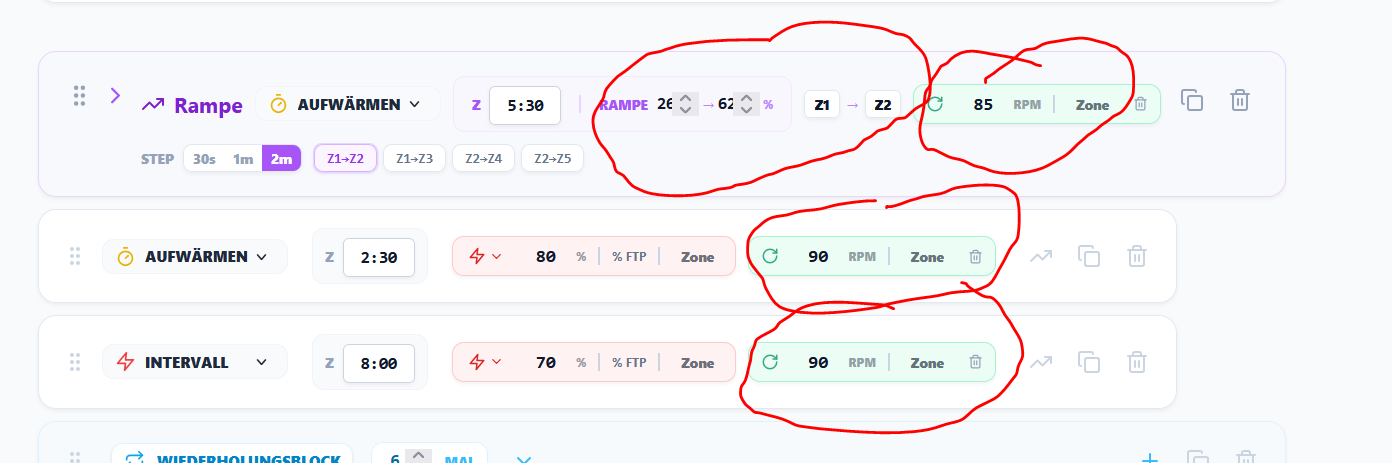
Hi txuselo, this is an AI-generated workout. Unfortunately, it still has incorrect cadence settings (even though the coach has saved the instructions) and incorrect zones.
Thanks for reporting this — you were right. I traced the issue and found the bug.
When you save instructions via the coach chat (e.g. cadence preferences, zone overrides), they get stored correctly in the system. The single workout generator (when you ask “create me a workout” in chat) reads those preferences and applies them. However, the plan workout generator — which is what creates the workouts for your training plan — was using a different code path that skipped loading your saved preferences entirely. So it fell back to generic defaults (85-90 RPM cadence, standard Coggan zones) regardless of what you told the coach to remember.
Fixed in v0.16.11 — plan workout generation now loads your saved preferences and injects them into the prompt, same as the chat path already did. If you regenerate your plan workouts, they should now respect your instructions.
Let me know if the cadence and zones look correct after regenerating.






 your program will ever be truly finished because you’ll constantly find improvements and respond to your customers’ requests—just look at David and his amazing team. So don’t despair, just keep going!!