[Project Share] PlanWatts: I built an AI assistant to build Intervals workouts

Hi txuselo,
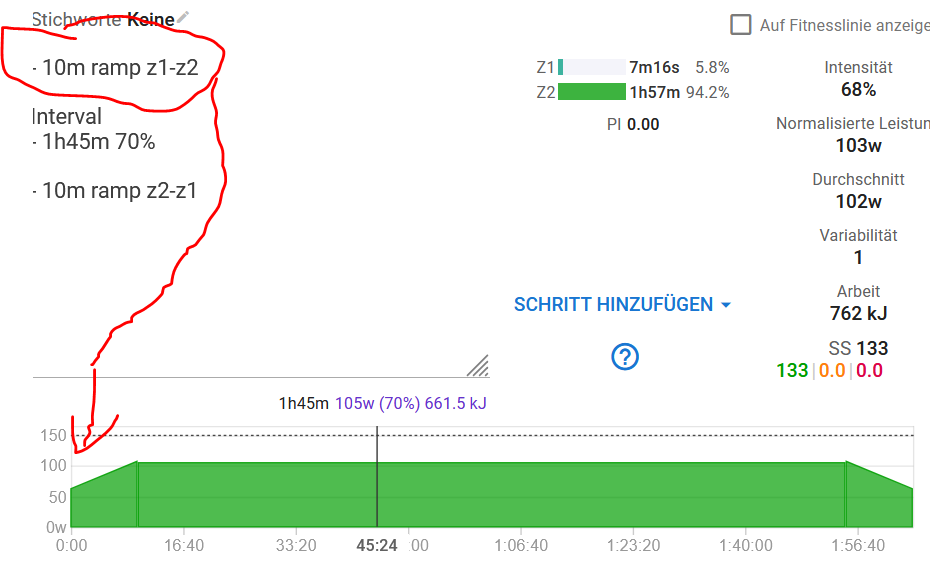
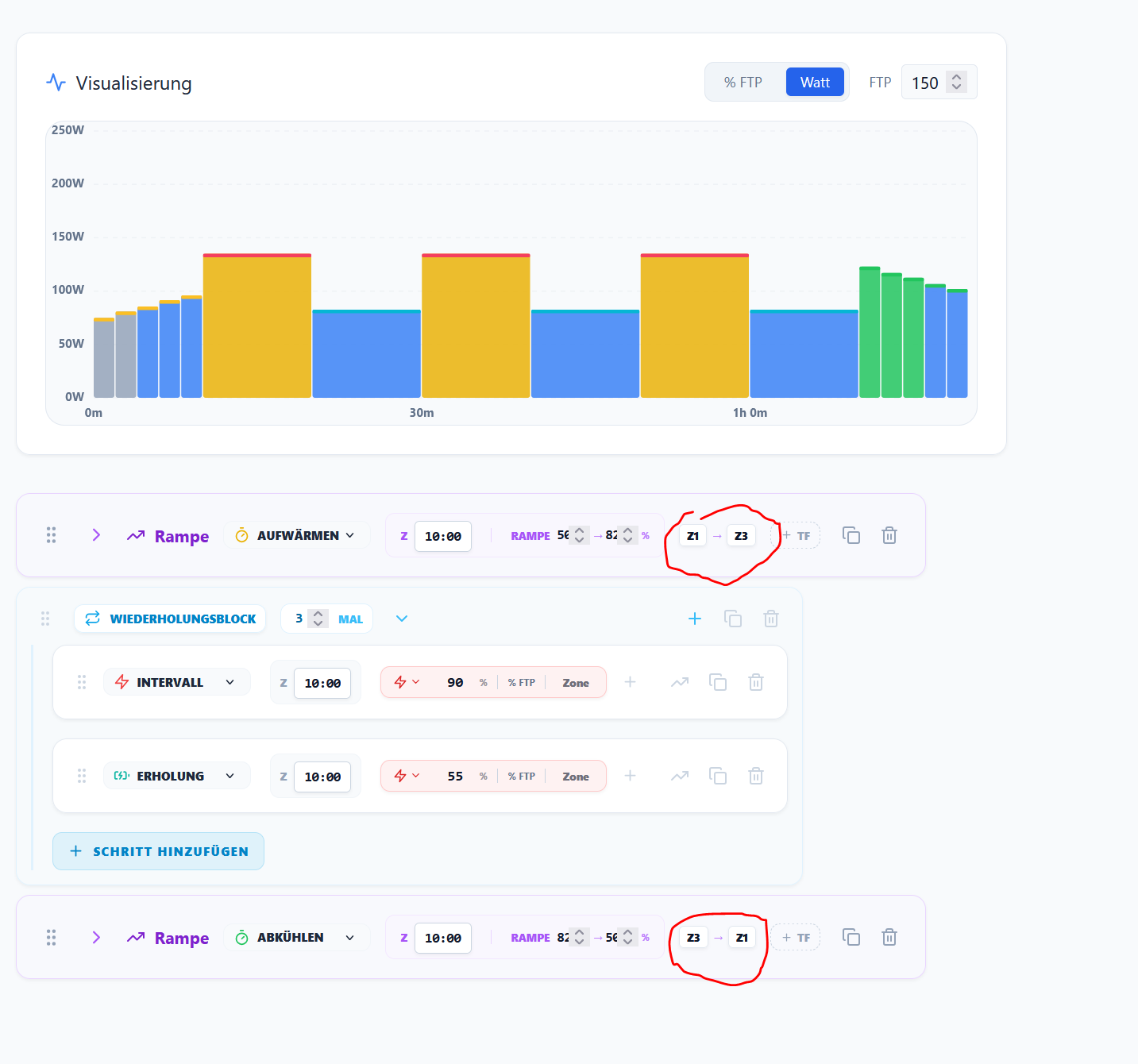
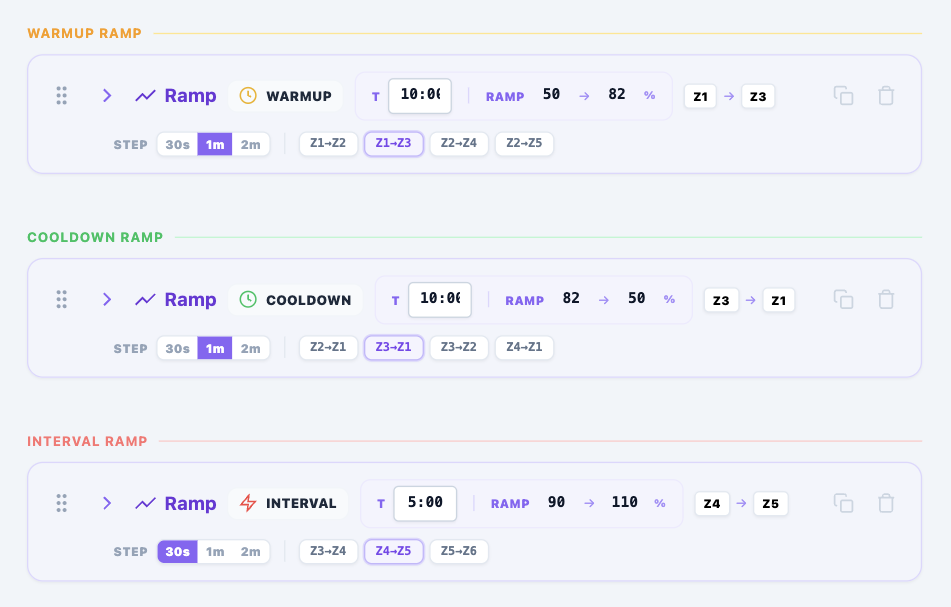
if you look at the two ramps (warm-up/cool-down), I’ve selected the same zones and set the same wattage values, but I’m getting different results. Furthermore, if I change the time of an interval and then a zone, the interval reverts to its original time.

Update:
The mistake was on my side, but adjusting the ramps is indeed somewhat cumbersome.

Hi Cooper, thanks for the bug report! Great catch.

The issue is that when the AI coach generates a workout with ramps, it sometimes stores the individual power steps with values that don’t match the ramp’s configured start/end power. So while the ramp says “56% → 82%”, the internal steps the chart reads from might still have older values like “50% → 75%”. That’s why you see different bar heights for two ramps that should look the same. (You can also force this inconsistent situation by hand)

The fix: I’m adding a guardrail so that every time a workout is saved — whether it comes from the coach, the editor, or an import — the ramp steps are always recalculated from the configured power range. This way the chart, the export to Intervals, and the actual ramp config can never get out of sync.

I’m also thinking about making ramps less cumbersome to configure. Two things I’m planning:

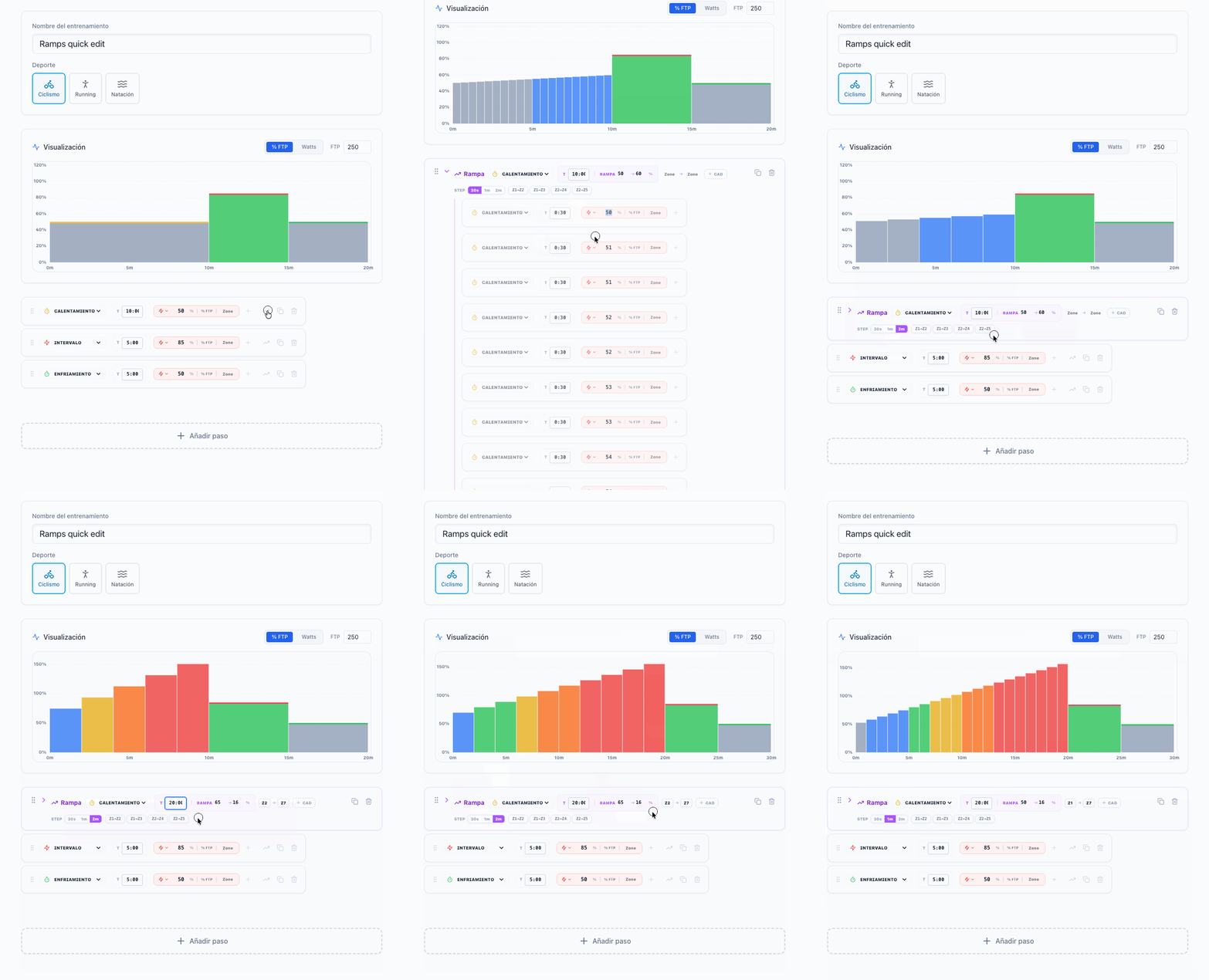
  1. Step granularity control — a small 30s / 1m / 2m selector so you can choose how fine-grained the ramp steps are. Right now it defaults to 1 minute and there’s no way to change it. Shorter steps = smoother ramp on the device, longer = fewer steps to scroll through on Intervals.
  2. Quick presets — one-click buttons like “Gentle Z1→Z2”, “Standard Z1→Z3”, “Progressive Z2→Z4” that auto-fill the power range and zones in one shot instead of having to set each value manually. These adapt to the ramp type — warmup presets go up, cooldown presets go down.

Would love to hear if that matches what felt cumbersome to you, or if there’s something else I should look at.

Will let you know once it’s deployed!

That was exactly the point. I changed the time from 1m to 2m and deleted the unnecessary intervals; the remaining ones retained their old values.
Intervals makes it super easy. Time & zones and the ramp is ready, but your suggestions are going in the right direction.

1 Like

Take a look at this:
ramps-quick-edit

I will deploy this with the next feature release! It took a bit longer than usual this time because the upcoming version includes a paywall. We’ve grown to over 150 users (which is amazing!), but up until now, I’ve been paying all the AI bills out of pocket. To keep this project alive and sustainable, I’m going to need the help of some supporters

It looks very good and can be used individually by everyone.
I don’t find it surprising either; it’s a great program.

1 Like

Are the charts limited in some way? I’m suddenly not getting any response.I’d rather not start a new chat, because then the settings will be gone.

Hi! Sorry about the stuck chat, I’ve identified a bug where after very long conversations, the chat can get stuck and stop responding to new messages.

In the meantime, you can safely start a new chat. Your profile, zones, wellness history, and training data all carry over automatically.

I’m also building a new feature based on your feedback: you’ll be able to tell the coach things like “Remember: always calculate my Recovery Score with these weights…” and it will save it as a permanent instruction. That way it works across all your chats!

1 Like

The execution is now even better than before.

1 Like

Are you experiencing a complete system crash?

networking issues… it should be working now! Thanks for the alert

1 Like

v0.14.5 — Payments, Subscriptions & BYOK

March 18, 2026

PlanWatts now has real pricing — and it’s designed to be fair.

After weeks of tracking real usage data, the monetization system is live. Two tiers, no locked features, and a BYOK option for power users.

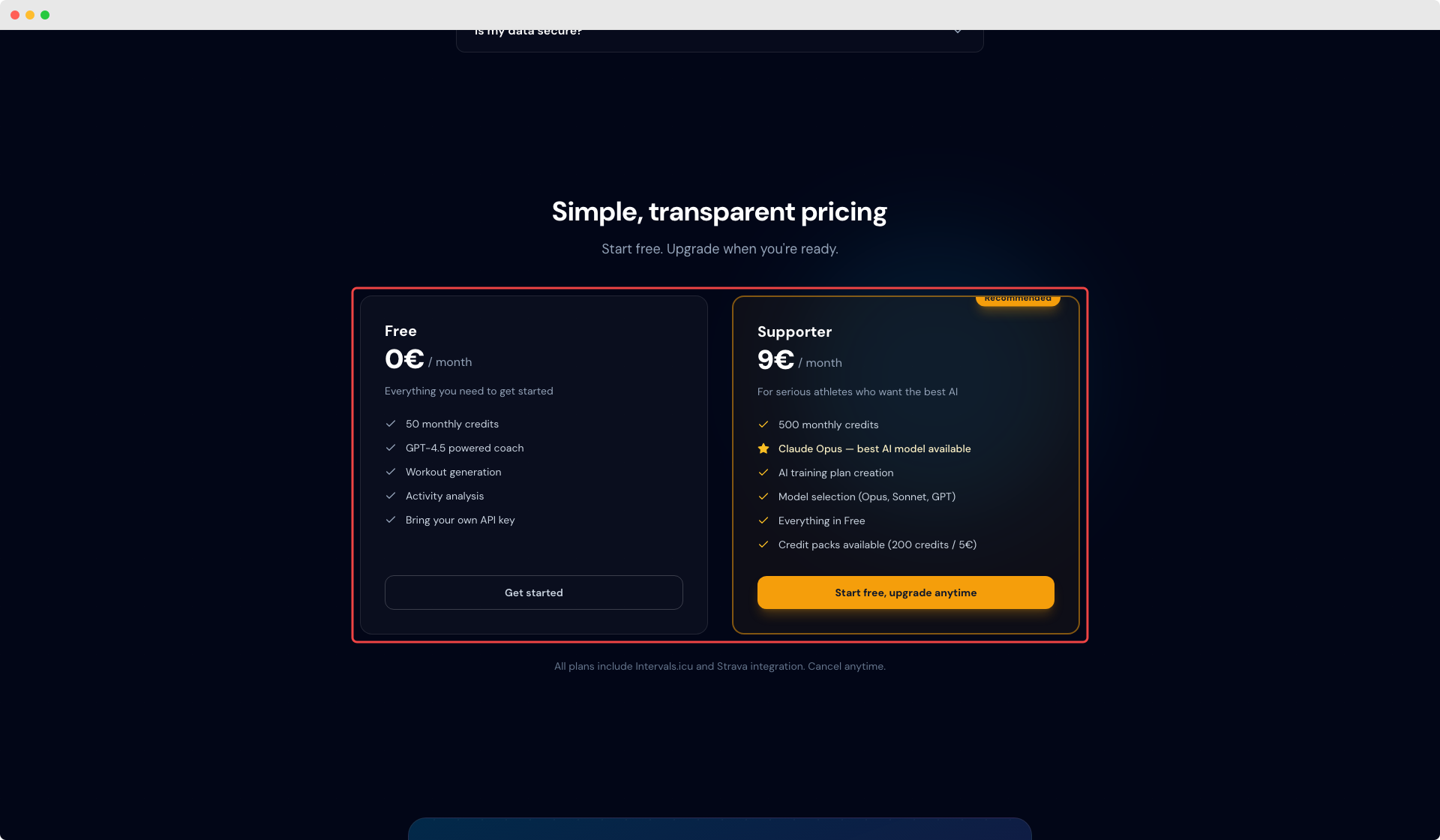
Free & Supporter tiers

  • Free — 50 AI credits/month with GPT-4.5. Every feature is available, no paywalls

  • Supporter — 9€/month for 500 credits/month and access to Claude Opus, the most capable model available. Manage your subscription anytime via the Stripe Customer Portal

  • Credit packs — Need a quick top-up? Buy 200 credits for 5€ (one-time, available to all users)

When your credits run out, the AI gracefully falls back to a lighter model (GPT-4o-mini) instead of blocking you. You’re never locked out.

The one exception is AI training plan creation — designing a periodized plan requires deep reasoning about your fitness history, goals, and long-term progression that the fallback model can’t handle reliably. Plan creation requires Supporter credits or BYOK. Everything else (chat, workouts, analysis, calendar) works on any tier.

Read the full details at Billing & Credits.

Bring Your Own Key (BYOK)

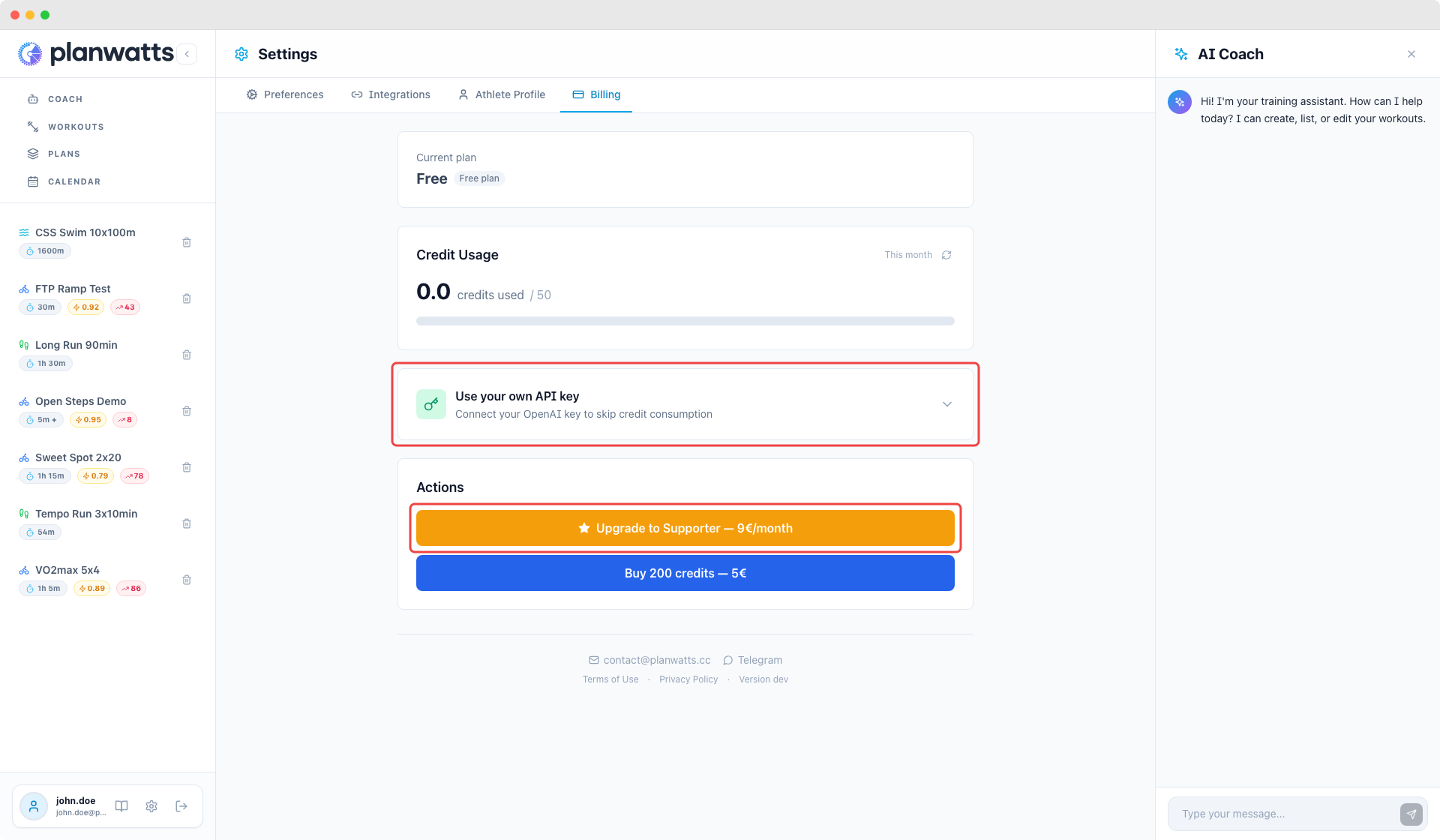
If you have your own Anthropic API key, you can plug it in under Settings > Billing and use Claude Opus without a Supporter subscription. BYOK is available on any tier — it’s a feature, not a plan.

Pricing page & promo codes

The landing page now has a full pricing section with tier comparison. Promo codes work at Stripe checkout — share them with your training group.

Activity route maps

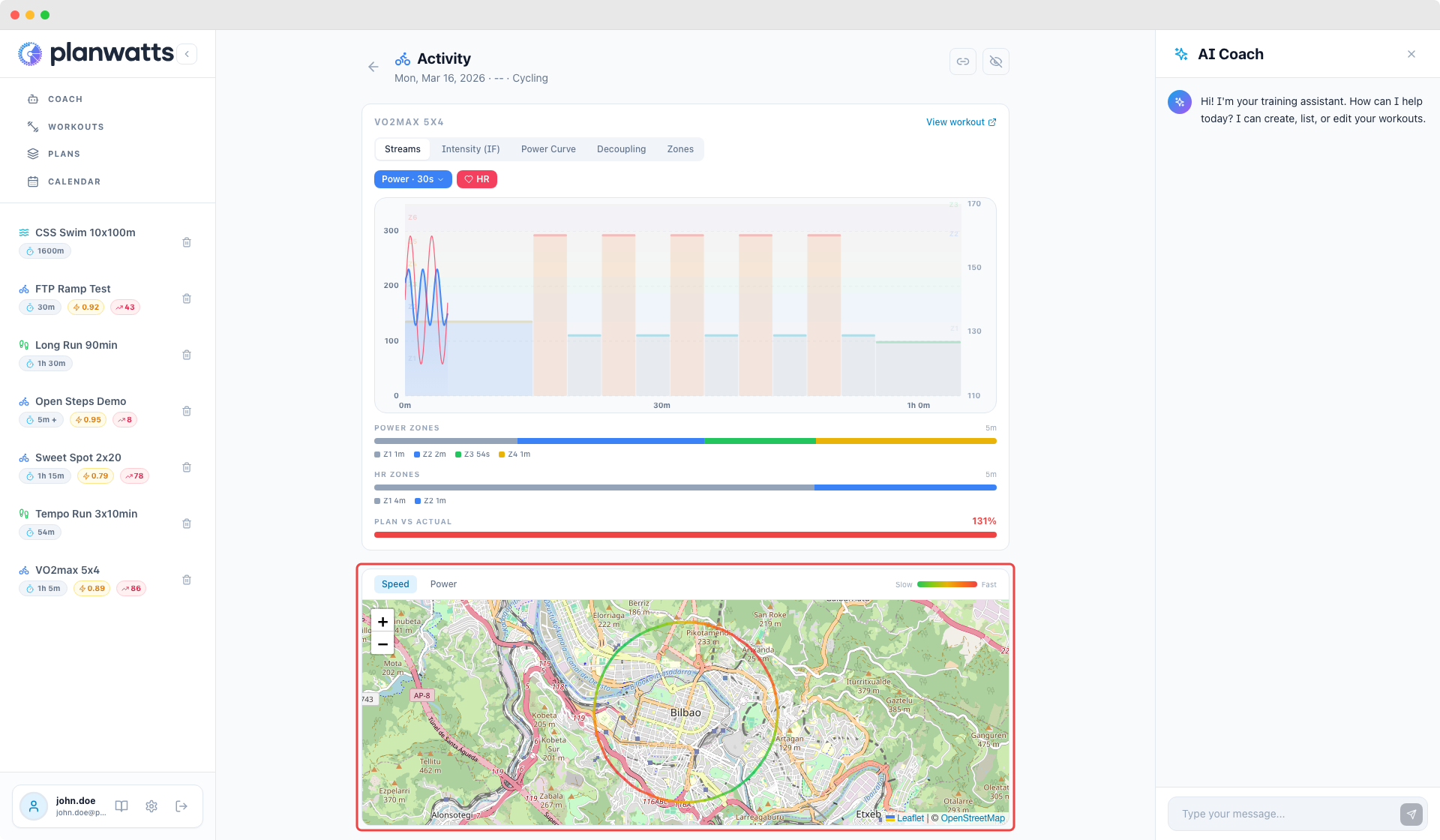
Activity detail pages now show an interactive OpenStreetMap with your GPS route, color-coded by speed or power. Toggle between them with a click. Activity comparisons overlay both routes on the same map (blue dashed vs orange solid).

Coach Memory

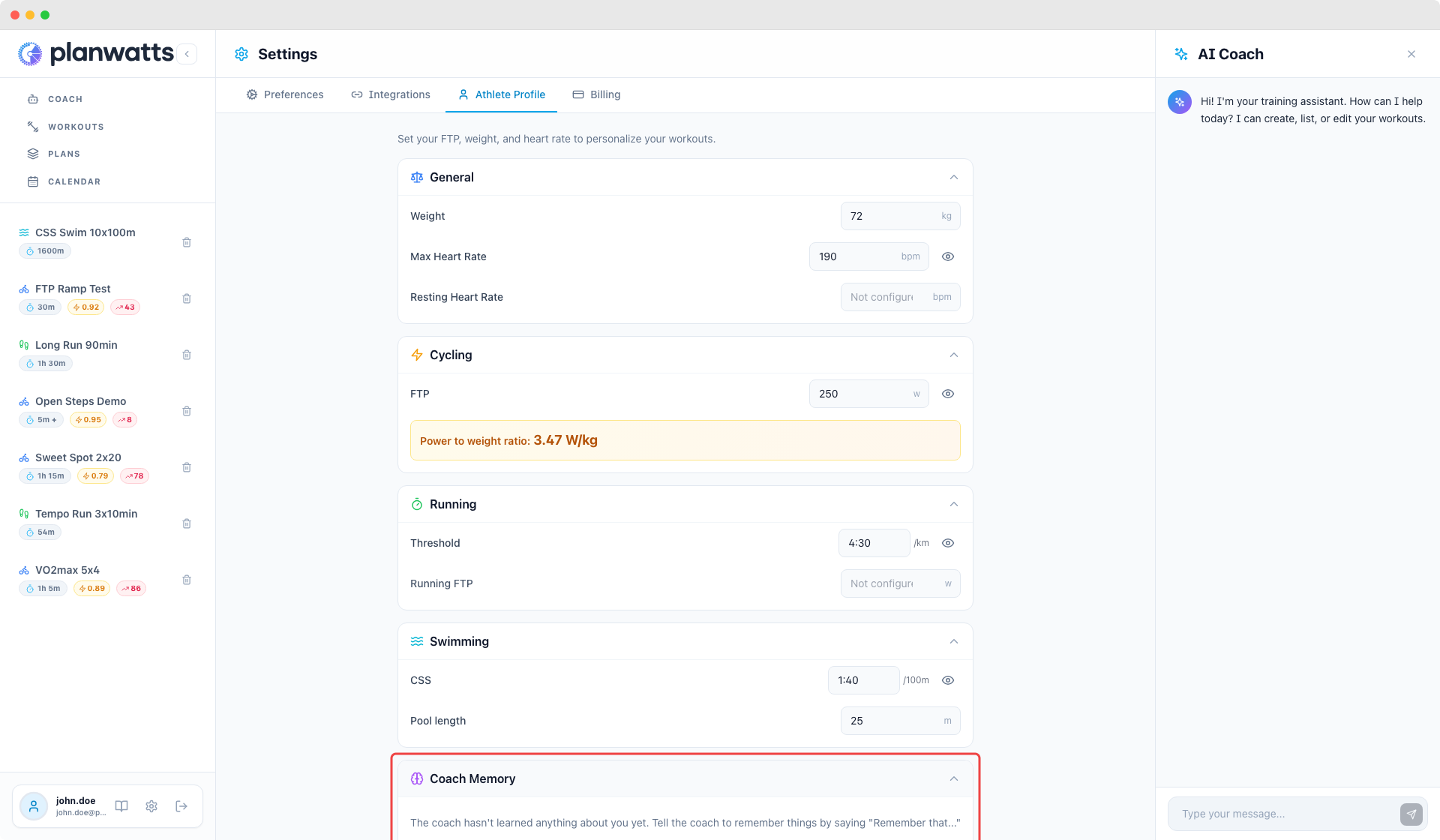
Tell your coach to remember things — “Remember that I always warm up for 20 minutes” or “Remember my left knee is recovering”. The coach saves it (with your confirmation) and uses it in future conversations. View, edit, or delete saved notes in your athlete profile under Coach Memory. Learn more at Coach Memory.

Strava-only activity analysis

You no longer need Intervals.icu to get full activity analysis. If you only have Strava connected, PlanWatts fetches streams directly and gives you the same deep analysis — intervals, zones, scores, and coaching insights.

More improvements

  • Ramp step granularity — Choose 30s, 1m, or 2m steps for ramps. Shorter = smoother on your device

  • Ramp zone presets — Quick-pick buttons (e.g. Z1→Z3) that auto-fill power range. Adapts to ramp type: warmup goes up, cooldown goes down

  • Calendar sync reconciliation — Detects events deleted from Intervals.icu and shows a visual indicator with a re-sync option

  • Graceful credit exhaustion — When credits run out, AI falls back to a lighter model instead of blocking

  • Delete account — Ability to delete your PlanWatts account and all the records that the system has

  • Mailing — You will receive mails with your account changes

As always I’m open to hear your thoughts!
Thanks for using PlanWatts and for being part of this from the early days!
1 Like

Hi txuselo, first of all, thank you!! :folded_hands:

I have to say, this is a fantastic update. The coach memory is a great addition and helps users save money because no questions need to be repeated – superb. Does the credit run out faster with Claude than with OpenAI? The idea with the credit pack is also very clever; nothing is worse than suddenly running out of credits but still having unanswered questions. I also really like the route map with its two settings!
The lack of an AI training plan in the free version might deter some users. Perhaps you could offer the option to unlock a training plan when creating an account, as this is a feature that motivates many athletes to use an AI tool. Seeing how well your program works would likely encourage them to upgrade to the supporter role more quickly.

Otherwise, thanks again and congratulations on a successful update!

I forgot something. Many people don’t want to pay by credit card, but prefer PayPal, for example. Perhaps that’s another option for you.

1 Like

Hi Cooper, thank you so much for the continuous feedback — I really appreciate it. It helps me improve PlanWatts every day.

Coach memory — Glad you like it! Since it’s a brand new feature, if you run into any issues or notice it behaving unexpectedly in some scenario I didn’t account for, please let me know. New features sometimes need a few adjustments.

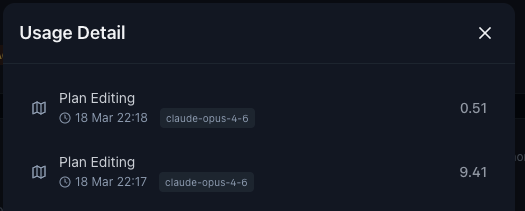
Credits & Claude vs OpenAI — Yes, Claude does consume credits faster because it’s considerably more expensive to run. That said, the 500 credits included in the Supporter plan are designed to comfortably cover a user’s daily coaching needs with Claude — not unlimited, but not restrictive either. And as you mentioned, the credit packs are there as a safety net so you’re never left hanging.

Training plan in the free tier — I’ve been testing this with cheaper models and honestly, the results aren’t good enough. Generating a decent weekly plan costs around 10 credits with a capable model, and the experience with a budget model just isn’t up to standard. I’d rather not offer something that gives a poor first impression. That said, free users aren’t left without options: the app is free to use, creating a plan and syncing it with your platforms is also free, and you can generate standalone workout sessions with the AI and then fill in your plan manually. The AI-powered plan filler specifically is what’s reserved for paying users.

1 week generation:

PayPal & payment methods — Great timing on that note! I’ve already enabled PayPal and nearly every other payment method that Stripe supports, so users should now have plenty of options beyond credit cards.

Thanks again, Cooper, your feedback is invaluable!
Cheers,
Jesús

The way you described it, the AI ​​training plan doesn’t actually make any sense.

Hey Cooper, you’re completely right to question it based on how I explained it, I left out a massive piece of the puzzle! My bad.

When I said it costs 10 credits, I meant just generating the individual workouts for the week from the UI button. But the real AI training plan does way more: talking to the coach to generate the periodization plan, setting weekly goals, defining training phases, and finally scheduling the week while taking into account the athlete’s current status, events, notes, memory, and injuries.

​That entire orchestration consumes significantly more than the 50 credits free users get. If I unlocked it for the free tier, they would run out of credits right in the middle of the process, leaving them with a broken and frustrating experience. Plus, frankly, from a sustainability standpoint, this full AI orchestration is the core premium feature that incentivizes users to become Supporters and keeps the app alive. In fact, on Intervals, the ATP feature is also reserved for supporters. I want to respect his model and definitely don’t want to undercut David.

Does that make more sense now? Let me know if you see it differently, I really value bouncing these ideas off you

1 Like

No, we agree on that.

1 Like

Hi txuselo, the Coach storage switches the language sometimes to English and sometimes to German?!
And another question: Do unused credits expire at the end of a month, or are they credited to the next month?

Hi Cooper. Yes, the AI’s chain of thought is in English, so it naturally stores these internal context notes in English by default. The exception is direct instructions, if you speak to it in German, it will likely store that specific note in German. Either way, I can set it up to translate and display all the notes in the user’s local language

Perfekt

And another question: Do unused credits expire at the end of a month, or are they credited to the next month?