[Project Share] PlanWatts: I built an AI assistant to build Intervals workouts

PlanWatts 0.9.3 — Your Intervals.icu ATP now talks to PlanWatts (and back)

A lot has happened since the last update. Some of you asked for specific things in the forum — this release is a direct response to those conversations. Here’s what’s new.


In-App Help Docs

PlanWatts now has a docs section accessible from the sidebar or at planwatts.cc/docs. Covers getting connected, training plans, the AI coach, workouts, calendar, activity analysis, and settings. Available in all 6 languages.

I wrote the training plans guide specifically to explain how ATP sync, weekly targets, and workout generation fit together — it was getting too complex to just announce features without showing the full picture.


Intervals.icu ATP Integration

This one was sparked by @Marco_Saraceno’s request: “allow PW to pull the planned load/time directly from Intervals.icu”. Done.

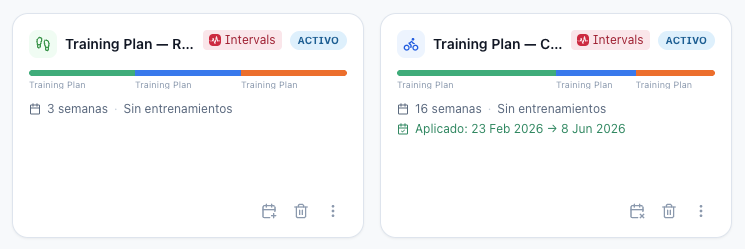
If you’ve built an Annual Training Plan in Intervals.icu, PlanWatts can now read the whole thing — phases, weekly load/time targets, recovery weeks. It becomes a plan inside PlanWatts that the AI coach uses as context.

What this means in practice:

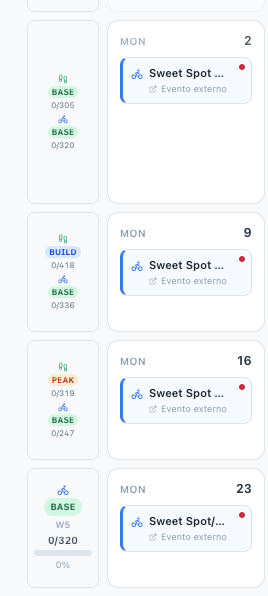
  • The coach knows your phase. If you’re in Base, it generates Z2 rides. In Build, it shifts to threshold and VO2max work

  • Weekly TSS targets come from your Intervals ATP. The coach aims for them, but treats them as a guide rather than a rigid law — if your HRV is tanking, it’ll flag it

  • A sync button on the Plans page keeps everything in sync: pushes local changes to Intervals, pulls remote target edits back

It works both ways. Create a plan in PlanWatts and it shows up as a proper ATP in Intervals.icu with phases and weekly targets. This was Phase 2 from the roadmap I shared.

As Marco suggested, the original ATP stays intact — PlanWatts adjusts weekly workouts without overwriting your big-picture plan. Strategic consistency + tactical flexibility.

Read more here! PlanWatts Docs | 7. Syncing Plans with Intervals.icu


Plan Editor Overhaul

The plan editor got a complete rework. The main additions:

AI generates workouts at three levels:

  • Full plan — fills all phases at once

  • Per phase — click the sparkle icon on any phase header

  • Per week — click the sparkle icon on any week’s target cell

The AI matches your weekly TSS target, adapts intensity to the phase type (easy aerobic in Base, threshold intervals in Build, race-pace in Peak), and distributes sessions across your training days. You see a preview before anything is applied.

Lock/unlock workouts. Manually tweaked a workout and want to keep it? Lock it. The AI generates around locked sessions without replacing them.

Phase +/- buttons. Expand or shrink phases directly from the editor. Subsequent phases shift automatically to keep everything contiguous.

Plan setup modal. A single modal generates your plan structure + weekly targets with AI rationale and a recovery-week preview based on training science.

Full walkthrough in the docs: PlanWatts Docs | Training Plans


One-Click OAuth for Intervals.icu

No more copy-pasting API keys. Go to Settings > Integrations, click “Connect with Intervals.icu”, authorize, done. The connection persists indefinitely — no token refreshes, no expiration.

The API key method still works if you prefer it.


Bug Fixes

A bunch of things reported by users:

  • Spanglish coach responses@RuiMendes83 spotted this. The coach was mixing Spanish fragments into English responses. Fixed — the AI now responds cleanly in whatever language you’ve set

  • HR zones wrong in analysis — Also reported by Rui. The analysis was using generic zones instead of your personal ones from Intervals.icu. Now uses your actual zones

  • Garmin not showing pace alerts — Running workouts synced to Garmin weren’t triggering the pace gauge on the watch. Fixed by exporting pace/HR ranges instead of fixed values

  • Plan dates shifted one day — In UTC+ timezones (like Spain), selecting Monday as start date would register as Sunday. This was causing plans to sync to the wrong week in Intervals. Fixed

  • Old conversations showing “…” — Conversations created before the title generation fix never got a name. Now auto-generates titles for old conversations in the background


Try it at planwatts.cc — and let me know how the ATP sync works for you.

4 Likes

The In-App Help Docs are very helpful - Thanks

1 Like

Thanks! It was a pending task from the very beginning!

Great news!

PlanWatts is now officially live on the Intervals app marketplace. :tada::tada::tada:

Check it out here: Intervals.icu

Big thanks to @david for the help!

1 Like

@txuselo I have been busy at work in the last few days and I may have missed some updates. Yesterday I was trying the new features, but I am not sure if it is me that is missing something or what I am trying is not yet implemented.
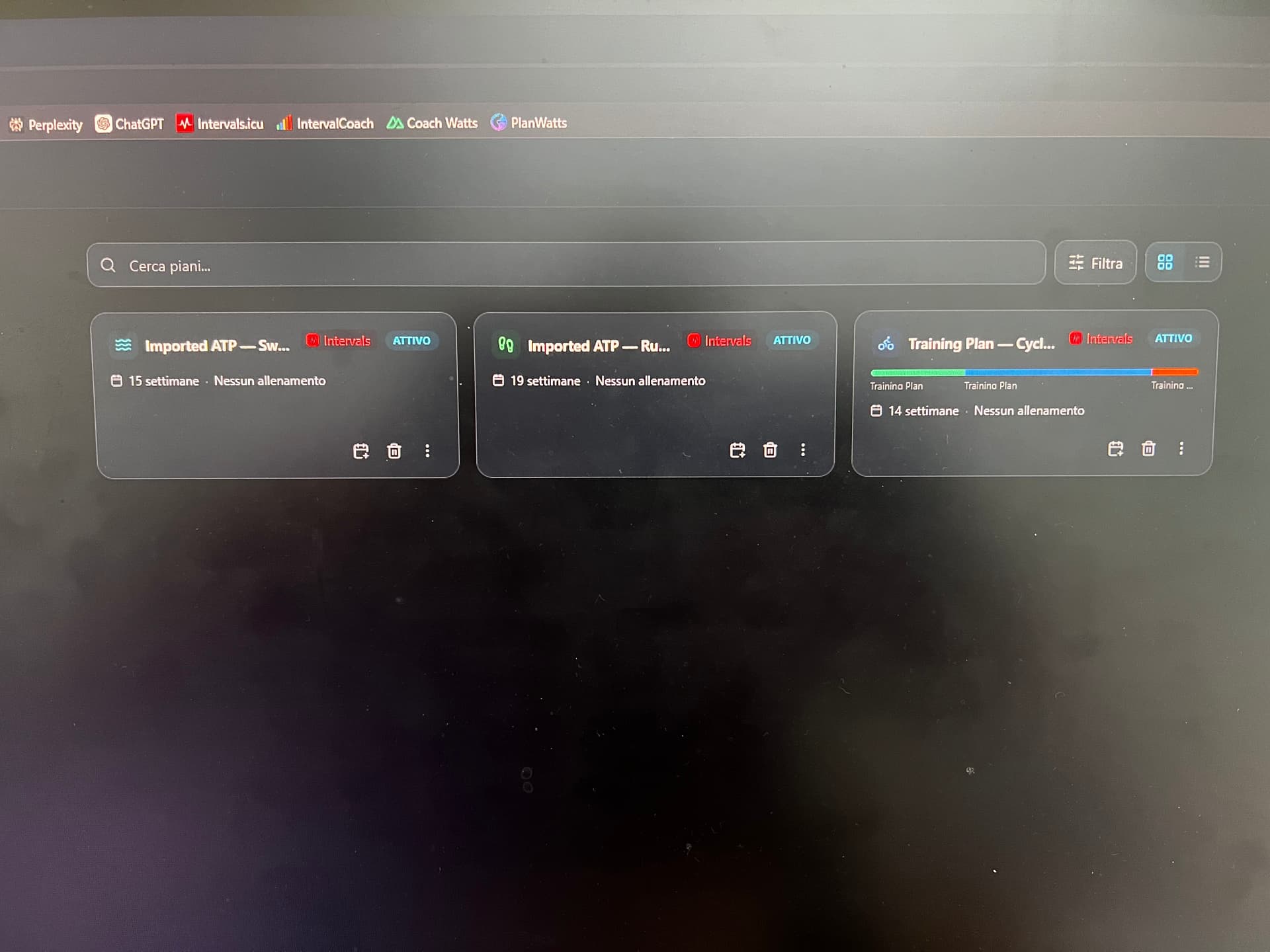
My ATP in intervals is build for triathlon, as such I have 3 individual plan, for run, bike and swim. When I try to sync PlanWatts, it looks like I am able to sync only one.. is it correct?

1 Like

Hey Marco! Thanks so much for reaching out about this. You’re spot on, you aren’t missing anything, it’s definitely a bug on my end with how multi-sport plans are imported. Sorry for the headache!

The good news is that I’ll be uploading a patch today to get this fixed for you. I’ll shoot you a message as soon as it’s live and ready to go!

1 Like

Hey again! Just following up as promised, the patch is live!

The multi-sport import is officially fixed. Now, when you click ‘Import Annual Training Plan,’ PlanWatts will automatically detect the different sports in your Intervals.icu ATP. So for your triathlon setup, it will neatly create three independent plans (Run, Bike, and Swim) rather than mashing them together!

Just a quick heads-up: the plans import as inactive by default. To get them on your schedule, just open each one and click Apply to Calendar. You can apply all of them so they show up perfectly together in your weekly view.

Give it a spin when you have a chance and let me know if it’s working smoothly for you now

I gave it a try today, although something is off:

  • in intervals now I have one plan with three different Load and Time target, one for each sport. (I was forced to recreate it and now intervals allows to have a multisport plan!). The plan is 14 weeks long.
  • In PlanWatts there are three plan. Only one of the three is correct in terms of week, but it shows only the cycling load targets.


Today David has released the multi sport plans and there are some differences in the data that I’m getting from intervals. I have a patch pending to deploy to align with this new intervals feature

I will let you know when I release my patch

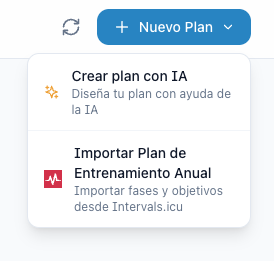
Fixed! Try reimporting your Intervals ATP from this dropdown

Let me know if you have any problem!

PlanWatts 0.10.0 — Your AI Coach now talks in cards, buttons & forms

If you’ve been following along, you’ve already seen some of these changes rolling out over the past few weeks — I’ve been shipping drops regularly to get feedback early. This release wraps it all up into a proper version with polish and fixes.

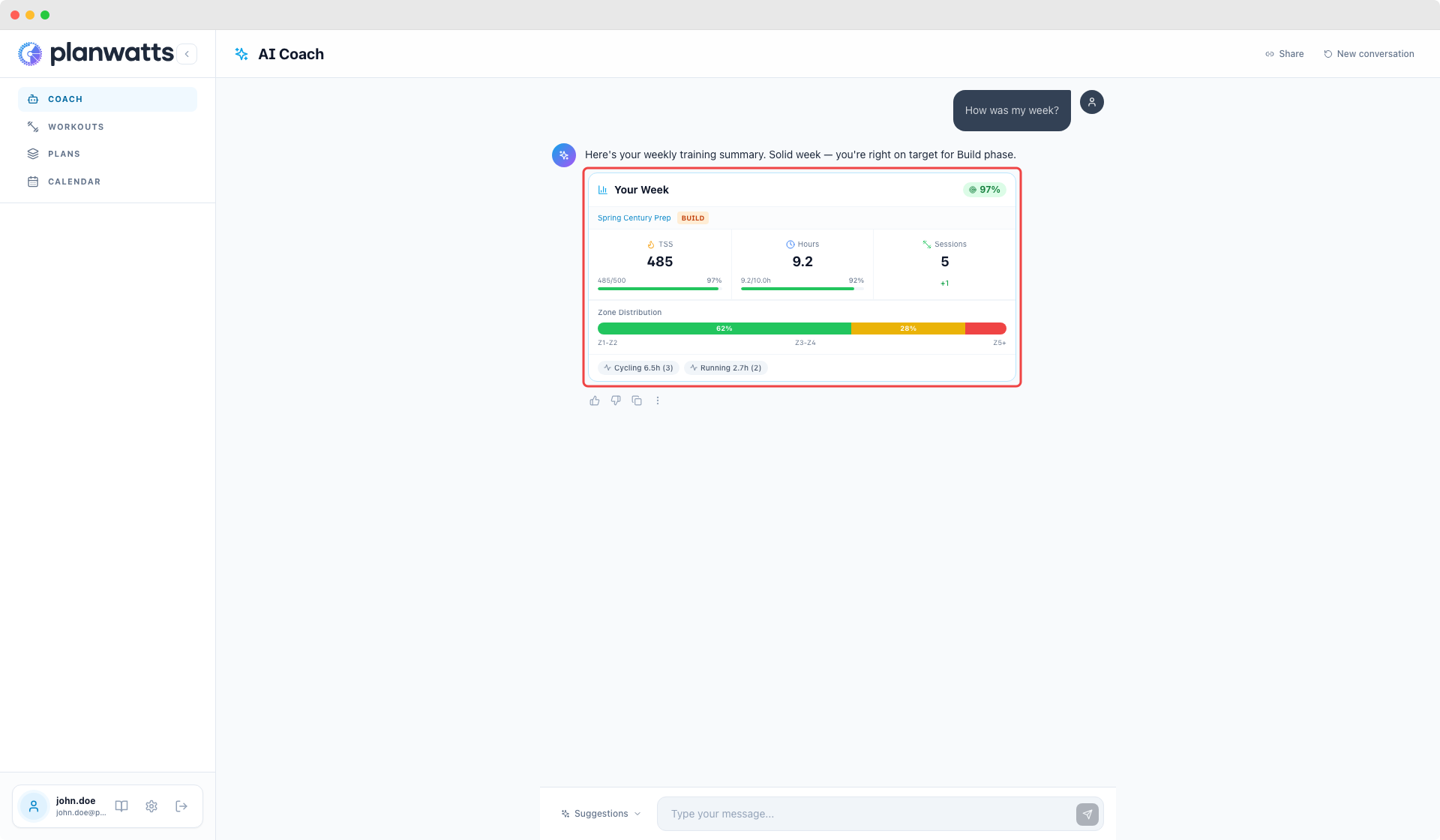
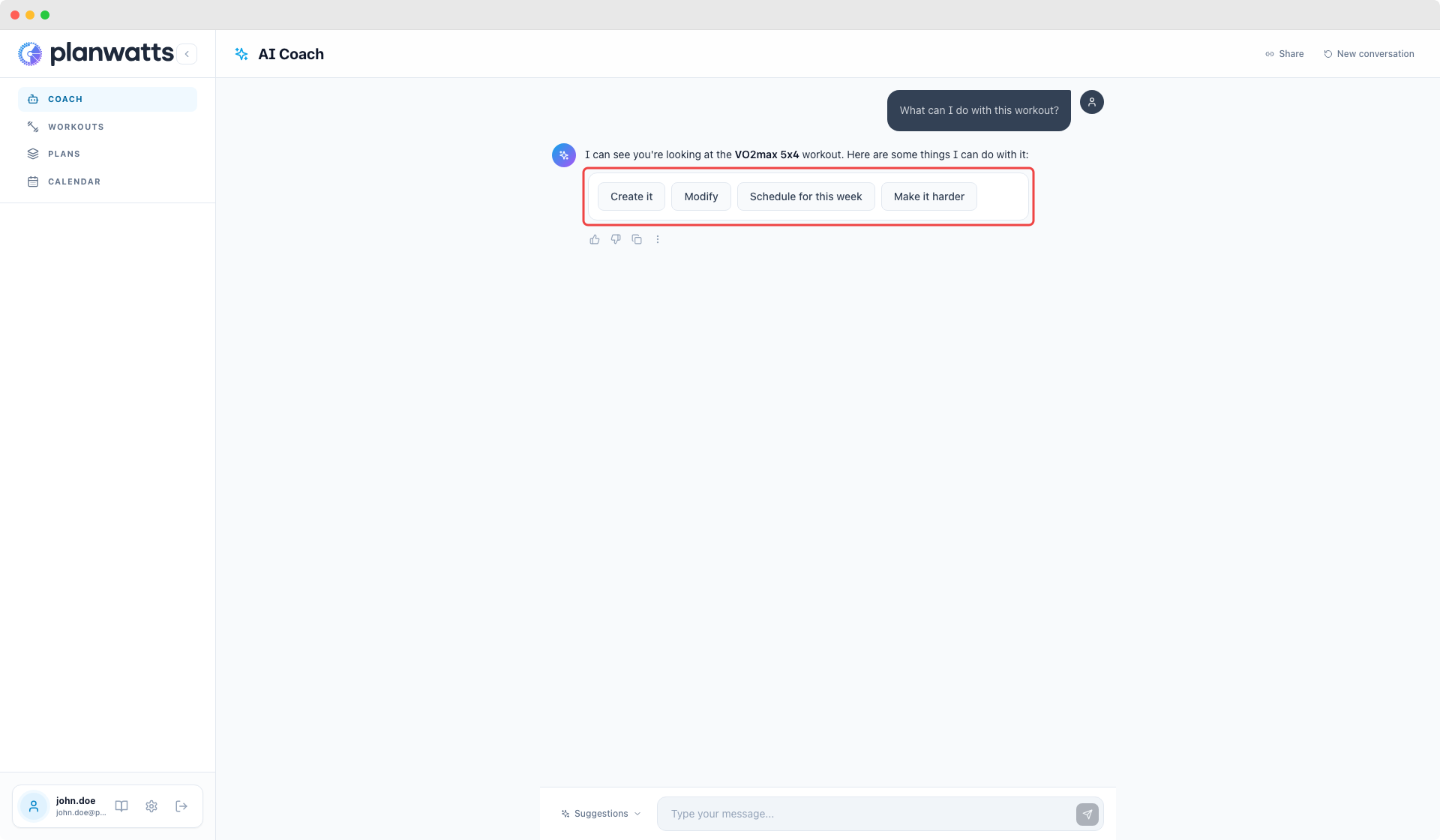
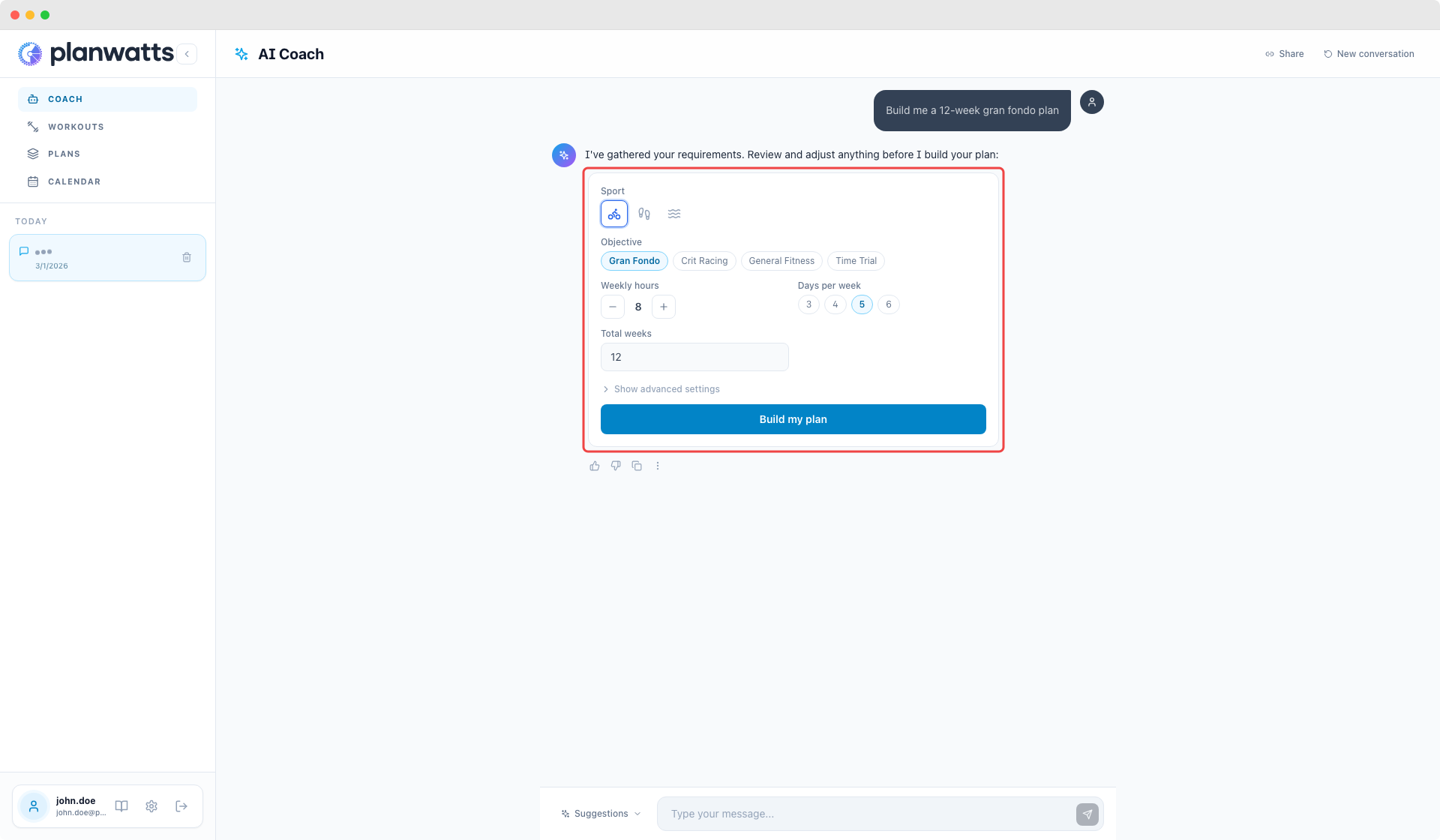
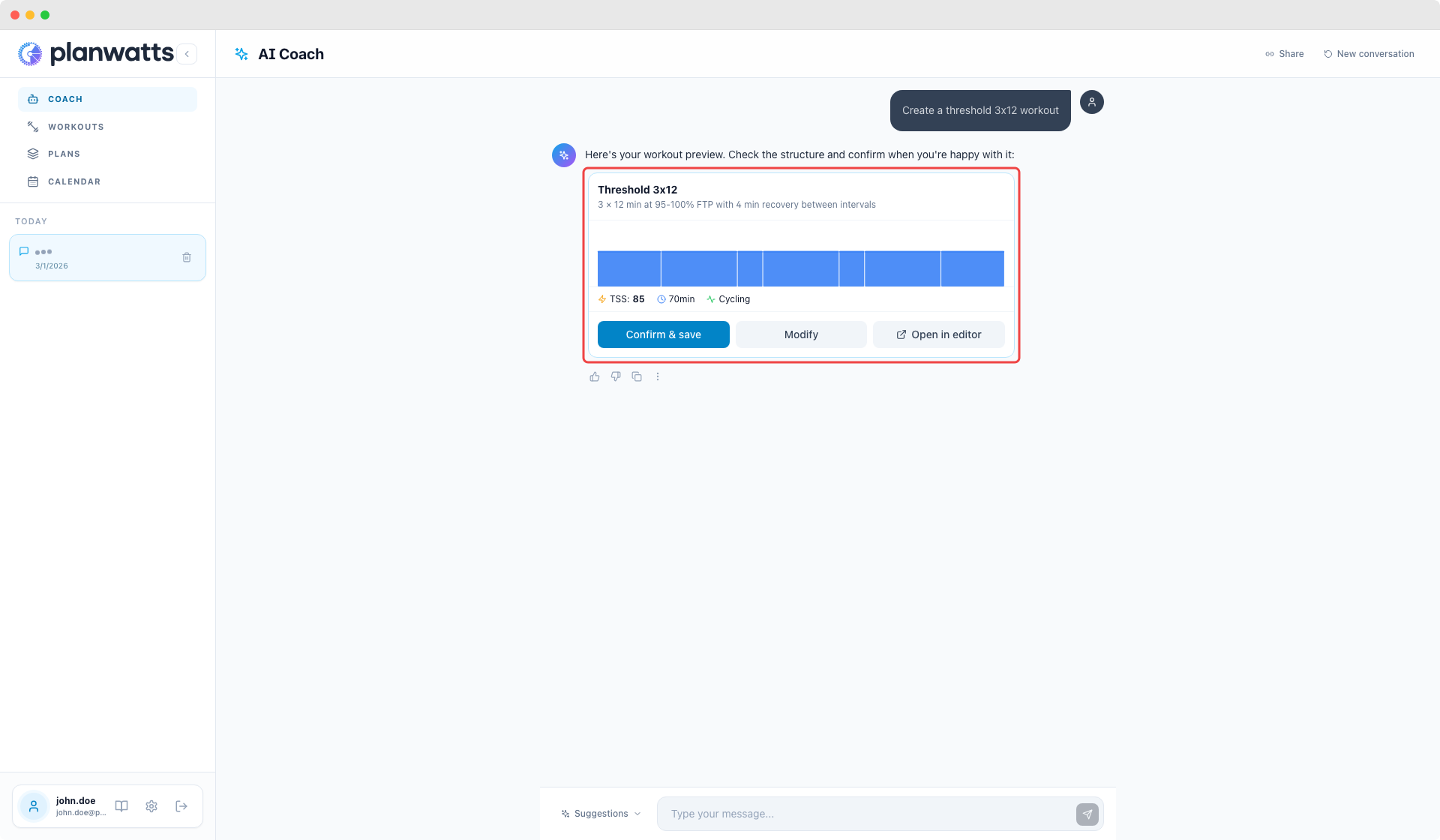
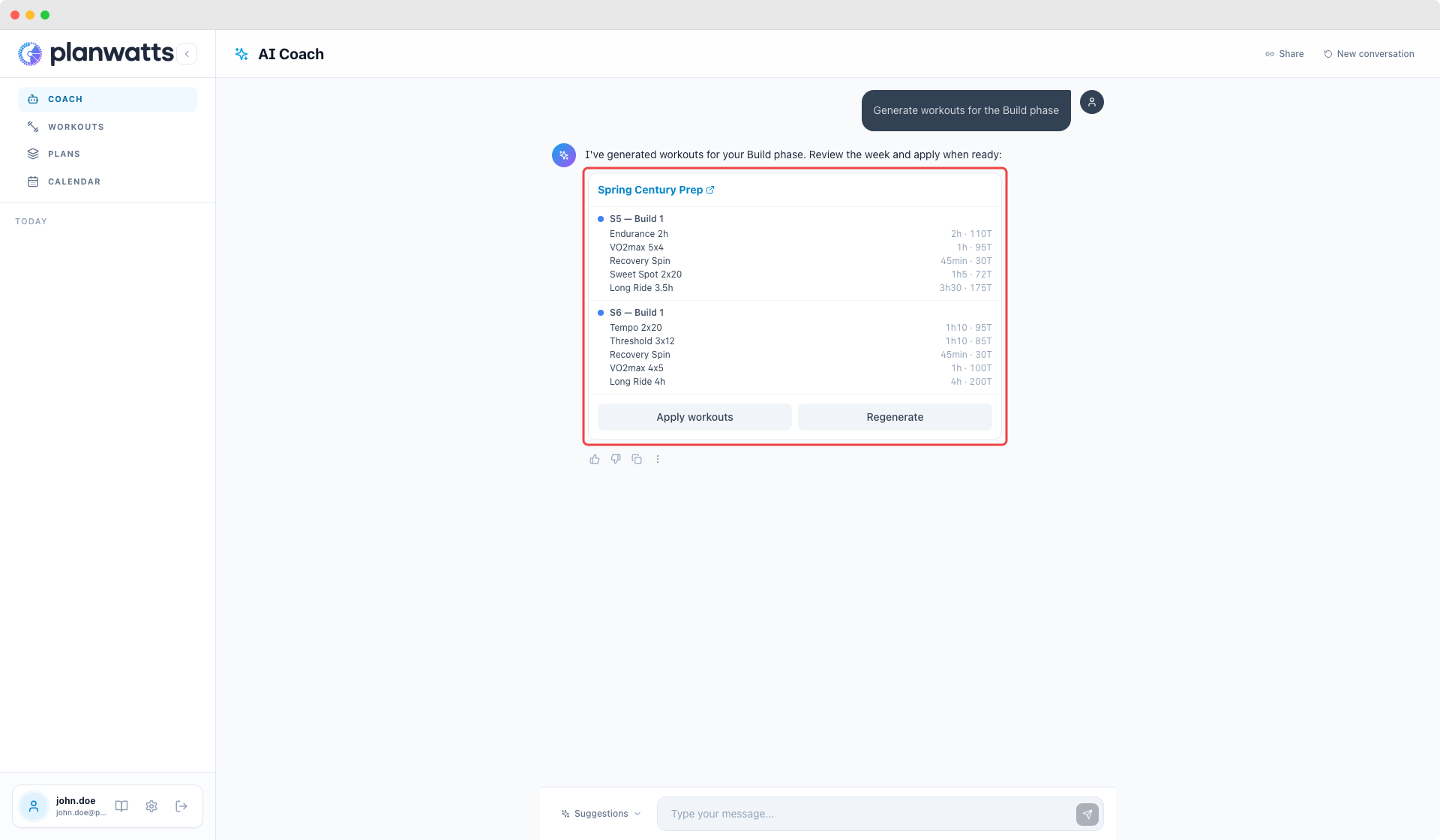
The big theme: the AI Coach no longer replies with walls of text. It now uses interactive cards, clickable buttons, and forms to communicate. It feels way more like using an app and less like reading an essay.

Interactive cards in chat

When you ask about your week, analyze an activity, or check your wellness, the coach responds with structured cards — compact, color-coded by sport, with the key numbers front and center. Activity analysis cards even show a score badge (1-10) so you can tell at a glance how the session went.

Clickable options instead of numbered lists

Instead of “type 1, 2, or 3”, the coach now shows real buttons you can click. Plan options even include direct links to the plan editor. No more copy-pasting or guessing what to type.

Plan creation in one step

Creating a plan used to be a 5-message back-and-forth. Now the coach shows a single form pre-filled with what it understood from your message. Adjust anything you want, hit submit, done.

Workout preview before saving

The coach no longer creates workouts behind your back. It shows you a preview first — you see exactly what it generated, and only when you click “Confirm” does it save. Same for plan workouts: preview the full batch, then apply with one click.

Smart sport detection

PlanWatts now learns your primary sport from your activity history. No more defaulting to cycling when you’re a runner or triathlete. If it doesn’t know yet, it asks with a sport picker instead of guessing.

Calendar sync that actually works

Fixed five separate bugs that prevented plan-to-calendar sync from working correctly. Moving workouts, deleting entries, and swapping phases now trigger a sync properly, and the sync badge shows up when it should.

Multisport ATP import

Completely rewrote how training plans import from Intervals.icu. Multi-sport plans (cycling + running + swimming) now import correctly — each sport gets its own plan with the right phases and targets. Previously, overlapping plans could corrupt each other.


Try it at planwatts.cc! As always, feedback welcome — let me know what you think.

2 Likes

v0.11.1 — Activity Comparison

March 3, 2026

Compare any two activities side by side — with AI analysis

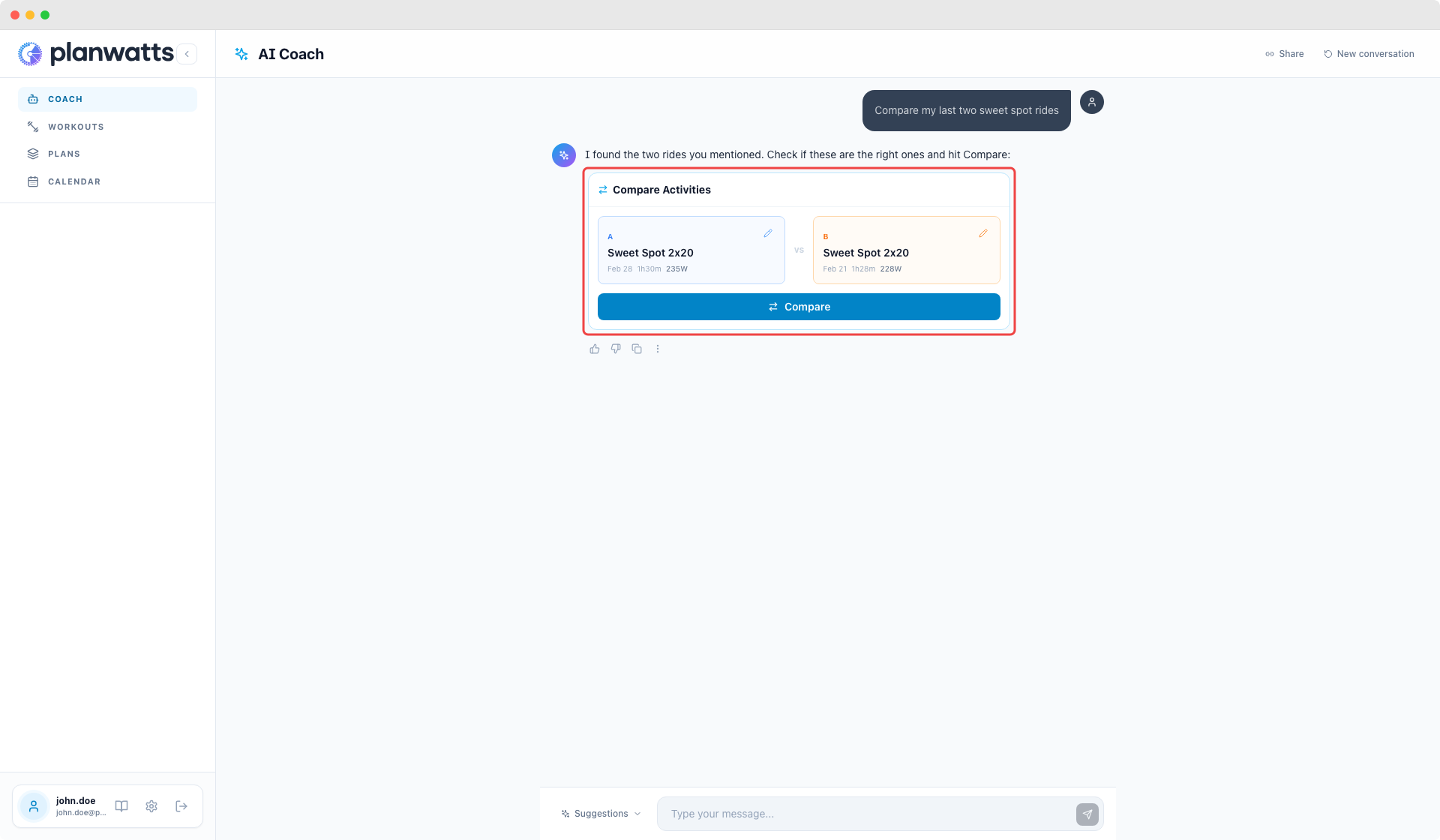
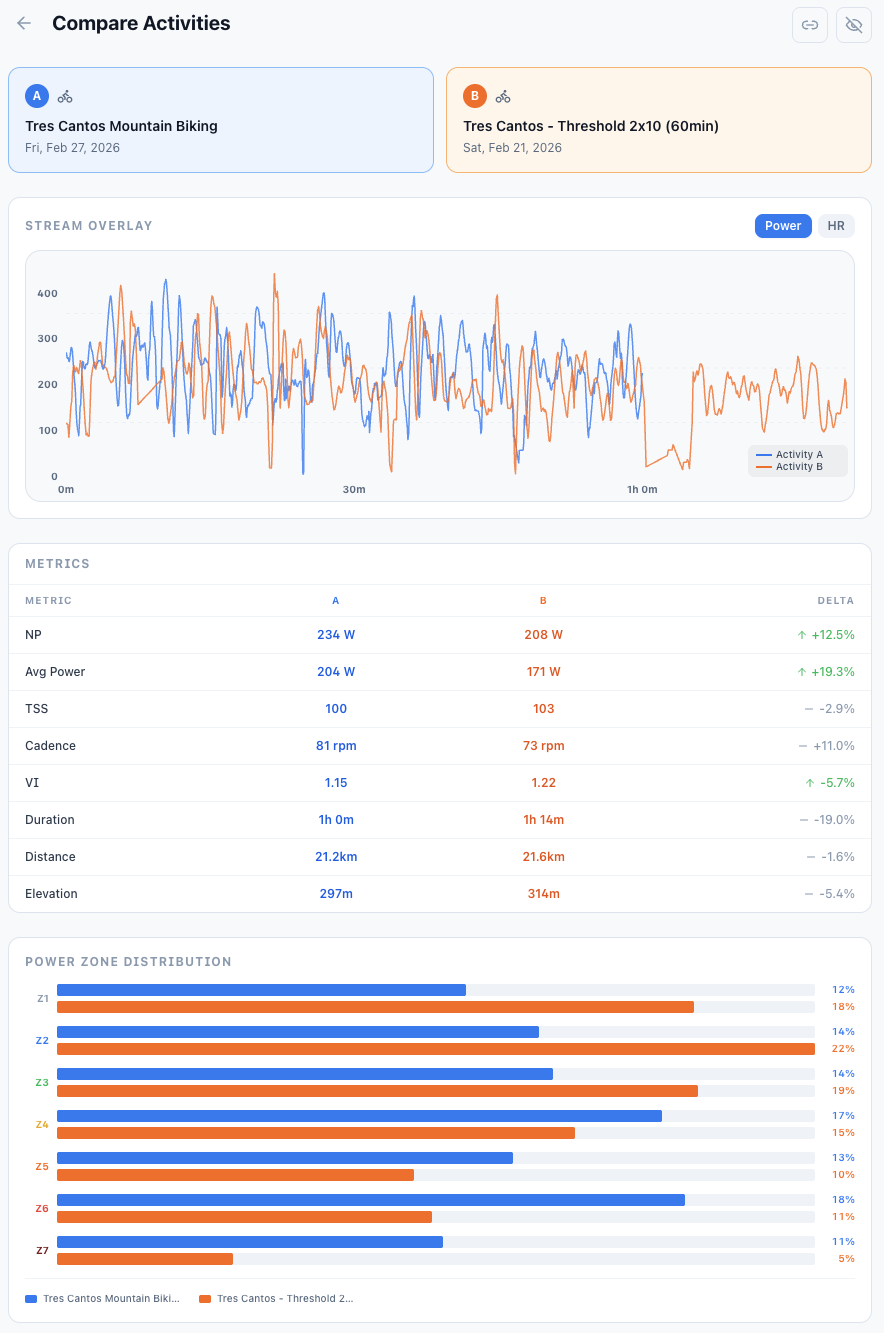
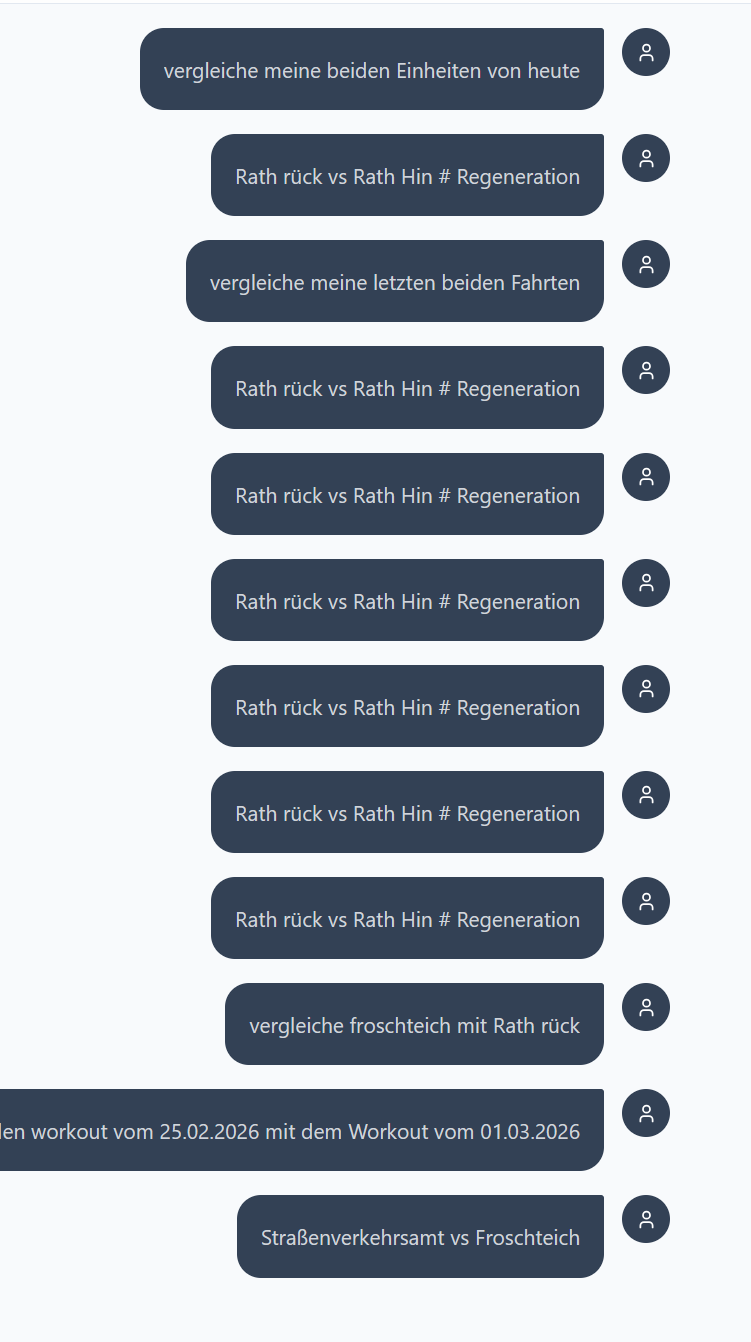
You can now compare two activities directly from the AI Coach. Just say “compare my last two rides” or “compare Friday’s ride with the one from the 21st” and the coach finds the right activities, shows you a confirmation card, and once you approve, runs a full AI analysis comparing performance, power, pacing, and progression.

Compare from chat with smart activity resolution

The coach understands natural language time references — “last Friday”, “Saturday the 21st”, “my last two runs” — and proposes the matching activities in a side-by-side card. You can swap either activity using the built-in picker before confirming.

AI-powered comparison analysis

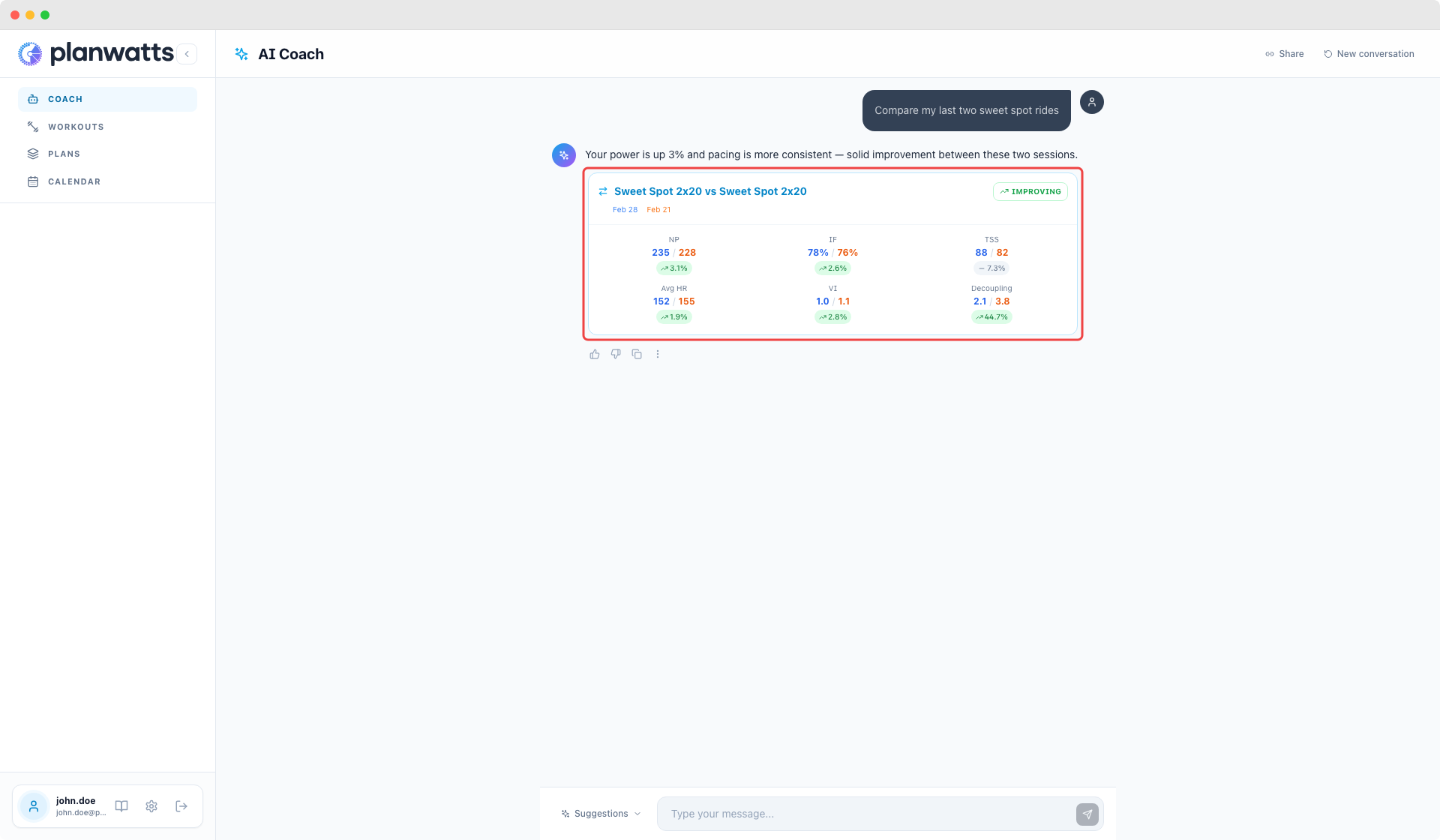
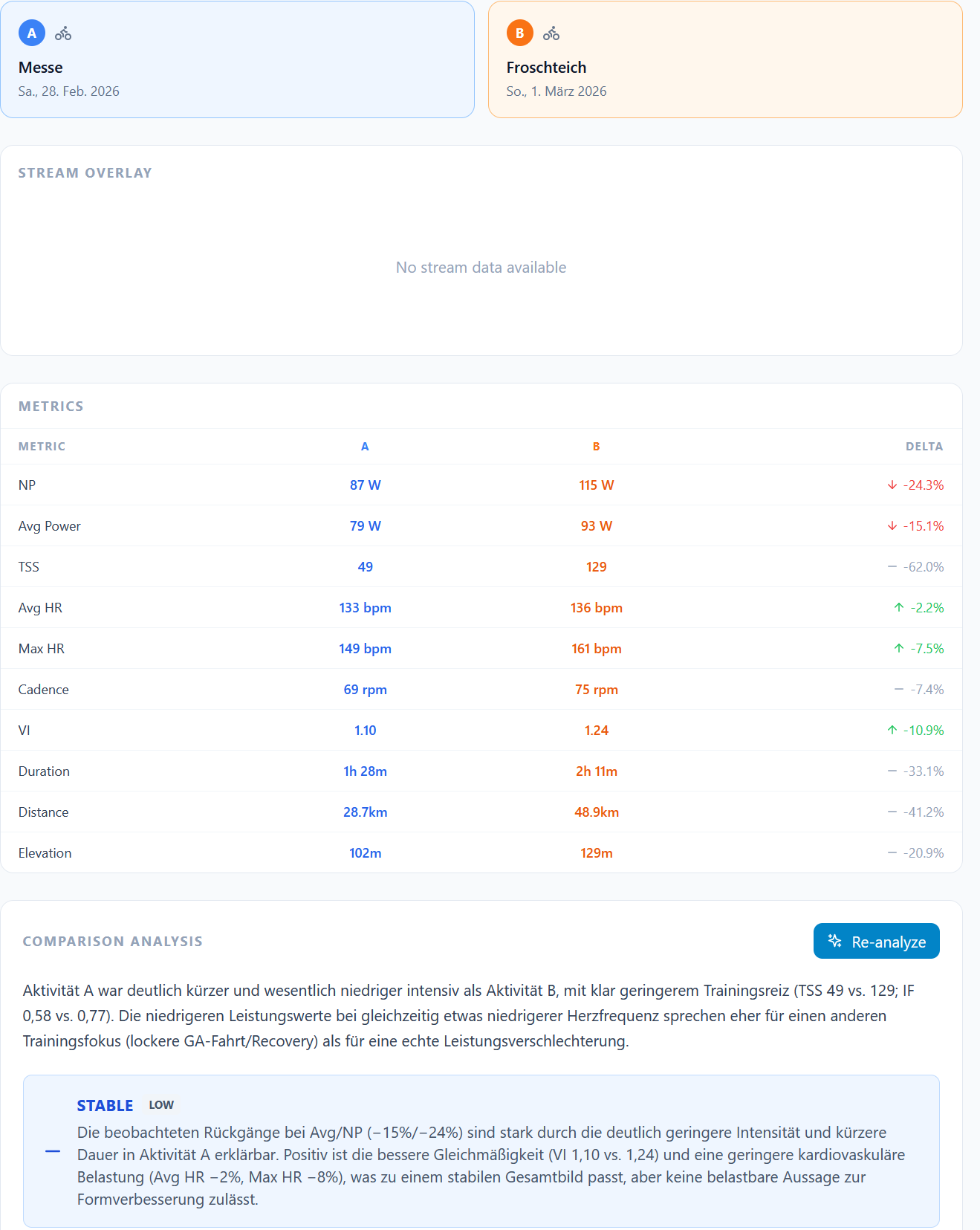
After confirming, the coach runs a structured analysis: executive summary, progress direction (improving/stable/declining), key metric differences, strengths, concerns, and actionable recommendations. The analysis appears right in the chat alongside a compact comparison card with the top metrics.

Full comparison page

Click the comparison title in the chat card to open the dedicated comparison page with detailed metrics, overlaid power/HR charts, and zone distribution. You can also share comparisons via public URLs — same as activity analysis.

Compare from anywhere

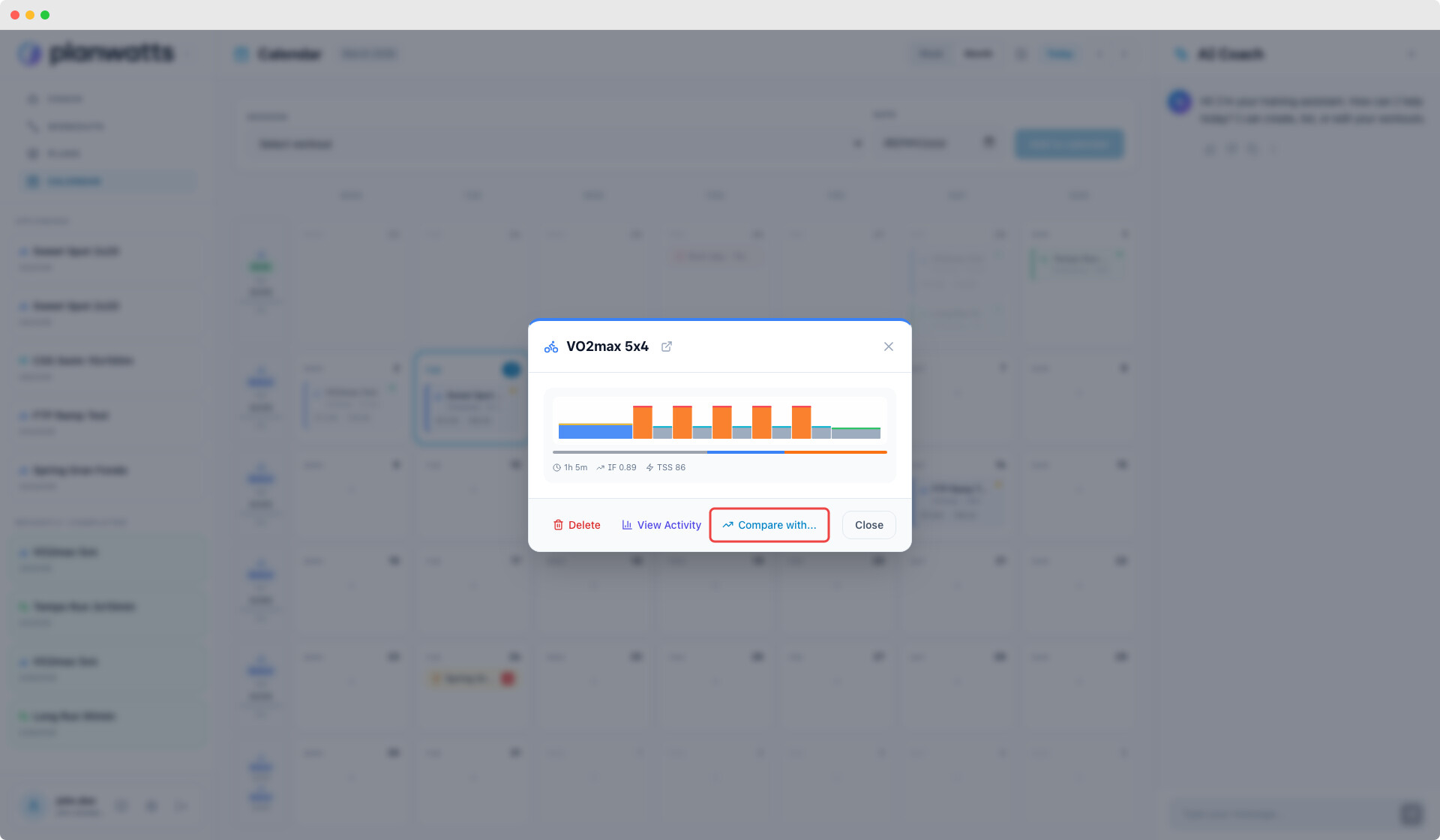
Start a comparison from the activity detail page (“Compare with…”), from the calendar event modal, or just ask the coach in chat. All paths lead to the same persisted comparison with full analysis support.

Fixes

  • Workout generator ignores explicit intervals and duration from user — Three sub-bugs: (1) parseDurationMinutes parsed “4 hours” as 4 minutes instead of 240 (regex only extracted digits); (2) user’s message was never passed to the LLM for new workouts (only for modifications), so requests like “8x3min:3min rest” were lost; (3) running prompts forced either all-distance or all-duration intervals — now a unified prompt lets the LLM choose based on user intent (distance for “10x500m”, duration for “5x4min”)

  • State loss after workout creation breaks scheduling — When user typed “Schedule it” instead of clicking the action button, the LLM could misclassify the intent (e.g. workout_confirm instead of schedule_session), causing proposedContext to be null. Now when is_confirmation=true and a proposedNextStep exists, the router follows the proposal deterministically regardless of LLM classification

  • Users without integration waste 20s+ on data-dependent queriescheck_status and review_history intents routed to domain nodes that called 3+ tools, all failing with no_integration before the LLM finally told the user to connect. Now lightContextLoader checks integration status in parallel (zero added latency) and mainRouter short-circuits with a localized message and navigation button to settings

  • Activity analysis runs full LLM call on empty activities — Activities with 0 duration and no metrics (from manual entries or sensor-less saves) were sent through the complete analysis pipeline, producing useless 2/10 scores. Now a data quality guard in activityAnalysis returns an early localized message without invoking the LLM

  • Options buttons with route values send to chat instead of navigatingOptionsRenderer now detects when an option value is a route path (starts with /) and navigates via onNavigate instead of sending it as a chat message

  • Weekly summary zone distribution showing 100% Z1-Z2calculateZoneDistribution() classified entire rides into one zone based on overall Intensity Factor, which is diluted by warmup/cooldown. Now computes actual time-in-zones from power stream data via Intervals.icu API and stores results on Activity.powerZones. Falls back to improved IF-based estimation with proportional blending for activities without power data

  • Power zone calculation using percentages as watts_calculateTimeInPowerZones() in the Intervals adapter compared raw power values against zone boundaries stored as % of FTP (e.g., 55, 75, 90) instead of absolute watts, causing nearly all power data to be classified as Z7. Now converts % boundaries to watts before comparison

1 Like

Great news!!! Unless I’m doing something completely wrong, it’s not working for me yet. :thinking:

There was an error installing the release. I’m looking… :eyes:

1 Like

Hey Cooper! Thanks for the test and sorry for the issue. A component was missing into the database. Everything should work now! :sweat_smile:

That looks much better. However, I don’t have any data in the stream overlay and I don’t see the Power Zone distribution at all.
Version 3694ba1

1 Like

It should be working now! Thanks so much for reporting this. Feedback like this really helps me keep improving the platform

Perfekt :+1:

1 Like

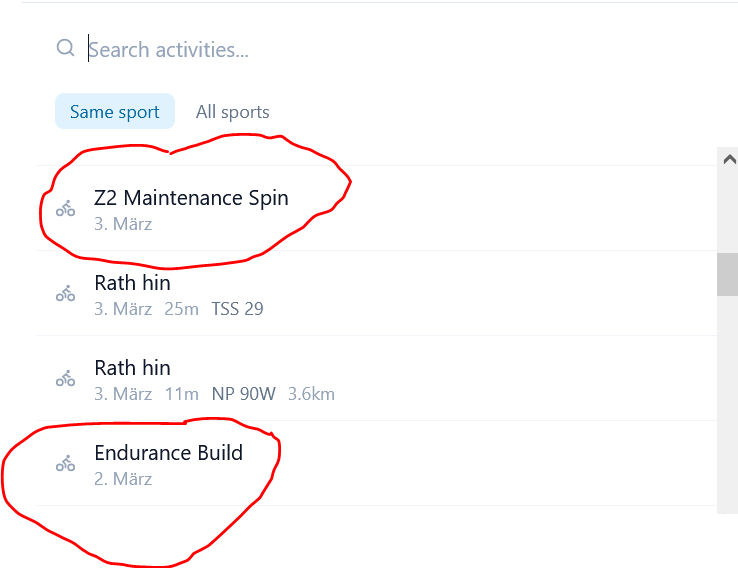
I’m really bothering you today. I can select units that were planned but never executed. I can’t delete them either.

“Regarding the ‘Z2 Maintenance Spin’: It’s not deleted because it’s not a saved entry, but only a temporary, pre-filled context from the message interpretation. It typically only reappears when a new request is similarly worded and the router sets such a default value again.”

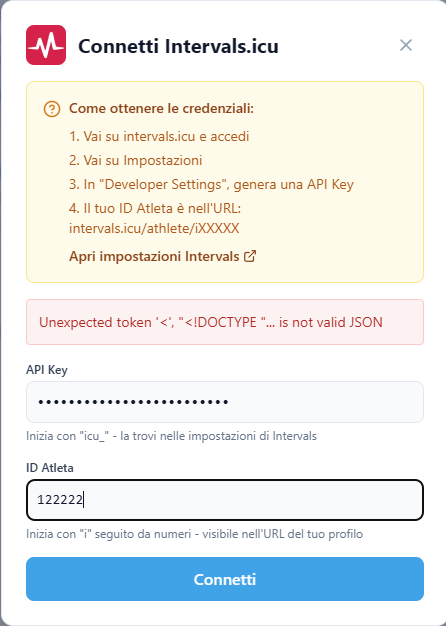
Today is not possible ton connet intervals