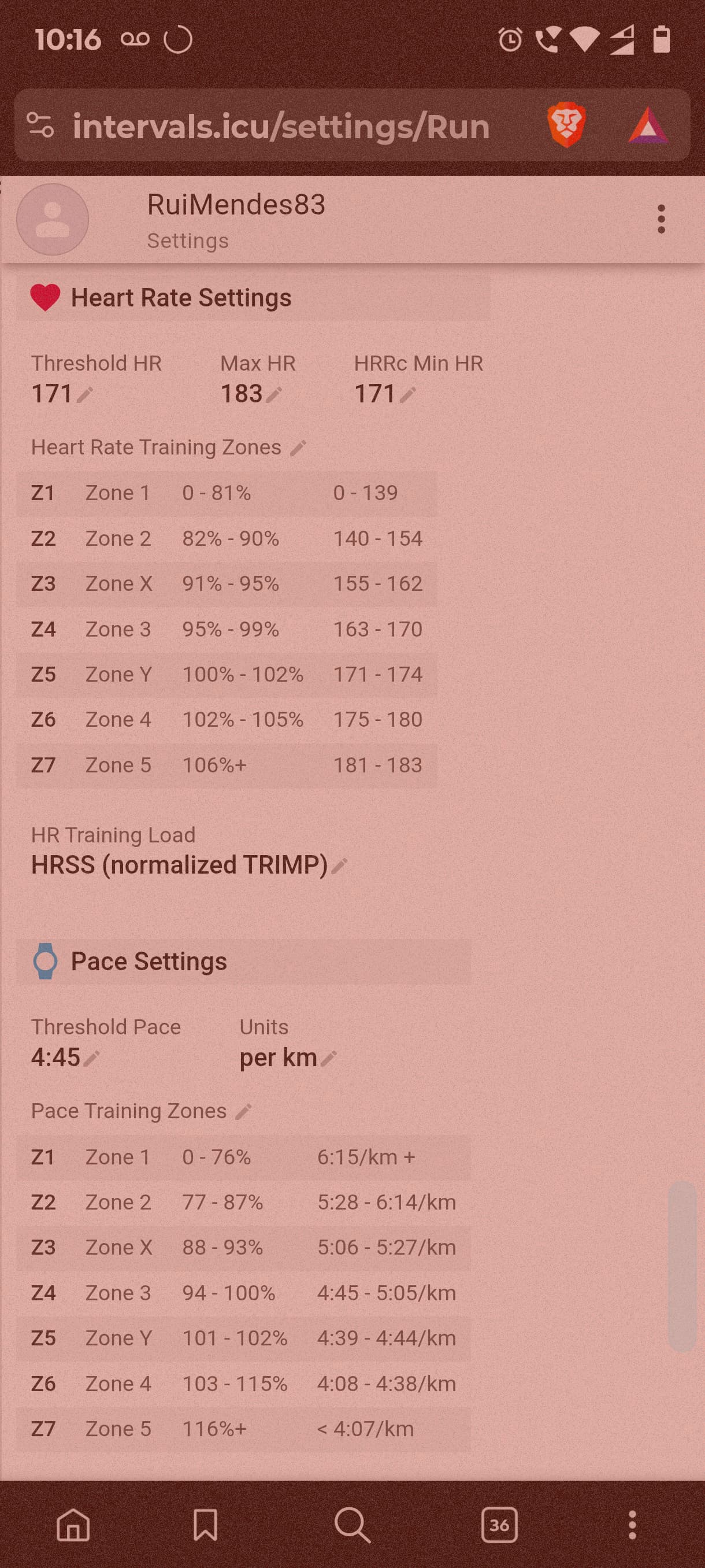
I forgot to share some shots!
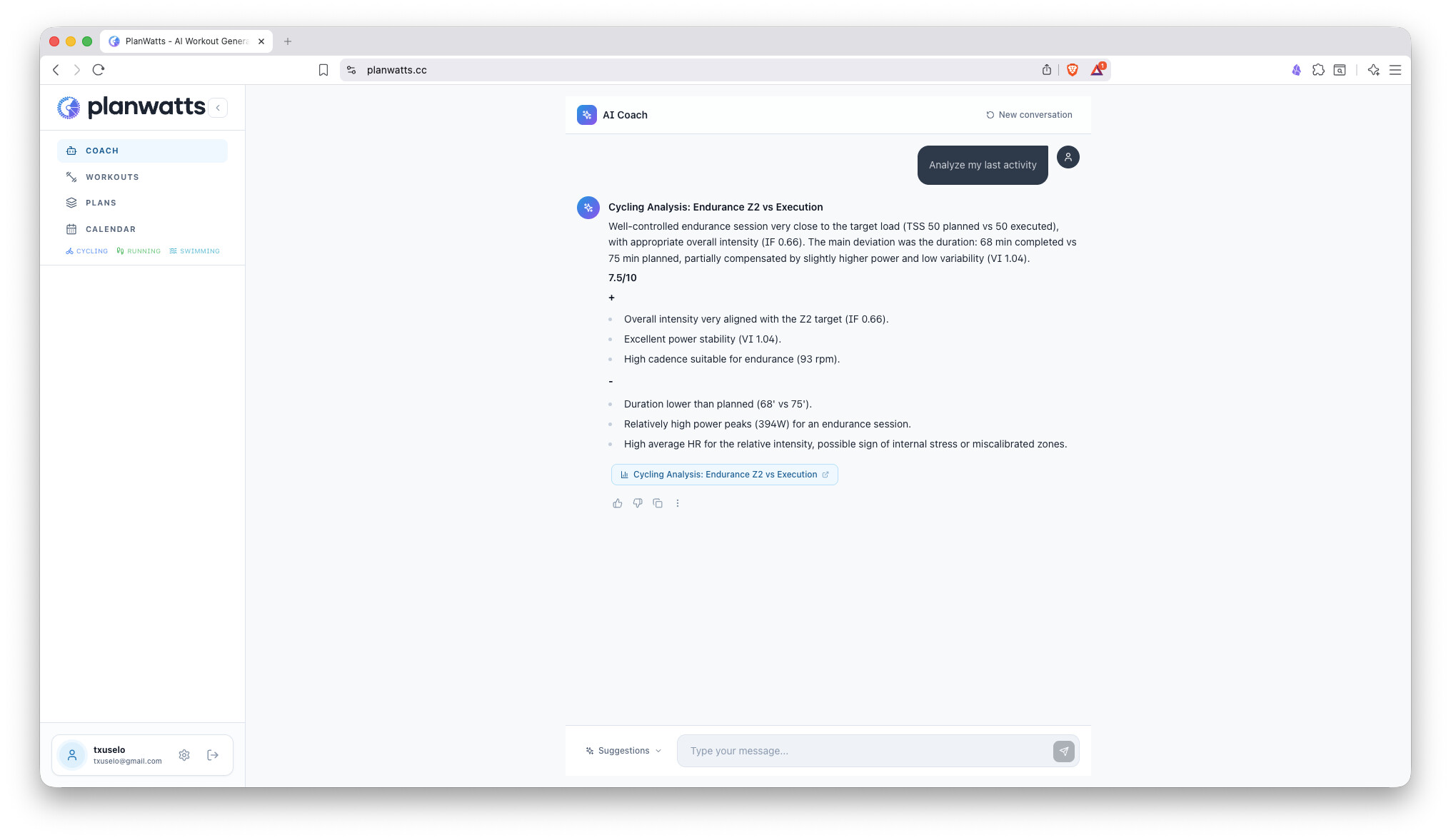
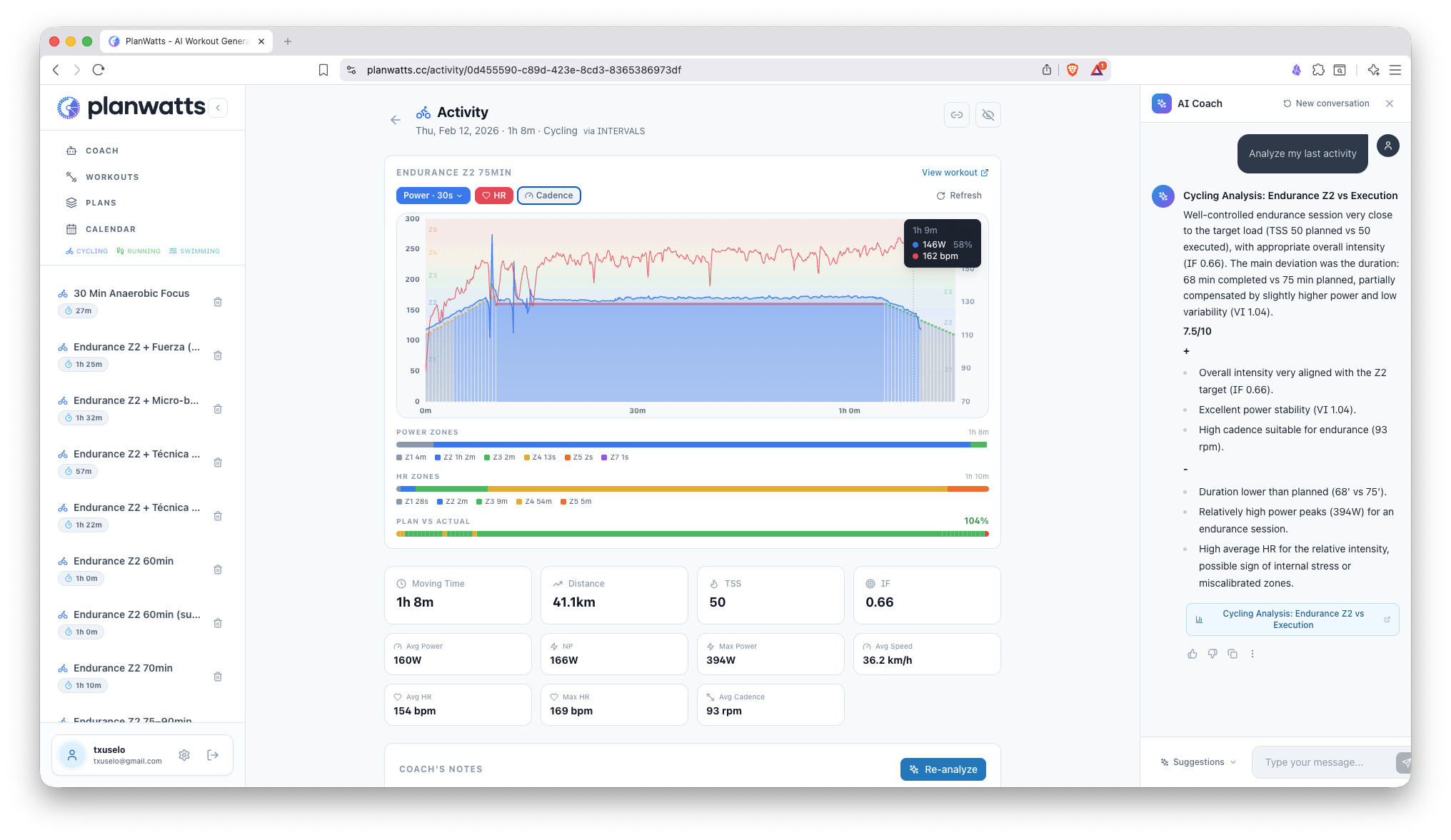
and the most important for me at this stage…
Feel free to report any conversation or any other issue that you could have with planwatts!
Happy weekend for everyone!
I forgot to share some shots!
and the most important for me at this stage…
Feel free to report any conversation or any other issue that you could have with planwatts!
Happy weekend for everyone!
PlanWatts 0.7.9 — Activity Analysis, Multi-Sport Editor & Smarter AI Coach
Big update to PlanWatts over the last weekend (now at v0.7.9). Here’s what’s new since v0.7.0:
AI-powered activity analysis — Click “Analyze” on any completed activity and the AI Coach breaks down your performance: scores for pacing, execution, and technique, plus strengths, weaknesses, and actionable recommendations. Ask follow-up questions in the chat (“was my pacing too aggressive?”) and the Coach remembers the analysis context
Multi-sport analysis — Analysis adapts to each sport: running gets pacing and cadence insights, strength gets form and technique, yoga gets alignment. No more cycling-centric analysis for every activity
Interactive activity chart — Power, heart rate, and cadence streams with toggleable overlays, power smoothing (1s/5s/30s), zone distribution bars, and plan vs actual adherence scoring
Share your analysis — Public share links with social preview images. Share a ride breakdown on Strava clubs or forums with one click
Mixed time/distance steps — Running and swimming workouts now support per-step distance (400m, 1km) alongside time steps (5:00). Type a distance suffix and it switches automatically. The chart estimates duration from your pace so everything stays on a time axis
Running cadence (SPM) — Add cadence as a secondary target with running-appropriate presets (170–185 SPM) instead of cycling RPM. Exports to Intervals.icu too
20 workout templates — Complex patterns (over-unders, pyramids, Conconi tests, CSS tests) now use proven JSON templates instead of letting the LLM generate structure from scratch. Ask for a “Conconi test” and you get the real protocol
Smarter plan creation — Tell the Coach everything in one message (“8-week cycling plan, 10h/week, race April 15”) and it picks it all up at once instead of walking you through buttons one by one
Better conversation memory — The Coach no longer loses track when you say “create it” or “yes, that one” referring to something discussed earlier. Short follow-ups, protocol names, and sport context carry through correctly
Timezone-aware — “Today”, “this week”, and all date references now use your actual timezone. No more UTC confusion
Duration accuracy — When you ask for a 2-hour workout, you get a 2-hour workout. The Coach now validates total duration and adjusts warmup/cooldown to hit your target
Proper step types — Workouts synced to Intervals.icu now show correct step types (Warmup, Interval, Recovery, Cooldown) with visible pace/power targets. Previously everything showed as “Other”
Nested repeats — Complex workout structures with repeats inside repeats now sync correctly
Pace zones aligned — Running and swimming pace zones now use the same speed-based convention as Intervals.icu (higher % = faster)
Backfill past activities — Navigate to a past month and hit sync to pull in older activities from Intervals.icu
10 sport types — Strength, yoga, hiking, walking, rowing, skiing and more — all with their own icons and colors on the calendar. No more “everything is cycling”
Reschedule missed workouts — Past events without a completed activity can now be dragged or date-picked to a future date
Chat feedback — Thumbs up/down on coach messages, copy responses, report bugs directly from the chat with session context attached
6 languages — Activity analysis now translates to your chosen language (en/es/de/fr/it/pt) without re-running the analysis
Try it at planwatts.cc
Hi,
One suggestion in the running settings can you also export from intervals the FTP? I have a different setting for the cycling and running FTP
Thanks
Rui
Hi Rui! Thanks form comment and for your feedback, are you meaning power for running? You already can sync your pace. Have you try it?
I will plan for next release in any case!
Hi,
Indeed I mean power for running. Some watches provide that metric and there.is also the stryd pod which is the one I use.
Thanks
PlanWatts 0.8.1 — Share Workouts & Plans, Running Power Training, and Conversation History
Three big additions to PlanWatts this release:
You can now share any workout or training plan via a public link. Click the share icon, copy the link, and send it to your training group or post it in a forum. Recipients see a read-only preview with the full visualization, and can:
Import to their account with one click (deep-clones the entire plan including all workouts and phases)
Download as FIT file (all sports) or ZWO file (cycling, for Zwift)
Sign up and auto-import if they don’t have an account yet
Social previews work out of the box — paste a link in Strava, WhatsApp, or a forum and it shows a rich card with sport icon and workout chart.
If you train with a running power meter (Stryd, COROS, Garmin), PlanWatts now fully supports power-based running:
Auto-syncs your running FTP and power zones from Intervals.icu
AI Coach generates power workouts with running-specific zones (Easy, Moderate, Threshold, Interval, Repetition)
Power/Pace toggle in Settings — choose your preferred metric for new workouts. Existing workouts stay in whatever mode they were created in
Chart and editor show the correct running power zones with the same % FTP / Watts toggle as cycling
Your coaching conversations are now saved. The Coach sidebar shows your past conversations grouped by date — click any one to pick up where you left off. You can also rename, delete, or share conversations via public link.
Activity analysis gets interval data — Analysis now includes per-lap/interval breakdown from Intervals.icu instead of just overall averages
Calendar fix — Completed activities show on the day they were actually done, not the day they were planned
Consistent page headers — All pages now share the same header style for a cleaner look
Huge thanks to everyone who reported a bug!
Today I have tried to register, but I get an network error when I try to Create an account
Hi @Marco_Saraceno and @RuiMendes83 I had an issue with the infra on the last deployment. It should be working now! Sorry for the inconvenience
It would be very helpful if you can try the power based feature for create running workouts and give me your thoughts! Thanks in advance!
I’m starting to play around with the platform. One feature I’d love to see is the ability for PW to pull the planned load/time directly from Intervals.icu.
An idea would be to allow the user to select i.icu’s ATP as the main “proof of truth” and allow PW to pull the events/goals and planned load/time from intervals. This would allow the user to utilise PW to properly plan the different weeks and run analytics, something the AI is really good at doing.
The new ATP feature in Intervals.icu, combined with AI, is a powerful setup that works really well to support self-coached athletes in organising their training.
Hey Marco! thanks for the suggestion!
I really like the idea of using Intervals for the big picture strategy and PlanWatts for the daily execution, it makes total sense.
Actually, regarding Events, the system should already be seeing your races from Intervals to handle things like tapering automatically. If that’s not showing up for you, let me know so I can check it.
Regarding the ATP (Load/Time), I see no issue integrating it, but I want to share my vision to see if it fits your workflow:
I envision PlanWatts reading that weekly target (500 TSS) and doing its best to plan the week to hit it. However, since PlanWatts prioritizes your daily bio-feedback, I’d want the AI to treat the ATP as a target rather than a rigid law.
For example, if the ATP calls for a huge week but your recovery metrics (HRV/Sleep) are tanking, the AI would flag it: “Target is 500 TSS, but based on high fatigue, I recommend 400. Do you want to stick to the plan or adjust?”
Does that kind of smart alignment sound like what you’re looking for?
The approach you’re suggesting makes sense: factoring in readiness and prior load would be useful. However, it’s also critical to account for the athlete’s current meso- and micro-cycle and, each week, determine which capability should be prioritized. I’m not sure this can be pulled automatically from Intervals, although the athlete could explicitly indicate their current meso-cycle (base/build/taper). And the AI may suggest the weak capabilities to train
I’m with you and it’s precisely the art of planning. In ultra trail I’d use base/build/specific/taper/recovery phases even, and depending on my calendar I end up with all kind of durations and patterns (not necessarly the typical 3:1 one). That’s why when doing things manually I try to plan workouts of a given week in the context of the weeks before and after.
Hey @Marco_Saraceno @ohmax Great discussion guys, it really helped me to know the new intervals ATP feature and clear up the strategy. Here is the plan:
Phase 1: Import your ATP into PlanWatts If you’ve built an ATP in Intervals.icu, PlanWatts will be able to read it: phases, load targets, recovery weeks, all of it. I’ve already tested the connection and it works
The coach will use your ATP as a guide:
Phase 2: Export PlanWatts plans back to Intervals If you create a plan in PlanWatts, it will show up as a proper ATP in Intervals when you deploy it. So it works both ways.
Coming later: The Rolling Planner This connects to ohmax’s point about context. Instead of generating a rigid 16-week plan upfront, the ATP gives the big picture, but we can plan week-to-week based on how you actually feel and what you actually did.
Does this sound right to you?
Hi,
Small UX improvement when seeing details on a mobile phone the power is “hidden” and I need to scroll
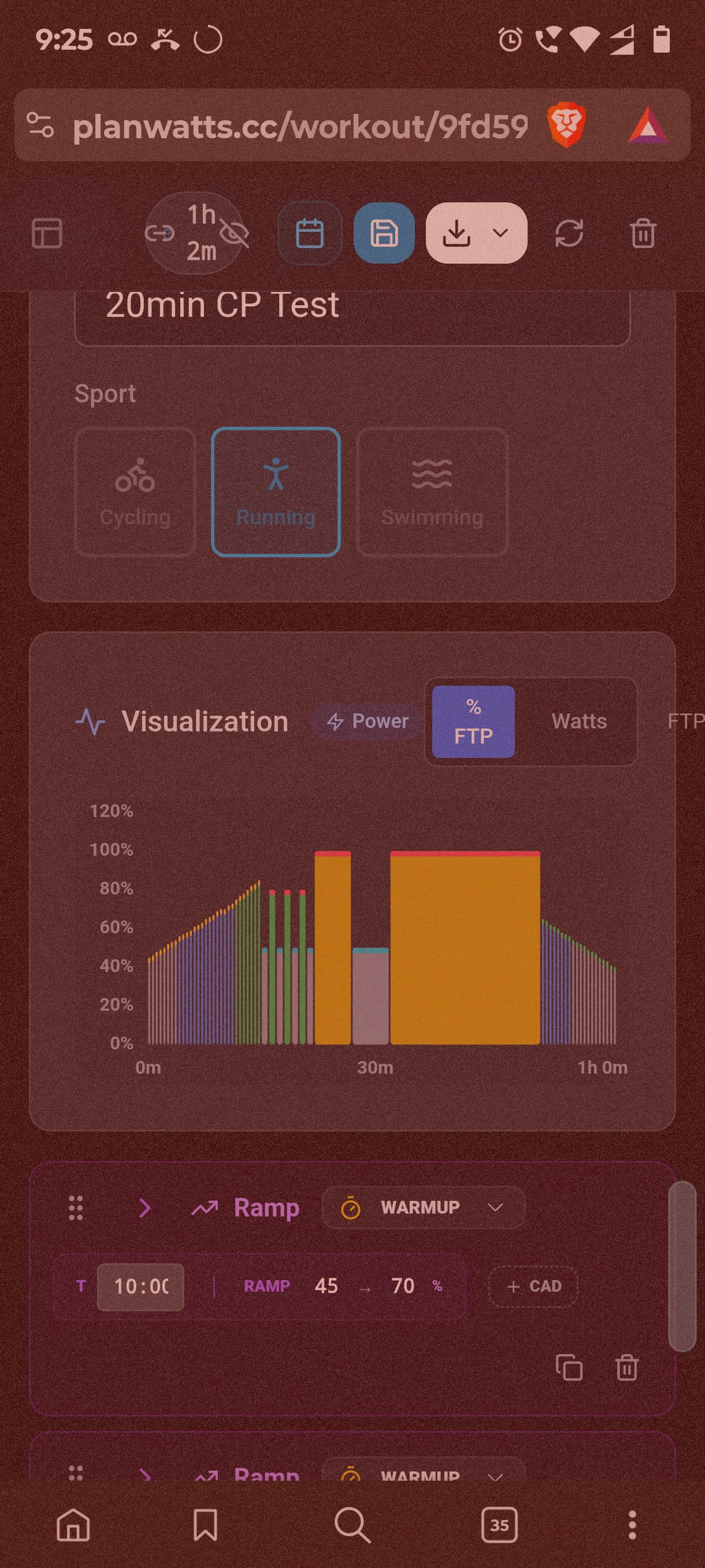
One other thing. In this workout I asked for a critcal power 20min test but the system created a 20min + 5min + 3x1min critical power test, i.e. it did a bundle of critical power test into one workout.
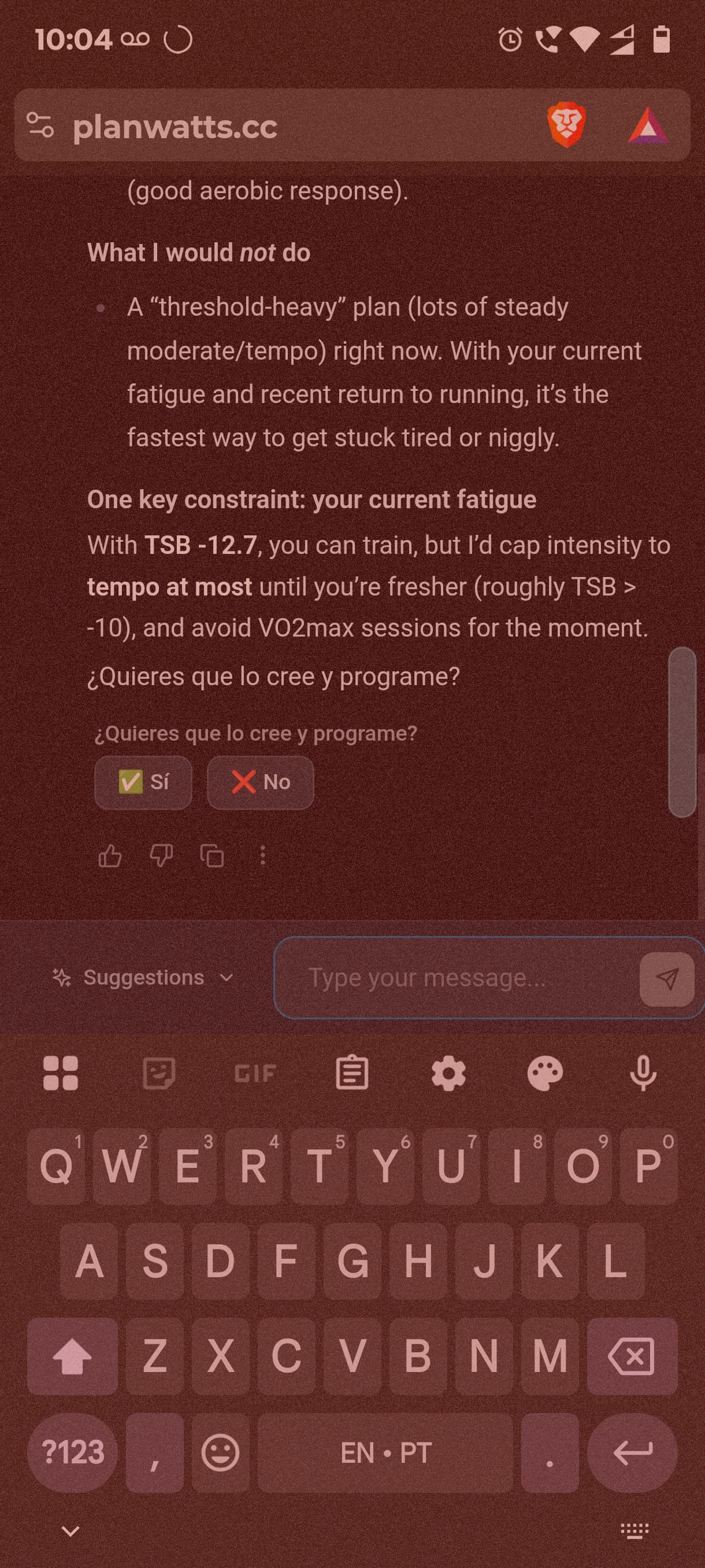
Also a bit of Spanish in the mix of English 
Thanks
Rui
Hi,
What HR zones and Power zones do you use?
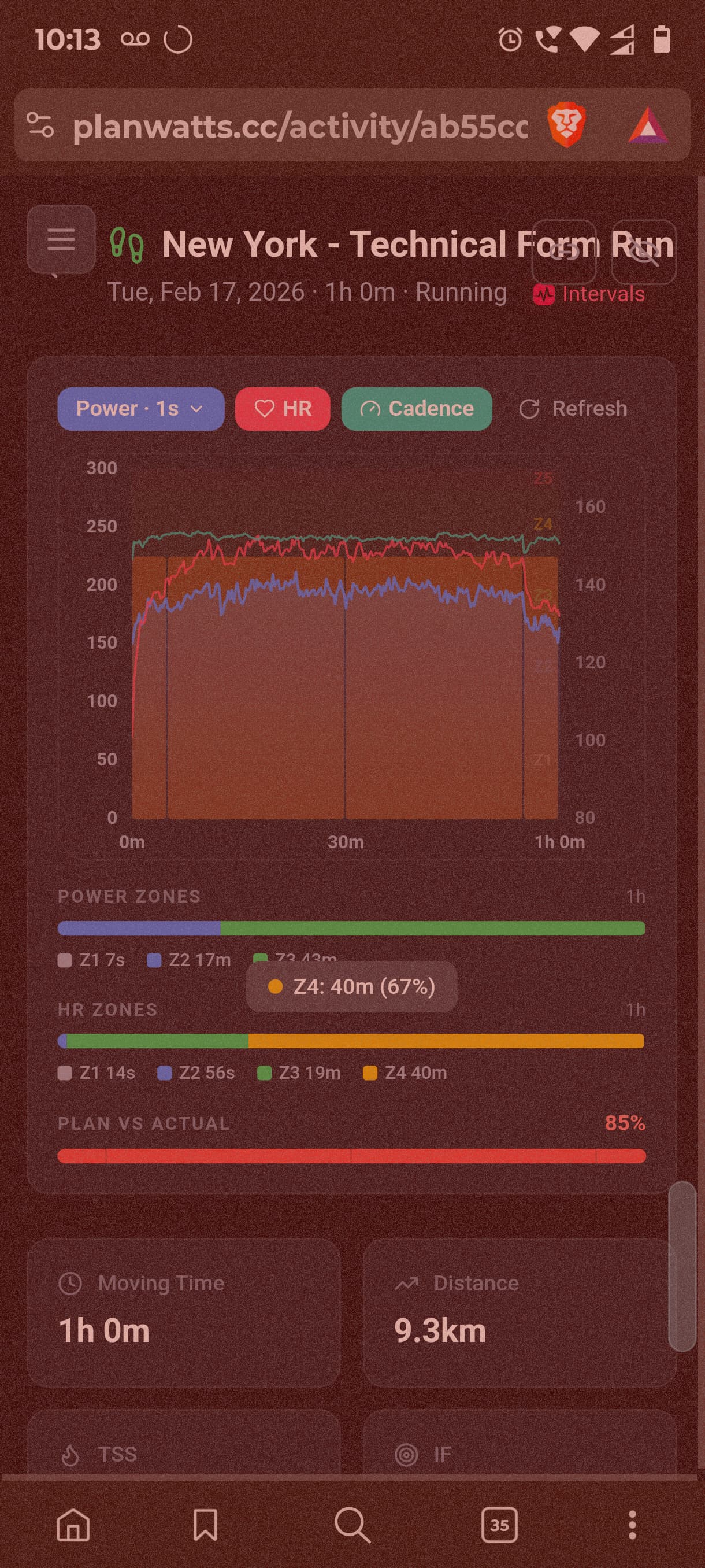
For me everything below 154 HR is zone2 but the workout analysis show Z4
Zones in intervals.icu
Thanks
It should pick up your zones now. There was a bug with the HR, but the power zones were already working fine. The both UX bugs are solved too! Thanks for report!
Thanks for sharing the roadmap — this is shaping up nicely.
On Phase 1, it looks solid to me and fully aligned with the needs of a self-coached athlete. Being able to pull the ATP from Intervals and use it as the strategic backbone (phases, targets, recovery weeks) makes a lot of sense. The way the coach adapts priorities based on Base/Build and overlays readiness signals (HRV, sleep) feels both pragmatic and athlete-centric.
On Phase 2, I’d suggest a slightly different approach.
Personally, I would make this optional. From my perspective, it’s always critical to keep a baseline plan to compare against actuals. If we continuously regenerate or overwrite the ATP, we lose the ability to step back and analyze what went wrong (or right) in the original planning assumptions.
In other words:
having a stable reference plan is key for learning and improving future cycles.
So instead of modifying the planned ATP every time, I’d recommend keeping the ATP fixed and adjusting weekly workouts only. That preserves the big-picture intent while still allowing tactical flexibility based on fatigue, life constraints, or recovery metrics.
That way you get:
• Strategic consistency (ATP stays intact)
• Tactical adaptability (weekly sessions evolve)
• Better post-mortem insights on planning accuracy
Overall though, Phase 1 already delivers huge value for self-coached athletes, and the rolling planner concept is very promising as long as it doesn’t erase the original plan.
Looking forward to seeing this evolve — exciting stuff.
Got it, Marco. The main idea behind Phase 2 is just to make sure we aren’t tied down by how Intervals handles the ATP. You’ll be able to build your whole year in PlanWatts and then just sync it over
Just to clarify on the adjustments: I didn’t mean the plan updates itself automatically. You can definitely still tweak things manually later on, just like you do in Intervals, but it’s something you’d do by hand