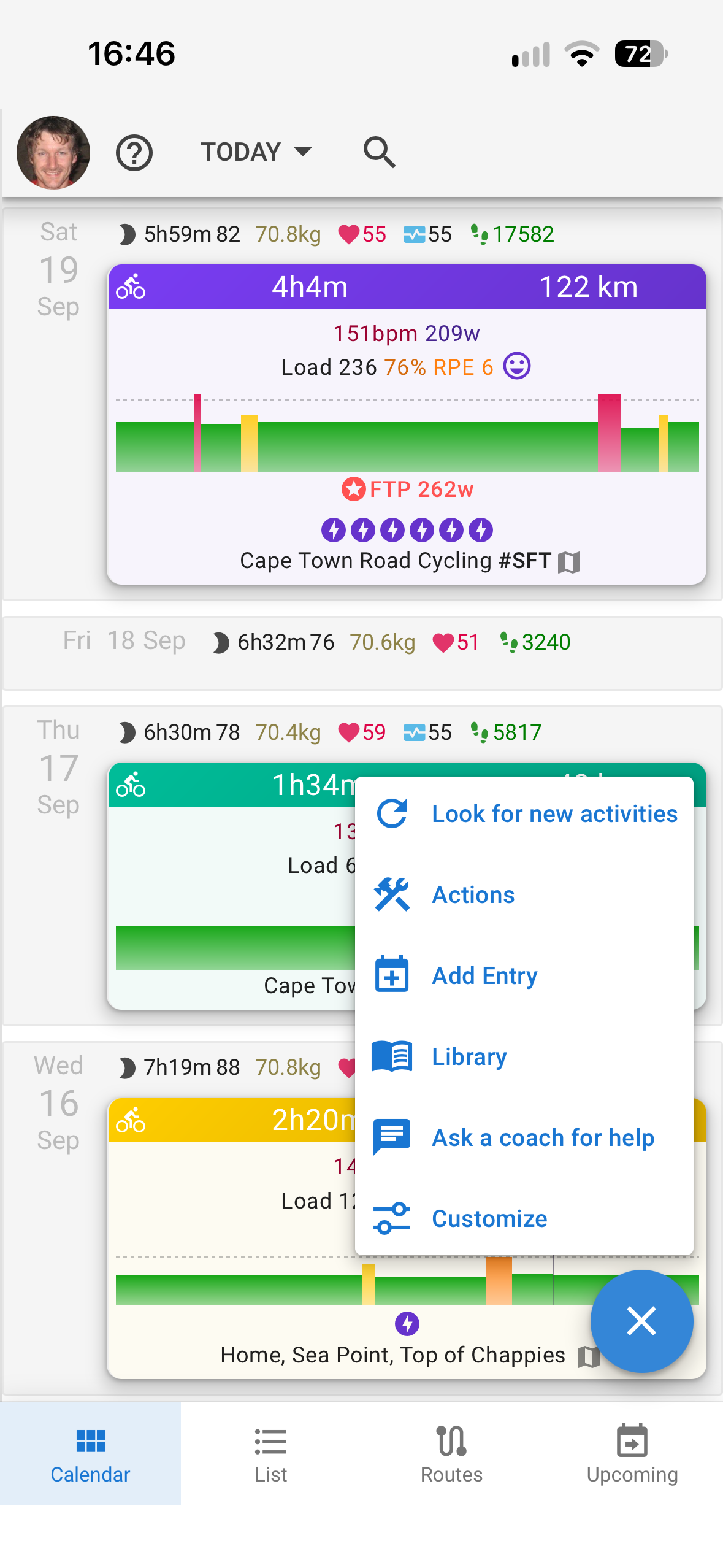
We have been doing a great deal of work to improve the app on phones and to make it easier to use in general. Most pages now have a customise drawer putting all the settings in one place.
The activity page has been reworked: one Customize drawer in place of the scattered dialogs, notes in a drawer beside the page, and the page’s actions on a button a thumb can reach on phones
New running metrics: ground contact time, vertical oscillation and ratio, step length, leg spring stiffness, flight time and more, on the activity chart, on every interval, on the fitness chart and in search
Weather forecast on the activity map: pick any day and start time in the next 7 days to see the wind, temperature and rain along the route before you head out again
Block athletes in private chats to stop unwanted messages, neither of you can message the other or send follow or coach requests until you unblock
Submaximal Fatigue Testing Is under development and available to beta users. Give it a try if you are interested and would like to be involved in its development
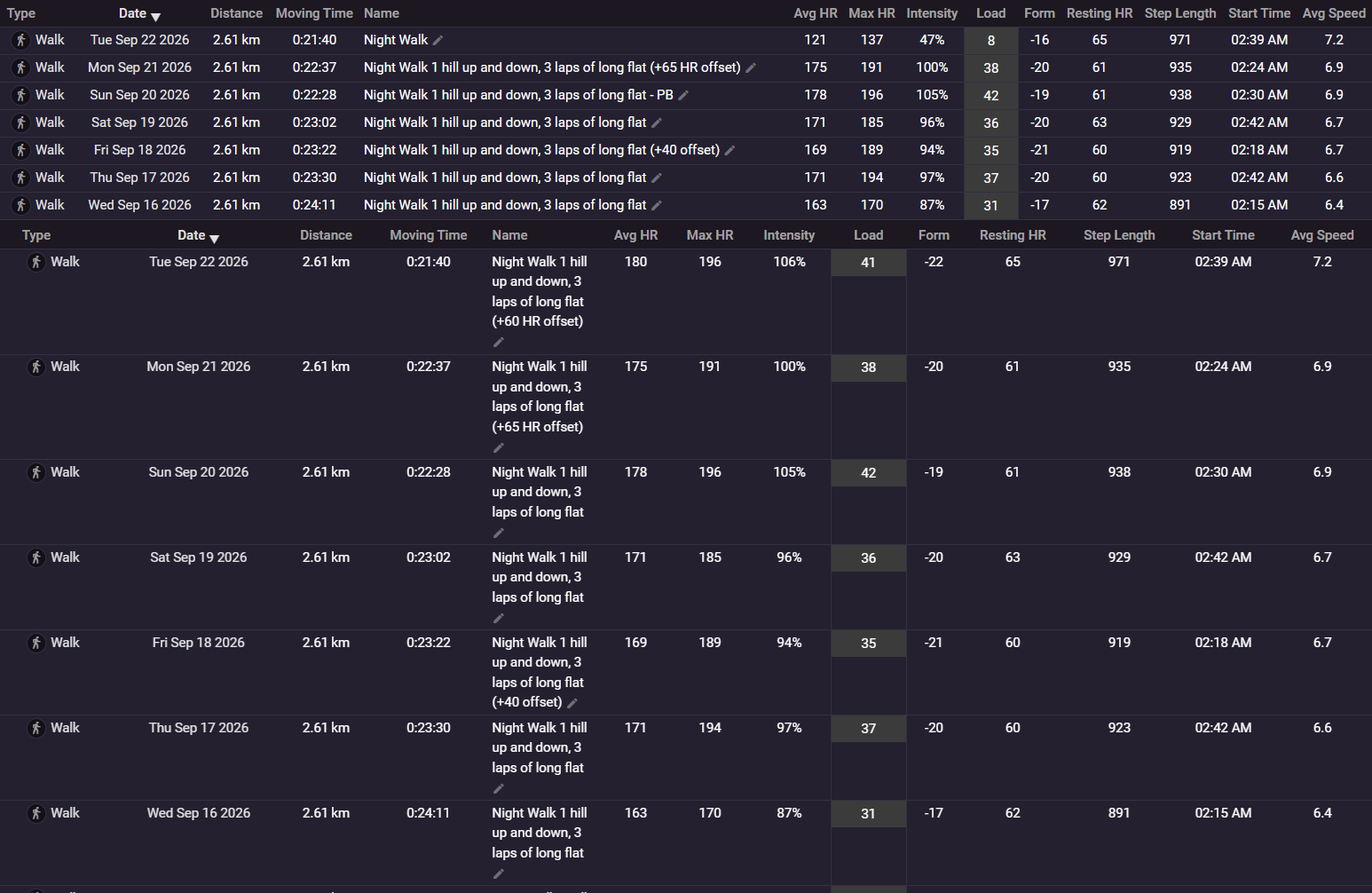
Thanks for the update but this seems to have really ruined how my list view looks. Previously all my activity names would fit on 1 line but now there is extra padding on some of the columns so it takes up like 4 lines worth. Would really appreciate if this could be fixed because it looks really bad now example here of before and after
This is more than likely fixed now. Tx for the report.
Yes that is in progress. We realised that we needed to make our existing web app behave like an app first so are busy with that. You can already install it to get push notifications and so on, like a native app.
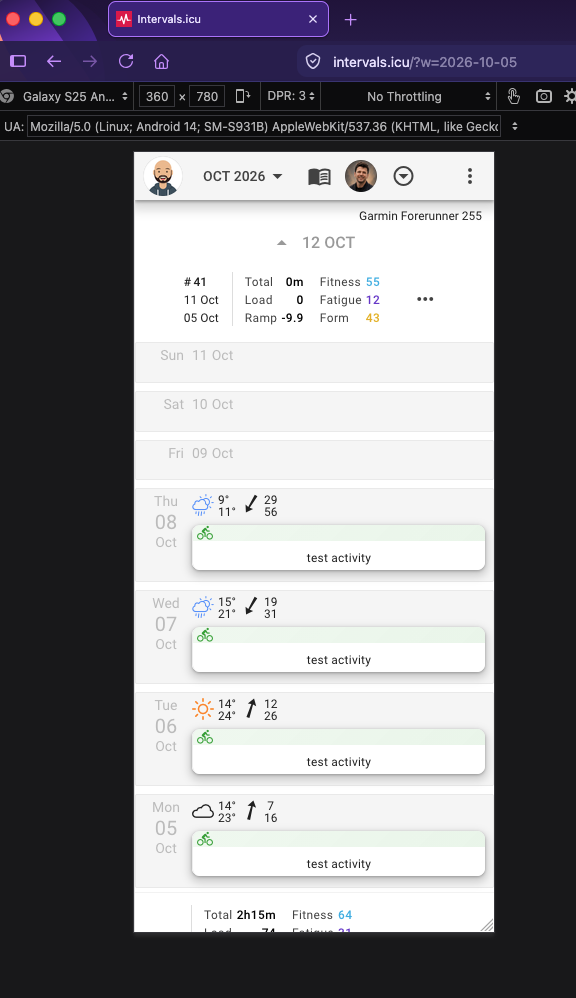
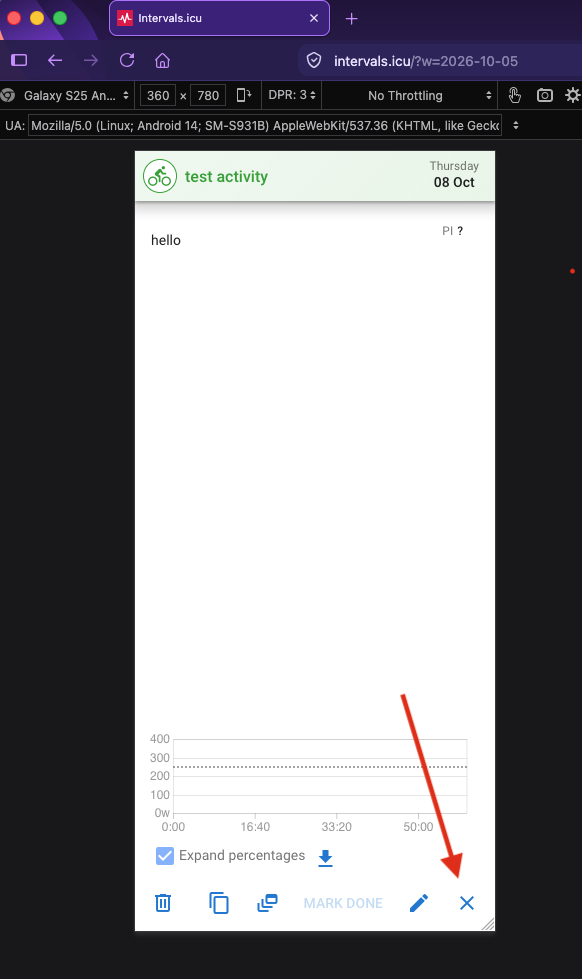
If I may ask to consider a behavioural change in the mobile web app, when tapping on an activity, the mobile app opens it as some sort of full screen popup, and it can be closed only by tapping the X icon at the bottom of the screen.
This is the opposite of how the full/pc web view works, where it actually changes the URL to https://intervals.icu/activities/i123456789 and thus allows me to click the back button and quickly go back to the activities view.
On my Android I can’t use the back gesture, and instead I have to spend time finding the X icon on screen, moving my thumb to a specific uncomfortable place just to close the activity I was looking at while on my bike. The back gesture is a million times more useful and fast on the phone.
Currently with the back gesture:
if using a normal browser tab, the tab disappears ofcouse because I just opened it.
if using the PWA on android (firefox), it just goes to a blank page and I have to reopen it from scratch.
Thanks for the reply, as I was doing the screenshots I realised it is not a mobile vs big screen thing, but a past activity vs future calendar entry…
I would still personally prefer even future calendar entries to open fully and allow a back gesture, but I understand that it can’t happen currently as they don’t seem to even have a url of their own, they are just popups.
There’s not a single activity in your screenshots, only future planned workouts.
An activity closes with the left arrow at the top and returns to the calendar. Back gesture does the same on an activity.
Planned workouts have different buttons, Done/Edit/Delete…
Sorry didn’t mean to cause a stir, and as I said it doesn’t look like it can easily be done anyway because the calendar entries don’t have their own unique URL to be loaded as far as I can see… so ignore me!
That possibility crossed my mind when I saw your post Its ok, the intervals app has 23798789 billion views and dialogs that are only there to confuse users!
But I agree, the back button on android should work and lets see what we can do about it.
It is mostly a problem when I’m out training and want to check again what I have to do, usually hitting the back button closes the tab or make the PWA go black page and I have to restart.
To solve this I have my calendar app pull from intervals and I view the calendar entry description where the plan is showed
We have made changes how the events dialogs now open. They get an paramater in the url so they can be linked and the back button works! The app supports opening multipe dialogs so if you encounter any issues with it, report back.


 and I have to reopen it from scratch.