Hi, it would be great if the training availability supported multiple workouts per day, for example in the current implementation being able to set a total of 2 hours per day, 1 of runnning, 1 cycling…
Good suggestion, you’re right, the current schedule treats daily availability as a single block. So if you set 2 hours with both running and cycling, it creates one long workout instead of splitting it into separate sessions.
This is already on my list. The idea is to let you define per-sport availability per day, so it can generate a 1hr run and a 1hr ride as separate workouts.
For now, you could use Train Now to generate a second workout for the day, but I know that’s not as convenient as having it built into the weekly plan.
Thanks for confirming, I’ve pushed a fix to filter out notes.
2 Likes
Hey everyone, here’s what shipped this week:
The biggest addition is the new Goal Setup Wizard, a simple 3-step flow that helps you pick your target event, set how aggressively you want to build fitness, and generate a training plan that actually matches your goals. Speaking of goals, you can now set a specific FTP target in watts, and the dashboard will track your progress toward it. Pro users also get Custom Coaching Instructions where you can write whatever guidance you want and the AI coach will follow it across your weekly plans, daily emails, and JustTrain workouts.
Training is now smarter about what you’re training for. Event-specific workout prioritization means criterium riders get more VO2max and sprint work while gran fondo riders get more endurance and tempo. You can also generate Race Pace Plans for your goal events with AI-powered pacing strategies, warm-up protocols, and scenario-based advice for race day. And to keep your zones accurate, the app now automatically schedules FTP tests every 4-6 weeks as part of your training plan.
AI nutrition advice is now built into your daily workout emails, post-workout analysis, and JustTrain. You’ll get personalized pre-workout, during-workout, and post-workout fueling recommendations that scale to your body weight and workout intensity. For runners, the dashboard now includes Critical Speed progress, D’ capacity, and pace zones. The workout charts also got a visual overhaul with time-proportional segments and zone colors.
A few more additions: PayPal is now an option for Pro subscriptions, you can pause weekly plan generation and daily adaptation independently, and there’s a new setting to let the AI coach adapt externally-scheduled workouts based on your readiness. Pro users can also share referral codes and earn credit when someone upgrades.
Full changelog with all the details: Changelog | IntervalCoach
As always, let me know if you run into any issues or have feedback!
2 Likes
Thanks for fixing. There might be another bug, my ctl is not 23, it’s more at the high 30s.
Haven’t noticed that in the morning.
@Maximian Feel free to share a bit more detail and screenshots in DM or via email ([email protected]).
Just signed up for Pro.
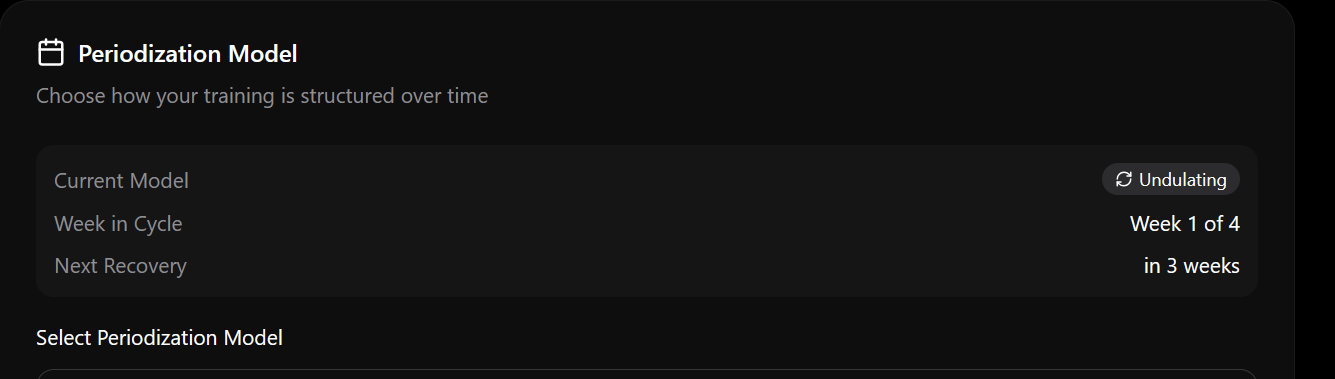
One thing I noticed under Settings>Goals, is that Coach believes I am in week 1 of a block, whereas I am really in week 4 (recovery). Is there any way to force the start of the next block to next week?
Hi Martjin
Many thanks for adding the dietary preference.
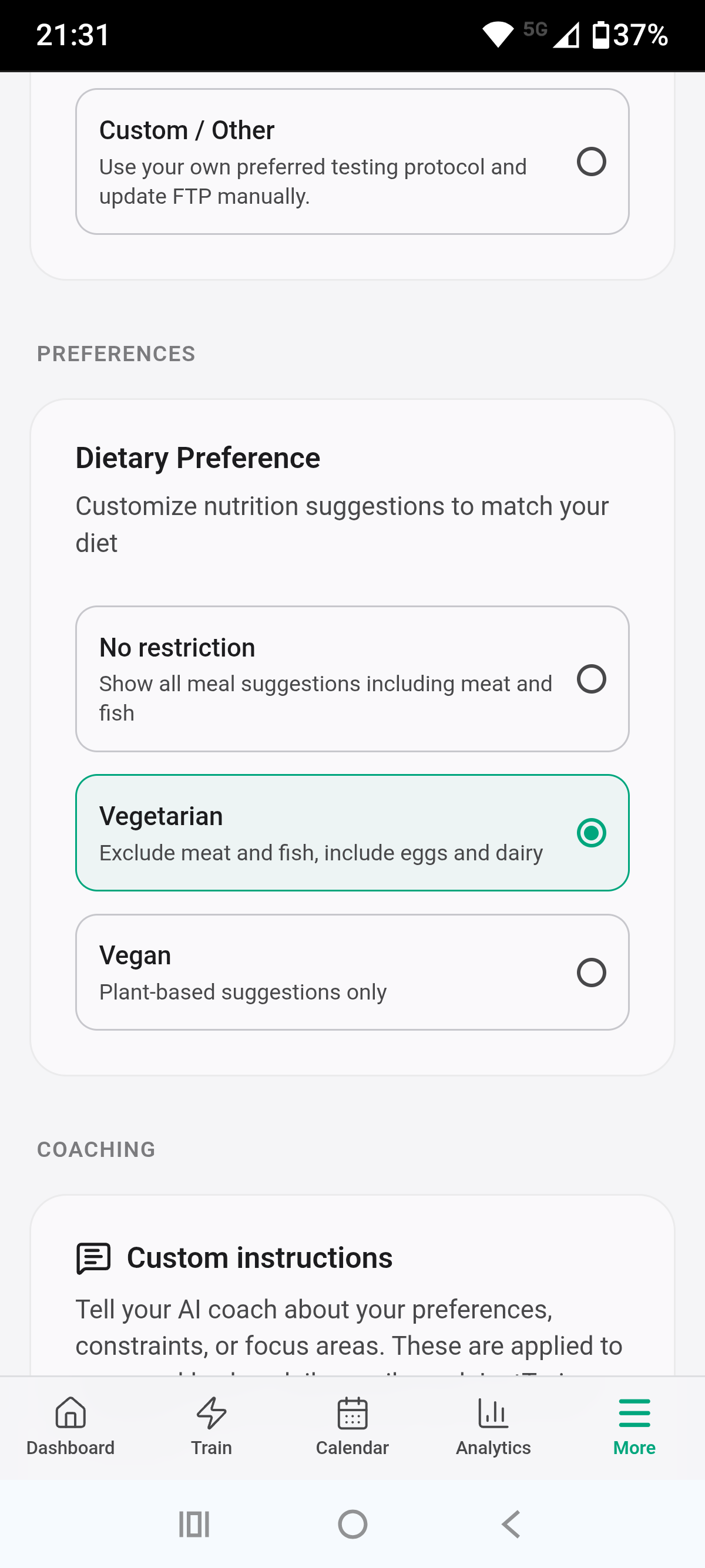
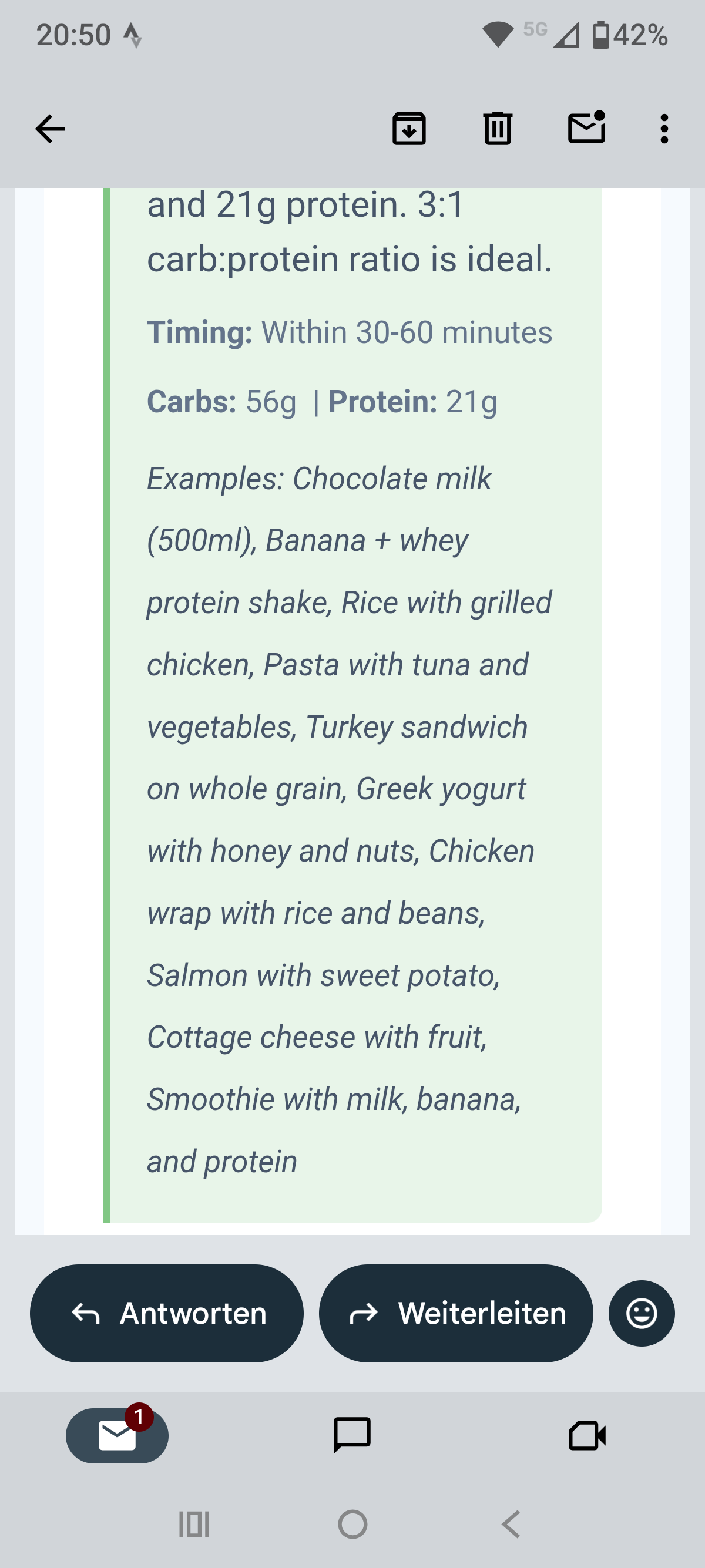
However, the recommendation still contains all variation of food.
Good catch on the periodization cycle. Right now the system calculates which week you’re in based on when you first selected the model, so it doesn’t know where you actually are in your real-world training block. There’s no way to manually adjust it yet.
I’ve added this to my list - the plan is to let you set which week of the cycle you’re currently in, so the system stays in sync with your actual training. Until then, a workaround would be to briefly switch to a different model and back, which resets to week 1 - not ideal since you’d want week 4, but at least next week would then be week 2 (and week 4/recovery would come around in 3 weeks).
I found the issue: your preference is saved correctly, but there’s a code path for scheduled workouts that doesn’t pick it up. So it falls back to the default (which includes meat and fish). I’ll push a fix for this shortly.
2 Likes
I notice an issue with the readiness score in IntervalCoach.
It looks like IntervalCoach interpret the readiness score in a scale 1-100. unfortunatly the score is not determined by intervals.icu, but it is populated by third party apps that may use different scores syste. My readiness score in the wellness field is populeted from HRV4Training in a scale 1-10. Whoops has a differente scale 1-100.
Refer to this topic:
Good catch. You’re right: the readiness score handling currently assumes a 0-100 scale (like Whoop uses), so HRV4Training’s 1-10 scale gets completely misinterpreted. A perfect score of 10 would be read as 10%, which would put you in “Red (Strained)” territory. That’s obviously wrong.
I’ve added this to my list as a high priority fix. I’ll let you know once it’s fixed.
1 Like
I noticed as my score was 7.5 and I was feeling decently well … but the app was saying otherwise 
My issue with the Whoop syncing late at night and triggering the daily email seems to be fixed.
I am curious, is there somewhere in app that I can see the nutritional recommendation for todays workout?
Thanks,
Briles
Hah, yeah that seems unexpected. I’ve added a setting to configure this:
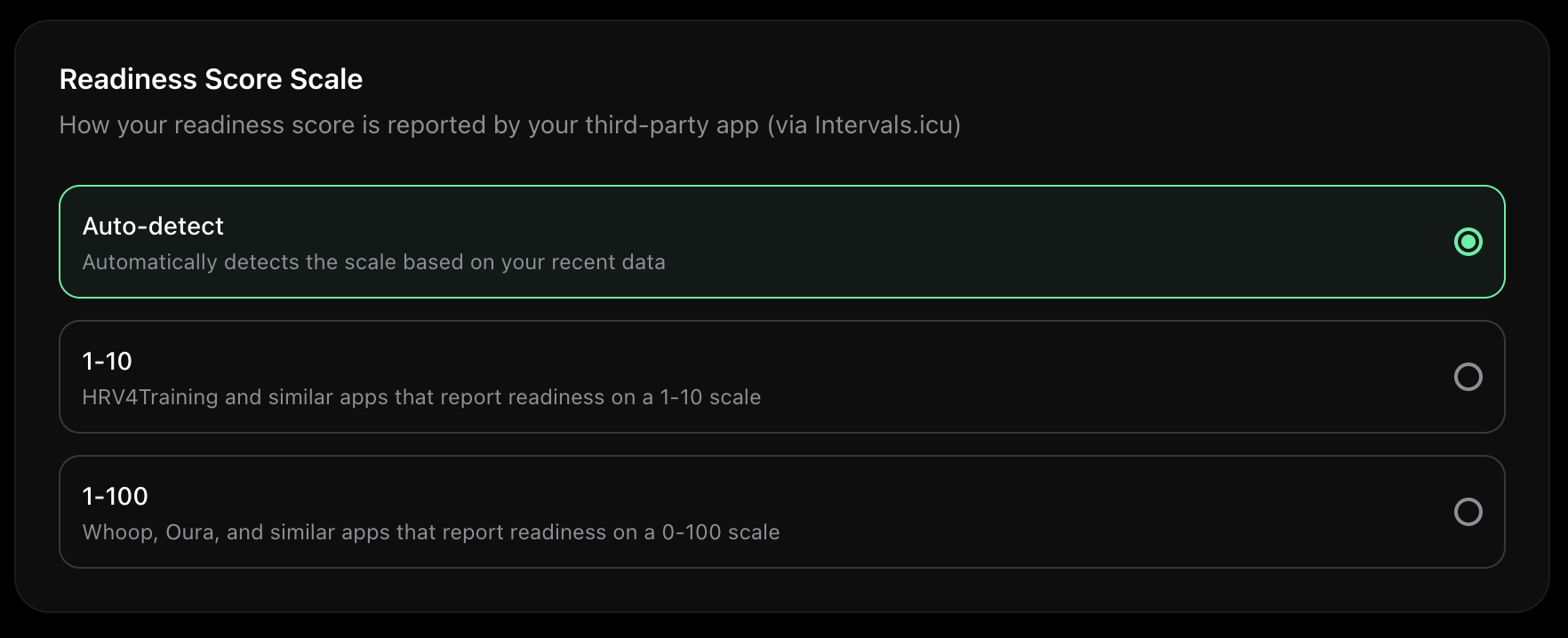
Go to settings → Training to update your recovery scale.
Glad the Whoop timing is working properly now!
Nutrition recommendations currently show up in two places:
-
Daily workout emails - Each email includes pre-workout, during-workout (for longer sessions), and post-workout nutrition advice tailored to the sport and intensity.
-
Train Now - When you generate a workout on the Train Now page, the nutrition card appears below the workout details.
There isn’t a standalone nutrition section on the dashboard yet. Great idea to add it to the dashboard though. Will add it to my list.
2 Likes
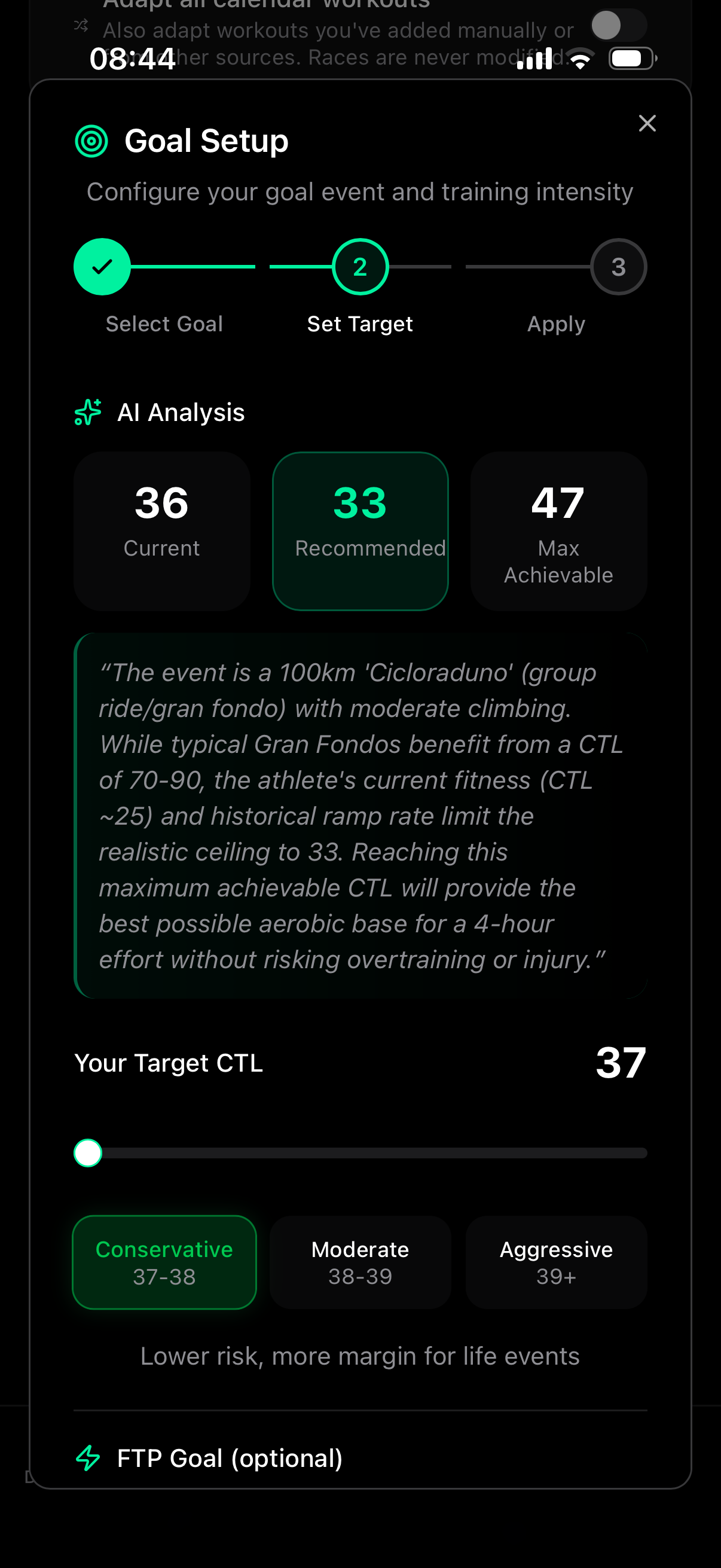
Hi, could you give me some guidance on how to use this feature?
Especially the part related to FTP. I have an FTP of 230 W. Why is such a low value being shown?
Please excuse my lack of familiarity with it.

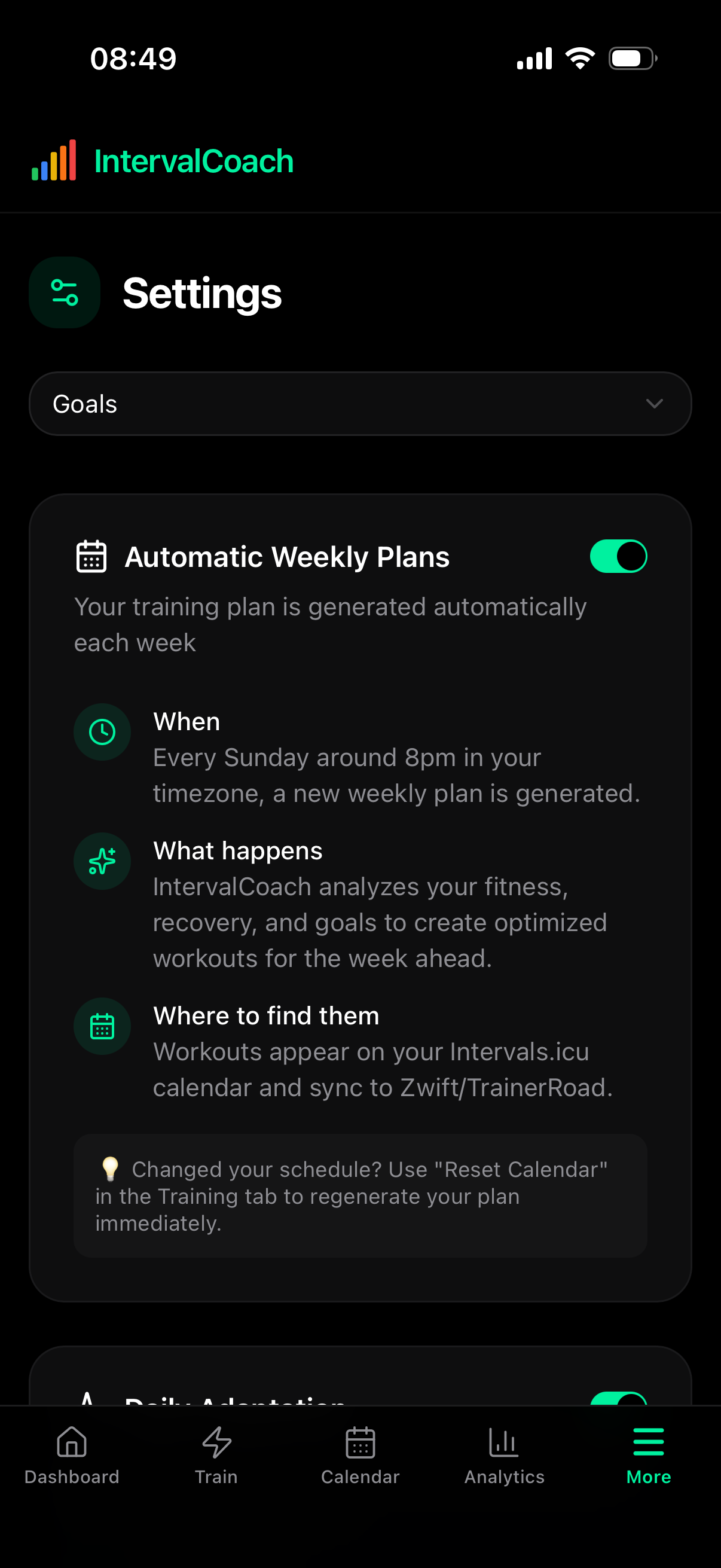
I know I’m your nightmare  ; the adaptations are suggested in the daily email, right? The workouts on intervals.icu are not modified automatically.
Thanks a lot
Gigi
Hi, what is your suggested workflow for getting the suggested workouts from IntervalCoach to MyWhoosh? So far I’ve downloaded the workout from intervals.icu and imported it into my workouts in MyWhoosh.
However, this seems to break the AI’s understanding that I’ve actually done the workout, perhaps due to the naming?
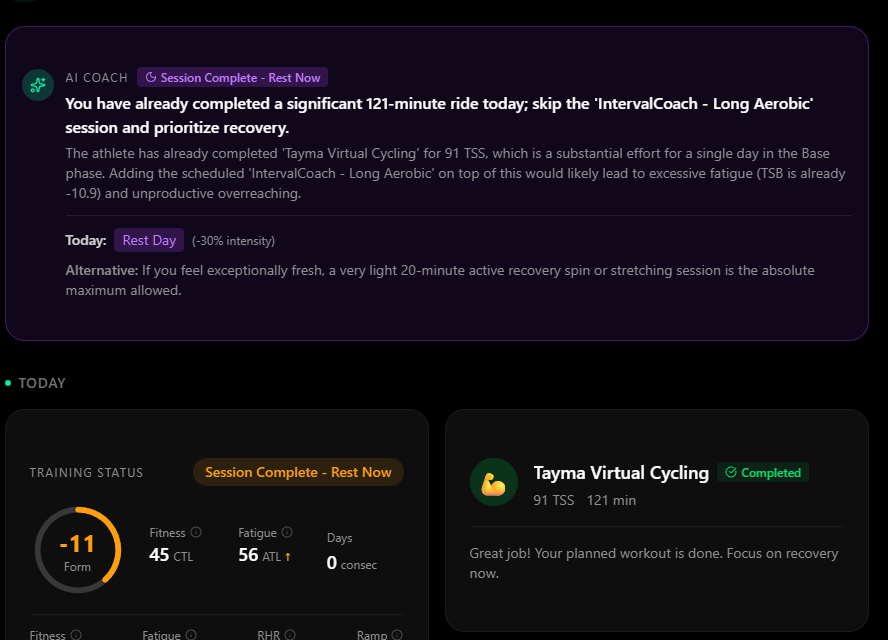
MyWhoosh seems to rename the workout upon completion - the name is the same in my list of saved workouts. I have to say I am not quite sure, because when I do my own workouts, it takes the names I defined. However, even if the name for the workout created by your app is the same as defined in intervals.icu, it renames it. This then creates a misunderstanding of the AI about the completed workout. Interestingly, on the bottom right, it treats it as a completed planned workout 
Apologies if this has been addressed before. I had a quick look at this and it looks good, but the problem I have is that all proposed rides seem to have a Workout associated with them. A lot of my rides (e.g. Sunday mornings) are club/group rides that don’t map onto a defined Workout. I will only know the TSS when I get home. I told the AI this in my preferences, but it doesn’t seem to have modified anything. I guess I’m just an old-age cyclist who wants to improve so he doesn’t get dropped, rather than a dedicated athlete that wants to be coached towards specific goals. Can I tweak IntervalCoach to suit my needs? Thanks.
I’m basically in the same boat - my training is so that I don’t get dropped on the club run. I’m targetting building weekly volume (8-10 hours through the summer - June to the end of Sept.) and maintaing VO2 max around 15% above a population average for my weight
Hi Martijn,
The workouts generated by coach don’t have any warmup ramp or cooldown ramp. Is that something you can add?
Duppie
No need to apologize, happy to explain! The Goal Setup wizard has two main parts:
CTL Target (top section): This sets how much total training load you want to build towards for your goal event. The AI analyzes your current fitness and how far out your event is to recommend a realistic target. Conservative/Moderate/Aggressive just controls how hard you push that ramp.
FTP Goal (bottom section): This is optional and lets you set an FTP target to work towards. The important thing here: the “Current eFTP” value (195W) is not the same as your manual FTP (230W). eFTP is an estimate that Intervals.icu calculates automatically from your recent rides, specifically looking at your power data over the last ~42 days. If you haven’t done a hard effort near your threshold recently, eFTP will be lower than your actual tested FTP.
There’s also a known issue where the wizard can show slightly stale data from the cache. I’m working on fixing that.
If your tested FTP is 230W, you have a couple of options:
- You can drag the FTP slider up to a value that makes sense given your 230W baseline
- In Settings > Training, you can switch your FTP preference from eFTP to Manual FTP, which will use your Intervals.icu manual FTP across the app
Let me know if anything else is unclear!
Ha, not a nightmare at all, happy to help!
Actually, the adaptations do get pushed to Intervals.icu automatically. When the system decides your workout needs adjusting (based on how you’re recovering, recent training load, etc.), it replaces the original workout on your calendar with the adapted version and then sends you the email explaining what changed and why.
So the next time you open Intervals.icu after getting an adaptation email, you should see the updated workout there.
The “Daily Adaptation” toggle you can see in your Settings controls this. If you turn it off, the system will leave your planned workouts untouched and just send the email with the original workout as-is.
MyWhoosh renames the activity when it uploads it back (e.g., “Tayma Virtual Cycling” instead of “IntervalCoach - Long Aerobic”), and that confuses part of the system. You can see the contradiction in your screenshot: the bottom-right card correctly shows the workout as completed, but the AI Coach text tells you to skip the planned workout because it doesn’t connect the two by name.
I’ve logged this as a bug. The system should be smarter about matching completed activities to planned workouts using sport type, duration, and date, rather than relying on the name matching.
The system does know you’ve trained today (the “Session Complete” status is correct), and your next daily email will factor in the actual load from your ride. It’s just the AI Coach text that needs to be smarter about it.
@Chris_Hancock @David_Lacy Thanks for reaching out. Very understandable, I have these kinds of rides myself as well on a weekly basis. If you add your club ride as a C event on your Intervals.icu calendar, the plan will work around it. It won’t generate a structured workout for that day, and it’ll keep the day before easy and the day after lighter for recovery.
Good suggestion! Right now the warmups and cooldowns are generated as flat zones (e.g., 15 minutes at Z2 for warmup, 10 minutes at Z1 for cooldown) rather than a progressive ramp. I can see how a gradual build from easy to the target zone (and back down after the main set) would feel more natural and match how most people actually warm up. Added to my list.
2 Likes