Now I’m PRO.
;-))))
Thanks a lot, Paypal work correct.
Now I’m PRO.
;-))))
Thanks a lot, Paypal work correct.
Good question. The schedule doesn’t directly track “completed vs not completed,” but it does adapt based on your current fitness state.
Every day, it checks your training stress balance (TSB) and recovery status. If you miss a workout, your body naturally stays fresher - so the next workout suggestion will reflect that.
If there’s a significant change (e.g., TSB drops 10+ points, or recovery goes red), it will adapt the intensity. But it won’t punish you for skipping a day - it just responds to how your body is actually doing.
Let me know if that makes sense, and thanks for the support by taking the Pro subscription!
So the adjustment of the training type and its intensity will happen automatically in the calendar?
The workouts already scheduled in your calendar won’t automatically change - those stay as planned. What adapts is the daily recommendation. Each morning, it looks at your current fitness state and either:
So if you miss Monday’s workout, Tuesday’s planned workout stays on the calendar, but the daily email might suggest a different intensity or even a different type if your body needs it.
Hey Martijn,
Today I had 10 days left on my trial, but I realized I wanted to subscribe for the whole year, and I discovered that PayPal also works perfectly!
I’d like to propose a change to the automatic weekly training plan…
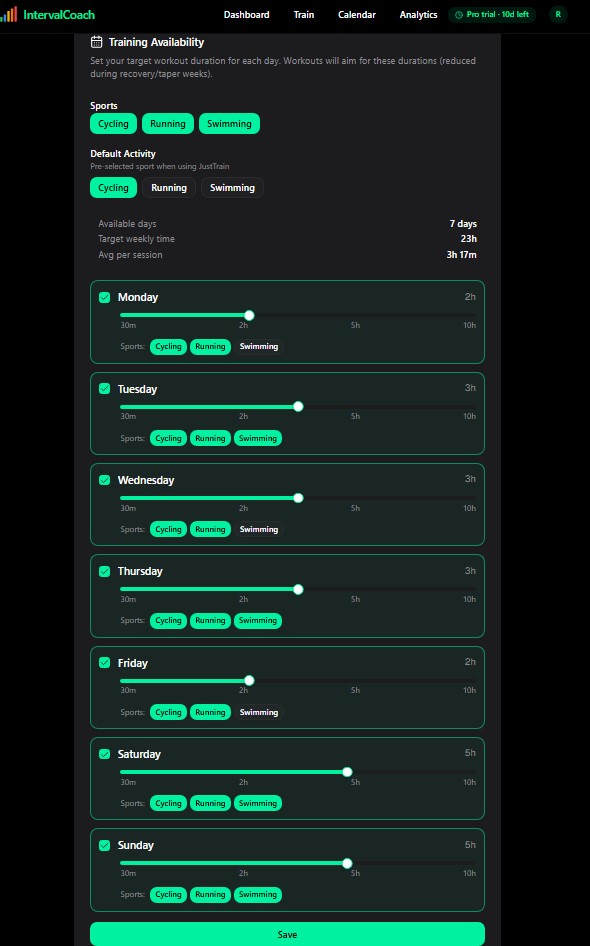
In “Set your target workout duration for each day,” I set a 7-day workout with at least two types of sports per day and 2-3 hours per day. My idea is to do two sessions per day (morning and evening). IntervalCoach interpreted this as a single 3-hour session, and I said, “I wish!” But unfortunately, that’s not possible for me because I also have a family and a job.
How can I request two separate sessions per day of two different sports for a total of 2-3 hours?
Thanks
RitmoBlando
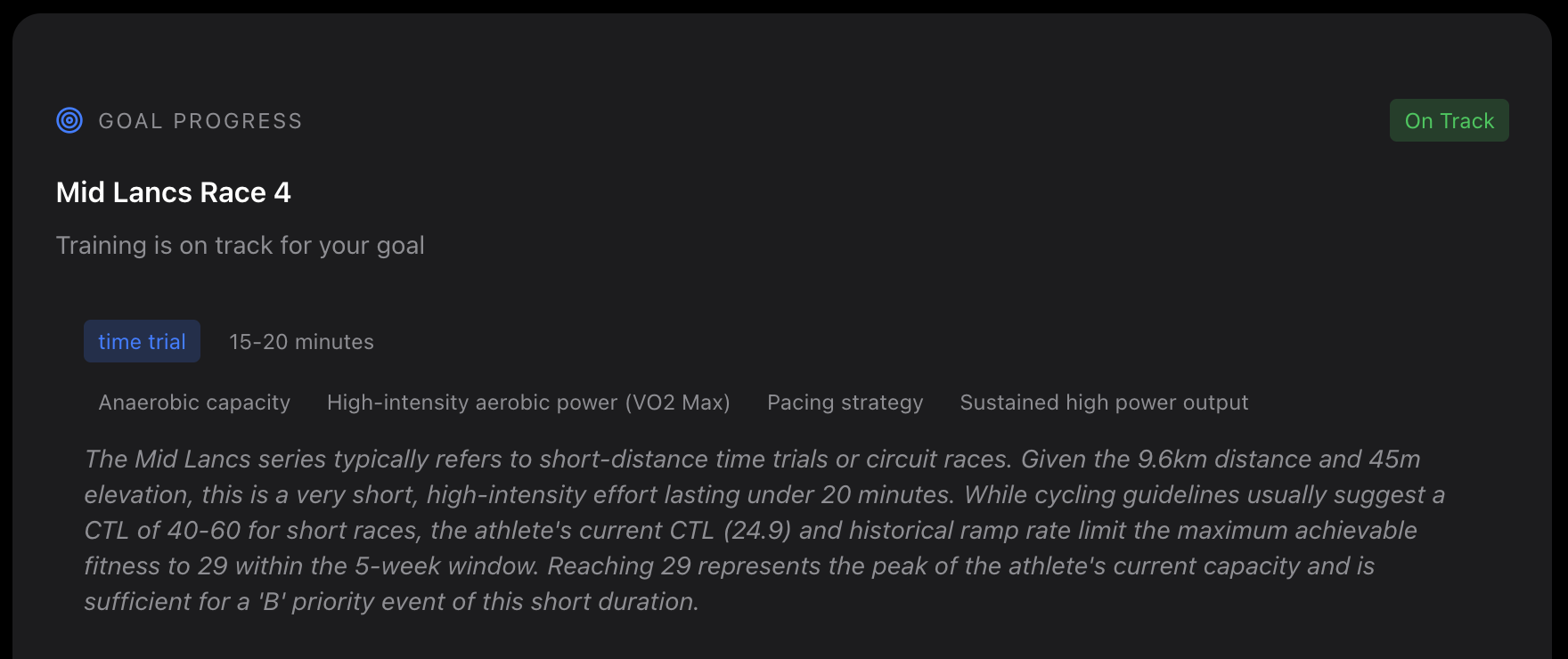
HI - firstly thanks for developing this. I’ll be interested to see how the system interacts with my planned training over the next month. I have one question about the goal. Its identified my next race in my intervals calendar but seems to think its a bike race rather than a run. Not majorly important but is there any way to tell the system that this is a running race (its actually a cross country race)? Would this change how the AI behaves if its a run rather than a bike race.
Cheers
John
Hello Martijn,
I have received emails for post workout analysis, but I have not yet received one in the morning for the “Daily Briefing”.
Any suggestions?
Best,
Briles
To reply on my own. This morning I got a email mentioning I’m sick and need rest. Great! Only the interface seems totally not aware, not a single mention anywhere when you open the app.
@RitmoBlando Great suggestion! You’re right - currently the schedule treats daily availability as a single session. When you set 2-3 hours with multiple sports, the system creates one long workout instead of splitting it into separate morning and evening sessions.
I’ve added this as feature request to support multiple sessions per day.
@John_Peters_endura.f Thanks - glad you’re giving it a try!
Good catch on the sport detection. You’re right, it thought “Mid Lancs Race 4” was a cycling time trial when it’s actually cross-country running. The issue was that “race” was matching cycling keywords before the system could identify it as running.
I just pushed a fix that adds better keywords for cross-country and fell running. If you refresh your dashboard, it should now correctly show it as a running event.
And yes, it does matter - the AI uses the goal sport to:
If for some reason it still doesn’t detect correctly, you can also set the event “type” field to “Run” in Intervals.icu - that takes priority over keyword matching.
Let me know if it looks better now!
@Briles I checked the logs and daily briefing emails are being sent to you. But I can see the confusion. With Whoop connected, your daily emails are triggered when Whoop syncs your recovery data - which for you has been happening around 8 PM Eastern. Is there any reason why it would be syncing at this time?
@lvanjaarsveld Good catch! The email system checks your Intervals.icu calendar for SICK/INJURED events, but the web dashboard doesn’t - it just runs its normal readiness calculation based on your fitness metrics. I’ve added this to my list to fix so the dashboard shows consistent information.
That is odd. I see nothing in the settings of Intervals, Whoop, or IntervalCoach that hint to where the issue may be. I see my Whoop data in Intervals.icu update in the morning hours. I also noticed this morning the IntervalCoach app updated based on my Whoop recovery data.
I have Whoop integrated with both Intervals.icu and IntervalCoach. Should I choose one app or the other?
@briles You can absolutely keep Whoop connected to both - they serve different purposes and complement each other.
How each connection works:
The direct IntervalCoach connection gives you fresher morning data for your daily training recommendation, while the Intervals.icu connection keeps your wellness history visible there too.
The fact that you’re seeing IntervalCoach update based on your Whoop data means everything is working correctly. I’m monitoring the Whoop integration closely - if for any reason the real-time webhook doesn’t trigger, there’s a fallback that ensures your daily email still goes out by 10am your local time.
Why not directly update the scheduled entry in the calendar and add a note like “made today’s session harder due to good regeneration”? I am assuming you are already sending an API request for the daily suggestion, then might as well adjust the entry in the calendar?
Or make it an option.
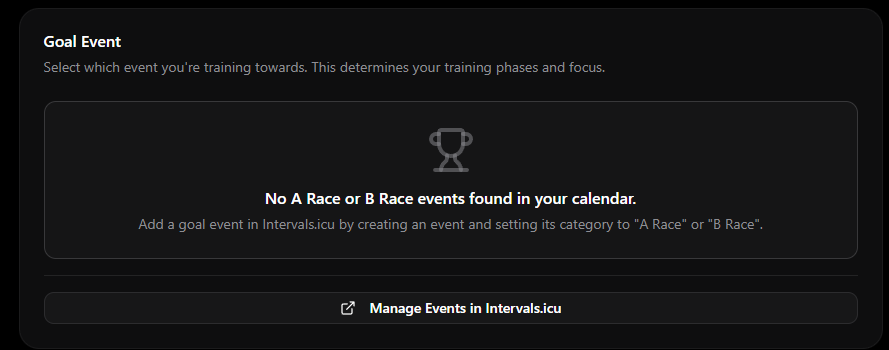
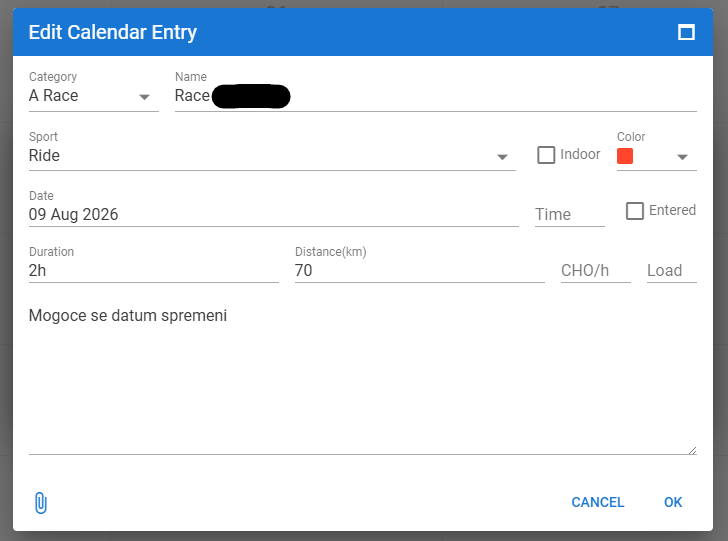
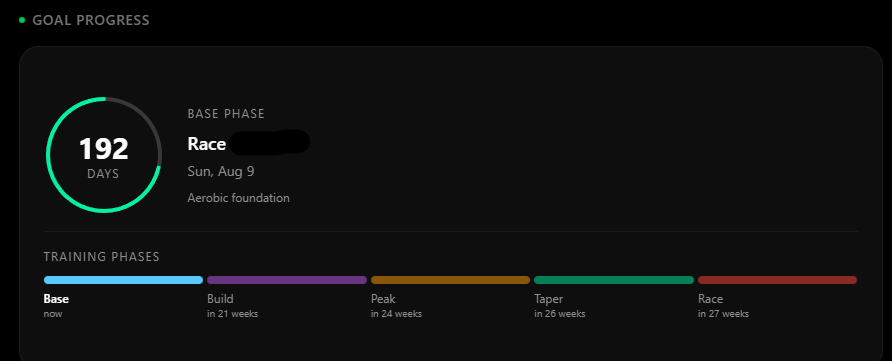
Have a bug report - I have an event marked as an A-race in intervals.icu. It has been correctly recognized as such until now. Today I see that no events are found:
And a question regarding the MyWhoosh FTP test - there are two, a ramp and a 20min effort test. Both update the FTP after completing them. Does the AI accept both?
Suggestion regarding goals - if you already implemented a target CTL slider, maybe add a target FTP slider as well? Aiming for an FTP number seems more intuitive to me, and the increase in CTL would come with it automatically I believe
Question regarding rest days - intervals.icu currently does not have a dedicated “rest day” calendar entry, so most people either use a note or create a “other workout” entry as a placeholder. Does the AI detect these entries? And what happens if the user actually has that specific day of the week marked as available for training?
That’s a fair point, and actually, it already does this for workouts that IntervalCoach created. If the weekly plan put a threshold session on your calendar but your recovery data says otherwise, the daily adaptation can replace it with something more appropriate.
What it doesn’t do yet is touch workouts you’ve added manually, to avoid overwriting your own planning. But adding the option to adapt those too (with a note explaining why) is a great idea. It’s on my list.
Good catch - I found the bug. The settings page caches goal events with a 30-day lookahead window, while the dashboard looks a full year ahead. If your race is more than ~30 days out, it shows on the dashboard but not in settings. I’ll fix this so both use the same window.
Yes, the AI accepts FTP values from any test type equally - ramp, 20-minute, MyWhoosh, Zwift, or manual entry. It doesn’t differentiate between how the FTP was obtained. The test protocol setting in preferences is only used for scheduling when to do FTP tests, not for processing the resulting value. If you select MyWhoosh as FTP preference it will provide instructions on how to run this in MyWhoosh, once completed it will be recognized by the system as a completed FTP test.
Great idea! I’ve added this as a feature request. It’s a bit trickier than CTL since FTP improvement depends on a lot of individual factors (genetics, training history, current ceiling), but showing an estimated FTP projection alongside the CTL target would definitely be more intuitive.
The system determines rest days by checking if there are no workouts scheduled on your Intervals.icu calendar for that day. It doesn’t look for explicit “rest day” markers like notes or “other workout” placeholders - if the day has no workout event, it’s treated as a rest day. On top of that, the recovery AI can also recommend rest even when a workout IS scheduled - for example when your recovery score is low or you’re in a taper phase before your race. So if you have a day marked as available but no workout is scheduled, the system treats it as a rest day regardless.
Thanks that worked. The race was set as Run in Intervals but was still being identified as a cycle race. But now its correctly showing as a running race.
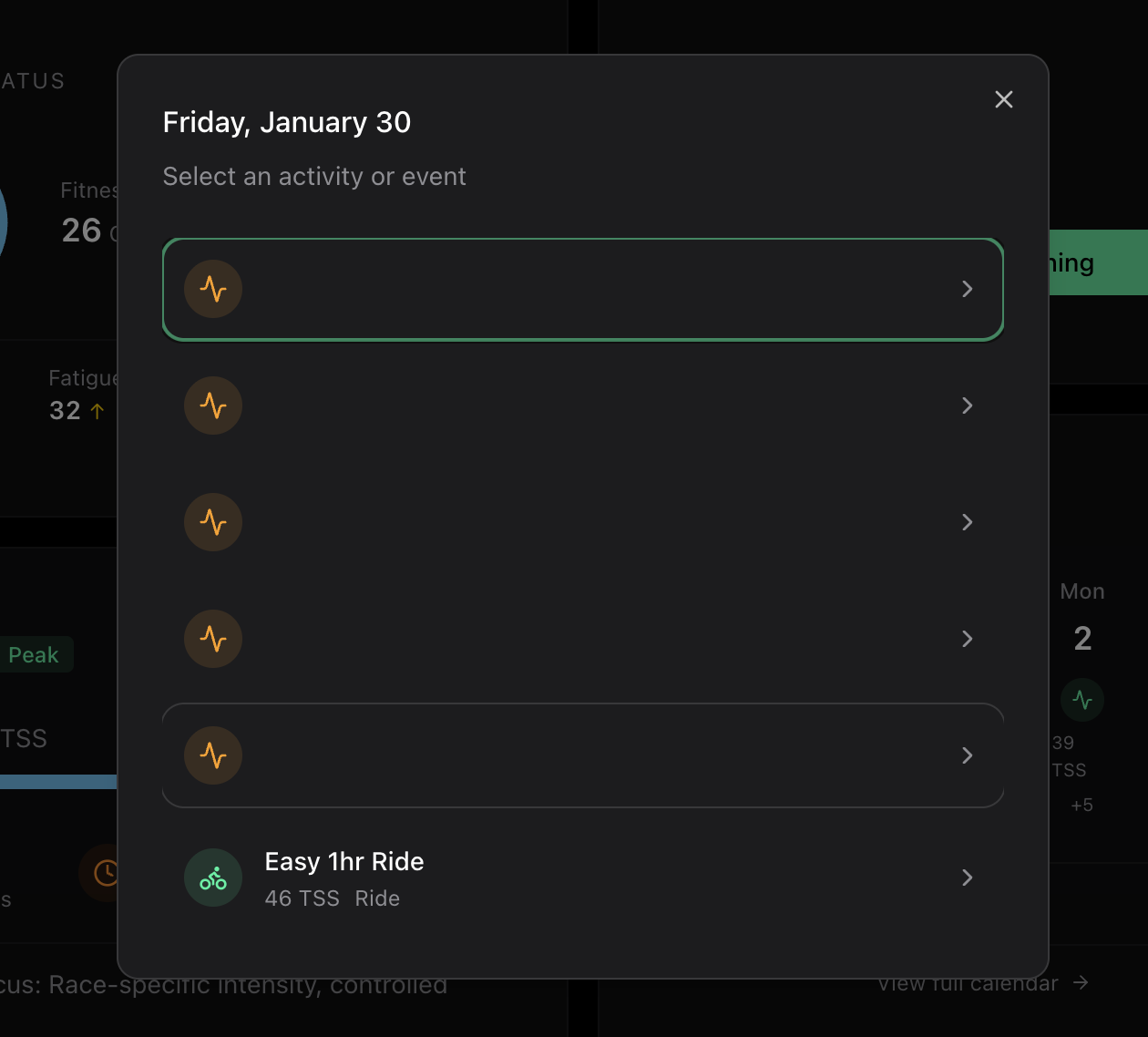
I’m also getting a lot of empty activities each day in the app, which then appear as empty planned workouts in Intervals. Do you know why this is happening.
Hi, thanks for developing IntervalCoach. It’s a cool project!
I found a bug in goal setup:
It starts with
Moving the slider makes CTL of 49 the maximum
Resets if I’m going back and forward again - then its 56 again.
It seems like the app is seeing a lot of “Notes” on your intervals calendar. Are those intentionally created? We should probably filter those out on our end to not pollute the calendar view.
Thanks, and nice catch! You’ve found a real bug in the Goal Setup wizard.
What’s happening: the AI recommends a target CTL of 56, but based on your current fitness (CTL 23) and time until your event (62 days), the maximum achievable CTL is 39. The slider is capped at 49 (which allows some room beyond max achievable for ambitious targets). The problem is the initial value is set to the AI recommendation of 56 without clamping it to the slider’s actual maximum — so you see 56 at first, but as soon as you touch the slider it drops to 49. Going back and forward re-fetches the data and resets it to 56 again.
I’ll fix this so the initial value respects the slider bounds. Thanks for the screenshots — made it easy to track down.
Hi Martijn - yes there are various notes in my calendar which come from a system I’ve developed that syncs with intervals. I end with all sorts of junk in there from testing!! So probably not a typical case.
Thanks for the quick response.
Cheers
John