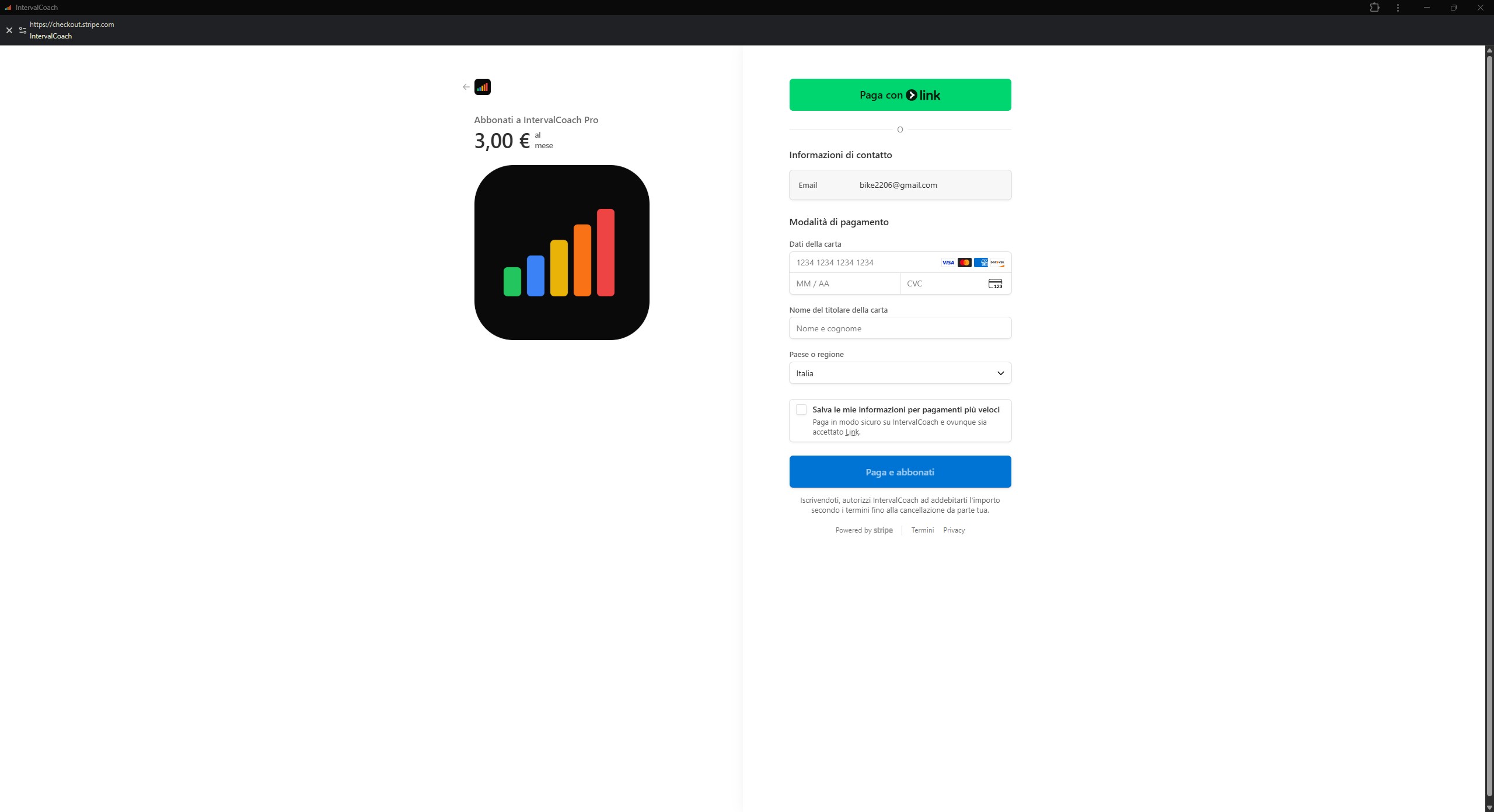
I just upgraded the account to Pro and I’m very happy with the coach.
And I find the post-workout analysis and weekly summary very helpful, and particularly the recommendations for recovery and nutrition. However, I have one small request: as a vegetarian, nutrition suggestions like ‘chicken with rice’ are not very helpful
Hi Martijn,
When I discovered Interval.icu, I thanked David for existing, and I’ll thank you for IntervalCoach too…
I started the trial period, but I can’t get the weekly plan generated. I already have workouts loaded in the Interval.icu calendar for the next few months, but IntervalCoach doesn’t add workouts or modify existing ones.
I generated a single workout with Train and added it to the calendar… but I can’t generate the weekly plan using the “Reset Training Calendar” procedure in Settings->Training.
Do I have to wait for the first Sunday to pass and for the first weekly plan to be created automatically?
@Vellocet Great question — this is something I think about a lot as a time-crunched athlete myself.
The short answer: Yes, the AI fully supports a 3-session schedule with 60-90 minute workouts. You set your available days and time per session in Settings → Schedule, and the weekly plan works within those constraints.
The nuance: The system doesn’t currently have explicit “time-crunched mode” logic that automatically shifts toward more Sweet Spot or HIIT because you have limited hours. The intensity distribution is driven by your training phase (Base, Build, Peak) rather than total weekly volume.
That said, with 3 sessions per week, you’ll typically get 2 intensity sessions + 1 easier day during Build phase — which is already a more intense ratio than someone training 6 days. So you’re naturally getting more “bang for buck” by the numbers.
What I don’t have yet is smarter programming that recognizes low-volume athletes and consciously prioritizes time-efficient work (more Sweet Spot, shorter VO2max intervals, etc.) over traditional long Z2 rides. That’s a really good idea though — I’ve added it to my list.
@GigiVag Not a stupid question at all - you found a bug!
Your Settings correctly shows “Cicliraduno z2” as your selected goal (April 25), but the Dashboard was showing “Giro al mare” (Feb 22) in Goal Progress. This happened because the dashboard was picking the nearest goal event instead of respecting your selection. I’ve identified the issue and will fix it.
In the meantime, you can either:
Keep your current setup - the daily workouts and weekly plans already respect your goal selection correctly
Or temporarily remove “Giro al mare” as a goal event in Intervals.icu if you want the dashboard to align
PayPal: Good timing - I just added PayPal as a payment option! When you go to upgrade, you should see PayPal alongside the card option. Let me know if you don’t see it.
There’s an FTP preference setting in Settings → Training where you can choose between:
eFTP (default): Uses your estimated FTP that adapts to your current fitness
Manual FTP: Uses your manually set FTP from Intervals.icu
If you have it set to eFTP (which is the default), IntervalCoach uses your current estimated power for all workout zones and analysis. The “Peak Form Progress” card on the dashboard shows progress toward your manual FTP as a target, but workouts are based on your current eFTP.
The issue with setting a high “target FTP” in Intervals.icu is exactly what you described - it affects all of Intervals.icu’s own calculations (zones, load, fitness charts, etc.).
My recommendation: keep your manual FTP in Intervals.icu at a realistic current value (or let it auto-calculate), and use IntervalCoach’s eFTP preference. Your eFTP naturally increases as you train, and the AI builds workouts appropriate for your A-race regardless of whether you’ve set a specific target number.
FTP test frequency
You’re right that 4-6 weeks is aggressive for experienced cyclists. The current logic doesn’t account for experience level. I’ve added making this smarter or configurable to my list.
Test protocol
The system does detect when you’ve done an FTP test by scanning activity names - it looks for patterns like “ftp test”, “ramp test”, “20 min test”, etc. So it knows when you last tested and won’t schedule another one too soon.
However, it doesn’t currently know which protocol you prefer. When suggesting a test, it defaults to a generic ramp test rather than saying “do your MyWhoosh FTP test”. I’ve added protocol preference to my list so it would recognize your preference and suggest that specifically.
Thanks for upgrading to Pro - really appreciate the support!
Ha, fair point about the chicken suggestions The nutrition advice is currently one-size-fits-all, which obviously doesn’t work for everyone. I’ve added dietary preferences to my list - should be a straightforward fix to offer vegetarian/vegan alternatives.
IntervalCoach is designed to not overwrite existing workouts in your calendar. Since you have workouts loaded for the next few months, it sees those and says “this athlete already has a plan for these days” and skips them.
This is intentional - I didn’t want IntervalCoach to accidentally delete or duplicate someone’s existing training plan.
If you want IntervalCoach to manage your weekly training, you’d need to remove the existing future workouts from your Intervals.icu calendar first. Then “Reset Training Calendar” will generate a fresh plan for the open days.
Alternatively, if you want to keep your current plan and just use IntervalCoach occasionally, you can use “Train Now” to generate single workouts whenever you want something different.
Let me know if that makes sense or if you have any other questions!
Interesting to compare IntervalCoach and CoachWatts. I entered an October half marathon as my goal. I’m running about 25-30 miles a week, predominantly endurance, with a 7-mile long run.
Although the race is 250 days away, IntervalCoach says “Significantly behind target - consider adjusting goal or increasing volume.” It labels my goal as “At Risk.”
CoachWatts prescribes a strength workout and later in the week, some cycling workouts with three roughly 5K runs. I haven’t figured out how to see what IntervalCoach would generate as a schedule, but for today, it evaluates the workout I put on my calendar, very reasonably I think. It also gives me a rest alternative if I am feeling sluggish. When I choose to generate a running workout for today, it gives me as the preferred option a one-hour base run with strides (a bunch of other alternatives, too.) Also, very complete advice about pre and post fueling.
I like that both of these programs simplify things. They do that by taking a lot of decisions out of my hands. I suppose it would be better to say, recommending how I make a lot of decisions, but the real attraction is having the decisions made and removing qualms and uncertainty.
Yet, and this is probably true for most AI things, I don’t trust those decisions a great deal, because I don’t really know how the programs are making them or on what basis. For example, I wonder whether either program knows I’m 70 years old, have trained at a high level for most of my adult life, but now work on a one week on and one week easy schedule. Perhaps, individual differences are accounted for as one trains or in one’s training history.
I like the “don’t overwrite” approach, yet perhaps it would make sense to have your engine construct an alternative calendar (when an athlete has workouts present) and give the user the option to clear their calendar and use the generated one or replace the existing one.
I’d like to compare the schedule I’ve made with what the engine would come up with. Seeing the generated one, even if I didn’t use it or all of it, would be interesting and perhaps useful.
Understand - the AI does NOT use the manually set FTP (from intervals.icu). I was confused about it due to the “Goal Progress” section on the dashboard. I was assuming that the target and projected CTL (for my A-event) would depend on the manually set FTP I want to reach by the A-event. Which then brings me another point - the target CTL is current 1 point below my current CTL, which seems contradictory? Assuming I want to be at peak form for an event 190 days out, I would expect the target CTL to be noticably higher than the current one?
Thanks for this thoughtful comparison - you’ve hit on something real.
To answer directly: IntervalCoach doesn’t currently know your age, and it doesn’t know about your “one week on, one week easy” pattern. What it does know:
Your training load history (CTL from Intervals.icu)
Your recent workouts and how effective they were
Your wellness data (HRV, sleep, RHR)
Over time, it learns your patterns (best days for intensity, what sequences work for you)
That said - Intervals.icu does have your age (they use it for age-group comparisons), so I can probably pull that from their API. I’m going to look into this - would make sense to adjust recovery recommendations based on age.
The “At Risk” status 250 days out is admittedly aggressive - it projects your current weekly training volume in a straight line, which doesn’t account for the natural periodization where you’d build volume as the event approaches. I can see how that’s not helpful this far out.
To see your weekly schedule: Go to the Calendar page (/calendar) - that shows the full week-by-week plan.
You’re right that the “trust but verify” aspect is missing. There’s no easy way to see why a particular recommendation was made. I’ve added both items to my list.
That’s a great suggestion. A “preview mode” that shows what the AI would generate - without actually touching your calendar. I’ve added this to my list.
In the meantime, if you want to see what IntervalCoach would generate: try clearing your Intervals.icu calendar for just one week, then use “Reset Training Calendar” to generate a weekly plan. That’ll give you a sense of what the AI produces without losing your whole schedule.
Thanks for the feedback on the FTP - you’re right, the Goal Progress section shows CTL targets (training load), not FTP targets. On the target CTL being 1 point below your current - that does seem off.
Here’s what’s happening: The AI analyzes your goal event and recommends a target CTL based on the event type. For shorter races (criteriums, e-races) it suggests lower CTL than for ultra-endurance events, since you don’t need as much aerobic base. With 190 days out, though, I’d expect it to suggest maintaining or building, not dropping.
A few questions to help me investigate:
What type of event is your A-race? (e.g., road race, gran fondo, crit, etc.)
What’s your current CTL and what target is it showing?
This might be a bug in how the AI identified your event type, or there could be stale cached data. Once I know more, I can dig into it.
You can presumably just “Insert week” or two & then “Delete Week” of the (temporary) AI workout plan if you wanted to go back to your original week’s workouts. So then you do not lose any of your schedule.
Been thinking about setting goals, and targets and got to the conclusion that the current AI based approach is too restrictive and doesn’t allow users to improve or maintain in the way that fits them best.
Right now, when you set a goal event, the AI calculates your target CTL automatically based on the event type (gran fondo, marathon, criterium, etc.) and how much time you have. While this sounds smart, it has some issues:
You have no say in how aggressive or conservative your training should be
The AI doesn’t know your life circumstances (stressful job, family commitments, injury history)
Some athletes want to maintain fitness, others want to push hard - one size doesn’t fit all
The target recalculates, so it can shift on you
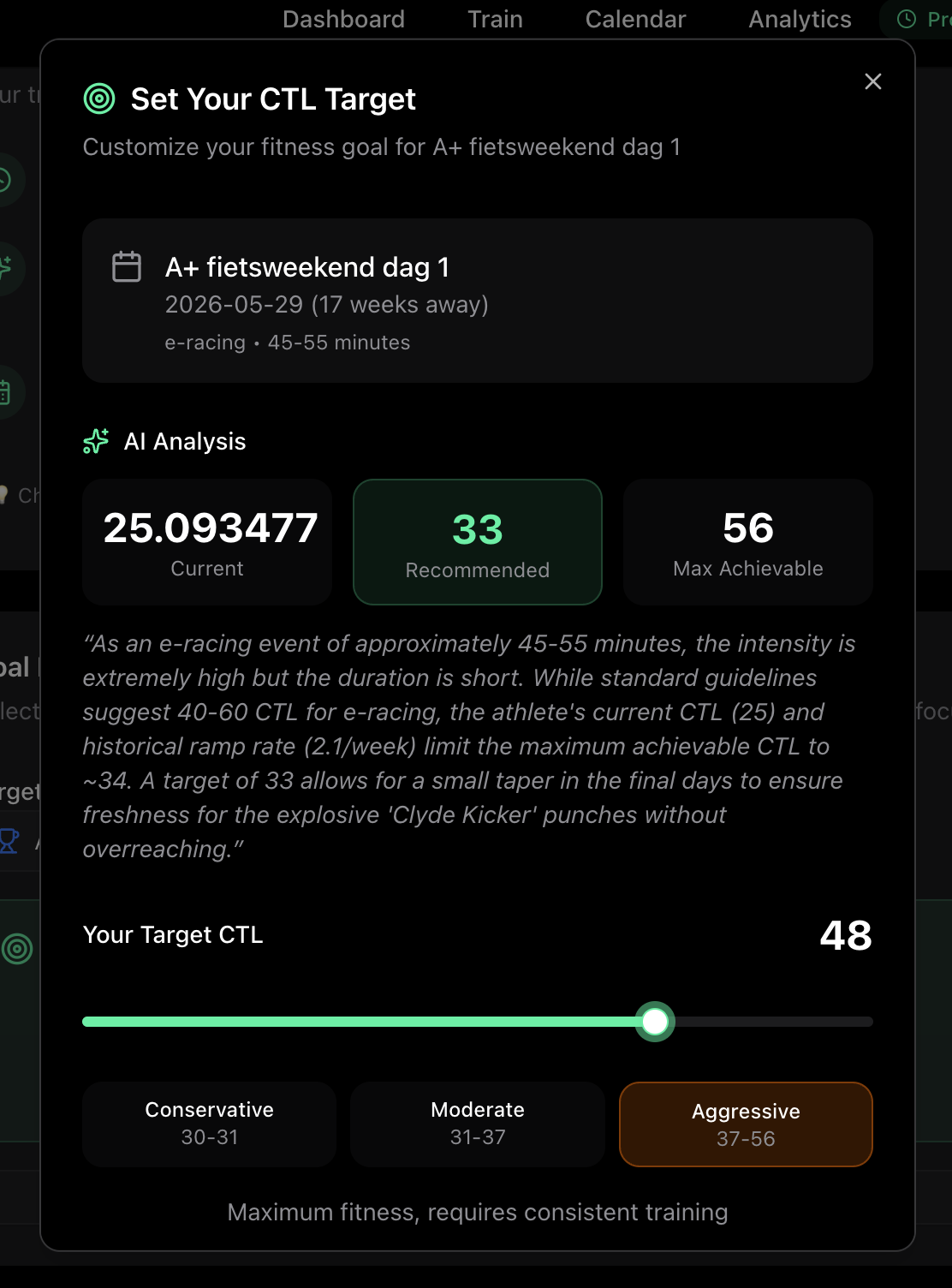
Proposed Solution: CTL Target Wizard
When you select or change a goal event, a wizard pops up that:
Shows the AI’s recommended target CTL with reasoning (“For a 5-hour gran fondo, we recommend CTL 75-85”)
Displays your current CTL and the maximum achievable given your timeframe
Lets you adjust with a slider across three zones:
Conservative - Lower risk, more margin for life getting in the way
Moderate - Balanced, what the AI recommends
Aggressive - Maximum fitness push, requires consistent training
Your choice gets saved and stays fixed for that goal - no more shifting targets.
Questions for you:
Does this resonate with your experience?
Would you find the Conservative/Moderate/Aggressive framing useful?
Any other factors you’d want to consider when setting your target?
This sounds good & perhaps the best solution. But my query or concern would be how a very temporary disturbance could be handled if someone chooses Aggressive. So if e.g. ill for a week (themselves or peraps kids), could they themselves (but not AI coach) choose to go back to Moderate knowing that they might need a 1-2 week rebuild, & so 3 compromised weeks within your 17 week example. The highest CTL might likely then be an over-reach target & mean not competing at all. Or would a whole new Plan need to be recalculated. Probably not an issue if they had chosen Conservative or Moderate with the lower Ramp Rate.
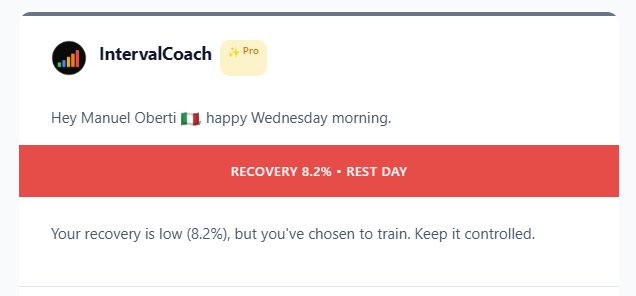
Every morning I get the IntervalCoach email, and it’s great, but the alerts are always wrong: I didn’t choose to train this week, I don’t have any workouts scheduled, but it always says “but you’ve chosen to train.”
Good catch - you’re right, that message was wrong. When you don’t have a workout scheduled, it shouldn’t say “you’ve chosen to train.” I just fixed this. The next email you get should show the correct message. If you still see the wrong text tomorrow, let me know and I’ll dig deeper.

 The nutrition advice is currently one-size-fits-all, which obviously doesn’t work for everyone. I’ve added dietary preferences to my list - should be a straightforward fix to offer vegetarian/vegan alternatives.