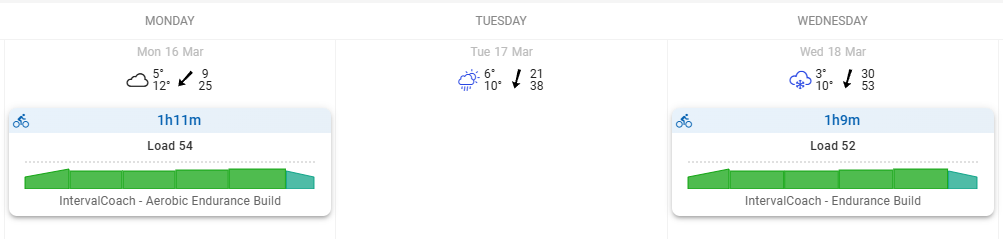
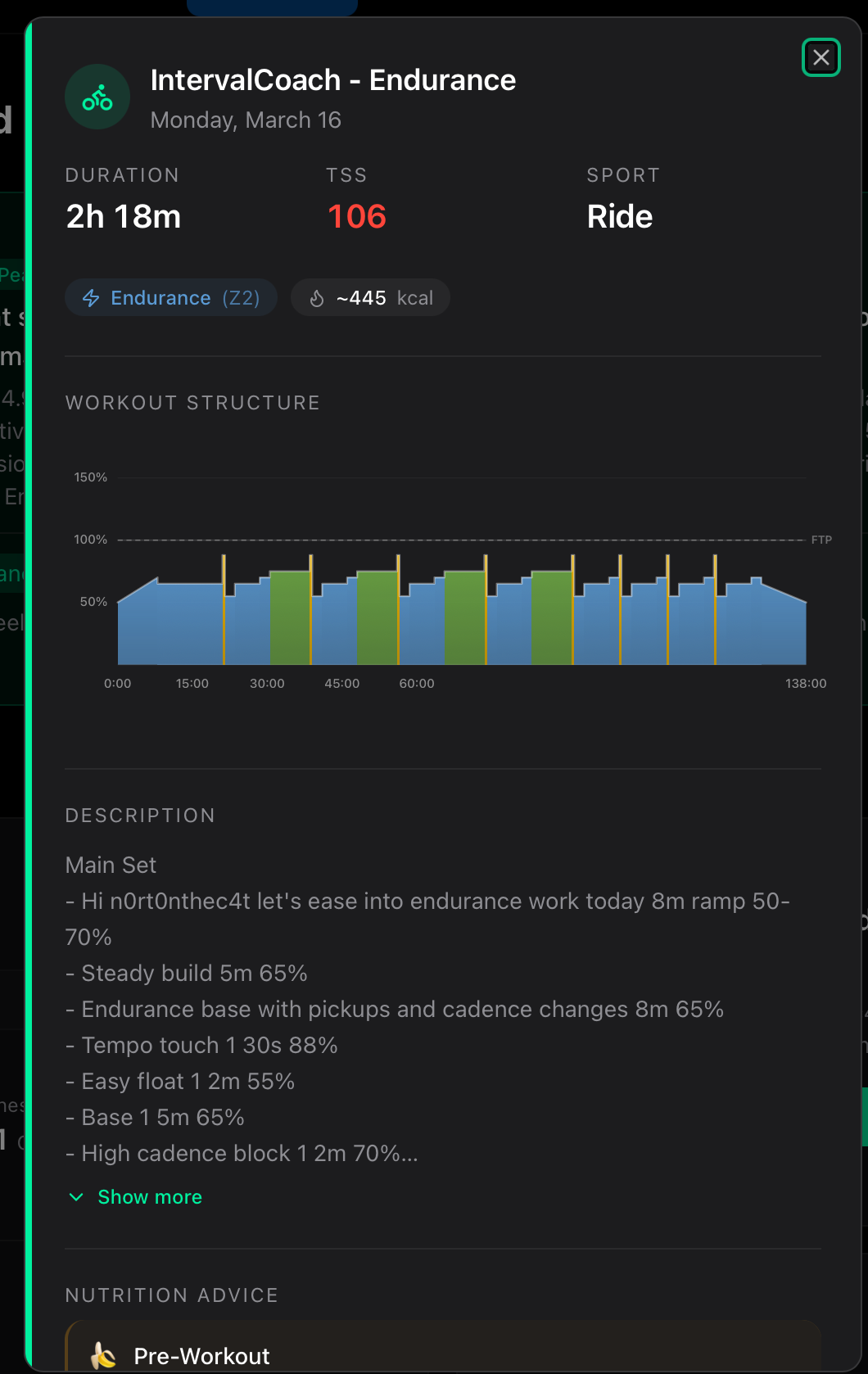
Still having issues. Regenerated my plan today:

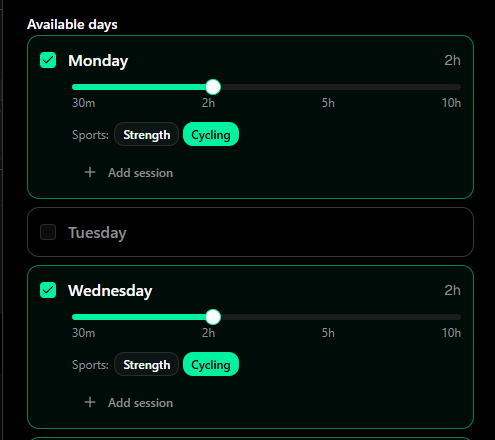
I feel like it is always just me having issues with the duration lol. Does perhaps some other metric override the planned workout duration and forces it to be shorter?
Still having issues. Regenerated my plan today:
I feel like it is always just me having issues with the duration lol. Does perhaps some other metric override the planned workout duration and forces it to be shorter?
I shipped a fix for exactly this today: when your CTL is lower relative to your training hours, the weekly TSS budget was too low to fill your configured slots. The system now ensures a minimum TSS based on your actual availability.
Didn’t work for me. I deleted my future workouts, resynced and regenerated. I can see the pushed change in the changelog.
@mrusschen loving the idea of Intervalcoach and exploring it since some weeks. My main barrier is that - in my case/on my side - the trainings are not formatted in a usefull way. What I get in garmin are empty blocks, i.e. blocks without any clear guidance. Yes they are in the text, but useless on the watch… let me know how I can help by providing clear needs or screenshots. Since I love the idea in itself.
The fix applies when your weekly plan is generated (Sunday night/Monday morning). Your current week’s plan was already locked in before the update, so regenerating workouts within the same week uses the same targets. You should see the difference starting next week’s plan. I’ll keep an eye on it!
Thanks for the kind words and for trying IntervalCoach! The workouts are generated in Intervals.icu’s native workout format with power/pace targets, so they should sync to Garmin with full structure (targets, intervals, etc.). Would you be able to share some screenshots of what you’re seeing, both the workout in Intervals.icu and what shows up on your Garmin? That’ll help me pinpoint where the formatting breaks down.
sure @mrusschen !
here are some screens form the different connected apps & devices
From the Garmin Connect web calendar
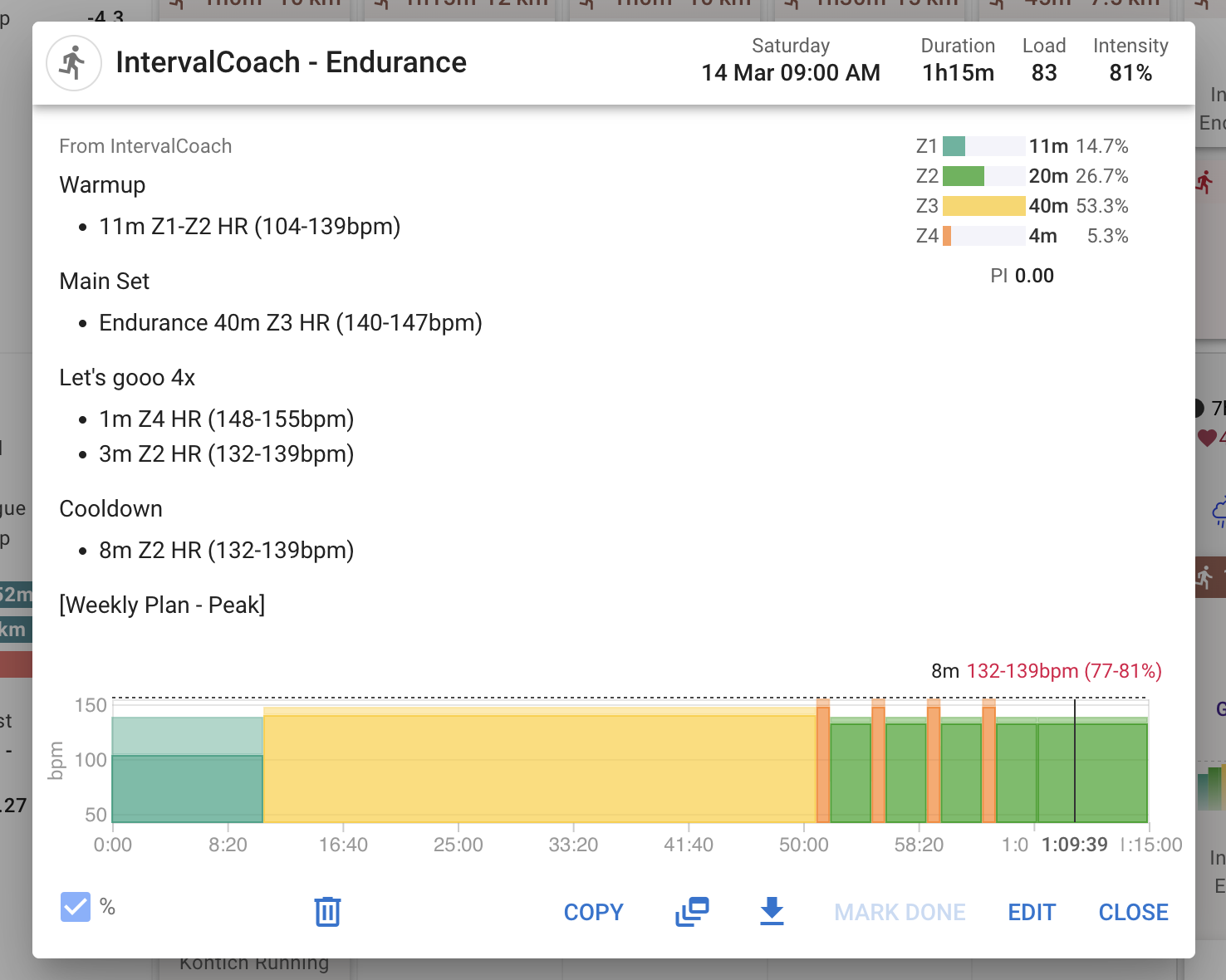
IntervalCoach workout in Intervals.icu - showing txt and intentioans, but deliver empty workout blocks
an IntervalCoach workout in Intervals.icu - modified by me, this works. See futher watch screenshots below. (Though I only added ‘Z4 HR’, the info details between brackets were added auto)
note; my modifications are HR zone based, the 2nd screen by your app is pace-based
note; I did select for HR based targets in Intervalcoach, but get pace based workouts. Maybe here is a possible answer to why not working?
(My free pro trial has expired, I’m on regular for now)
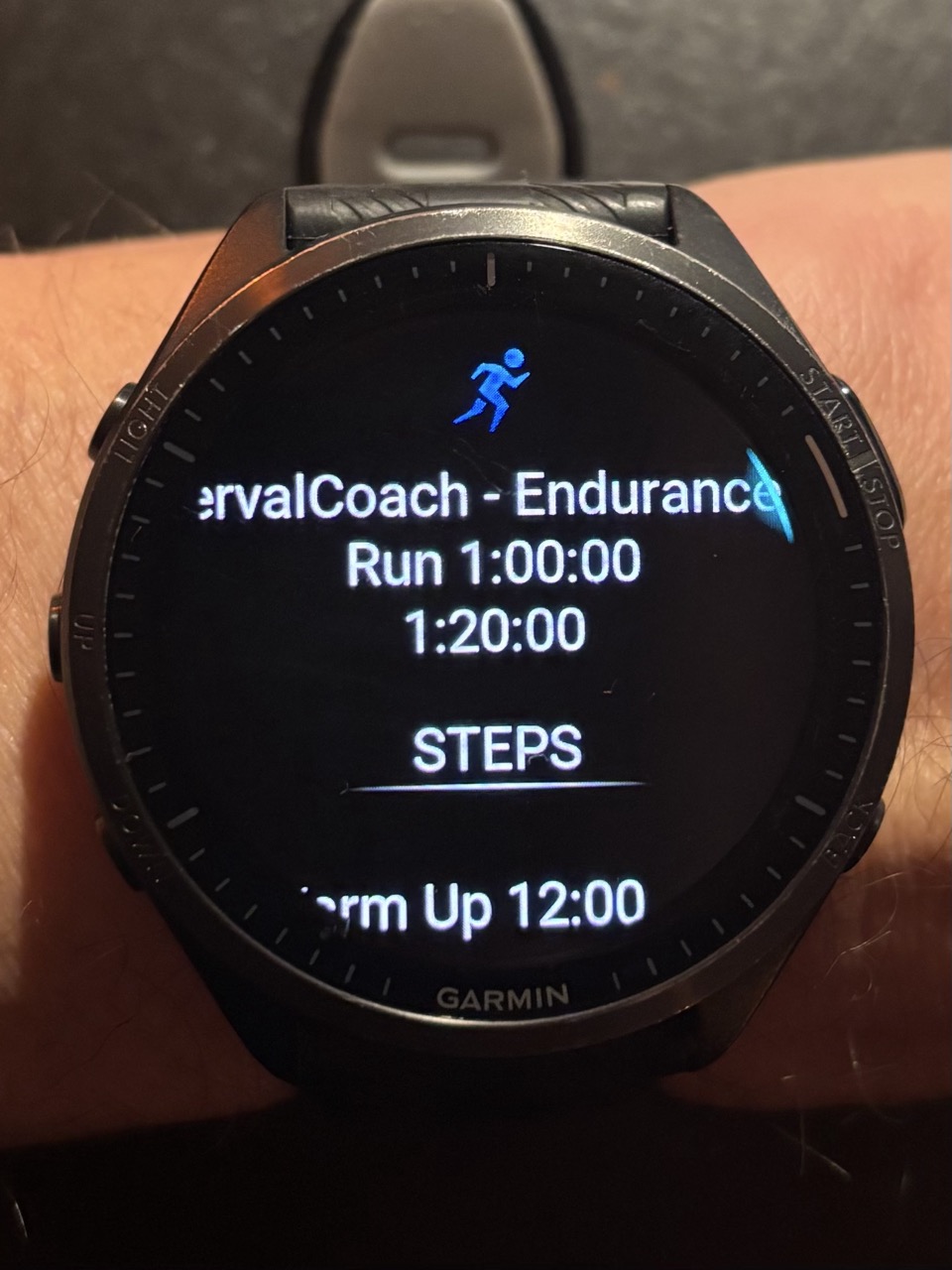
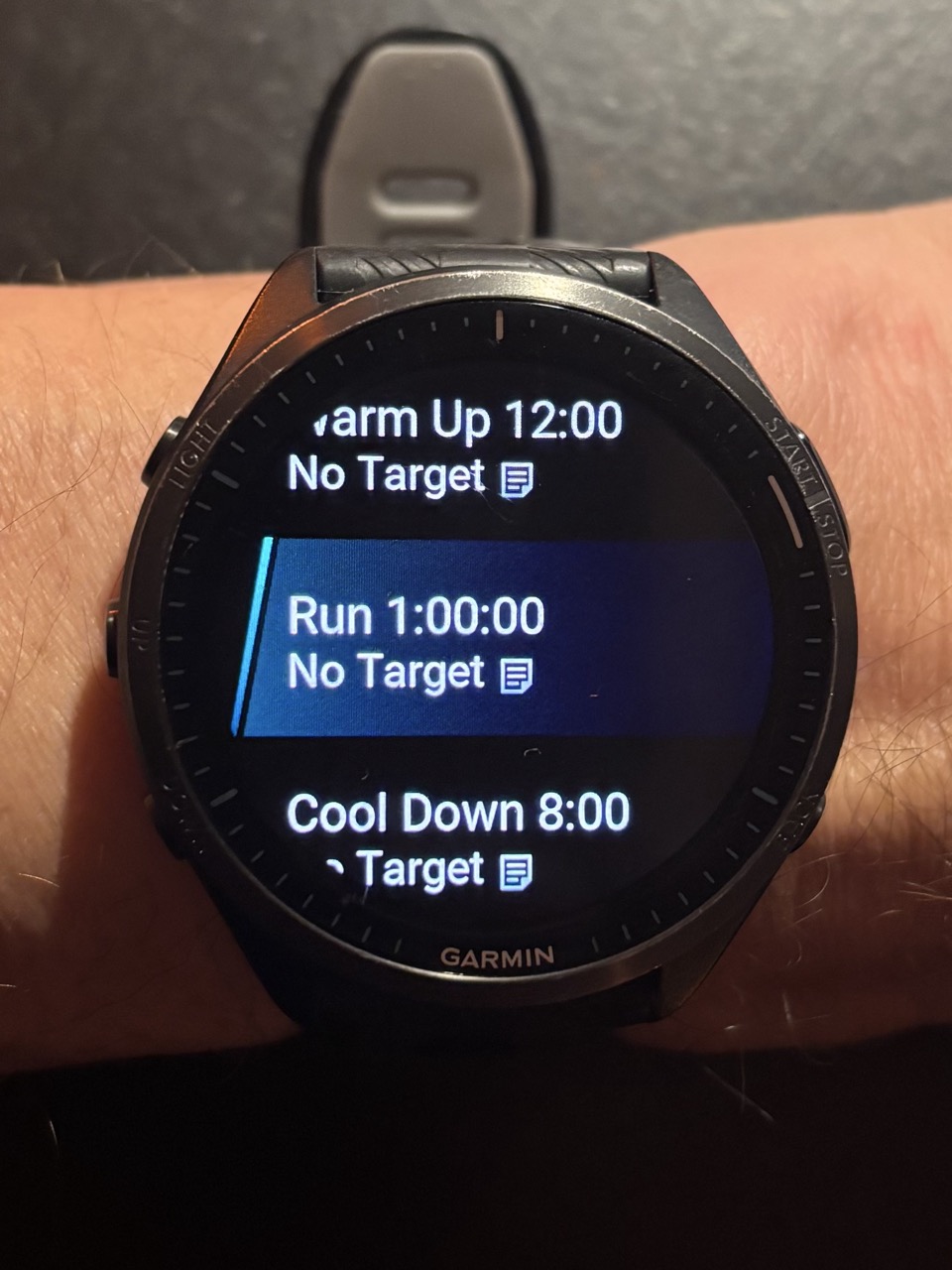
two screens on my Garmin watch from a Intervalcaoch workout, resulting in no overview and empty time blocks that give no target guidance
two screens on my Garmin watch from a my manually modified Intervalcaoch workout, resulting in clear overview and useful blocks that give guidance
Also on garmin watch, while running, the manually modified version gave the expected data screen indicating the current HR zone window, and gave warning below and above etc… like was also able to deliver the execution score.
hope this helps, happy to help futher
EJ
Not sure if this is a bug or not.
Website Dashboard has been stating:
With fatigue from the 43% load ramp and TSB -14, stick to the Recovery Spin (45m) today and skip the 5*3 VO2 Max plus workout to preserve freshness for your race in 14 days.
Yet I completed the 5*3 VO2 Max plus some 13 hours ago. I have an email with an evaluation of the workout not long after completion and an email this morning with the evaluation of the 5*3 VO2 Max plus workout plus recommendations for this week.
Website is stating:
Synced 1m ago
Feels like the website and email system are out of sync and different systems 
Feature Request
Week’s hours completed/planned in the " Week-by-Week Plan" view. We have TSS but I usually work off of hours. Maybe a UI toggle/option?
Hey EJ, thanks so much for these detailed screenshots, super helpful and exactly what I needed to pinpoint the issue!
The HR-based target setting was being ignored. Even though you selected “Heart Rate-based” in settings, our workout generator was still outputting pace percentages, which Intervals.icu (and your Garmin) can’t turn into structured targets because pace settings are likely not configured, hence the empty blocks.
I’ve shipped two fixes for this:
Z1-Z5 HR format that Intervals.icu recognizes as structured HR targets. Exactly like what you manually edited! Your Garmin will show proper HR zone guidance, execution scores, and alerts.These are live now, so your next generated workout should come through with proper HR zone targets on your watch. Would love to hear if it works as expected!
I found a bug where the readiness message can get stuck showing outdated advice after a workout syncs. The message is cached with your local timezone date, but the cache invalidation after workout sync uses UTC dates, which can cause a mismatch. So even though your activity synced fine (and dashboard data is fresh), the readiness text stayed stale.
I’m working on a fix to make the cache invalidation timezone-aware. In the meantime, if you see this again, it should resolve itself by the next day when the cache naturally expires.
Thanks for the suggestion! That makes a lot of sense, hours are often more intuitive than TSS for planning your week. The data is already there in the training plan graph, so it’s mostly about surfacing it in the week-by-week view too. I’ll add it to the backlog!
Thanks, mate.
So tangentially, I am seeing the next 10 days off in my Plan on the web UI. “CoachAI” says that is not what it is seeing and displayed by next week to me in a message (4 workouts). That was this morning. Now this evening, the same. Plan tab is empty for next 10 years. Intervals.icu has workouts next week and I have an email from Intervals Coach with next week’s plan.
I cleared cache and cookies for intervalscoach.app and re authorised but same result. Feel free to check my account if that helps.
Oh the Calendar web view has the workouts. So an easy way to see the issue, compare Plan to Calendar (for my account). Unless I am misunderstanding the purpose of the Plan tab
Feature Request
Pyramidal Model
Dr Seiler himself has said that the hard sessions can be in Z2 (3 zone TIZ) it doesn’t matter just that the concept is go hard approximately 20% of the time, with intensity and duration working together to make for a hard session. Thus Pyramidal is like Polarised just some of the “hard” sessions technically are in Z2 but still hard (just longer, think Sweet Spot) which some people respond to better and/or their event demands that kind of fitness and/or different times of the year.
This is a known issue. The Plan tab currently shows placeholders for upcoming weeks, while the Calendar shows the actual planned workouts. I’m working on merging these into a single unified view so you’ll see everything in one place. In the meantime, the Calendar view is the reliable way to see your upcoming workouts.
Great suggestion, and good reference to Seiler’s work. I’ll add this to the backlog. It makes sense as a complement to the existing Polarized option, especially for athletes whose events demand more sustained power or who respond better to sweet spot-heavy blocks.
Thanks for the feedback!
@mrusschen i have been suffering a disturbing issue for the past few weeks. At the beginning I thought it was my fault as I was poaching at the plan, but this week I have not change any settings and the issue still came up. I have set up IntervslCoach to plan the workout of next week in advance on on Sunday, but the AI is not populating the entire week, but just few days. It should plan approximately 750 TSS next week. We are far below.
Can you please take a look at this?
@mrusschen with pleasure! when should I be able to see the updated formats?
I clicked the ‘rebuild’ on the training-plan page, but still have pace based (thus empty) workout blocks. Let me know of you needs screenshots
@mrusschen Has there been a regression change recently around duration in workouts? Seems the AI is ignoring the “available” training times duration for each day as i have mine set at 90mins basically per day. On Friday it generated nearly a 2hr workout, and today, Monday, well over 2hrs. I get its in peak phase, but still seems over the top (and a side note, I wouldn’t want todo 2hrs 18mins on the indoor training without any break/recovery sections 
Thanks for reporting this, and sorry about the frustration. You were right that something was off with the weekly plan generation.
I found two issues and fixed both:
I’ve regenerated your plan with both fixes. You should now see workouts every day of the week, including a proper long ride on Saturday (3h30m). Next Sunday’s automatic plan will also use these fixes.
Let me know how it looks!
Thanks for following up! The format updates are live now. You might have noticed that some of your earlier workouts this week (Monday through Friday) still use the old pace-based format. That’s because they were generated before the fix went out.
Your workouts from Sunday onward already use the new HR zone format (Z1-Z5 HR), which gives you proper structured targets that sync to your watch and show up correctly in Intervals.icu.
Thanks for reporting this, you’re right. There was a bug in the daily workout generation: the AI’s training load recommendation could scale workout duration beyond your configured schedule. In your case, the 90-minute schedule got pushed up to 138 minutes.
This only affected Monday because that workout was generated by the daily adaptation agent, which adjusts workouts based on your current recovery and fatigue. The rest of the week was pre-filled by the weekly planner, which uses your configured duration directly.
I’ve just deployed a fix: the system now respects your configured duration and adjusts workout intensity instead when it wants to reduce load. Your next generated workouts should come through at the correct 90-minute duration. Let me know if you see any more oversized workouts.
Why have I paid for the Pro membership, but now my Pro membership is gone ?