Thanks for the response. The two points still not add up for me:
about week 1 of 12:
I am already on the plan since two weeks (hence all the questions you are getting from me since a while). So I wonder why this now is week one. Last week I could see 13 total weeks.
tss of 922:
Adds to the same topic. I for sure did not have a load of 922 in this week, which the system calls my week one
If it includes the last two weeks this sounds more realistic.
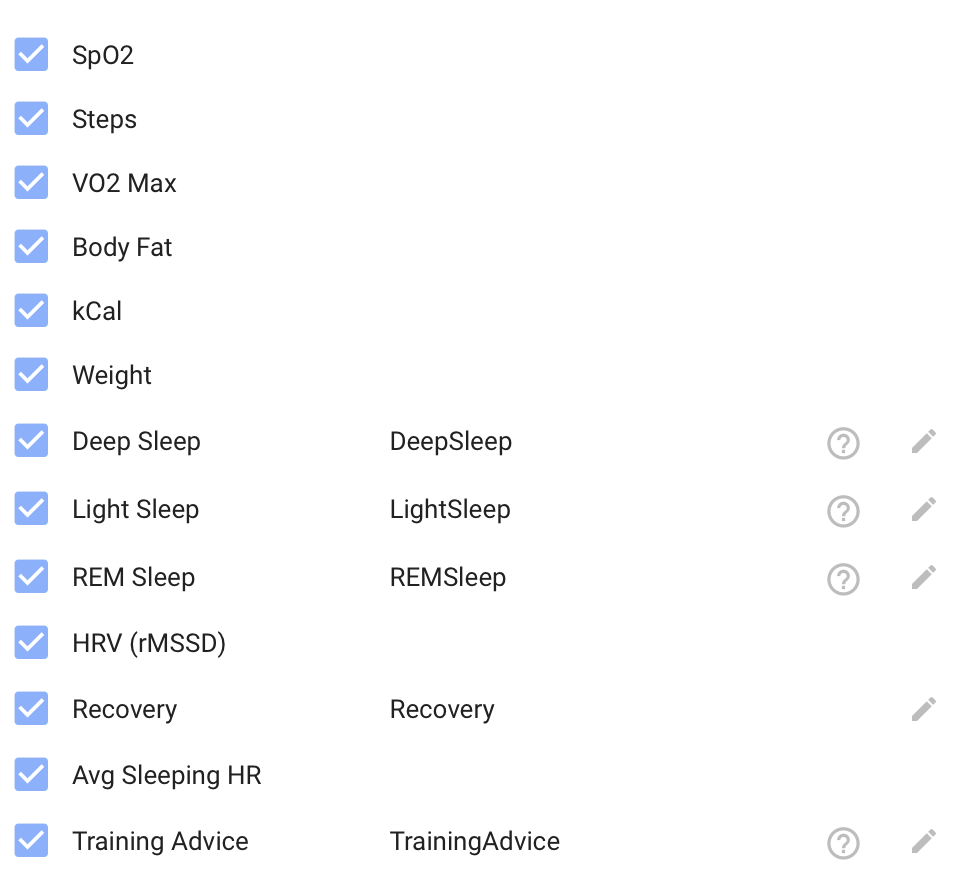
For wellness review. Any chance of it reviewing sleep stages, sleeping hr, imready4 training advice too? Resting hr seems to sync from my Apple health later and not first thing.
I saw this as well! Just pushed a fix that should resolve this.
Great suggestions. Here’s where things stand:
Sleep stages - Right now I only get the full REM/deep/light breakdown from Whoop. Intervals.icu gives me total sleep hours and a sleep score, but I’ll look into whether their API exposes the stage data from Garmin and Apple Watch too. If it’s there, I can definitely start using it.
Sleeping HR - Same story, I’ll check if Intervals.icu makes that available. It would be useful to track separately from resting HR.
iMReady4 - The app already picks up your iMReady readiness score and interprets it on the 1-10 scale. However, since everything comes through Intervals.icu, I’m limited to what they expose in their wellness data. The richer iMReady insights like training advice may not be available through that route. I’ll check what fields come through and see if there’s more I can pull in.
Late resting HR - That’s unfortunately an Apple Health to Intervals.icu sync timing issue that I can’t control from my end. The data shows up once Intervals.icu receives it. Some users find that apps like Health Auto Export can speed up the sync.
I’ve added all of this to my list. Can’t promise a timeline but it’s on my radar.
The most likely explanation is that the plan recalculated and lost its original start date, which would reset the week counter to 1 even though your training data is still there. The 922 TSS covering two weeks instead of one confirms this: the actual load data is correct, it’s the week numbering that got confused.
Did you happen to click “Rebuild Plan” or change your goal event recently? That would help me pinpoint what triggered the reset.
This should be fixed now.
Welcome, and thanks for trying it out! Let me go through your questions:
Generic plans - Right now the plan is built around a specific goal event (like a race or gran fondo on your Intervals.icu calendar). There’s no preset template system like “FTP Builder” yet. That said, the plan does adapt based on your goal type: a gran fondo gets more endurance and tempo work, while a criterium would get more VO2max and sprint sessions. I’d like to add goal-less plan options in the future.
Event details like elevation - The coach doesn’t currently use elevation data from events. It uses the distance, duration, and training load to shape your plan, but course profile isn’t factored in yet. Good feedback, I’ll add it to my list.
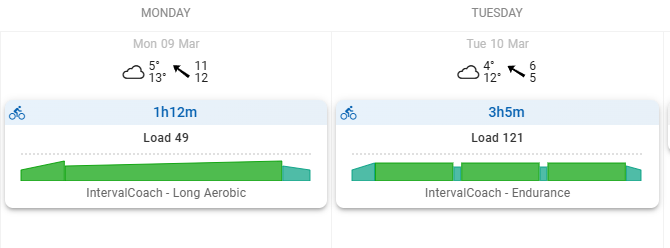
Duration and availability - Several issues caused workouts to exceed your configured time slots recently, these should be resolved now. If it’s still off, let me know your settings (days, durations, sports) and I’ll look into it.
Good catch on the scoring. The effectiveness score was being generated by the AI based on its own judgment, which meant it could give an 8/10 to a workout where you clearly blew up on the first interval.
I’ve changed this so the score now comes directly from the Intervals.icu compliance %. If you completed 30% of the planned workout, the score is 3/10, not whatever the AI felt like giving. The explanation text will also lead with the compliance context before discussing the interval details.
For unscheduled workouts (rides/runs without a planned workout to compare against), the AI scoring stays as a fallback.
Hi Martijn
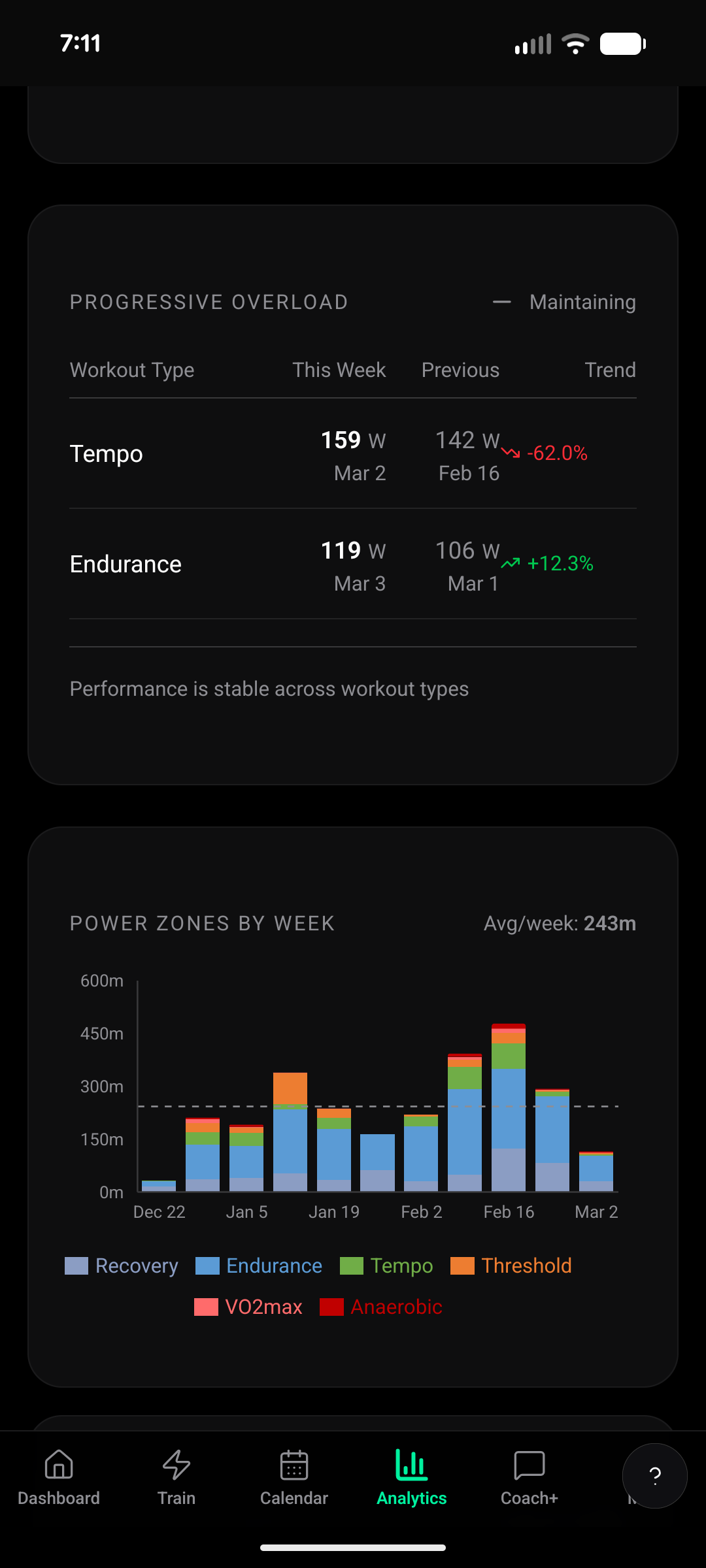
The progressive overload under analytics could use some explanation, maybe in the form of a hover over link
I am not sure why endurance is trending up while tempo is trending down.
The coach shouldn’t be complaining when you’re hitting the prescribed weekly load. I found a bug where the AI doesn’t actually receive your week progress data in some contexts, so it doesn’t know you’re on track. That’s on my list to fix.
Regarding the plan reset after changing CTL: that’s currently by design, but I can see how it’s confusing. I’ll look into making it smarter so it just recalculates the targets for future weeks instead.
Good eye on the column alignment — the trend percentages aren’t lining up with the header properly. I’ll fix that.
The trend compares your workouts across weeks. When durations are similar it compares power, when they differ a lot it uses TSS (total training load) instead. So Tempo showing -62% likely means the total load was lower (shorter session), even though the power was higher. I’ll add tooltips to make this clearer.
I’ve added a change to completely hide the component on mobile for now.
Oh nice, good to know it’s all in your custom wellness fields!
The tricky part is that custom wellness fields can differ per user depending on the app/device writing them. Could you share a screenshot of what your custom wellness fields look like in Intervals.icu? That would help me see the field names and figure out the best way to support this.
Hi, I have a question about how the AI coach’s plan for the A event is influenced by B/C events. My A event is in late July, but I scheduled 5 B events until then, starting from April. So I am wondering how the AI coach’s plan will be changed or influenced due to the others. Or should I change them to C level? How do I decide?
Also it seems that workout duration planning got messed up again:
A race: Your main goal event. Full taper, peak performance.
B race: Important build-up race. Light taper, strong effort.
C race: Training race. No taper, treated like a hard workout.
Hi there!
I’ve been playing around with the app for a couple of weeks and this is the first week I’ve been solely following its programming. You have put so much time and thought into the features and, for me, it hits a sweet spot between paying for a human coach (which I’ve had for a few past seasons), and trying to DIY it myself/plus ChatGPT. I’ve recommended it to a few friends as well. I noticed a couple of small things I thought I’d bring to your attention.
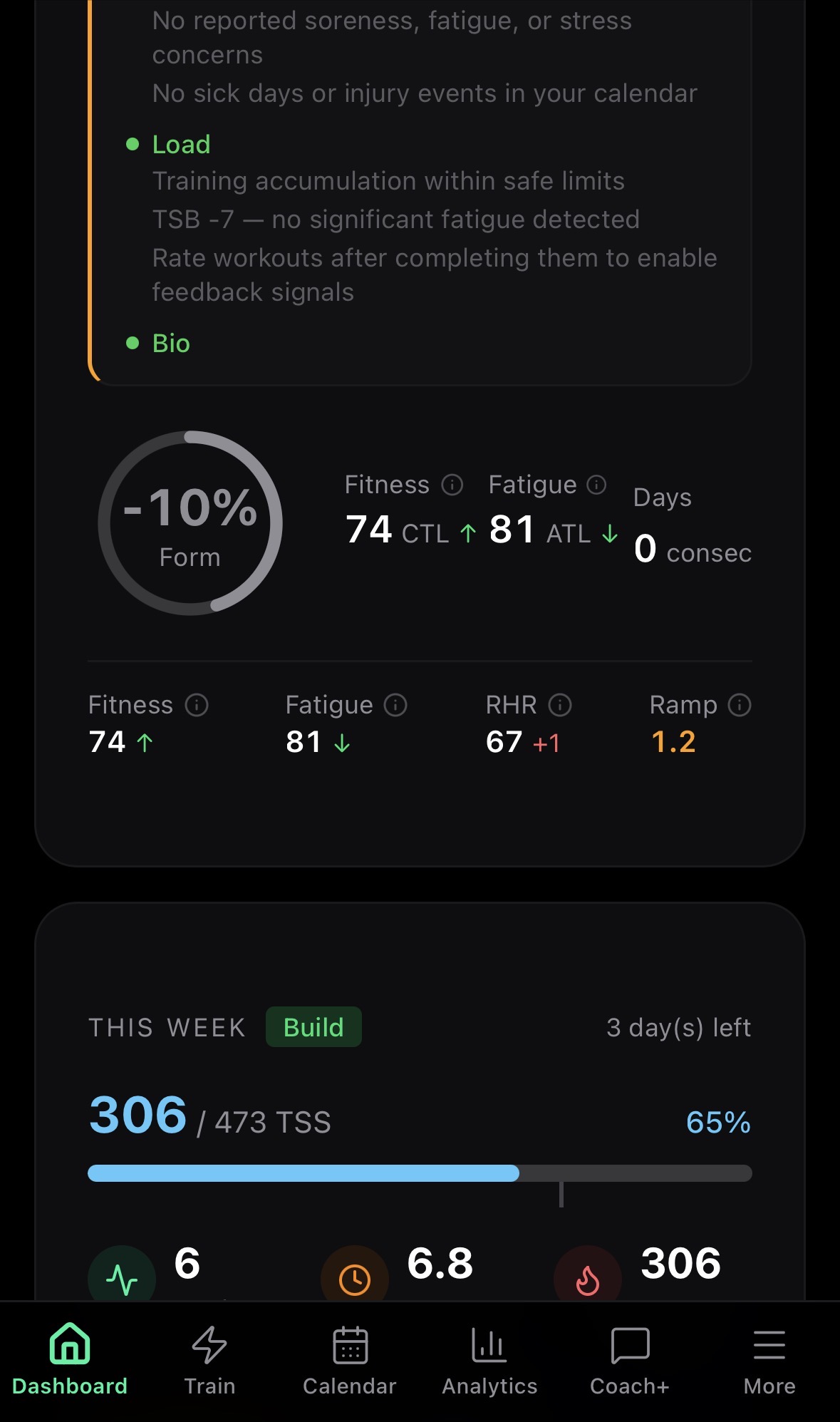
The “days consec”- I assume is consecutive training days? The counter hasn’t changed for me.
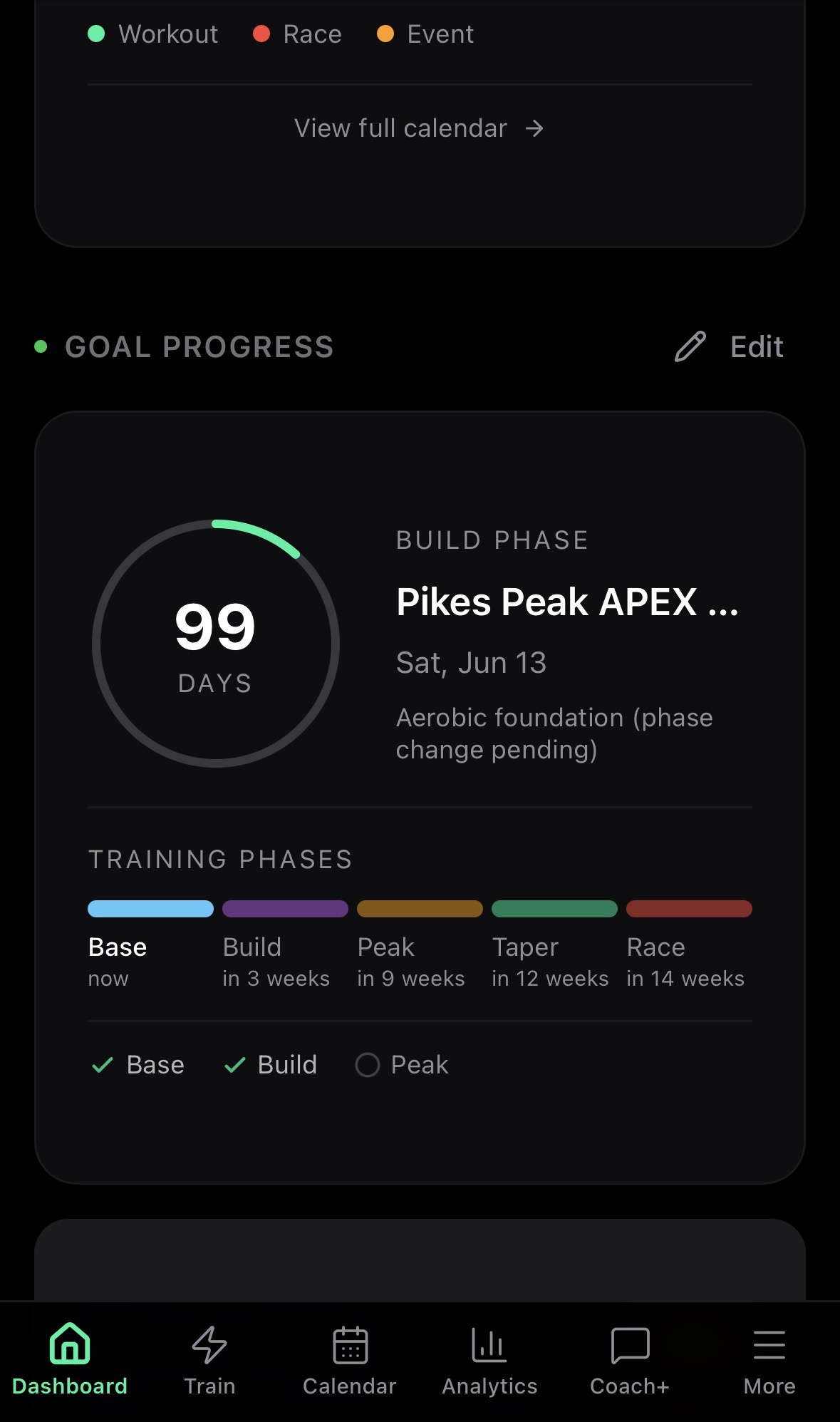
The checkmarks under Training Phases aren’t synced with the phases.
These are minor things, but I wanted to pass them along. Thank you!
Really appreciate the kind words, and thanks for recommending it to friends! Great to hear it fills that gap between a full human coach and DIY.
Good catches on both:
Days consec - You’re right, that’s consecutive training days. It should definitely be higher given your training volume this week. I’ll look into why it’s stuck at 0 for you, likely a date syncing issue on my end.
Phase checkmarks - I can see why that’s confusing. The checkmarks actually show your fitness readiness for each phase (your CTL is high enough), not whether you’ve completed the phase in time. But that’s clearly not obvious from the UI. I’ll improve the labeling so it makes more sense.
Both are on my list now. Thanks for taking the time to report them!
Thanks for reporting these!
For the Coach+ issue on iPad: that sounds like a bug. I’m going to test it on my iPad and get it fixed.
Regarding the FTP test scheduling: you’re right, the automatic scheduling isn’t working yet even though the setting is there. That’s a bug on my end. I’ve got the logic ready but it’s not fully connected to the plan generation yet. I’m going to fix this so FTP tests actually show up in your plan based on your frequency setting.
Thanks for the detailed report with screenshots, super helpful.
I found two bugs here:
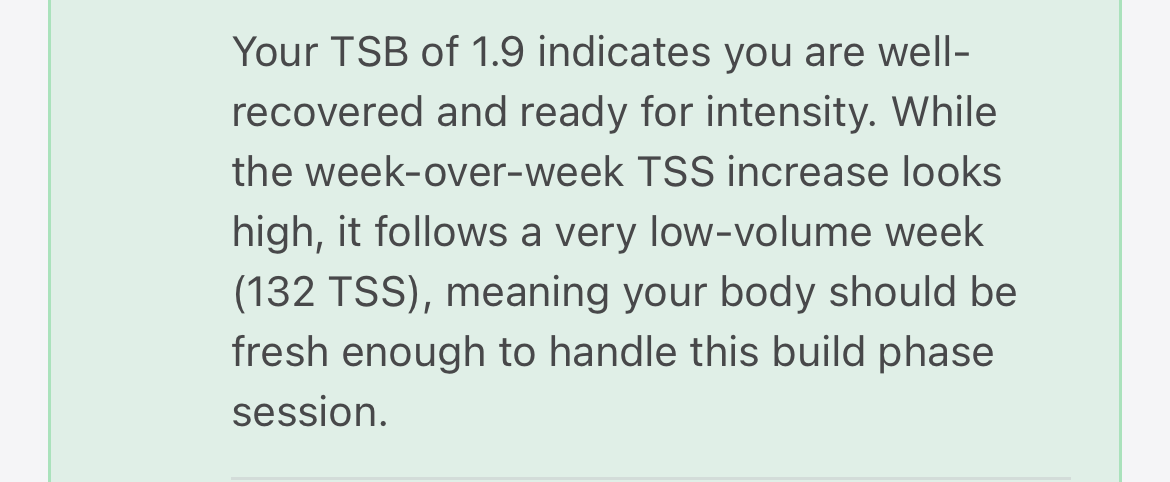
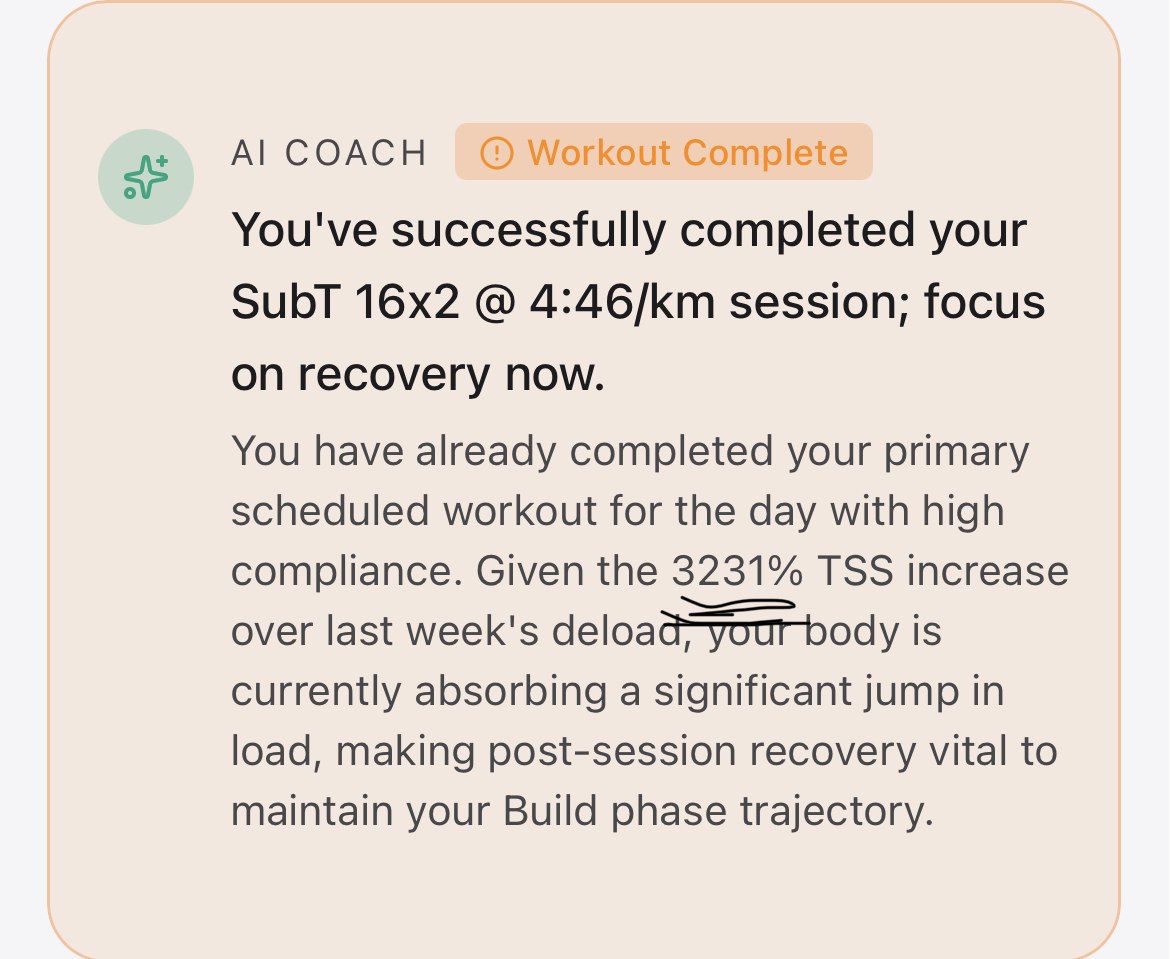
The “3231% TSS increase” and “132 TSS last week” is wrong. The system only looks at the 14 most recent activities by count (not by days), and since you train frequently (11+ sessions/week), it only sees about 7 days of data. So last week’s TSS gets truncated to nearly nothing, making the percentage spike. I need to fix this to use a proper time window instead of an activity count limit.
The intensity distribution and threshold count (3/2) is off because weight training sessions aren’t being filtered out. Even though your average HR during lifting is Z1, brief HR spikes into Z4+ during heavy sets are enough to classify the session as “threshold”. That inflates the hard session count and messes up the polarization calculation. I need to either exclude weight training from the stimulus tracking or classify it as its own category.
Both are on my list to fix. Sorry about the confusing numbers!