You should start seeing your training plan placeholders soon in the week by week table here: IntervalCoach
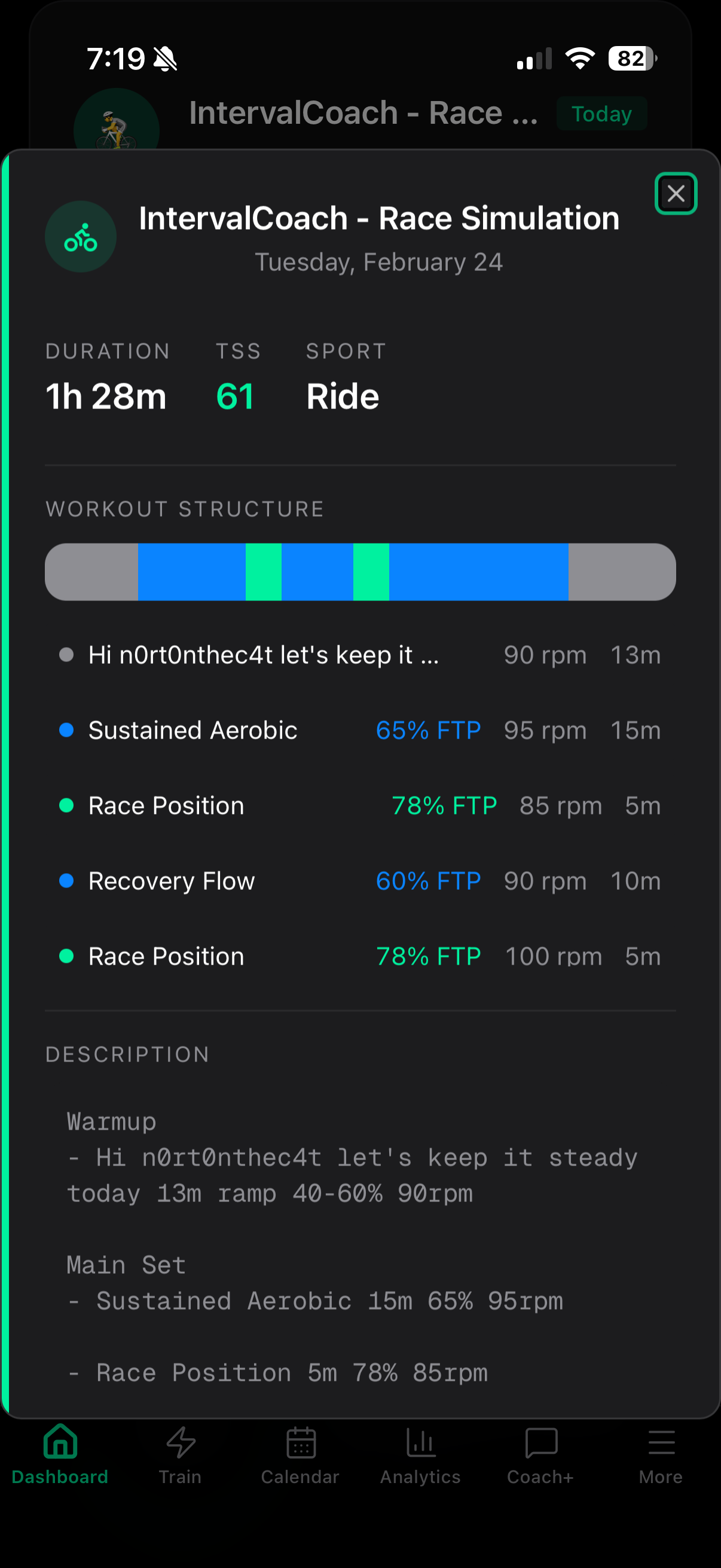
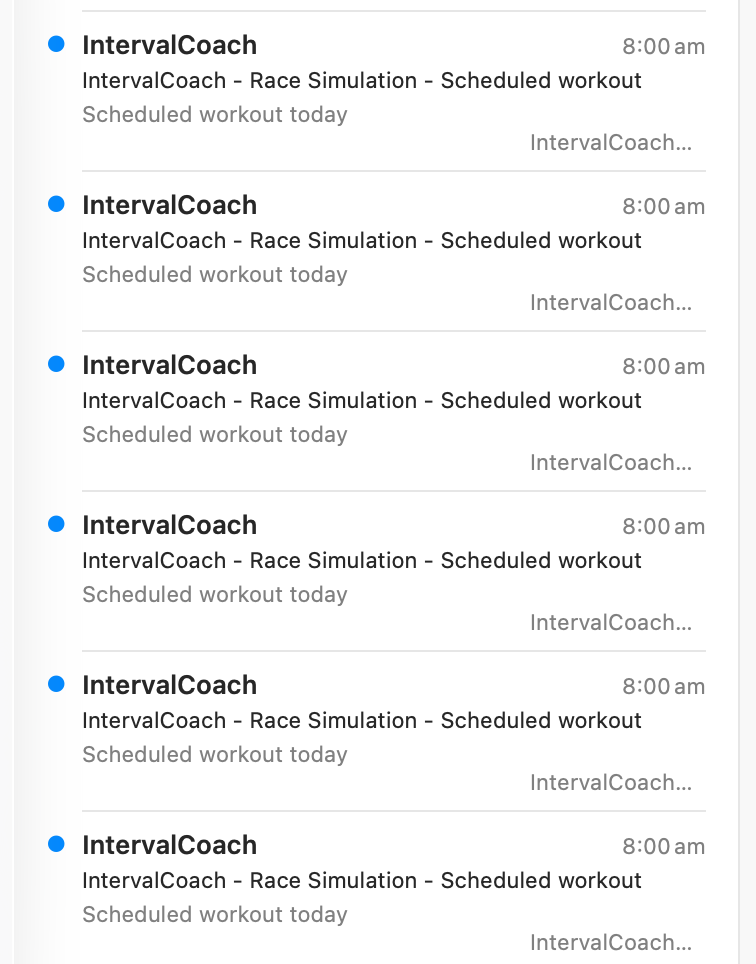
A couple of issues I see with this. The generated workout seems “low intensity” for what is targeted and listed as a “race simulation”?
Also, the workout steps still have the username in them “Hello xxxxx”. Can this be change to something more natural sounding ?
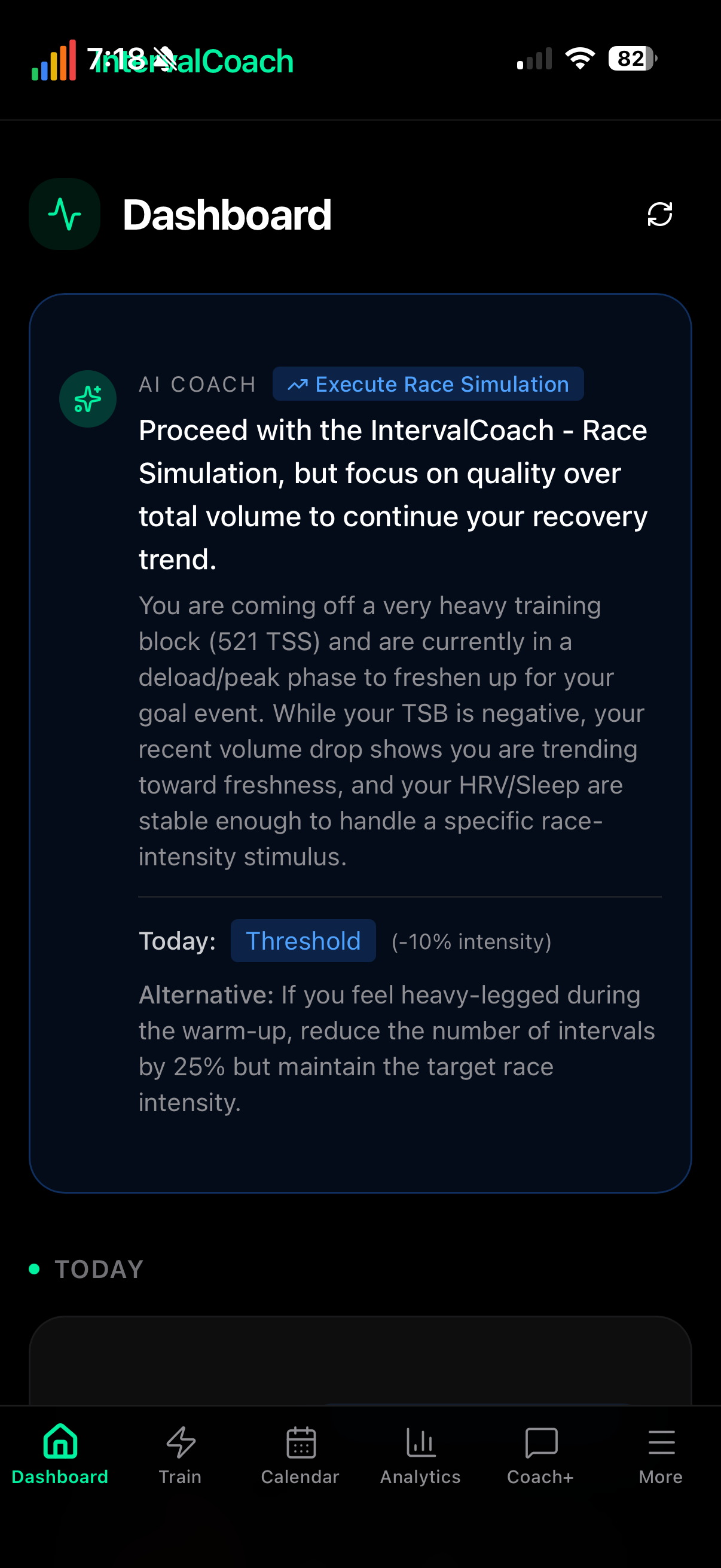
Hi, I noticed my goals for my A-event have been deleted/forgotten so I set them again and regenerated the plan. It seems that the plan is now being generated for the next week? It removed planned workouts for this week as well:

Yes for the next 7 days

@ mrusschen . Where can we see this new update ? I don’t see any option to change planned workouts. I there another place to look at it ?

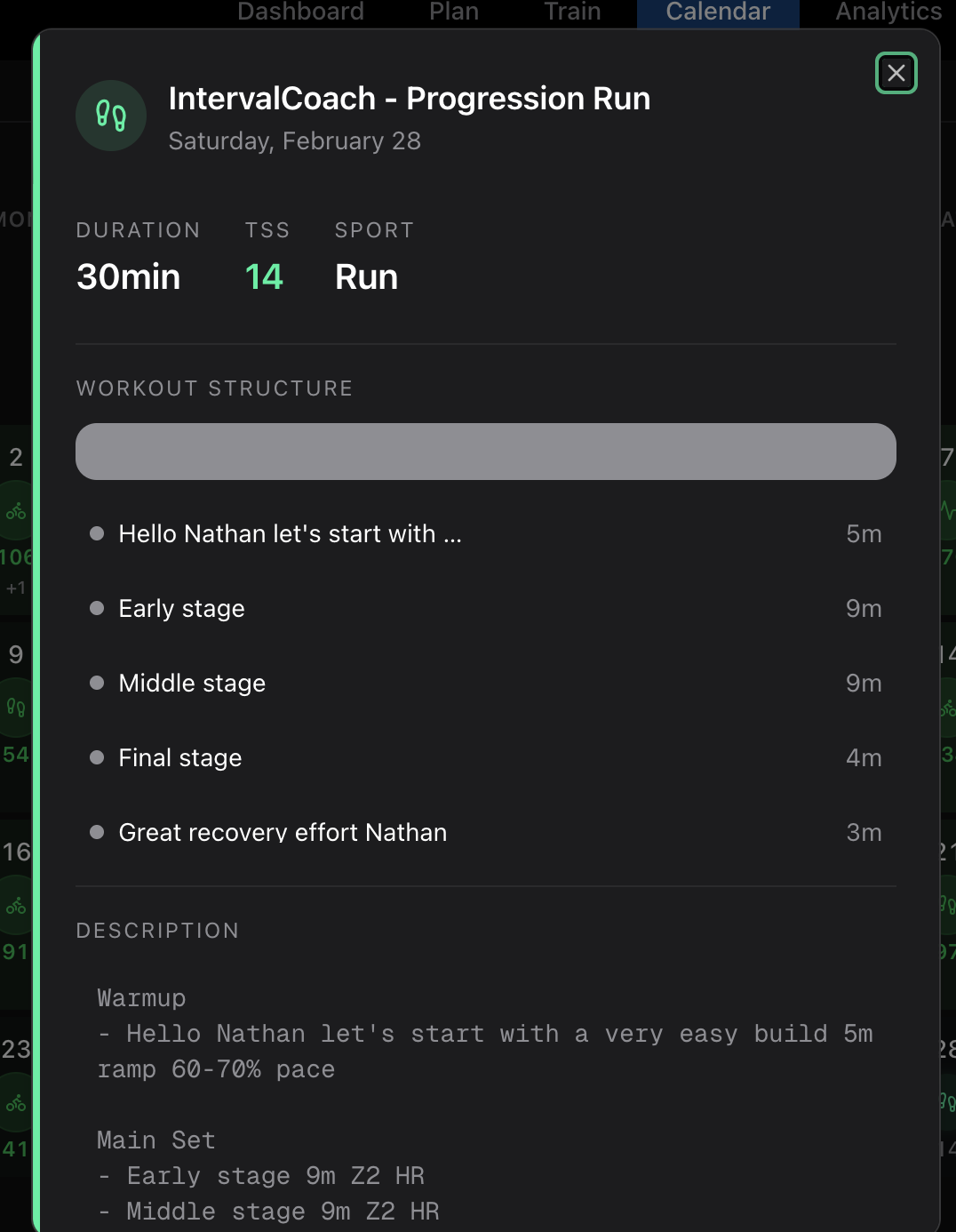
@Nathan_Hervieux Go to Plan > Week by week plan. For the first few weeks, you can drill down to the daily level, and change/add/delete planned workout
1 Like
Fixing this as we speak, there was a small error in the re-generate command to only generate workouts for the week ahead. Should be live soon. I’m also rethinking the regenerate command since there shouldn’t be much need for it anymore once all updates are live to the training plan page. The new features will allow you to schedule, update, remove placeholder workouts before they get generated to ensure it fits your schedule and preferences.
Thanks for the kind words, and great suggestions on both fronts.
Blackout days: Good timing! I actually just built this. You can soon mark specific dates as unavailable in the training plan page, and the system will skip those days when generating workouts. This should be live later today. Automatically redistributing the TSS to the remaining available days is on my radar as a next step.
Restore button for adaptations: I totally get that. Mentally preparing for a hard session and then finding it swapped to recovery is frustrating, even if the coach has good reasons. A “Restore original” option makes a lot of sense. It’s on my list, and your feedback actually helps shape how I’ll build it.
Good question! IntervalCoach works a bit differently from traditional training plan platforms. There’s no “start date” setting because the plan isn’t a static block you kick off on a specific day.
Instead, it works like this: you set a goal event (an A or B race in Intervals.icu), and the system automatically builds a periodized path toward it. Every Sunday evening, it generates your next week of workouts based on where you are in the training cycle (Base, Build, Peak, Taper) and your current fitness.
So if your goal race is in June for example, the system is already calculating what phase you should be in right now and adjusting the weekly TSS targets accordingly. You don’t need to tell it when to “start”: it picks up from your current fitness and works forward.
Good catch, that’s definitely a bug. Your settings are fine, the issue is on my end.
What’s happening: the AI coaching note looks at “this week’s TSS so far” when assessing your training load. On Monday morning, that’s always zero because the new week just started. The AI then sees a 100% drop from last week’s 509 TSS and incorrectly concludes you had a deload week.
Your calendar is showing the correct number. I’ll fix the coaching note so it doesn’t confuse “week just started” with “took a week off.”
Thanks for the screenshot, that made it easy to pinpoint!
Not a random question at all! Nutrition data is something a few users have asked about (Garmin Connect+, TheAthleteFoodCoach, and now MFP). The idea of factoring nutrition into coaching decisions is interesting. Right now the app already gives workout-specific nutrition recommendations (pre/during/post), but those are general estimates, not based on what you actually eat.
Good catches, both of them.
Workout intensity: You’re right, a Race Simulation at 65% FTP isn’t really simulating race conditions. That’s more like an endurance ride. I’ll fix the generation logic so race sims target a much higher intensity range that actually reflects what you’d experience on race day.
Username in steps: The system tries to personalize the workout with your name, but when your Intervals.icu name is a username rather than a first name, it looks awkward on the bike computer.
Both are on my list to fix. Thanks for flagging these!
Sorry about that, definitely not supposed to happen. There was a brief issue with the email delivery queue yesterday that caused some emails to get backed up and then delivered all at once. That’s what caused the duplicates.
It’s already been fixed, so you should be back to one email going forward. I’m also adding an extra safety check to make sure this can’t happen again.
Apologies for the inbox spam!
2 Likes

On Tuesdays, Fridays, and Sundays, I do a 40-minute yoga session, mostly Vinyasa, but also Hatha or restorative, depending on the demands of the particular training phase. I use this for strength training, in conjunction with heavy weight training sessions on Wednesday and Friday, as well as core and flexibility training.
In Settings - Training, I use the Strength setting to represent the Yoga session, in Interval. ICU, the session is in my weekly plan. However, IntervalCoach adds to my plan, alongside my Yoga session, which is not required.
Is there a better way to reflect the Yoga sessions, in settings, rather than classifying them as strength?
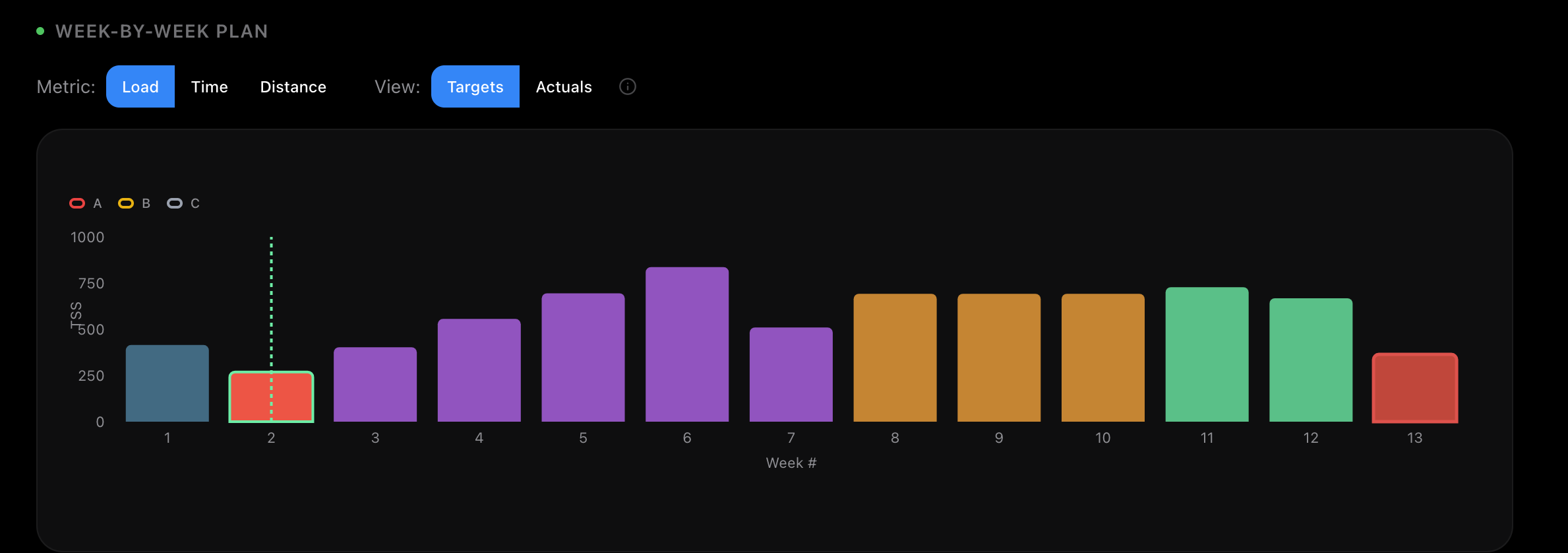
Scroll a bit down until you get to the week-by-week table. You can expand the weeks and edit things there.
@mrusschen
I think the confusion is that the are two headings called week-by-week plan. One shows a graph, the other is a table.
Maybe rethink the heading namings?
Hey, just signed up a couple of days ago, I like the UX and would love to try it some more, but it seems that some of my workouts aren’t imported from intervals to interval coach. Looks like it’s ignoring the workouts that I’m not directly importing to intervals from Wahoo or MyWoosh, but indirectly from Join Cycling via Strava. Is this a bug or something to do with Strava lawyers not letting you use “their” data for AI purposes? Thanks
Hi Martijn,
Some of the progress you made in the last week is quite impressive, especially around planning.
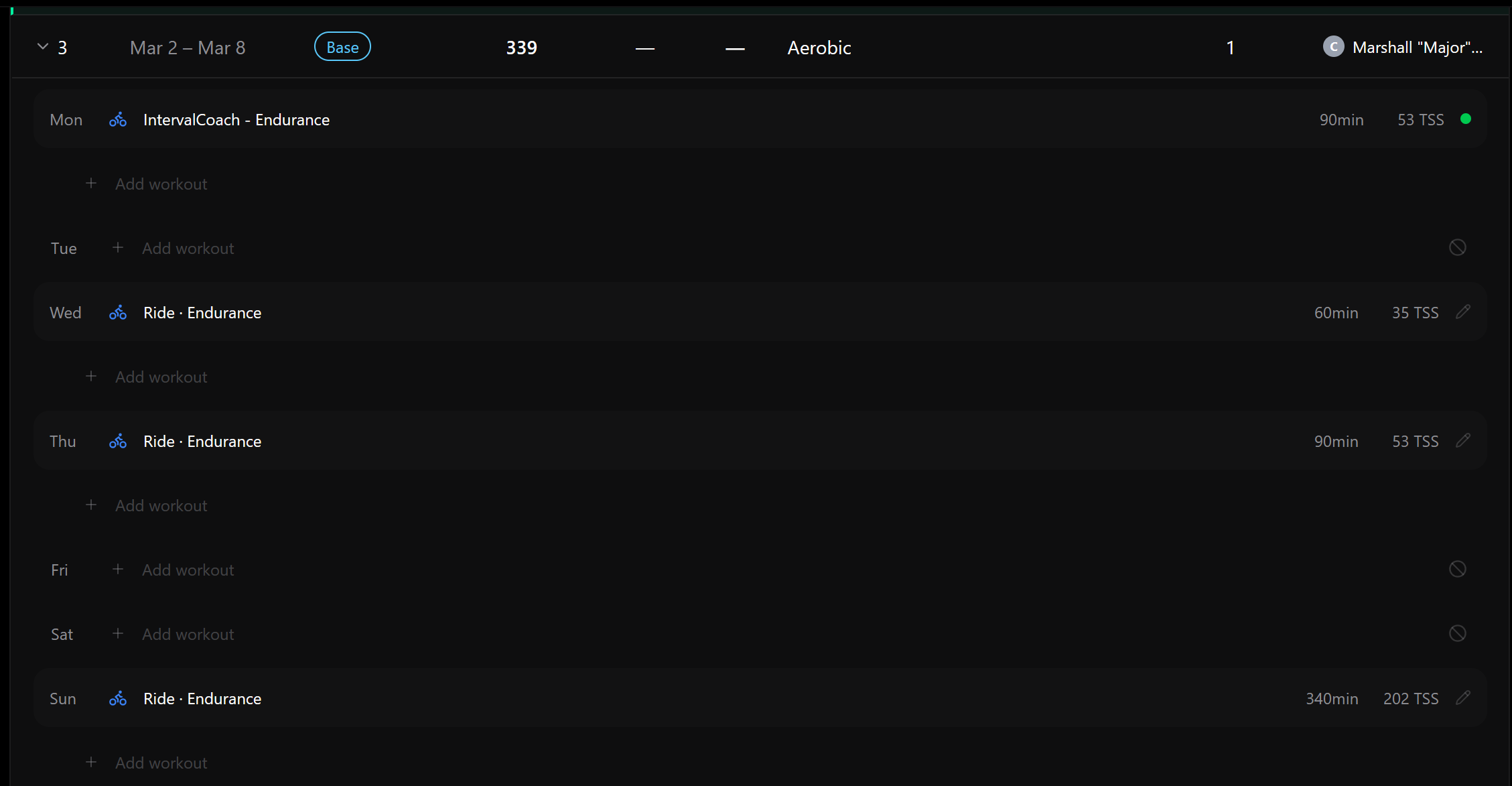
I do see one issue in the week-by-week plan table. In intervals.icu I have scheduled a C race for Saturday March 7th. It shows in the week-by-week plan table (top right), but the plan is not including the expected TSS (150) in the weekly total. Instead it schedules a long ride (202 TSS) on Sunday,
Training Plan page is now your single place for all plan changes
Quick update on how plan management works.
Previously, “Rebuild Plan” lived in Settings alongside your availability. That made it a bit too easy to hit rebuild when a smaller tweak would’ve done the job. Starting today, all plan adjustments live on the Training Plan page.
What changed:
- “Rebuild Plan” moved from Settings to the Training Plan page header. It now has a confirmation dialog that makes it clear this is a full reset, not a light touch.
- Availability settings removed from the Settings page. Use the “Edit Schedule” button on the Training Plan page instead. When you save changes, your plan is automatically recalculated (current week stays as-is).
- The post-save dialog asking “regenerate plan?” is gone. Schedule changes now just auto-trigger a recalculation in the background.
Before you reach for Rebuild, try these:
Most of the time you don’t need a full rebuild. The Training Plan page has lighter-weight tools that keep your existing plan intact:
- Override a TSS target — Click any weekly TSS number in the week table to set a custom target (e.g., lighter week coming up, or want to push harder)
- Mark days as unavailable — Going on holiday? Click any date in the week table to blackout specific days. Your plan adjusts around them.
- Edit individual workouts — Click a workout to change the sport, duration, TSS, or intensity. You can also move workouts to a different day in the same week.
- Add workouts — Use the “+” button to add a session on any day
- Edit your schedule — Changed your availability? Hit “Edit Schedule” in the Training Volume section. Changes apply from next week, and your plan recalculates automatically.
Rebuild is still there for when you genuinely need a fresh start (new goal, major life change, etc.), but it’s rate-limited to 3x/day and clearly marked as a nuclear option.
Let me know if you have questions or feedback!
HRV Stability (CV) — new metric on the Analytics page
I’ve added HRV-CV (Coefficient of Variation) to IntervalCoach, based on https://journals.physiology.org/doi/full/10.1152/ajpheart.00738.2025 research from Whoop.
What is it?
HRV-CV = (standard deviation / mean) × 100 over a rolling 7-day window. It captures how consistent your autonomic nervous system has been — not just whether today’s HRV is high or low. A single-day HRV reading can look fine while your week has been all over the place due to alcohol, poor sleep consistency, or erratic training.
Thresholds (from the paper):
- < 15% — Stable. Your body is adapting well, consistent recovery patterns
- 15–25% — Normal. Typical range for most athletes
- 25%+ — Elevated. Volatile week — inconsistent sleep, lifestyle stress, or training variability
What’s new:
- New trend chart on the Analytics page showing weekly HRV-CV with color-coded reference bands
- HRV-CV value shown in the HRV summary card
- The AI coach now uses HRV-CV when generating workouts — if your CV is above 25%, it’ll favor moderate intensity even if your daily HRV z-score looks normal. Below 15%, full send is safe
- Coach+ chat can report on it via the wellness details tool
Why this matters alongside existing HRV metrics:
We already had per-day z-scores from the 30-day baseline (stdDev). That tells you “is today unusual?” — HRV-CV tells you “has this week been stable?” They’re complementary. You can have a normal daily z-score but a volatile week, which still suggests backing off.
Needs 5+ days of HRV data in the last 7 to compute. Available for all tiers.
4 Likes
Training Signal Health Panel + smarter adaptation
Shipped a set of changes today that rethink how IntervalCoach reads your body data and acts on it.
What’s new?
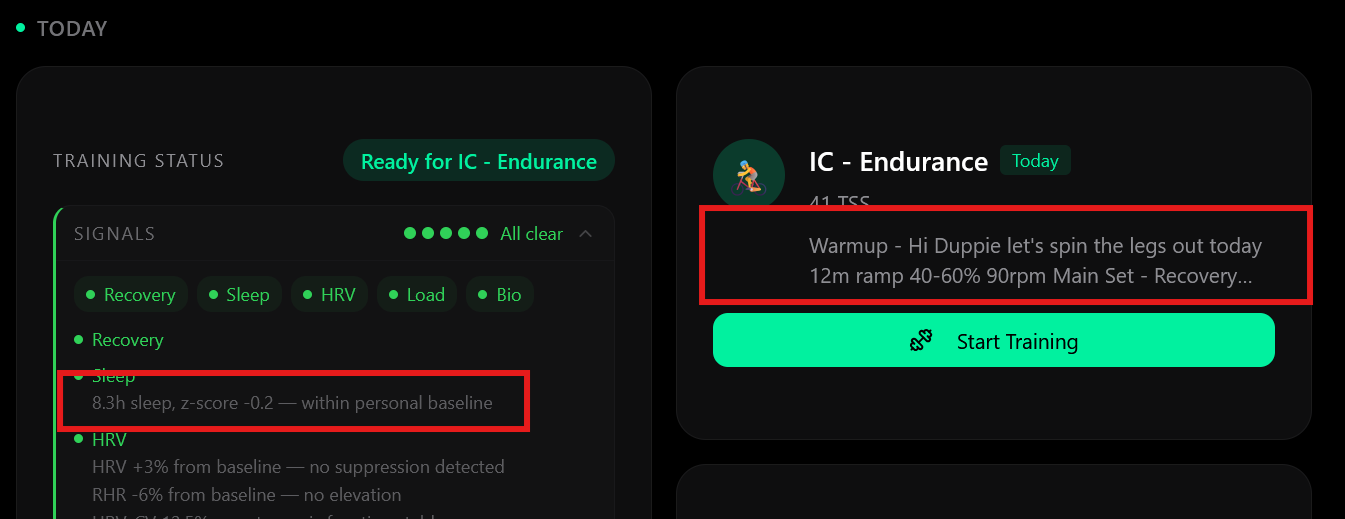
The readiness card on the dashboard now has a collapsible health panel covering five categories: Recovery, Sleep, HRV, Load, and Biometrics. When everything looks fine it collapses to “All clear ✓”. When something needs attention it auto-expands with a plain-English explanation — e.g. “Recovery score 41% — below your 7-day baseline of 68%”. You can also expand any green category to see what the coach is actively monitoring, even when it’s fine (“HRV 54ms — within normal range”).
The same signals now appear in your daily email, so when the coach writes you a recovery ride instead of a threshold session you’ll see exactly why.
What’s behind it?
I’ve rebuilt how the coach responds to biometric data. Previously, signals like low SpO2, elevated skin temperature, or too many consecutive training days would influence workouts through loosely worded AI prompt text — which is fragile and hard to reason about.
Now there’s a proper rules engine: 33 signal detectors across recovery, sleep, HRV, training load, and biometrics, mapped through 23 priority-ordered rules to concrete actions:
- Rest — red recovery, SpO2 drop, 7+ consecutive days
- Reduce intensity — moderate fatigue, sleep deficit, HRV below baseline
- Cap zones — HRV-CV elevated, skin temp spike, return from illness
- Monitor — borderline signals worth watching but not acting on yet
This produces a structured output (TSS multiplier, max intensity cap, rest flag) that the workout generator reads directly — not infers from text.
Why it matters
The coach was already collecting your biometric data. This makes it actually act on that data in a predictable, traceable way rather than hoping the AI prompt interpretation does the right thing. When your Whoop shows a red day or you’ve been stringing training days together, the workout will reflect it — and you’ll see the reason.
2 Likes
Hi Martijn the details of the signals are heard to read either due to size, or brightness of font. Any change you can change that to the same font/brightness as the detail on the right?
Training Plan Update: last week’s workouts + move/delete planned workouts
A couple of small but useful improvements landed on the training plan page today.
See last week at a glance
The week table now shows last week’s completed workouts with full detail — sport, duration, and TSS. The row expands automatically when you load the page so you don’t have to go looking for it. It sits at full opacity (older past weeks stay dimmed as before) with a “Last week” badge so it’s easy to spot.
This week also auto-expands
If IntervalCoach has generated workouts for the current week, that row now opens automatically too — so you land on the page and immediately see what you did last week and what’s coming up next, without any clicking.
Move or delete planned workouts
IC-generated workouts in the current week now have a ⋮ menu. You can:
- Move: pick a different day within the same week. Past days are disabled so you can’t accidentally move something into the past.
- Delete: removes the workout from your Intervals.icu calendar immediately (with a quick confirm step so you don’t delete by accident).
Changes are pushed to Intervals.icu right away, so you’ll see the updated calendar without needing to rebuild your plan.
As always, let us know if anything looks off or if you have ideas for what else would be useful here.
3 Likes
@mrusschen I’m still getting VERY delayed syncing issues which is really now annoying. As indicated before, post ride analysis email was almost straight away, but 30-40mins later, the dash still hasn’t updated so is showing incorrectly