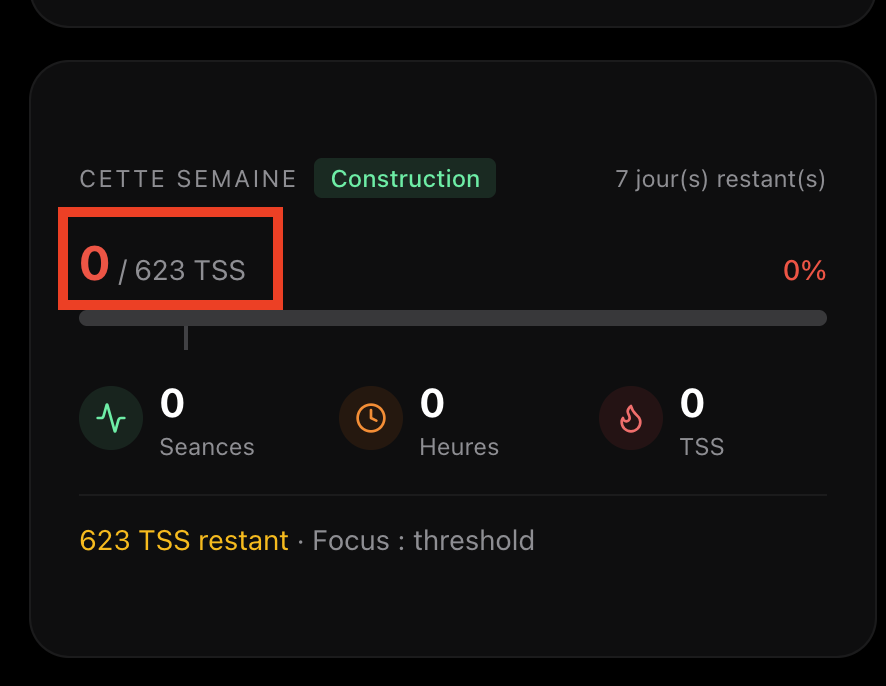
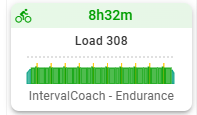
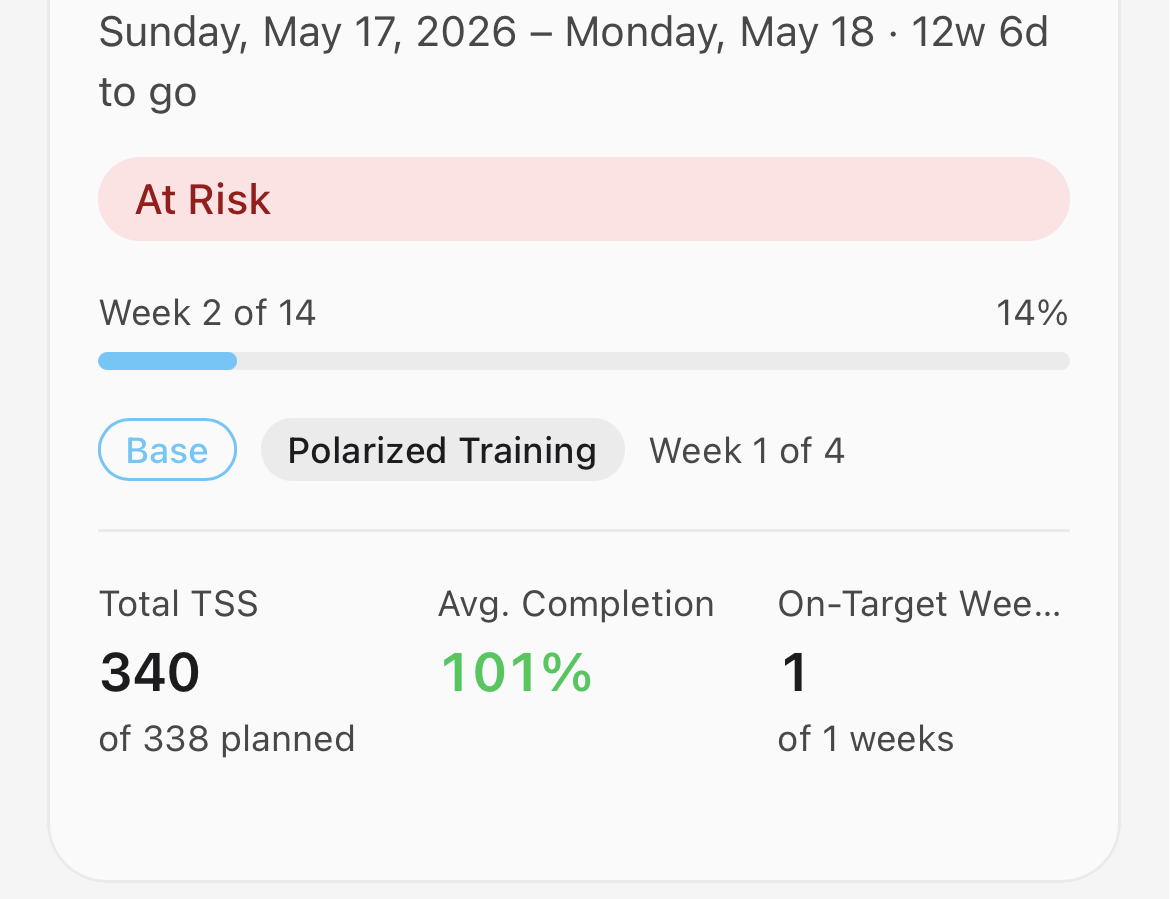
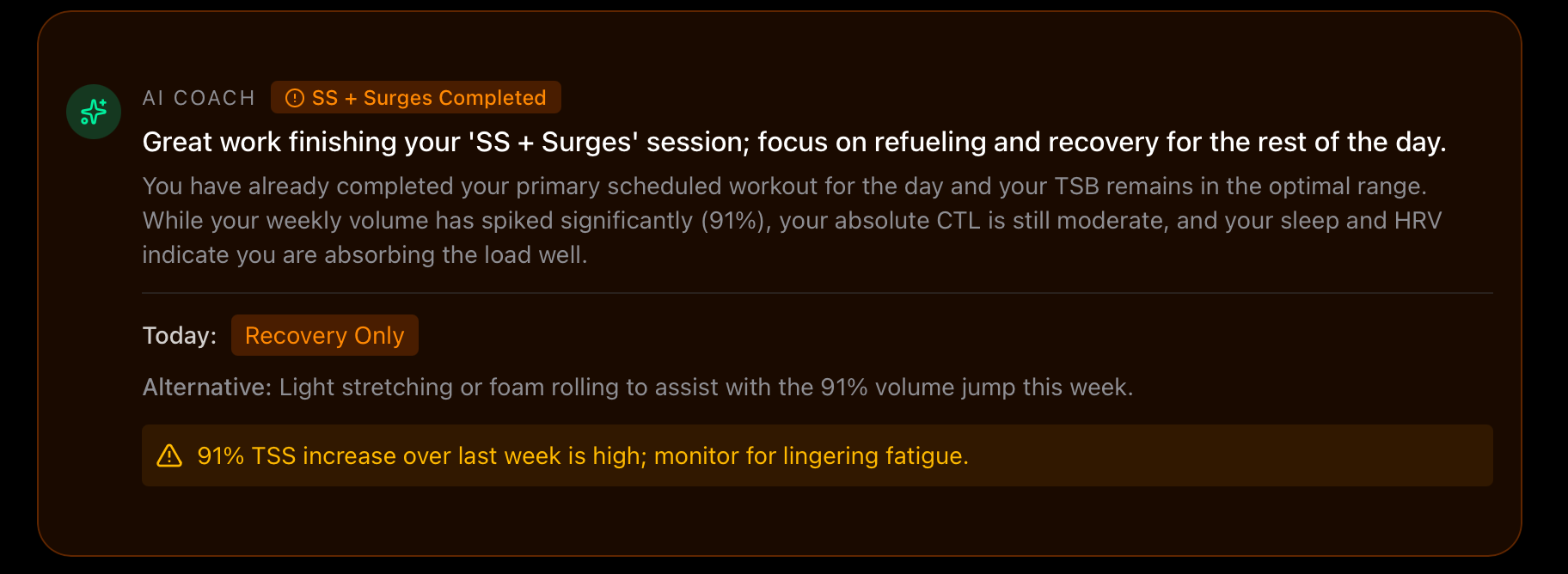
On the Plan page, for this week, the targeted TSS is 504 . I’m not sure this difference really makes sense . And as mentionned in my previous message, the total TSS of each sessions planned only allows to reach 182TSS.
Please check the generated training for the week.
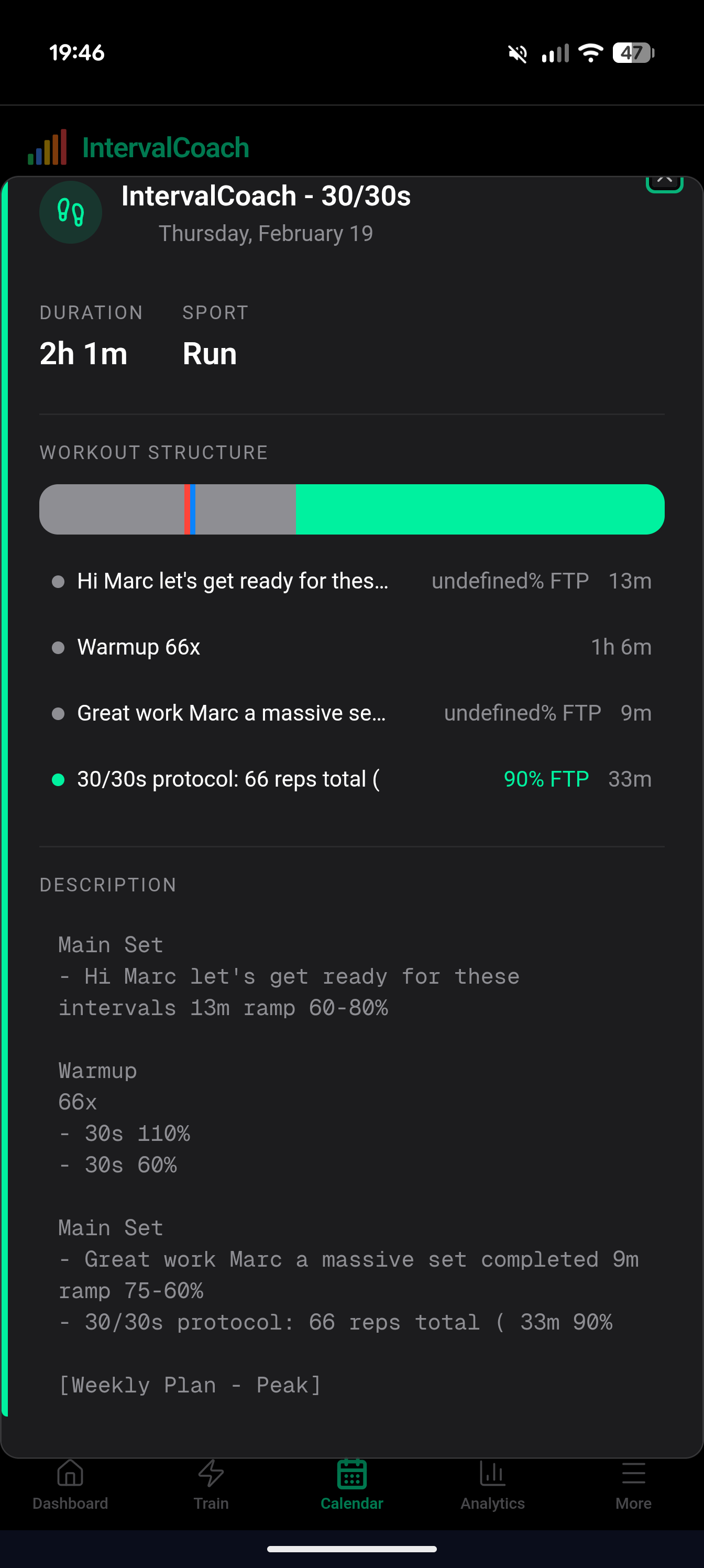
According to yesterday’s report, it was supposed to be focused on threshold and VO2max, but I see a 2h tempo training? Also, the speed spot and the zone is max Endurance?
Is it wrongly named or a generation error?
I also added a B race on Saturday the 28th of February. This resulted in a two week taper, seems too much. Edit: I changed it to a C race to see if this shortens the taper.
Thanks for flagging this. You’re right, the workouts don’t match the VO2max focus from the weekly report. I traced it and found the issue: the system picks VO2max as the focus, but then a safety check downgrades each workout because the session durations are too long for high intensity (you can’t sustain VO2max for 2.5 hours). So everything ends up as tempo or endurance. The Sweet Spot on Friday is also mislabeled, that’s a generation error.
I need to fix the logic so it creates shorter, more intense sessions when the focus is VO2max/threshold, instead of long sessions that get downgraded. I’m working on it.
The easiest way is to use JustTrain on Friday itself: select Run, pick “Hill Repeats” from the workout library, and it’ll generate a structured session and upload it to your calendar. You can also generate it today, and move it to Friday in Intervals.icu.
8h+ endurance workout for 5h availability
That’s definitely a bug. The system should respect your configured availability per day. I’ve had similar reports before and fixed the underlying issue, but it looks like there’s still an edge case slipping through. I’ve added it to my list to investigate.
B race taper
You’re right, 2 weeks of reduced volume for a B race is too much. I’ll adjust this so B races only reduce volume in the final 7 days before the event, rather than the full 2 weeks it does now. Your workaround of marking it as a C race in the meantime makes sense.
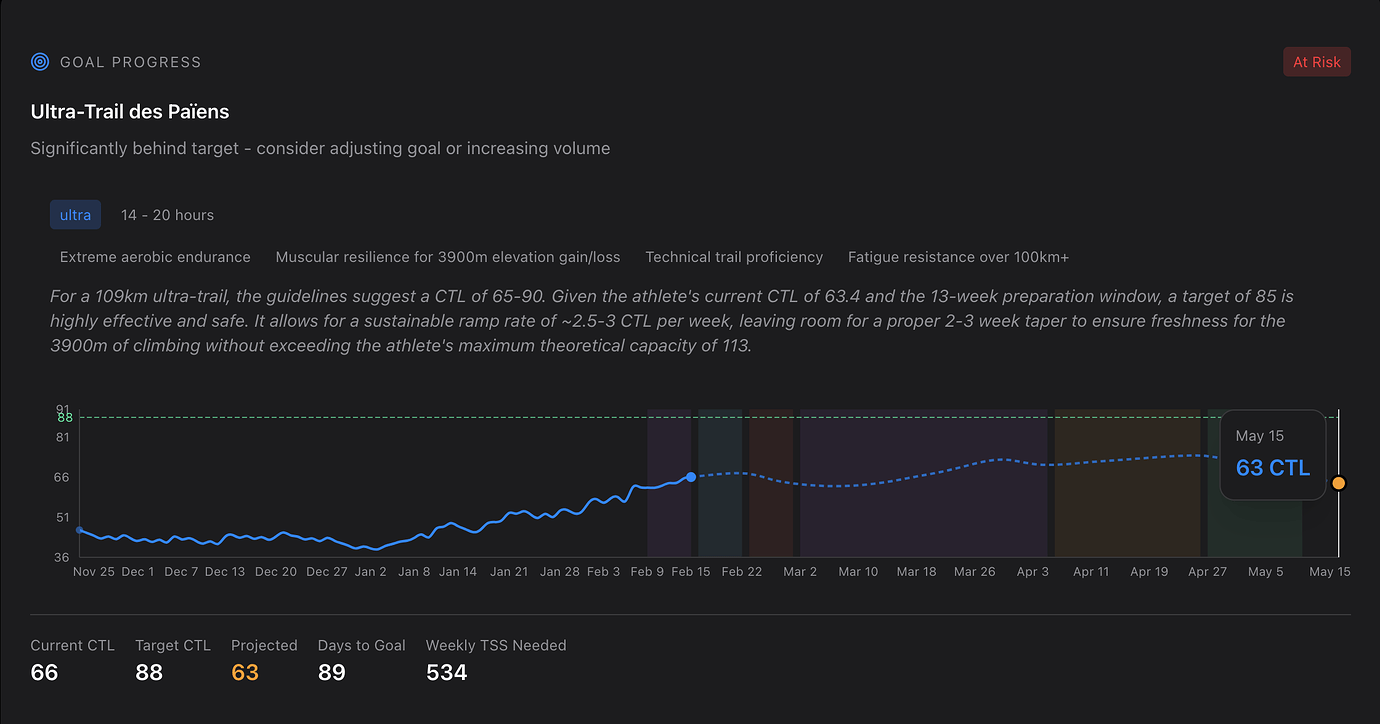
Text vs graph mismatch (85 vs 88) The text shows the AI’s original recommendation (85), but you selected 88 as your target in the wizard. The text should update to match your actual choice. I’ll fix that.
Different TSS targets on Dashboard vs Training Plan (623 vs 504) These should show the same number. I recently reworked the projection system to unify this, but clearly there’s still a gap. I’ll look into it.
Planned workouts only total 182 TSS This is the main issue. I pushed several fixes last night that address how the system calculates workout load, specifically around preventing it from being too conservative with intensity and duration. Your next weekly plan should benefit from those changes. I’ll keep an eye on it to make sure the gap closes.
Volume adjustment suggestions Good idea about showing “if you train 20min more per session you could reach this target.” I’ve added it to my list.
I share the screenshot again, so its easier to follow. The last point you didn’t adress (i think), is why the text suggest 85CTL, says it’s possible and even “safe” but then doesn’t show the graph to reach it. So i guess it won’t offer training session to also reach it.
The Volume adjustment suggestions would still be amazing for users who can’t reach the target with their current setting. But in “my case” it still doesn’t make sense as the text suggest that this value is "easily " reachable , but does’t seem to overt a training plan to reach it
Hallo Martijn,
The thread is getting quite long and I can’t find the answer on whether you had resolved the issue around recovery week falling in the wrong week.
Dankjewel voor al je hard werk aan deze app.
Duppie
That issue is very likely fixed by now: I’ve shipped a bunch of improvements to how the periodization cycle tracks which week you’re in. If you want to confirm, I’m happy to regenerate your plan.
You’re right that these email threads get hard to follow. I’ve been thinking about a better way to handle this, maybe a forum or community space where conversations are easier to track. Any thoughts on what would work for you?
Dankjewel!
You’re right, I didn’t address the core issue properly. I looked into it in more detail.
The reason the projection shows CTL declining to 63 instead of building toward 88 is your configured training schedule. You have 8 hours/week across 5 sessions, and the system caps how much TSS it can plan based on that. At realistic intensities, your schedule produces around 420-480 TSS/week, but reaching CTL 88 would require roughly 680 TSS/week.
So the system correctly identifies that your current schedule can’t deliver enough training load to hit the target, and the projection reflects that.
That said, looking at your actual training, you’re clearly doing a lot more than your configured schedule: your last week was 600+ TSS with extra sessions and longer rides. The system just doesn’t account for that yet when projecting.
There are two things I want to improve here:
Make the projection smarter by considering your actual training patterns, not just the configured hours
Add suggestions for how to adjust your schedule to reach the target (which is the volume adjustment feature you mentioned)
For now, if you update your training schedule in Settings to better reflect what you actually do (more hours or sessions), the projection should become more accurate and the planned workouts will be more ambitious.
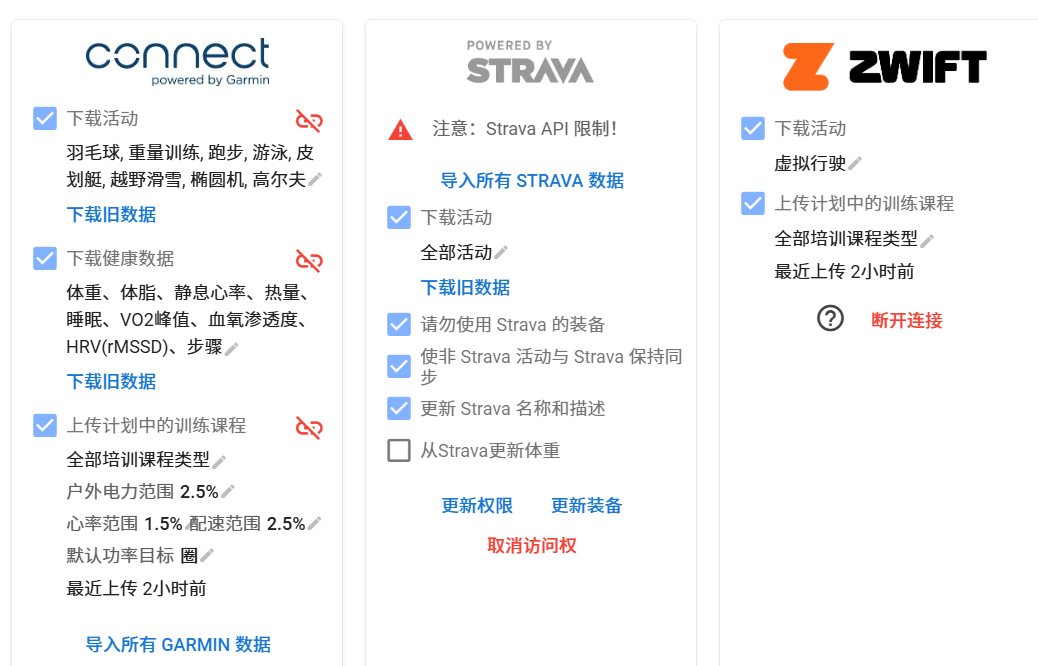
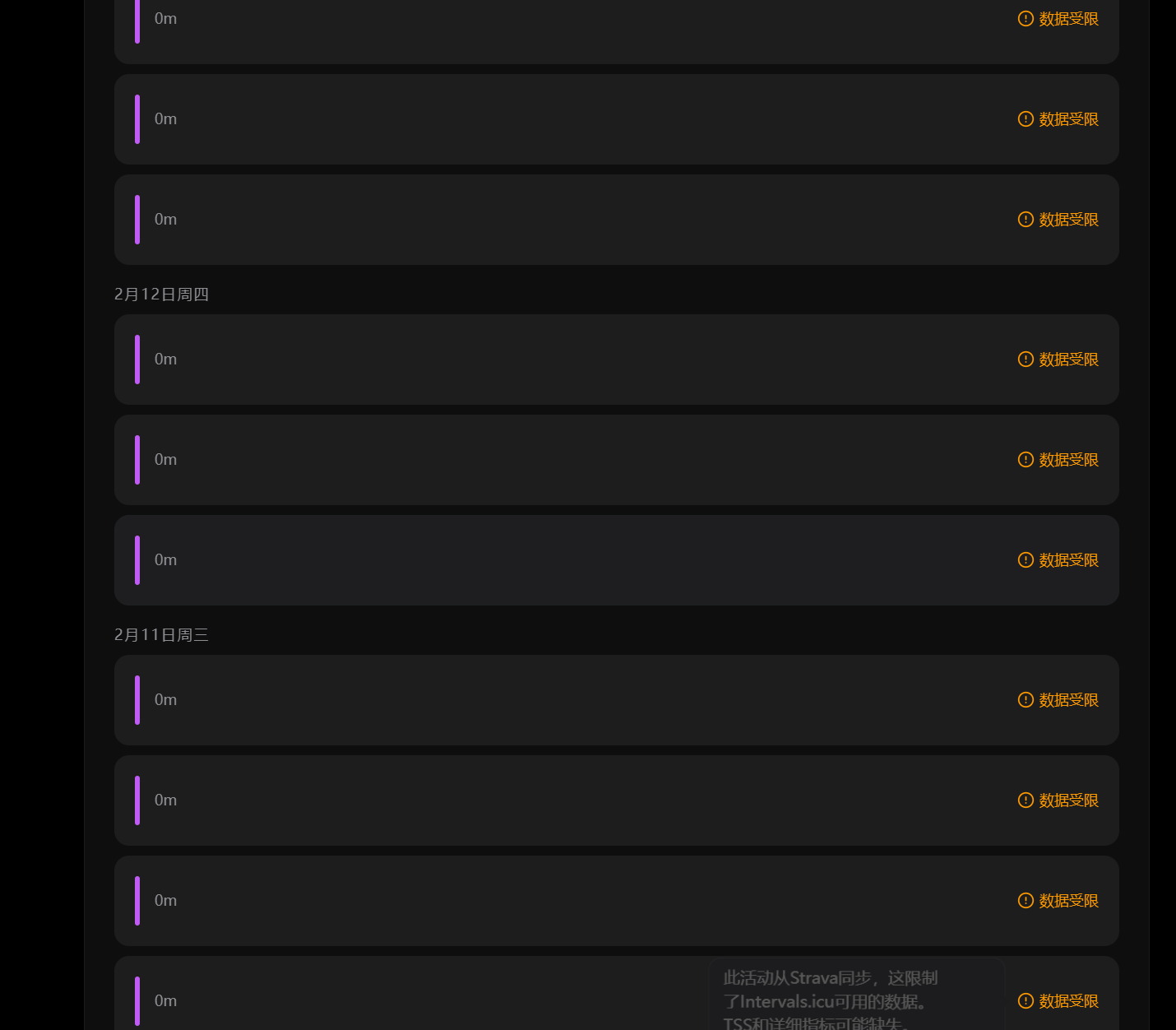
I have a really bad problem: even though Zwift, iCU, and Garmin are directly connected, it still shows Data Restricted. One of my bike computers isn’t Garmin—do I have to use Strava to sync? I’ll send you a screenshot of my connection setup. If you know how to fix this, please tell me. Also, can I upload FIT files directly to the coach? @mrusschen
Martijn, If you could regen the plan, that would be great. I’ve deleted everything from intervals, except this weeks planned workouts, future planned races and a few vacation days
Hi. thanks a lot of looking at it more closely . I juste added a session on Saturday to try to match a bit better what i’m doing. But to be honnest I don’t really know the time I’ll have to train
Now it make sense. So i guess the “main” issue is the text just above the graph. It should not say that 85 is an easy target , if i can’t reach it with my current availability and If the schedule doesnt allow me to reach that value.
ps: Another idea, would be to be able to change a training session at the last minute: eg. today i should to a 2h run, but it’s raining like crazy, so i’ll do home trainer instead. It may e complicated to do. So an alternative would be to be able to add a CTL target when generating a session in the “train” page. I have a 90CTL running session planned, I can’t run… so i can generate a 90CTL running session. (with the same duration)
Regenerating the plan did not work.
Looking back at the last few weeks, it may be picking the wrong week.
It picked the first week of a new block as a recovery week. It may have done so because I was sick for 3 days and missed about half of my planned TSS.
I even tried to game the logic by setting the missed workouts to complete, thereby driving the weekly TSS to the planned value. Still, coach picked the wrong recovery week in the future.
I could see that the week view both on the dashboard and the training plan are wrong and inconsistent with other weekly summaries in the coach.
It shows me to still be in my recovery week(which was last week) but
A) my week in Europe is starting on Monday not Sunday
B) the 16th of February is a Monday independent from the localization. As a load target it shows me the one from last week.
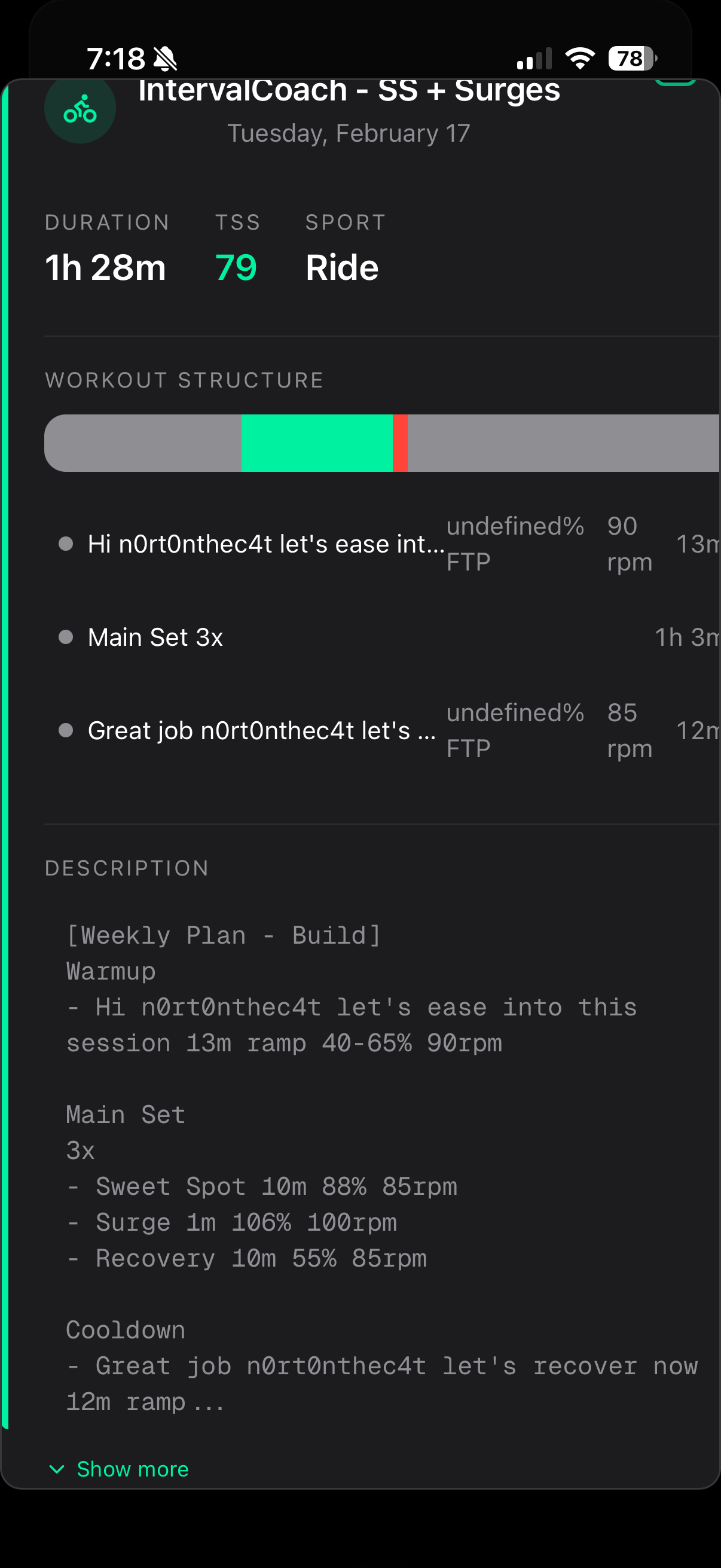
Workouts still showing “undefined” for FTP ramp and recovery/rest still have targeted RPMs. This was a workout generated today from plan. Also having thought about this more, target rpm in warm up straight from dot zero is hard on the system, Maybe a change is to have a target rpm ramp up along the ftp ramp warming up?
Also this generated workout could do with refinement.. The last effort in the set is 10mins recovery, then yoo go into a 12min cooldown?
Update after doing this workout. I skipped the last set as wasn’t feeling that crash hot, but the AI summary still said it was completed. Intervals.icu shows I only had a 78% compliance to this workout. Could there be something to check how closely you aligned to the workout in the summary?
Also, can these “sets” be group into the workout in Zwift, so it shows ie: 3x … rather than each effort separately?
Nice platform. I’ve just started trying it. For the last couple of years my main activities have been randonneuring events of 200/300/400/600km. However I did Mallorca 312 last year and am training for it again. I’m intrigued about this comment:
“Focus areas: Absolute FTP is low for a 312km event with significant elevation; you will spend too much of the day above your aerobic threshold., Significant drop-off between your 20-minute and 60-minute power, suggesting a lack of sustained aerobic base and metabolic efficiency.”
I admit my FTP is low, though FTP + age is a lot higher! :) but I have basically nothing but aerobic base with 23000km on the bike last year. My elapsed time last year for the 312 was just under 11.5 hours. My “efficiency” as reported on intervals is about 1.4 which is higher than it was all of last year where it peaked at 1.31. I’m not sure if that’s the same as the metabolic efficiency being commented upon here. I did the event last year at 0.77 IF. Do you have any comment on IntervalCoach’s analysis?
I did a hardest possible 40 min hill climb about 3 weeks before the event which upped my FTP about 20W for the event. Pretty sure it was fairly accurate.