You can do this using the notes feature and putting in outline workouts ahead of time to etc.
Appreciate its not completely the same as TP functionality but it is a good middle ground.
I mark out weeks and training blocks and some outline workouts and then start to fill them out in more detail as I settle on what a block is going to look like.
I would suggest that having an outline of what you need and want to do ahead of a event is good but the detail of that is best planned on shorter time frame - eg. 6 weeks - as a lot can change block to block.
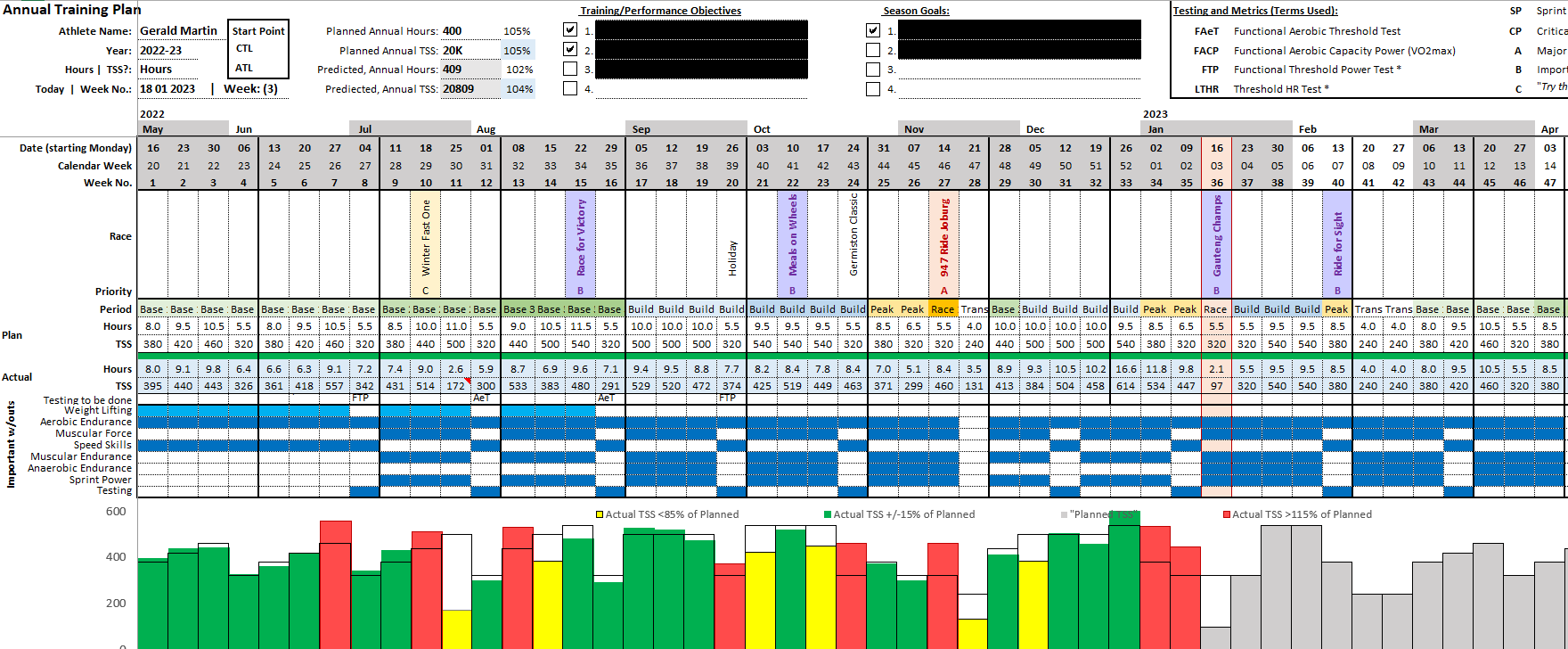
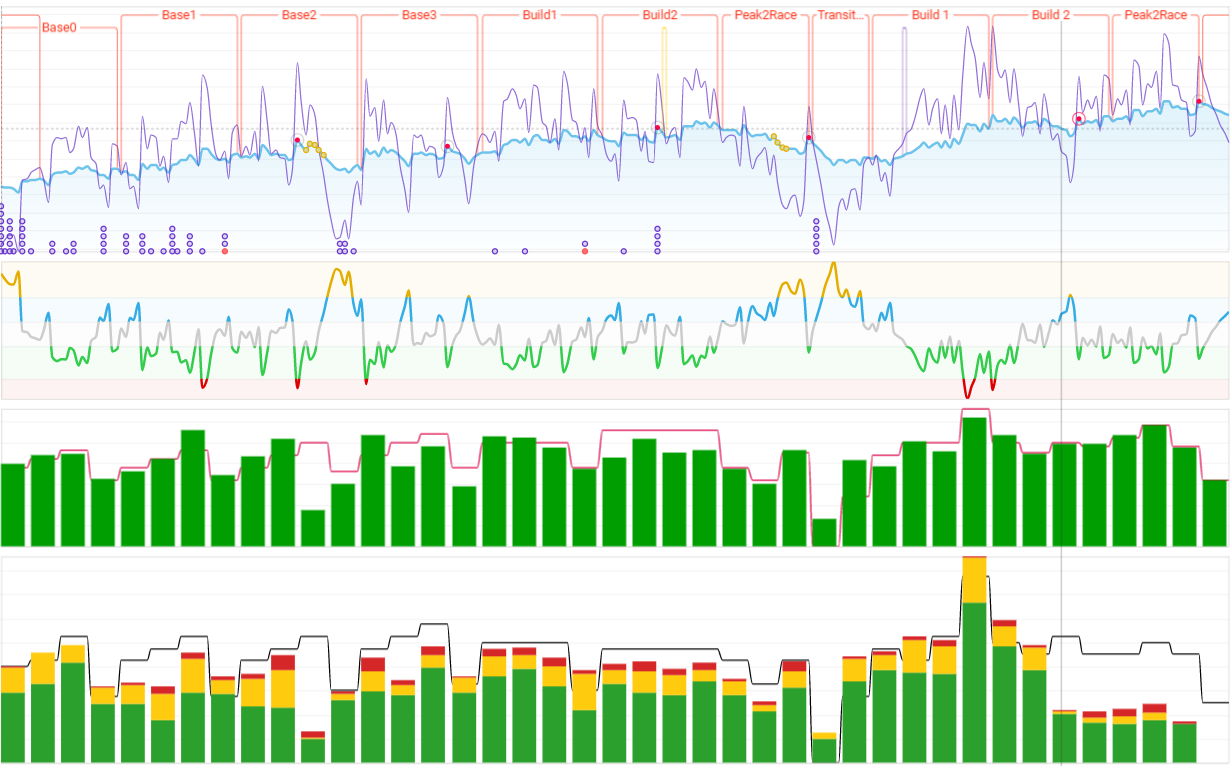
I use a layered approach, where the initial planning is done in Excel (ATP). I then add notes to replicate my ATP from Excel, for the full year, to show the various training blocks (Mesocycles). The weekly target values (Microcycles) are then updated on the activities/calendar pages (target hours and TSS). The graph on the fitness page then shows actual against my weekly target (TSS and Hours separately). It’s a makeshift plan that is similar to TP, but customised for my own use and that of the athletes.
thanks Gerald for this nice description, only issue I have i cannot get the wellness data it says
“Access to resource is forbidden” where I am able to get the activity data. Hope you can help
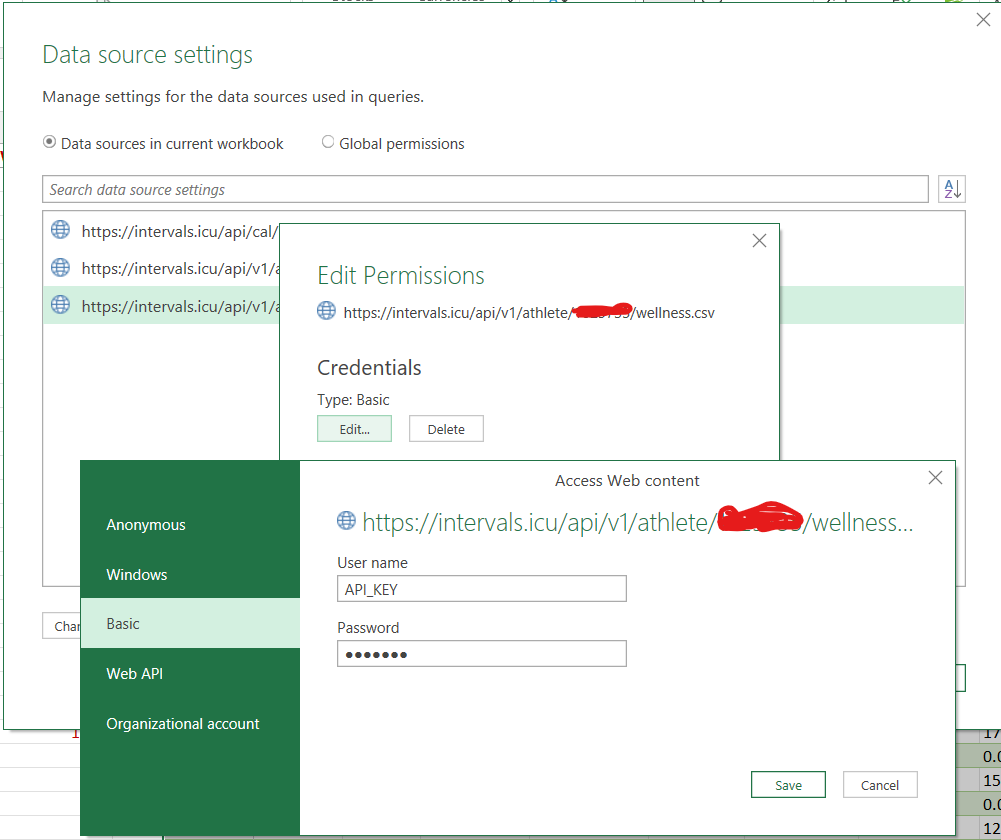
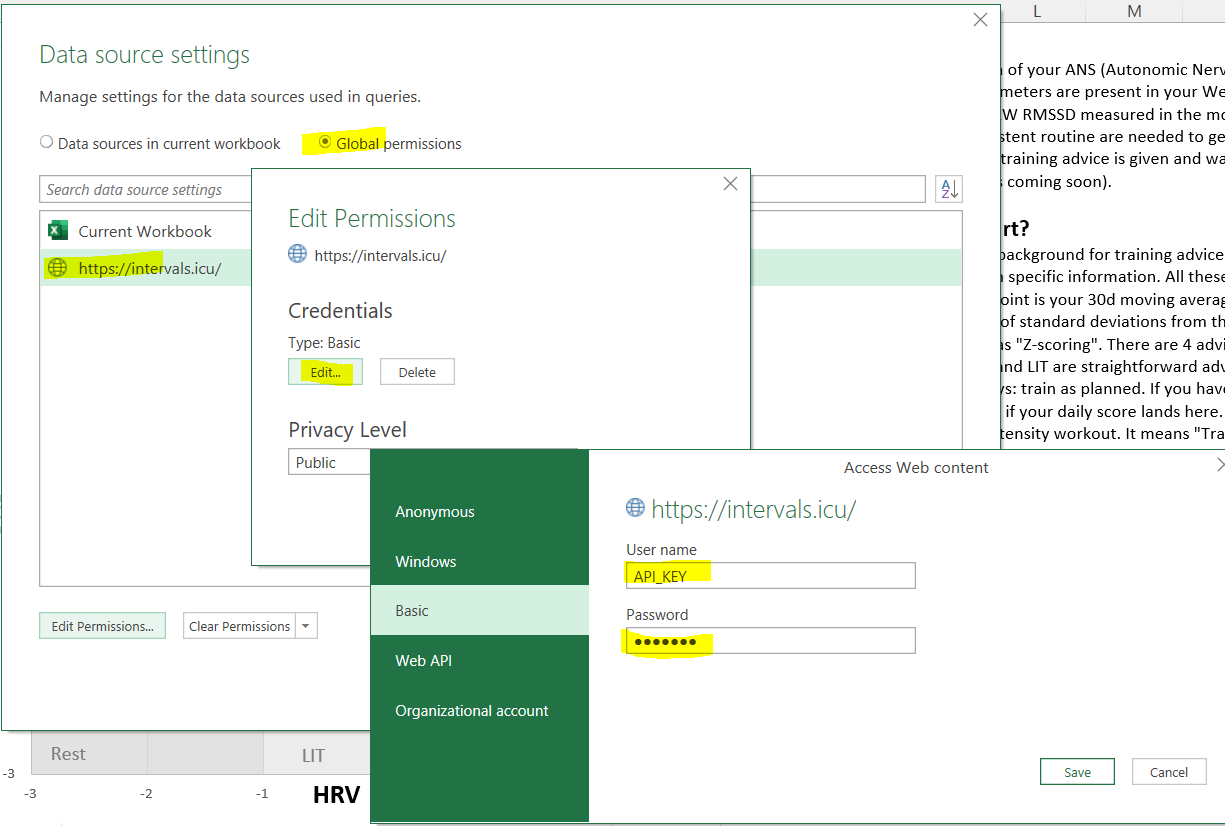
The access permissions are not complete.
Goto Data - Get Data - Data Source settings - Global Permissions - Edit Permissions - Edit Credentials.
Use Basic - The username = API_KEY and the password is your personal API-key found next to the UserId in Intervals.
Hello! this post is now super long but I really have to sort through this ATP business in fairly short order. I did look thru and based on what I found it doesn’t work for me. So, my setup is I’m on a Mac with Office 365. When I pull the spreadsheet into Excel it’s a mess - so maybe I have the wrong one?
In any event, can you advise if I can use the spreadsheet on Mac/Excel 365 (client version)? And, can you put me toward the how to once I have the spreadsheet filled out?
Impressive Excel, but to be honest, if you are a coach the excel is not an option. For yourself, yes that’s manageable but vor various athletes it would be way easier to have that properly integrated. It’s still the only thing that’s missing (for me). And it’s getting more and more overloaded for newbies or athletes that just use intervals as a tool to get coached (but that’s addressed and on the list, as far as I understand).
Would be nice to see the annual training plan back up on the ToDo List.
Hello Gerald, I’m interested to adapt your Excel file to Stryd for my own use case where I’m mixing road and trails during the year, I think a lot of people are doing this. I’m using right now Google Sheets for last couple of years to plan mesocycles, together with Google Agenda to pin all the Races (A, B, C types). I have now few years of data, that I could use as baseline to plan a new year, for example I know the total RSS values of my full marathon prep, half marathon, etc. For trail running prep cycles this is a bit more challenging to evaluate in term of load, there is not a single metric it is a multi factor approach.
May I ask if you remind us if you already shared your template?
Of course if Intervals could do all of that this would be awesome.