New Premium Feature: Annual Training Plan Builder (beta)
We’ve been busy behind the scenes building something we’re really excited about — and many of you have been asking for. The Plan Builder is here! Whether you’re mapping out your next race season or just want a clearer picture of your training year, this one’s for you.
NB: This feature is in beta. You need to enable beta features near the bottom of the /settings page to try it out.
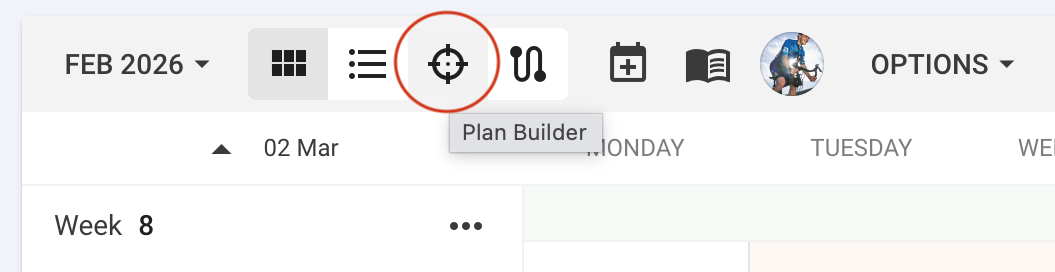
It’s available from the calendar page as a new view mode.
Training Timeline
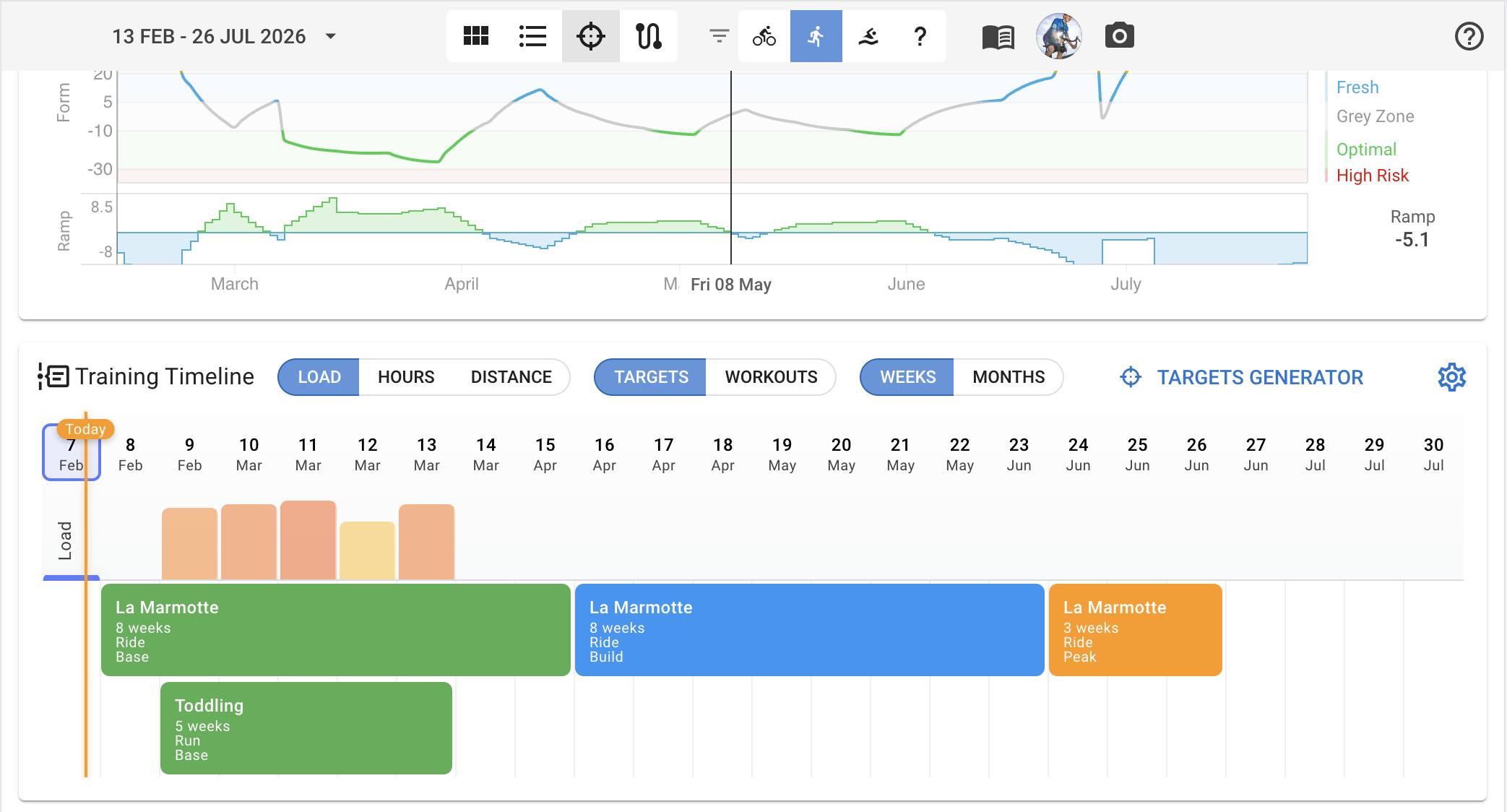
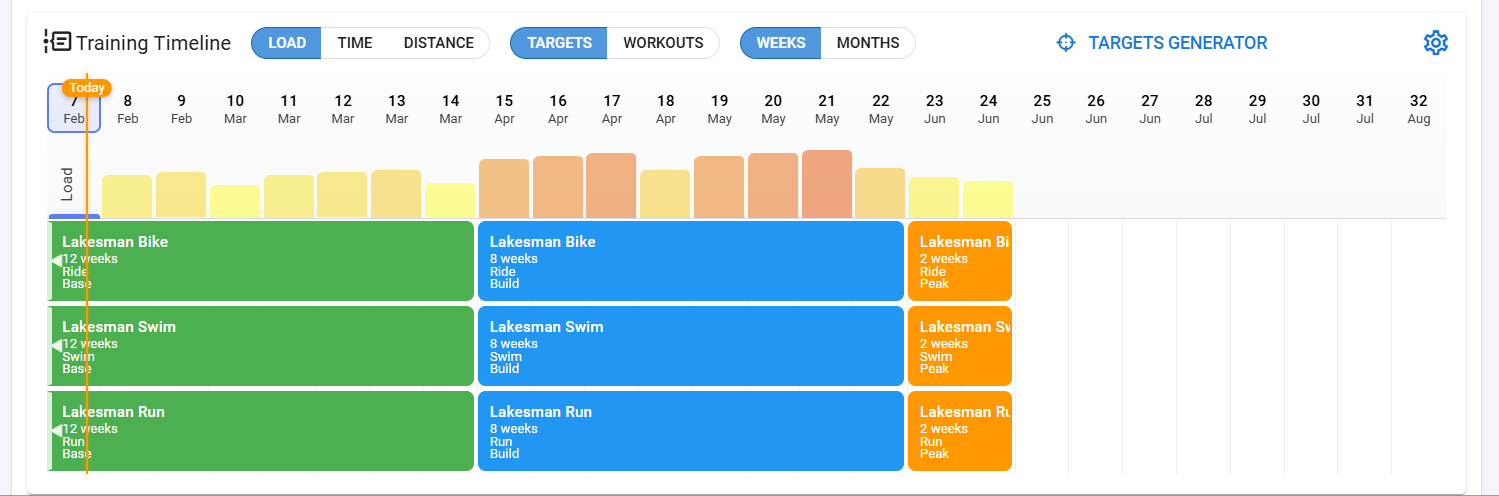
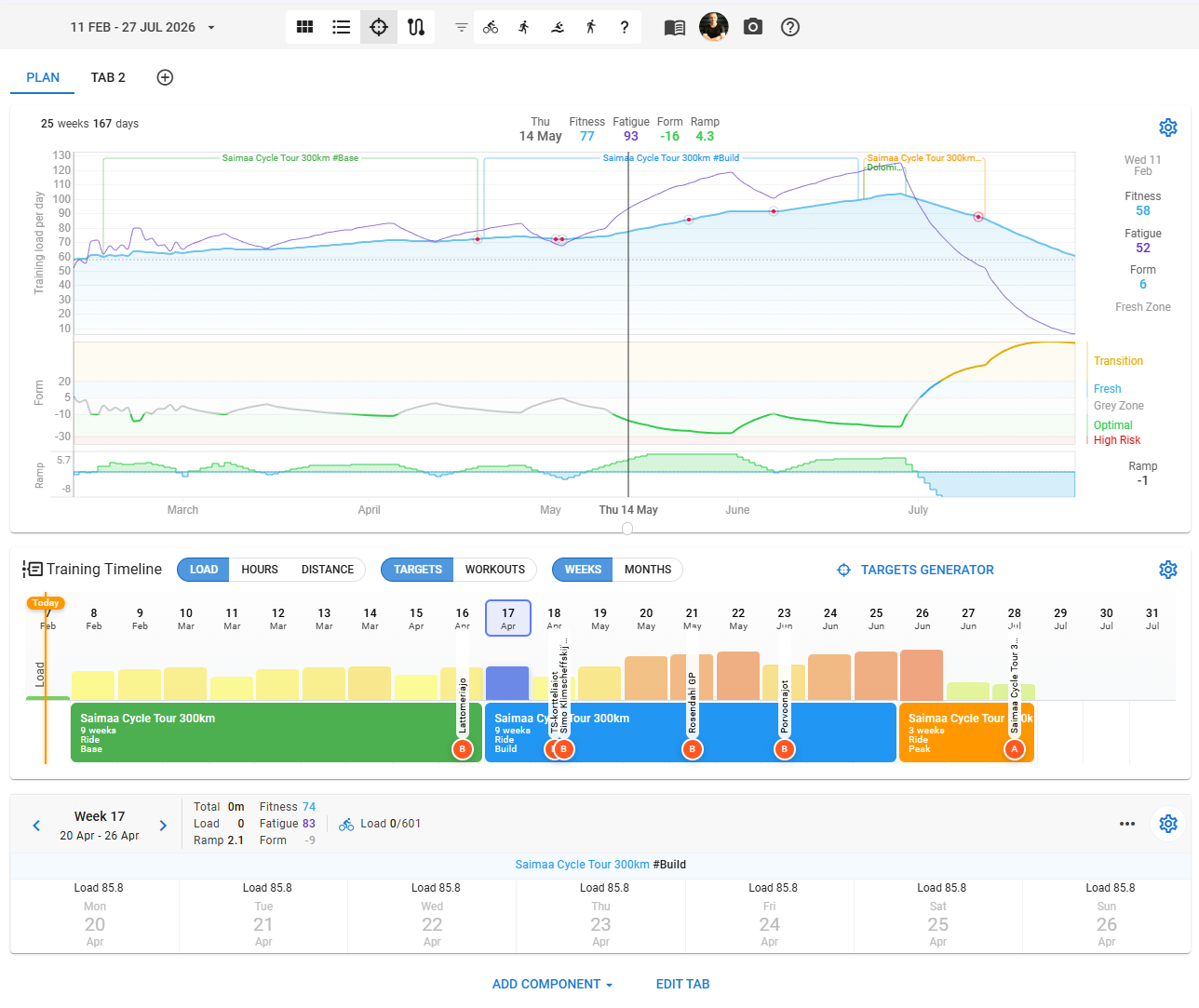
The top section shows your fitness chart over a configurable date range. Below that is the Training Timeline — a horizontal bar chart showing your training load, hours, or distance for each week or month. You can toggle between:
- Load / Hours / Distance to view the metric you care about
- Targets / Workouts to compare what was planned vs. what was actually done
- Weeks / Months to group the data by week or by month
Race events show up as colored markers (A/B/C priority) directly on the timeline. Plans appear as colored blocks spanning their duration.
You can drag and drop plans from your workout library straight onto the timeline. Open the library from the toolbar, browse or search your plans and workouts, and drag them into place. You can also drag plans on the timeline to move them (and their targets and workouts).
Week Navigation
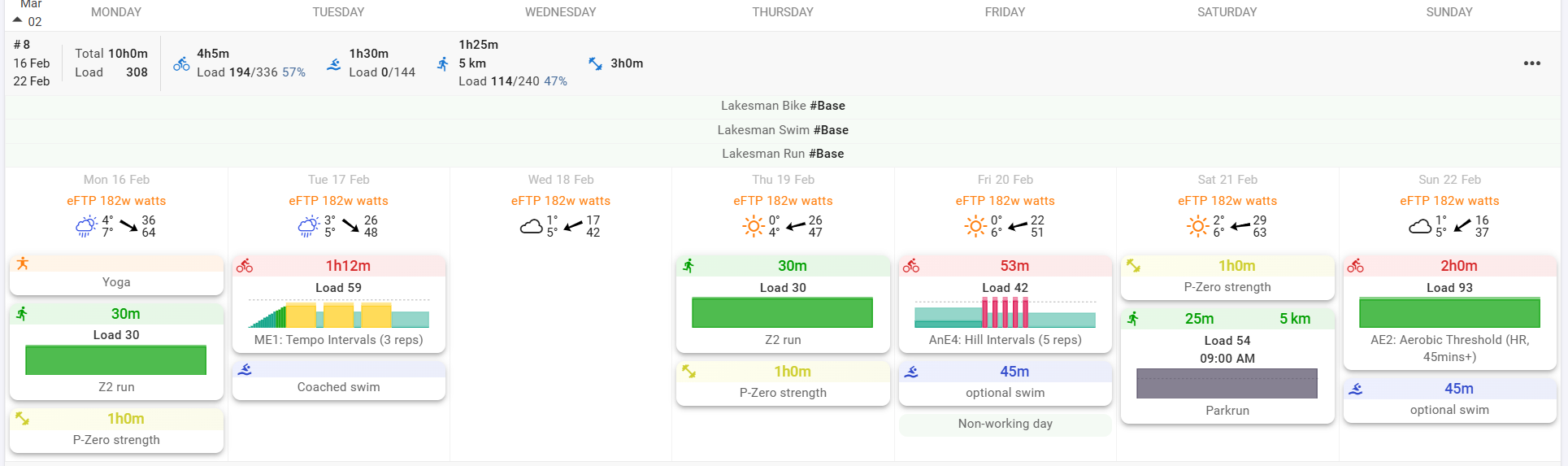
Below the timeline, the selected week expands into a full day-by-day view showing your activities, planned workouts, targets, and weekly totals. Use the arrow buttons to quickly step through weeks and review your training block by block.
Customizable Layout
The Plan Builder is built from separate components — fitness chart, training timeline, and week overview — that you can reorder, add, or remove to suit your workflow. Arrange the layout however works best for you.
Targets Generator
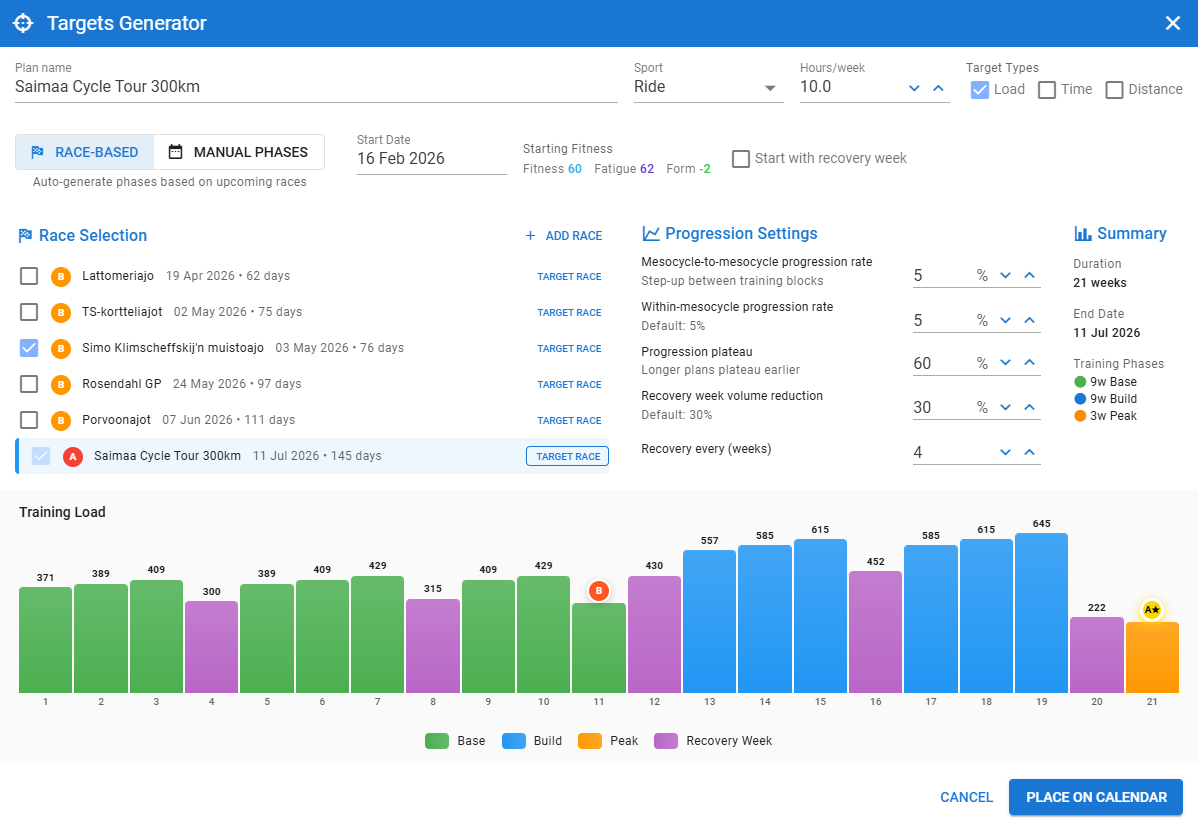
Click the Targets Generator button to open the planning wizard. This creates a periodized training plan by generating weekly load, time, and/or distance targets across your chosen date range.
Two planning modes:
- Race-based — Pick your target race and any B/C races. The generator calculates Base/Build/Peak phases working backwards from your target race. B-races get a short taper but don’t change the phase structure. C-races are treated as training opportunities with no taper at all.
- Manual phases — Set your own Base, Build, and Peak phase durations and pick a start or end date.
Configuration options:
- Sport type and weekly hours target (3–35h)
- Target types: load, time, distance (or any combination)
- Week-to-week and mesocycle-to-mesocycle progression rates
- Recovery week frequency and volume reduction
- Progression plateau control (when to stop increasing and maintain)
The system is fitness-aware: it checks your current CTL and form at the plan start date and will automatically suggest starting with a recovery week if you’re in a high-risk state.
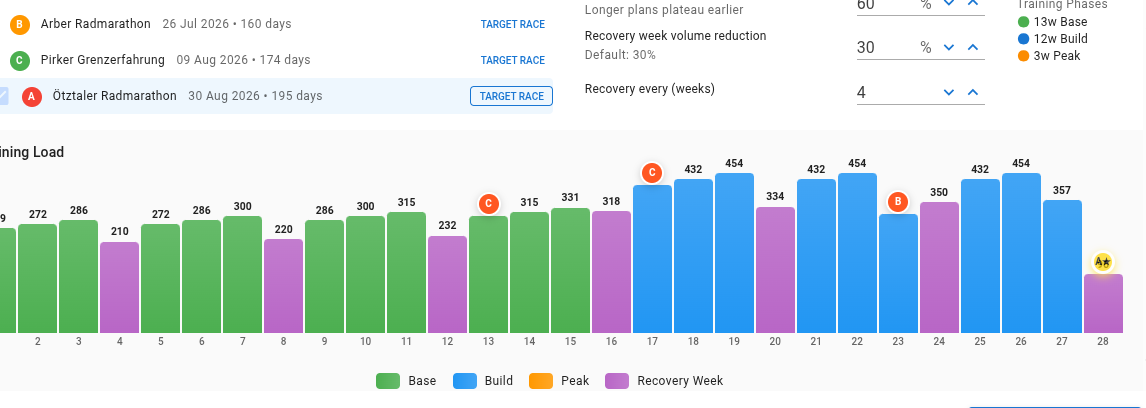
A live preview chart updates in real-time as you tweak settings, showing color-coded bars for each week (green for Base, blue for Build, orange for Peak, purple for Recovery) with race markers overlaid.
When you’re happy with the plan, click Place on Calendar and it creates all the phase plans, weekly targets, and recovery week notes on your calendar in one go.
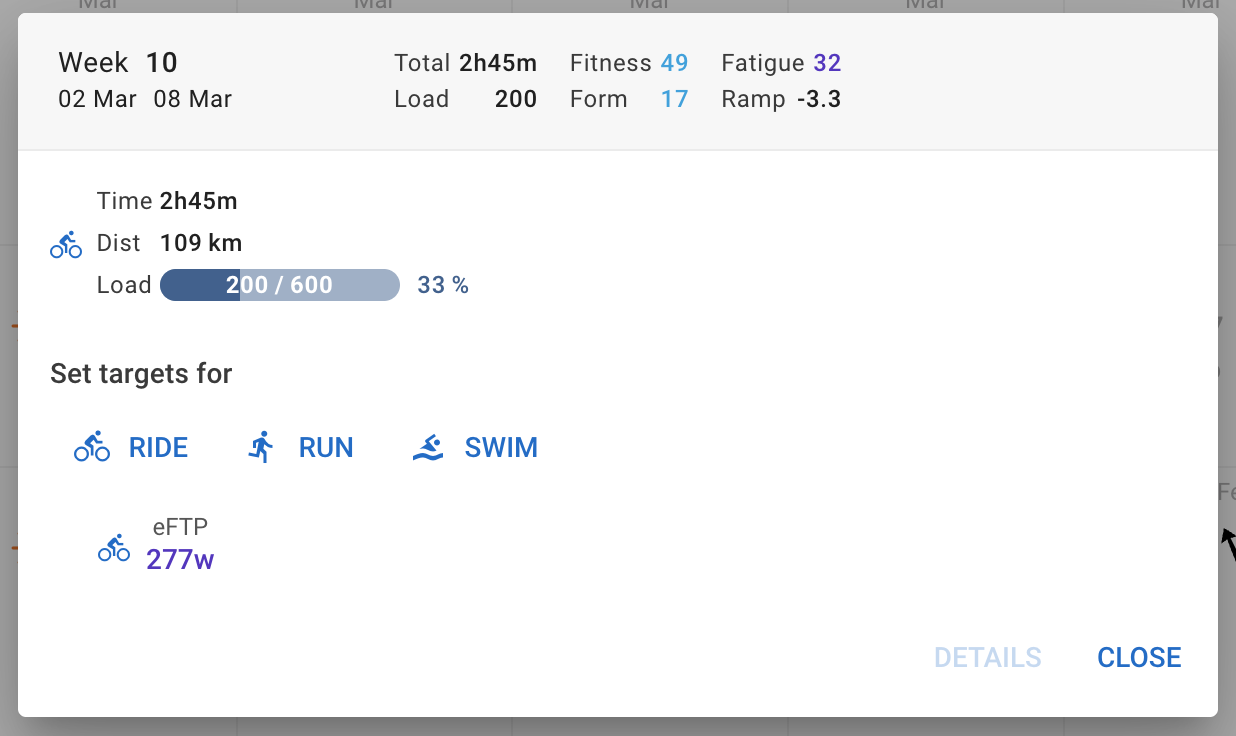
These are the same targets that you can already set and edit on the calendar:
The Science Behind the Defaults
The targets generator defaults are informed by sports science research:
- Weekly progression rate (default 5%) — Gabbett’s research on training load and injury prevention found that weekly increases below 10% keep injury risk low (~7.5%), while increases above 15% push it to ~21%. The 5% default provides a safe, sustainable rate of progression. (Gabbett, 2016 — British Journal of Sports Medicine)
- Recovery weeks (3:1 mesocycles, 30% volume reduction) — The 3-week load / 1-week recovery structure follows established periodization principles, with the 25–40% volume reduction range allowing for adaptation and supercompensation. (Bompa & Haff, 2009 — Periodization: Theory and Methodology of Training; Issurin, 2010 — Sports Medicine)
- Race taper protocols — A-race tapers use a 2-week exponential volume reduction (~40% total), following the meta-analysis by Bosquet et al. that found 41–60% volume reduction over ~2 weeks optimal for performance. (Bosquet et al., 2007 — Medicine & Science in Sports & Exercise)
- Polarized training model — The internal load calculations draw on Seiler’s polarized training research, where elite endurance athletes typically spend ~80% of training at low intensity with ~20% at high intensity. (Seiler, 2010 — International Journal of Sports Physiology and Performance)