I’d like ‘CZ’ more than ‘ZC’, but other than that I would use two letters for unambiguity.
1 Like
Overriding built in zones will happen if possible, and I would avoid that. So using “ZC” would be my preferred way.
1 Like
Why didn’t I think of that?  It is now CZ.
3 Likes
I think a big advantage of customizing zones is that it provides greater diversity in the nomenclature used by each athlete or coach. This will provide the opportunity to create a training session with more accessible writing, without too many technical terms (e.g., 20-minute Hard). Therefore, I believe zones should be identified as neutrally as possible, such as @{id_zone}, #{id_zone}, or even just “{id_zone}.” If these aren’t possible, Zn is another contraction of the word Zone.
1 Like
Hi @david
Is it possible to quantify a display the work done in kJ per zone?….Hopefully also as a field to be able to track weekly under the PMC along with load. Thanks!
Just as a test, I created a classic 3 zone heart-based model:
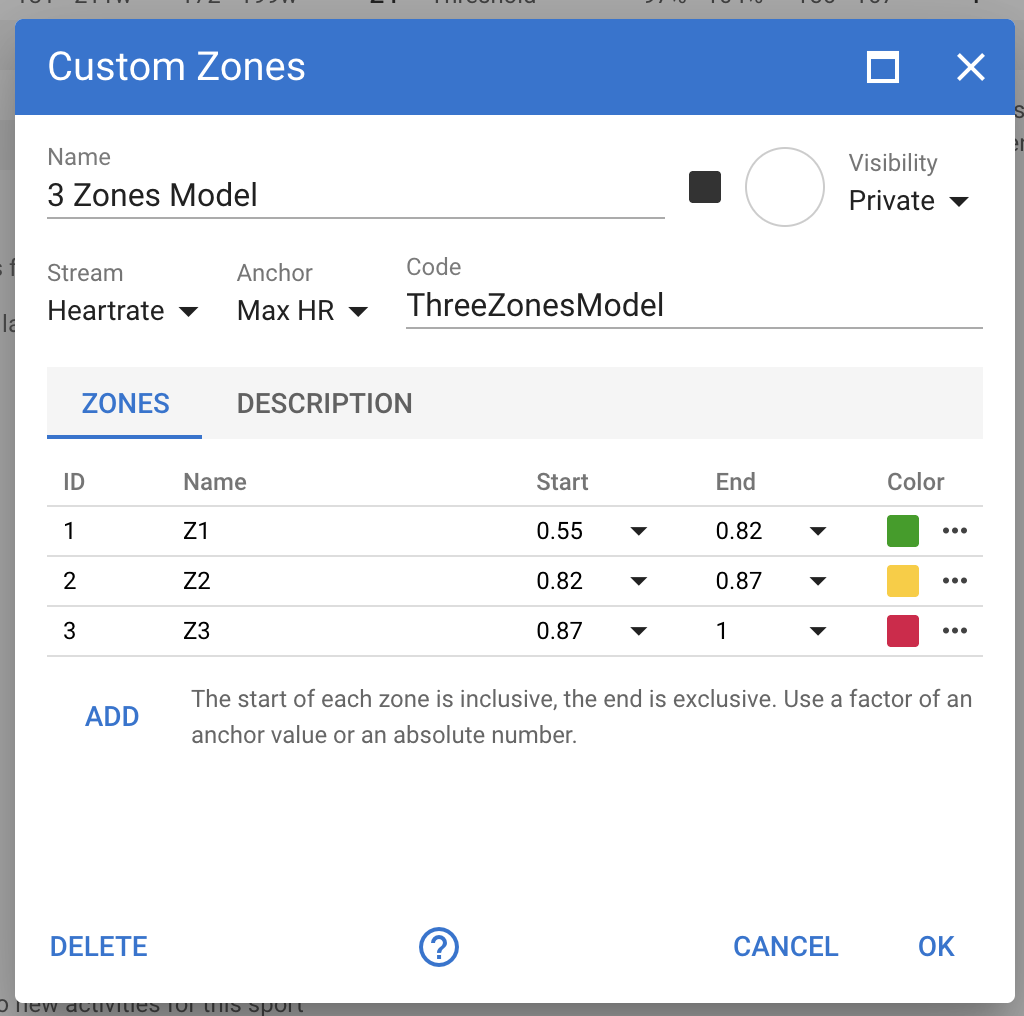
and Max HR is 183. When looking at an activity, however, I see this:
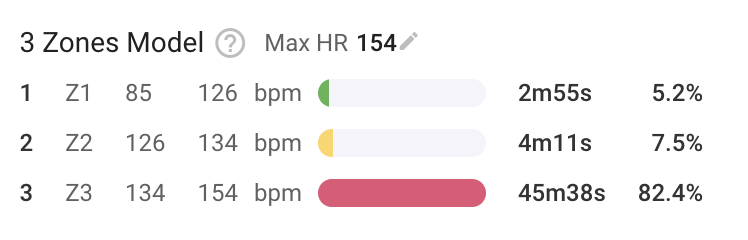
it seems that it is considering activity maximum registered HR and not the setting value. Is this the desired behaviour (according to the model configuration)?
Yeah, you have chosen the “wrong” anchor. MaxHR is as you recognised the max HR of that activity.
You have to create a new custom field (below the custom zones) with your Max HR. This value will be copied to the activities and used for TiZ calculations.
Edit: Thinking about my answer… And Max HR should probably be a standard anchor and should therefore be used from the HR settings. So this seems to be like a bug.
I agree, I understood your answer but I think it’s very counterintuitive.
In fact, when you configure the model you insert a “Max HR” value and zones are calculated against this value. In my case:
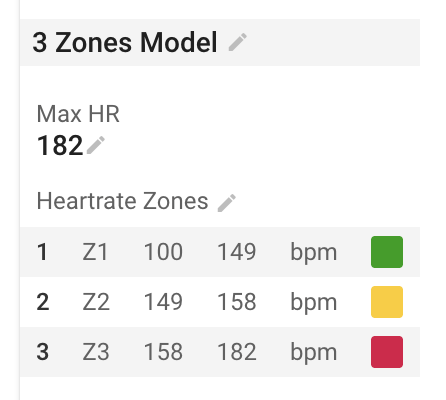
I would assume that those ranges are applied to every activity.
Yes it is a bug. It is as @Simone_Finotti says, it has used the max HR for the activity instead of the athlete’s max HR setting when the activity was analysed.
It is fixed now for deployment Thurs AM (GMT+2). Tx for picking this up.
You need to do Actions → Reprocess File to fix existing activities with custom zones using max HR as an anchor.
3 Likes
Hi!
I’m working on using this (because I think this is awesome), and I’m trying to set up Running zones based on my 5K pace. This will be incredibly helpful, if I can get it to work. It looks like there are some struggles trying to set it
I saw this comment:
You need to choose “Speed”. At the moment you also have to capture the zones in meters per second (not mins/km). That will get fixed.
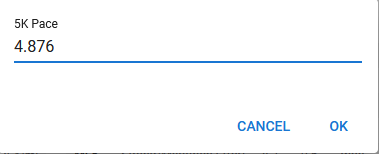
I’ve defined a custom field, 5K Pace, as simply a constant, in m/s, which I have set to convert to “/mile”. The value is 4.876 right now, not that that really matters
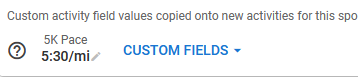
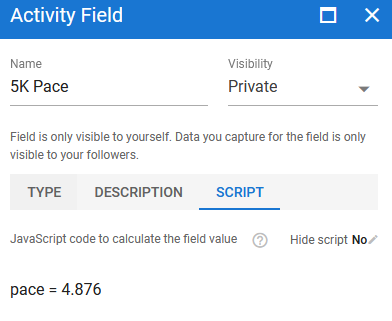
Then, I set up zones based on this value and the speed stream:
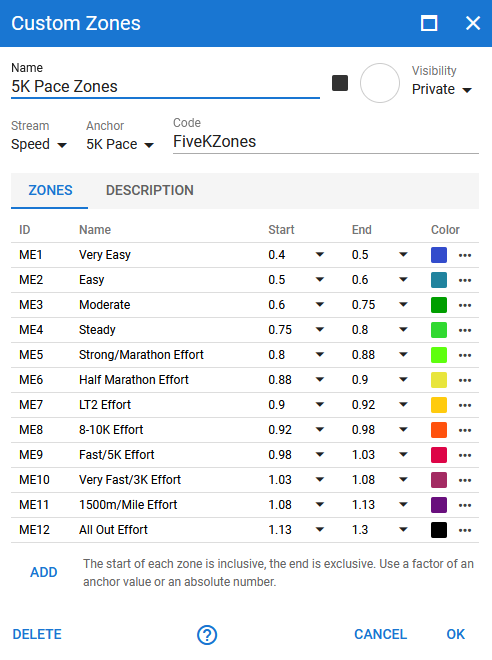
One thought – I tried to use % in the description, but that didn’t work – entering 40% would save as 40, which is far too fast.
I noticed that looking at the zones, it’s displaying as mph. Not a huge deal, but annoying, since the 5K field is displaying as pace. I imagine this is because the Speed stream is converting to mph for me. Is there a way to adjust this? The values look about right, it’s just the display that seems off
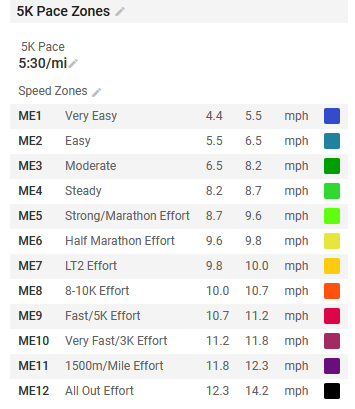
EDIT: Upon re-reading, workouts using these may not be live yet
I then tried creating a workout using these, but I had nothing appear (I tried ZCME1, CZME1, and ME1)
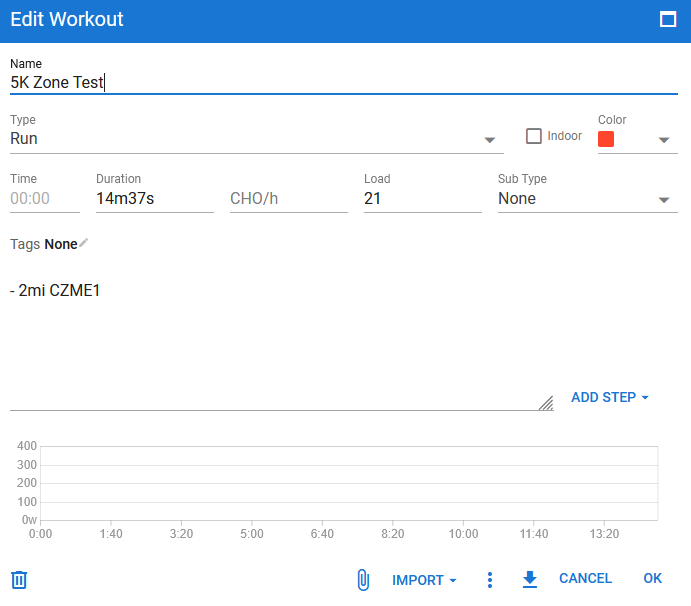
Any thoughts?
Yes pace zones still need some work. It should display the values using the units configured for pace for the sport (mins/km etc.).
Are there any speed based sports that do not use “pace” (mins/km, mins/500m, mins/mile etc.)?
Workout prescription isn’t live yet. The server side of it was deployed today, need to make sure there are no issues with “normal” workouts before turning on custom zone workouts.
1 Like
Thanks for confirming! I hadn’t read closely the first time through to realize it wasn’t available yet – I just skimmed and saw your example/discussion
Re: pace display – I can’t think of any of the “popular” sports that use speed, not pace. Maybe some motorized or motor assisted sports, like E-Biking, but I don’t think these zones are really appropriate for that anyway. Possibly some sports like crew (rowing) or canoeing? I’m not super familiar with those. Alpine skiing?
At least for the sports that make up the majority of your userbase, I’m betting pace is more useful than speed
Doubt that. Here are still a lot of cyclists, where speed matters more. 
3 Likes
Fair enough! Although I was thinking that cyclists would use power – but I guess if you don’t have a power meter, speed is what you need
Its possible Anchor and create Zones by RPE ?
No, the zones need to be based on one of the streams on the activity and there isn’t an “RPE” stream.
For RPE based workout prescription maybe use power, HR or Pace zones and put RPE in the text displayed to the athlete for each step.
1 Like
Workout prescription using custom zones will be deployed soon. This does have implications for people using workouts from the API. The “value”, “start” and “end” fields on “power”, “pace” and “hr” objects can now be a string (instead of a number) when a custom zone is selected.
In this example “cvm” indicates the custom zone with id “VM”.
{
  "duration": 1620,
  "distance": 0.0,
  "ftp": 285,
  "lthr": 171,
  "sportSettings": { "id": 28723, ... },
  "target": "POWER",
  "steps": [
    {
      "duration": 300,
      "power": { "value": 3, "units": "power_zone" },
      "_power": { "start": 214.0, "end": 256.0 }
    },
    {
      "duration": 120,
      "power": { "value": "cvm", "units": "power_zone" },
      "_power": { "start": 330.0, "end": 360.0 }
    }
  ],
  "zoneTimes": [ ... ],
  "options": {},
  "locales": []
}
2 Likes
Tx For the Heads up.
the “value” - For the custom zone “CVM” (Custom Zone with name “VM”) - this can now be BOTH a string or number?
the 2nd interval is supposed to be a Custom Zone, but the start and end for _power is still there as a number?
I think I’ll have to wait till you’ve deployed the workout builder w/ the custom zones so I can play w/ it and get it implemented for BreakAway.
Tx
Yes the “value”, “start” and “end” fields can be both a string and a number if the units is “*_zone”.
The “_power”, “_hr” and “_pace” objects always have only numbers (the actual watts, bpm or mps with all custom zones and so on resolved).
1 Like