Awesome feature!
Maybe it’s how I setup my custom zones, but I’m not seeing it added by default when I reprocess, but it does show when I add the activity chart.
My custom zones.
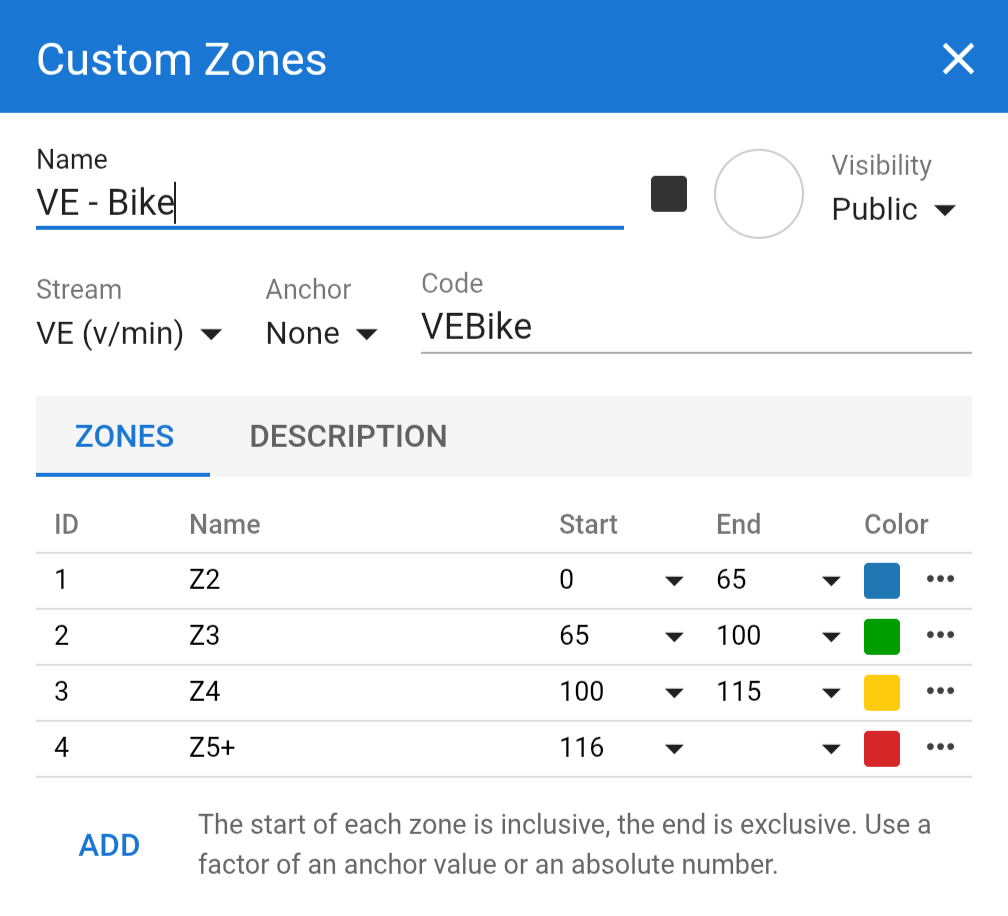
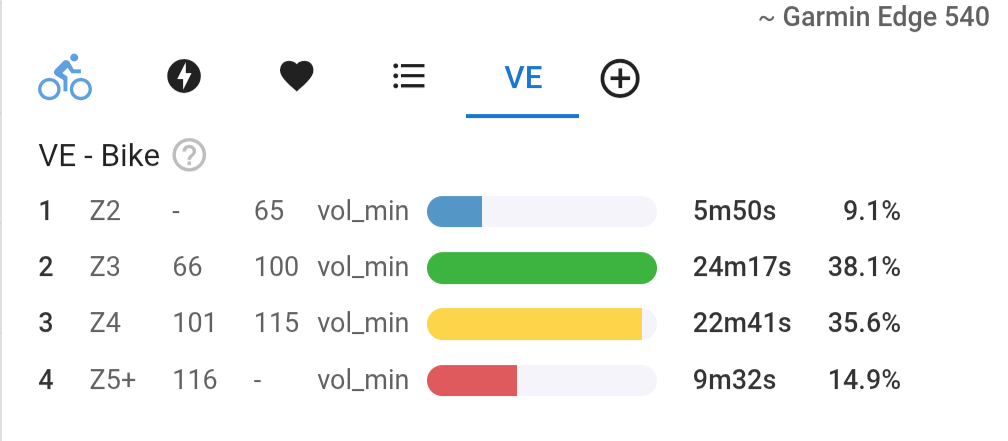
VE zones tab!
Awesome feature!
Maybe it’s how I setup my custom zones, but I’m not seeing it added by default when I reprocess, but it does show when I add the activity chart.
My custom zones.
VE zones tab!
We just fixed a bug that was leaving custom streams out of the streams list. It should work now.
The stream is only added them when you enable it for the sport. So if you already had it turned on then it wouldn’t show up.
Ah yes, fixed. Tx.
Will there be the option to change colors of the default zones? I’m happy with them but I would really like to change the colors system wide so that they fit Garmin/Zwift colors.
Did you check the first post of this topic?
Yes, I did. As far as I can see, It states that colors will be (and are already) customizable for the new custom zones. I was wondering if that’s also going to be possible for the default zones.
They might be. The original plan was to replace the build in zones with the same structures used for the custom zones to enable that. However it might be easier to just add editing the colours to the built in zones.
@david is it possible to show custom zones in the charts, the same way as for the power (for what we see the power zones in different colors)? For example, I have set up the zones for HSI, yet I can’t find a way to see the charts (not an activity chart) with the defined colors.
+1
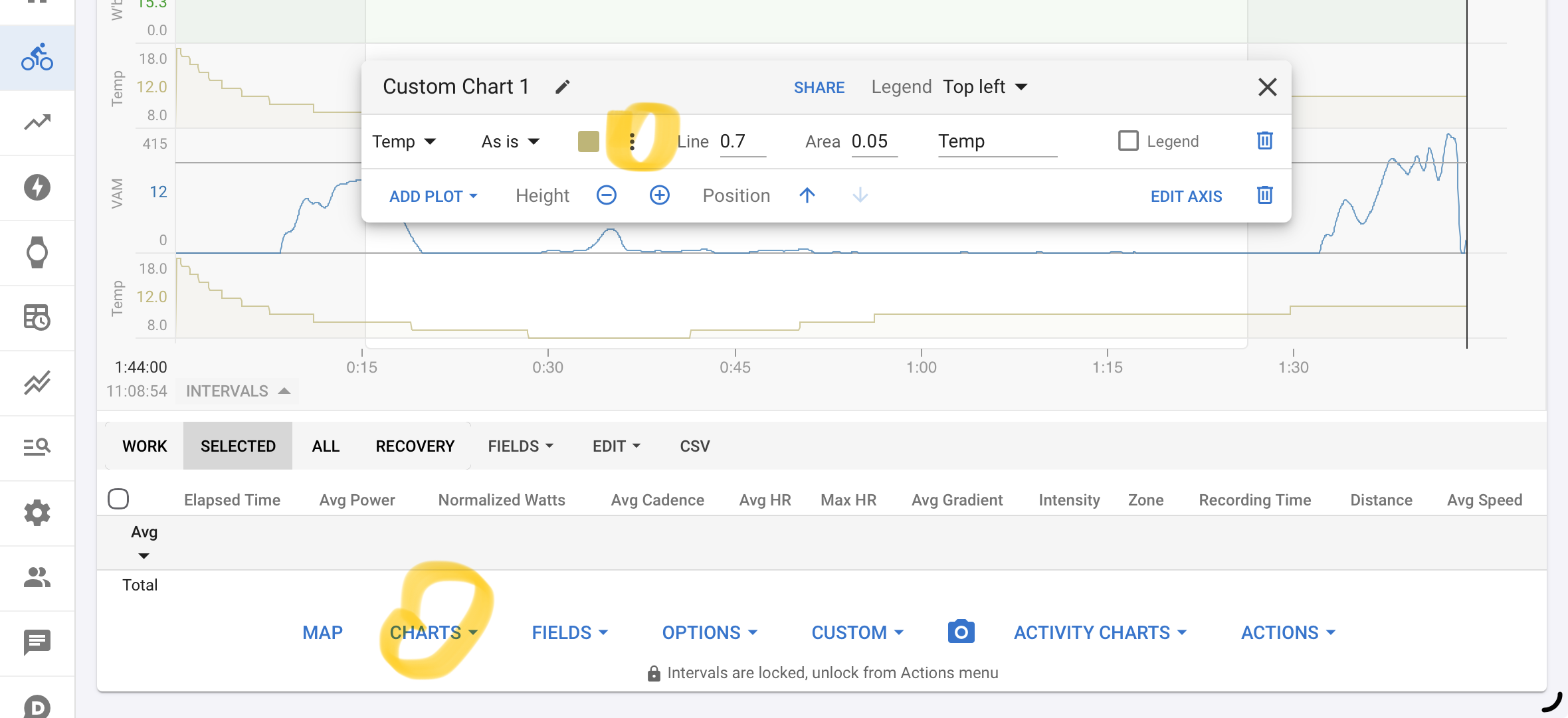
To be more clear, you mean probably the zones there:
Would be great to see a selection there to add the zones in the charts 
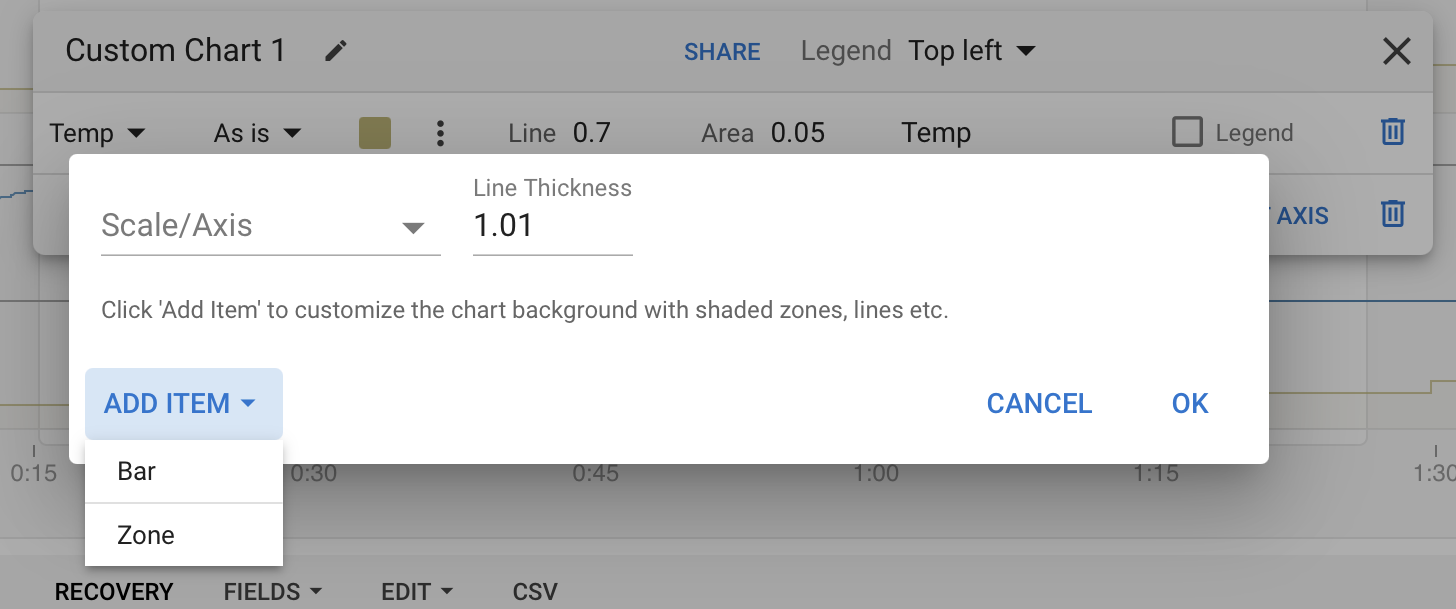
Currently it doesn’t add anything, if you click on the add zone
Yes, I’ve tried using zones but can’t get anything to work. I imagined that by defining custom zones we would get the same chart view as power or heart rate
You can’t do that yet but it is planned. What you can do now is plot the anchors used to define zones, assuming you are using those.
Will it be possible to GET and POST these zones over the API?
Yes you can using the “custom items” endpoints (type = ZONES).
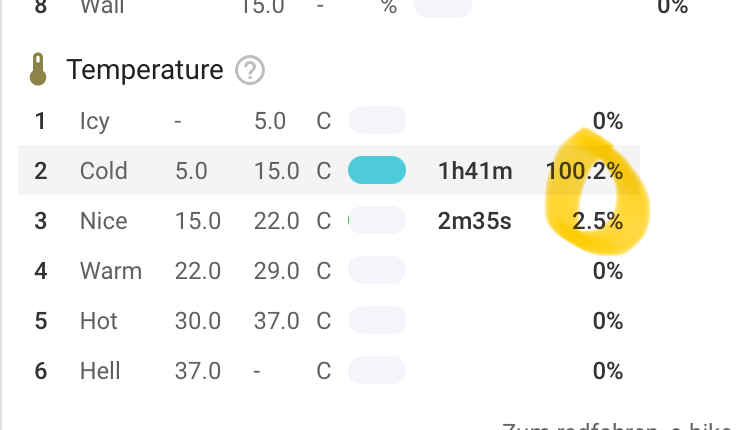
For a laugh, I tried setting up Big/Small chain ring zones based on the “Front Gear Index” stream (0-2, 2-), but I can’t seem to make it work. I can define the zones just fine, but it’s not showing up when I try to add the Time in zones to the workout page after reprocessing the activity. The zones chart simply don’t show up (presumably because there’s no data, for whatever reason).
The activities I’ve tried definitely have the stream (can show it on the timeline), so I’m not sure if I’m missing a step or bumping into a limitation.
Obviously not something I really need, just something to toy with.
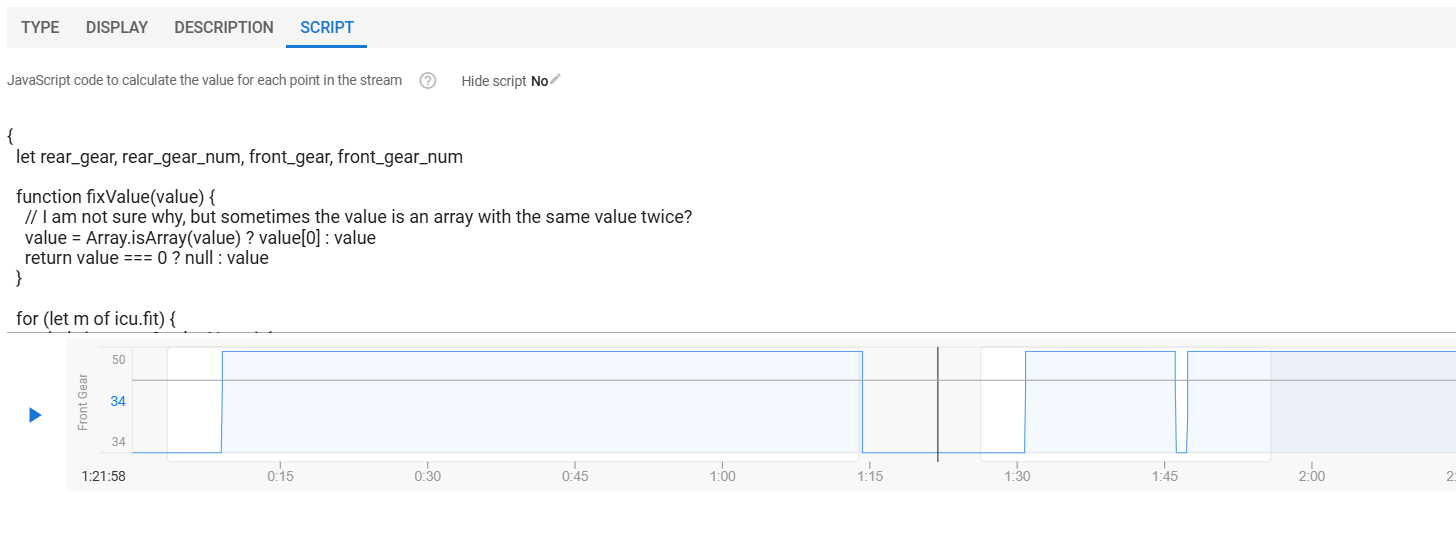
So when checking the Custom Stream, you do see something like this?
In my case, it doens’t plot indexes but number of teeth as configured in the head unit.
I’m riding a compact crank, chart shows either 50/34.
I tried it, and it worked. Check that you selected the Front Gear Index. 
And if you have previously defined wrong zone settings it won’t work, unless you update the zones for that activities (Edit → Update Zone for that activity). The zones are copied to the activity at the first analysing, and can only be overwritten with Update Zone.
Aha! Yeah that was it. Thanks a lot.
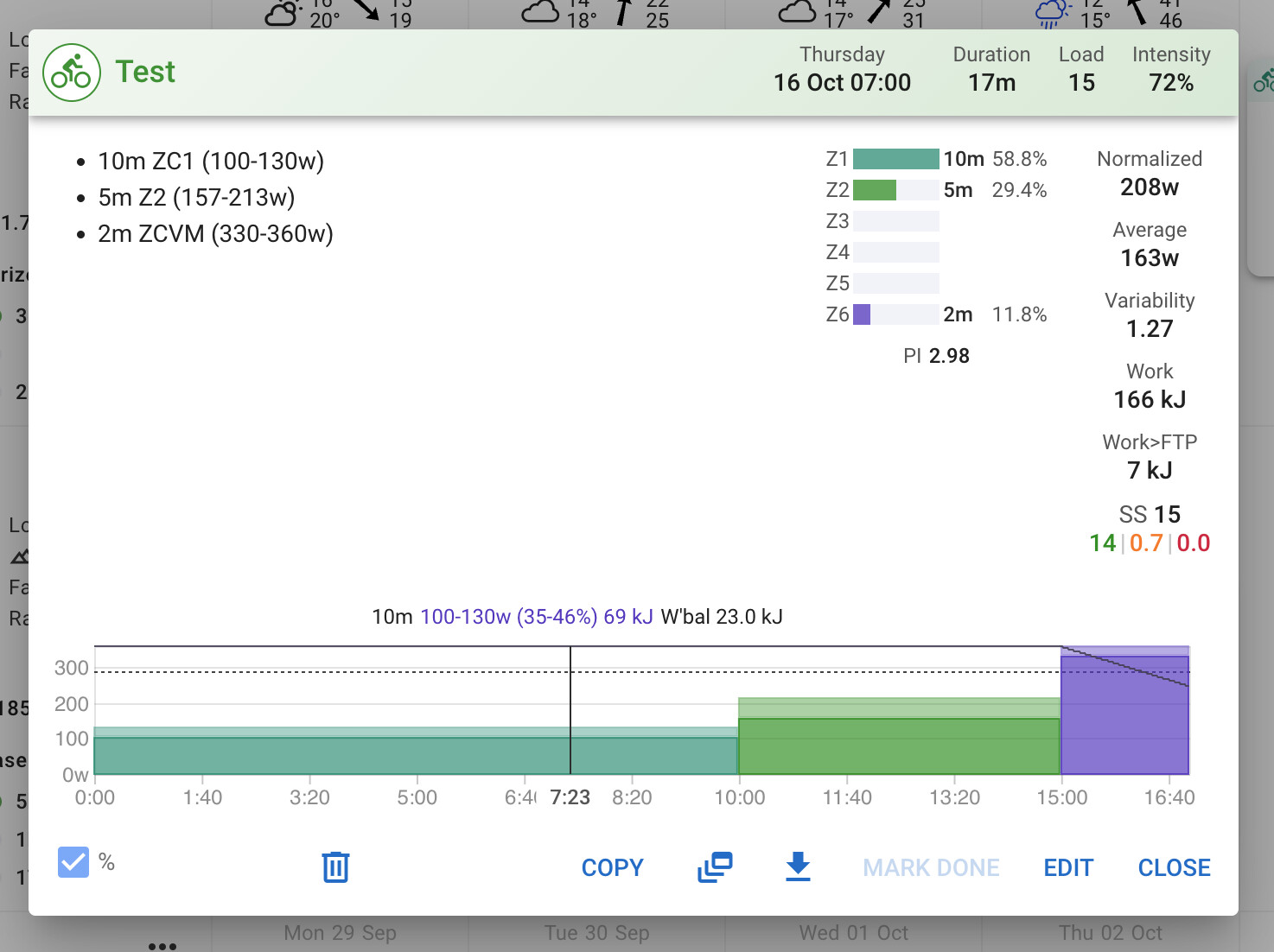
Right now you need to specify custom zones with “ZC{id of zone}”. I could relax that to just “Z{id of zone}” so no distinction between prescribing built in zones and custom zones i.e. custom zones with id “1”, “2” etc. would override built in zones.
I am not sure which is the better scheme. What does everyone think?