Tx. How would RPE zones work? This needs an underlying data stream (power, heart rate) etc. to compute time in zones and for prescription. You can add RPE as extra info to workout step text now.
The way in which RPE zones work in Training peaks (if I’m not wrong) is:
-
coach plans each part (interval or whatever) of the session giving it an RPE
-
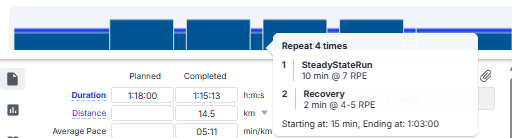
TP creates a mini-workout chart with RPE, just creating a bar as high as the RPE (see image)
-
RPE gets sent to the watch as just text, info. So when the interval starts my Garmin tells me “10 min, RPE 7”. But then it only counts duration, it does not “guide” me with pace or HR.
I think an option would be:
- If another metric is provided (power, pace, hr…) that one is used to create the graph for the workout, with the colors and everything.
- If only RPE is provided, that is also sent to the watch as text, and the little graph for the workout is created. I think having that visual is very useful for athletes.
-In the same way, custom zones could be created for RPE, and if I sent:
4x
-10’ RPE z3
-2’ RPE z1
And I had defined RPE z3 as RPE6-7 and z1 as RPE1-2, that’s what the displayed text in the watch would be.
Just my 2c!
1 Like
Excellent idea!
There’s also a Garmin app that adds an RPE data field directly into the FIT file:
That said, the most valuable feature would be what @FredSPast described: the ability to program workouts based solely on RPE and time, with visual cues driven by RPE.
1 Like
fantastic feature that will be great to have. playing around with the beta but can’t seem to figure it out. do i have to select a stream, and if so how do i select pace?
1 Like
You need to choose “Speed”. At the moment you also have to capture the zones in meters per second (not mins/km). That will get fixed.
@david I also see that you have added a Custom Fields section in the sports settings. Is that related to this feature, or is that something else?
This is somehow related to this. But you can it use it without custom zones.
Announcement was there
1 Like
Yes it was needed for this but there are a number of other applications. The custom activity fields on the sport are copied onto the activity before other fields and streams are evaluated. So you can use them as inputs to other custom fields and streams.
1 Like
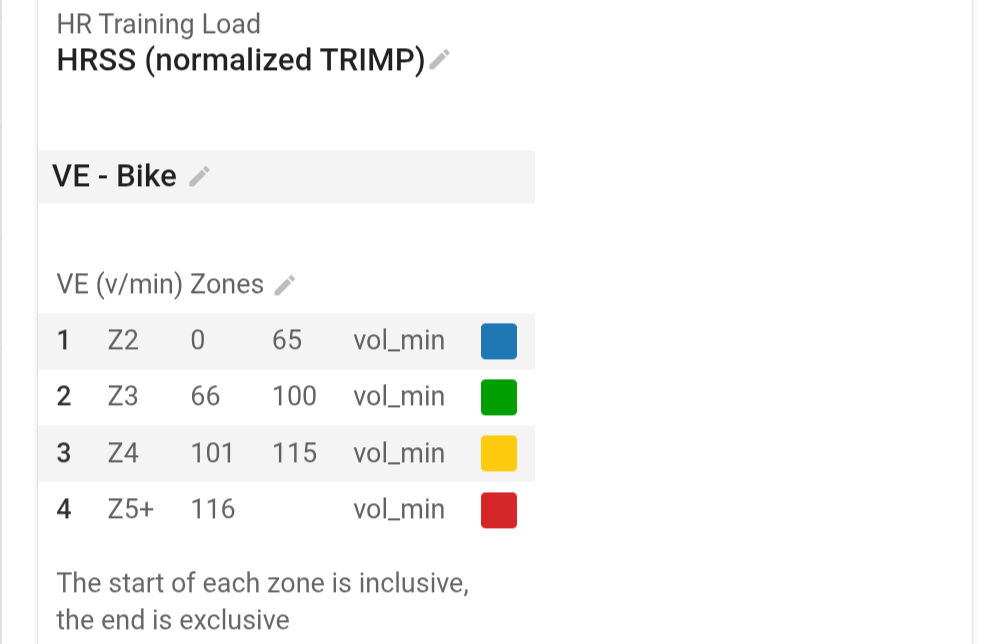
I added in the custom zones but even after reprocessing the workouts, I’m not seeing them added. Besides adding the zone to the activity in the settings, what else is needed?
2 Likes
This feature is still work in progress. You don’t see anything in your activities yet:
3 Likes
Time in zones should be live in the next day or so.
6 Likes
Would/could you make this public?
Update to public.
Those zones will have “gaps” e.g. VE >= 65 and < 66 doesn’t fall into any zone. You need to make Z2 end on 66 etc.. The end of a zone is exclusive.
1 Like
Thanks.
Time in zones for custom zones is live now. You need to re-analyse existing activities. When you enable a set of custom zones in sport settings it will be added to one or more of the activity detail pages (power, hr or pace depending on the stream or all of them).
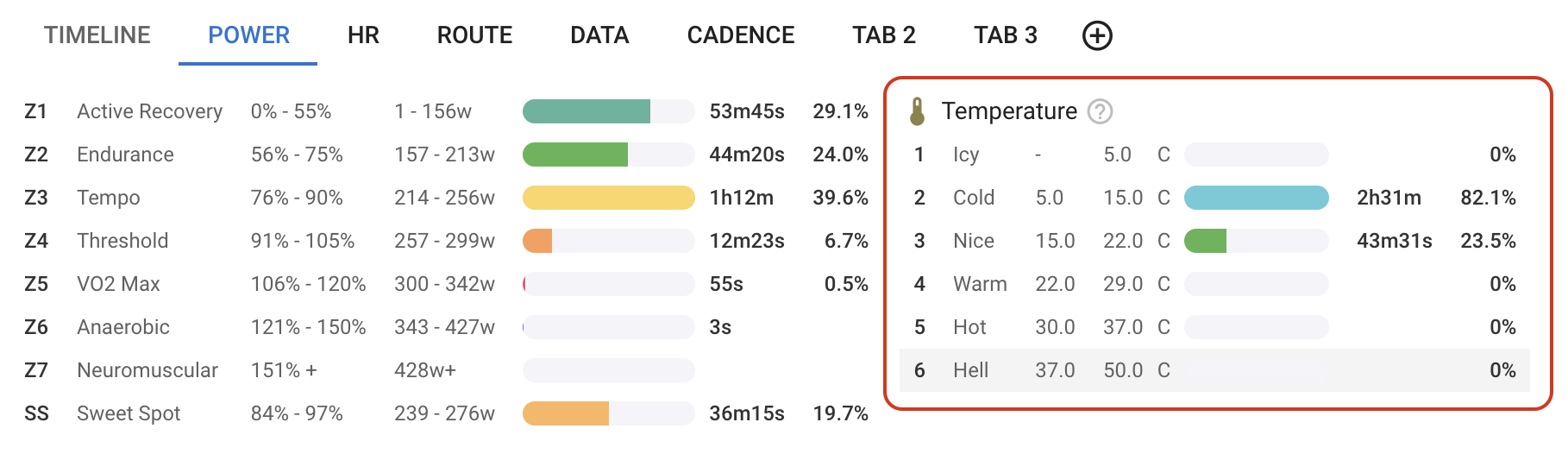
You can also add/remove and move time in custom zones using the activity charts button:

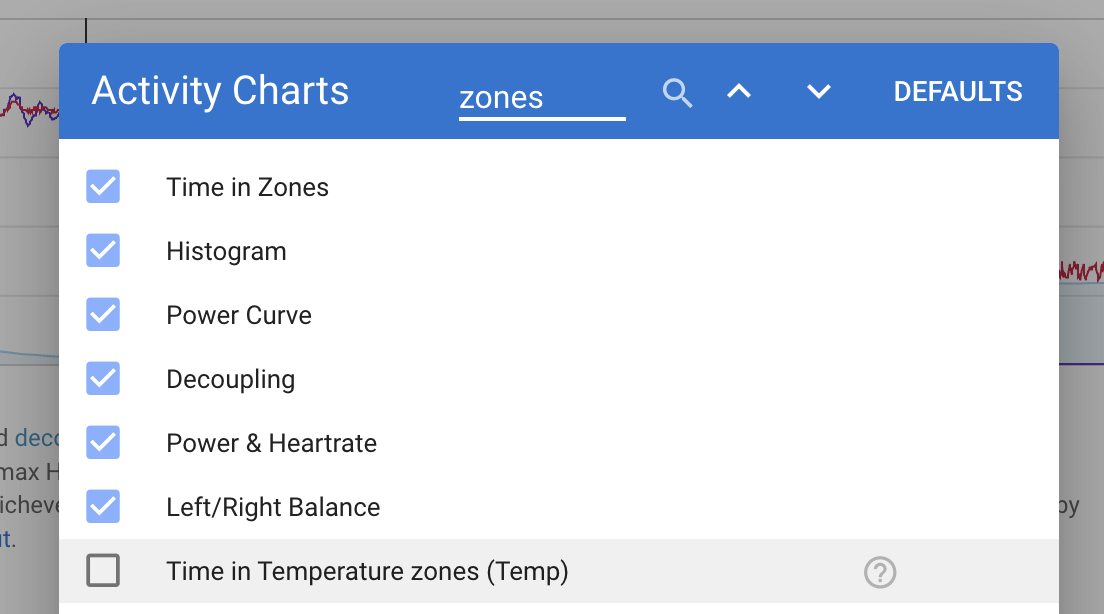
I am going to add a moving average option to the custom zones setup. The existing time in power zones are computed using a 5 second moving average of power.
3 Likes
@david what data is available for this feature? I have a Stryd foot pod that delivers a temperature stream (which I’m able to plot). However, it’s not available for the new Zones feature. Why?
Every built in and custom stream should be available. Is it a custom stream? What’s the name of the stream?
@R2Tom Yes, it’s a private custom stream called StrydTemperature. Is it only public custom streams that are available perhaps?
Indeed. I’ll probably have to correct myself. Custom streams aren’t available (yet?).