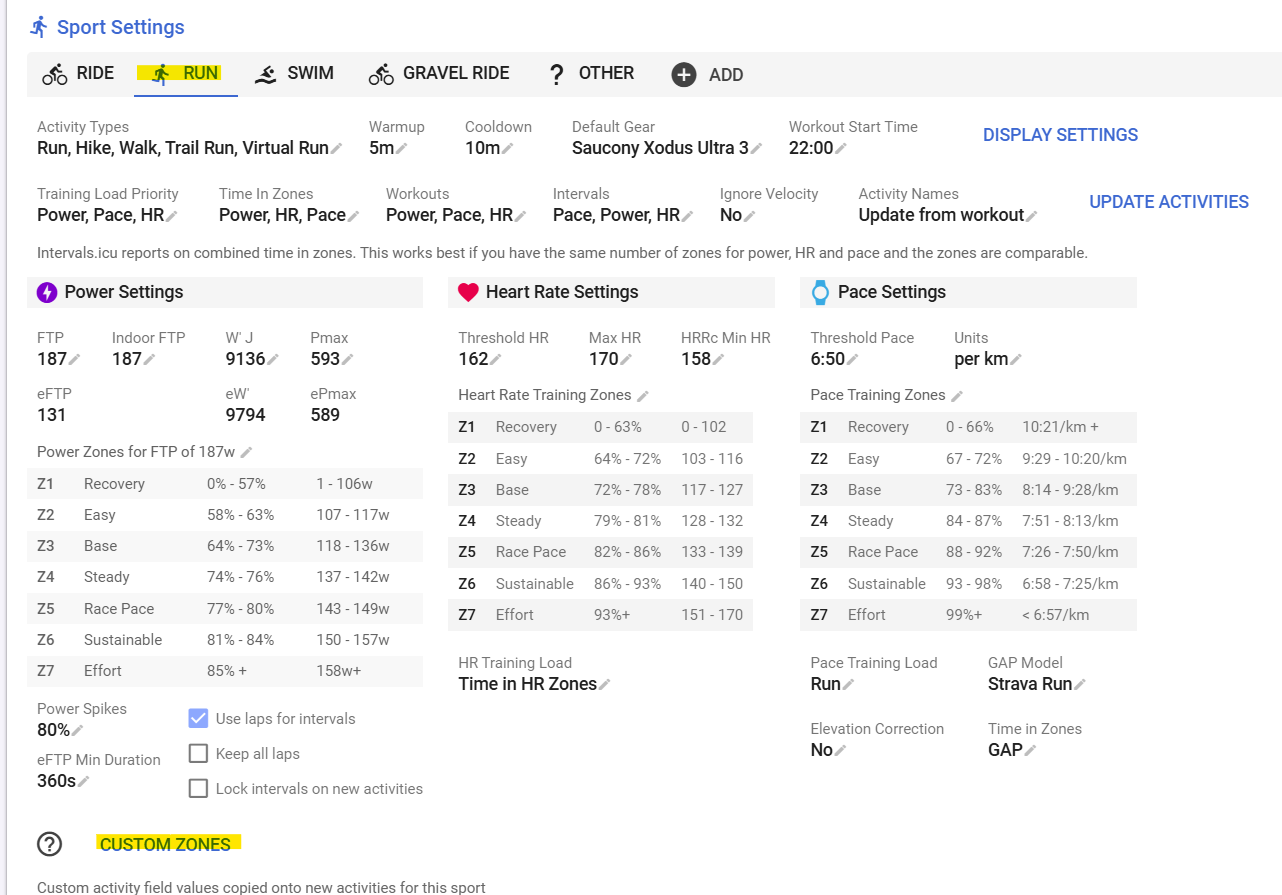
Yes. As soon as you use a custom zone in the workout then that should happen:
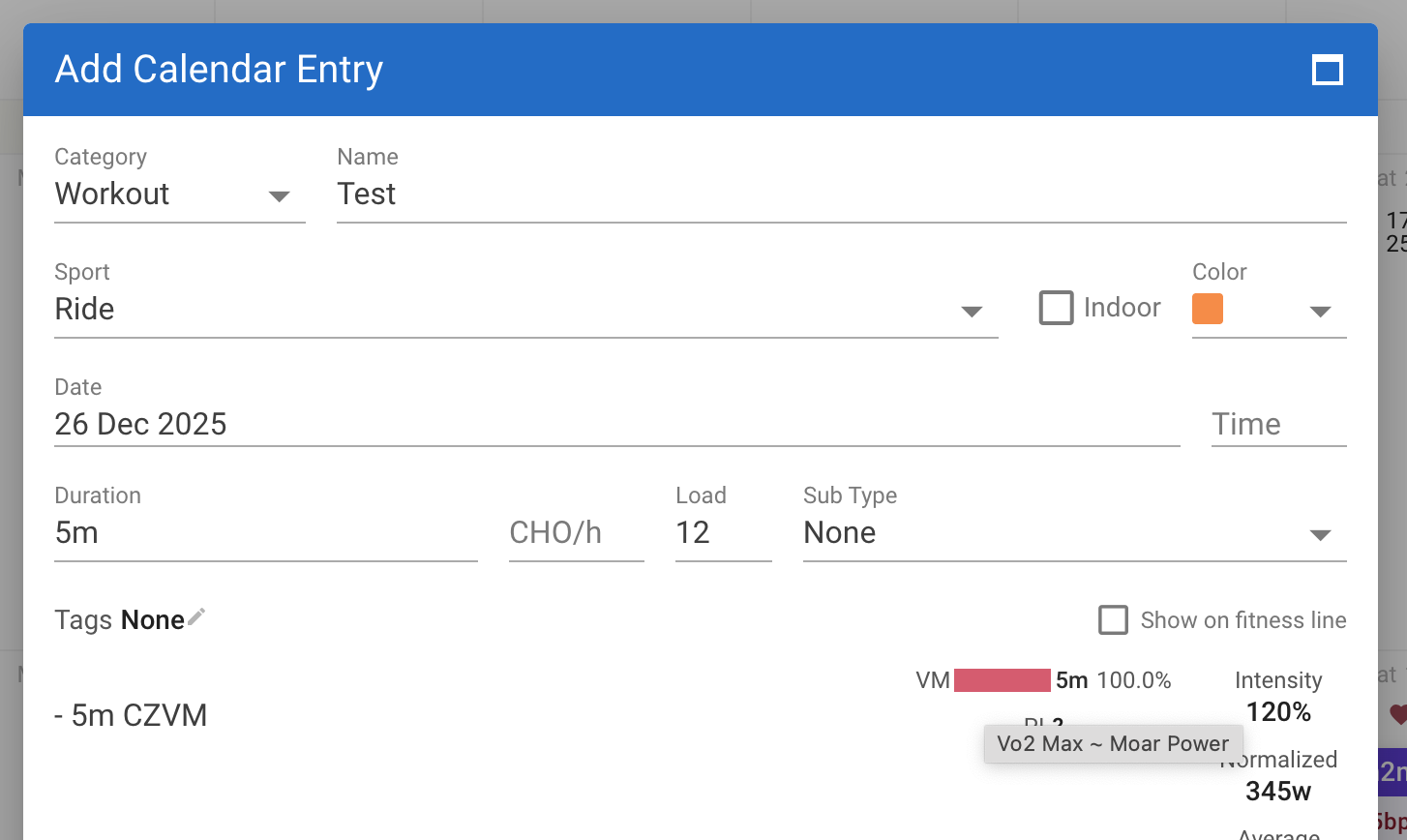
Thnx David….I think I’m getting this figured out. This is a great feature…Thank you for your continued efforts to improve this platform!
1 Like
Alright I may be a little dense, sorry in advance if that’s the root cause!
I came here to continue the conversation started by @claybeans over at Custom activity fields on sports - #19 by claybeans
I’ve tried to put all the pieces together but haven’t gotten workout prescription by percentage of custom field to work - would love guidance as to what piece(s) I’m missing.
Just to make sure I define the goal very clearly: I’d like to prescribe a workout as a percentage of a specific custom field on a sport, either power or pace. Expanding on the example given by @claybeans, I would like to prescribe (using my current settings):
- 5km 100% Pace5K= 5K race at max effort pace = 19m50s @ 3:58/km (4.2 m/s)- 1.2km 93% Pace5K= 1200 meter interval at 7% below 5K speed = 5m7s @ 4:16/km (3.91 m/s)- 30m 70% Pace5K= 30 minutes at 30% below 5K speed = 30m @ 5:40/km (2.94 m/s)
Setup
I’ve set up a custom field on the running sport, Pace5K to convert to per km:
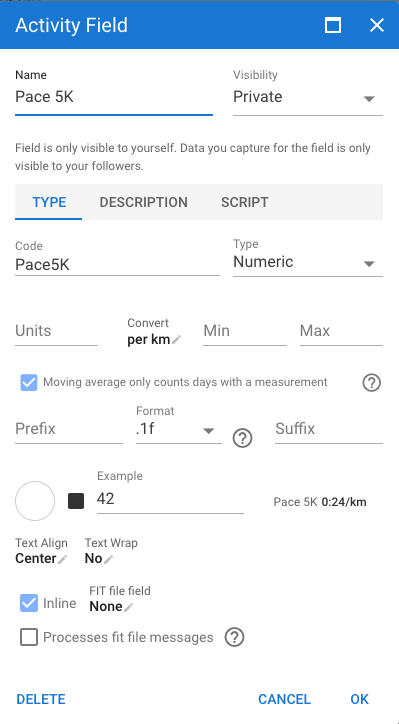
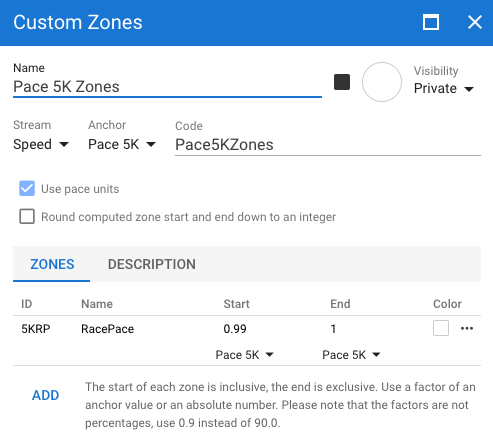
I’ve then set a value for this field and set up custom zones based on this value.
Field value, 4.2 m/s = 3:58/km:


Zones:
Attempted workout prescriptions
Now I want to prescribe the 1200m interval in a workout, and I can’t get this to work.
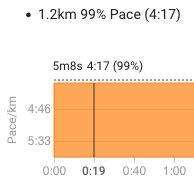
Given my threshold pace is 4:14/km = ~3.94 m/s, and for the interval I’d like to go at a pace of ~4:16, I could get to a target pace of 4:17/km by prescribing against threshold pace:
- 1.2km 99% Pace
Results:
However, I’ve tried the following and none get me to a pace target of ~4:16/km using the custom field or zone:
- 1.2km 95% Pace5K
- 1.2km 95% CZ5KRP Pace
- 1.2km 95% CZ5KRP
Any help would be much appreciated! I’m guessing this was intended to be possible and I’m just missing some tiny step in the middle that causes the prescribed pace to not hold.
The only solution I could think of is creating one zone for each percentage (1005KRP = 100%, 995KRP = 99%, …, 15KRP = 1%). But I’m also running into the issue that pace percentages are calculated differently on intervals than the Running Writings calculator, so I didn’t implement it. I suspect that intervals is using the speed to calculate the percentage instead of time (as mentioned on the calculator page), but I have no idea.
1 Like
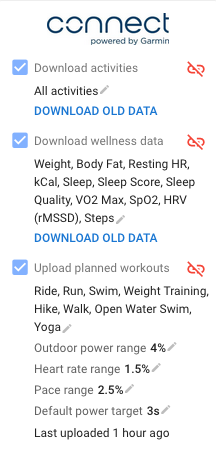
Definitely a workaround to make whatever % targets as zones, there’d be so many!! Also the default % zone expansion wouldn’t apply either, I use that a lot when intervals takes a % target and expands it to a range in my Garmin workouts; a custom zone per percent would result in a tiny 1% range, instead of my 5% (2.5% below and 2.5% above) range set in Garmin workout upload settings (Pace range).
You’re right yeah! Using terminology in Brief thoughts: Calculating percentages of race pace - Running Writings, intervals does percent of speed (division method) instead of percent of pace (multiplication method). I’d love a percent pace (multiplication method) option too, but I can only imagine that’s for another thread.
The example I posted is mainly to get to a spot where I can set a custom Critical Power for biking and running to then use %CP instead of %FTP for biking and running workout prescriptions, this speed-based example happened to be a good example to continue on with 
Hello!
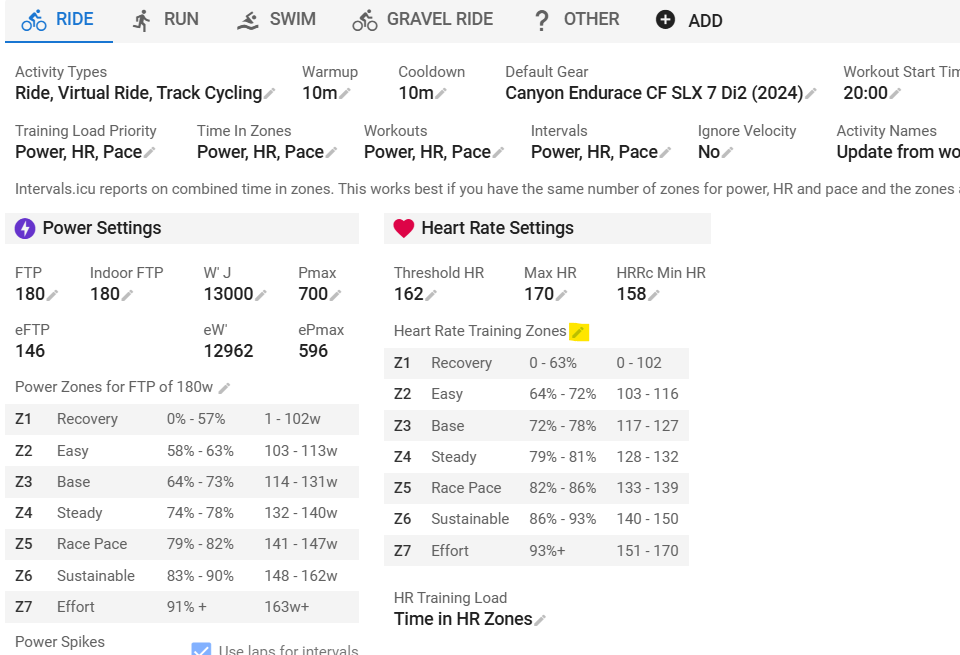
I’m new here and was looking around at the settings and noticed I can’t change my heart rate zones. Is this one of the features that requires a subscription?
Thanks!
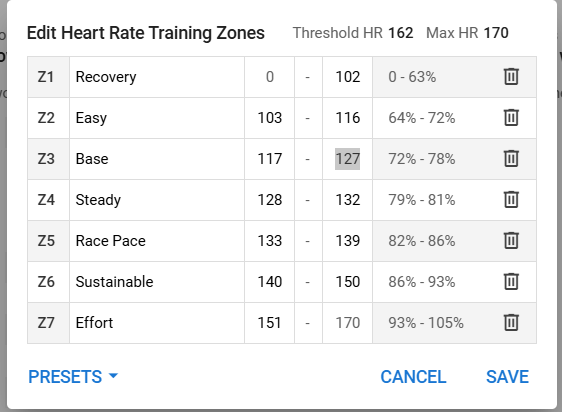
Thank you!
I’ve created some custom zones using both FTP (W) and Threshold HR (bpm).
The FTP-anchored custom zones show up on all of my totals pages, including rides I have done years ago. However, the Threshold HR-anchored custom zones only include rides I have done since I created that custom zone. The older totals pages don’t get “back-filled”. Is there a reason?
Did you „update zones“ after creating this custom zone?
Ah, yes, the “update zones” function did the trick, thanks!
1 Like
Hi everyone,
I have created a set of custom training zones anchored to the anaerobic threshold. These zones are then used when building workouts from the workout library.
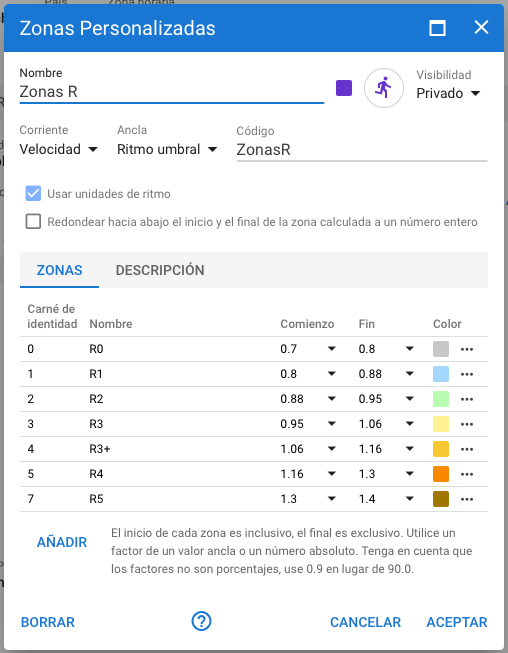
When I define the duration spent in each zone within the workout, everything appears to be correct in the workout configuration itself. However, the summary box that displays the total time spent in each zone shows values that are completely incorrect.
Steps to reproduce:
Create custom training zones anchored to the anaerobic threshold (see first screenshot).
Create or edit a workout from the library using these custom zones.
Assign specific durations to one or more zones (e.g. 30 minutes in R0).
Observe the zone summary displayed in the workout editor (see second screenshot).
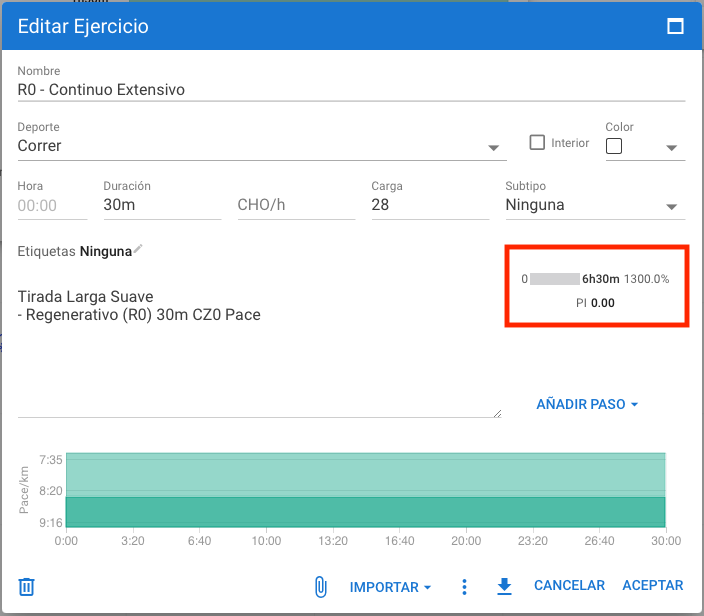
Expected behavior:
The zone summary should show total times that match the durations defined in the workout (e.g. 30 minutes in R0).
Actual behavior:
The zone summary shows extremely high and incorrect values (for example, several hours in a zone for a 30-minute workout), which do not correspond to the configured durations.
Thank you very much in advance for your help.
Please let me know if you need any additional information or further details to reproduce the issue.
Best regards,
Iván.
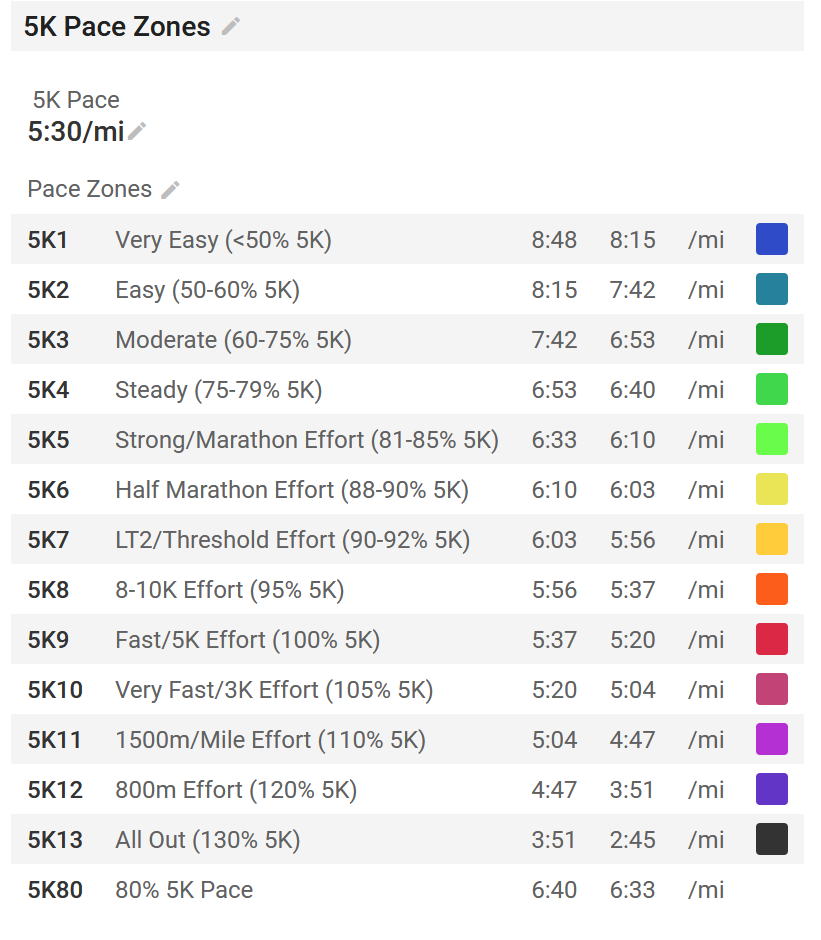
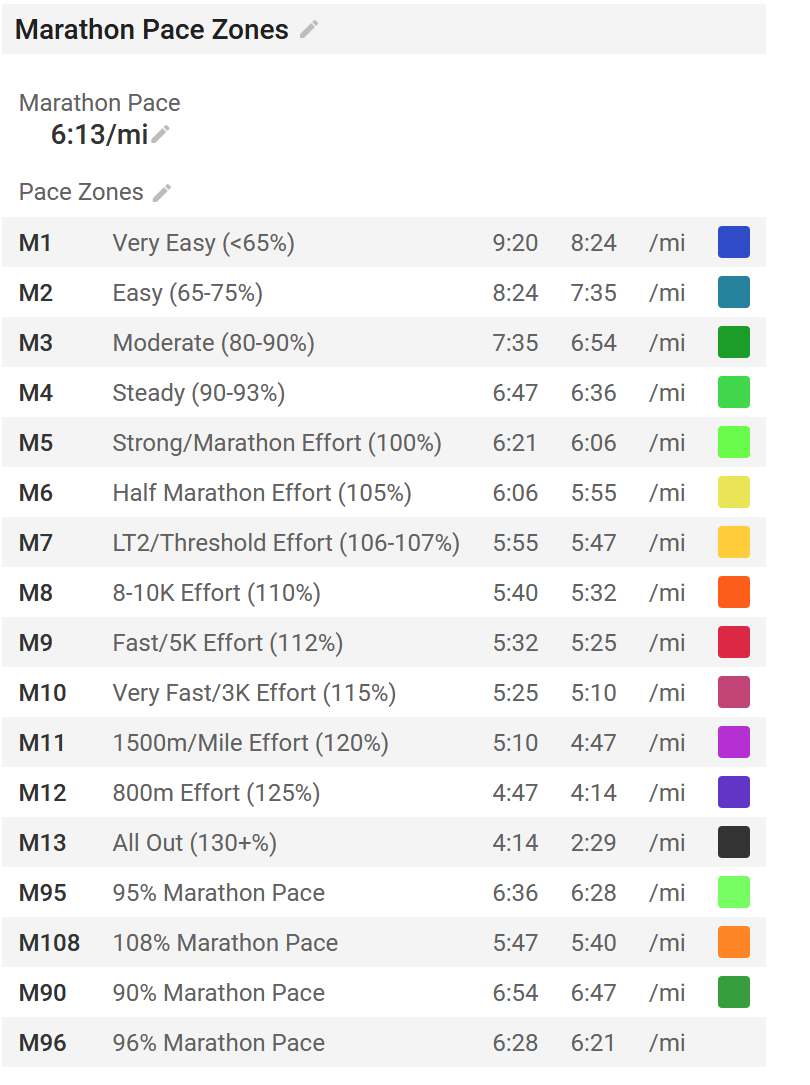
Hey, sorry to necro a dead thread, but I actually set up some custom zones for 5K and Marathon pace based on the Running Writings calc. You have to do some math to get the percentages correct, since as you point out the pace percentages are calculated differently, but I did it.
The two zone sets are “Marathon Pace Zones” and “5K Pace Zones”, and they depend on two fields, “Marathon Pace” and “5K Pace”. These are public – if you search for them, you should find them
I added most of the breakdowns he uses, as well as a couple of others. For marathon pace, I had to get more nitty gritty, since he uses 90, 92, 94, 95, and 96, so the ranges get a little tight in that area.
In general, I would either do the lower bound to upper bound (e.g. Easy is 65%-75%) or a little around each, (e.g., 95% is actually 94.5% to 95.5%, and 96% is actually 95.5% to 96.5%, I think)
EDIT: A little more detail about the math/calculations in this thread, if you want to reverse engineer exactly where the cutoffs are: Custom zones work started - #115 by Pierre_du_Pont
2 Likes
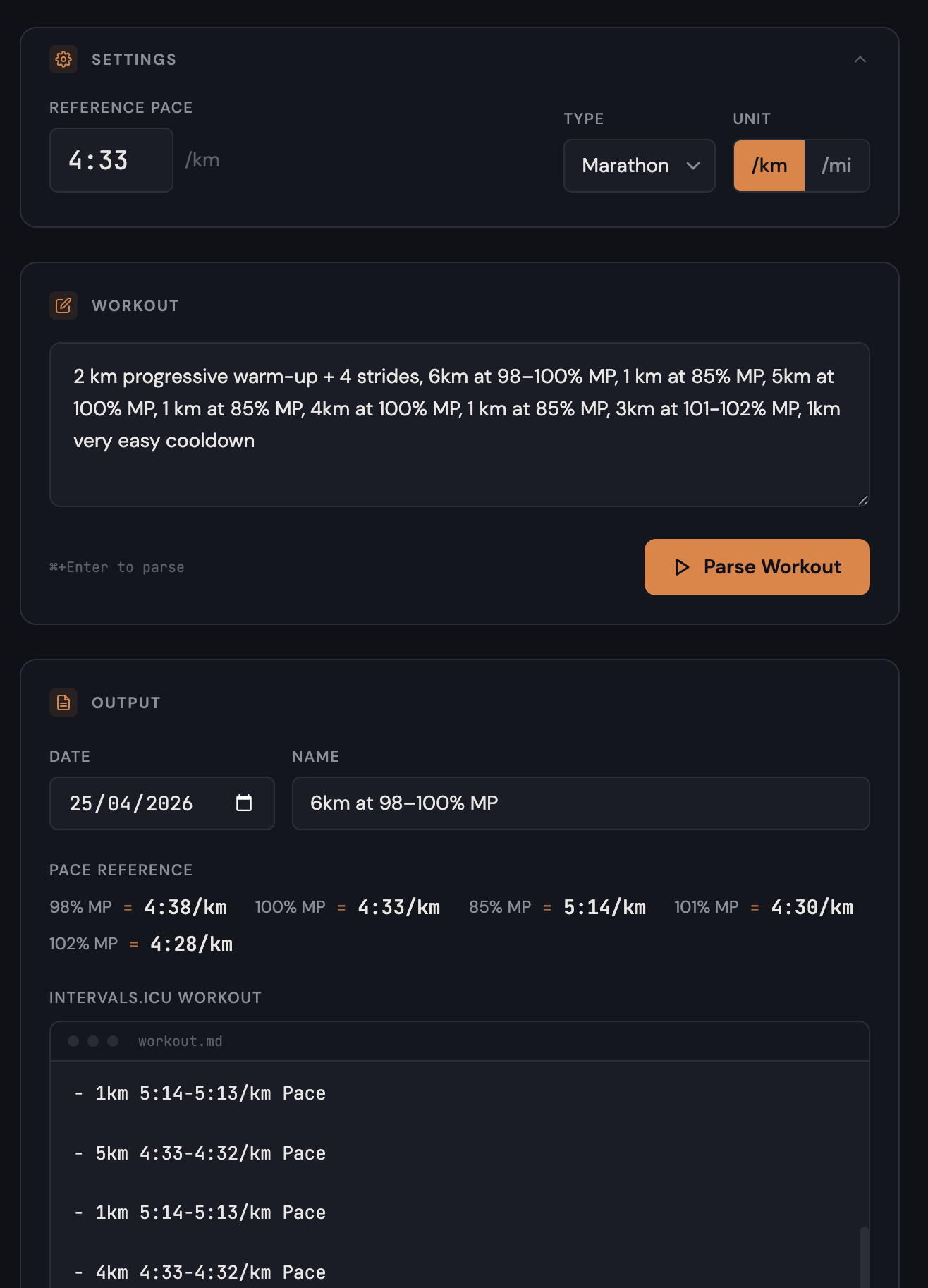
I ended up vibe-coding a small app to handle this (I am a software engineer), I can share it if you’d like. It isn’t hosted or anything, but you can run it on your machine with a bit of technical knowledge and it requires a lot less fiddling to get the times accurate.
This bug is fixed now. Sorry for the delay and thanks for the report.
Thank you!!!
Hi everyone !
I struggle to use custom zone and didn’t found any answer lurking on the forum, maybe one of you could help me 
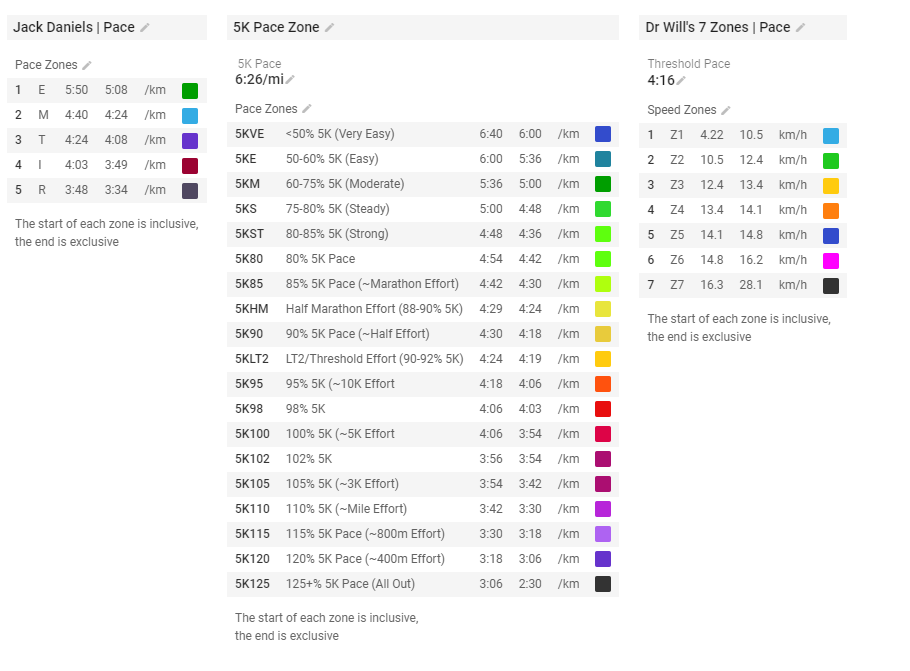
I’ve created a custom zone based on Jack Daniels running formula, and would like to be able to use it in custom workout. Here’s my definition of the custom zone:
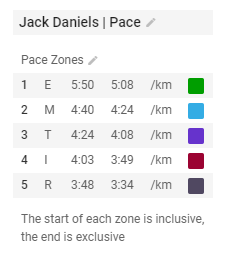
Sadly I cannot apply it to my custom workout, to my comprehension I should be able to use something like -5m CZ1 Pace but it refuse to work. I also tried using the form to point me on the correct syntax but my custom zone does not appear (I tried logging in a private windows, activated Beta feature, but without luck yet)
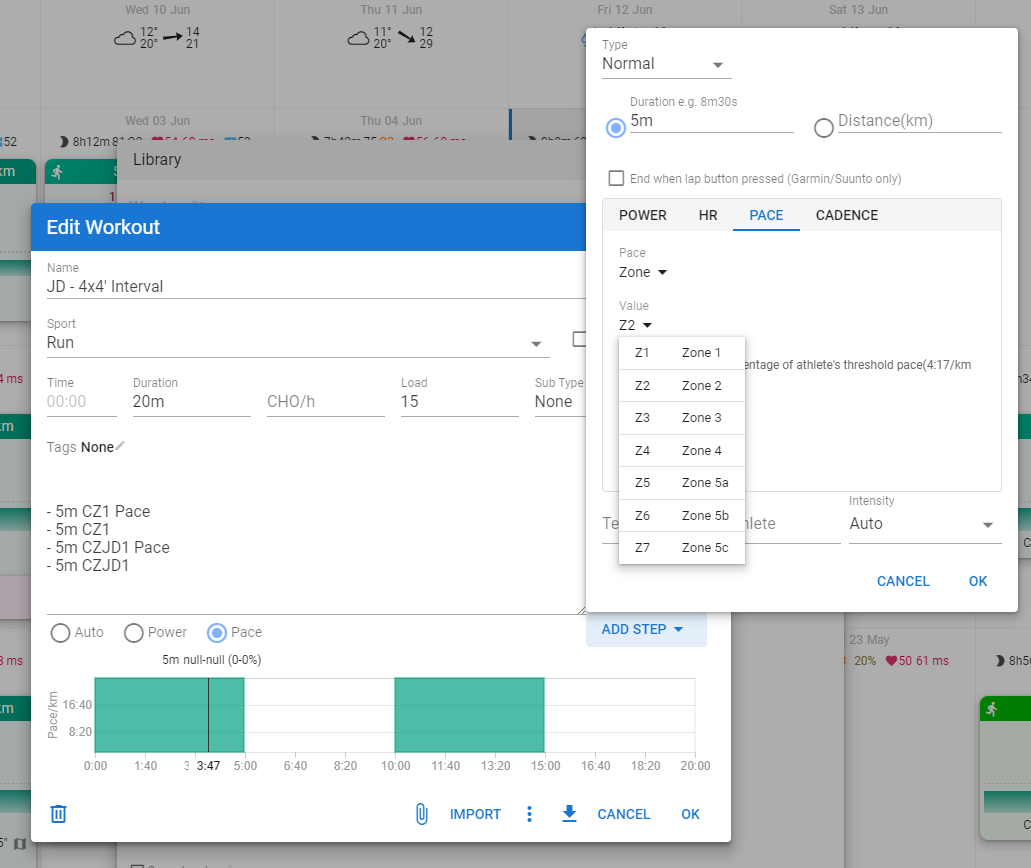
Is it a bug or simply me who cannot find the correct way to use it ?
Thanks a lot !
If all is setup correctly, the CZ should appear in the dropdown according to the first post higher up in this thread. Just tested this with a set of user shared Pace zones.
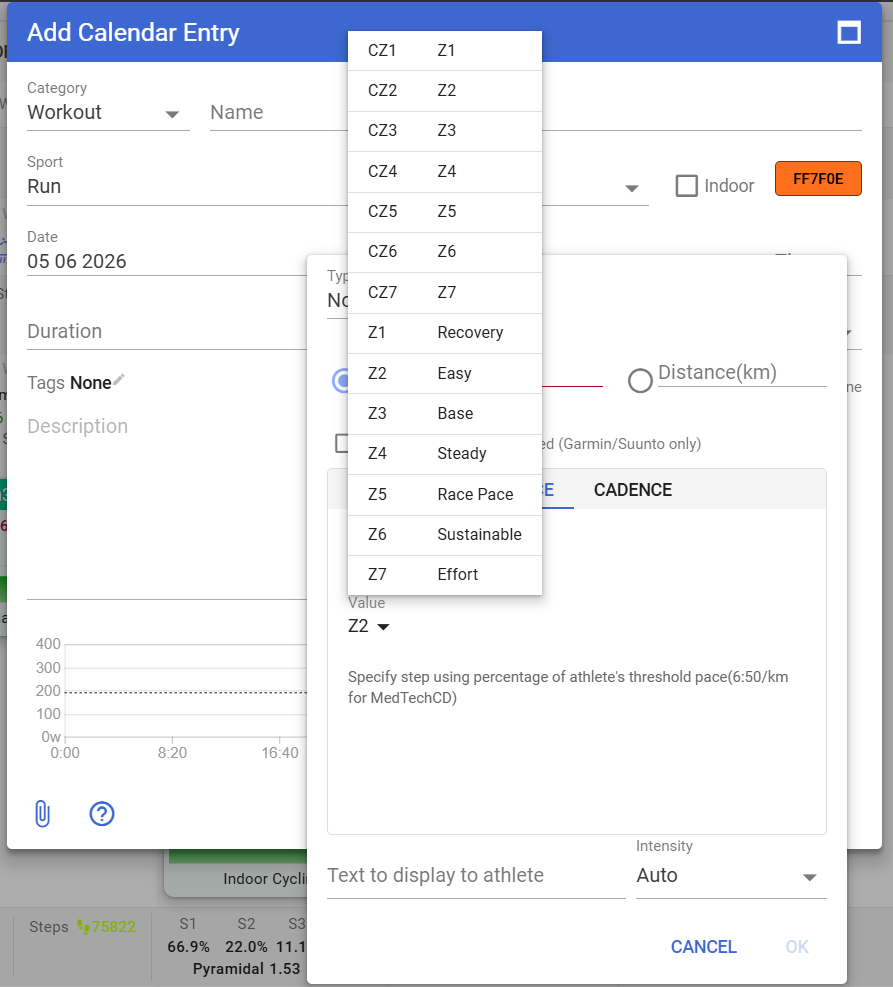
Maybe start from one of those user created CZ to check what went wrong in your specific setup.
Hi ! Thanks for your reply, I tried importing user created CZ (5K Pace Zone from Pierre du Pont and DrWill), logging off and on again, but still the custom zone won’t appear when creating a workout