All done. The fields are “Marathon Pace” and “5K Pace”
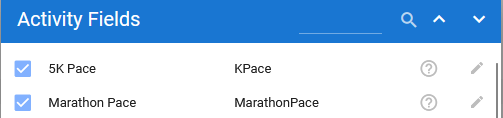
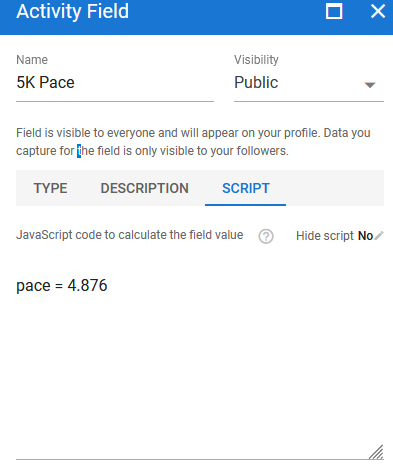
You’ll need to edit the script for the fields to set your 5K and Marathon paces (enter as speeds).
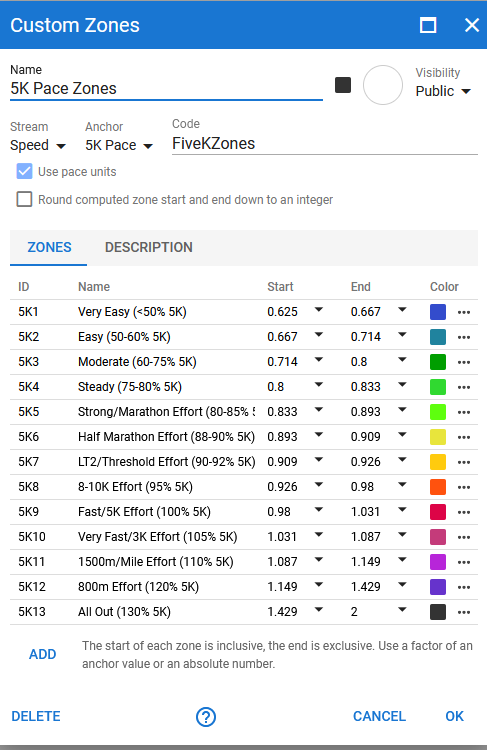
Then the zones are “5K Pace Zones” and “Marathon Pace Zones”. They’re based on the zones from Marathon Excellence for Everyone by John Davis: https://marathonexcellence.com/. They go a little beyond what he prescribes, though
I had to do some conversion, which is why the percentages I used don’t match the ones he used (and why the numbers don’t match the names). He talks about his percentage calculations here: Brief thoughts: Calculating percentages of race pace - Running Writings
He uses the “Multiplication” method on Pace, which means I needed to convert the method to work with speed instead. After some math, the result is that the percentage I list in Start and End is equal to 1/(2- % in description). E.g., the upper end of “<50%” is 1 / ( 2 - 0.5) = 1 / (1.5) = 0.667.
For the ones that have just one percentage listed, I went a little outside to match prior zones or whatever. You can do the math in reverse: the formula is 2 - (1 / % in start or end). E.g., to get from 0.926 to the lower end of 8-10K Effort (95% 5K), you do 2 - ( 1 / 0.926) = 0.92 = 92% (which makes sense, since the prior zone ends at 92%).
I hope that makes sense, and I hope I made them public correctly.