Ah cool, just spotted this was resolved (from the screenshots other people posted) - thank you!
1 Like
I’m referring to a TSS ramp not CTL ramp.
Please show where Joe Friel suggests 5-8 TSS per week. If you’re following that guide, you aren’t progressing much. The range is closer to 40-70 TSS per week, depending on your level.
From his blog, he refers to 5-8 (CTL, not TSS).

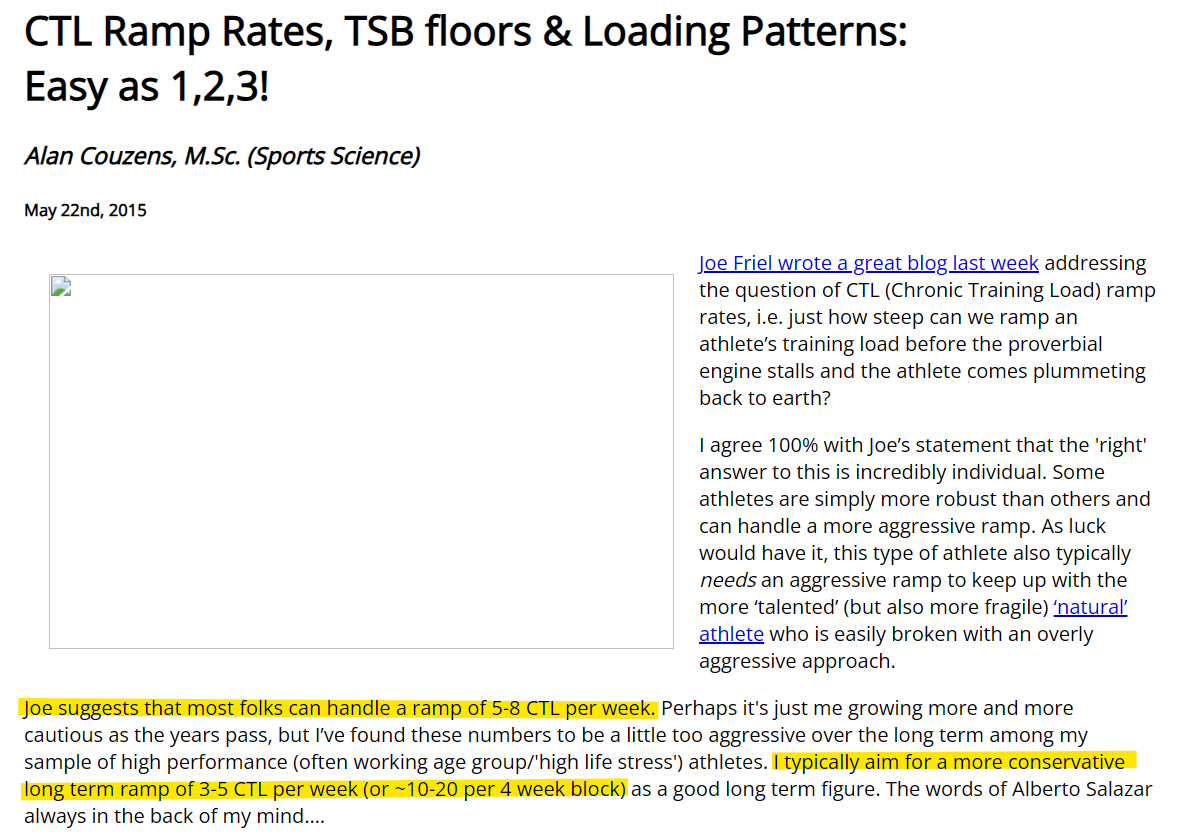
Here’s Alan Couzens:
2 Likes
Have a look at my post where I asked about editing, and then David’s reply:
Click on the notes on the calendar
Click edit
Delete icon
Confirm Yes to others
Just a note to say - very cool. Thanks for the hard work. Getting my AI coach to put mine in now.
API was mentioned above, will there be dedicated ATP endpoints?
1 Like
Hi Gerald, tks. My bad, I forgot to include the week multiplier. I take the suggested TSS ramp times 7. see a small exemple of plan.

This fomula came from a TR page but it no longer exists. (https://support.trainerroad.com/hc/en-us/articles/202237810-Training-Stress-Ramp-Rate-and-Target-Ranges)
TrainerRoad TSS Ramp rate
TSS = Previous week’s TSS + weekly work days *rr
Typically, a weekly ramp rate in the 6 TSS neighborhood (+/- 2 TSS) works well for most riders
per Alan "But athletes who can handle this sort of 5TSS/wk ramp over the long term are the exception rather than the rule.

Buit it’s times weekly work days ~35TSS per week
I couldn’t find Joel’s quote about but I’ll continue to search.
But let’s put quotes a side and just consider my request of an “option” to enter an absolute TSS.
Tks
…and I really wish it would
Very happy to see this new feature 
I have created my plan (3 for triathlon), I see that I can switch between Target and Workouts on the timeline, but I can’t find a way to see an overlay between the target and what is planned? Can we do that?
I realised where I went wrong, because there isn’t currently a “Triathlon Race” option and we have to list the Swim, Bike and Run separately, which is what I did for my Race Day. But I didn’t want to have swim, bike and run listed separately in the ATP, I wanted one overarching plan for all 3, so in the Target Generator I selected “Other” and generated the ATP based on this. In hindsight I see that I had to create separate plans for swim, bike, run, so once I deleted the “other” plan and created the 3, it all lines up now.
2 Likes
The targets generator now supports multisport 
Go ahead and give it a go
5 Likes
Works really well! Especially love this view
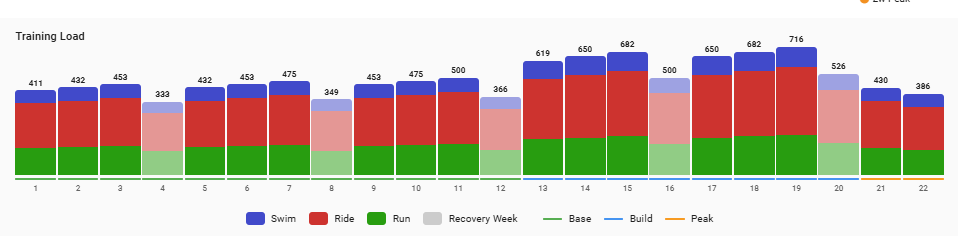
One thing - if you’re a non-multisport person (weirdos  ) then it’s not quite as obvious that you can’t simply change the plan type from “Ride” to e.g. “Run” anymore, you need to add the run type, then delete the ride one.
2 Likes
Yes its downside to this, you cannot change sport once selected.
2 Likes
Ah, and the plan view after you’ve added the targets still only shows one of the workout types:
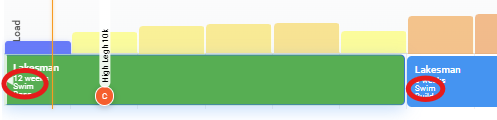
This was a multisport plan added with swim, ride and run (in that order)
1 Like
I noted.
I would have preferred to continue to have the view propsed in the builder with the split of the three sposrt >Annual Training Plan Builder - #94 by sprouty76
1 Like
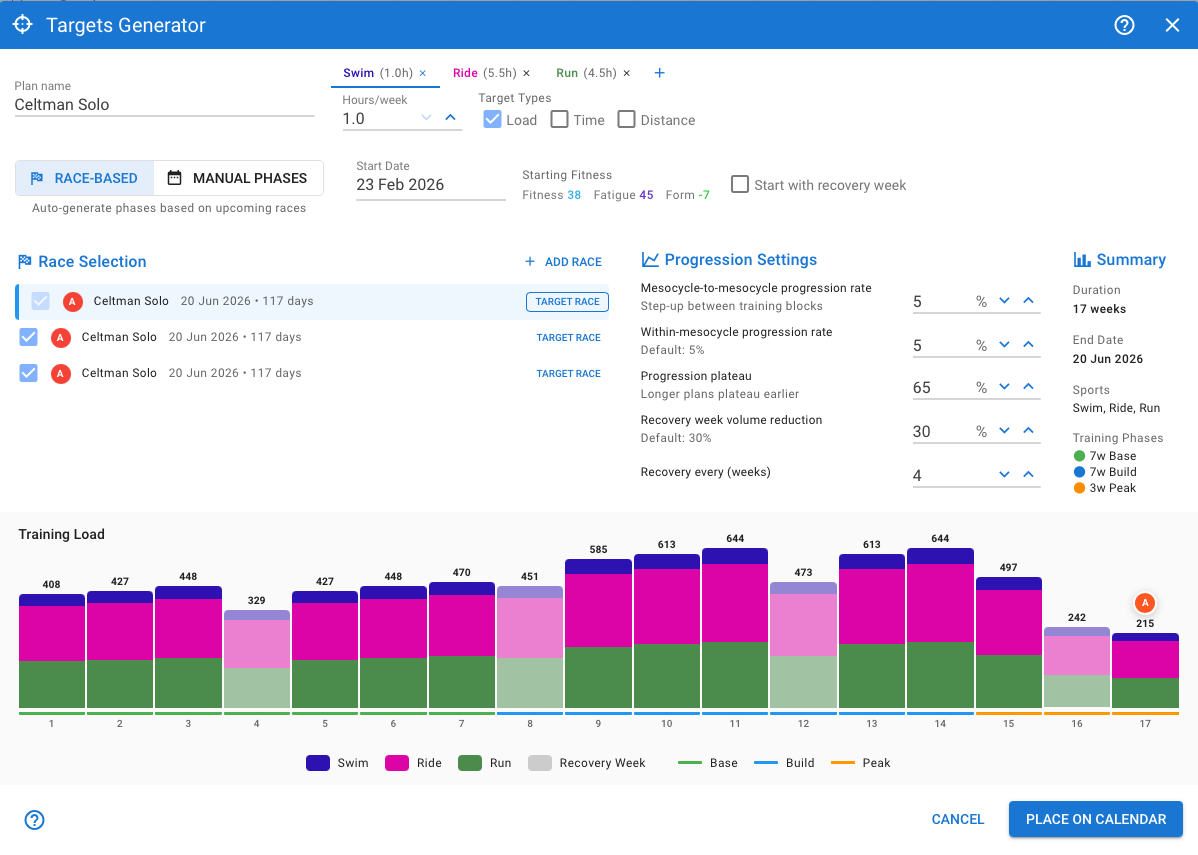
I noticed the same issue. First screenshot is the Target Generator, second is the output. I would have expected each sport to be listed in its own row and the bar charts above to look like they do in the generator after you hit “Place on Calendar”. Mine also only shows the Swim.

1 Like
The exportable calendar (the .ics URL) also gets quite full and every day has a reminder in my personalwork calendar now, it would be great to have an option to exclude or control this!
Is it possible the shift the Training Timeline to the right so that the weeks line up with the graph at the top? On my screen they are about 1 week apart which is confusing
I tested the plan builder and now removed the activities (I believe), though I still have this showing below, and my fitness line is being influenced. I really need to remove this so if someone can tell me how please, great, as I’ll be starting a new training block soon and don’t want it influenced by something which isn’t there. Thanks
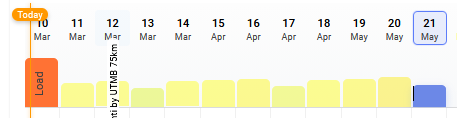
You can always do 3 plans still. Now theres two options how the plans are shown.
3 Likes
Thank you for the great work on this Eva!
1 Like