When hovering "today"s week, it shows the load I have done today. When I hover the future weeks the load on hover changes according to the toggle. Can you test future weeks too?
Yes, the load value changes for future weeks depending on the value of the toggle. I’d argue that it’s still useful to see the target load for the current week, as well as the actual / scheduled load.
Greatly appreciate everyone’s hard work on this project! Am eager to give this a go. I’ve been pretty happy manually building programs for events but like how this plan builder appears to bring it all out visually to see the program ahead at a glance
Oh, spotted a really minor phrasing issue
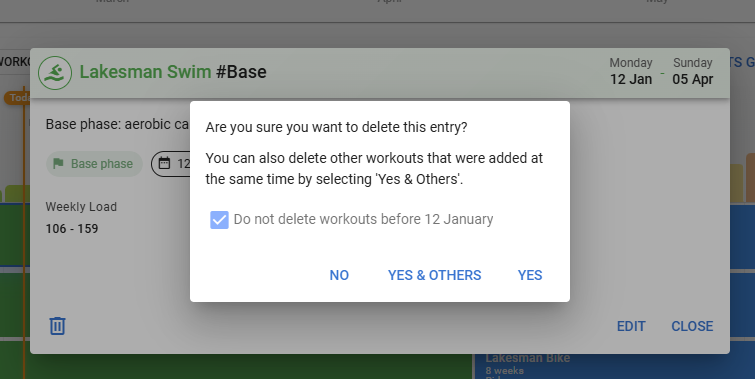
It references deleting other workouts, but it actually deletes the other phases of the training plan.
Probably a similar thing when you have a plan with notes in and then delete one item from the plan - it will delete everything added at the same time, not just workouts.
1 Like
Looks great! Is this availiable via the API yet?
2 Likes
Yes! The ATP data is fully readable via the existing Events API. When you place a plan on the calendar, the Targets Generator creates three types of events that you can fetch with:
GET /api/v1/athlete/{id}/events?oldest=2026-03-09&newest=2026-06-28
What you get back:
- category: “PLAN” — The phase blocks (Base/Build/Peak) with start_date_local, end_date_local, tags (e.g. [“Base”]), color, and description
- category: “TARGET” — Weekly load targets with load_target (TSS), time_target, and distance_target fields, one per week
- category: “NOTE” — Recovery week notes
So you can read the full periodization structure + weekly targets programmatically. I just tested it and it works well.
3 Likes
This looks great, just had a play with the beta version.
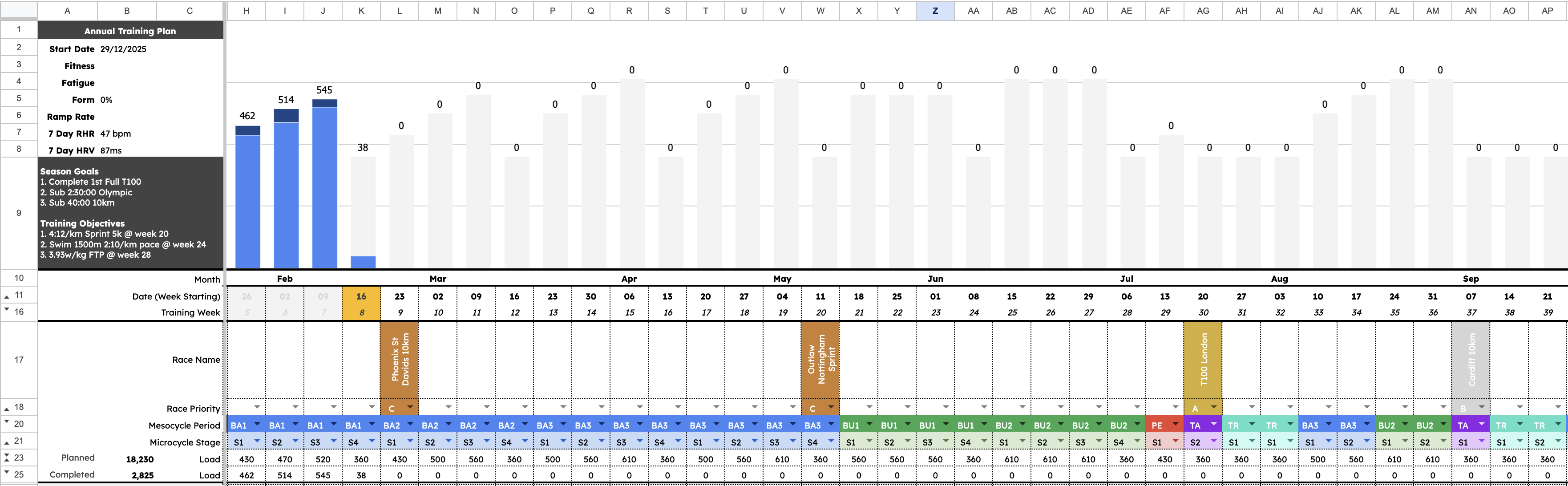
Just to add my 2 cents. I currently export my activities to an excel ATP I made. It’d be great to use this but as a pesky triathlete, having 4 plans for swim bike run and gym, is a little clunky (for me at least). It’d be great if the load totals weren’t based by activity type but just by total load. That way any number of sports would add to it.
Also I’d like to be able to adjust the load targets manually with figures rather than percentages. In my season Build 1 has 3 week of consistent load then a 4th recovery week and Build 2 has increase load from build 1 but again 3 weeks of consistent load (but lowered total time… less volume, more intensity).
This is based on a Friel model. Mostly similar idea but you can see, it would be beneficial to have some option to manually tweak some bits on load/time.
But also aware, I have NO IDEA, how difficult it is to build something like this to fit everyone, but thought i’d chime in, just in case.
Below is my excel ATP work in progress to illustrate what I mean.
4 Likes
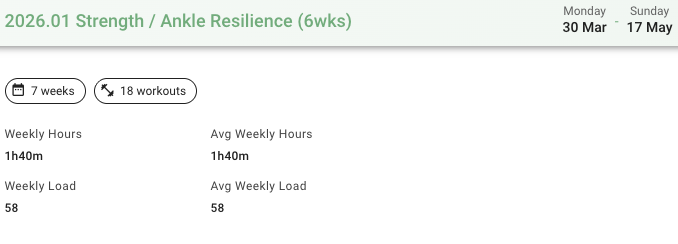
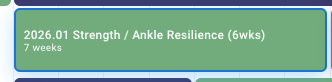
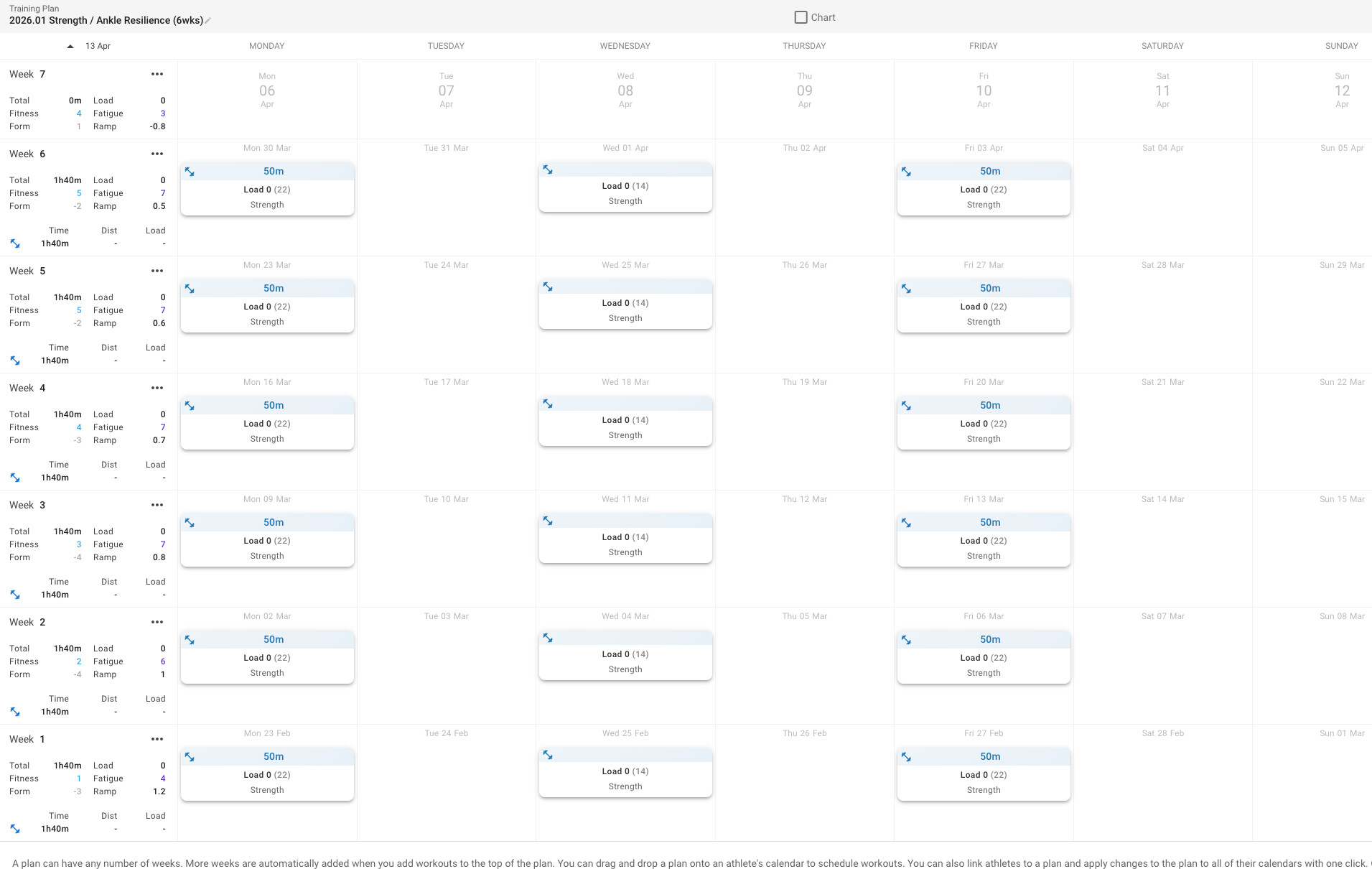
Loving this feature. Trying it out today to add different training plans to the annual training plan and it’s working well. I do have one issue though with a 6 week strength plan that I built. When I drag it in to the annual training plan it imports as 7 weeks. Week 7 is definitely not populated with anything, and appears blank when building the plan (similar to my other plans - there is always an extra week at the top of the page)
I’m not sure if that’s a bug with the plan builder or how it’s importing into the annual training plan. I have tried deleting the blank week 7 multiple times but it doesn’t help. Screenshots show twhat the annual training plan view looks like and the plan builder
I’m really liking this new feature, but hoping someone can shed some light on how the values specifically for Target and Planned are calculated in the Week 9: black box in the screenshot. It seems like Target is double the Planned, which is confusing, I would think they would be the same?
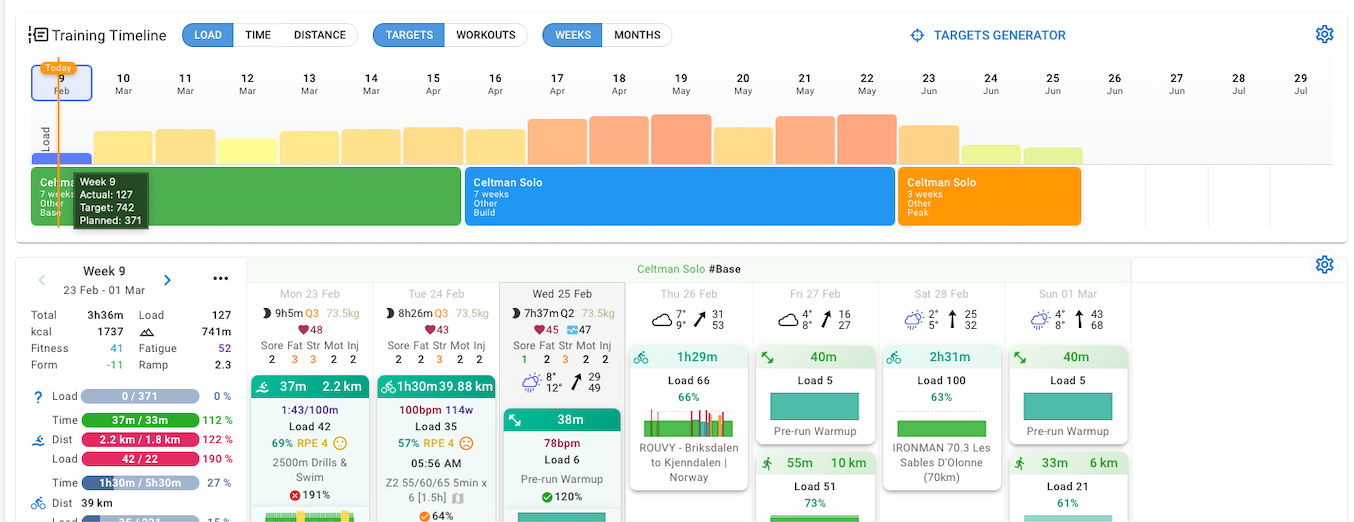
Target is the “target” load from the plan builder, Planned is what you’ve actually planned as workouts.
The reason I noticed this was because I first generated the plan using the targets generator and for week 9 it set the load as 371, I then went and added my planned workouts to the calendar and that’s when I noticed the Target value was double what I planned, it seems like the planned workout load is being added to the target generated load.
Check this thread to see where that behavior is coming from
Thank you that does help. Just before your reply I did remember that I had added Targets via the “Set targets for” modal window in the screenshot, so that explains the double count, but oddly, now that I have deleted them, it hasn’t updated the Target value, even after logging out and back in the value stays the same.
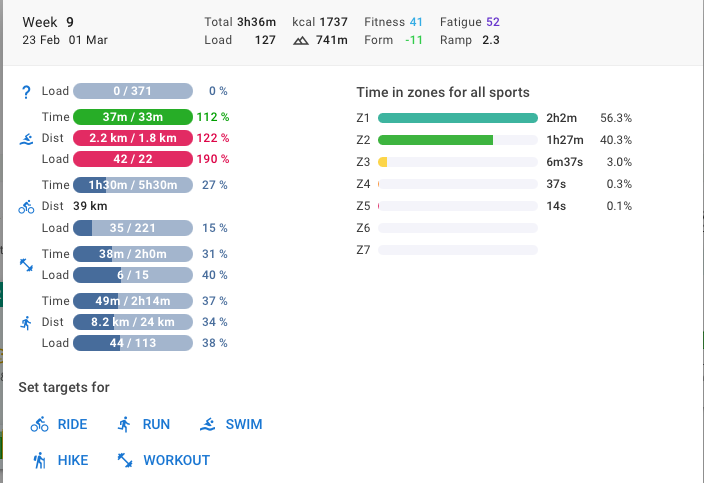
I think the reason is, because you have an additional target load (371) for “Other”.
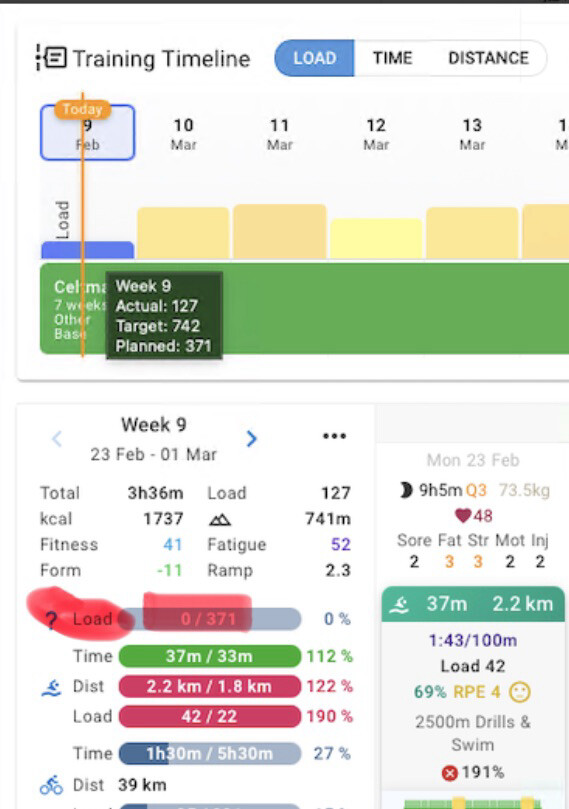
You should be able to delete it, if you click on it.
1 Like
I just did another test with week 10, it seems like the target load 371 for Other you noted is actually the load coming from the Targets Generator, please see screenshots. I think the mistake I made was also manually adding the targets via the “Set targets for..” option noted in my previous reply.
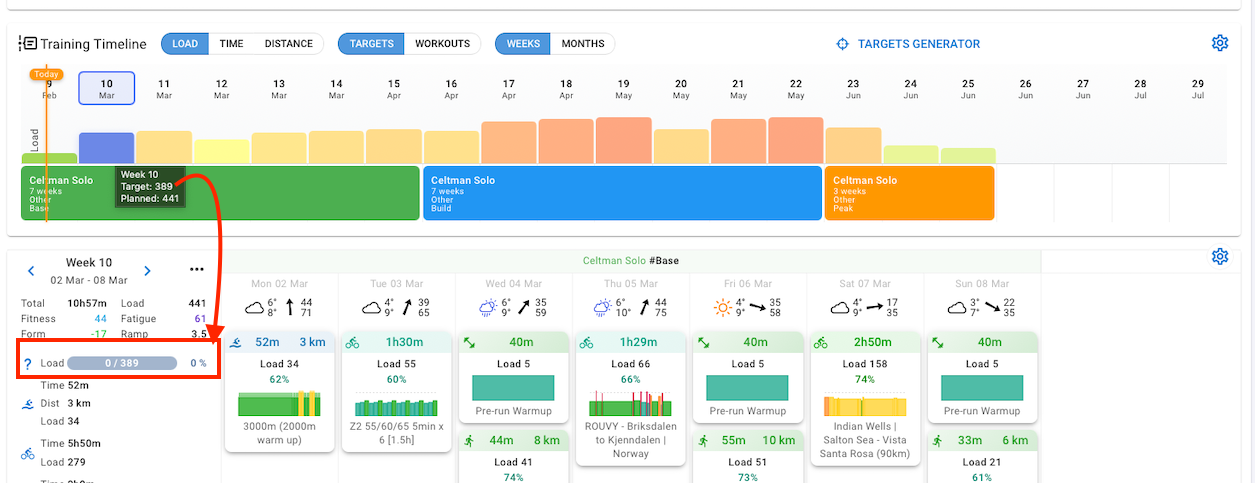

You have to get rid of the “Other” targets. Otherwise if you create workouts, the will add on top, because they don’t match the activity type. You can click on the rectangle in your screenshot and delete it.
2 Likes
Is there a user manual or documentation on this feature? I’d like to know in particular if there’s a minimum number of weeks between current date and date of the ‘A’ race? And also if the plan will take into accounts availability (holidays) in the timeframe. Thanks a lot.
Not yet. But the base for that was recently added. So maybe this is added also to this feature earlier or later.
Hm, I don’t think there is a minimum, but have to say it doesn’t really make sense to use this feature, if your race is from now on only 4 weeks ahead.
But there is also a ‘manual’ mode where you can set any duration of weeks for base, build and peak.
Recovery is part of the mesocycle, so if you choose:
- 2 weeks, it will be 1+1
- 3 weeks, it will be 2+1
- 4 weeks, it will be 3+1
Ramp rate mentioned above is on Fitness (CTL) and not load (TSS).
So you need to see how your fitness changes week to week.