I was waiting for this feature. Nice work. Is there already an API-Endpoint for this? Intervals.icu API docs I couldn’t find something, but maybe I overlooked it.
I think you can only have one “A” race, and several B and C.
Beta is usually subscriber only.
I’m not sure, if this ever went live, but @david mentioned that you can pay for your athletes in a coaching group to give them subscriber status (in the future?)
You can read out the event endpoint, and you find the entries with category “TARGET” and “PLAN”
1 Like
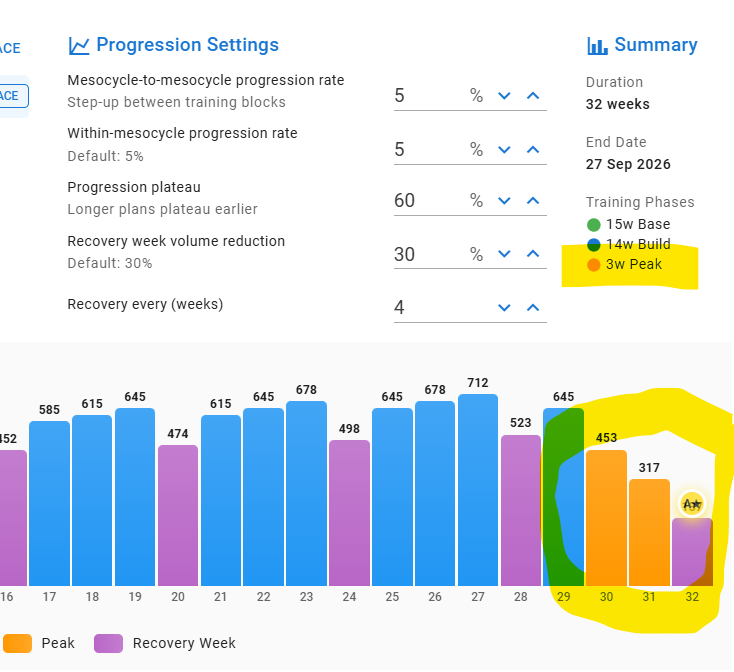
I still don’t see 3 Peak weeks but 2 plus one recovery.
I think taper week should colored different…
Hallo Gerald
I need your help, please. I see the plan plus the rest period. I also see that there are only 16 weeks on the right side instead of 20. Question: How do I get the missing weeks to the right and the rest period into the calendar? Thanks!
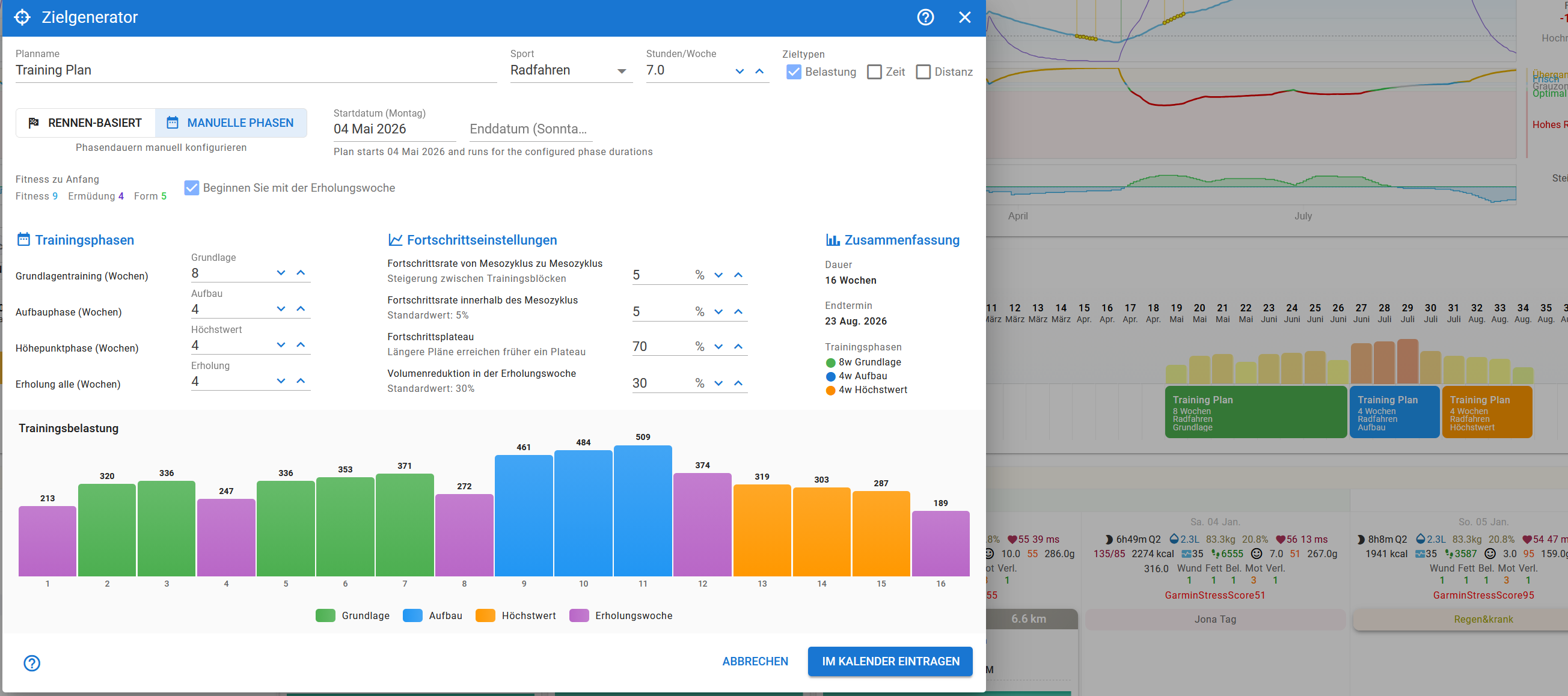
- Purple is the rest week.
- You’ve started with a rest week, then have one every 4th week.
- base = 8, build = 4 and peak = 4. That’s 16 in total. If you increase base to 12, then you get 20, or any other of the three “phases”.
1 Like
Hi,
A weekly progression of %5 over a previous week of a 200 TSS would already result in a 10 weekly TSS ramp well above than some respectables people like Joe Friel (5-8), Alan Couzens (3-10), Trainer Road (6 TSS ±2) and other say.
Imagine 300 or 400 TSS at 5%. It would result on a week TSS ramp of 15 or 20 TSS !
I’m not here to argue those values but to ask for an option to be able to enter the weekly progression rate as an absolute number as well.
Thank you
Please, consider an option to set a given desired FORM (% and absolute) as a goal to be reached at the end of the Recovery Weeks.
Tks
1 Like
i gave it a try - i removed the earlier ‘A’ race (which didn’t make sense anyway since i have races the 3 weeks leading up to it, so there’s nothing to do training wise for it). Even with just one ‘A’ race in my entire season, and rerunning it, it still set up a program that peaked only for my target race and not my ‘A’ race.
I could set up a training program that ends with my ‘A’ race if that’s the best way to do it. I do also have paid trainingpeaks, and if i recall rightly it did allow for peaking for A races (and more than one) but i prefer intervals.icu so I’m happy to jump through a hoop or two if necessary to stay on this platform with my training plan. And i really love that this place has a training plan builder now!
First of all, thank you for the quick reply. I had expected the recovery period to be shown in purple in the calendar, but now I understand. Those who can count are clearly at an advantage. 
1 Like
First of all thanks for the great work you put into intervals!
Nice feature, but I am interested in understanding the single phases and how I could work with the tool when having a block periodization established already.
What is a base week per definition? What is a build week per definition? E.G. if I am working in a HIT block periodization (1 week HIT, 2 weeks volume blocks, 1 week rest), for sure the HIT week is a build week but I see the following two weeks as aerobic build weeks as well. The recovery week is for sure clear.
Maybe somebody could share and explain how you could use the feature with having a block periodization in place right now.
The annual plan is meant to assist creating weekly “target” values in hours, load and/or distance, as well as label (notes) for each week. It is not meant to create individual workouts, but instead lets lesser experienced users get an idea of weekly load/duration required, based on an annual total.
As it stands currently, it follows a traditional periodisation model, meaning a few blocks of base training, followed by build and then a peak (which can include a taper) before an A-event.
While it’s not specifically setup to assist with non-traditional periodised models, it doesn’t mean you can’t use it. As it’s a first version, still in beta, there may be more options available, making it more compatible with other training modalities.
2 Likes
So the plan generator is essentially just a GUI for creating targets for a particular type of workout with periodisation and progression along with a new type of note for each phase, and once the plan is generated, you can effectively delete or rename the notes and the targets will stay intact? i.e. once created, the targets and notes are essentially separate?
So in the multisport case, for now is there anything stopping us generating a plan for each sport, then deleting the created notes and reinserting our own with just 1 each for the week? Or would that confuse things down the line?
Also, when using the race-based creator, what do the checkboxes next to the race(s) do?
Hi everyone, the date error is still there.
Regards
What date error?
It is from 13.02.2026/22
Hello David,
the selected (predefined) date range will not be saved.
Greets Cooper
It’s 10 euro for 3 months!
Try it yourself.
1 Like
Yes, it is a GUI for creating targets, both long term or by mesocycle (block phase), but allows a little more customisation in each week. If you click on the training timeline, for a specific week, it will show that week overview allowing you to then plan the microcyle (one week within a mesocycle/block). Have a look at Eva’s initial post, it show the three screen views, namely (1) fitness chart, (2) training timeline and (3) week overview. She selected 17 April in the timeline, which shows the weekly plan for that week (currently blank).
If you delete the notes, it will delete the targets, which is the correct way to handle a deletion. You can rename them, and it shouldn’t affect the value.
Here is my plan, showing the current week, and then below that the race generated plan below.
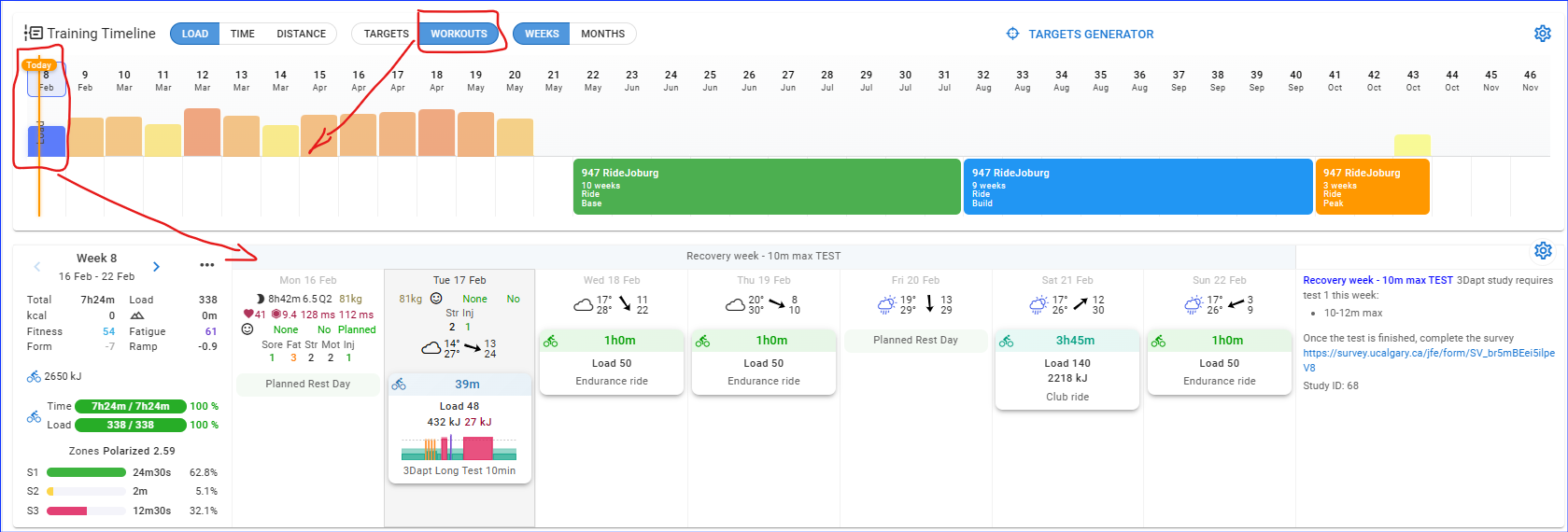
I use the event as the planned “end” date of the plan generator and then work backwards from there. I pick a start date that is relevant to my play (23-26 weeks for a traditional periodised plan).

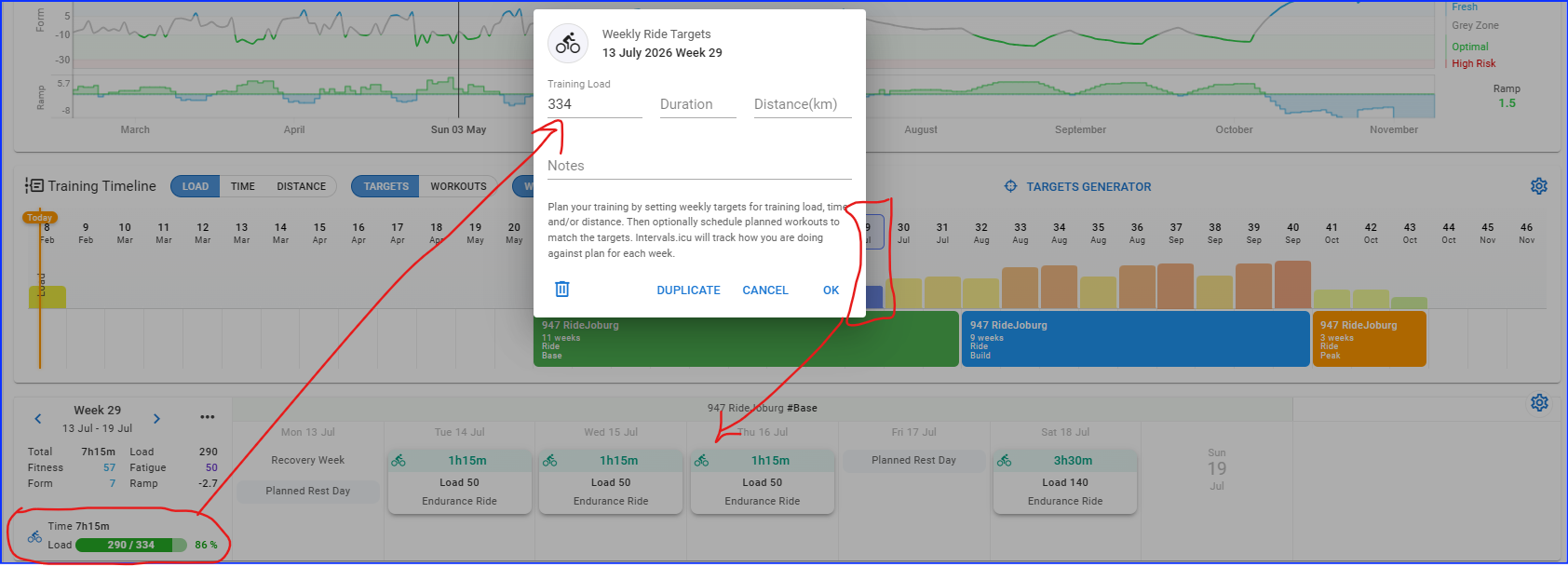
Once on the calendar, I can then add workouts to a specific week, inline with the target generator’s values. So I click on the relevant week to complete the planned workouts. The example below is a recovery week where it shows the workouts planned allowing me to see the target value as well as planned value. If planned is higher than target, I can adjust it and see a live change on how it affects the over plan.
1 Like
Think there might be a small bug with the mouseover on the weekly load. Unfortunately I’ve not found a way to take a screenshot that includes the tooltip!
But, in my example if I mouse over the blue week here:
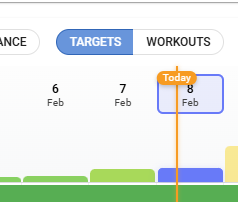
It shows me “Week 8: 303 - click for overview”
If I change it to show the workouts load:
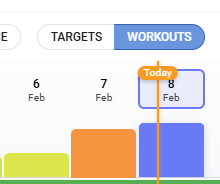
It shows me the exact same load.
Looking at the load for the week suggests it’s showing the workout load in both cases:
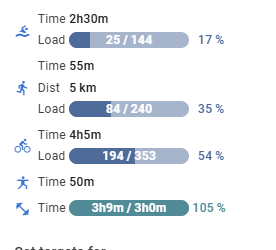
So I think it should show the load for whichever view you’re using, or ideally show both - as there’s no axis on the chart it’s not easy to directly compare target load vs planned load without going into each week in turn. And there’s no way to see it on a touchscreen device.
1 Like
Ok, sounds like generating a plan for each of swim, bike and run and then manually modifying the notes to make more sense isn’t going to be an option as a workound. Just have to wait for David & Eva to do their magic 
1 Like