@eva and @david
Are we able to edit the targets generator after it has been published to the calendar?
I have been through everything and can’t seem to find the option to edit without deleting and starting again.
Clicking on the “published” plan allows me to edit, but it’s limited.
I deleted the green block for example and it removed it there but when I go back in to the calendar it seemed the weekly training load was still there. Eventually discovered after doing a few manually back to zero that you can delete and it’ll ask the Yes & Others bit.
Currently you need to delete and start again. We might be able to do that automatically f the dialog still has all the same settings. Probably with a checkbox at the bottom (“Delete previous La Marmotte plan”).
Rolling the rows into one in the calendar would work for me - there’s ample horizontal space.
I don’t know if others prefer a more “holistic” idea of a single training plan when it’s for multisport, as opposed to training for 3 different types of event that happen to be on the same day - in the same way there have been requests to have e.g. triathlon events appear in the calendar as one event. It’s not something that bothers me, personally.
Oh, just noticed you added the full colour picker to generic notes too, in place of the preset selection. Nice!
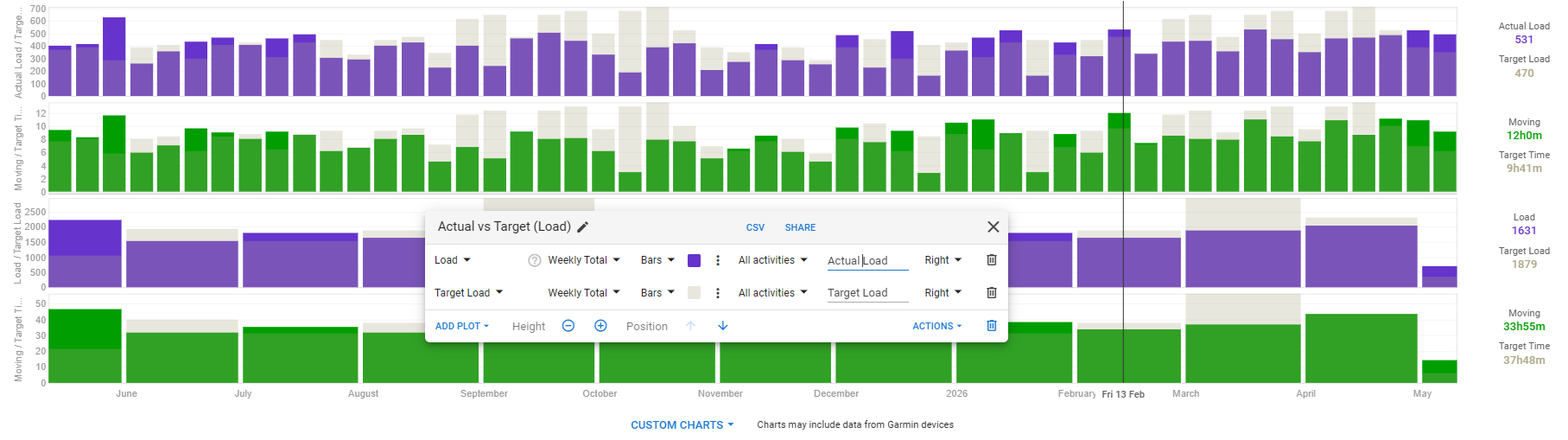
I’ve updated my actual vs target charts, and made these public.
Grey is planned, and the actual colour is load (purple) and duration (green). This is backdated to the start of my current season. These are used on the fitness page.
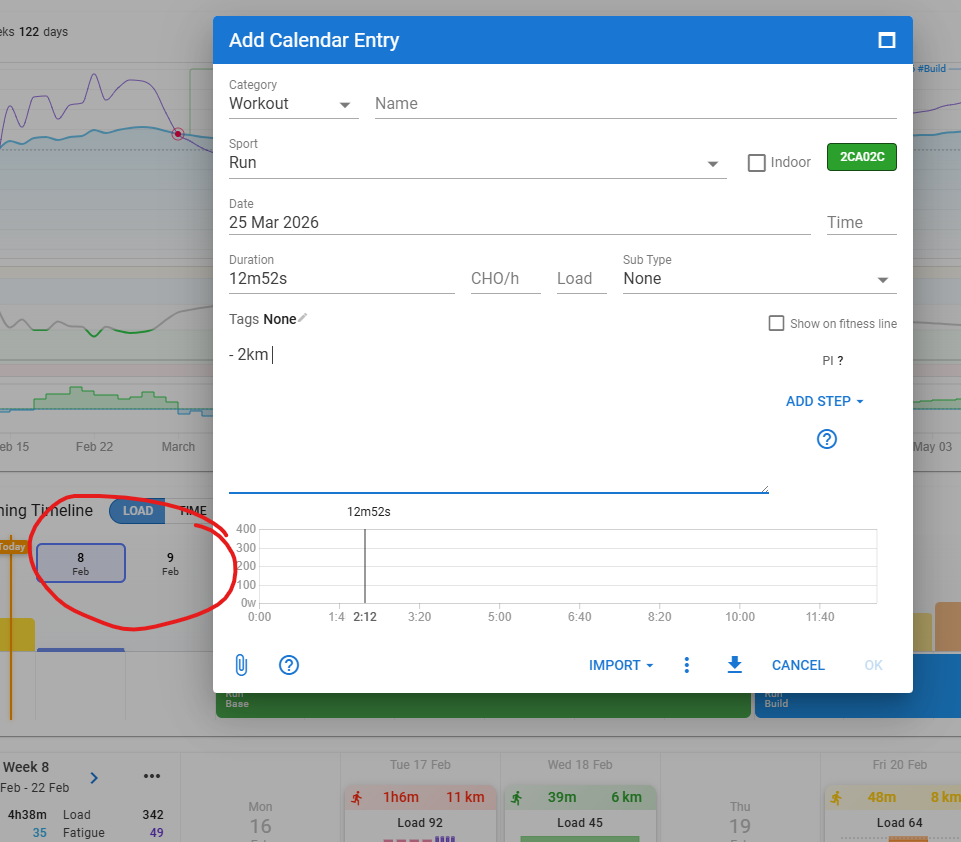
A small bug, when you Add a Calendar Entry, and you use arrow-keys in the text field, it jumps between weeks on the training timeline, rather than move the cursor in the text. Only way to get to a point in the text, is to use the actual mouse to place the cursor.
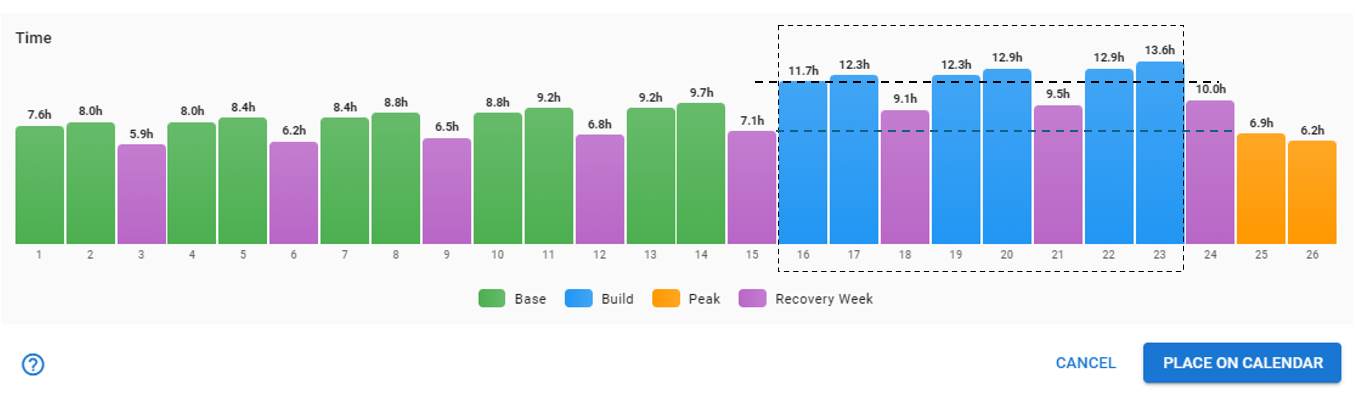
“Traditionally” during the build mesocycles, intensity would increase and and volume would decrease. So there wouldn’t be an increase in hours above what was done in the “traditional” base period. Would it be possible to allow customising of the build period with no progressive increase (when using duration) please?
Also, the recovery weeks could be treated the same way.
Minor bug report: If you edit the tab name quickly and press OK straight away the page refreshes but doesn’t change name. If you wait a second and then press OK it works.
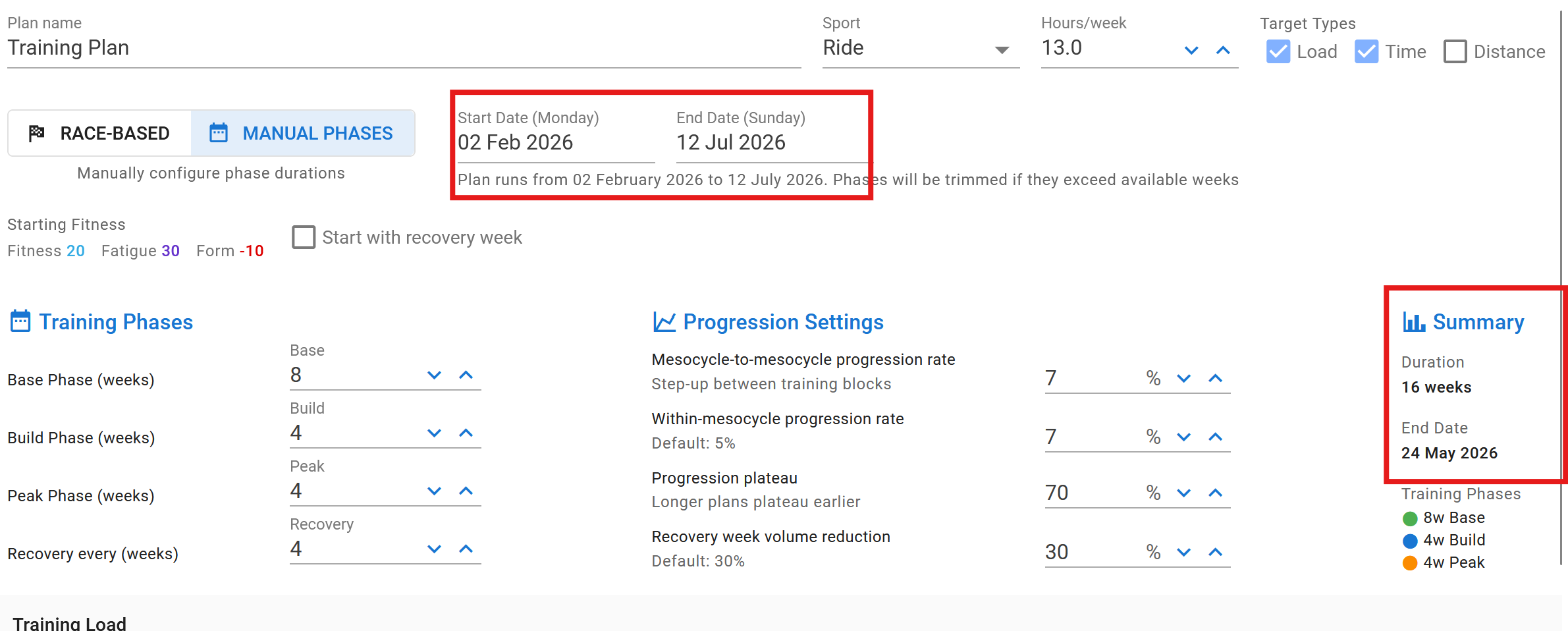
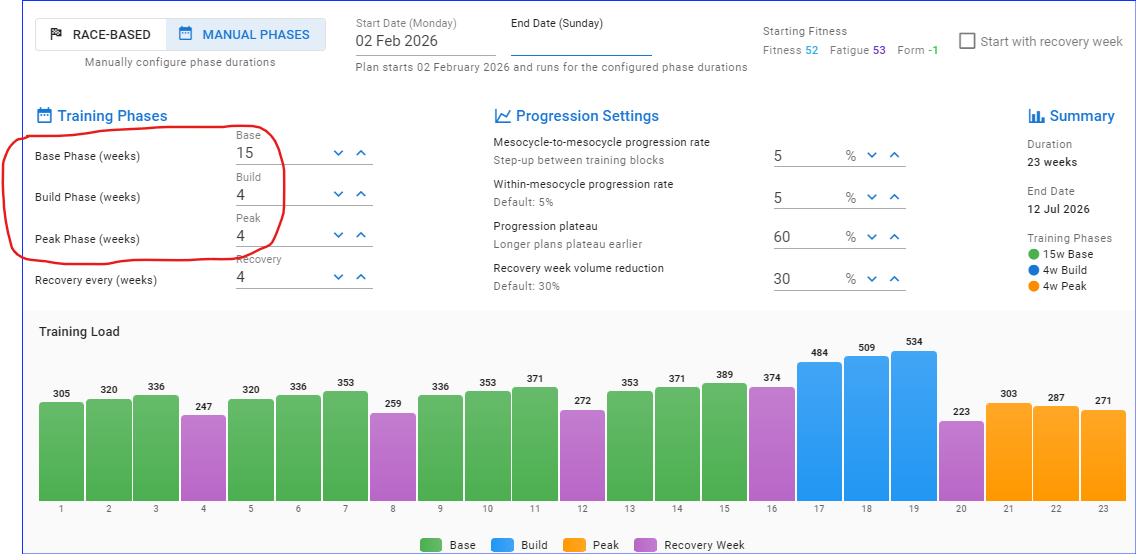
bug report(?): If I select Manual Phases, with a start date of 2/2/26 and an end date of 7/12/26, I get a 16 week plan, whereas I expected a 23 week plan. Also the end date of the plan is 5/24/26.
If you add up the phases on the left, you get 16 weeks.
Base = 8
Build = 4
Peak = 4 Total = 16 weeks
Recovery is not included in the total.
So you need to specify the 23 weeks split between Base, Build and Peak.
The “clear week” option deletes also the note (Base, Build Phase, ..), but not the targets. I would like to see that only workouts will be deleted with this option.
Okay, i went through and set up a plan and I think I’m missing something about how to set it up to allow for more than one peak per plan or to peak on priority ‘A’ races.
Here’s what i’m trying to accomplish:
Training plan from now until my final race (mid october)
Two ‘A’ priority races in the season: early May and late August
After setting this up, i do have the A races but it shows just one peaking set prior to my last race of the year in October (a ‘B’ priority race).
Is it possible for me to fix via some settings or do i need to essentially create a plan for each A race?
This is good to see and I think it’ll be helpful for overall planning. Bit of a paradigm shift but kind of digging it.
A few initial things:
I think it would be great if you folks supported triathlon directly
I realize this is first pass and I love the two auto layout options (race or manual), but after it’s layed out, it would be great to be able to dynamically change load by week
I’m a bit disappointed, as a coach, to see that in order to use the Annual Planner for my athletes THEY need to be a subscriber. I’m not sure if that’s just a beta thing or long term. Either way, I’ll give my 2 cents, I’d rather pay more in my subscription than to ask them to pay. I feel like it’s an impediment to pull people from the current platform to Intervals, if I need to ask them to be a supporter. If nothing else, it’s an odd conversation: “Hey, I want to actually effectively plan your year, but in addition to your monthly fees I need you to spend more money on top of your coaching fee for me to do this”. Please consider a coach option… Again, not trying to limit your revenue, it’s just weird for me to ask people to spend money for a capability they get for “free” with TrainingPeaks when they are coached by me. I’d be willing to pay a Support + Coach option, to NOT have to ask them to pay. @david