ZonePace - Android app for Intervals.icu workout (Public Beta)

Hello there,

I’ve been working on an Android app that integrates with Intervals.icu for workout management and zone-based training.

It’s called ZonePace and it’s in beta testing. Available on the Android Play Store here:

What it does:

  • Create and edit structured workouts directly from your phone with markdown.
  • Sync with your Intervals.icu calendar
  • See easily your upcoming workouts with color coded zones.
  • Manage your training schedule on Android
  • Manage intervals.icu library

I have multiple ideas for the future but for now I’ll focus on the workout and schedule part of the application.

The next features I plan to add first are:

  • Creating workouts from the intervals.icu workout folder library.
  • Applying a training plan to the calendar and be able to reschedule or cancel it.

Beta testing:

The app is currently basic but functional but I’m looking for people to use it in real-world conditions to catch any issues I might have missed.

You can see a bit more about it with demo and screenshot in this website I made for it:

https://zonepace.cc

It has a link there to join the beta testing program.

The app is functional, though I’ve mostly tested it with running workouts since I’m currently marathon training. Cycling workouts may still have some bugs I’m working to iron out.

The basic functionality of the app is free and will remain free. I may introduce premium features in the future (e.g., AI workout generation, weather-based scheduling), but core functionality will stay free.

If you run into any problems or have questions, feel free to reach out.

Happy training!

6 Likes

Nice!!!
Signed up for the beta!

1 Like

Hi
Have you the APK for the Beta app please.. I’m getting a ‘not available in your country’ error

I can pm my email address if you’re willing to send the apk

Thanks

1 Like

oh damn stupid google play make me to have geo location restriction for closed betas, which country are you from so i can add it to the allowlist?

nevermind this should be now allowed to every countries without restrictions.

1 Like

Hello everyone,

Here’s a quick update on the latest ZonePace improvements.

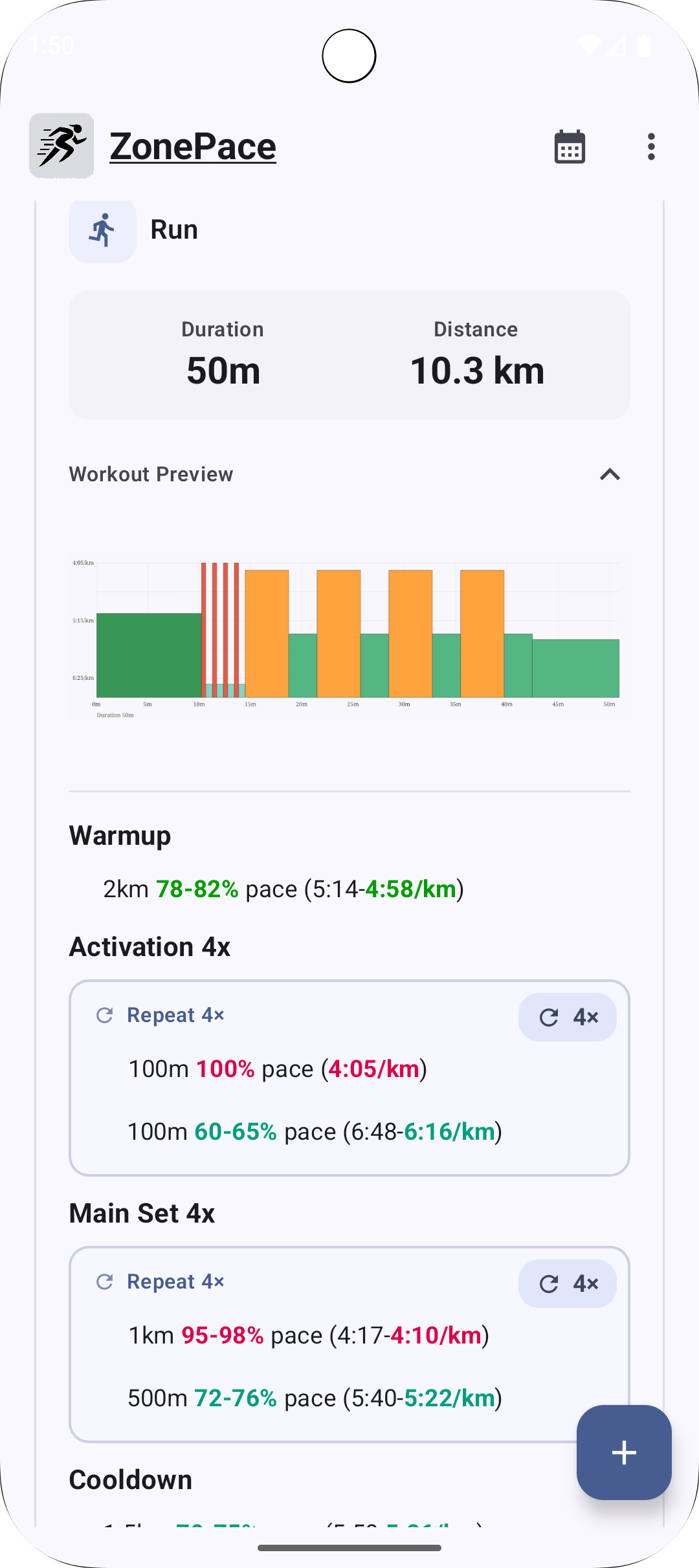
Workout Graphs

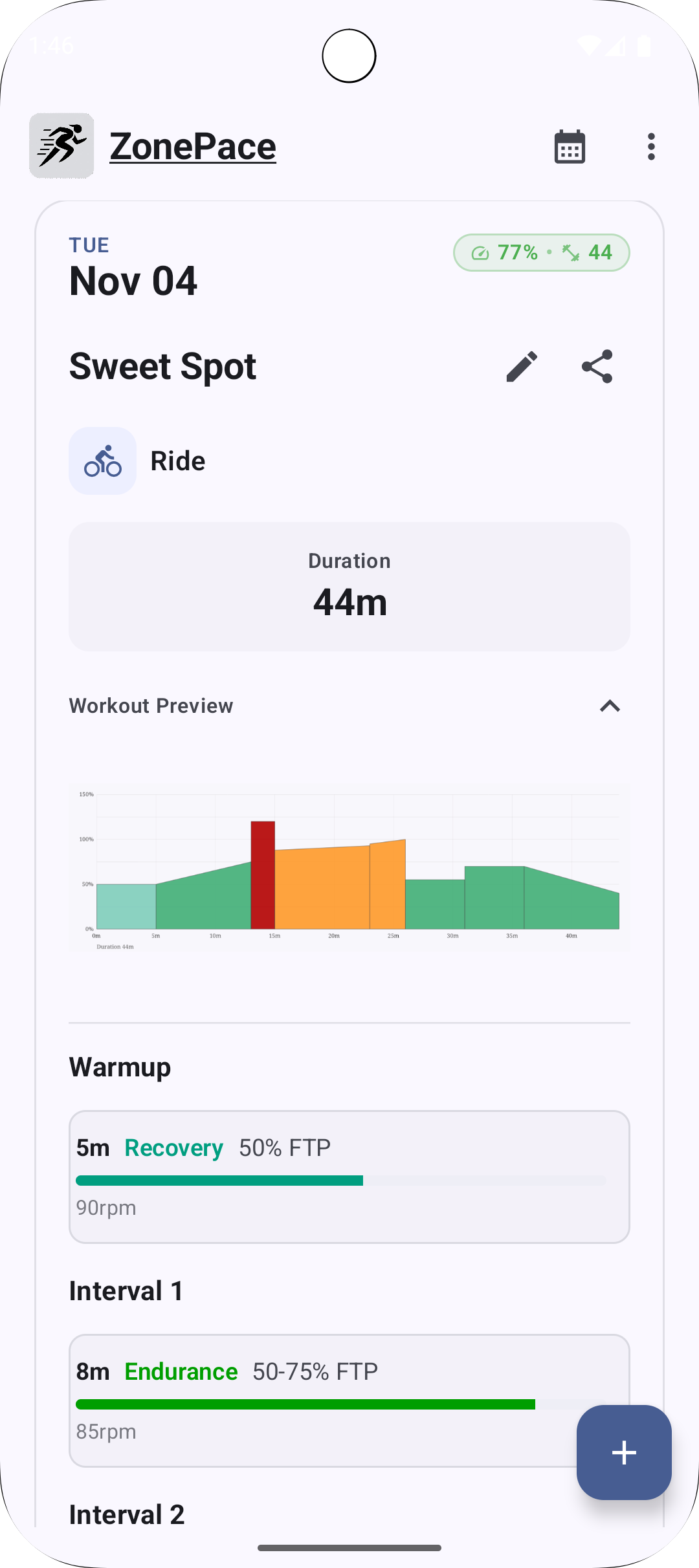
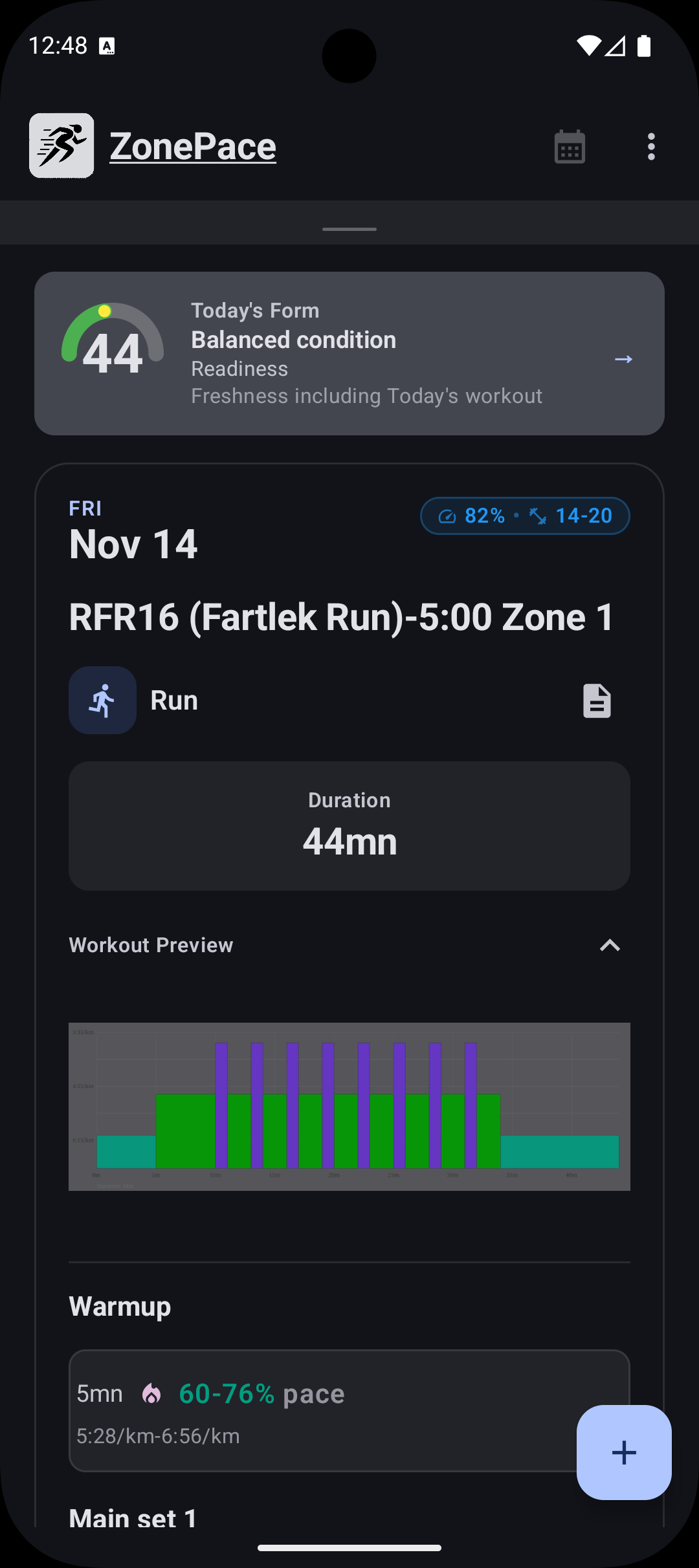
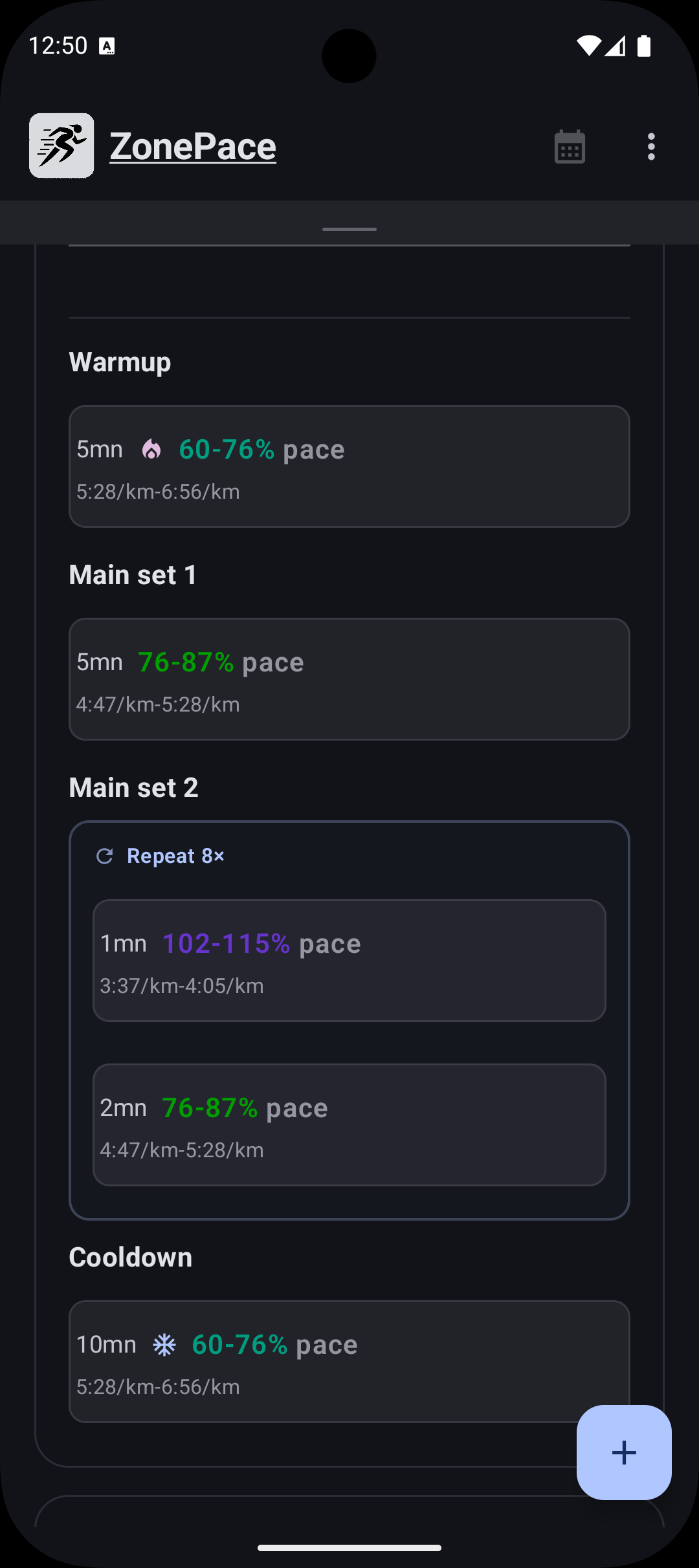
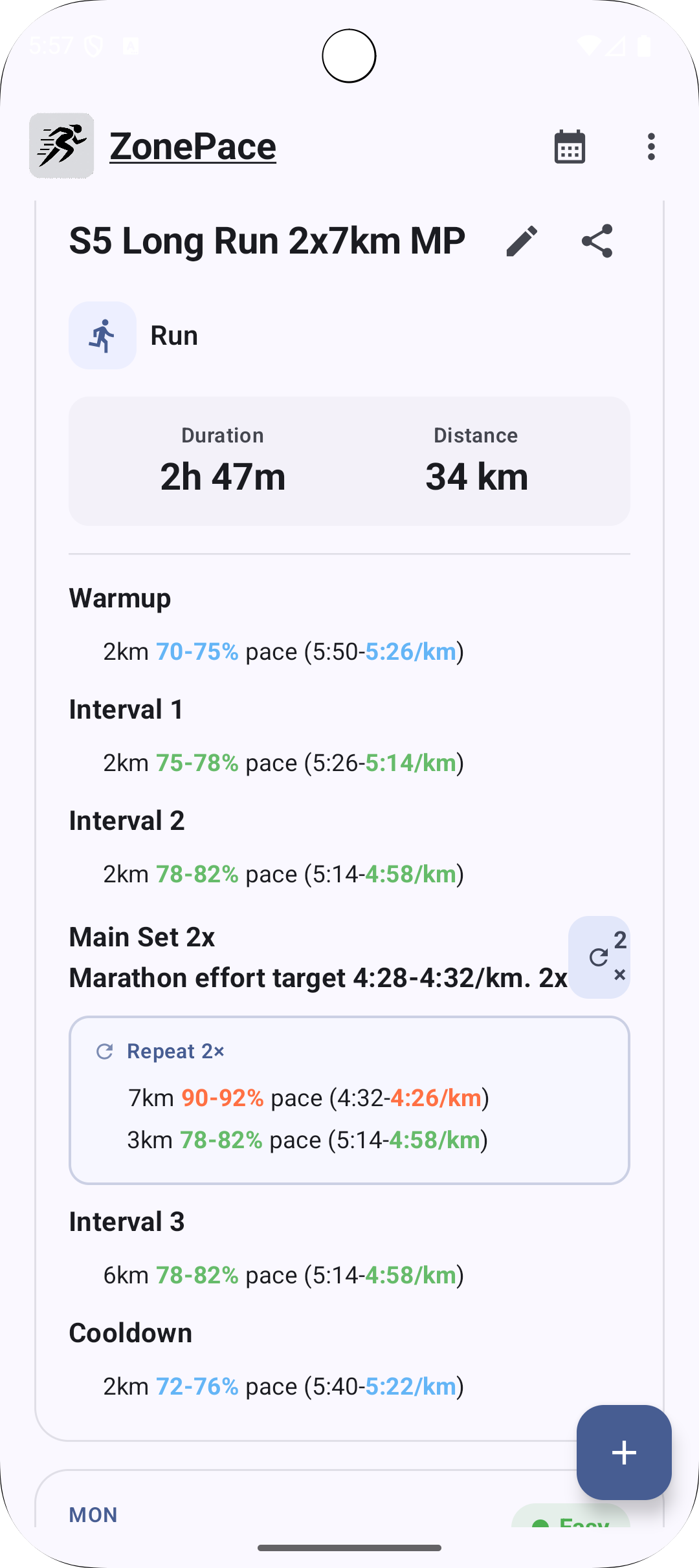
ZonePace now displays structured workout graphs, closely matching what you see on Intervals.icu.

Each step includes an intensity bar, with a small internal scoring system to estimate step difficulty (for example, a 10-minute Z4 block counts as harder than a 30-second Z5 sprint).
This may evolve based on feedback if it feels confusing.

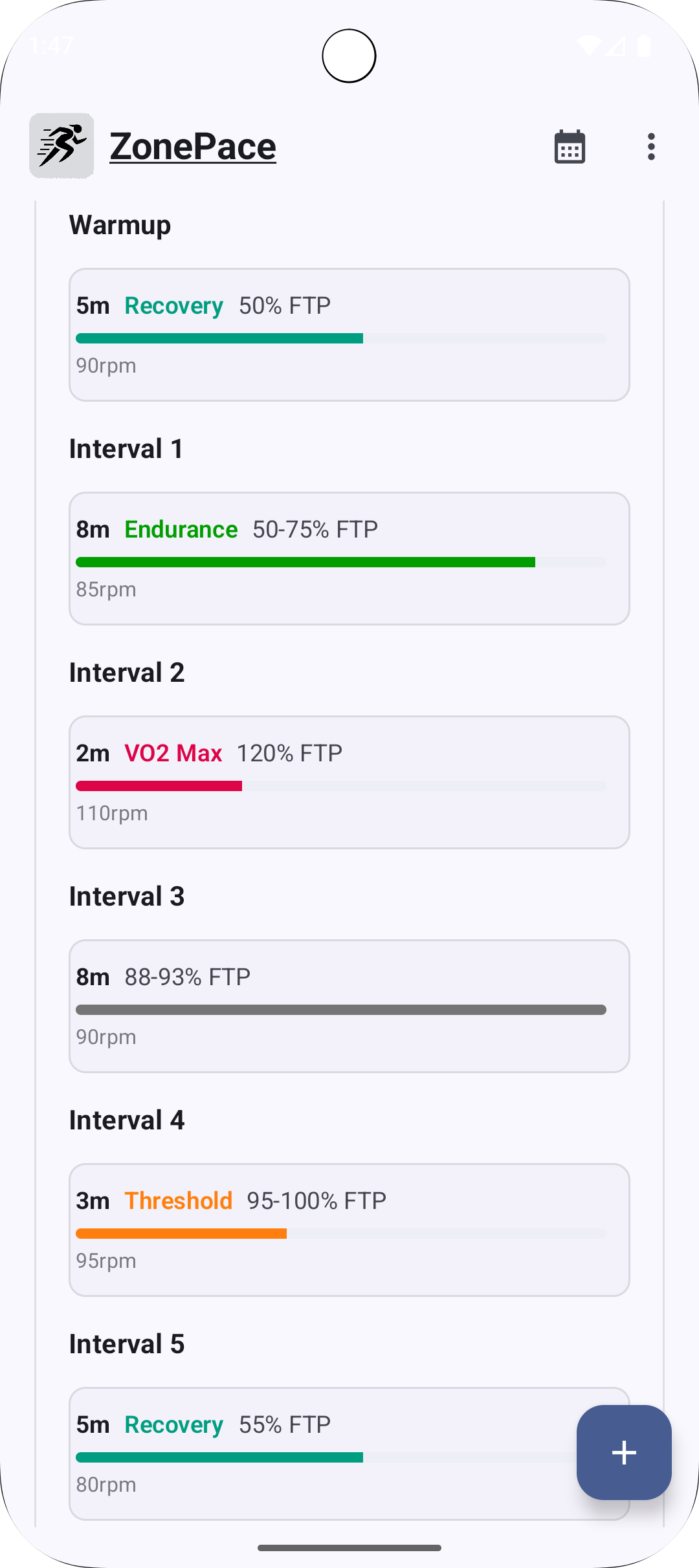
If you prefer, you can still switch back to a simpler text-based view in the app settings which may be more familiar to intervals.icu website user:

Calendar Refresh

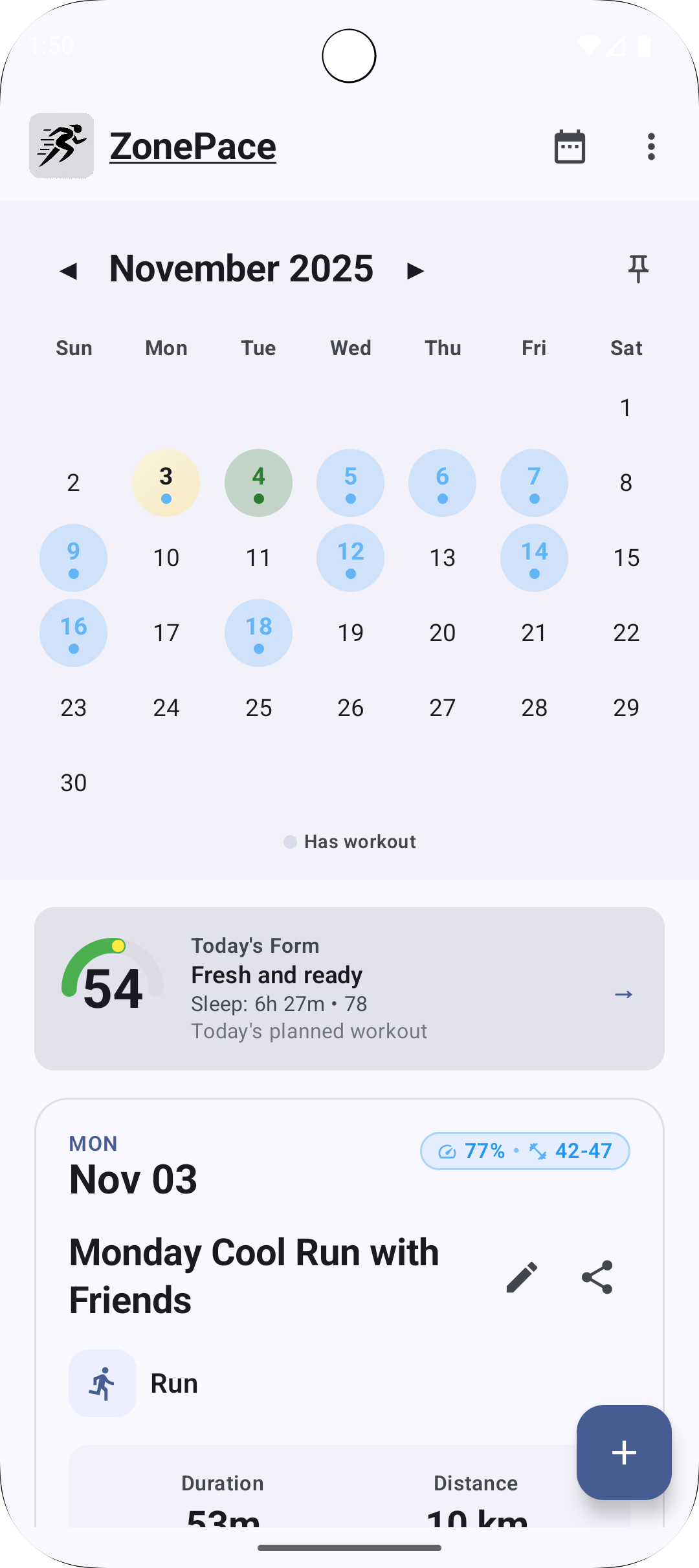
The calendar now clearly distinguishes cycling and running workouts (I’ll add swimming when triathlon training resumes :grinning_face_with_smiling_eyes:).

You can also pin the calendar to keep it visible while scrolling.

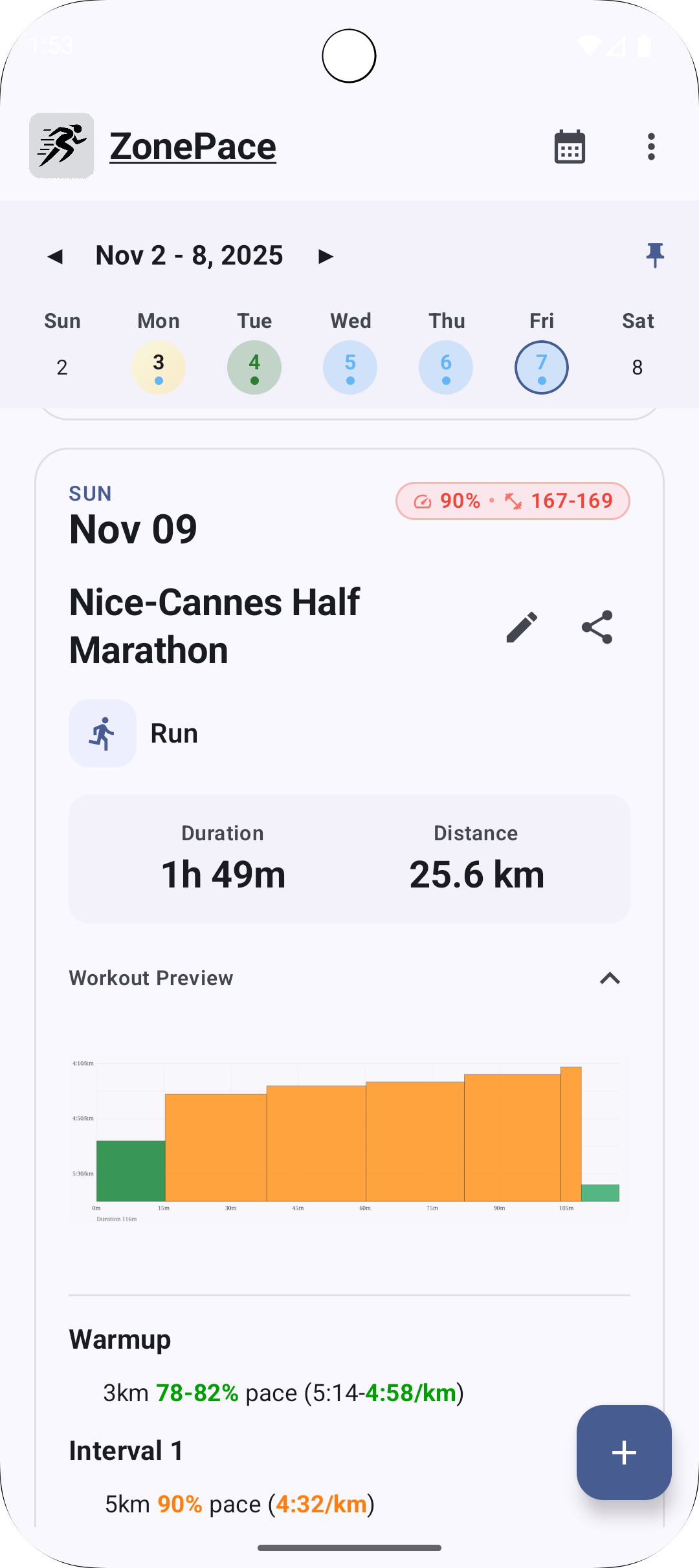
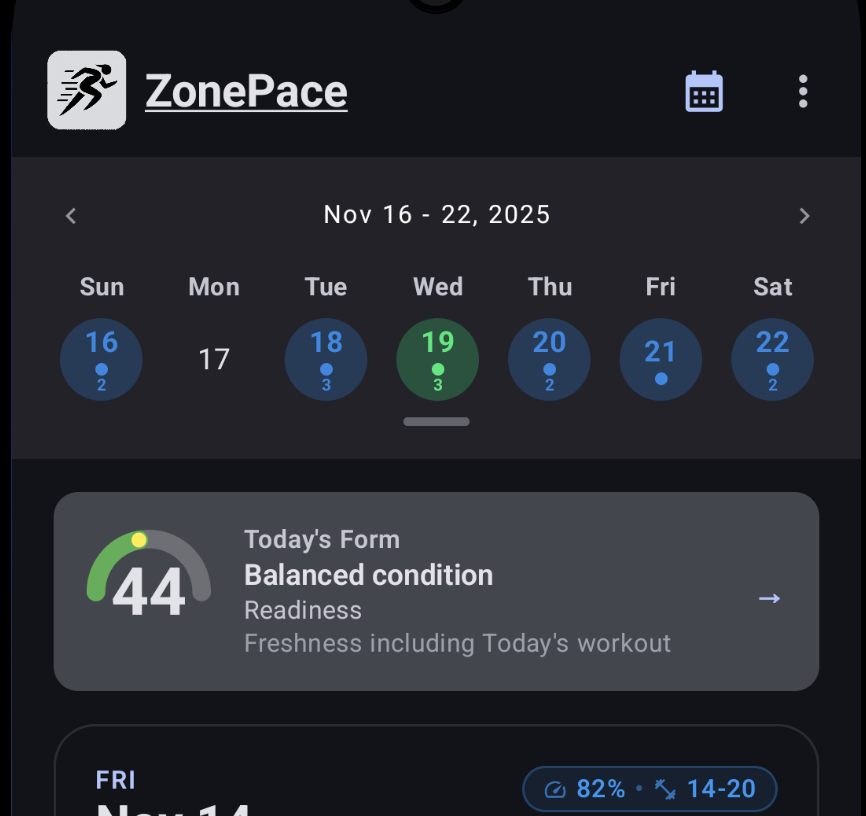
Many beta testers requested a 7-day view to plan ahead, so that’s now available too:

The layout is slightly condensed to make the full week easier to read at a glance.

Form & Readiness

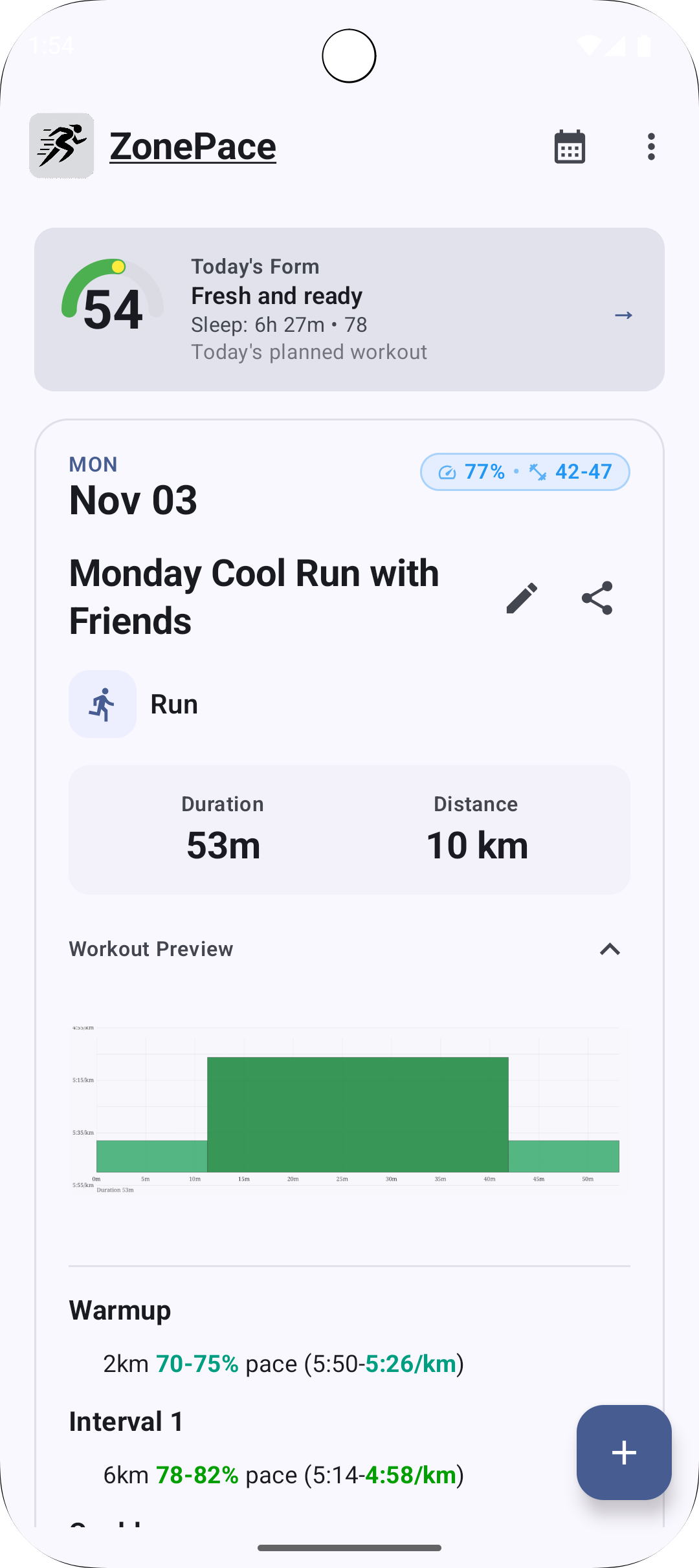
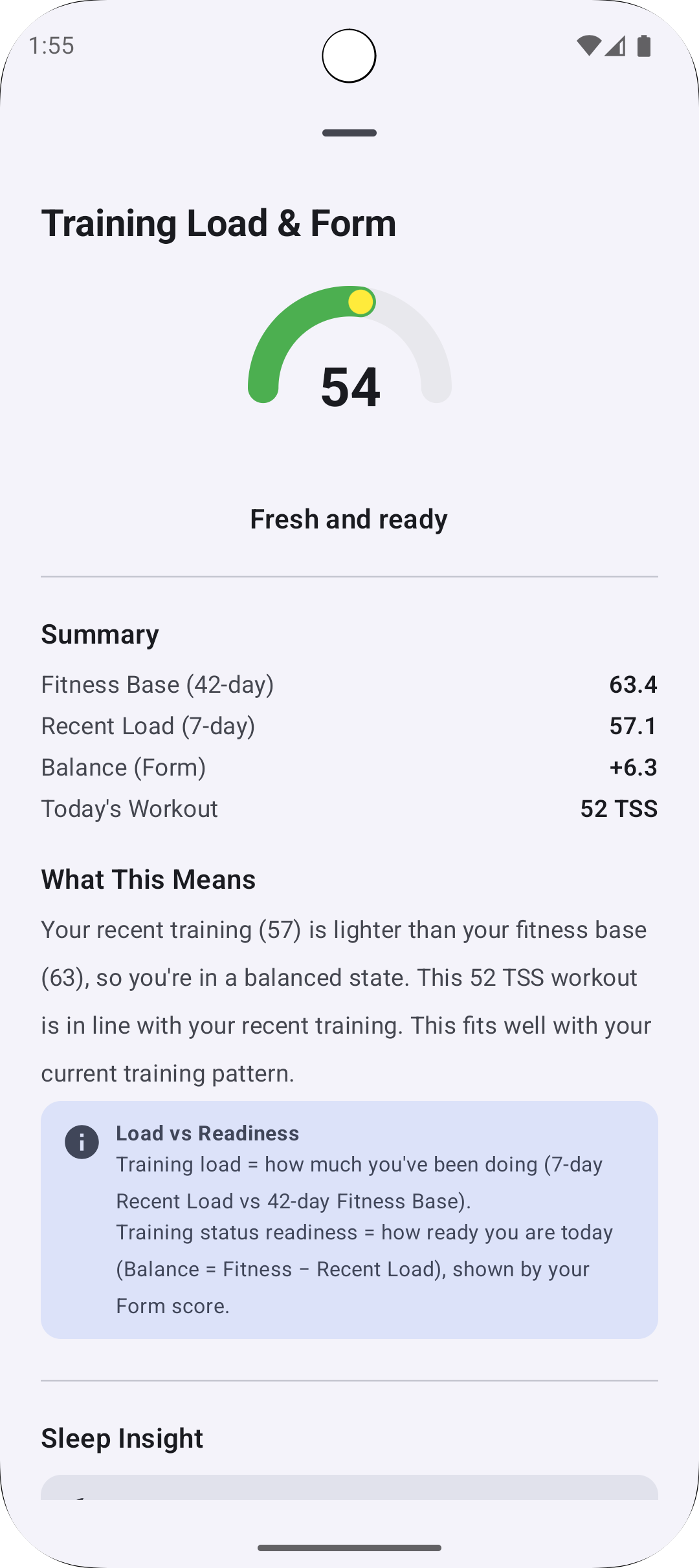
I’ve added an experimental Form value to help visualize how ready you are for your upcoming workouts.

Tapping it opens a short explanation about how it’s calculated and what it means for your training:

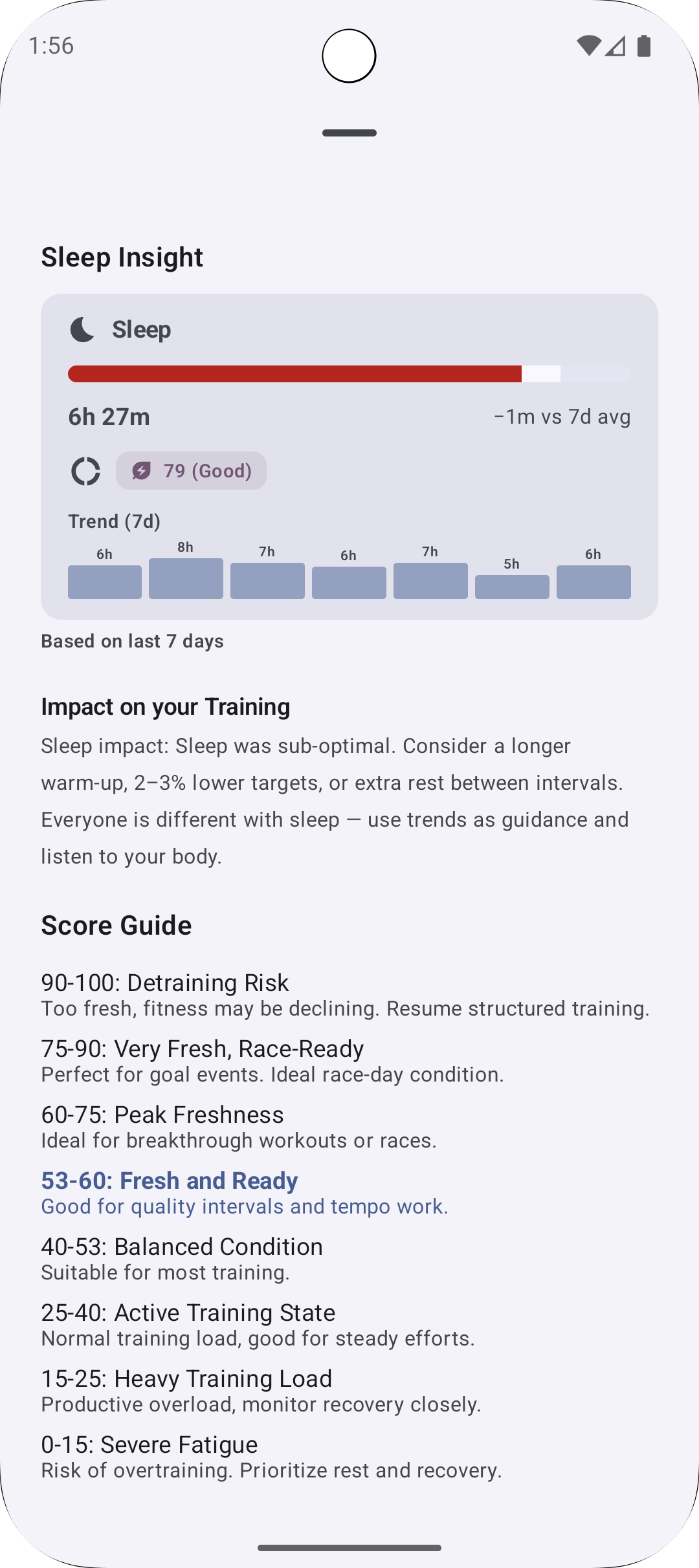
If you’ve synced sleep data from your watch to Intervals.icu, that also feeds into the readiness score:

Fixes and Next Steps

Plenty of bugs have been fixed along the way, especially around cycling workouts (I’ve been marathon-focused lately but cycling is back on the menu soon).

I have still some bugs to fix related to some other workout format, like HR based workouts or other type of workout that are not distance or time based.

More features are in the works, and I’ll keep sharing progress as things evolve.

If you’d like to join the closed beta, please register your e-mail at:
https://zonepace.chmouel.com and i’ll add you to the Beta Testing track to be able to install it on google play.

PS: To release it publicly, I need about 12 active testers over a two-week cycle, so your help would be appreciated.

3 Likes

Hey Sam, thanks for the great app! It is much needed.
I’m mainly running for the moment, working with Training Peaks and intervals.icu.

  1. In the text session of the workout, he app correctly order the pace 79-85% pace; 4:51-4:31 as 79% (of threshold) is a slower pace than 85% (of threshold).
    intervals.icu put all the numbers from lower to higher (79-85% pace; 4:31-4:51).
    Personally I’m more used to read from the lower to the higher for both % and pace as it is the standard format on intervals and also training peaks, so it will be 79-85% pace 4:31-4:51

  2. There are some discrepancies with the colors of the visual, I guess when the range goes into 2 different zones, the app choose a different color compared to what is on intervals.icu (eg. I have a Z3 on intervals.icu is colored yellow, on the app is colored green like the Z2.

  3. I’m still confused how to use the intensity bars, I don’t understand how to interpret them. For the moment I’m keeping them off.

  4. Maybe you can set a choice option to use the names (recovery, endurance, steady state, tempo, interval) instead of the zones (z1, z2, z3, etc).
    I see majority of the presets are using the zones, while only CTS run is using the names. Also maybe the descriptive names are more accurate when used on the HR based workouts instead of the pace based workouts.

1 Like

yes i am planning a athlete profile setting to at least set your Thresholds pace. And maybe that can come up with customization but this hasn’t been high on my list yet.

About 1. 2. I’ll try to investigate those

About 3. Yeah maybe points based system is not the best and too confusing, i need to look with the other fitness app are doing this, i have seen app like runna having a nice ui for it.

Am I wrong or I cannot use the app to browse my past training sessions?

At the moment I’ve no planned workouts and even if I look at past week I see a blank calendar (but I worked out)

That’s correct! I am waiting for strava approvals to be able to see past sessions as i want to introduce workout execution. This is not currently exposed by the intervals api due of strava api sharing limitations.

I am planning to make a better experience when the user doesn’t have planned workouts. I am first doing an integration the icu library into zonepace and will get into it.

1 Like

Ok, and hopefully, if workouts are imported from something different from Strava (like coros, Garmin, and co.) that will be visible on zonepace

I don’t know about Coros (probably would have), but i am sure Strava doesn’t have the Workout concept, but maybe garmin yeah! my priority has been integration with ICU for now..

1 Like

Sorry, I wasn’t clear.
Don’t mind

1 Like

Here is some update on recent ZonePace progress

Status

ZonePace has now been officially accepted on the Play Store thanks to the alpha testers. It is not marked as fully released yet, but it can be freely installed:

https://play.google.com/store/apps/details?id=com.chmouel.zonepace

A new website is also live with a new domain:

https://zonepace.cc/

It included a link to the intervals.icu markdown format, which may be useful to anyone writting markdown format for intervals.icu:

App update

The main additions in this update are the library integration and the full redesign. Several issues were fixed, including zone colour alignment with Intervals.icu and support for different workout types such as HR-based sessions.

New design

Based on feedback from @Ale22 the previous graphical intensity bar was removed. The earlier “graphical” and “text” views are now unified.

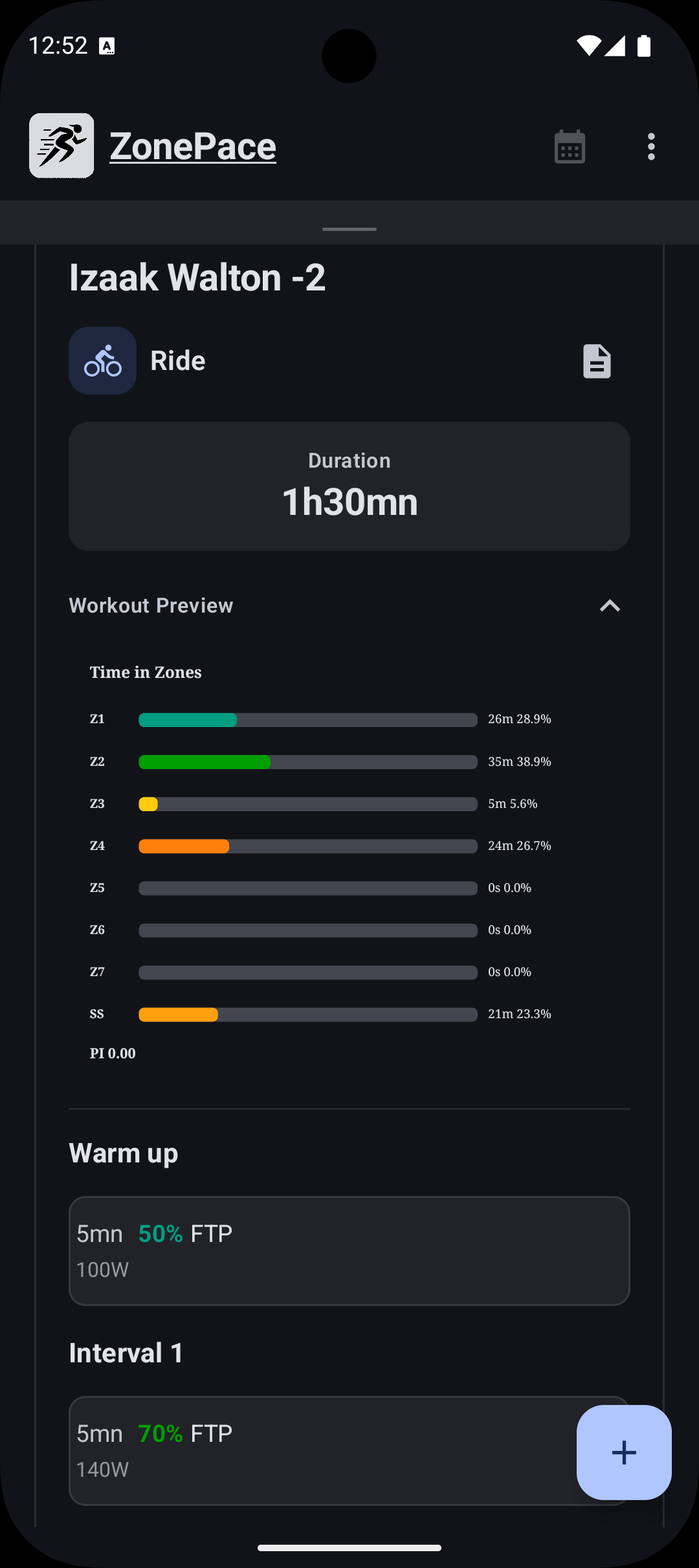
Time in zone charts

Tapping the charts now shows a time-in-zone breakdown for the workout.

Workout details and actions

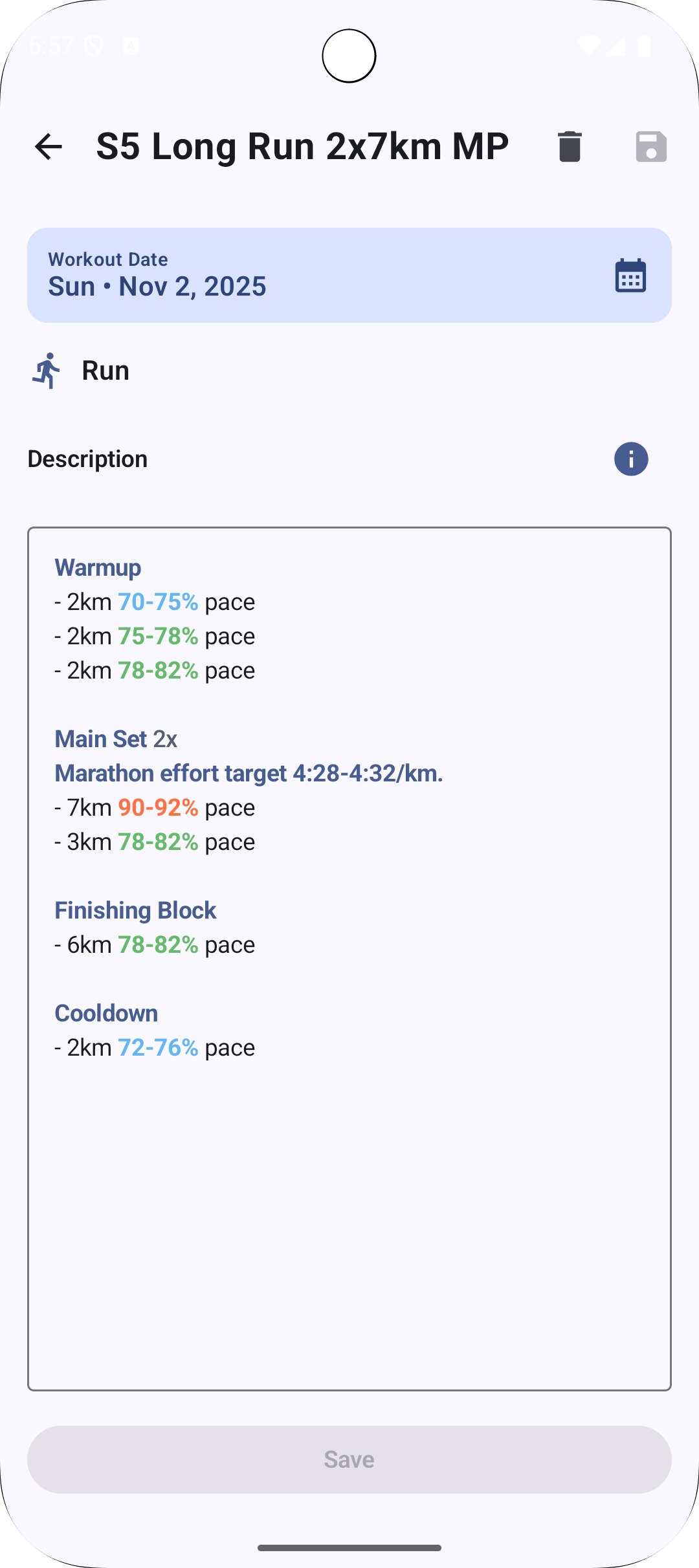
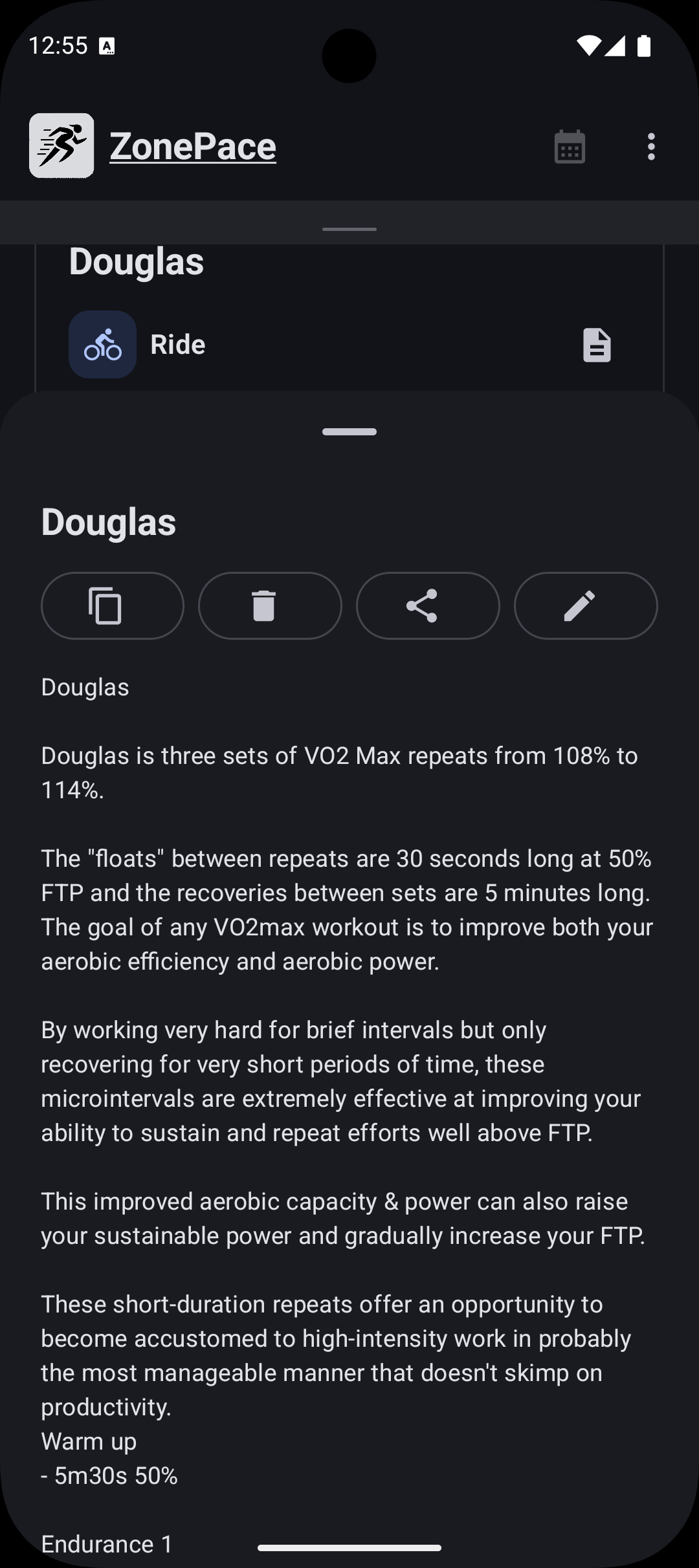
The icon in the top-right shows the full workout description and provides options to Share, Edit, Delete or Copy.

Calendar behaviour

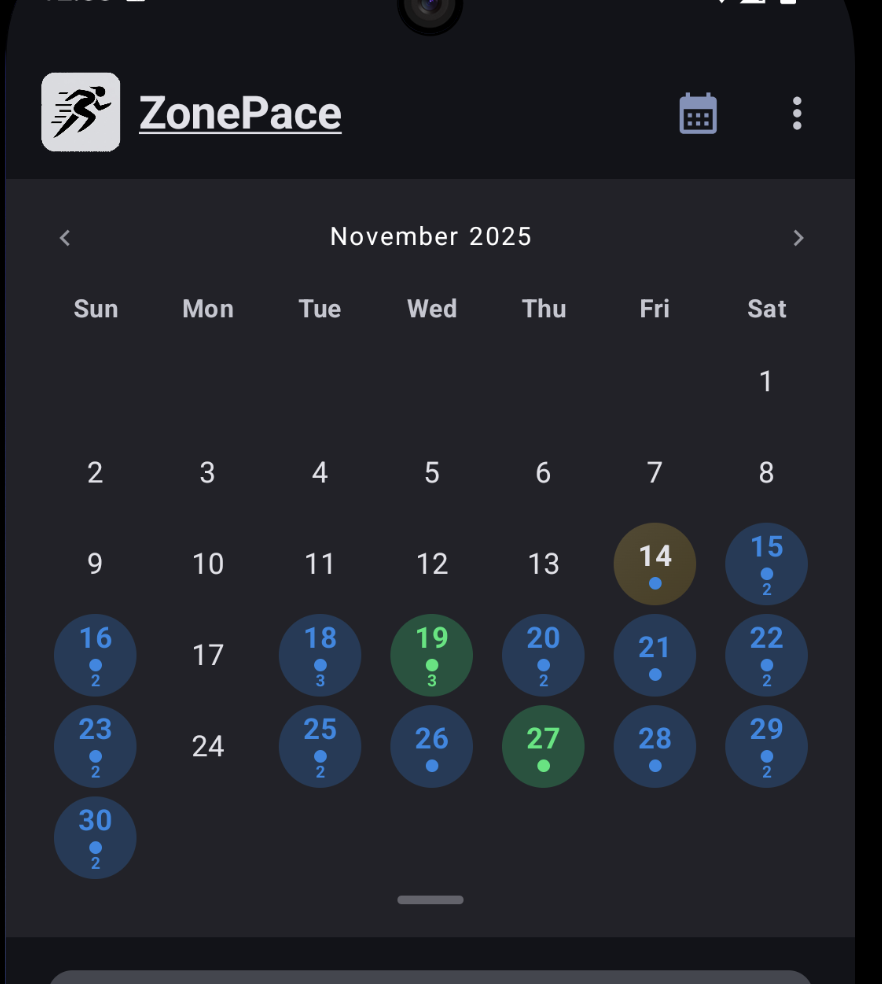
The calendar icon cycles through Hidden, Pinned Weekly and Pinned Monthly views.

Pinned Weekly:

Pinned Monthly:

You can jump directly to any training day and see if multiple workouts exist for that date.

Gestures are supported: up/down to switch monthly, weekly and hidden states, left/right to move between months or weeks.

Library support

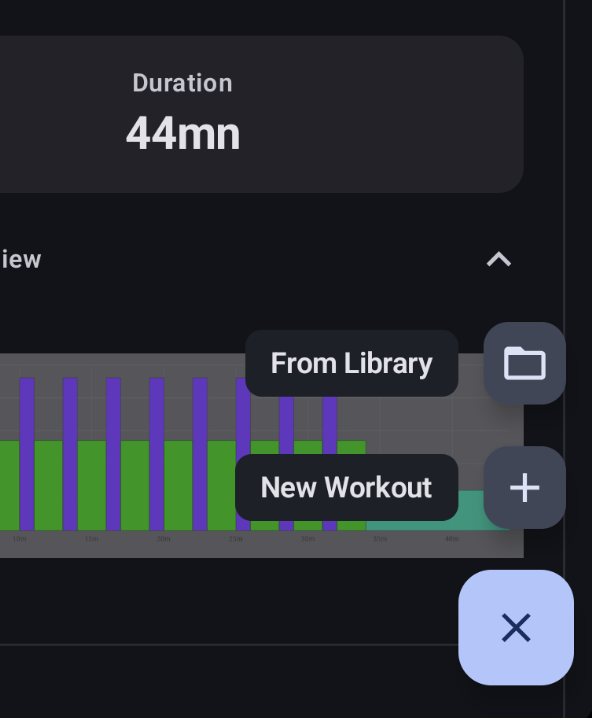
Library integration from Intervals.icu is now available.

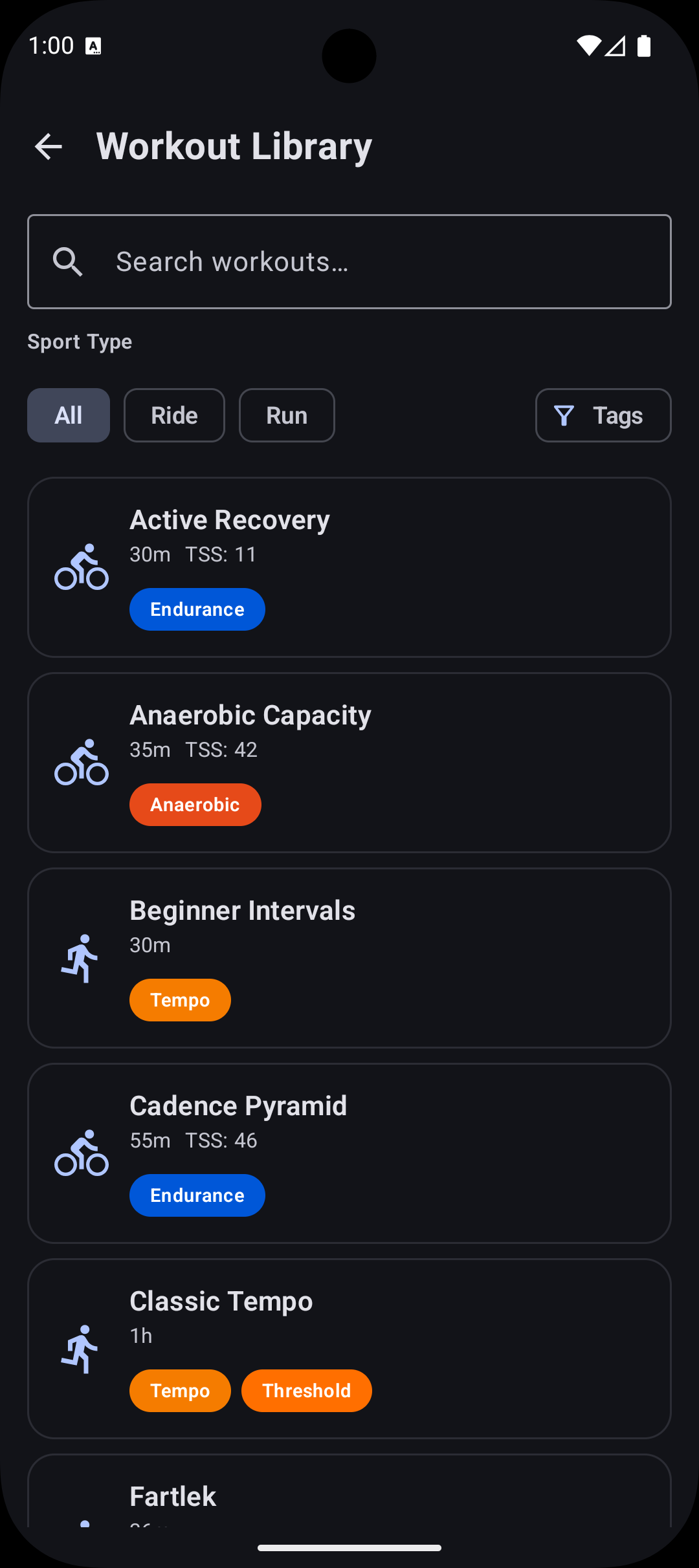
Workouts from the library can be applied to any day. If your library is empty the app populates it automatically with common workouts: ten cycling, ten running and two swimming sessions. (you can see all of them on the website here Intervals.icu Workout Library — ZonePace).

You can filter the list by sport type:

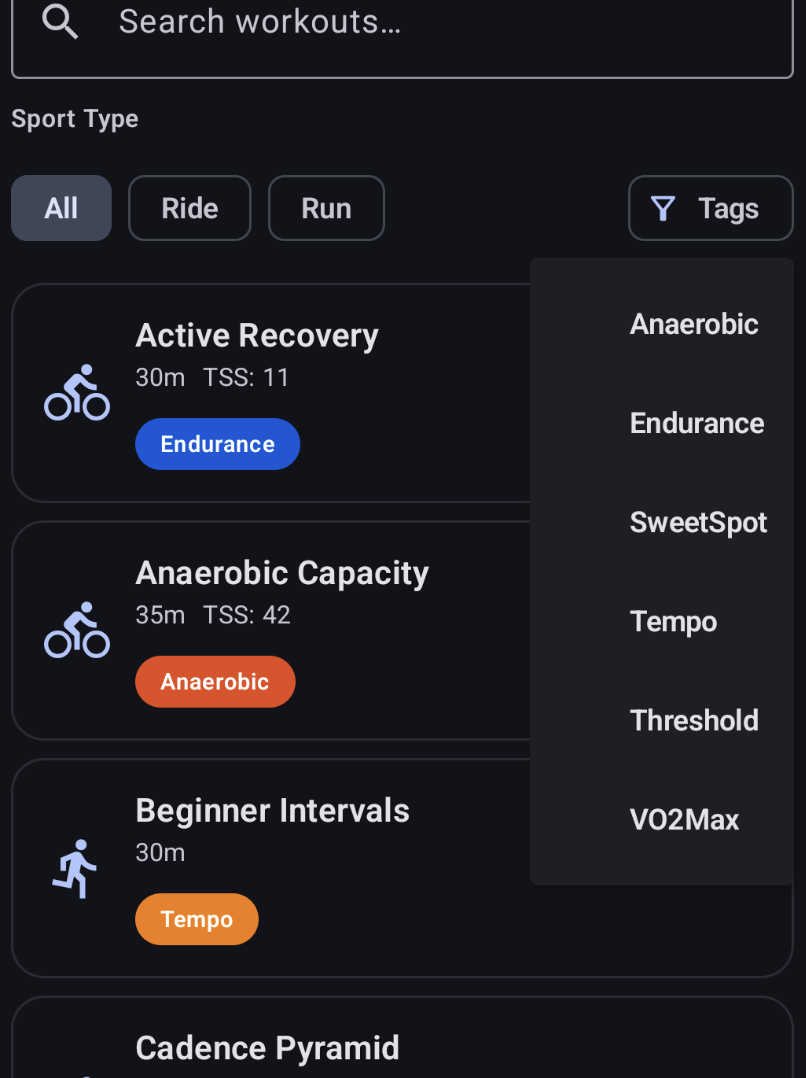
Tags are also supported and can be used for filtering:

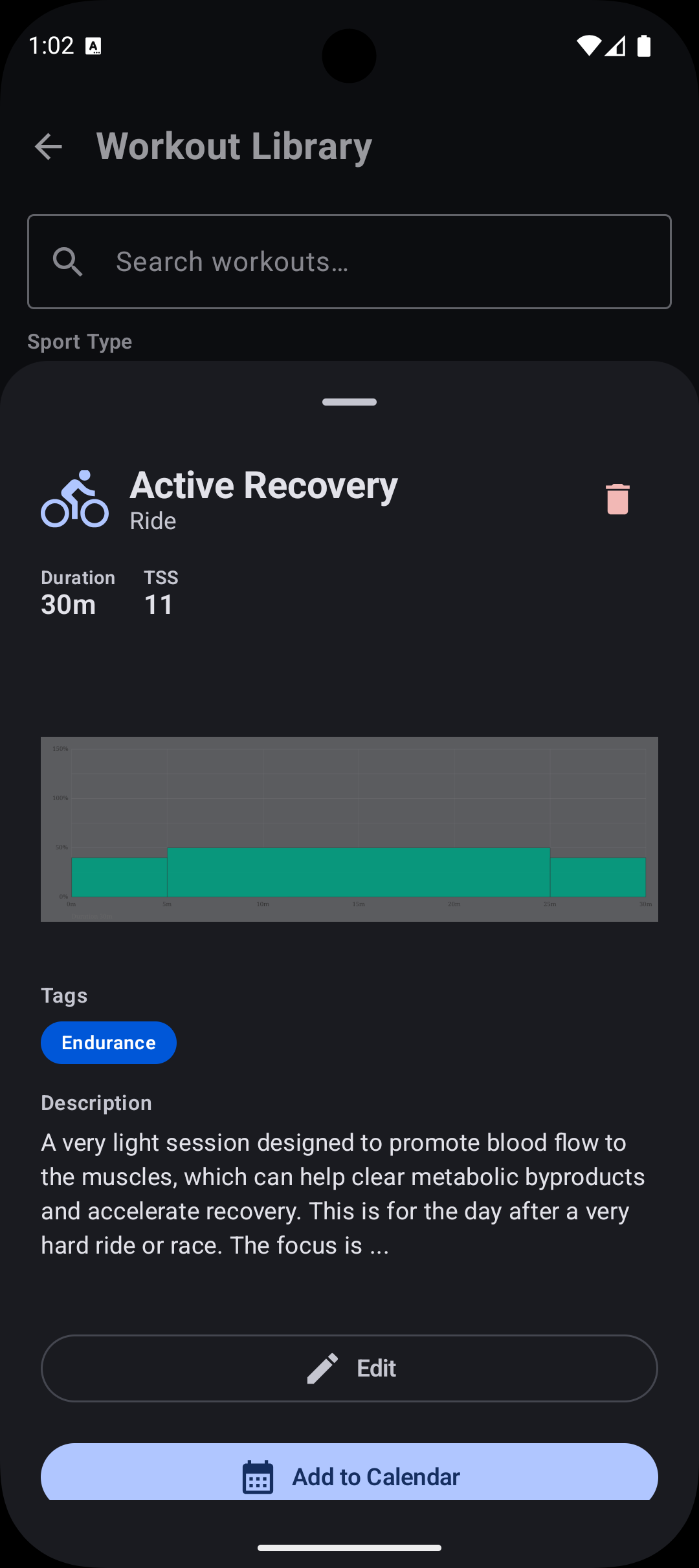
Selecting a workout gives options to delete it, edit it or apply it to a date:

Workout editor

The editor is now a simple text area. The earlier syntax-highlighted version had stability issues and was rolled back for now to focus on reliability.

Future

There is still a lot to complete before considering a 1.0 release.

  • A more accessible workout editor is planned. The plain markdown textarea is efficient for programmers, but a graphical or hybrid editor similar to Garmin or Intervals.icu would make editing easier.

  • The Fitness indicator number will likely be removed. The Fitness Fatigue Form Ramp values used on Intervals.icu communicate the same information more clearly for users already familiar with the system, without introducing another concept to learn.

2 Likes

Congrats for the approval!

1 Like

Hello,

I wanted to give a quick update on what’s new in ZonePace.

The app is now released on the Play Store and out of testing and anyone can install it.

Here are the new features added since the last forum post. You can see some of them in this youtube short as well:

https://youtube.com/shorts/OY3bexqF3qs

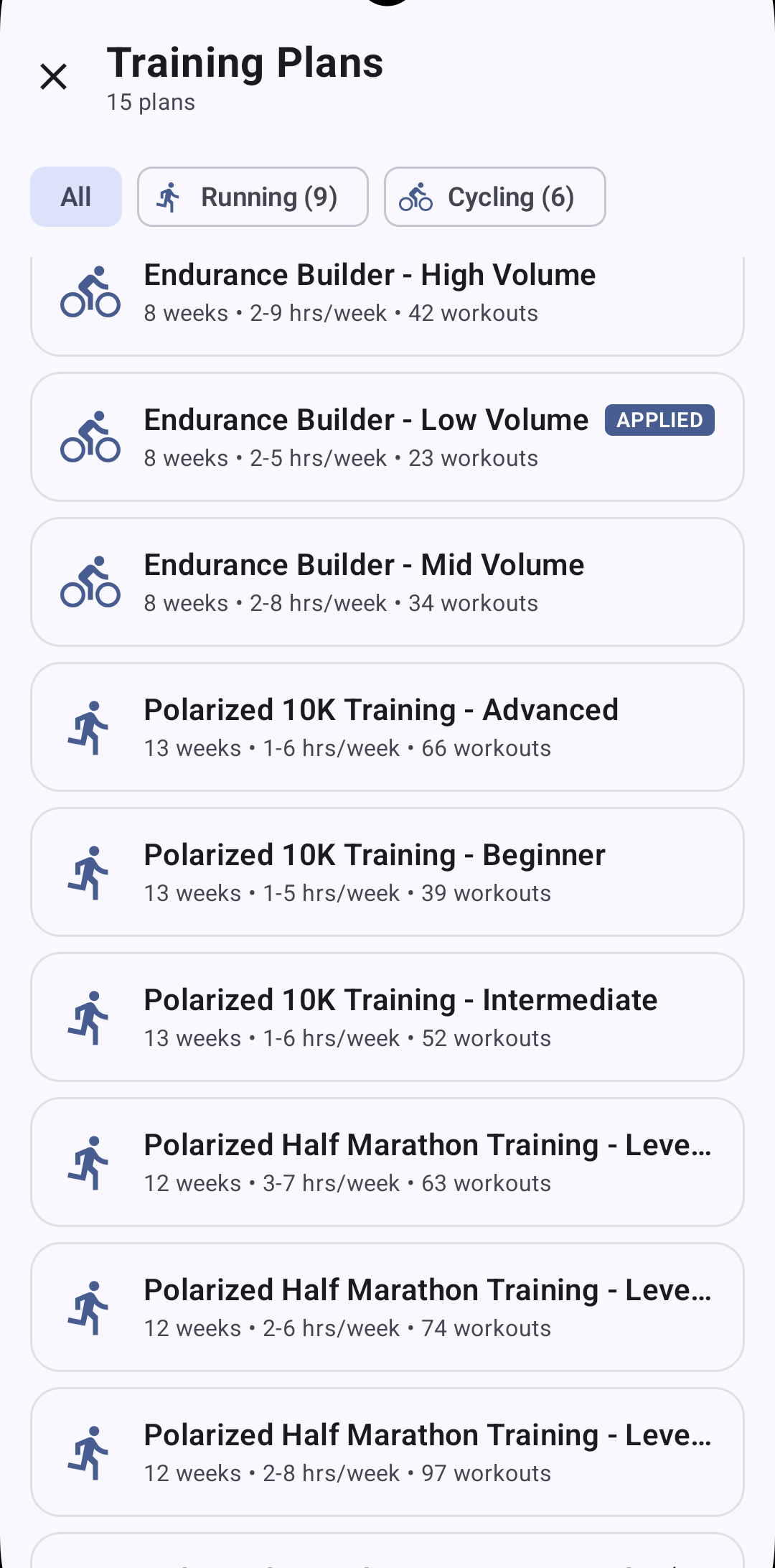
Training Plan Library

Added 15 training plans you can apply directly to your calendar:

Running (9 plans):

  • 10K, Half Marathon, Marathon distances
  • Beginner (3-5 hrs/week), Intermediate (4-8 hrs/week), Advanced (5-12 hrs/week)
  • 8-12 weeks with progressive build, recovery weeks, and race taper
  • Polarized training methodology (80% Zone 1-2 easy running, 20% Zone 3-4 threshold/VO2max)
  • Pace-based zones using your threshold pace

Cycling (6 plans):

  • Endurance Builder (Gran Fondo), Climbing Specialist, Time Trial, Criterium
  • Low/Mid/High volume options (2.5-9 hrs/week)
  • 8-week periodization with FTP reassessment in week 5
  • FTP-based power zones (Sweet Spot 88-94%, Threshold 95-105%, VO2max 106-120%)
  • Specialty-specific intervals (sustained tempo for climbing, sprint power for crits)

Browse the plan library in-app and apply directly to your Intervals.icu calendar. The is now plans edition atm, but the changes done on the website will be relfected in the app.

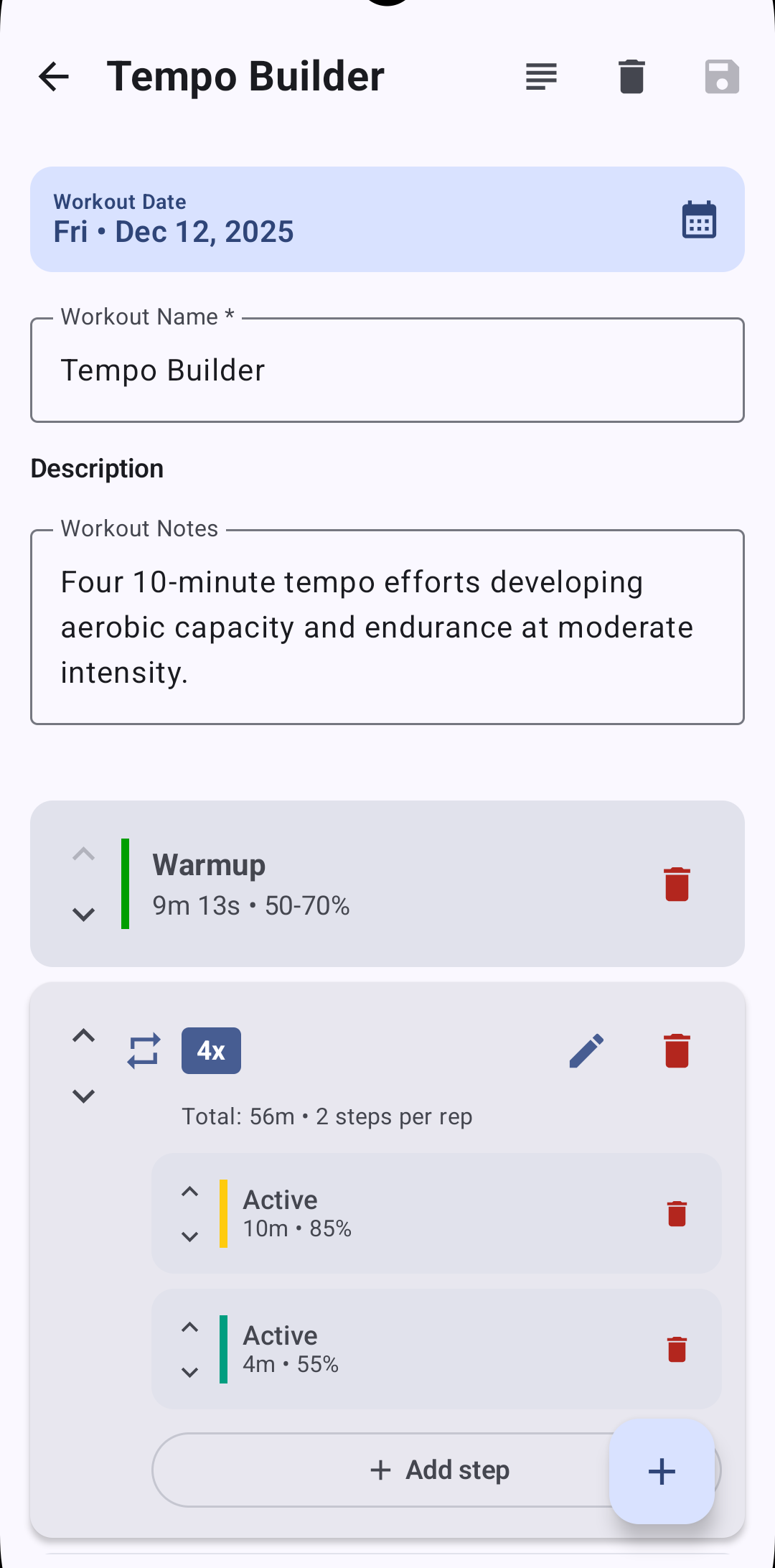
Graphical Workout Editor

Build structured workouts visually without typing workout syntax:

  • Drag-and-drop interval blocks (warmup, work, recovery, cooldown)
  • Power zones (% FTP) for cycling
  • Pace zones (% threshold) for running
  • Swimming pace targets (/100m or /100yd)
  • Sport-specific templates for common workout types
  • Real-time duration and TSS calculations

Swimming Support

Full swimming workout support for triathletes:

  • Pace zones (/100m or /100yd depending on pool length)
  • Swimming threshold pace configuration in settings (stored as m/s, displayed as MM:SS per 100m)
  • Structured swim intervals with pace targets
  • Combines with cycling and running plans for multi-sport training
  • Swimming uses pace-based zones (like running) vs power zones (like cycling)

Fitness and Form Status

Now displays training load metrics matching Intervals.icu:

  • CTL (Chronic Training Load) - 42-day fitness baseline
  • ATL (Acute Training Load) - 7-day recent workload
  • TSB (Training Stress Balance) - Form = CTL - ATL
  • Visual indicators for training status (productive, maintaining, recovery, overreaching)
  • Ramp rate monitoring to track safe progression

Mile Support

Properly handles unit conversion to miles for US-based athletes:

  • Distance display in miles or kilometers
  • Pace display as min/mile or min/km
  • Automatic conversion based on system locale

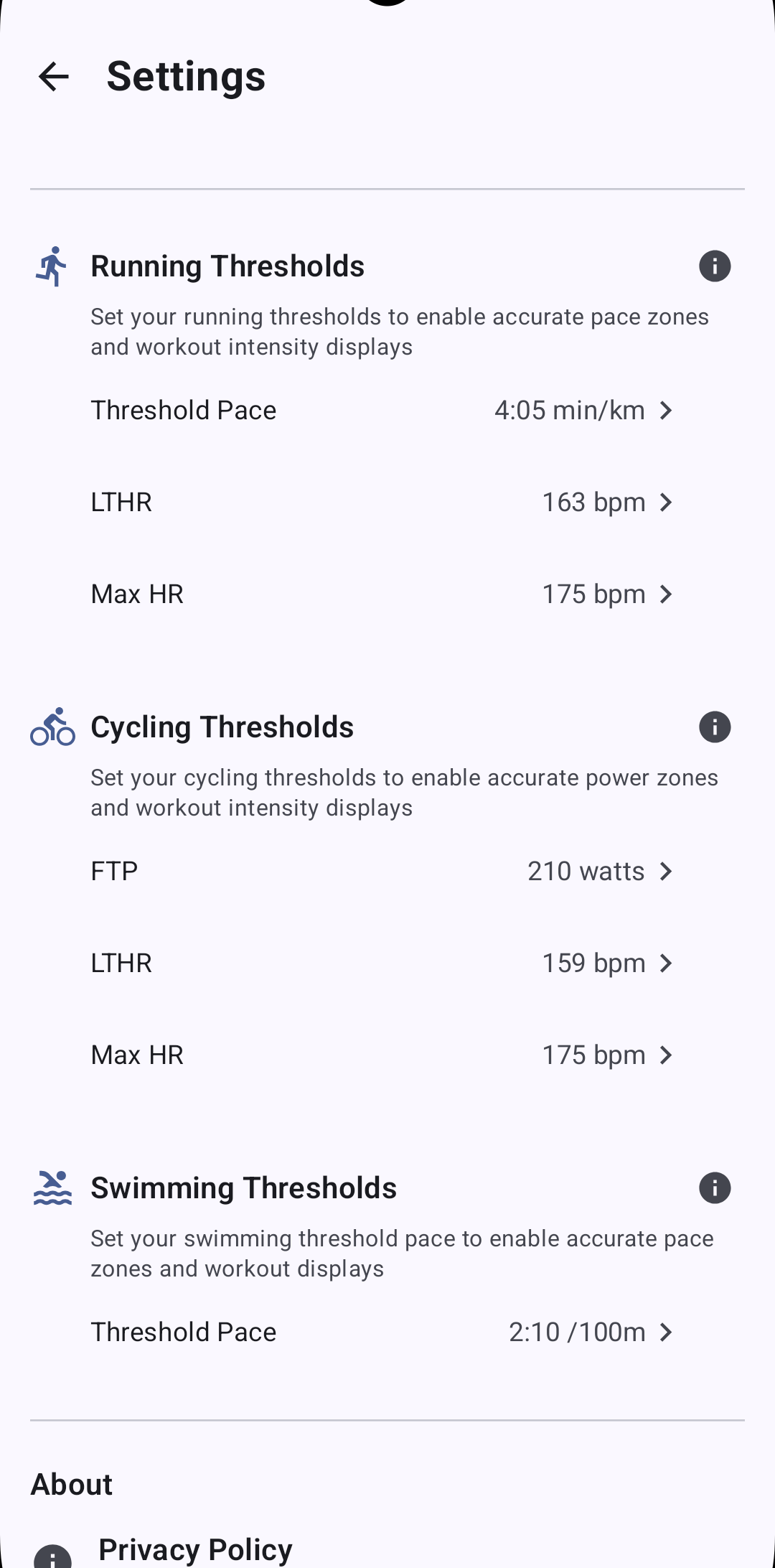
Set Zones Directly in the App

Configure all training zones without opening the web interface:

  • FTP (Functional Threshold Power) for cycling
  • Threshold pace for running (stored as m/s)
  • Swimming threshold pace (/100m format)
  • LTHR (Lactate Threshold Heart Rate)
  • Zones sync to Intervals.icu and apply to all workouts

Multi-Language

Fully translated UI in English, French, Spanish, and Italian. All training plans, workout templates, and system messages are localized.


Download: https://play.google.com/store/apps/details?id=com.chmouel.zonepace