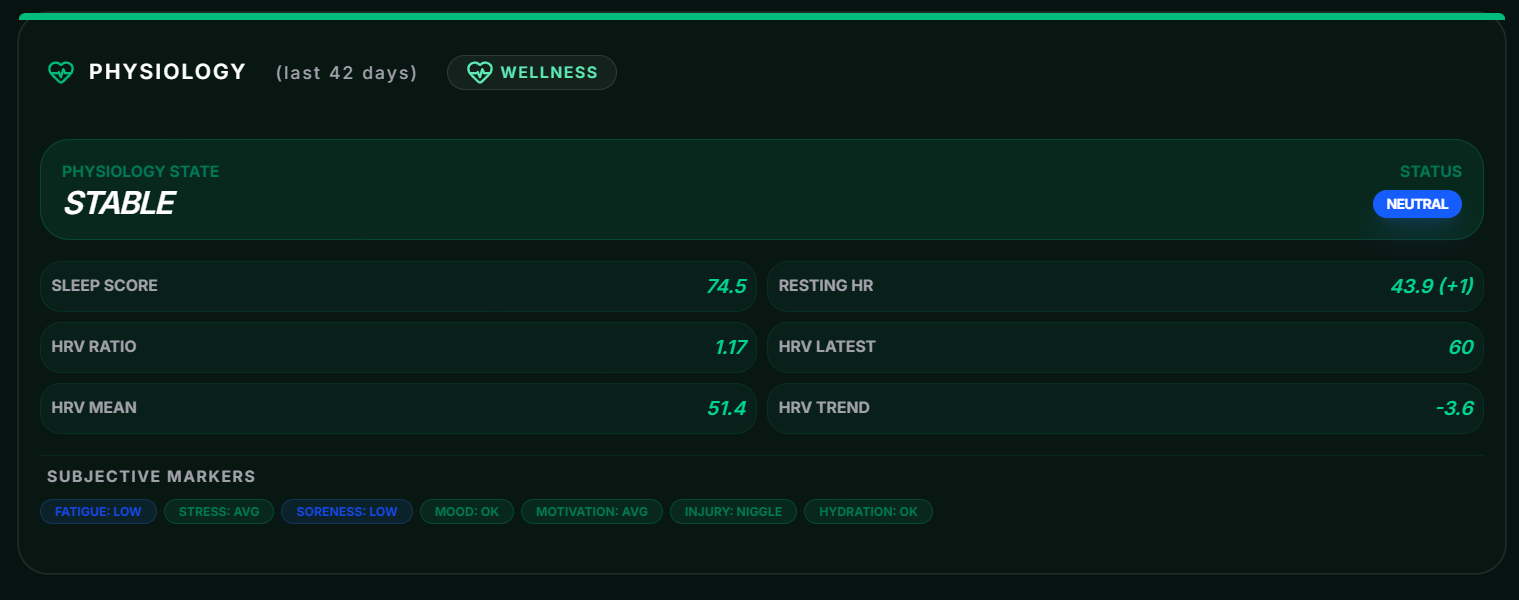
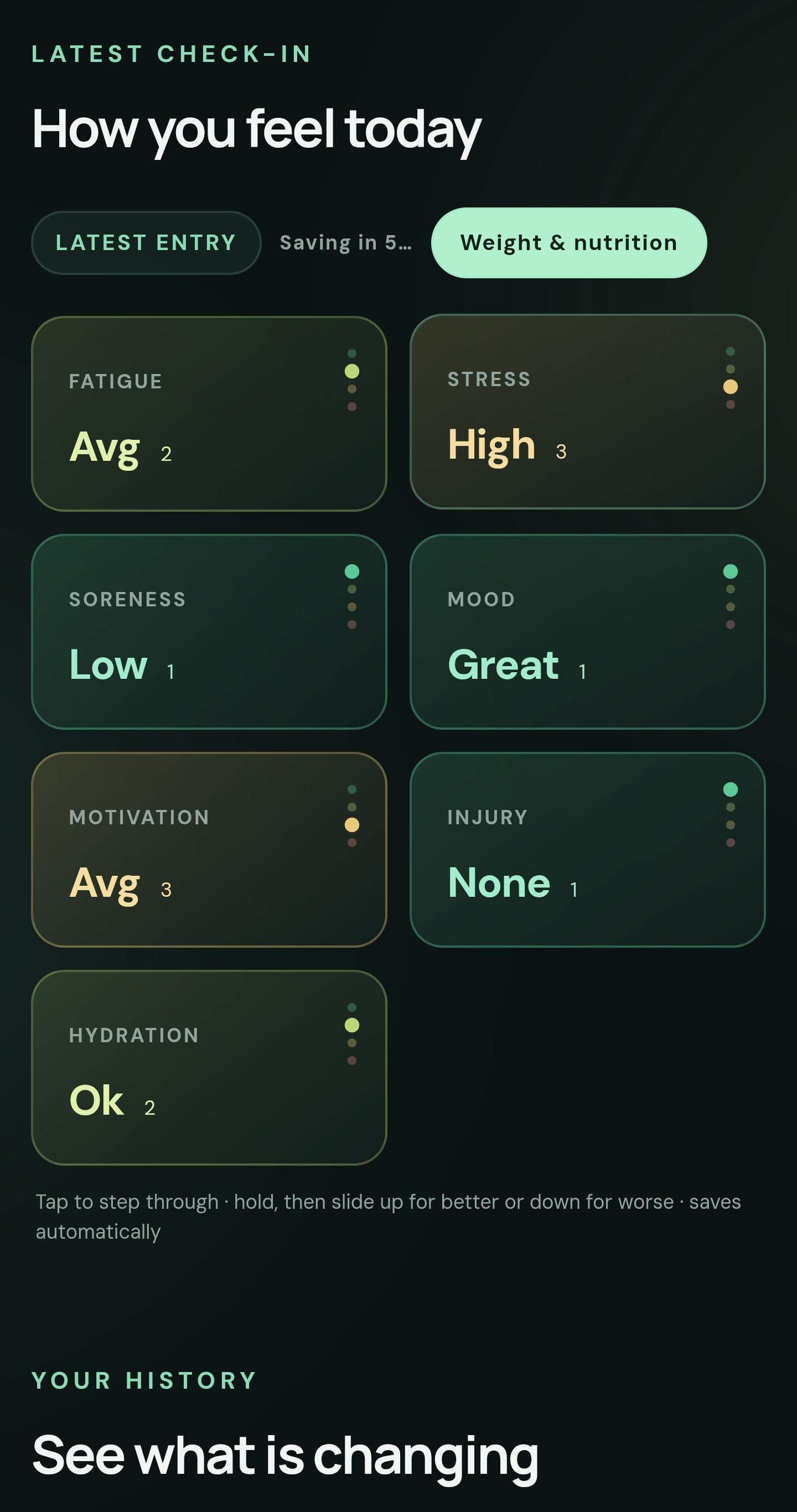
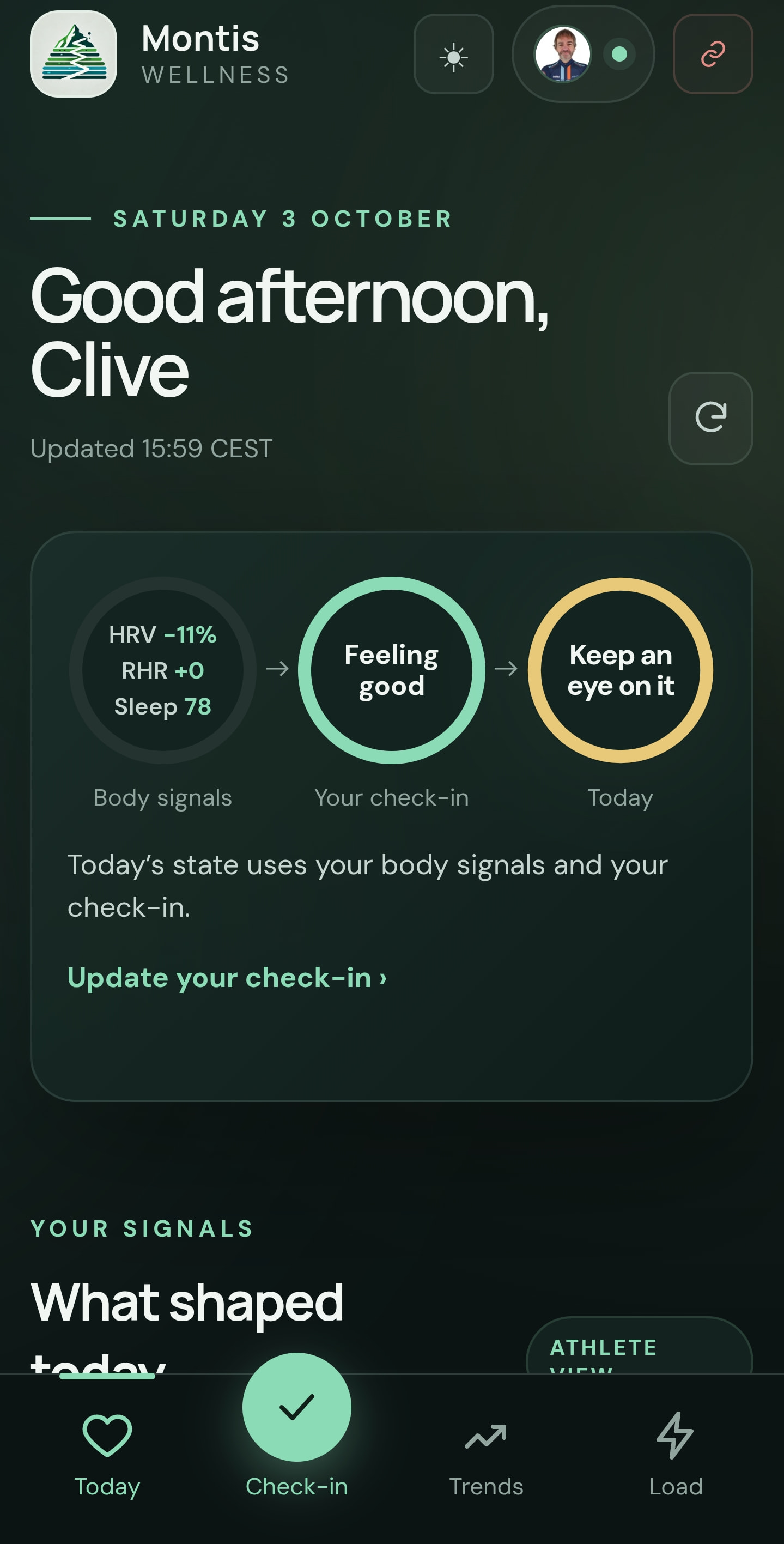
supernice update to https://wellness.montis.icu that allows you to capture your daily subjective updates. Works well on touchscreens, touch and drag your update.
Montis check-in: four ways to use Montis today, three soon
Hi everyone,
A quick check-in with all Montis users, and a heads-up on a change coming for ChatGPT.
Four ways to use Montis today
All four use the same Intervals.icu sign-in and the same Montis analysis underneath, so pick whichever fits how you like to work. They’re all linked from montis.icu/app.
Montis Wellness: a daily recovery score and readiness view built from your sleep, HRV, resting HR and training load in Intervals.icu, with 42 days of history. You can also log a quick daily check-in (fatigue, stress, soreness, mood, motivation, injury, hydration) plus your weight and nutrition, and it saves straight back to Intervals.icu. Free, with no AI account or API key needed.
Montis App: the full browser app with Gemini coaching, including reports, dashboards, calendar and workout tools, activity analysis and coached-athlete access. Use your own free or pay-as-you-go Gemini key, or subscribe for the included Gemini allowance.
ChatGPT (Custom GPT): Montis coaching inside ChatGPT, with weekly, wellness, season and summary reports, calendar work and guided training decisions.
Claude (MCP connector + Skills): connect Claude straight to Montis, then add the montis-coaching and montis-plan-builder Skills for the full coaching method and block-periodised plans. Full steps are in the setup guide. The connection details are:
Server URL: https://montis.icu/mcp
OAuth client ID: intervals-mcp
Why it’s going to three
OpenAI is retiring Custom GPTs on 11 December 2026 and moving ChatGPT to apps and Skills (OpenAI’s FAQ). Custom GPT actions, which are how the Montis GPT talks to Montis, don’t carry over, so the GPT can’t simply be migrated.
Montis already runs as an MCP server (it’s what Claude uses), so ChatGPT will move onto that same connection:
The Montis ChatGPT app is built and submitted to OpenAI, waiting for review.
The Montis Skills are ready for ChatGPT as well.
The Claude connector has also been submitted to Anthropic’s directory (again), - the only difference is that you dont need to enter the client ID manually (once).
After that, ChatGPT and Claude become one option, with the same tools, the same Skills and the same sign-in:
Montis Wellness
Montis App
Montis in ChatGPT or Claude (MCP + Skills)
What you need to do
Nothing yet. The Custom GPT keeps working for now, and I’ll post switch-over steps here as soon as the ChatGPT app is approved.
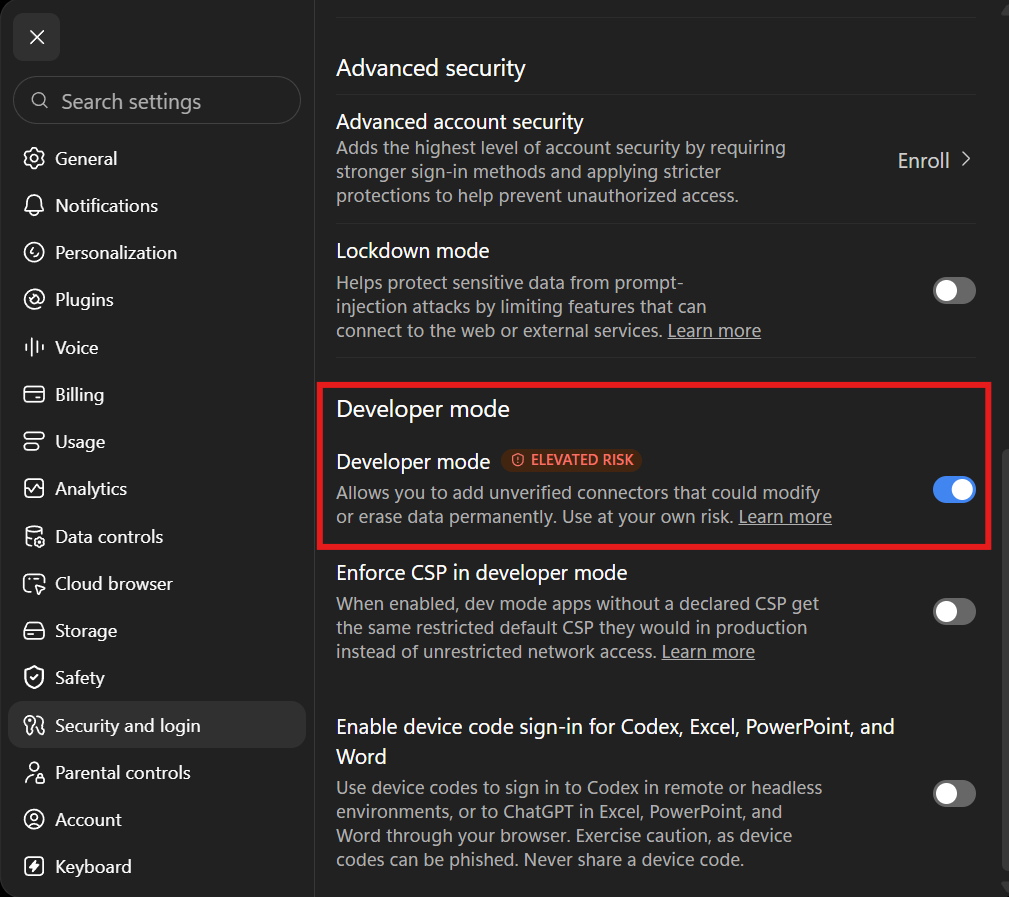
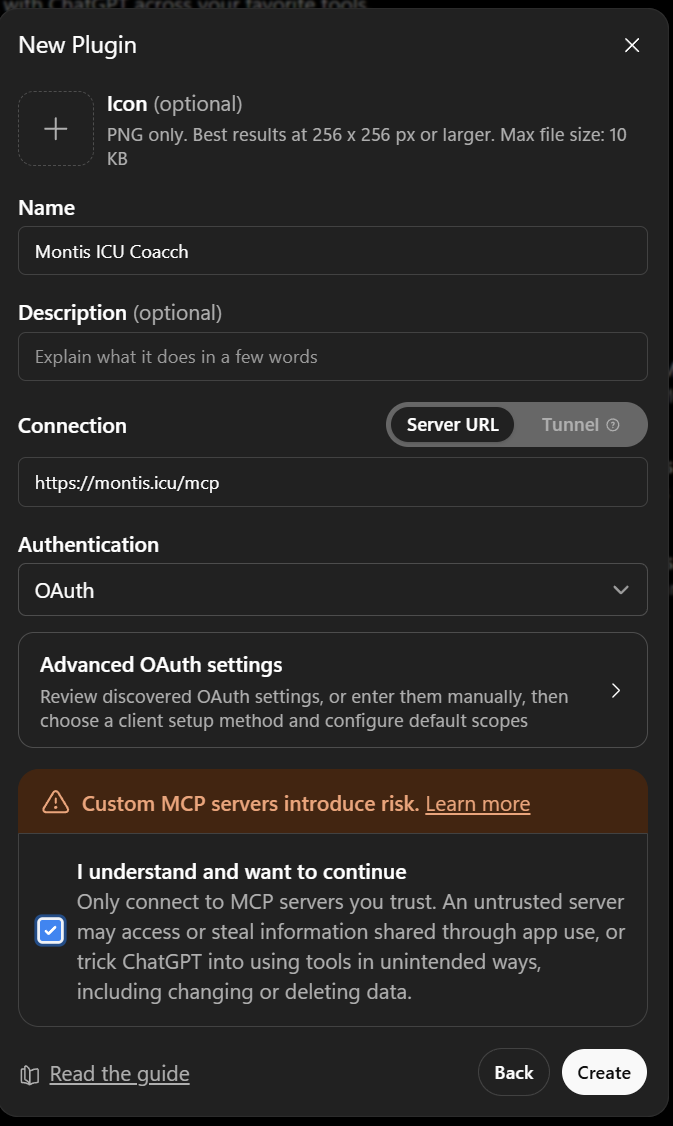
If you’d like to try the MCP route today, Claude works now as does ChatGPT in dev mode=on as a personal Plugin, however Skills may not be available in all plans for uploading, OpenAI documentation is out of date here, as I know it is seen in some plans already.
Thanks for all the feedback so far. It shapes every release.
Hey Clive, one question.
Do you know if I can install all of these skills and mcp connections on a VPS where Claude Code is hosted? I would love to connect the Montis MCP with my local files / a github, where claude code could directly interact and work with.
I think this should work right?
Press Create invite link. You can add a private note, e.g. “Anna – marathon”. Only you see it.
Send the link yourself (WhatsApp, email, text). Montis doesn’t send anything.
Your athlete opens it, signs in with Intervals.icu and presses Accept and share. They then appear under Your athletes.
Each link works once, for one athlete, for 14 days. New to Intervals.icu? The invite page walks them through it. You can plan workouts straight away; reports need about a week of training.
Already using the folder?
Nothing breaks. Your folder athletes have been moved over automatically and show as Moved to Montis. When the banner on the Coaching tab says so, you can delete the folder in Intervals.icu. Anyone marked Folder only needs an invite first.
Who needs what
Coach: an active Montis Subscriber membership (your Intervals.icu email must match your membership email).
Athletes: free.
Athletes stay in control
Athletes see who can see their data under Your coaches at montis.icu/app, and can Stop sharing at any time.
Athletes never see other athletes or your roster.
Coach branding
Upload your logo, add your website and pick a brand colour on the Coaching tab. They show on:
your invite page
your athletes’ “Coached by” in the Montis App
the Coach Cockpit and coaching workflow in the Montis App
the emails you send from the Montis App
Where to use your athletes
Claude (MCP): all coaching tools, including the Coach Cockpit.
ChatGPT: ask about an athlete by name or ID.
Montis App: Coach Roster, Coach Cockpit and the coaching workflow.
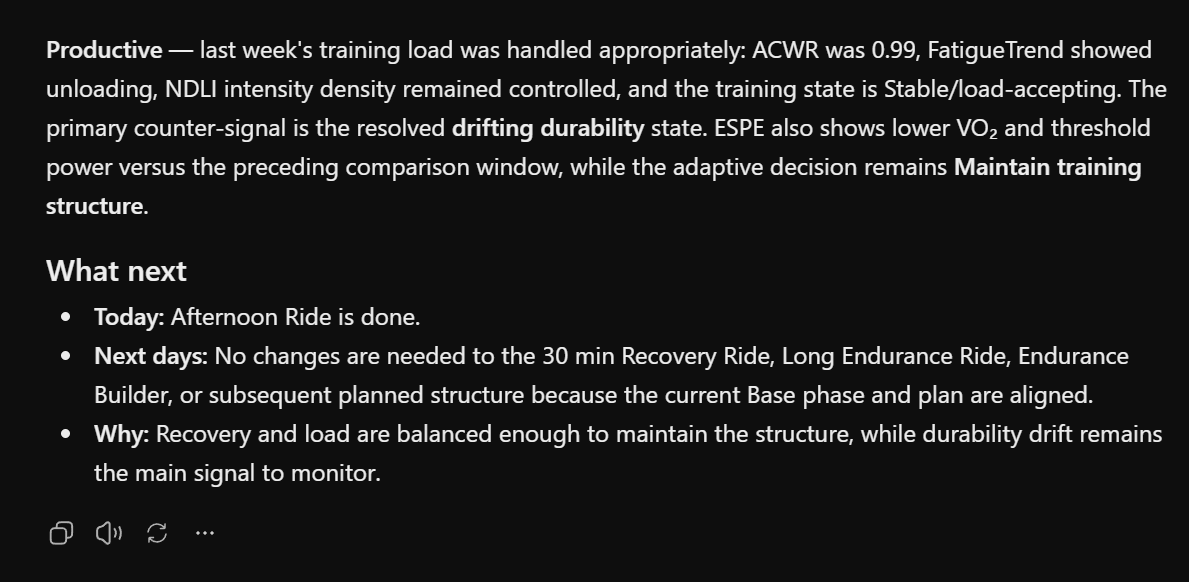
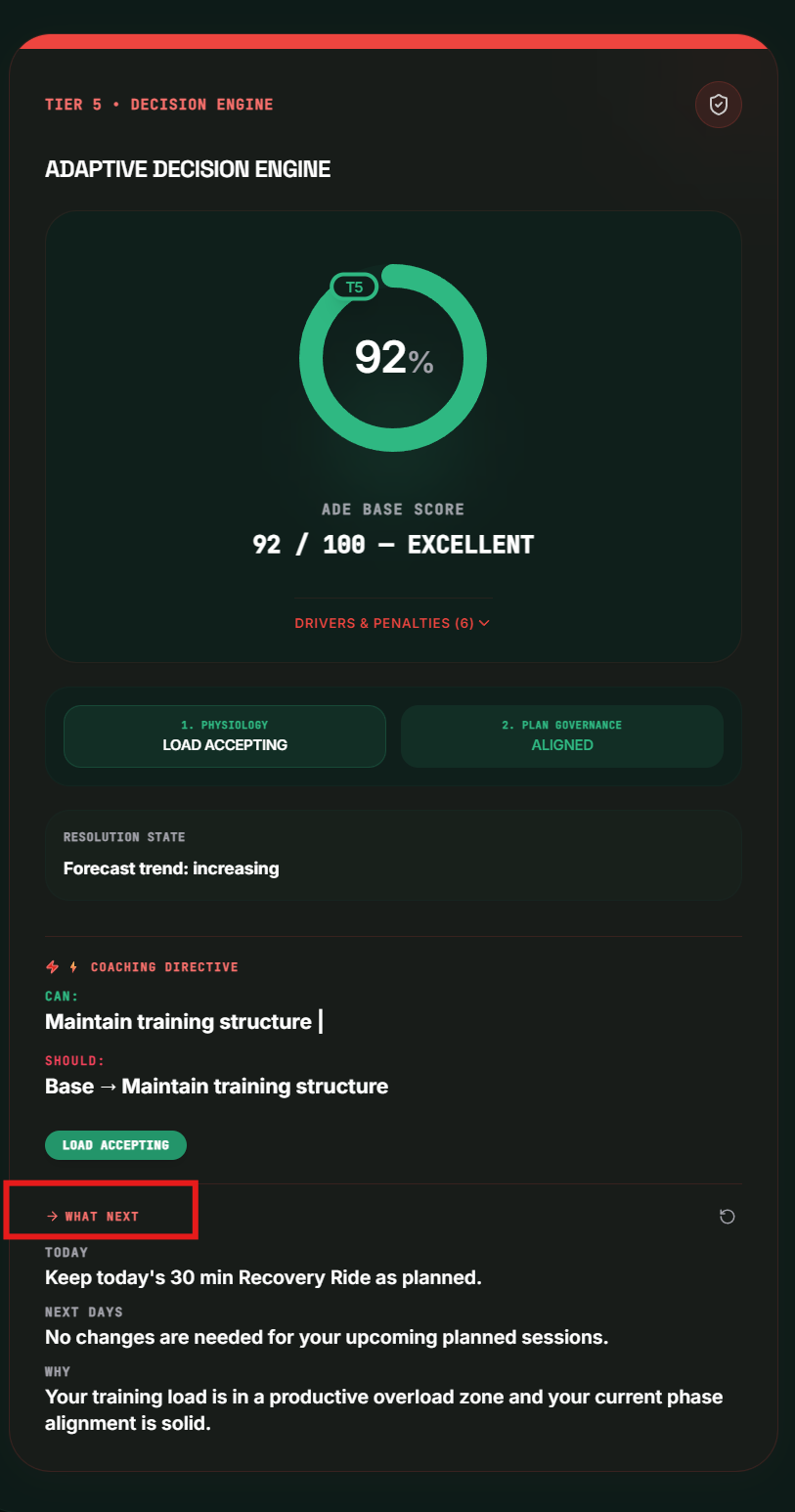
I really appreciate the adaptive decision engine. However, the current “Adaptive Decision” messages are often difficult to interpret in a practical, training‑day context.
Would it be possible to make these decisions more concrete or actionable?
For example: instead of “Maintain Training Structure” or “Overridden by Phase”, it would help to receive a short, explicit instruction such as:
what this means for today’s training,
whether I should keep the planned session, adjust it, or reduce load,
do i have to change planned workouts in de the next days
and why the system recommends that choice.
In other words, a brief “operational translation” of the adaptive decision would make it much easier to understand how the underlying metrics (readiness, load trend, recovery, phase governance, etc.) should influence my training on that specific day.
Thanks in advance — I really like the system, and clearer decision outputs would make it even more valuable.
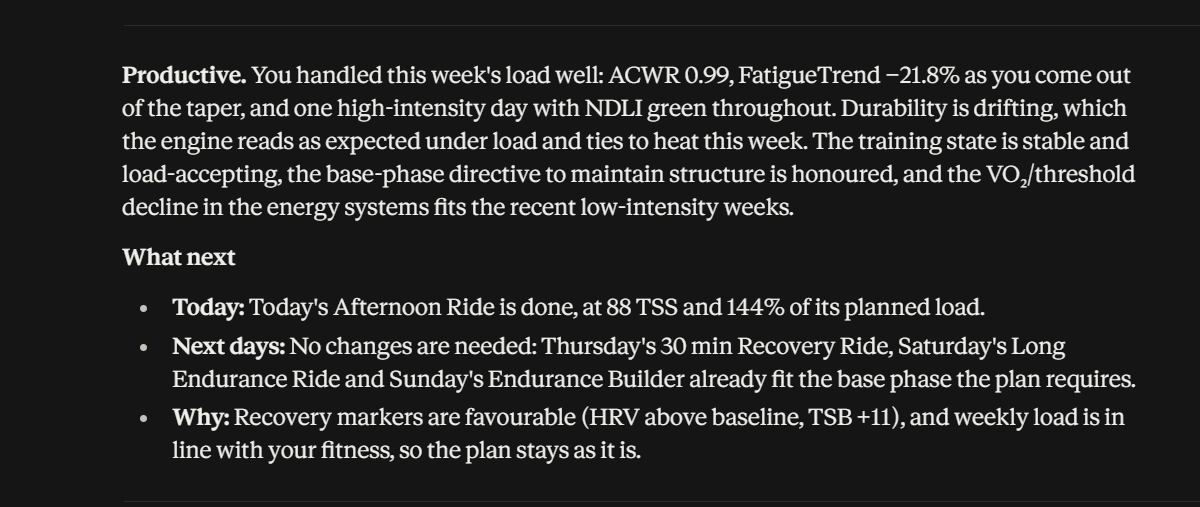
I will explain to you both soon, and will make it easier by asking it to provide answer to this question:
“What does this decision mean for today’s training: keep the planned session, adjust it or reduce it? Do the planned sessions in the next few days need to change? And why?”
which is actually all you need to ask after the report in GPT or MCP clients. In app.montis.icu I will also include the answer to this.
Hi i have a plus plan at ChatGPT and it seems that i can not use the MCP with that plan as today i wanted to integrate it into a health project of mine. I use also icuvisor but that can only read not modify. ChatGPT was asking for a plugin but there is none. Is this planned?
Thanks and i was very surprised to find out just yet about your solution. I hooked it up to intervals.icu and at first the App is overwhelming. I used ChatGPT and it looks like i have to manually interact between my health project and your App , so if my health has changed, i like to modify my training plan, which syncs from Training Peaks at the moment.
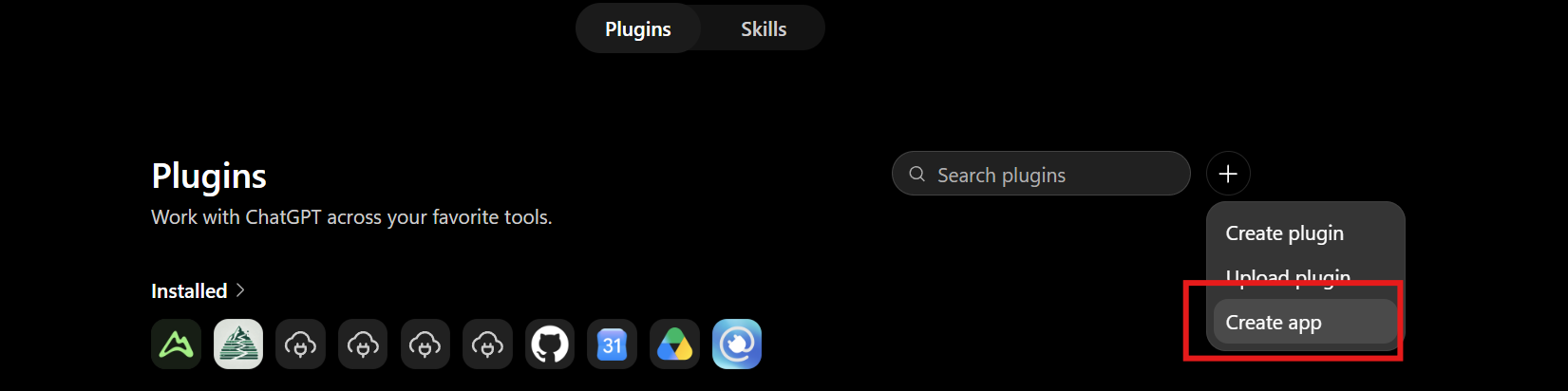
Sadly, the way OpenAI has implemented Personal MCP today is a little more convoluted but as soon as the OpenAI migration is approved from GPT to MCP it will be just a Publicly available Plugin and easily accessible ; you can do this manually today by:
It will then prompt to sign in and you can refresh tools.
Clive
P.s. The UI version has plenty of data for sure and can like TP, feel a little complex first time, it isn’t honestly, do have a look at the 101 videos on the website, understand the five tiers in the intelligence stack, then its more about ‘am I doing the right thing’. I will do more videos in time (urgh) as there are some gems in the UI that need to be explored, like SIL, TEA (for runners), Performance Progression → AI Plan Builder and Readiness. To get the best from Montis its designed to inform AI to provide the narrative, and not make decision where there are gaps. That was the goal from day 1 when we found out that giving AI raw data by MCP is unreliable.
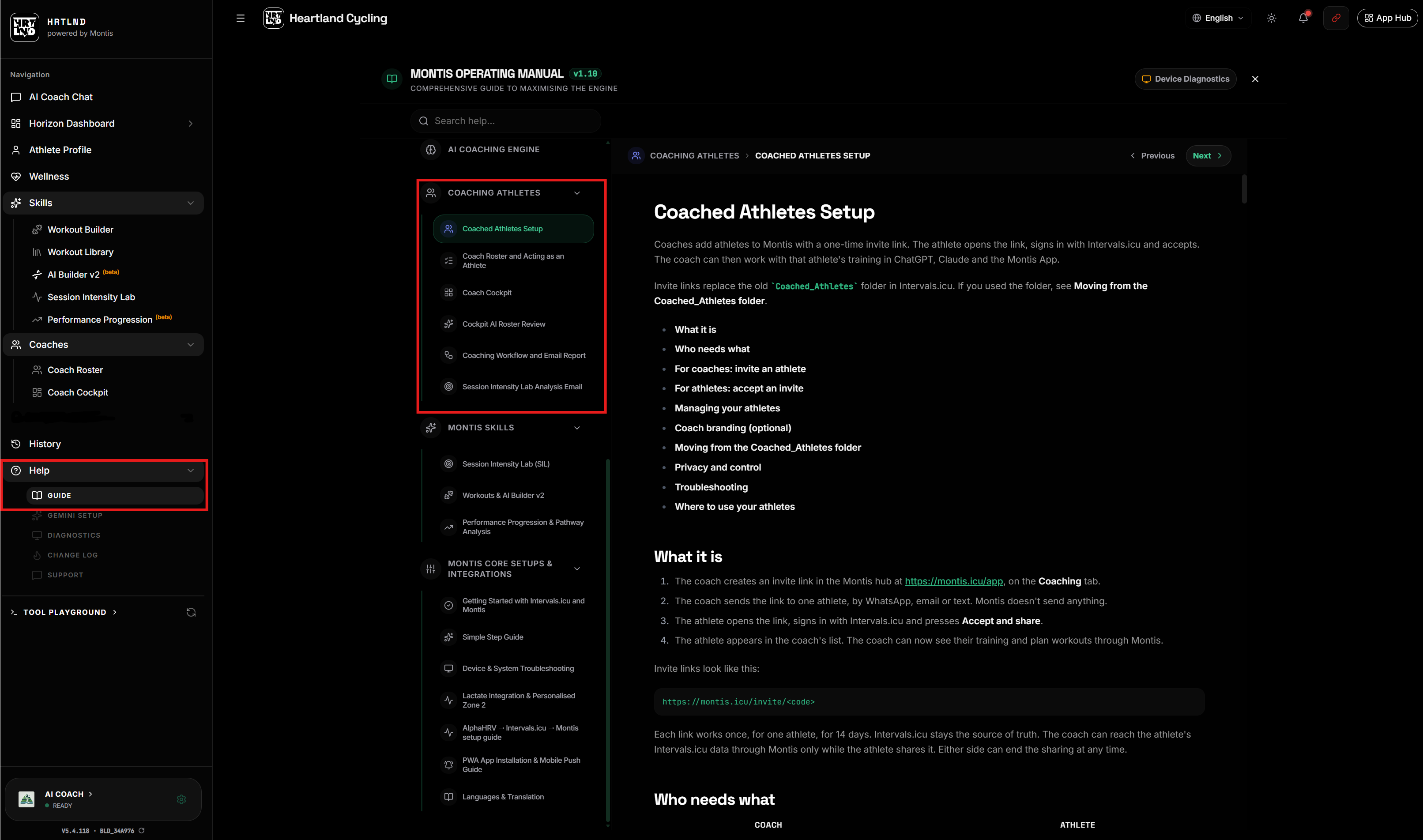
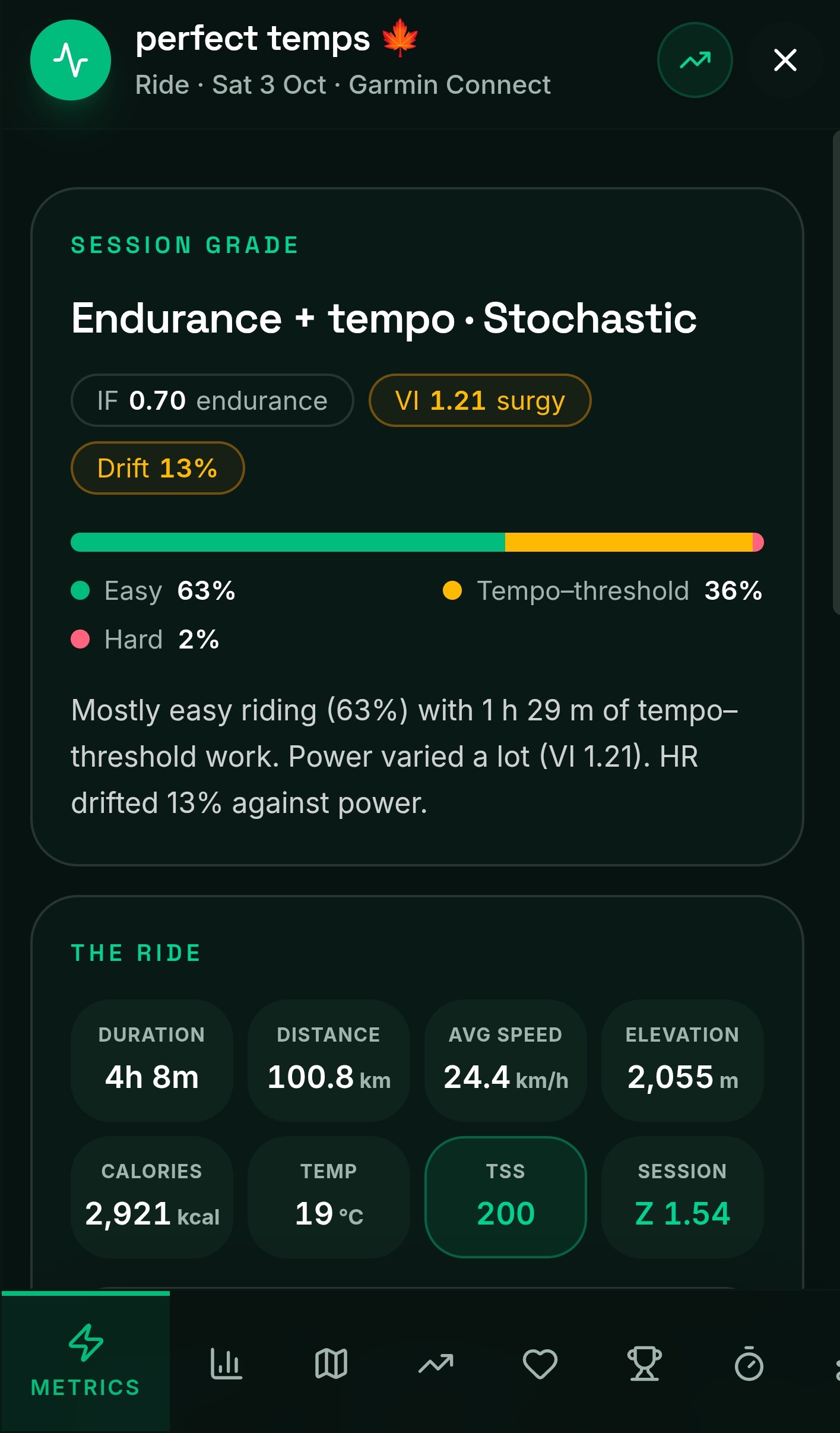
Montis 5.4.119 turns each weekly report into a practical “What next plan for today” and the coming days, and brings clearer intensity figures: Seiler week type, a corrected Treff index and ZQI. The engine now checks race-day form for every A race and gives a fairer heat-strain picture. Help is now published at www.montis.icu/help, with 14 new pages.
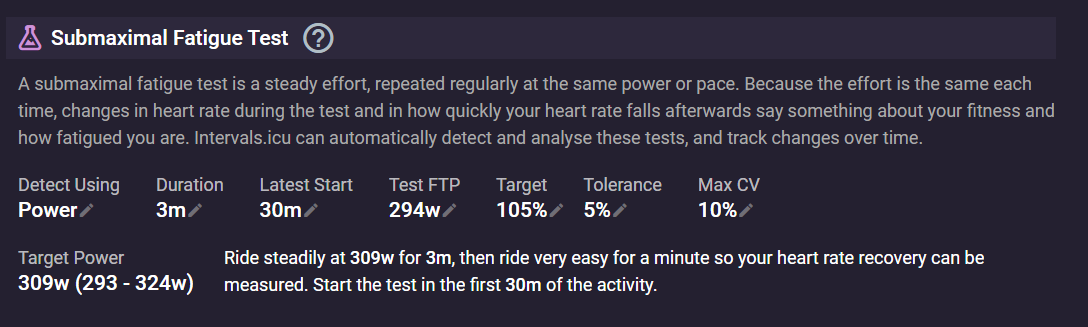
If you havent see this new interval feature, i recommend you take a closer look, it’s a premium intervals supporters feature and is very useful for tracking submaximal fatigue.