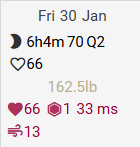
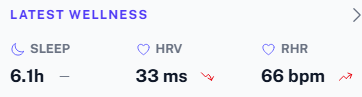
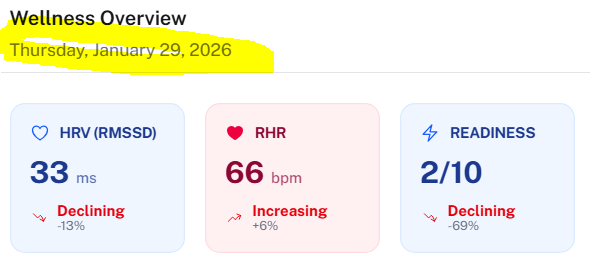
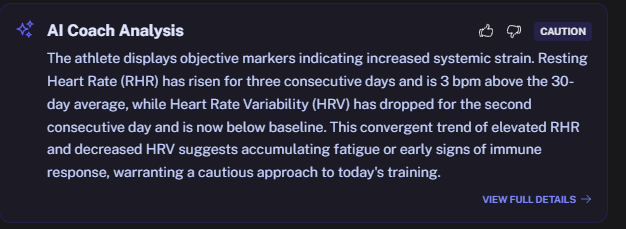
Coach watt suggests to rest now. If I click “accept”, it is updating my current today’s training so my compliance score is now 517% (too fast according to the updated training).
Nevermind, i found the bug! I’ll deploy the fix in the next following hours. Thanks for reporting!
Huh,
I’ll fix this in highest priority. Sorry about that!
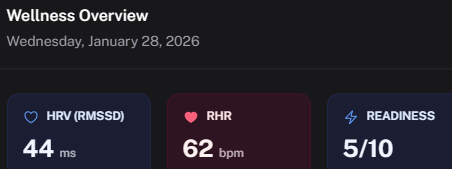
Readiness is still shown as 5/10 - please see David’s response here: Polar API is down [RESOLVED] - Intervals.icu Forum - the value for Readiness depends on the source, so for Polar it will be 1-6 but might be 1-5 for Garmin…
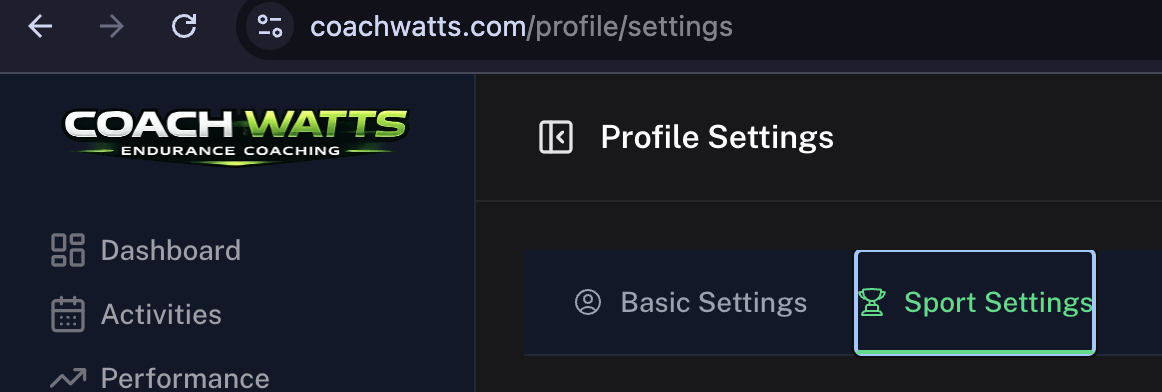
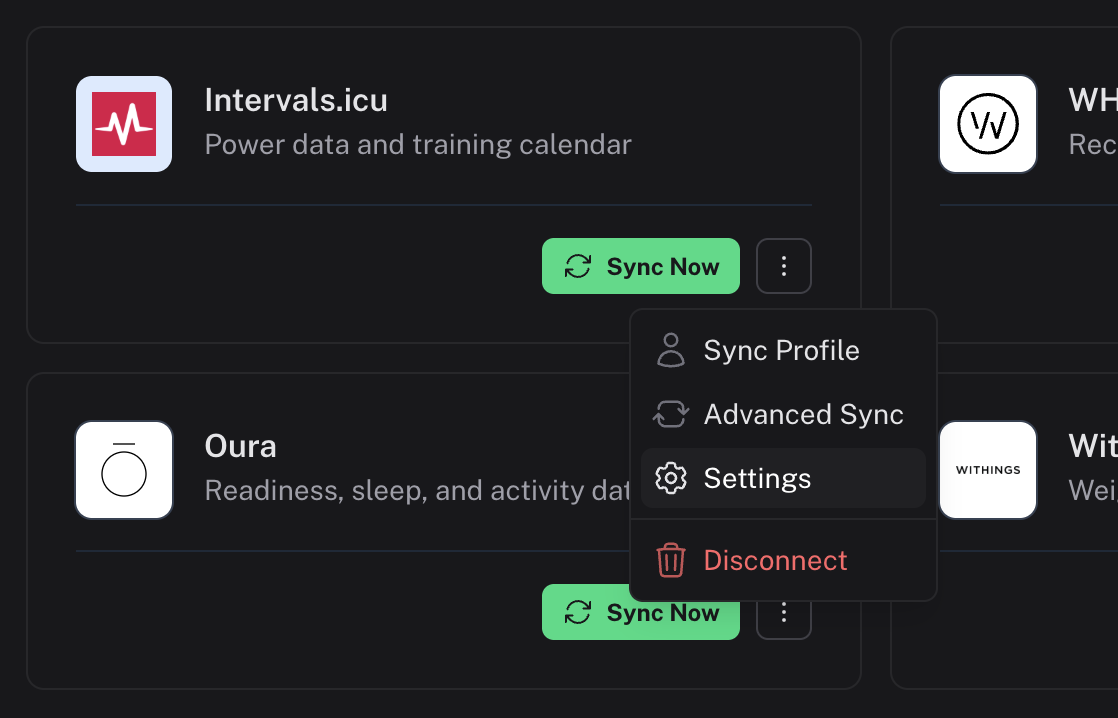
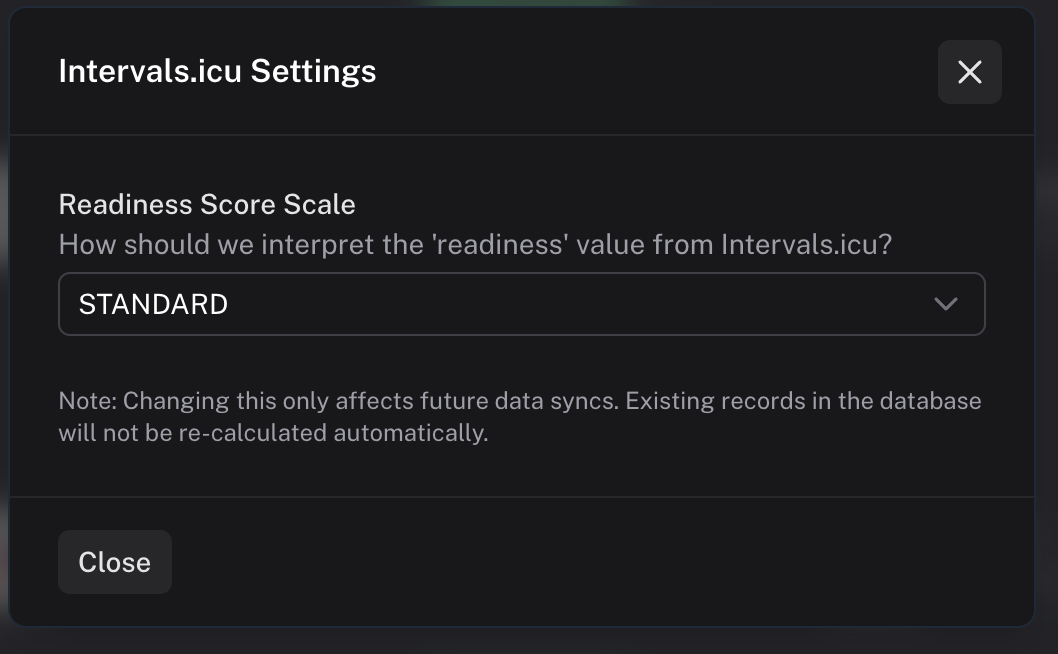
It looks like we can’t determine from the API response how the readiness field is populated on the intervals side. To fix this, I’ve added an option under Settings > Apps so you can manually set the scale. Honestly, I am not sure how Garmin works, but we should check. Here you can find the settings:
I’m a bit puzzled by the modal issue because I thought I’d tracked down that timezone bug already. Just to make sure I’ve got this right: on the dashboard, you’re seeing the correct wellness info for today (no yellow triangle), but when you actually open the modal, it’s showing data from the previous day?
It’s working now—turns out it was my bad! It’s getting more stable every day. Sorry about that, and thanks for letting me know. My background job monitoring still seems to suck a bit.
Thanks for the quick fix, I’m happy to confirm it’s working again now!
In the meantime, I think I’ve also found another (small) bug in the wellness analysis and daily recommendation.
The coach thinks I’m having 3 consecutive days of elevated HR, while there are actually only two; today and yesterday were elevated, Wednesday was still fine.
The funny thing is that my HRV follows the same trend, but for that metric it seems to analyze it correctly, with two days below baseline.
I hope this makes some sense. If not, please let me know and I’ll be happy to share some more info.
Anyway, thanks for all the work you’ve put into this so far. I really feel like this has an enormous potential and I’m having a great time exploring all of the platform’s features.
Thanks for the feedback—that makes a lot of sense. Would you mind clicking the thumbs down icon and pasting the issue into the message box? That helps me correlate it properly with the context being sent to the LLM.
I still have plenty of work to do to fully unlock the potential of these current models, but I’m having a great time building the app and learning more about these sports every day! I’m really grateful for all the feedback and insights you’re providing.
The feedback has been submitted through the “thumbs down” textbox on the Wellness Insights card / Coach Analysis card.
Let me know if there’s anything else I can do. Happy to help!
Bonjour, j’ai tenté de créer plusieurs plan d’entrainement, sans succes je l’informe des jours disponibles et des jours non disponibles et il s’entete a faire le contraire ou a le faire une semaine et pas les autres, en fait il ne tiens pas compte de mes disponibilité et le chat avec l’IA bien que constructif (il est toujours d’accord) ne change fondamentalement pas grand chose. Cela m’attriste un peu car j etrouvais de la pertinence dans les analyses et pensais que lui faire confiance pour élaborer un plan serait une bonne idée, je dois dire que je déchante car se sont des soucis que les plans de garmin coah ne m’ont jamais posés. Sportivement JF
Unfortunatly I am aware that the extra prompt in the wizard doesn’t always work as expected.
We’re actually adding a new step to the wizard soon where you can set your availability, which should give you much better results, as it will force the AI to produce the expected result. In the meantime, you can use the “Plan with AI” feature inside a planned week to help steer the AI in the right direction for those specific days, but that scoped just for that week.
I’ll be spending more time soon on making the training plan feature work better. The way systems like CW create these plans is fundamentally different from how non-LLM systems do it, so I think it’ll take a good bit of trial and error on my part to really get it right. I’ll also add more shortcuts to the UI to be able to report plan generation issues more straight forward.
I’m really sorry the platform didn’t meet your expectations and that you ended up feeling frustrated. I hope I can get things right over the next few days or weeks so you’ll consider giving us another try!
Thank you for the feedback,
It’s really appreciated!
My cycling trainer est très bon pour respecter mes demandes …mais après 12 semaines mon état de forme apparaît comme moins bon qu au début du plan comme quoi il ne faut pas non plus être trop critique envers votre travail, continuer on vous suit, mais il est encore un peu tôt pour passer a un modèle payant
That is what I was afraid of… I think we need to convince David to add either readiness mapping or an indicator where the value came from in the API response!
Let me clarify - CW now maps that value to 1/10, so, as an example, my readiness score of 1 will show up as 2/10 in Wellness Overview - is that correct? (That is what I see).
Looking at the data today - I see today’s data, but the timestamp itself is previous day!
Here are the screenshots:
In the Intervals:
Ok, this is great and I also see that date is showing current day properly now!
Hopefully, this may help generating better advice now.
Question - I see that you have direct Polar integration - it is great and I wonder if you would replace wellness data received from Intervals if Polar integration is enabled?
And one more - Polar wellness data also includes respiration rate (during sleep), but I do not see it being used in CW - any plans to use that data as well?
I think I found a small bug in the L/R power balance.
My Garmin (and Intervals) reported a L/R power balance of 53/47 for today’s ride:
You can also see from the graph that my left leg (blue) was dominant over the right one:
However, the coach interprets it the other way round, and thinks that my left leg was the weakest one:
And then there’s also another thing with the training plan.
Although I completed today’s session, it still shows as “planned” on the Training Plan page:
However, when looking at the activity details on the Workout page, it does confirm that the activity completed the planned workout:

 je l’informe des jours disponibles et des jours non disponibles et il s’entete a faire le contraire ou a le faire une semaine et pas les autres, en fait il ne tiens pas compte de mes disponibilité et le chat avec l’IA bien que constructif (il est toujours d’accord) ne change fondamentalement pas grand chose. Cela m’attriste un peu car j etrouvais de la pertinence dans les analyses et pensais que lui faire confiance pour élaborer un plan serait une bonne idée, je dois dire que je déchante car se sont des soucis que les plans de garmin coah ne m’ont jamais posés. Sportivement JF
 comme quoi il ne faut pas non plus être trop critique envers votre travail, continuer on vous suit, mais il est encore un peu tôt pour passer a un modèle payant