Hi guys,
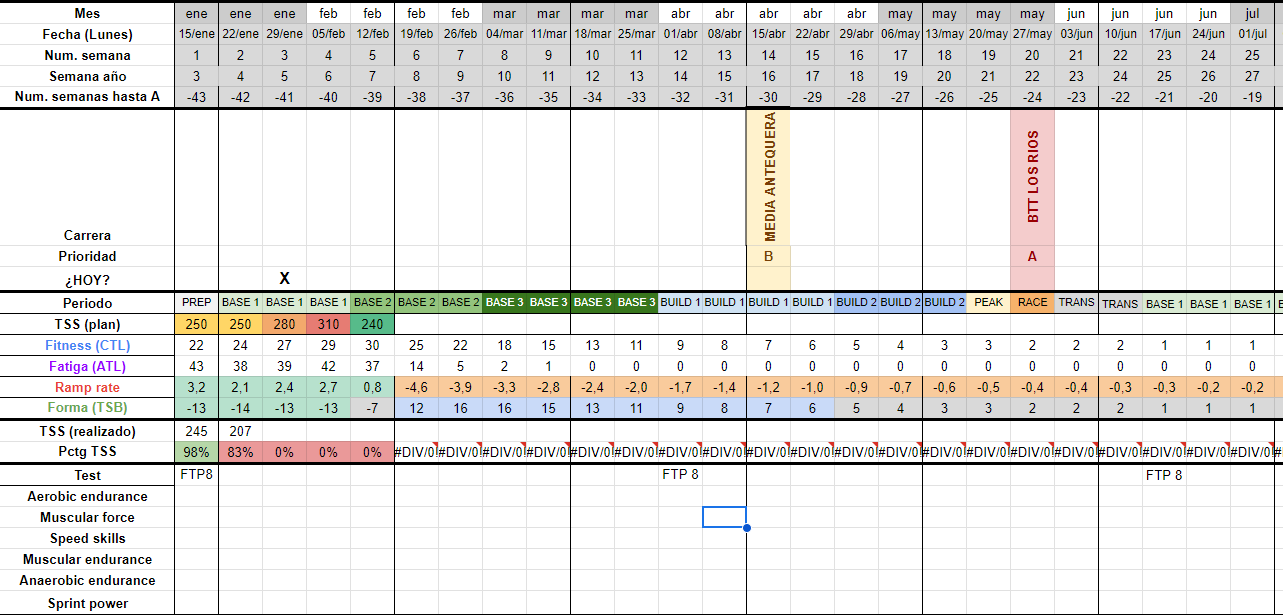
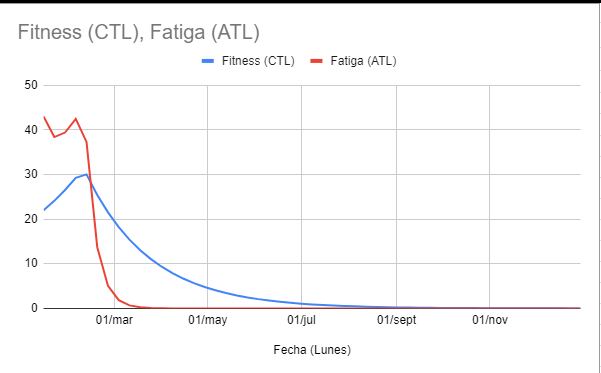
I’ve been reading lately about all the training metrics and the math behind. Just finished a draft of a spredsheet for weekly planning, including:
TSS, fitness, fatigue, form, ramp rate, skills, etc, based on another sheet that @Gerald uploaded here some time ago.
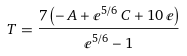
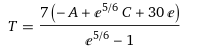
I think I got the formulas right for the weekly planning, note that everything is divided by 7:
CTL= [TSS this week/7 * (1-e^(-1/6)] + {last week CTL * (e^(-1/6)]
ATL= [TSS this week/7* (1- e^(-1))]+ [last week ATL * e^(-1)]
TSB=CTL-ATL
Ramp rate = CTL this week - CTL last week
CTL formula from here
ATL formula (not using exp) from here
I’m interested about a copy and some example screenshots If there are use cases for runners on road on trail running this would be great, and if using/comparing with Stryd RSS even better.
Do you know why the CTL, ATL and TSS values are different at intervals compared to TrainingPeaks? I ned connect with intervals by an endpoint but I’m afraid that the data provided by intervals may not be entirely accurate. Thanks a lot
TSS (if from Power source) isn’t any different, minor rounding differences ignored.
CTL and ATL are equally almost identical, but there’s a difference in TSB (Form)
If you see differences in ATL/CTL and TSS, then that is caused by load calculated from HR iso Power. There’s no ‘one correct way’ to calculate Load from HR.
Thank you very much, I had seen something about it. I have set up for each athlete the order of preferences for intervals; for example, for running I have: pace, HR, and power. For swimming: pace, HR, and power. For cycling, if they have a power meter: Power, HR, and pace, and if they don’t: HR, pace. My idea is to use the API to retrieve data through the endpoints icu_training_load, icu_atl, icu_ctl, but when I retrieve it, I find that the values are not the same as those in TrainingPeaks, which makes me doubt the validity of the data.
For athletes who don’t have power measurements, you will certainly have different absolute numbers compared to what TP gives but the trends for ATL/CTL/TSB should be the same on the condition that Pace Threshold, LTHR and zones are setup the same way.
For those with Power measurements, everything will align within 0.1%.
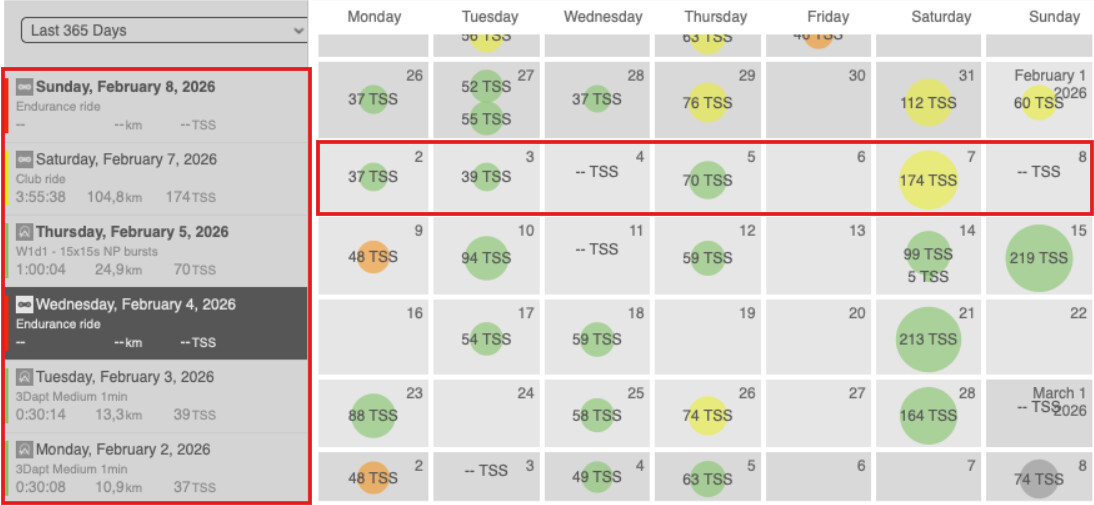
I just started trying out Intervals yesterday (long time TP and WKO5 user) and imported all of my data from Garmin which feeds TP & WKO5. In other words, all three platforms are seeing the same data for calculations. Most of my activity is on a bike with a power meter, but I also use a Garmin watch when I do strength training and walks.
My FTP settings are the same in Training Peaks, WKO5 and Intervals, so why is Intervals showing a CTL 10 points lower than TP and WKO5? This is a bit of a big deal, because I thought I’d also give IntervalsCoach a test drive and it looks like it is using the Intervals numbers and it is using a CTL that is too low for race planning purposes.
Here’s the data -
Intervals – Fitness 70 Fatigue 52 Form 18
TP – Fitness 80 Fatigue 61 Form 14
WKO5 – Fitness 80 Fatigue 61 Form 13
Activities without power, that would use HR to calculate load (TSS) will have different values. Intervals can use HRSS or Time In Zone to calculate load.
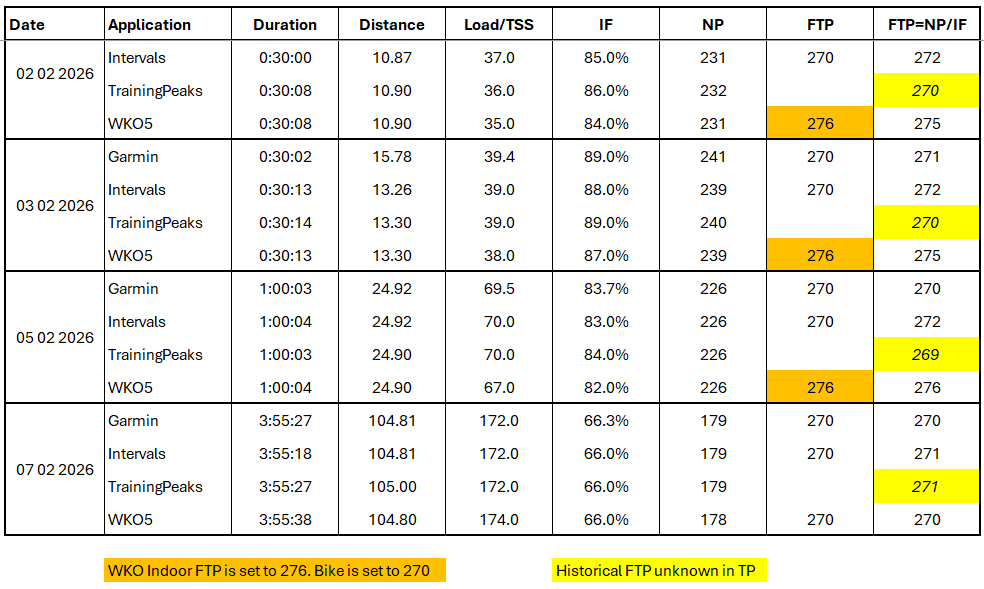
Activities with power should be the same, providing FTP is the same. Does your FTP, for each activity, align in Intervals and WKO? You can use the table in WKO, then update your FTP using list view and date ranges in Intervals to match. The reanalyse your activities.
As @Gerald said, make sure to update historical FTP. Else older activities will have low load (that is in case your FTP grew, which I assume it did since you climbed up to 80 CTL)
There’s no default/standard/widely accepted way to calculate load from HR. There are several different solutions, and Intervals has three choices. Basic avg HR over the entire activity, Time in HR zone and HRSS. Note that using HRSS requires a correct resting HR on the activity day.
Weight training is, by default, not contributing to CTL in Intervals. It does for ATL. The reason why is explained on the Settings page, under Activity Types. You can change that behavior if you want those workouts to count in CTL.
I would advice to first check some random bike activities over different periods of time, to see if the Load for those is the same or very similar to what TP logs. Then do the same for walks and eventually change the HR load model to get a load in the same ballpark. Handle Weight training as noted above.
Questions regarding IntervalsCoach belong in the ‘External Projects’ section under it’s specific topic. IntervalsCoach, while the name suggests otherwise, is not affiliated to Intervals in any way. It just uses the Intervals data which it can get easily and for free from the Intervals Open API, then applies it’s AI sauce.
A platform using CTL numbers as a qualifier for race related things, does not inspire much confidence from my point of view. CTL is a tool to plan for progressive/consistent/sustainable load and tells very little regarding performance. That’s just my 2 cents…
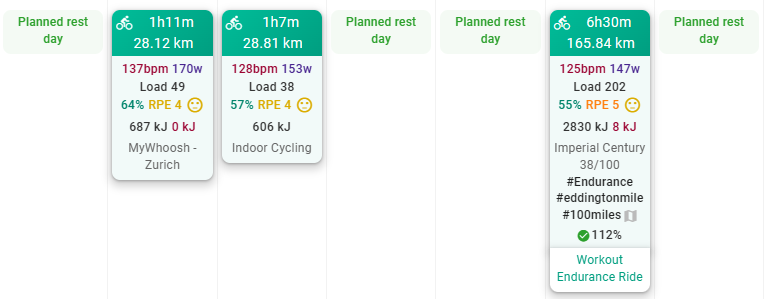
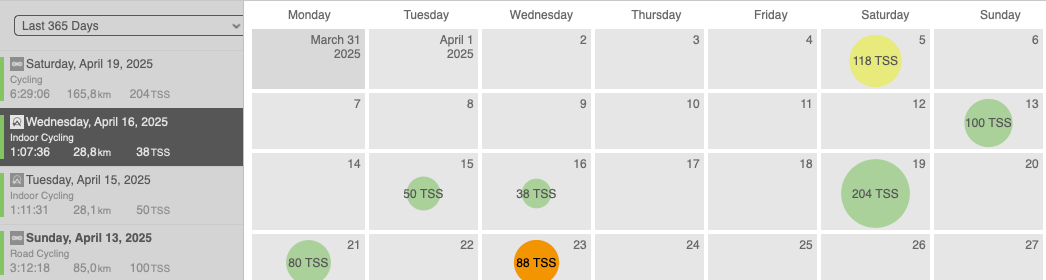
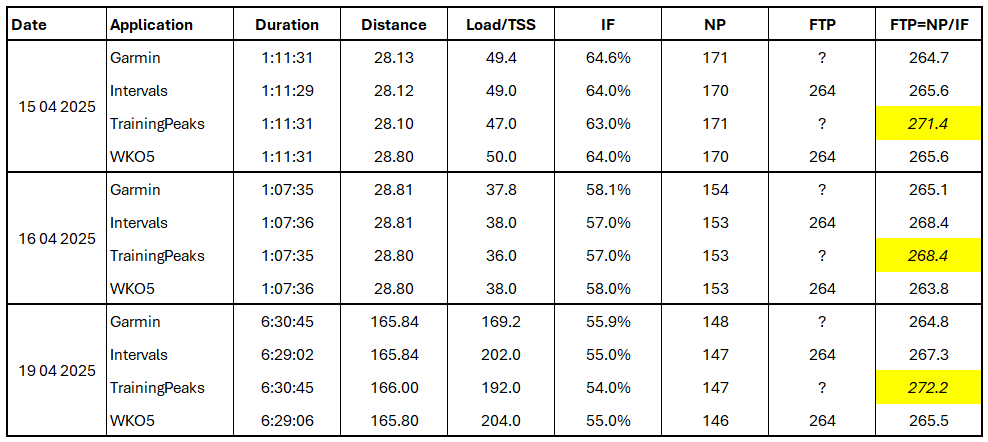
Here’s a summary view for the three rides, where most of the data is not the same. I guess my FTP in TrainingPeaks is not correct, but I don’t have Premium so can’t view the history.
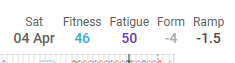
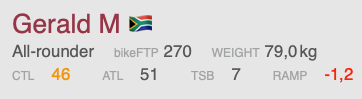
So your CTL and ATL are now the same in intervals and whatever the other screenshot is (TP or WKO5), TSB is different due to the different calculation (as mentioned above where TP/WKO5 uses the previous day).
So all good?
If you have FTP set the same in each app then CTL and ATL will continue to be in sync.
 If there are use cases for runners on road on trail running this would be great, and if using/comparing with Stryd RSS even better.