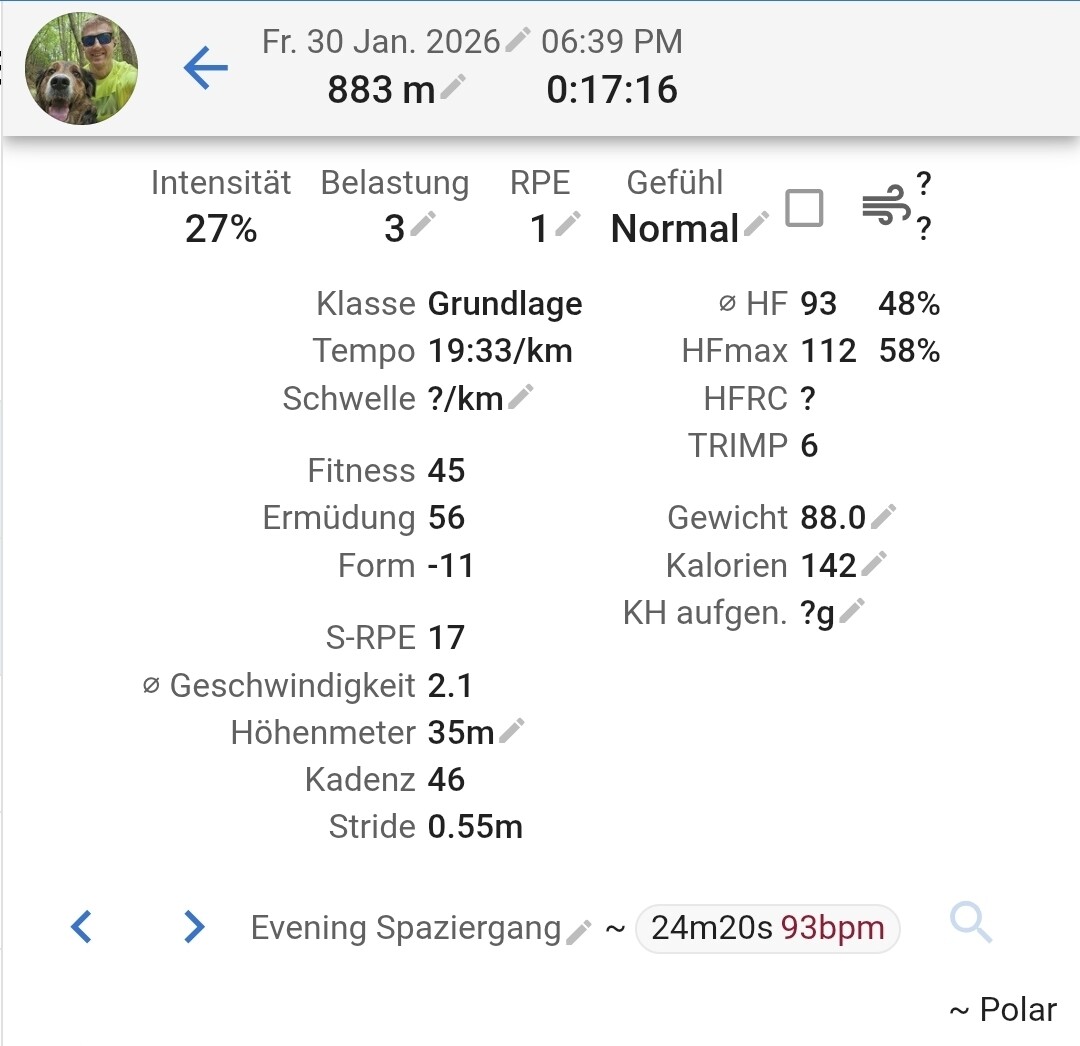
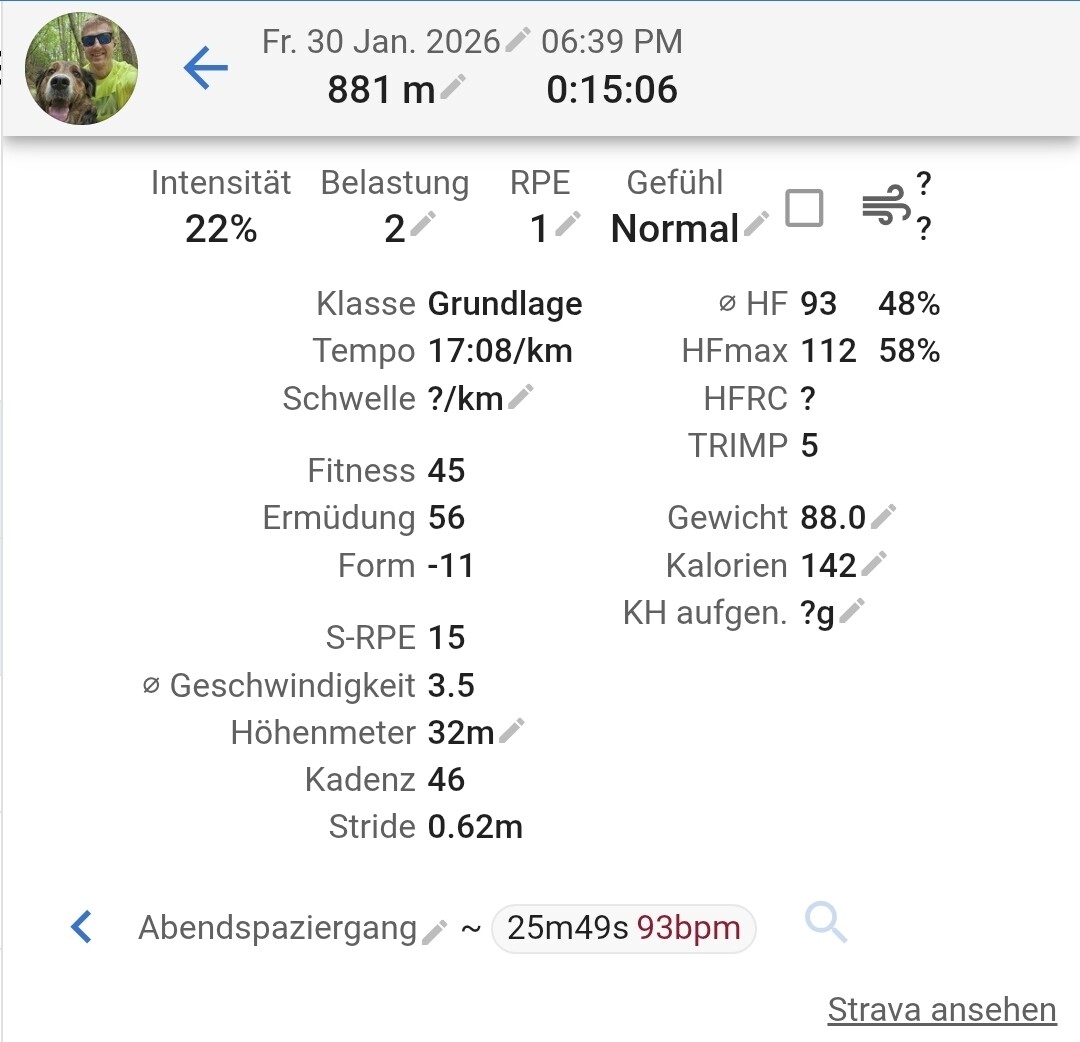
Hello, when I upload a walk with my dog to polar flow and it syncs to Strava and Intervals, sometimes there are two walks in intervals rather than one activity connected to the two platforms.
I have no privacy circles whatsoever.
I have no idea why the durations are different, but the polar ones are the same as the ones I recorded with my watch…
Hello!
Here is another example of duplicated activites, if a few months later.
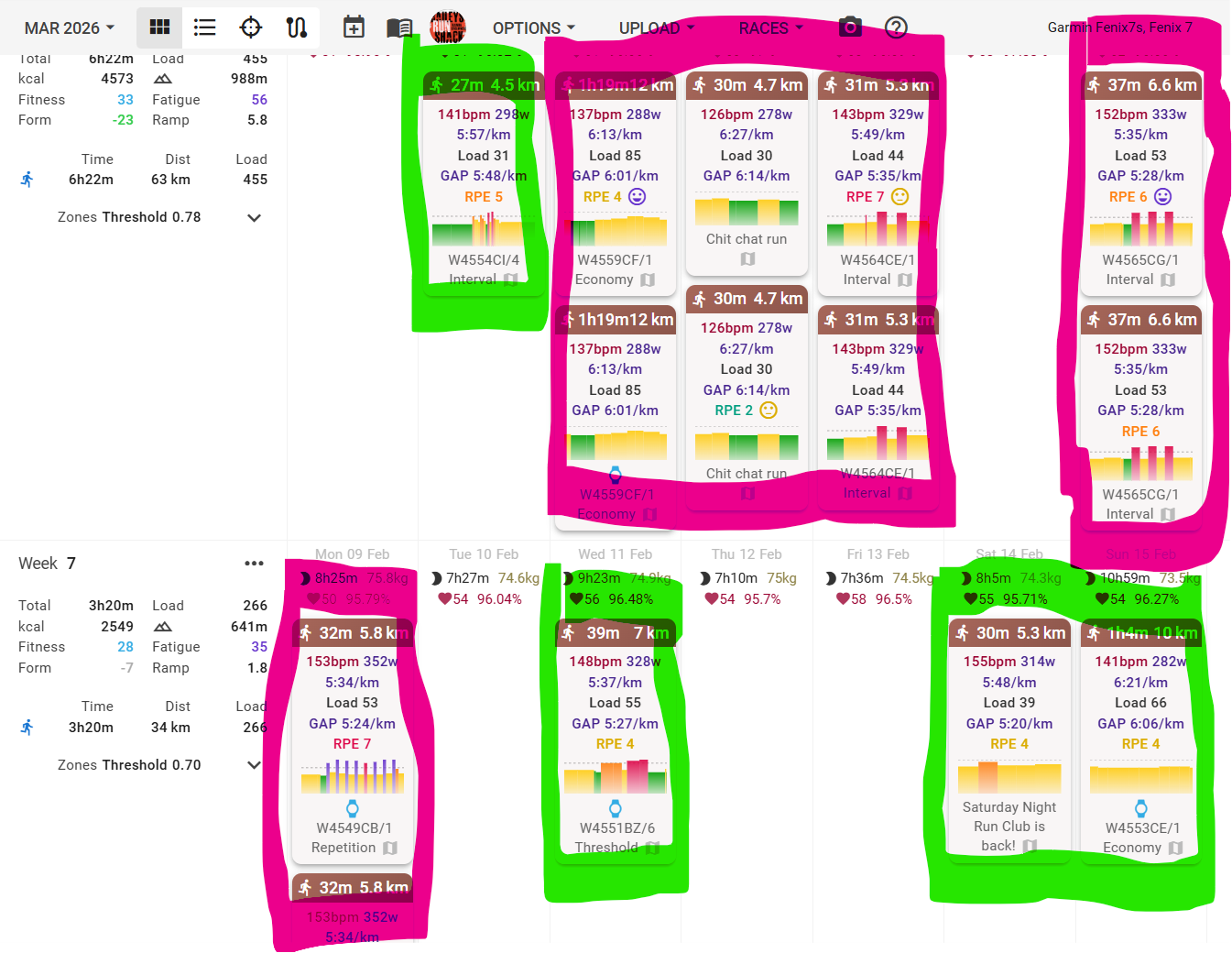
I had a similar Issue to the ones in this and the other thread you linked. It happened after i imported both my Garmin and Strava full histories. the difference, and the reason i’m curious if going through the delete menu (the filtered list you recommended) is the right thing, is that in some cases it DID correctly only recognise both imports as one activity (in green), but in others it leaves them as duplicates (in pink). Any thoughts?
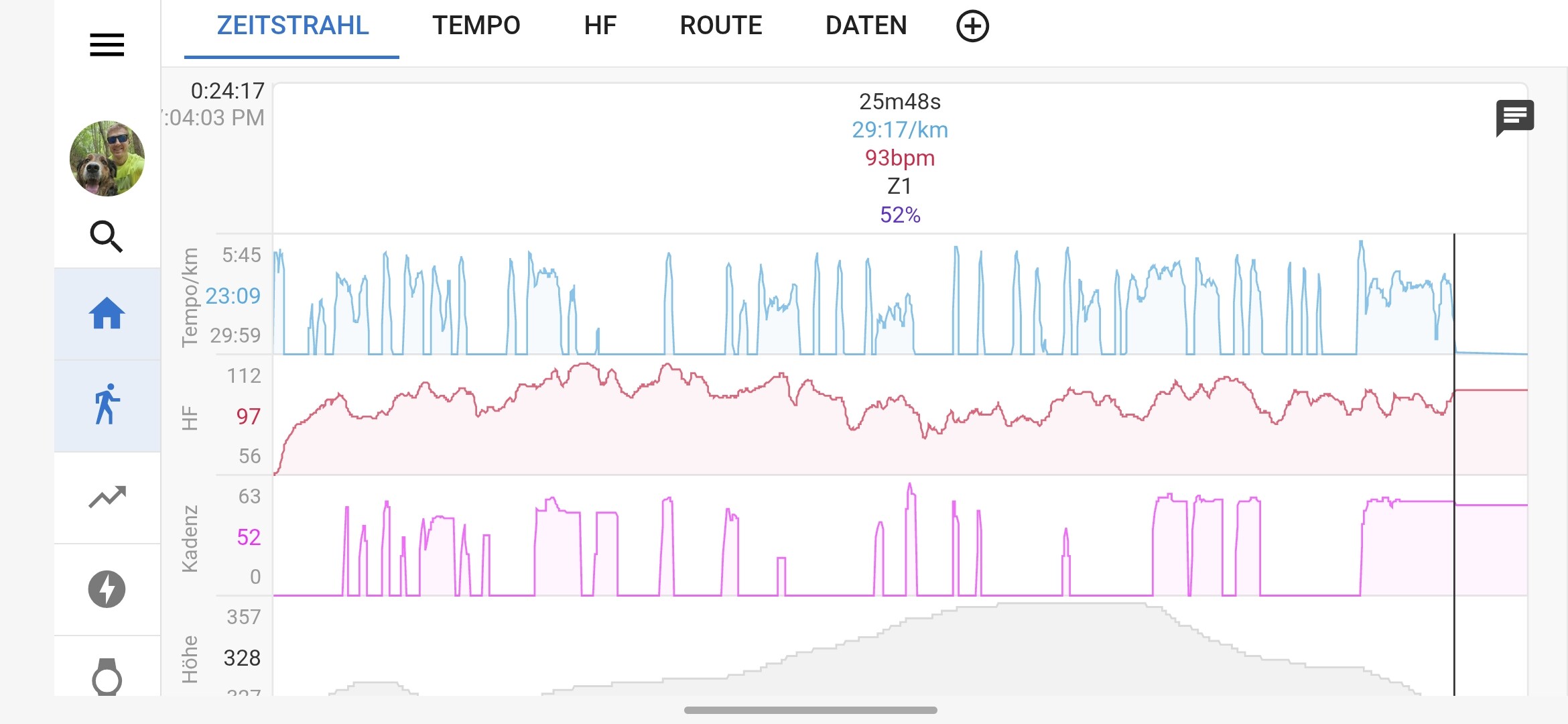
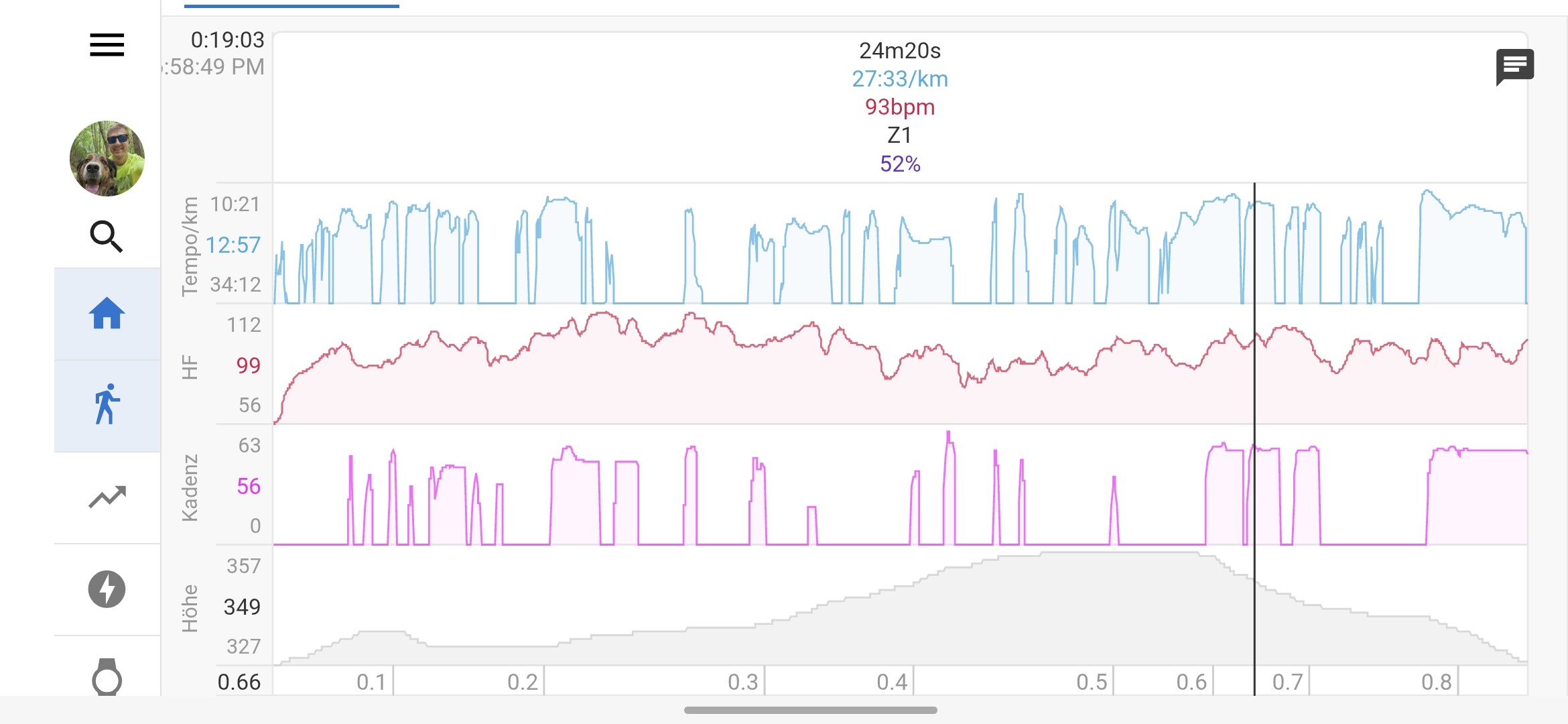
I also noticed that the activities are correctly linked, if I stop the workout on the watch right after I press pause. If I wait one or two minutes in paused mode before stopping the activity, it gets duplicated with false horizontal data lines (Hf, Speed, etc.) after the supposed end on the Strava activity (see screenshot above)
If you sync from Polar to Strava and Intervals, then why do you also sync from Strava to Intervals?
If you have Strava to Intervals sync active for other activities not coming in from Polar, then filter which activities should come from Strava.
Anyway, data from Strava is, compared to direct source, crippled in multiple ways.
This issue has just started for me as well. I sync from Garmin, Zwift and Strava and have done that for years (it varies which one I keep), but from the last 3 days even those activities that are only in Strava have started duplicating here…
Usually there’s only a tiny difference in distance, but for today’s alpine skiing the difference was huge, since Strava only keeps the downhill distance while Garmin includes the uphills (in the ski lift).
What’s stopping you from disabling the download option on Strava connection?
Only keep downloads of activities from the original source. Disable the Strava download option if your activities always come from another source. You can also filter activity types from Strava if you have an activity type that is only synced from Strava.
No, most often the Strava version is the one I keep. Garmin Connect works just as a forwarding service for me, since the data it contains is very buggy and Connect mostly doesn’t allow me to improve it.
For example, because Garmin doesn’t have an ice skating activity option where maps can be enabled (which is ridiculous…), all my ice skating is recorded as cross country skiing. Then Garmin auto uploads to Strava and I change it from cross country skiing to ice skating. If I stop the Strava sync, I would have to change it in Garmin as well, and that is a big hassle (takes probably 20 button hits versus one or two in Strava). I just don’t have time for that.
That is just one example, though. Other examples are activities that I have cropped (e.g., because I forgot to stop it before driving home). I crop them in Strava, but in Garmin Connect I haven’t found a way to crop. So to avoid suddenly having 10 km of driving included in the skiing or bike ride, I would keep only the Strava version in intervals.
Then you don’t know how this is supposed to work, so I’ll explain how Intervals is doing it…
ANY direct connection (Garmin/Wahoo/Zwift/Polar etc.), will overrule Strava data if both are coming in. That’s how Intervals handles these duplicates and it’s NOT configurable.
If you crop an activity outside of Intervals and both a cropped and an original one come in, they are considered different activities, because they have different durations. Thus that makes dups.
Why are you syncing Garmin to Intervals, if you delete all Garmin activities afterwards? Just sync Garmin to Strava, do your magic in Strava and then sync Strava to Intervals
If, in the future, you start using one of the third party apps that get data from Intervals’ API, you will be back here on the forum asking why you’re not seeing your data in those third-party apps. So I will give you the answer right away: Strava does not allow their data to be redistributed over an API. Any activity data originating from Strava will not show up when queried over the API.
Really? I think you have never given your data-sync workflow any thought.
Tell us what your preferred workflow is in detail (source devices/apps), and we will try to find a solution with the least possible manual intervention.
My preferred workflow would be to get the data from all sources (whether Garmin, Zwift, Strava or others) and thereafter select which one I trust for analysis. In some cases it is the Garmin version, in some cases the Zwift version, and in most cases the Strava version.
Sometimes I’d like to see two at the same time:
When the activities overlap in time (typically, recorded on two devices) I wish they could be shown as a group. For example, for a Zwift activity, I wish I could look at the map and elevation from the Zwift activity but still analyse the power (e.g., with L/R balance) from Garmin and sometimes even external sensors (such as glucose sensor values recorded through Garmin).
Currently, the solution is to get all of this into intervals and thereafter, for one of the duplicates, toggle «No» for analysis of distance, elevation, power, etc. This is doable but time consuming when you want to do it after every ride.
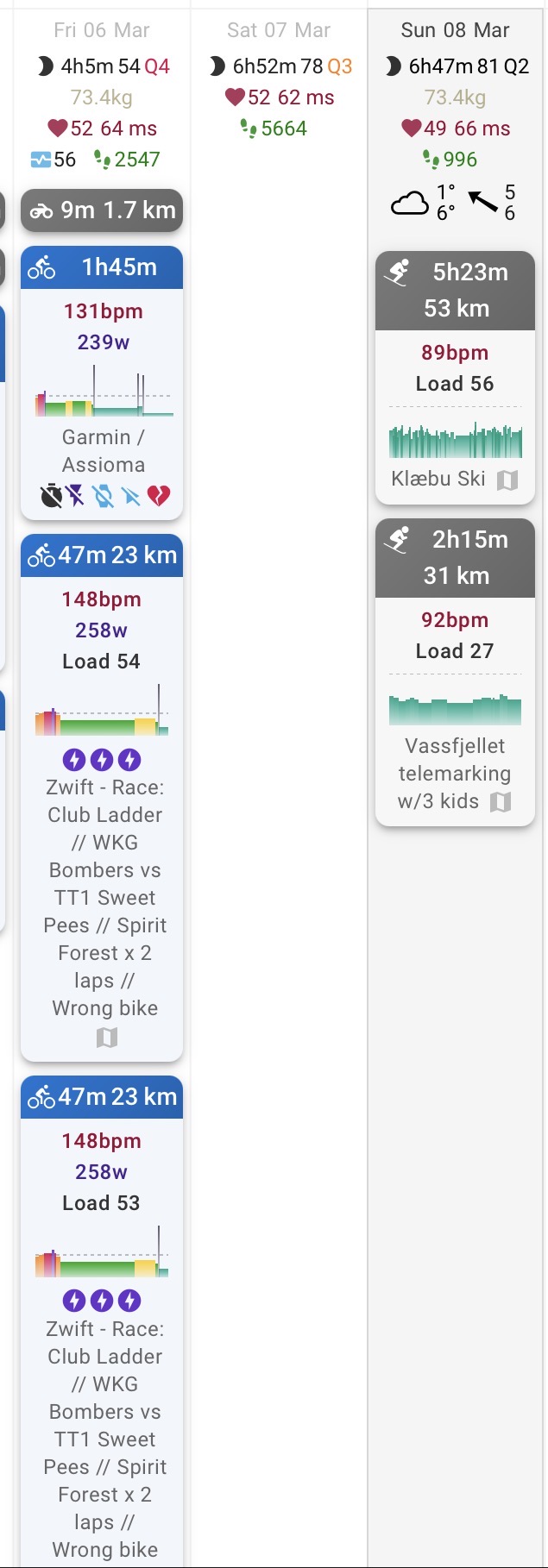
However, this time it is a different case, since the Strava recording shows up twice. I’ve never experienced that before.
There’s no decent solution for that situation at this moment. If you want to merge multiple activity files from the same activity, you will always need to do manual work. A good merger app is gotoes.org, but that’s also requiring download/upload and config for merge.
In Intervals, you could use the csv export/import for all Garmin streams that you want to add to the Zwift activity, but that requires a lot of manual work to get the sync correct.
Can you show screenshots of the summary from both? There should not be doubles from the same source, unless one came in over the API and the other was imported manually. Make sure the source on the right side of the summary is visible on the screenshot.