Hi,
Is it possible to use laps by default instead of the calculated intervals? I have been doing it manually since now and I can’t find the option.
Cheers, Álvaro
1 Like
@david mentioned about doing something with this on a thread last week:
Its on the new “Actions” menu. There were too many obscure buttons so no-one could find important things like “Ignore power”. The menu has descriptions.
Hi thanks for the answer.
I thought this would work, but I just uploaded a new activity and I had to select Use Laps manually, it was not selected as default.
Is it possible or could it be added to the to do?
Thanks!
Yes “use laps as default” is already on the todo list. I didn’t realise that was what you were looking for.
1 Like
Any progress with being able to set “Use Laps” as default @david? I rarely need to see the Intervals.icu detected intervals, so have to always go to the Actions menu to switch to it.
I will get that done soonish. The the per sport settings I now have somewhere to store that.
I have added a checkbox under the power zones in settings for this:
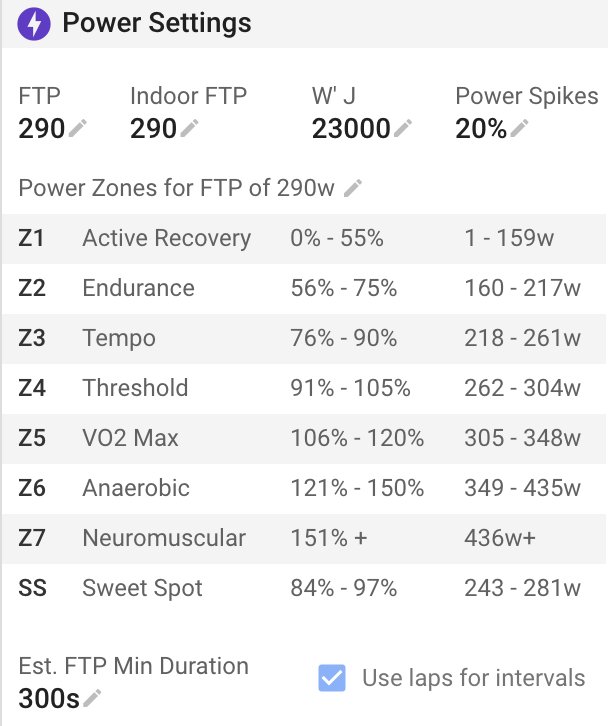
You can still click “Analyse” and change it for individual activities.
5 Likes
Great, thanks. Does this apply to all sports or just cycling?
It is per sport with power zones setup. For HR and pace laps are always used anyway.
1 Like
Did this feature break? I can’t seem to get intervals.icu to use the Laps within my fit file.
eg: my runs are lap at 1km by default and I can’t get it to show 1Km laps
I tried
Use Laps and I have this set up as well.
I remember that it was working some time back, But I didn’t check often.

1 Like
I have this option selected, but new activities still use calculated laps and I have to manually select Use laps for each activity. My workouts come from Garmin Connect if that matters.
That seems impossible at first sight, but you never known if a bug creeped in somewhere…
I say impossible, because if the ‘Use Laps’ box is checked on the Settings page for the specific sport (check the correct tab!), you either get intervals from the lap events or, if none are present/acknowledged, you get none.
It’s not because no lap events are present/acknowledged, that the app will auto-detect.
Please check the Settings page per Sports tab
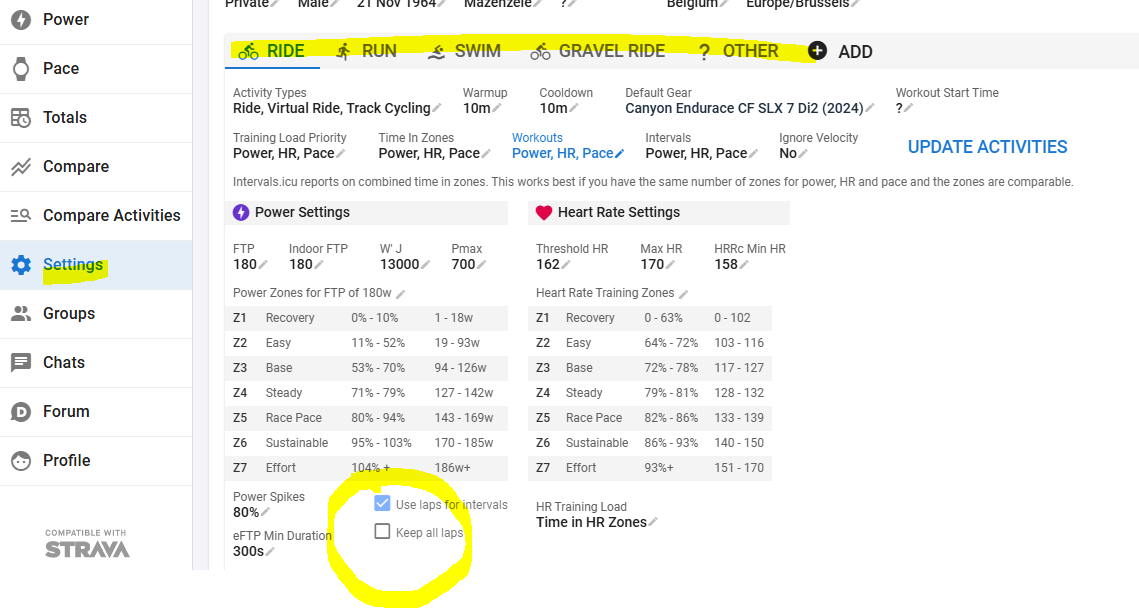
Yeah I have it set up just like that for running, yet I still get intervals that don’t match laps. I’ll screenshot the workout and my settings after my next run.
Make sure to have rhe summary included in the screenshots.
The summary? What is that?
The fields above the charts
Here is a run that has no detected intervals, since it is a steady run. But it does include 2 or 3 laps from the watch, which will be shown if I use “Use Laps” in Actions menu. My settings do however include “Use laps” for running.
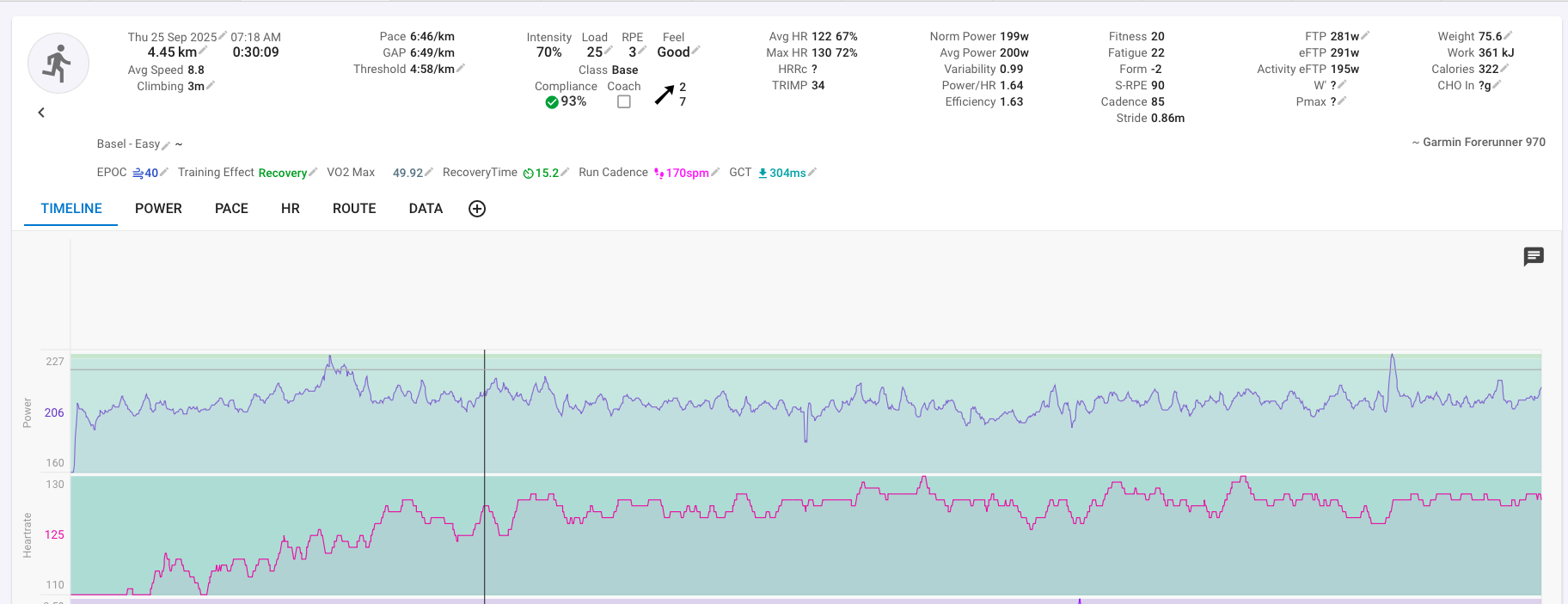
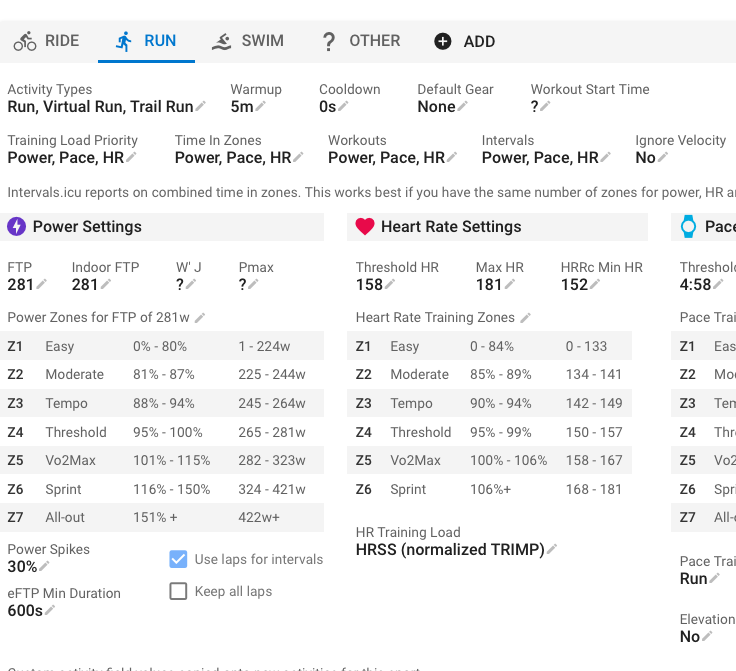
You don’t have the “Keep all laps” box ticked. If unchecked, it will discard “easy” laps. As this was an easy run, I suppose that this is the reason.
Tick the box in the settings, and let us know if that helps.
Ok, I’ll try that. I have a workout tomorrow, I’ll see if it works there. If it doesn’t I’ll post again.