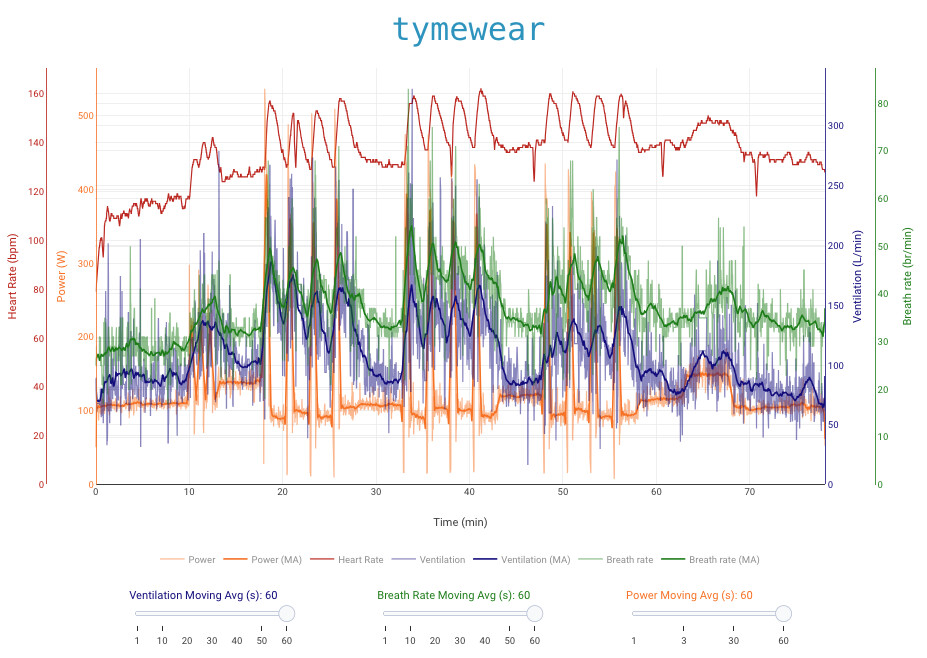
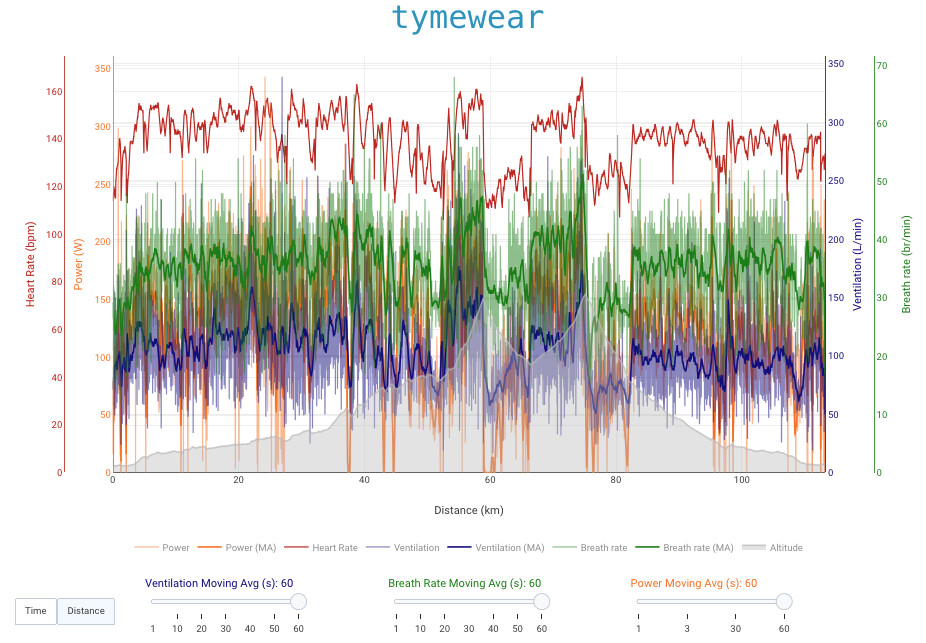
I’ve shared the tymewear activity chart, which allows you to analyze ventilation, respiratory rate, power and heart rate all in a single graph for TymeWear users who use the Garmin CIQ TymeWear data field.
You need to subscribe to the following custom streams:
TymeVentilation
TymeBreathRate
I actually think this chart could be interesting even if you’re not a TymeWear user, because it’s a complex chart that implements several noteworthy features:
Separate vertical axes for each data series
The ability to switch the horizontal axis from time to distance
The ability to adjust the moving average period for each metric
It also includes the usual chart features like zoom, pan and the option to hide individual data series.
If you’re not a TymeWear user, simply subscribe to the custom streams and the chart will display power, heart rate and altitude (if the corresponding stream exists).
I will provide same chart using alphaHRV a1, respiration rate and rra1 soon.
This is cool! Tx. Intervals.icu maps “tyme_breath_rate” to “respiration” and “tyme_minute_volume” to “tidal_volume_min”. So if you use those stream names people won’t have to add custom streams.
But this naming is confusing because ventilation and tidal are different parameters already measured by tymewear.
You should map:
ventilation to tyme_minute_volume
tidal to tyme_tidal_volume
And regarding respiration, I found some cases where this was mapped randomly to tyme, Garmin or alphaHRV. I use my own custom streams so I don’t know if it still behaves that way.
You could look for your own custom streams first and fallback to the built in ones. I am going to make Intervals.icu favour the “tyme_” record fields when importing the fit file.
I have also renamed the built in streams a bit after chatting to Tyme:
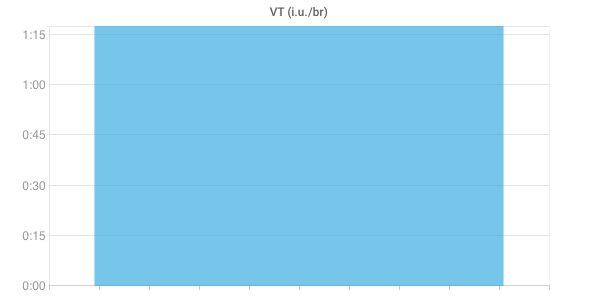
I have configured it today and VT (tyme_tidal_volume) is displayed with a unit of [ml/br] instead of [L/br].
Furthermore, the values do not really seem plausible to me, considering that IMHO the following should hold: VE [L/min] = VT [L/br] * Respiration [br/min]. It seems like the values for VT are offset by a factor of 10 (so should rather be considered [cl/br] instead of [ml/br]).
Drat that’s a bad bug. It is fixed now. Will deploy Tuesday AM (GMT+2). People need to do Actions → Reprocess File (or Edit → Reprocess File from the list view) to fix existing activities. VT is in L now.
I contacted the tymewear support regarding this. They state their volume metric is not calibrated to liters. Accordingly, the tymewear app displays [i.u.] and [i.u./min ] for VE and VT, referring to an “internally consistent but arbitrary measurement unit”.
Interpreting the VE values as [l/min] seemed to be plausible for me so far, based on the few activities I recorded.
I did some testing myself and it is certainly looks like the VT value in the .fit file from Tymewear is in 10ml increments. Converting that to L makes all the numbers work out so I think that is the correct decision. This is all live now.
I am going to have to revert this and report the raw Tymewear numbers with “i.u” as the units.
Via email:
The number reported by Tymewear is absolutely not simply divisible by 100 in order to obtain the ventilatory volume in liters. That is not how it works, and in fact, the relationship is different for every individual athlete.
Thanks for that link! Site contains plenty of information regarding ventilatory aspects.
And since I master the French language, I have plenty of reading ahead
I’ve got a TymeWear strap preordered, however I don’t use a Garmin (hammerhead HU).
As I understand it, until there is integration, I need to start and stop the activity using the TymeWear app, and afterwards I can merge my activity fitfile with the TymeWear data in the app.
Is there any way this could be automated as a back and forth with intervals.icu?
As I said, the tymewear app uses [i.u.] and [i.u./min] respectively. Having read the article, a personal scaling factor will be required to translate i.u. to liters. In case an athlete has lab test data, such a scaling factor could be individually calculated (I will try it myself).
I assume that such a factor could be configured using Javascript?