Thank you fellas, day forward data is fine by me. Going to give it a go and see how it works.
1 Like
No, you haven’t overlooked anything 
That feature isn’t available yet. I have already added it to my roadmap and I will include it in a near future release. Thank you for the feedback!
1 Like
Just want to say thanks, Wahoo loaded history as R2Tom said and Zwift worked day forward as David said. Thanks boys!
2 Likes
 Appearance
- Added a new Dark theme.
 Workout Builder
- Added a workout library picker to select library workouts directly in the builder.
- Updated builder icons for improved clarity and consistency.
 External Links
- Added Instagram to external links.
Hola Iñaki! Eres un crack!
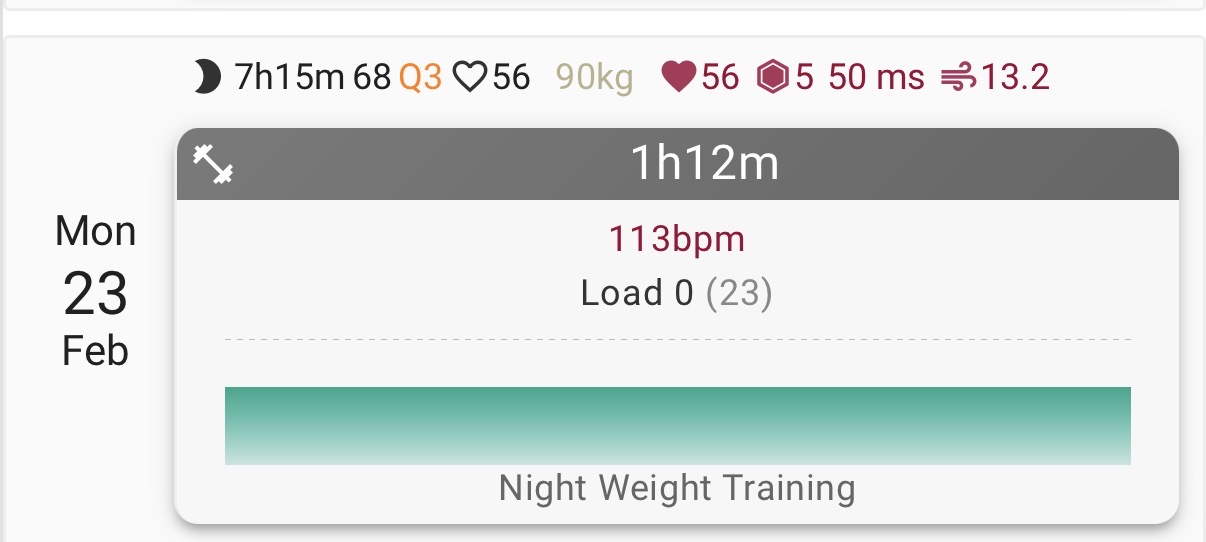
Do you think you can add Sleep data/HRV/Sleep quality to the app?
Photo attached from the webpage as an example.
You’re quite the inspiration!
1 Like
Hola @FraserJT!
Thanks a lot for your feedback 
Yes, I’ll add those metrics, they’re already on the roadmap.
1 Like
New user of the app here. Thanks for your work on it. One quick bug: on Personal Information screen, my Weight it shown as “89.5 lbs” and Height as “1.8288 feet” - I suspect it is catching the lbs/feet setting from Intervals, but failing to actually convert the units, as those are kg/m
While I actually agree the metric system is better, and acknowledge we are backwards and ignorant in the US for failing to use metric I would suggest the UI should honor the user settings defined in intervals.icu and convert the data accordingly.
1 Like
Thanks @miklm for pointing out the error, I’ll fix it
 Charts & Visualization
- Added full-screen chart expansion for fitness and activity stream charts, including landscape mode for better visibility.
- Added Next Month to fitness time period selection and updated date range computation accordingly.
- Improved trainer workout chart behavior by defaulting the stream chart x-axis to time when distance data is unreliable.
- Disabled the distance x-axis toggle for indoor trainer workouts with zero or minimal distance values to avoid compressed or unusable charts.
 Activity & Event Improvements
- Added heart rate zones to activities and events/workouts.
- Added additional activity detail metrics: Elapsed time, Recording time, Elevation gain/loss, and Device name.
- Enforced a read-only state for events that the athlete cannot edit.
Workout Builder
- Fixed workout builder zone distribution values to match activity and event zone values exactly.
 Measurement & Units
- Fixed rowing pace unit display to use min/500m instead of min/km.
 Auth & Session Handling
- Improved auth/session recovery by detecting unauthorized and forbidden API responses, notifying the user, and forcing sign-out when permissions are revoked or sessions expire.
1 Like
Hello Iñaki, are you planning on adding activity charts and workout charts so they can show HR?
At the moment workout and activity charts only display power for me, which isn’t great when you want to quickly see your workout at a glance. Either in the main activities page, or once you click to see inside a workout. To actually know what you are doing you need to go to the workout description.
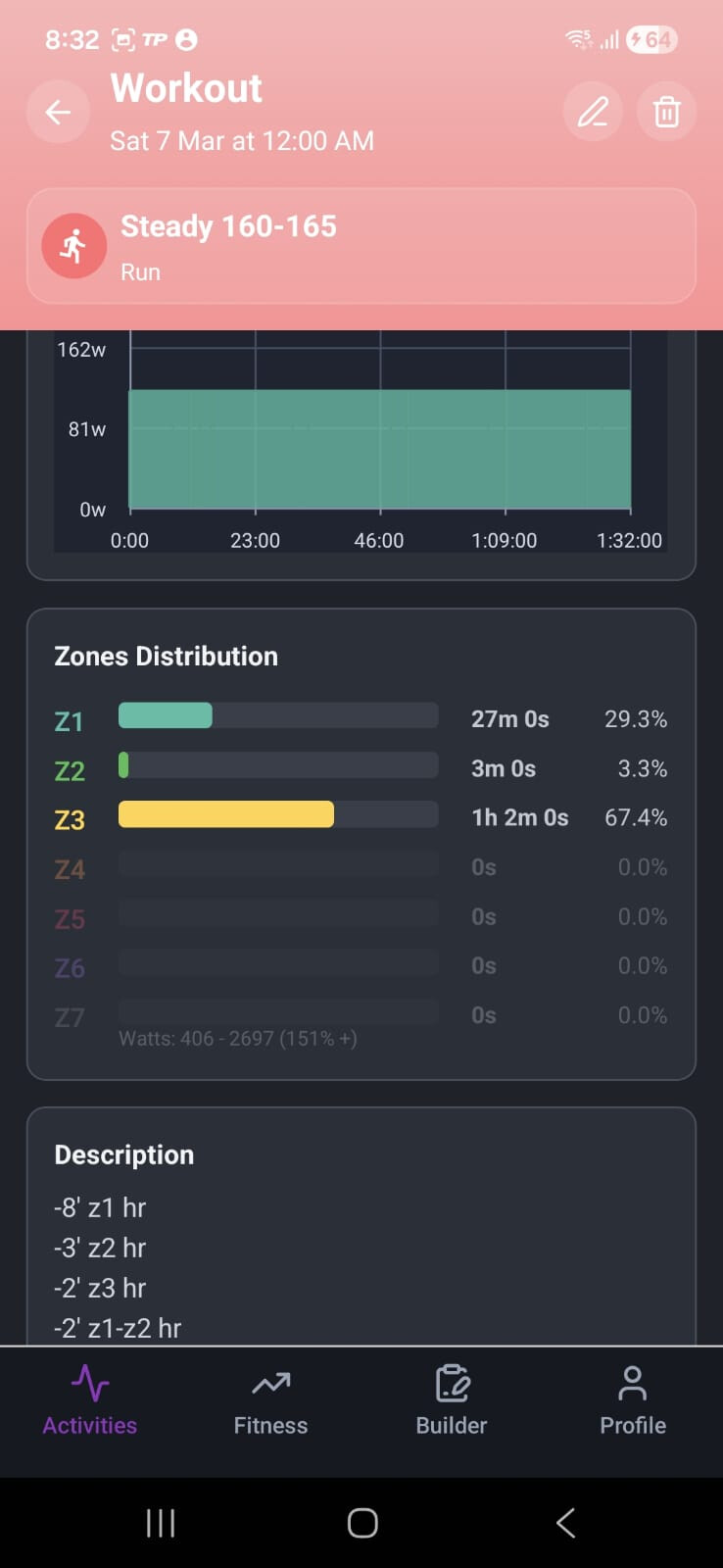
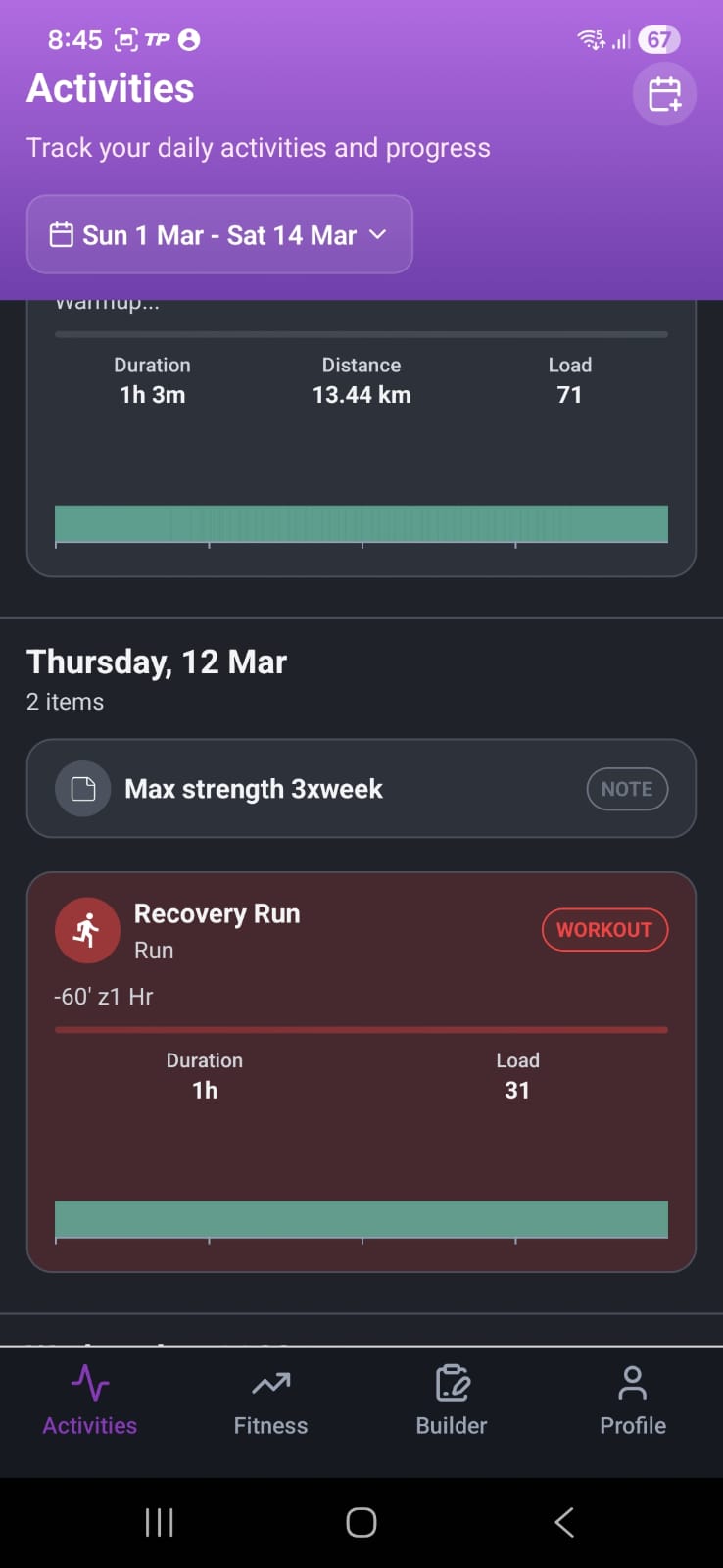
Examples above showing what it looks like when prescribed by pace or HR, just a low, z1 horizontal line.
It would be fantastic if those could be made to look the same as when the prescription is with power, with the different color columns.
Thanks!
1 Like
Hello @FredSPast
Thanks for flagging this  and for sharing the screenshots.
I’ll work on this to ensure it supports both HR and the pace charts 
1 Like
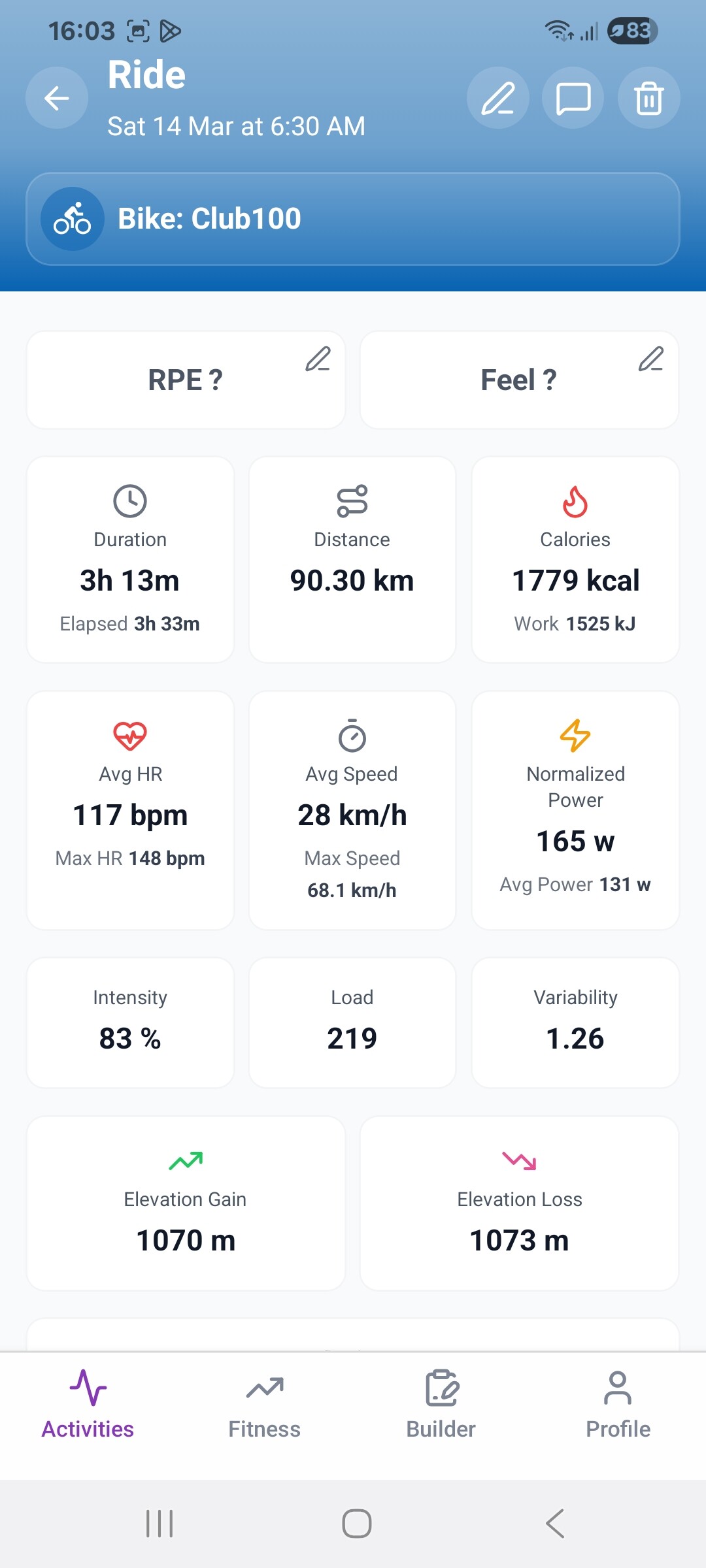
Hi, can you take a look at this as there is something not right. A 90km ride, but on the charts it says 124km and averages 0 on some of the charts?
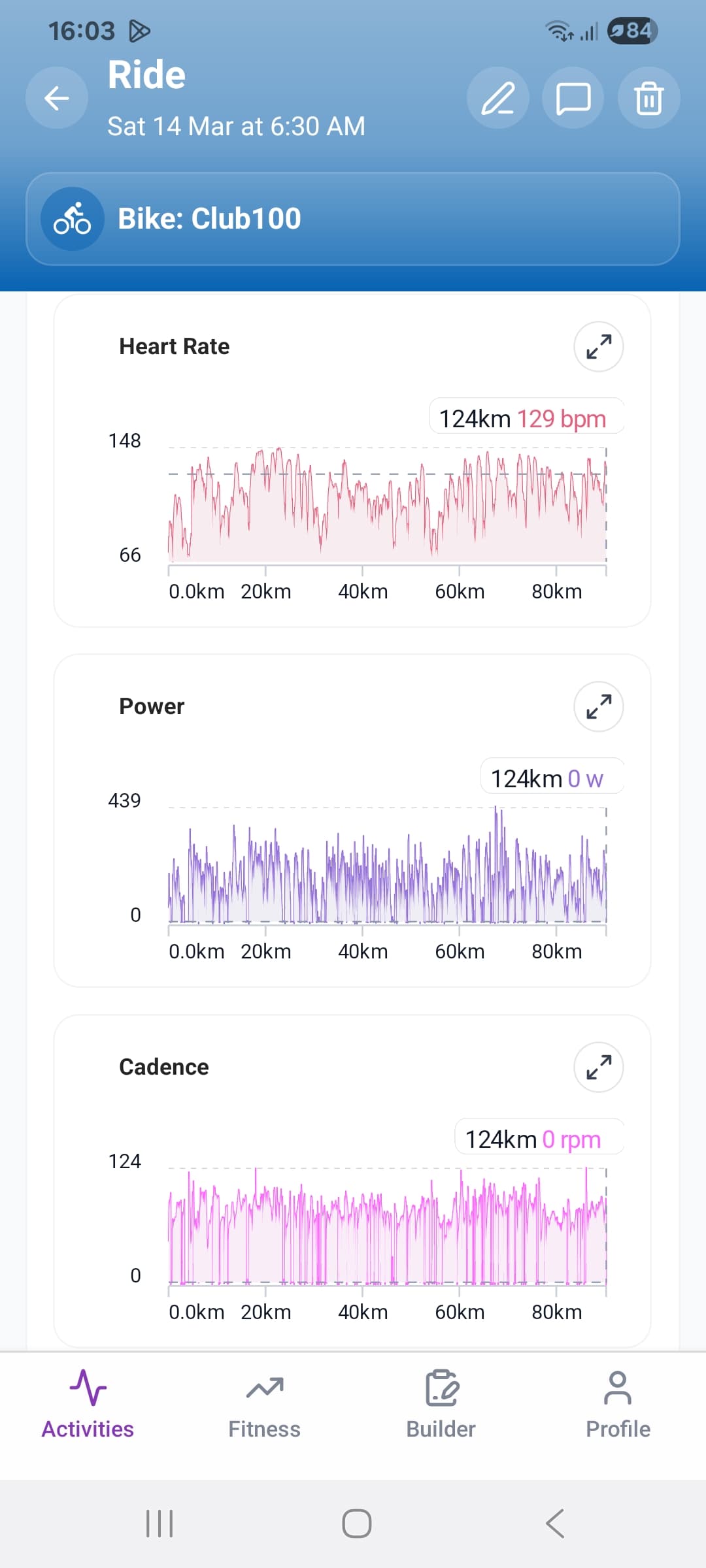
1 Like
I’ve just sent you a private message
I’ll take care of fixing the issue, thanks for reporting it!
Hi @Inakiarroyo,
First of all, thank you for the amazing app. I am using it everyday now post workout to see time @ intensity distribution.
The app UI is top notch and easy to the eye. I am recommending this to everyone as their ‘mobile UI’ for intervals. Wishbyou nothing but success.
One thing I want to report to you is that Subintervals crashes when trying to read workout library. It is not urgent or anything, but it would be a great addition to the app on ebits operational.
I am attaching links to the video since the forum didn’t allow me to attach mp4
Cheers