Title: Garmin Running Dynamics streams (GCT, Vertical Oscillation, Vertical Ratio, GCT Balance) not populated on custom fields despite being present in the FIT file
Hi everyone,
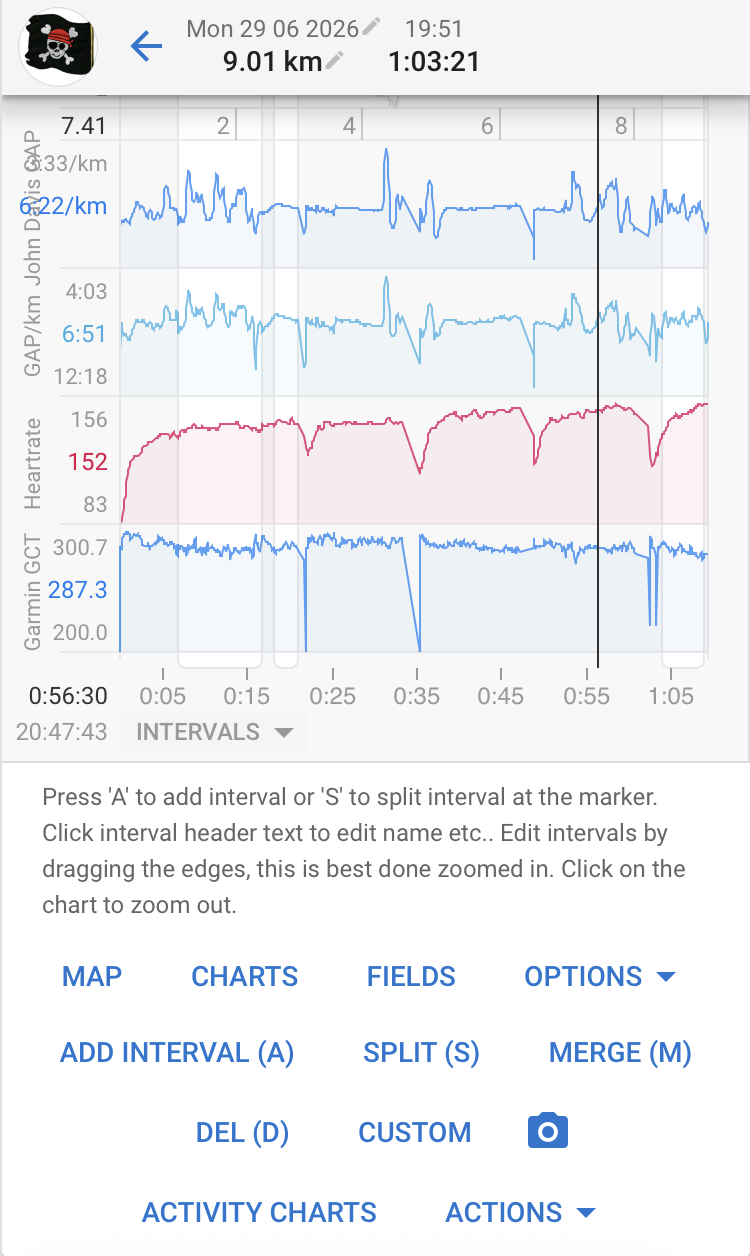
I’m seeing a consistent issue where Garmin Running Dynamics data (Ground Contact Time, Vertical Oscillation, Vertical Ratio, GCT Balance, etc.) is not appearing in Intervals.icu, even though I’ve confirmed the data is genuinely present and valid in the original FIT file.
Setup
- Device: Garmin Enduro 3, built-in running dynamics (no footpod)
- Note: this watch is currently opted into Garmin’s beta firmware program, so it’s possible (though I have no direct evidence either way) that this is related to a beta-specific FIT encoding change rather than a general Enduro 3 issue
- External HR sensor: Polar HRM (ANT+), software_version 1.1
- Garmin device software_version: 22.38
- Activity: a recent run, manually exported from Garmin Connect (“Export Original”) and re-uploaded to Intervals.icu after first noticing the issue via the standard Garmin auto-sync
What I did to isolate the problem
- I set up the relevant custom streams/fields/charts for Garmin Running Dynamics (the public ones shared by the community, e.g. “Garmin GCT”, “Garmin Vertical Oscillation”) and ran a full re-analysis. The fields stayed empty.
- I used the
streamsCheck()Activity Field JS console script (credit to miguell, shared in this thread) to checkicu.streamsdirectly on the activity. Result:
| Variable Name                   | Length | Type      | Status
|---------------------------------|--------|-----------|--------
| heartrate                       |   3816 | Array     | ✅
| speed                           |   3816 | Array     | ✅
| power                           |   3816 | Array     | ✅
| time                            |   3816 | Array     | ✅
| altitude                        |   3816 | Array     | ✅
| distance                        |   3816 | Array     | ✅
| gps                             |   3816 | Array     | ✅
| grade                           |   3816 | Array     | ✅
| cadence_row                     |   3816 | Array     | ✅
| garmin_vo_row (GarminVO)        |      0 | Array     | ❌
| garmin_gct (GarminGCT)          |      0 | Array     | ❌
| garmin_vertical_ratio           |      0 | Array     | ❌
| garmin_step_length_row          |      0 | Array     | ❌
| garmin_gct_balance              |      0 | Array     | ❌
| garmin_gct_percent              |      0 | Array     | ❌
| garmin_gap_pace                 |      0 | Array     | ❌
| garmin_impact_load              |      0 | Array     | ❌
| garmin_step_speed_loss          |      0 | Array     | ❌
| garmin_step_speed_loss_percent  |      0 | Array     | ❌

Availability: 47.4% (9/19)
All standard streams are complete (3816 samples), but every single Garmin-specific running dynamics stream comes back empty.
- To rule out a device/firmware-side recording issue, I parsed the original FIT file directly with
fitparse(Python) outside of Intervals.icu entirely. The relevantrecordmessage fields are:
stance_time (def_num=41):           3777 / 3816 samples non-null (~99%)
stance_time_balance (def_num=84):   present (sparser, as expected for GCT balance)
stance_time_percent (def_num=40):   present
vertical_oscillation (def_num=39):  3783 / 3816 samples non-null (~99%)
vertical_ratio (def_num=83):        present alongside vertical_oscillation
Sample values for context (early in the run): stance_time ≈ 280–299 ms, vertical_oscillation ≈ 58–60 mm, vertical_ratio ≈ 7.5–8.4%. The handful of nulls are only in the first few and last few seconds of the recording, which is expected (sensor/algorithm warm-up), not a recording failure.
Conclusion
The FIT file itself contains complete, valid Running Dynamics data straight from the watch. The data is simply not being mapped into Intervals.icu’s internal stream model (GarminGCT, GarminVO, GarminVerticalRatio, etc. all show length 0), even after a manual FIT upload and full re-analysis. This points to a parsing/mapping gap on the Intervals.icu side for this combination of device (Enduro 3, built-in running dynamics, no footpod), possibly related to how these particular FIT fields are encoded by this device/firmware version versus other Garmin watches where the community-shared custom fields apparently do work.
Cross-check with another platform
As a final sanity check, I uploaded the exact same FIT file to Runalyze. It parses and displays the full Running Dynamics panel without any issue.
Runalyze’s lap/splits table also breaks this down per kilometer and the values are fully consistent across the run .
This confirms the data is not just technically present in the file, but is also fully usable/interpretable by at least one other major platform.
Not a recent regression
I went back and checked my historical running activities on Intervals.icu (synced over time, well before I started investigating this specific run), every single one shows the same pattern: standard streams complete, all Garmin running dynamics streams empty. I hadn’t actively used Intervals.icu before recently, which is why I never noticed this until now, but it doesn’t look like something that broke with a recent release. it appears to have been the case consistently for as long as I’ve had this device connected.
I’ve uploaded the original FIT file here: Microsoft OneDrive
Thanks.