I am building an AI coaching integration via Make using the Intervals.icu API. My Athlete ID is i591024.
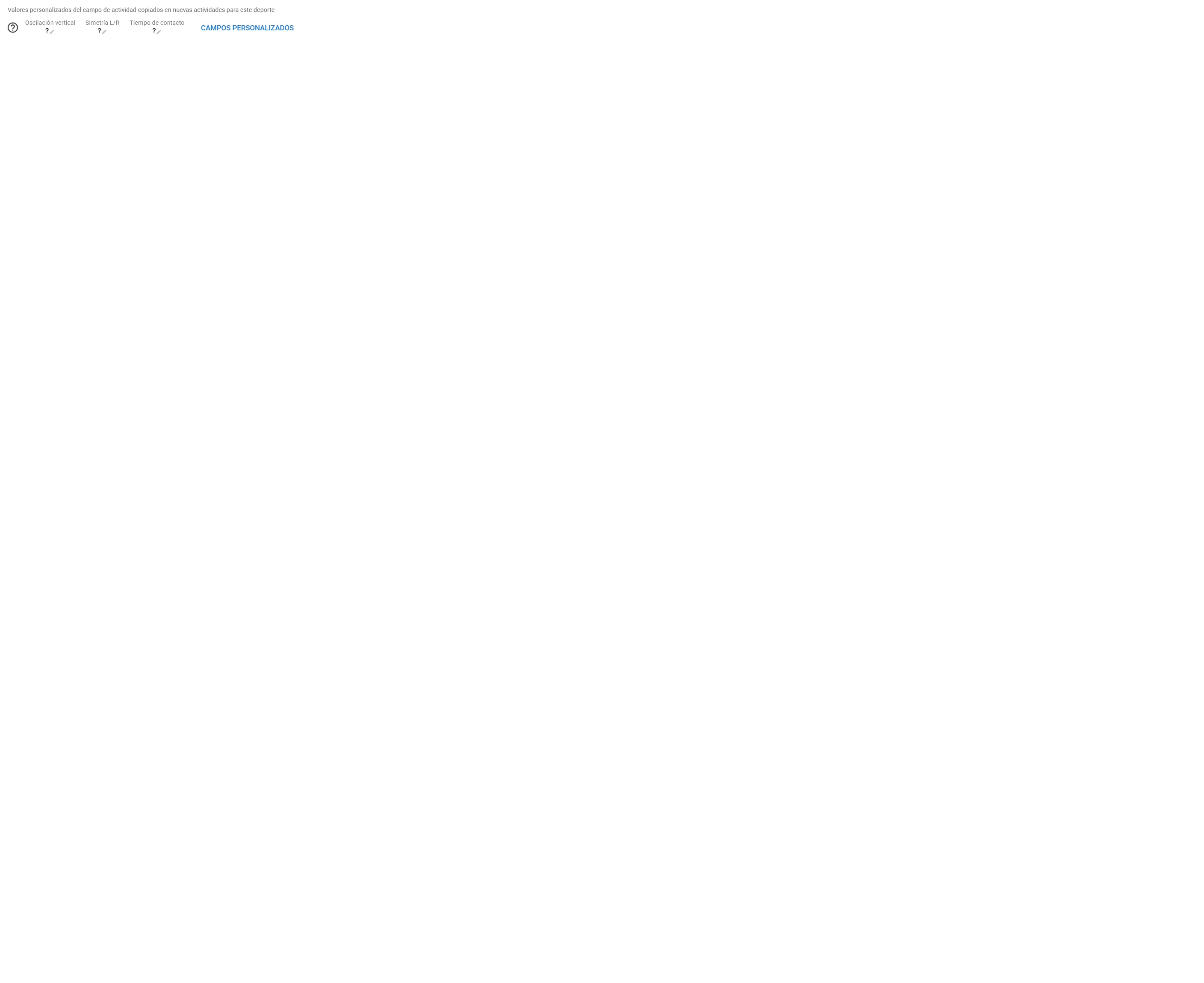
I am trying to map Garmin’s advanced Running Dynamics into my activity summary view using Activity Custom Fields, but the columns remain empty or show a question mark ? even after choosing “Re-analyse” (with all boxes unchecked) from the list view.
I can see these metrics perfectly inside Garmin Connect for my runs (e.g., my recent workout “Madrid - Series 800x6”), but they are not populating the custom fields in Intervals.
I have configured the Activity Custom Fields as numeric with the following scripts:
Ground Contact Time:activity.icu_gct
Vertical Oscillation:activity.icu_v_osc
L/R Balance:activity.icu_gct_balance
I also tried using the raw file fields bypass: activity.file_fields.avg_ground_contact_time, but it didn’t trigger any data entry either.
Am I missing a specific JavaScript naming convention for Garmin’s developer fields/native FIT file structures, or is there a different way I should map them to avoid the empty values?
Thank you so much for your help and for sharing those screenshots!
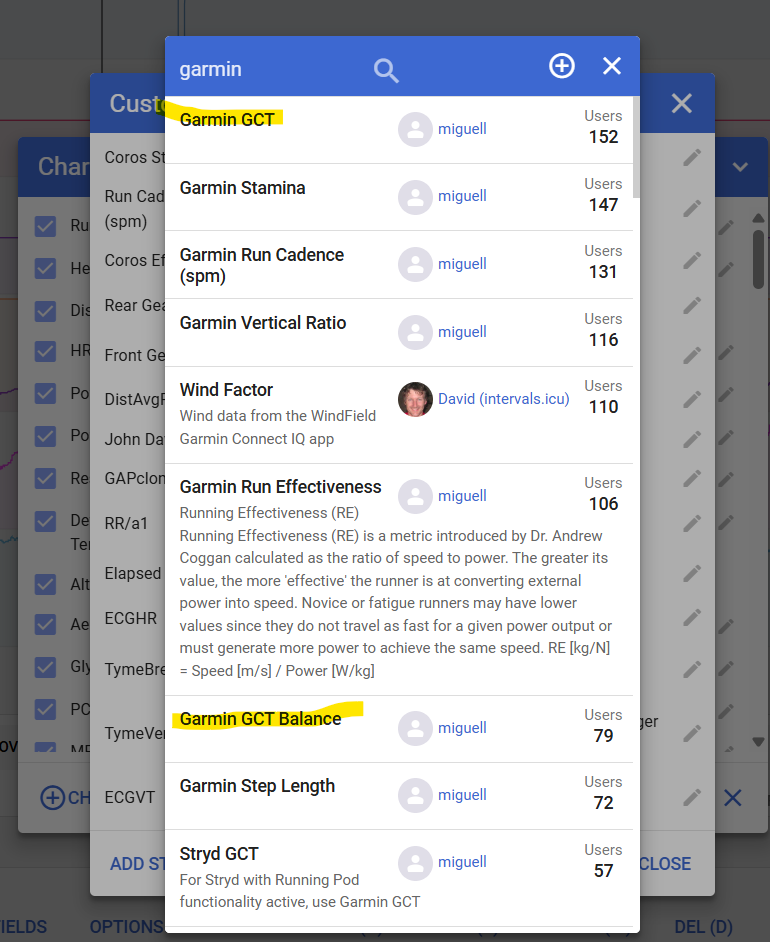
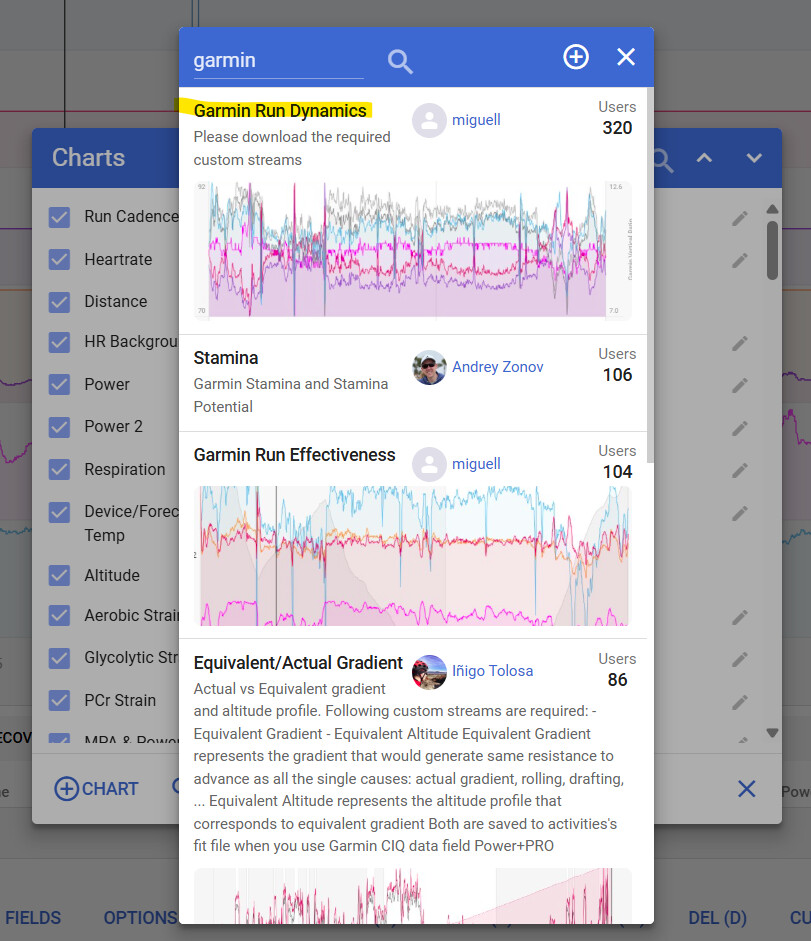
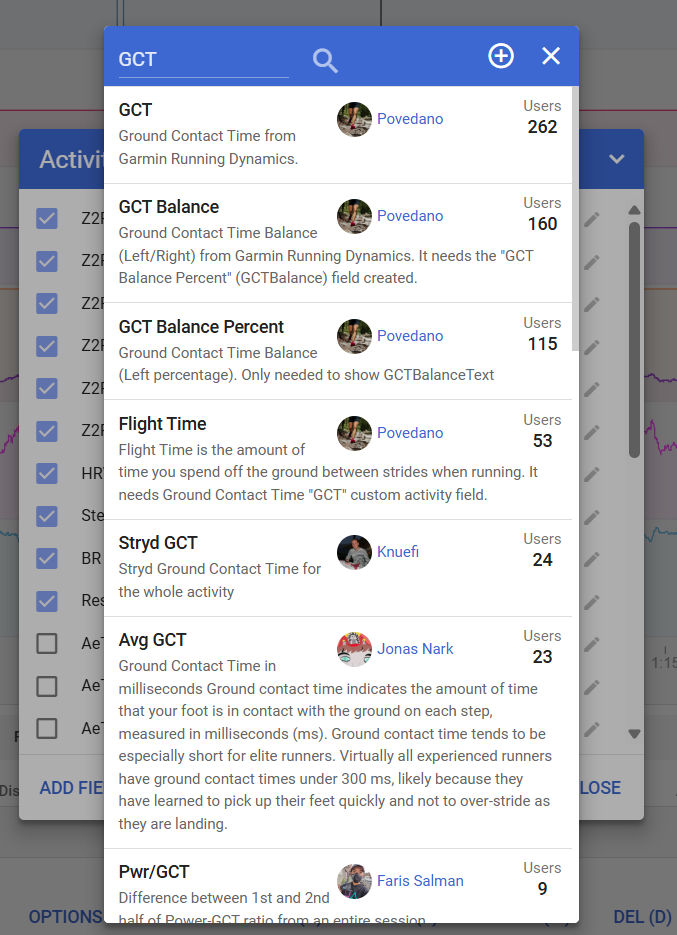
It turns out I wasn’t configuring it correctly on my end. I was trying to create the scripts from scratch instead of adding your pre-configured public fields from the community catalog.
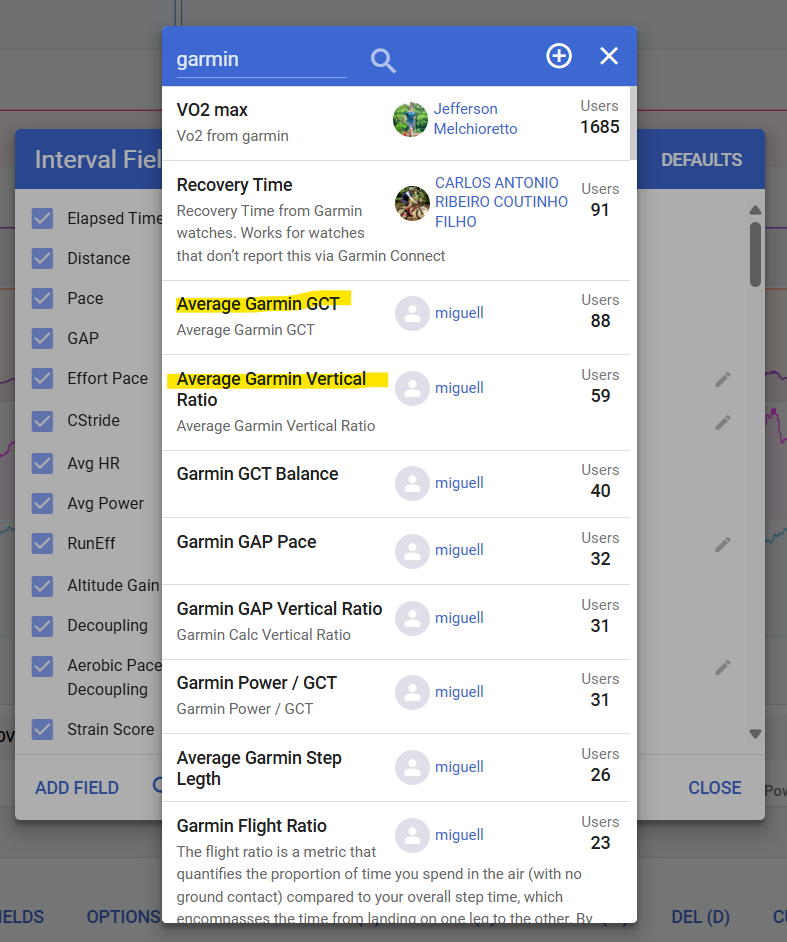
Once I deleted my manual fields, searched for yours (Garmin GCT, Garmin Vertical Oscillation, and Garmin GCT Balance), and forced a full re-analysis, the question marks disappeared instantly, and all my real Garmin data populated beautifully!
This is exactly what I needed to feed my AI coaching automation via Make. Thanks again for your amazing contribution to the community!
Top, isso e o futuro sou atleta amador do ciclismo utilizo o Gemini, e já configurei todas as metricas avançadas que ele sugeriu, para extrair os dados para montar os treinos de acordo com condionamento, vamos ver que vai dar, ele instrui utilizar todas configurançoes avaçada daqui estou aprendendo muita coisa.
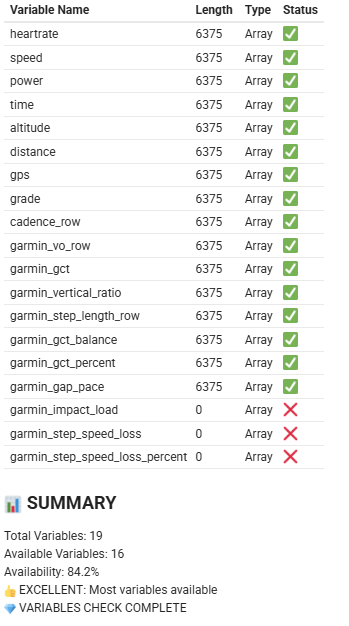
Good you have your Garmin data. I created a Garmin Running Streams Checker script you can run in the Activity Field JS console, that can help AI know about intervals.icu streams.
function streamsCheck() {
    // 1. Validate activity type (kept as "Run" – your original)
    if (typeof activity === 'undefined' || typeof activity.type !== 'string' || !activity.type.includes("Run")) {
        console.log("⏭️ Skipping - not a Run activity (or activity not defined)");
        return;
    }

    // 2. Validate icu.streams
    if (typeof icu === 'undefined' || !icu.streams) {
        console.log("❌ icu.streams not available");
        return;
    }

    console.log("💎 STREAMS VARIABLES CHECK");

    const getStream = (name) => {
        const stream = icu.streams[name];
        return Array.isArray(stream) ? stream : [];
    };

    const streamsToCheck = {
        heartrate: getStream('heartrate') || getStream('fixed_heartrate'),
        speed: getStream('velocity_smooth'),
        power: getStream('watts') || getStream('fixed_watts'),
        time: getStream('time'),
        altitude: getStream('altitude'),
        distance: getStream('distance'),
        gps: getStream('latlng'),
        grade: getStream('grade_smooth'),
        cadence_row: getStream('cadence'),
        garmin_vo_row: getStream('GarminVO'),
        garmin_gct: getStream('GarminGCT'),
        garmin_vertical_ratio: getStream('GarminVerticalRatio'),
        garmin_step_length_row: getStream('GarminStepLength'),
        garmin_gct_balance: getStream('GarminGCTBalance'),
        garmin_gct_percent: getStream('GarminGCTPercent'),
        garmin_gap_pace: getStream('GarminGAPPace'),
        garmin_impact_load: getStream('GarminImpactLoadFactor'),
        garmin_step_speed_loss: getStream('GarminStepSpeedLoss'),
        garmin_step_speed_loss_percent: getStream('GarminStepSpeedLossPercent')

    };

    console.log("| Variable Name                   | Length | Type      | Status");
    console.log("|---------------------------------|--------|-----------|--------");

    let availableCount = 0;
    const totalCount = Object.keys(streamsToCheck).length;

    for (const [varName, data] of Object.entries(streamsToCheck)) {
        const length = data?.length ?? 0;
        const isAvailable = length > 0;
        const dataType = Array.isArray(data) ? "Array" : typeof data;
        const status = isAvailable ? "✅" : "❌";

        if (isAvailable) availableCount++;

        console.log(`| ${varName.padEnd(31)} | ${String(length).padStart(6)} | ${dataType.padEnd(9)} | ${status}`);
    }

    const percent = (availableCount / totalCount) * 100;
    console.log("\n📊 SUMMARY");
    console.log("===========");
    console.log(`Total Variables: ${totalCount}`);
    console.log(`Available Variables: ${availableCount}`);
    console.log(`Availability: ${percent.toFixed(1)}%`);

    if (availableCount === totalCount) {
        console.log("🎉 PERFECT: All variables available!");
    } else if (availableCount >= totalCount * 0.8) {
        console.log("👍 EXCELLENT: Most variables available");
    } else if (availableCount >= totalCount * 0.6) {
        console.log("⚠️ GOOD: Sufficient variables for analysis");
    } else {
        console.log("🚨 LIMITED: Many variables missing");
    }

    console.log("💎 VARIABLES CHECK COMPLETE");
}

// Run the function
streamsCheck();💎 GARMIN RUNNING STREAMS CHECK

```
Thank you so much for taking the time to write this Garmin Running Streams Checker script!
This is incredibly useful for my project. Having a way to validate the icu.streams array directly via the Activity Field JS console is exactly what I needed to ensure the data formatting is bulletproof before feeding it into Make and my LLM.
I really appreciate your help and this awesome contribution. I am implementing it right away!

 STREAMS VARIABLES CHECK