Thanks to everyone who has tested so far (many more of you than I expected!). The crash reports on various devices has been super helpful with stability. I’m pushing a new build to TestFlight, but it will probably take another few days to go through approval. I believe it will auto update too.
2 Likes
I’m having some difficulty understanding the numbers that this gives me.
I’ve been doing morning measurements using my own Apple Shortcut to upload HRV data immediately after after a 1 minute meditation. The numbers I see don’t seem to line up with what I see in the app.
Should they?
I installed and ran the app, but only after that I set up AF history and background activity. I have refreshed the data, but nothing seemed to change.
I also noticed that the sample count in the app doesn’t seem to match the sample count I see if I dump the HRV data with Shortcuts. My data shows a sample taken about every 4 or 5 minutes, but the screenshot only shows 3 last night.
Additionally, the sleep duration is off. The value of 23:39 is either way too low or way too high.
I’m pretty sure I’m not understanding something here.
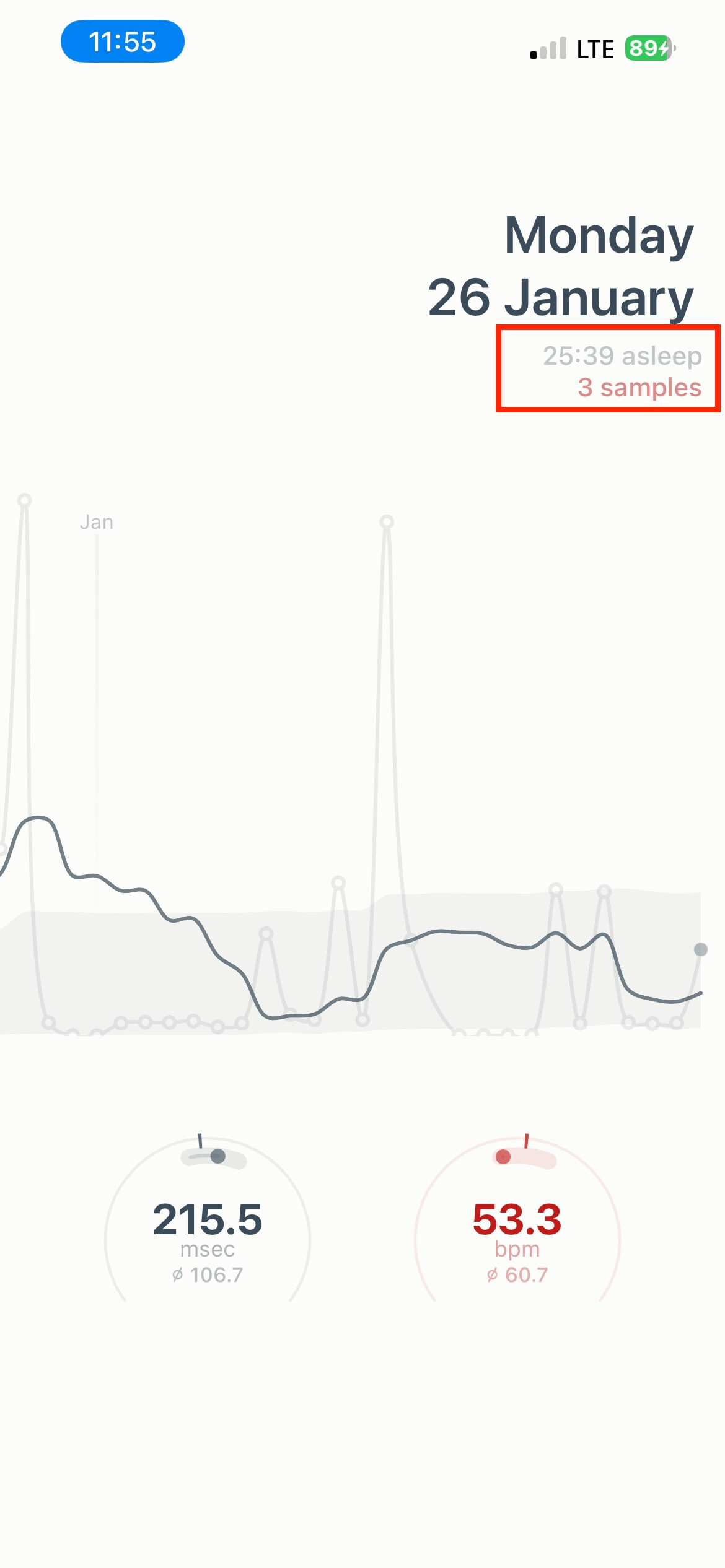
Your HRV numbers do look very high. But then from 3 samples this can happen. A few things…
- Switching on AF History only means future HR recordings will be more frequent, not data from the past.
- Your sleep duration is obviously wrong. Do you use sleep mode on the watch? If you’re not actually using sleep mode the app will struggle to detect sleep times. Are you consistency getting weird sleep time values?
The data filtering looks for sleep commencing using sleep mode, and then filters out any beat-to-beat data marked as “awake” as well as using a noise filter for any measurements that are likely inaccurate. From what your screenshot shows it seems possible that the sleep mode is either not being detected or not used.
1 Like
I’m seeing a similar issue. My watch tells me that it took readings approximately every 15 minutes, whereas this app says 4 readings. The sleep time appears to be correct: the result is that the watch figure is 64ms and the app is 171ms. My assumption is that the 4 readings are a result of poor/noisy data. Since installing the app the average has been > 240ms.
Any ideas on how to improve this would be welcome.
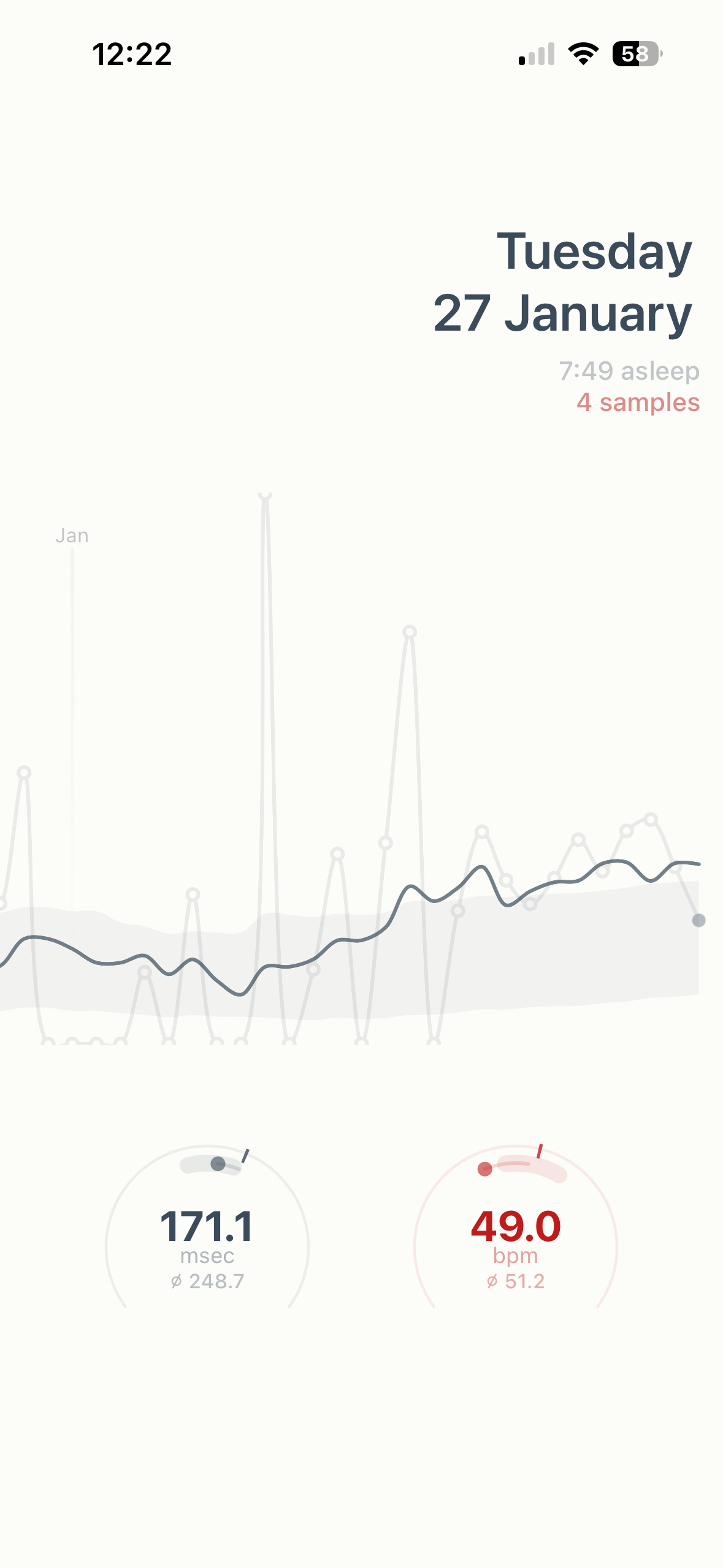
How do you see the number of samples. I only see hours of sleep (which seem to be correct). Thanks
Where do I edit for it use ave sleeping HR instead of RHR in the config file?
Open the config_athletes.m file in Matlab and change the fields near the end of the file.
1 Like
Thanks. Do I change this
FIELD_RHR = “restingHR”
Is it ave sleeping HR? FIELD_AVESLEEPINGHR?
I can’t know because that is a Custom field.
Click on the pencil icon next to it and check the exact name in ‘Code’.
1 Like
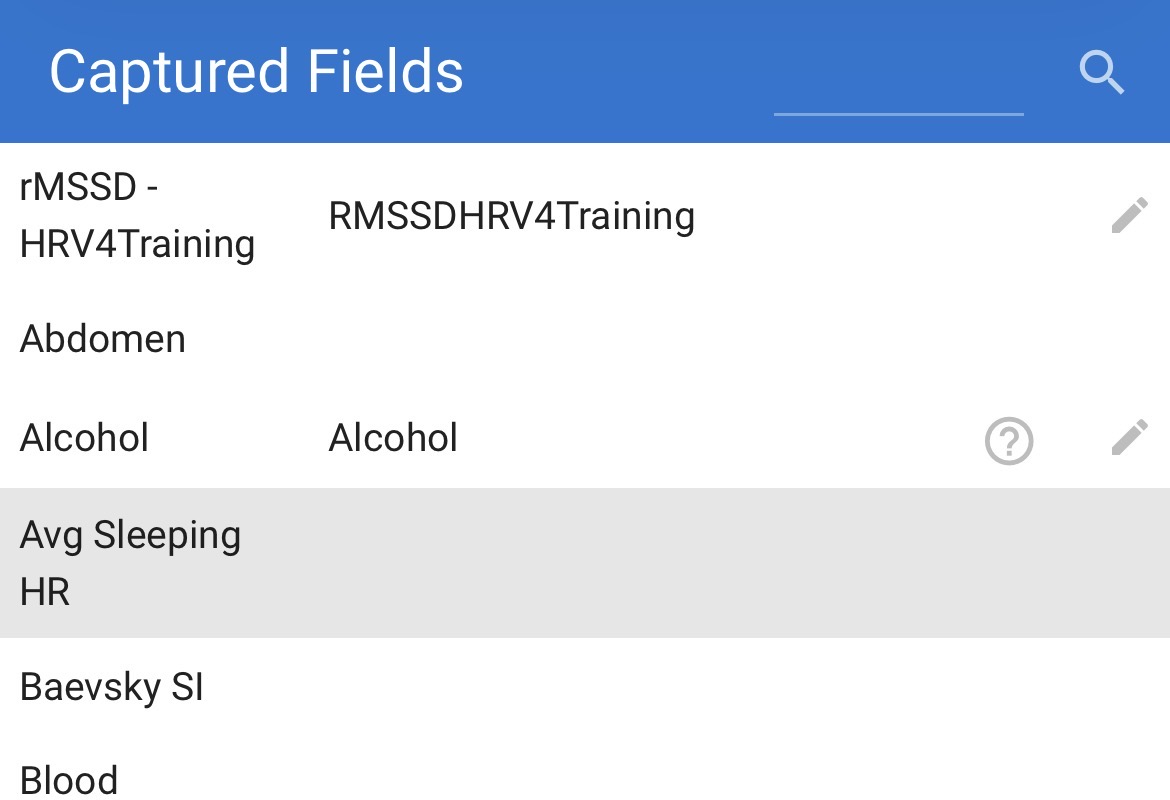
Download a csv with that field and you will see the exact name.
1 Like
Thanks sorted - it’s the following for anyone else wanting to use imReady4 and this new app"
%%%% NEW SETTINGS
daysForShortTermTrend = 7; %enter a positive integer representing num days
daysForLongTermTrend = 60; %enter a positive integer representing num days
multiplier_X_StdDev_ForLongTermTrendRange = 0.75; %enter a positive value representing num days
showValuesInTrendCharts = true; % set to true/false if you want/don’t want values in trend charts
FIELD_rMSSD = “hrv”; % modify only in case you want to pull the value from a custom field
FIELD_SDNN = “hrvSDNN”; % modify only in case you want to pull the value from a custom field
FIELD_RHR = “avgSleepingHR”; % modify only in case you want to pull the value from a custom field
fontSizeForAdvice = ‘small’; % ‘normal’ ‘medium’ ‘small’ modify in case that you find any issue related to font size
fontSizeForSummaryPanel = ‘small’; % ‘normal’ ‘medium’ ‘small’ modify in case that you find any issue related to font size
@John_Dalton and @AndyR – just double checking you have AF History switched on? It’s very strange that you’ll be getting low sample notifications if you do.
One question for you both – what is your normal HRV? Looking at your numbers it looks like you both have very high HRV. I’ll have to double check the sample filter, but I may have to adjust the upper bound to allow for higher values. I built this for myself, and I’m definitely not getting HRV over 150 very often (if ever). So if you have AF History switched on, I think that may be the problem - which is an easy fix.
@Badgerman the sample notification only appears if you have a very low number of samples. So it’s a good thing not to see it!
1 Like
Thank you @nich. Yes history is on, and looking at other days most of them do not show a sample count so maybe that was an anomaly. My usual hrv(sdnn) is about 50msec, but the average value from this app is over 200. So I suspect it’s more likely a problem with my data than an unusually high HRV but I’ve no facts to back that up.
- AF history was on for the period that I took screenshot.
- I have been using sleep mode for years, and also the HealthFit app has no problems with syncing sleep duration correctly to Intervals.
- The 3 samples message is incorrect. There is a metric boatload of samples for the 26th. (Shortcut and output for part of 26th attached)
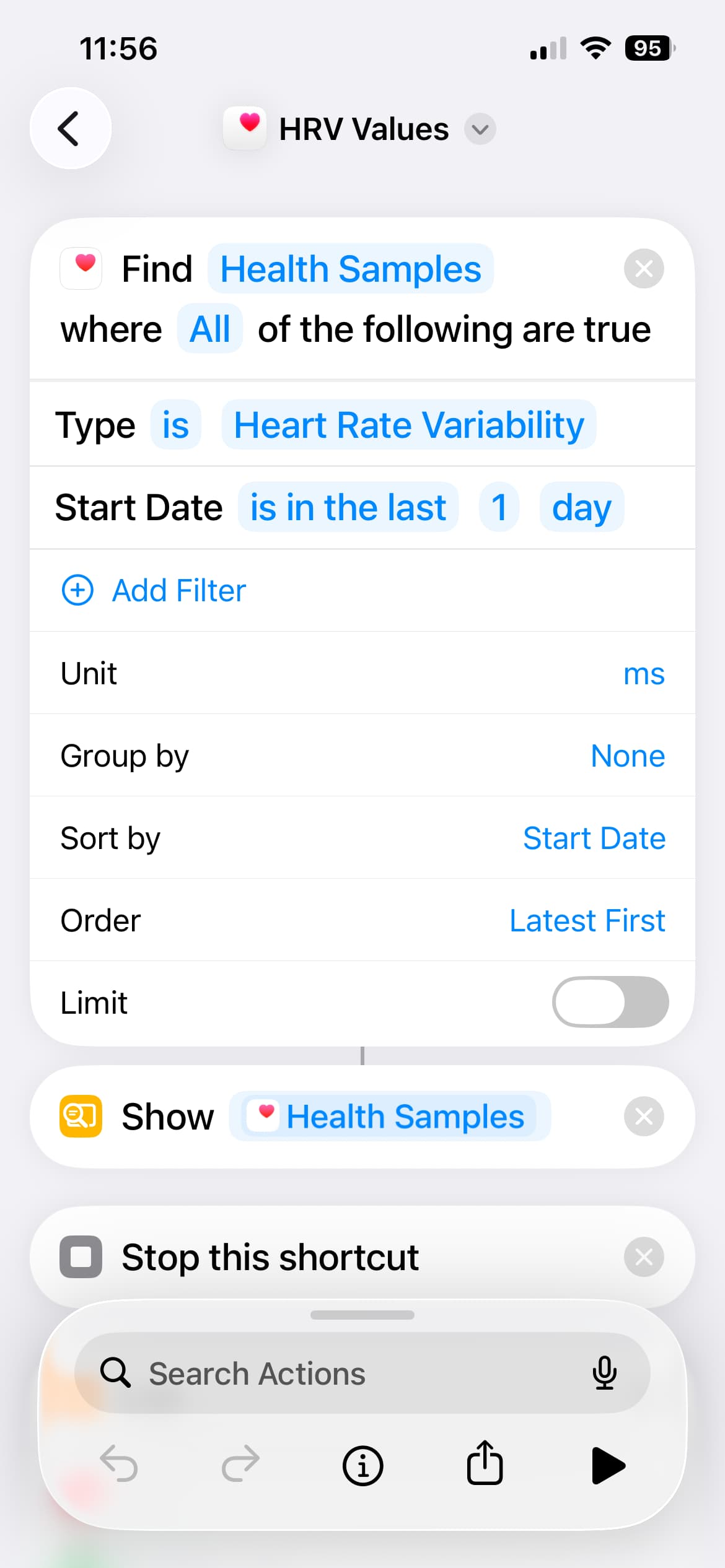
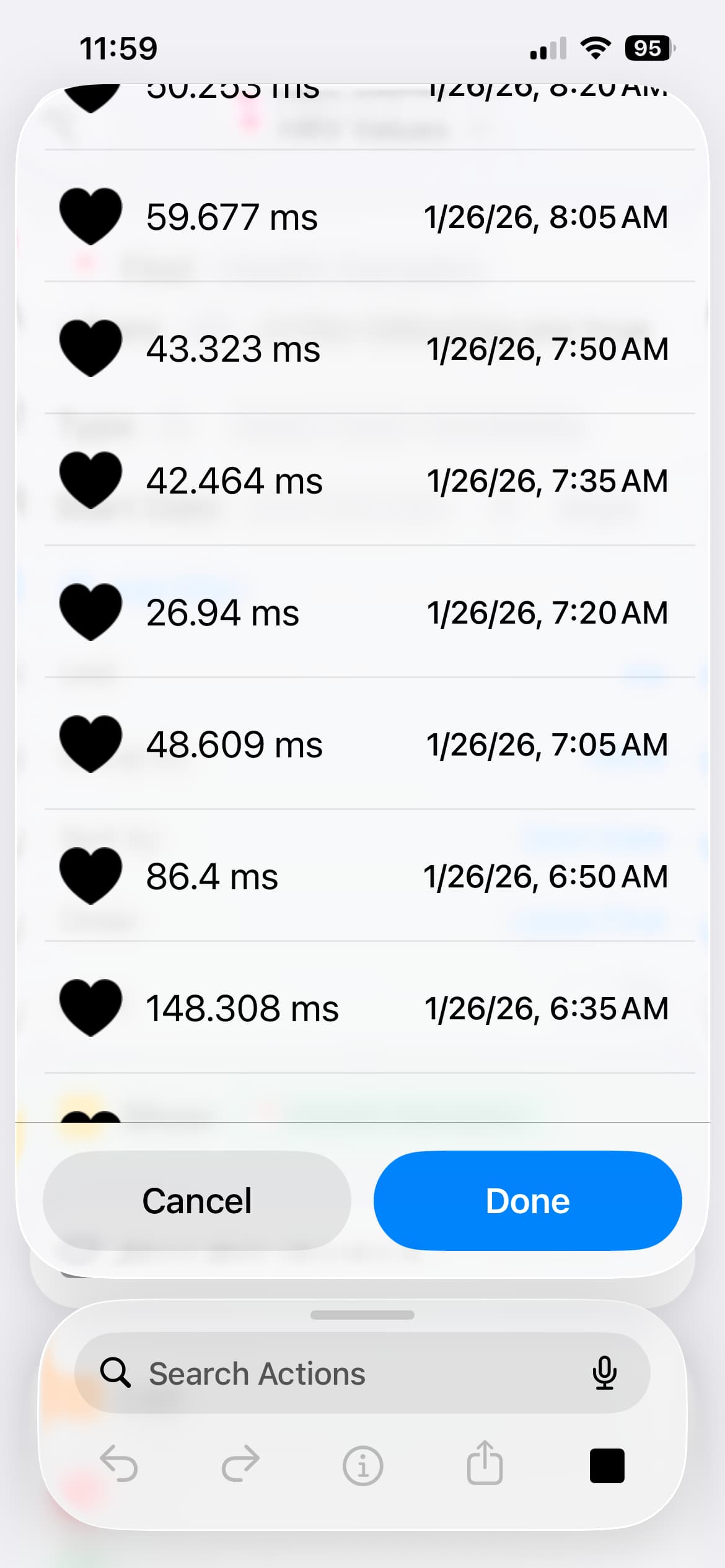
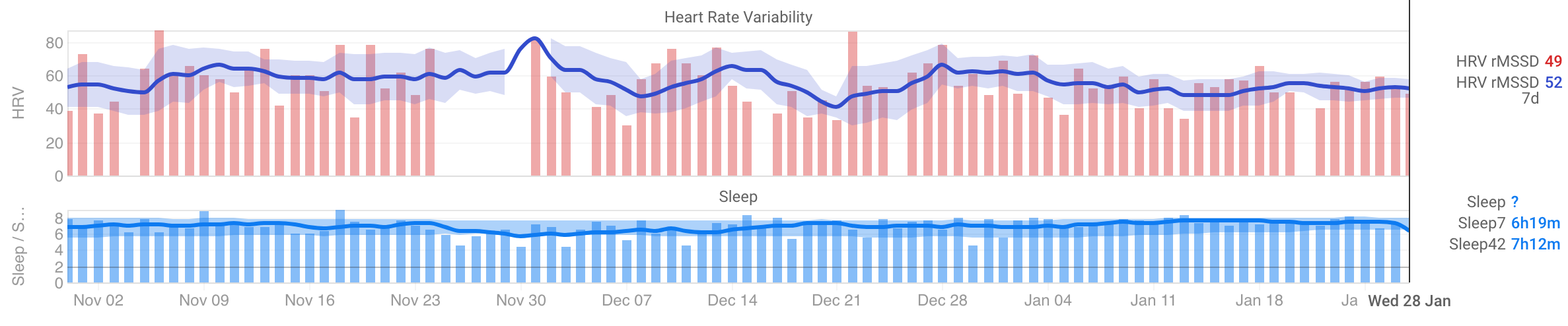
I do not have an abnormally high HRV. Screenshot of 3 months of HRV and accurate sleep durations attached. The gaps in HRV are from me not uploading the morning’s readings for various reasons.
FYI, my Apple Watch is a Series 7, running latest WatchOS.
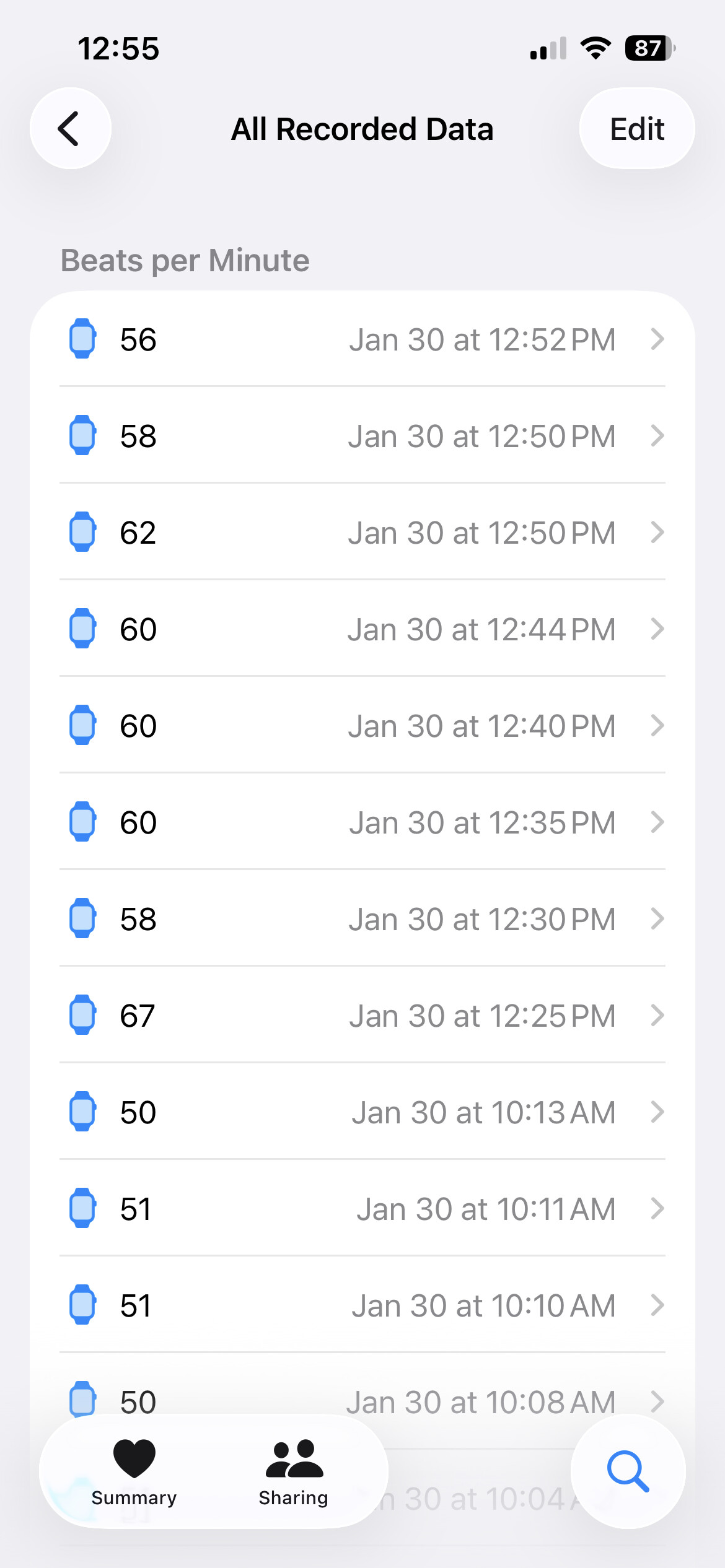
I’ll do some research into the Series 7 and how it measures HR when AF History is on. It may not be recording the data with the time range required. You’re getting frequent HRV measurements but the app actually doesn’t use HRV from Apple HealthKit because Apple records then calculates SDNN and discards all the data except for the HRV. So the app is using the beat-to-beat measurements, which you can check in the Health app by going Heart > Heart Rate > Show All Data. With AF History on you should see measurements every 2-8 minutes.
I’ll look into what I can find about Series 7 HR data recording, but this may be the issue in which case I’ll need to set a minimum Apple Watch version for the app.
Mine is also Series 7, so maybe…