The link you gave to the manual has been out of order for a long time.

It worked for me 2 minutes ago…
Try to access from the bottom of the Incyclist.com homepage:
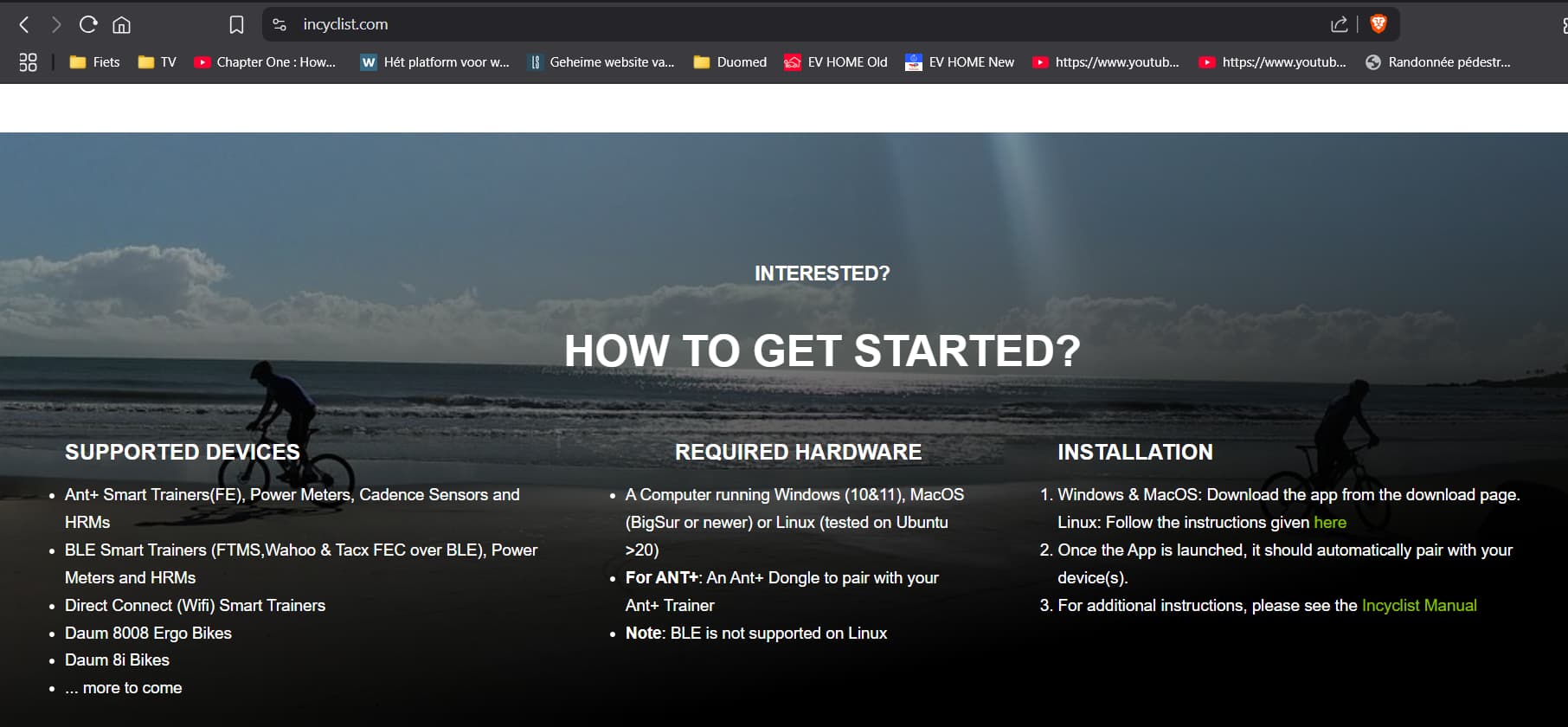
But I forgot the link with the tutorial:
Many, maybe even almost all, of the free files for this application found in the download folders are posted without the xml file. And only some of them contain this xml file. Those files that are provided together with the xml-file are uploaded to the application without any problems, while the videos of those without the xml-file cannot be uploaded.
It would be good to have ideally a video tutorial of an example of how to create an xml file, because the way it is described can only be understood by a person with IT education. Can someone explain in detail with some video example how to create an xml file correctly?
It doesn’t necessarily need to be an xml file. There are plenty of working free videos with a pgmf file to sync map to video frame. I’ve got about 15 of them and all working perfectly. Download and use the Import button.
The files on Fred’s (Published Incyclist videos (chronological list) - Van Gestel - Cycling pages) and Niels’ (Fotograf (i) nielspn.dk - Incyclist - free video) pages are ZIP Files. You need to unzip them, then you will find the XML, GPX and Video file.
Besides these two pages with free videos, you might find other pages, which either have commercial or free videos.
Incyclist supports the following formats
- ErgoPlanet ( requires an EPM and an EPP file)
- Tacx ( requires an pgmf and rlv file)
- KWT ( requires an XML and GPX file)
- Bikelab ( requires an XML and GPX file)
of course in all of these cases, you also need to have the video file
Do you have plans and is it even possible to make a version of the app for AppleTV?
“Plan” would be a bit too strong statement, as it would involve a date and clear strategy. But I have the ambition to do provide a tvOS version of the app
At the moment, I’m working on a Android/IOS version of the app, with the plan to release it in this autumn. My ambition is to use almost the same code base as for desktop, which should make my life easier in maintaining the app in the future.
Once that approach is confirmed to be working, I can start working on the TV versions of the app. I already know, that there I can’t re-use the user interface (UI) code base, as tvOS does not support in-app browsers. So I need to implement a TV specific UI. I also know that I can only support BLE and Wifi. It’s a bit unclear to me how to handle personal videos/video downloads.
1 Like
Thank you for the glad tidings from you!!! Hope everything works out for you!!! I’ll be looking forward to the Apple TV version.
Hi Gegfi. What is the plan on having an Android version? And for whatever reason I’m not able to connect to Strava, apparently the previously mentioned issues are still present.
It’s hard to forecast a release date for Android/IOS. I have a prototype, which however lacks BLE support (ANT+/Serial will not be supported) - main purpose for me to develop this as a technology feasibiltiy study. It probably might take another month or two to creata a useable alpha-version from there.
My struggle however is that a couple of other high prio topics have popped up and so I had to task-switch between those things and did not make the progress I was hoping for.
The other struggle is that I haven’t finally decided on the architecture/technology. The fastest way (used in the prototype) would be to copy the approach from desktop and have the full UI in a WebView (enhanced browser). However, I have seen posts that apple might reject that approach and I would not be able to publish in AppStore and this approach also would not work for AppleTV. The alternative is full re-write of the UI, which would then have solved these issues, but would mean double efforts for every future feature (desktop + mobile)
Re Strava: Could you send me your UUID (From Settings->Support) in a direct message. This would help me to analyse your problem. I have read from other users that it made a difference if they were using login via email (not working) or via password (working)
I find out this yesterday and made my first ride on it. Really like it. Still need to figure out a few things.
Mi Wahoo kickr v6 appears inmediately on bluetooth (Win11), but all sensors where remaining in connecting state, I wasn’t able to make them work so I switched to ANT+. What was weird was that at the end I re enabled BT and it get connected directly.
On the garmin side I wasn’t able to make the fit file recognized as an edge device like I usually do with MyWhoosh files changing them first on fit file tools page.
Thank you!!
I will look into the BLE issues you have ( hope to find your session in the logs). If you could send me your UUID (from Settings->Support) in a direct message that would speed up things.
Re Garmin: I don’t add a device identifier into the FIT file. But I understand you can use the Fit Tools Device Changer (available here) to do so. Probably myWoosh will already do that
Gegfi sorry I didn’t reply to you earlier. The BT issue was on my first try, but I wasn’t able to replicate it later. Maybe was something more on my side, who knows. I will let you know if it happens again.