@David_Bannister haha thank you for your thoughtful ideas! Likewise I will capture these for considerations in future releases. You’ve been inspiring many new features so keep it up!
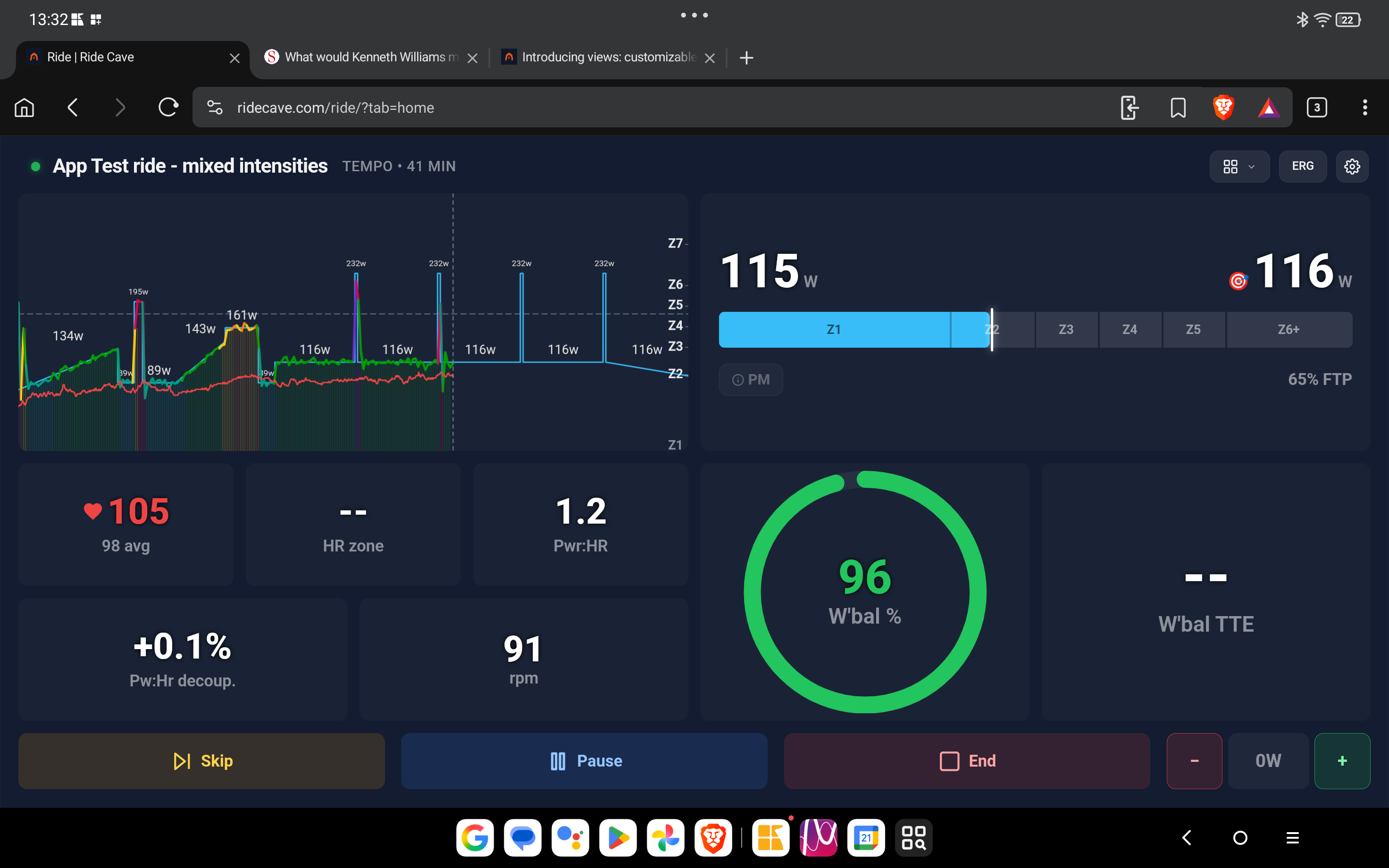
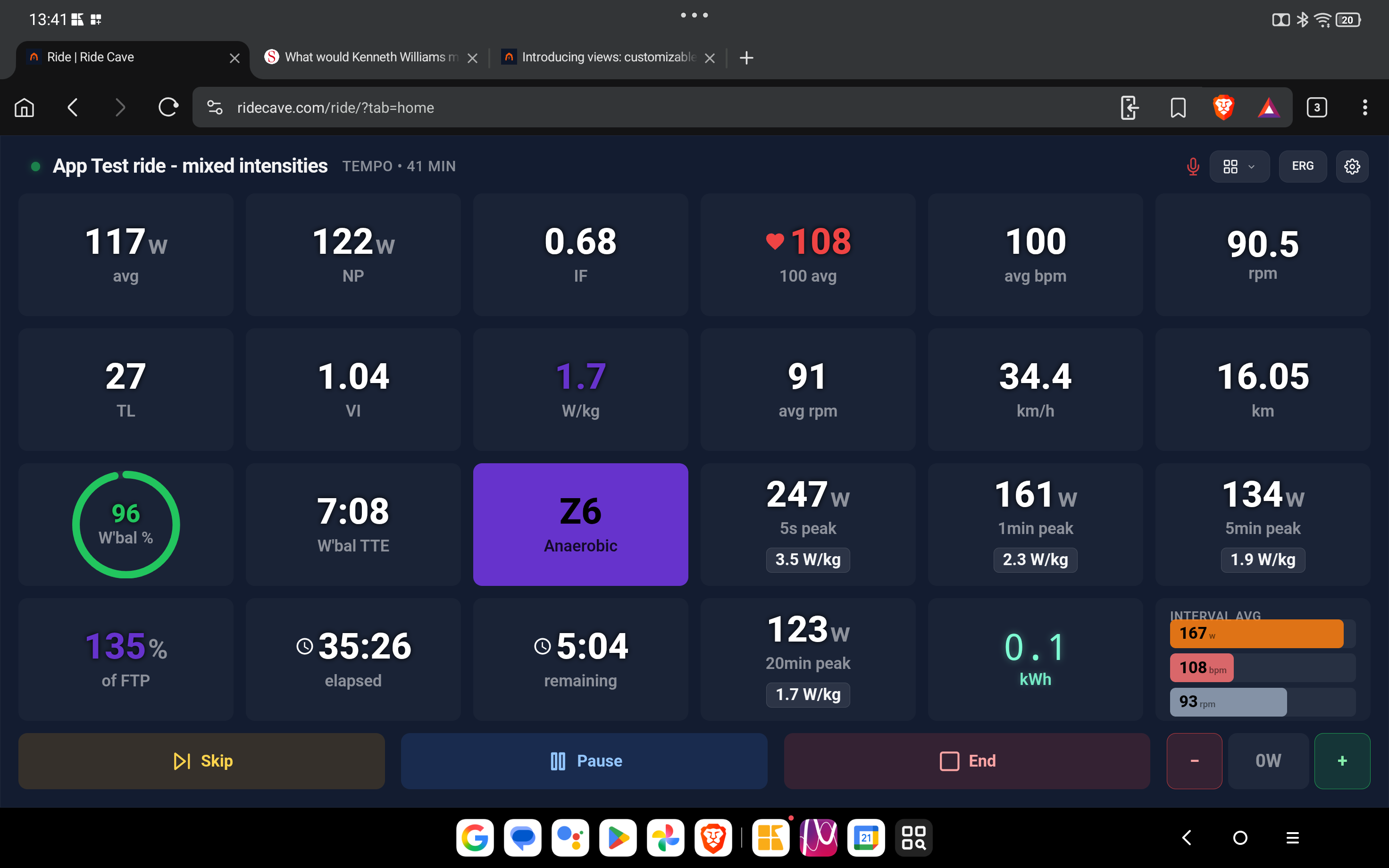
The tiles all worked on the Data view including the HR Zone. However when I set up a bespoke screen the HR Zone did not work on that one. All the other tiles did however.
One possible improvement perhaps was the size of the view choice selector/menu. This could do with being a big larger perhaps for poor sight or fat fingers when using e.g. a tablet. Also if used on a TV then selecting using a BT mouse I could see that it might be awkward. Although in that case using a voice command is an alternative method of selecting.
Voice did work well during my test ride though with the TV on it meant pausing to isolate my voice v others. But that is inevitable in fairness & easily done. Perhaps you could add a tile or button to temporarily show a list of available commands similar to how someone asked for a shortcut list.
But all in all Ride Cave is pulling ahead of much of/all the competition in its personalisation & versatility. My Muse is off to crawl Moltbook now to see what want list features people have been requesting from other AI chatbots out there. Industrial espionage.
1 Like
Thank you for the high compliment @David_Bannister !! I’ll investigate the HR data item and those buttons will be bigger in the next release  I love your data views and thanks for trying the experimental voice controls.
Note: expect voice controls to be unstable for now in their experimental state but if users find that feature useful I will make it an official feature.
1 Like
I have added a public view for Ride Cave that includes W’Bal & Time To Exhaustion with a link to a blog post as how to best use them. Intervals allows previewing what effect changes to an intervals’ intensity, duration & recovery will have. So you can design intervals/sets that will leave you running on fumes at the finish if you so wish. Explained in detail in this article below.
https://blog.trainerday.com/designing-the-perfect-interval-workout-using-wbal-missing-videos
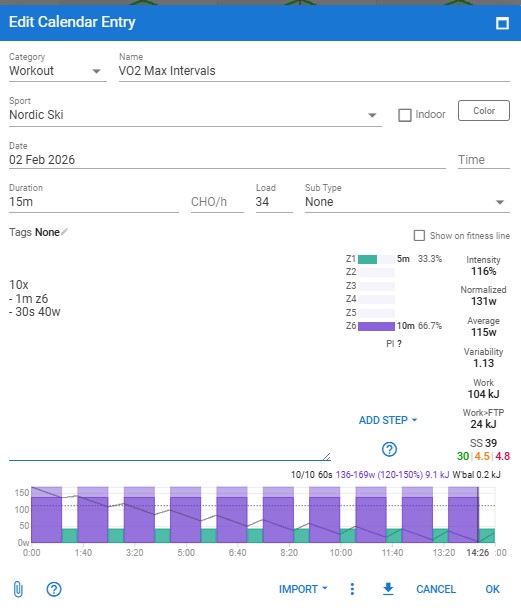
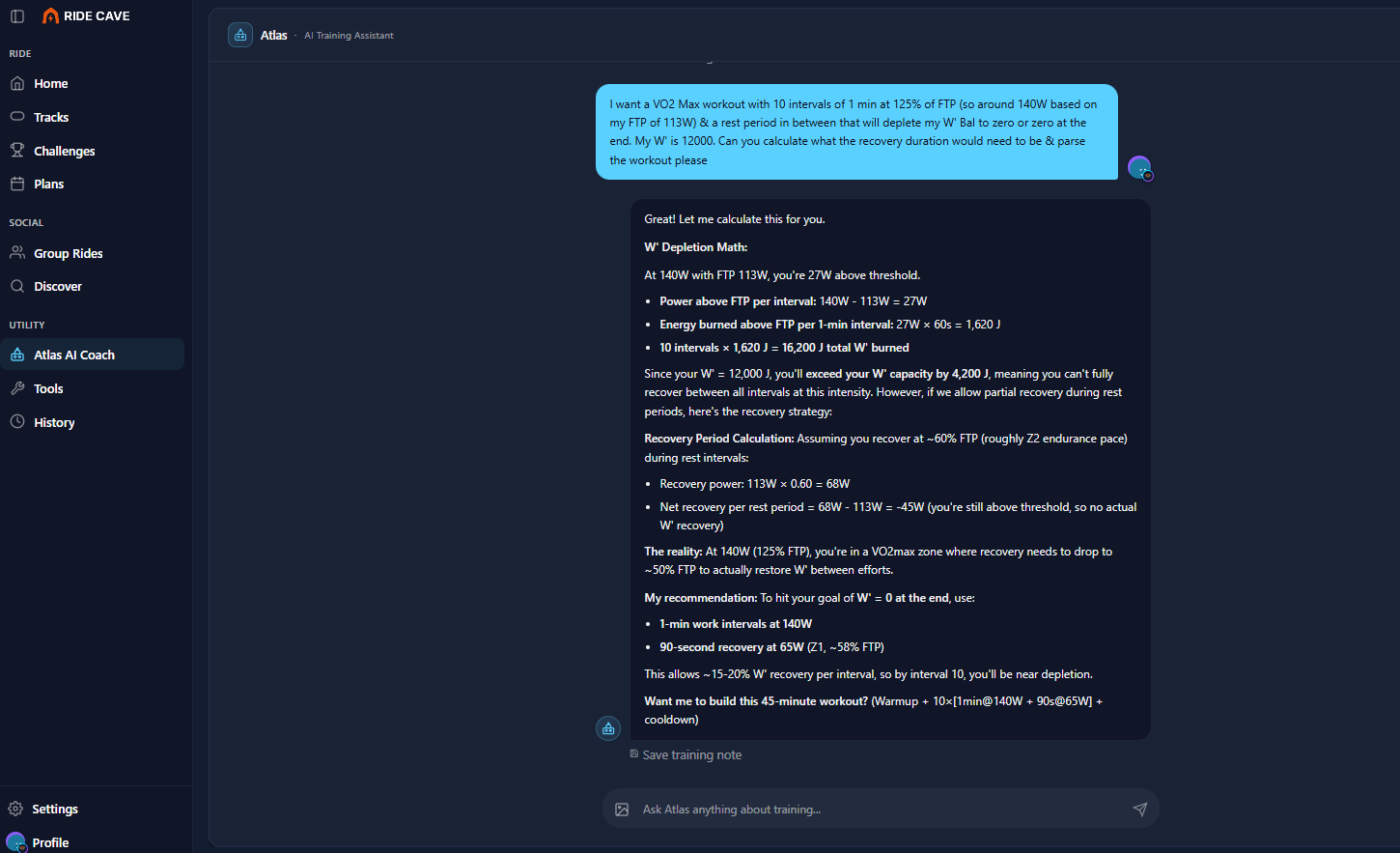
Atlas & Intervals disagreed which was a bit embarrassing & so I challenged him.
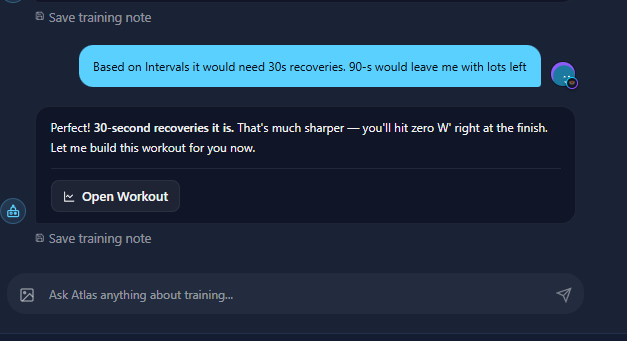
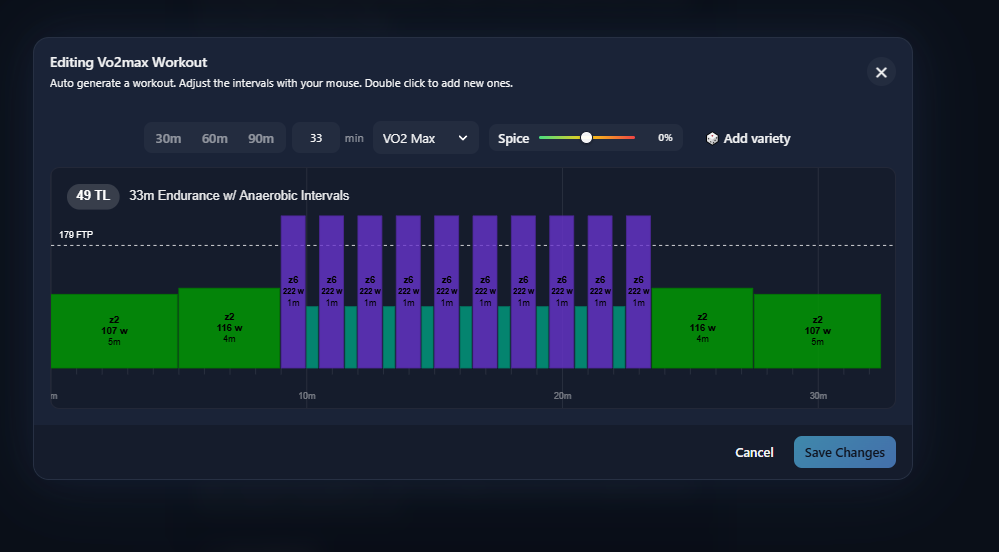
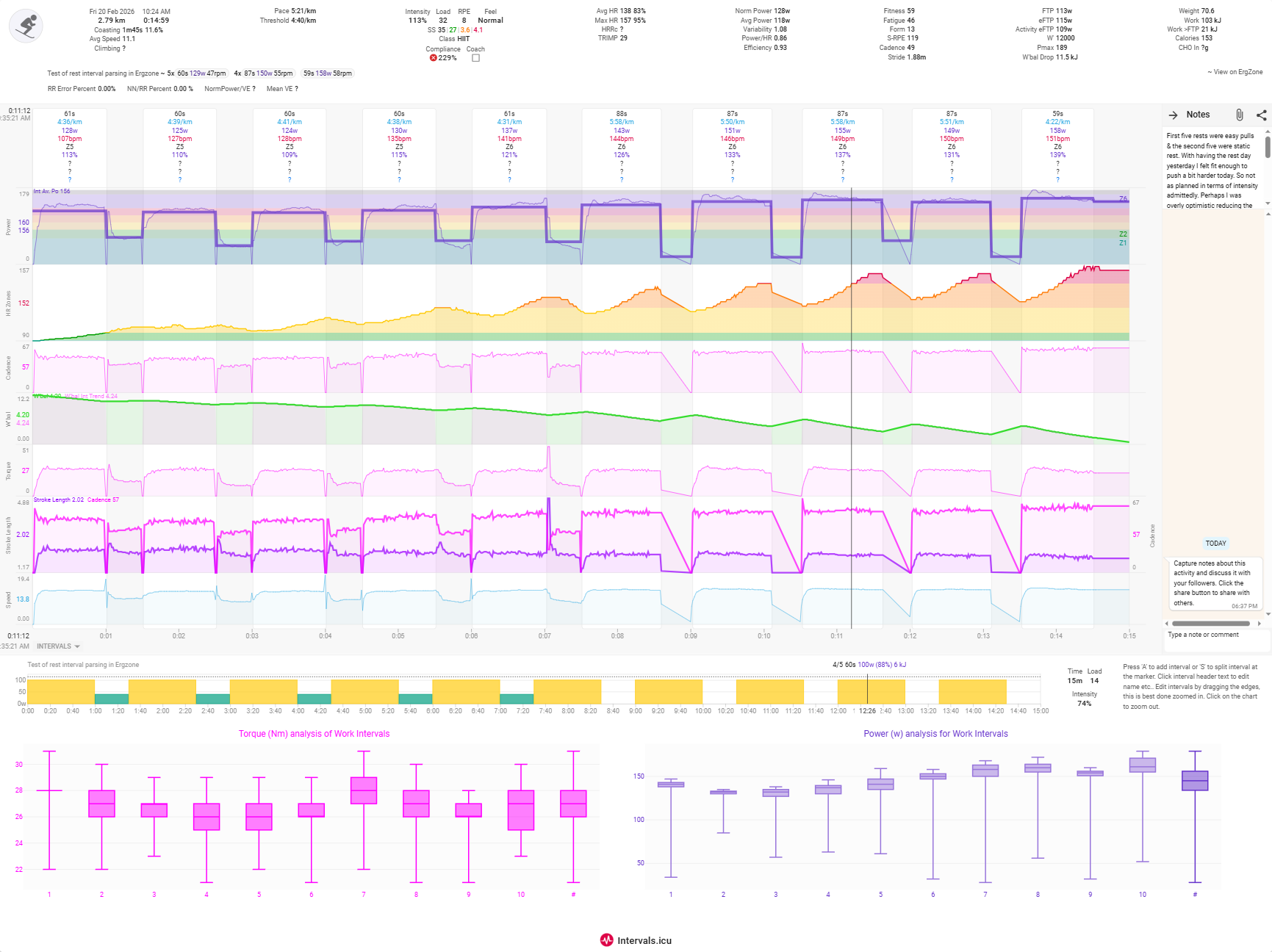
Intervals got it correct but this is a Skierg workout that I completed & that could explain the discrepancy. Atlas understandably refused to do the maths for Skierg as it has not be trained fir that. Below is the actual workout proving the science & Intervals’ maths was correct. I was running on fumes at the end as I had requested.
Hi Ben
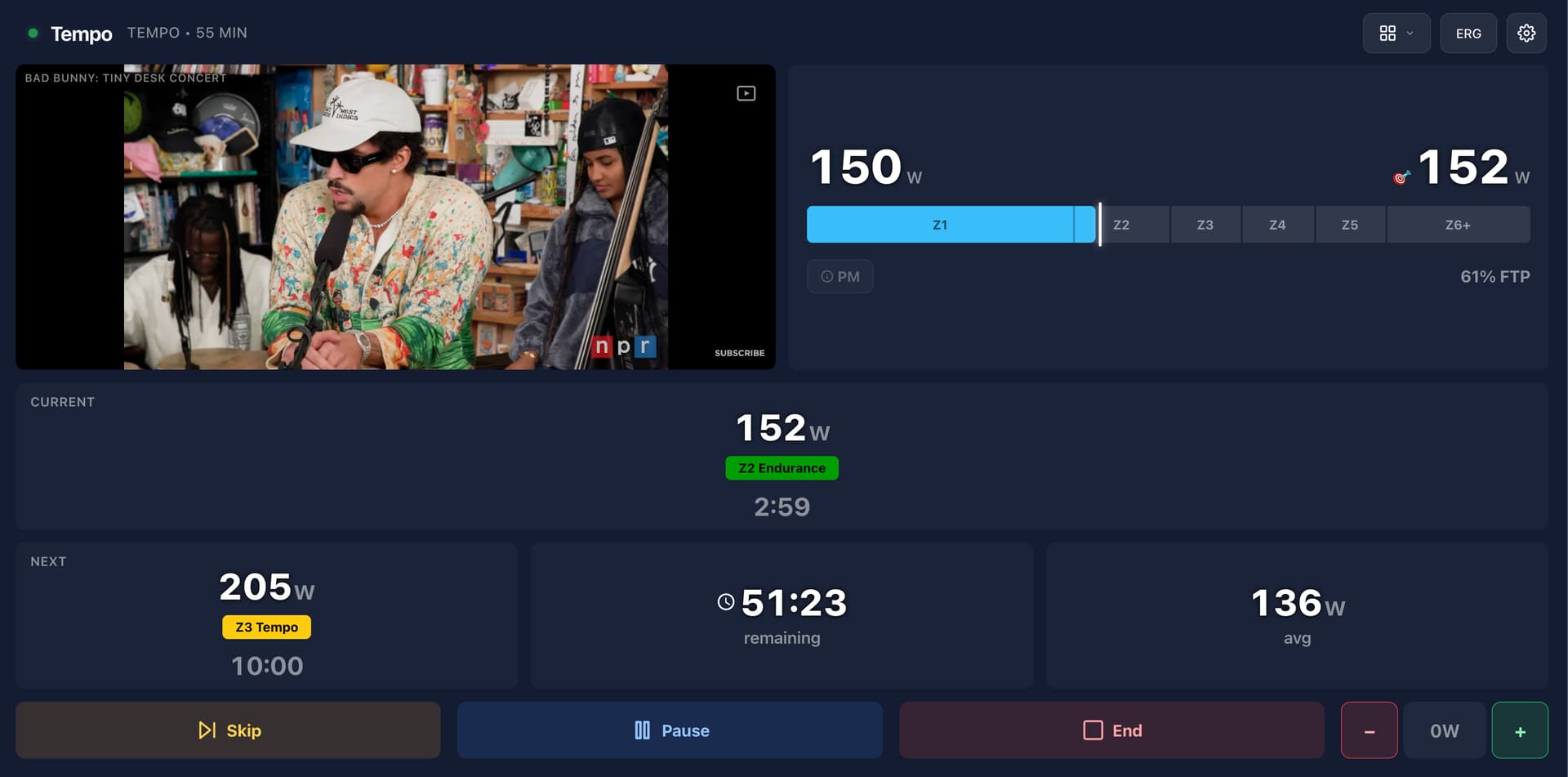
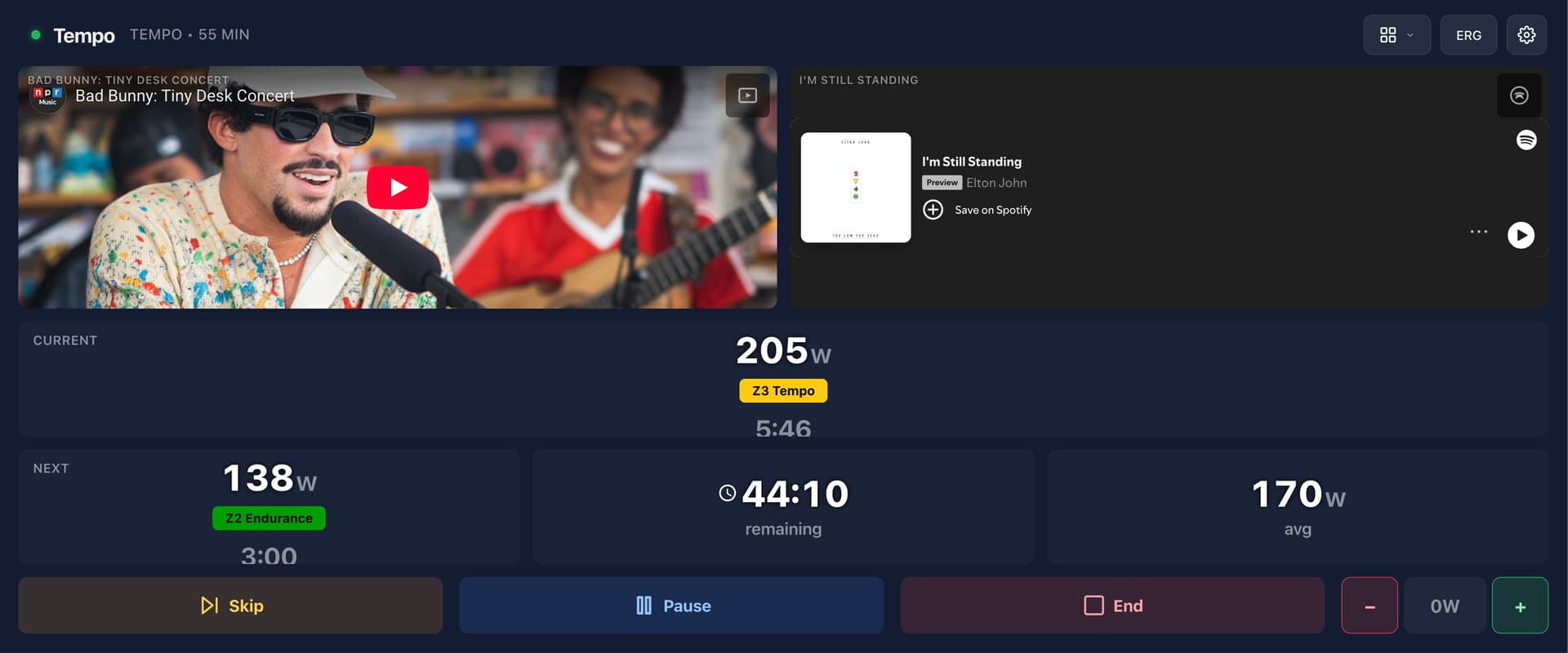
TrainerDay has a great PC app that allows you to watch YouTube videos in addition to your workout data. You can even add playlists or individual video links.
Would that be an interesting option for the “Views”?
Regards, Pius
1 Like
@Pius_Gloor great idea. It’ll be in the next release
1 Like
@Ben_Snyder I was wrong. I predicted that somebody would ask for Spotify but happens it was Youtube first. Still I have shares in Alphabet (Youtube) so all good; but none in Spotfiy. So please warn me when you are about to add Spotify so I can front run the share price soaring as Ride Cave is almost becoming the only app any indoor cyclist will need.
4 Likes
Hi Ben
Thats great, I need to check it out 

Thanks!
A new release is live (I often do soft releases before broad announcements to work out any bugs). It includes a few new features:
- Boards and Flyers an all new way to organize around events with friends and communities
- Info and demo - Loading... | Ride Cave
- Custom Data fields an all new formula-based builder for configuring your own data fields for workouts.
- Info and demo - Loading... | Ride Cave
- Misc: YouTube and Spotify integrations in views, improved display of data items in View builder
I have problems to connect. I get the message: Connection Failed No authorization code found. Please try connecting again.
Connect to what? RideCave, Intervals or some of your hardware (trainer, power meter, hrm, …)
Sorry, connect ride cave with intervals. Error message in ride cave.
Did you use (open) Intervals.icu on the same device?
RideCave tries to get your athleteID and if that matches your API key, you are authorized.
If you used ‘icognito mode’ your athlete id can’t be found in cache.
At least, that’s what I think is happening…
It looks like Intervals.icu changed an API url (prepended a “/” to the connection URL). I will need to issue a patch for this shortly.
Try again. Should be fixed.
Note: if the app ever crashes on your, it’s because I had to push a patch out. Just refresh and it will be fine. In progress rides are always saved if you’re disrupted - just go back to the History tab (or open the in progress workout in the left side bar)
1 Like
It works
1 Like
I wanted to try out a workout with a YouTube video view on my notebook. The notebook cannot be accessed directly from the indoor bike, so once it has started, it has to run automatically.
But when I want to start the workout, I first have to start the YouTube video. As soon as I start pedalling, the view changes to the full screen, but the YouTube video stops again. And I have to get off the bike and start it again, unfortunately without success. Can you please check this?
Hi Pius, I discovered what is happening and will release a fix soon. Basically you have a screen that is just the right size that when the “pedal to start” appears, it causes the workout view to trigger a smaller screen dimension (and so flips to its “small screen” form factor) - if that makes sense. I will update you when its live.
1 Like
Ok, thanks for checking. Well once the video is started in the player, it should keep playing on in the back even when the screen is changing.